
Auto Repair Estimate Template: A Complete Guide for Shops
A lot of shops are still building estimates the hard way. A service advisor copies customer details into a PDF, a technician texts over part numbers, someone rechecks tax, then the customer disappears for hours because approval requires another call, another email, or a signature on paper. None of that feels dramatic, but it slows the front counter, delays production, and turns a simple quote into an operational bottleneck.
A solid auto repair estimate template fixes part of that problem. It gives the shop a repeatable structure for labor, parts, fees, and authorization. But structure alone isn't enough anymore. Shops also need an estimate process that moves fast, captures the full job, and makes approval easy.
Table of Contents
- Anatomy of a Bulletproof Auto Repair Estimate
- How to Price Repair Jobs for Profitability and Trust
- Your Estimate as a Legal and Communication Tool
- The Hidden Costs of Using Static Templates
- From Estimate to Invoice The Digital Workflow Advantage
- Your Next Step Towards a More Efficient Shop
Anatomy of a Bulletproof Auto Repair Estimate
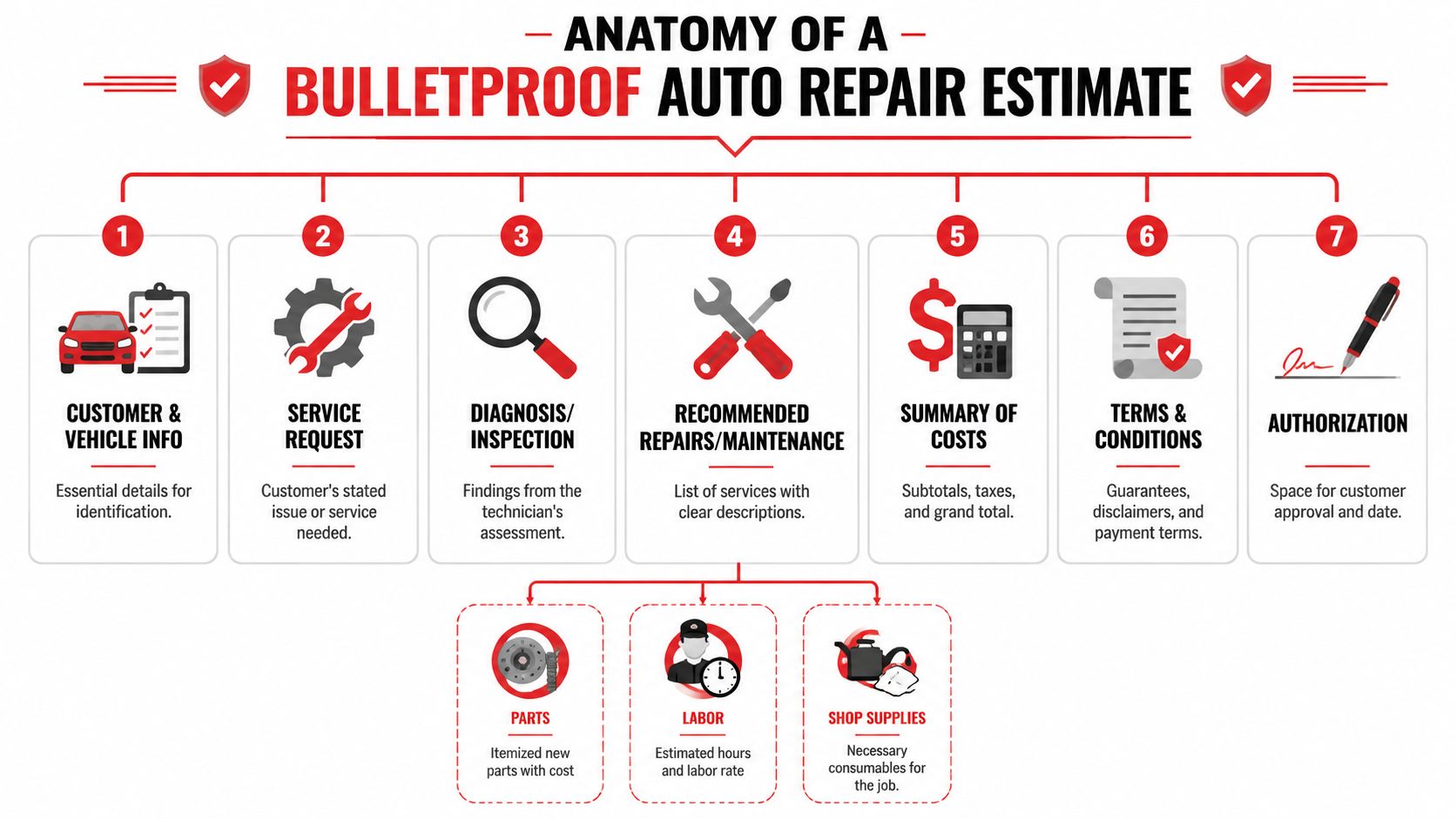
The strongest auto repair estimate template isn't just neat. It's itemized, reviewable, and easy to approve. A foundational template separates customer and vehicle information from labor, parts, taxes, and authorization fields. Common fields include estimate number, VIN, odometer reading, make and model, labor description, part number, quantity, price per unit, tax rate, and total, and the estimate should clearly state that it is based on an initial inspection and may change if additional work is found, as shown in.
Start with identification and scope
Shops get into trouble when the top of the estimate is incomplete. If the vehicle data is wrong, everything downstream gets harder. Parts sourcing, labor lookup, approvals, supplements, and invoicing all depend on having the right car tied to the right customer.
A clean estimate should establish these basics immediately:
- Customer details: Name, phone, and contact method the shop will use for approval.
- Vehicle details: VIN, license plate, make and model, and odometer reading.
- Service request: What the customer reported, not just what the shop plans to do.
- Estimate reference: An estimate number so the document can be tracked and reconciled later.
Practical rule: If a document can't identify the customer, the vehicle, and the requested work in seconds, it isn't ready to send.
That sounds simple, but many downloadable forms bury the actual complaint under line items. That creates confusion later when the customer says the shop approved one thing and the shop priced another.
Itemize every charge that affects the final bill
The middle of the estimate is where trust is won or lost. Labor needs its own description. Parts need their own line items. Taxes and extra fees shouldn't be buried inside a single total. A professional estimate shows the customer how the number was built.
This is also where weak templates usually fall apart. They leave little room for shop supplies, disposal or recycling fees, diagnostics, towing, or sublet work. That forces advisors to improvise in notes or tack on charges later, which customers hate.
A practical checklist looks like this:
| Estimate section | What it should show |
|---|---|
| Customer and vehicle | Identity, VIN, odometer, plate, make and model |
| Labor | Description of work and how labor is charged |
| Parts | Part number, quantity, and unit price |
| Fees and taxes | Shop supplies, disposal, diagnostics, towing, tax |
| Authorization | Approval language and signature space |
For shops comparing document layouts, are useful for seeing how estimate formatting affects readability. The lesson is straightforward. A good-looking quote isn't automatically a useful shop document. The template has to support the way the job will be sold, approved, and closed.
How to Price Repair Jobs for Profitability and Trust
Bad pricing usually doesn't come from greed. It comes from incomplete estimating. A shop prices the obvious repair, misses labor around access, forgets a supporting part, leaves out a small fee, then has to either eat the cost or reopen the conversation with the customer. Both options hurt.
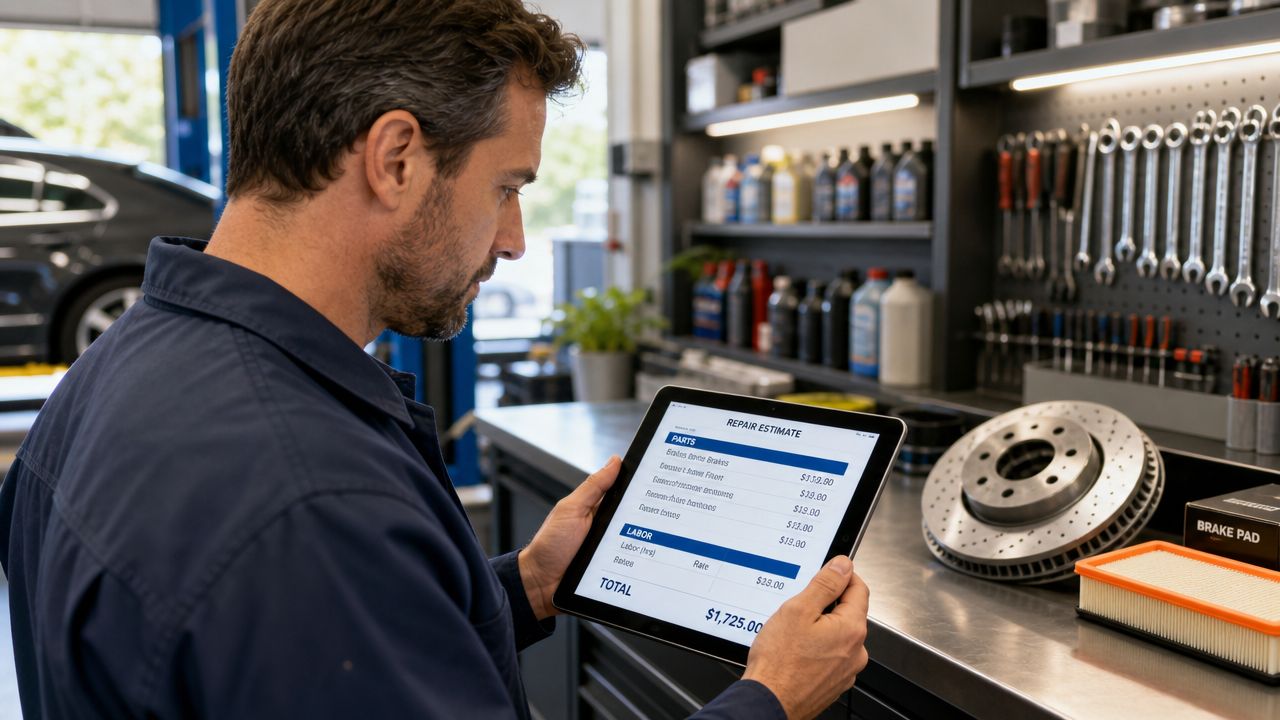
The underlying method hasn't really changed. The older estimating workflow involved writing all damage on a form and then consulting a guide for parts prices and labor times. Modern digital templates still follow that same logic by entering parts with unit price and quantity, and labor as either hours with an hourly rate or a flat service, as described in the.
Build labor from process not guesswork
Shops that estimate from memory tend to undercharge on complicated jobs and overexplain simple ones. A stronger approach is to define how labor gets priced before the estimate is written.
That usually means using one of two models:
- Hourly labor: Better when diagnosis, disassembly, or variable condition affects the job.
- Flat service pricing: Better for repeat services with a stable scope.
The key isn't choosing one forever. It's choosing the one that matches the work. Brake service may fit one process. Electrical diagnosis may need another. Customers usually accept labor more easily when the estimate explains the operation in plain language instead of posting one vague line that says "repair as needed."
Protect margin with complete parts and fee capture
Profit leaks from the edges of the estimate. Not from the obvious line items.
A thorough pricing review should check for:
- Supporting parts: Clips, seals, fasteners, fluids, and hardware that belong with the main repair.
- Operational fees: Diagnostic charges, shop supplies, disposal or recycling, towing, and sublet operations when they apply.
- Parts structure: Unit price and quantity entered separately so the customer can see what is being supplied.
- Discount handling: If a shop discounts work, it should show as its own line item rather than disappearing inside the total.
Shops don't lose margin only on large mistakes. They lose it when small required costs never make it onto the estimate.
The trust piece matters just as much. A customer doesn't need every internal pricing decision explained in detail, but they do need a clear, readable estimate that shows the repair was calculated, not guessed.
Your Estimate as a Legal and Communication Tool
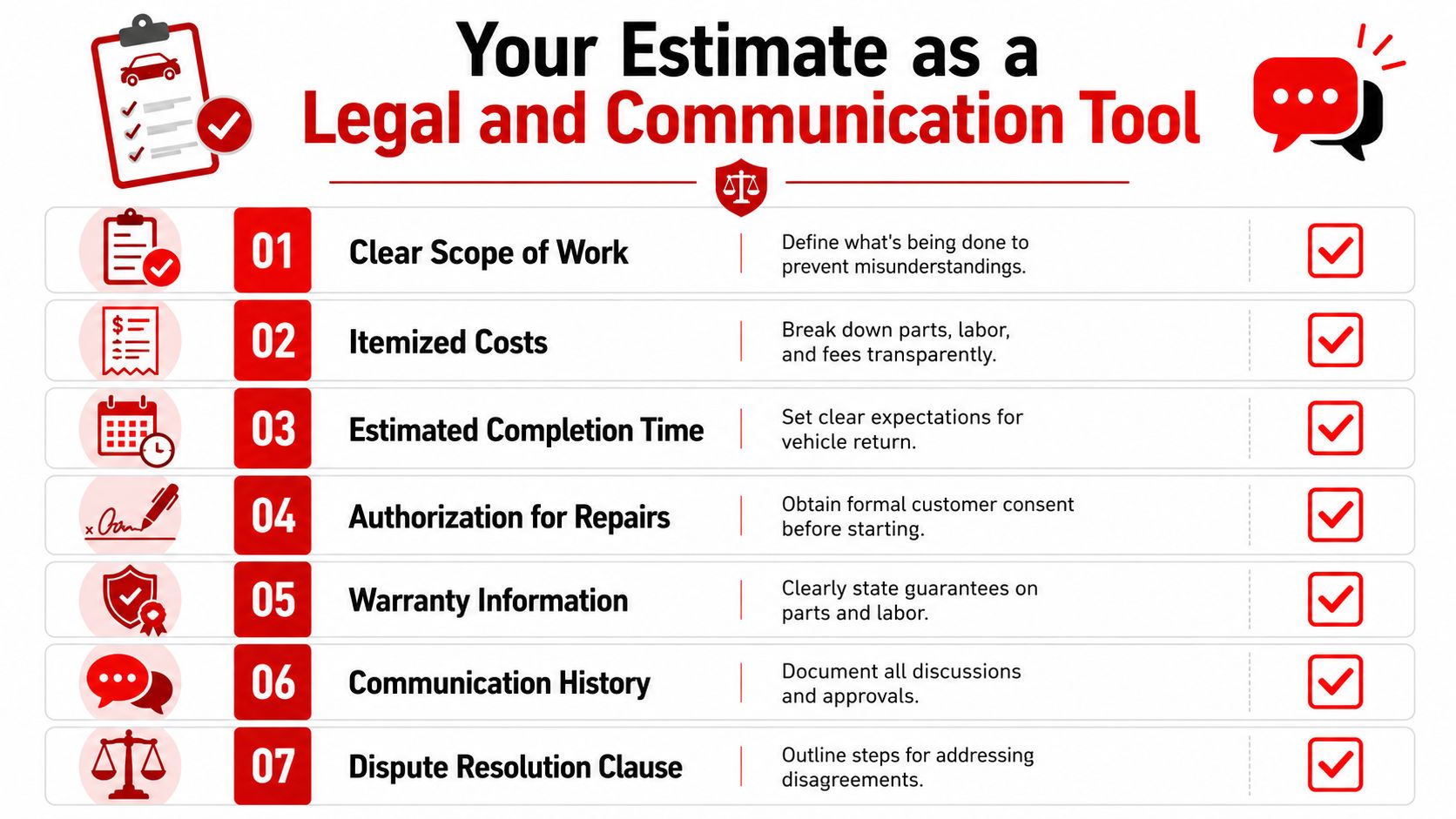
Many estimate templates are built like simple worksheets. That misses the primary purpose of the document. An estimate is also where the shop defines scope, records approval, and creates a paper trail for what happens if the job changes.
That matters because one major gap in template advice is state-by-state legal compliance. Estimates function as customer-authorization documents, and how a shop structures them to handle hidden damage, prioritize repairs, or change scope mid-job is critical for reducing disputes, as noted in.
A quote is also an authorization record
The estimate should show more than what the repair may cost. It should also show what the customer approved and under what conditions.
A shop should review these areas on every estimate:
| Risk area | What the estimate should clarify |
|---|---|
| Scope of work | What is included right now |
| Change conditions | The estimate may change if more issues are found |
| Approval | Who approved the work and how |
| Warranty notes | What the shop promises on parts or labor |
| Communication record | Calls, texts, and follow-up approvals tied to the job |
If the shop finds hidden damage or another failed component after teardown, the estimate process needs a clean supplement path. Without that, the advisor is relying on memory, handwritten notes, or scattered text messages.
Use the estimate to guide the conversation
Shops often create disputes by presenting everything at once with no prioritization. A better communication approach separates must-do repairs, recommended work, and items that can wait. That keeps the customer focused and makes approval more likely because the estimate feels like guidance, not a dump of problems.
The estimate should answer the customer's next question before they ask it.
That means using clear language, not internal shorthand. It also means documenting every scope change. If the customer approves a supplement by phone or message, the shop should attach that approval to the job record and update the estimate before moving forward.
A shop doesn't need a law lecture on every document. It needs a process that makes scope, approval, and changes hard to dispute.
The Hidden Costs of Using Static Templates
Free PDF and spreadsheet files look efficient because they cost little to download. The problem is that the file itself isn't the workflow. It is only a blank shell that still depends on manual entry, manual review, manual sending, and manual follow-up.
That gap shows up most clearly in digital approval. Content built around downloadable templates rarely explains how to support text-message approval, digital inspections, or instant signatures, and the primary value of a modern estimate process is reducing friction in approval rather than polishing formatting alone, as highlighted in.
Where static files break down
A static auto repair estimate template creates friction in places shops feel every day:
- Double entry: Customer and vehicle information gets typed into multiple systems.
- Version confusion: Revised estimates get saved under different filenames and sent through different channels.
- Calculation risk: A broken formula or manual edit can change totals without anyone noticing.
- Weak documentation: Photos, notes, and approval history often live outside the estimate itself.
The hidden cost isn't just clerical time. It's delay. The advisor can't move quickly because every correction requires another round of edits and another outbound message.
Why approval friction matters
Customers compare convenience as much as price. If one shop sends a clean digital estimate with supporting photos and another sends an attachment that has to be opened, reviewed, printed, signed, and returned, the second shop has made it harder to say yes.
Static files also make supplements clumsy. When the scope changes, the shop has to regenerate a file, resend it, and hope the customer understands what changed. That slows the bay and keeps vehicles in limbo while technicians wait on front-office administration.
A free template becomes expensive when it slows approval, hides missing charges, and leaves the team chasing signatures.
None of this means templates are useless. It means a static template is only the starting point. Shops that stop there usually stay stuck with the same bottlenecks.
From Estimate to Invoice The Digital Workflow Advantage
The biggest improvement doesn't come from a prettier form. It comes from turning estimating into a connected workflow that starts at check-in and ends at payment. That workflow captures the vehicle once, builds the estimate with the right supporting data, documents findings, secures approval, and converts the job into an invoice without retyping the same information.
A robust estimate workflow should capture customer data, VIN, odometer, labor rate, parts, diagnostic fees, shop supplies, disposal or recycling fees, towing, sublet work, taxes, and warranty notes, then go through a line-by-line review. Guidance on modern estimating also points to VIN-based lookup, photo documentation, and the need to avoid missed line items such as calibrations and outsourced operations in.
The workflow matters more than the form
A digital estimate system should do a few things at once:
- Pull the right vehicle record fast: VIN lookup and service history reduce lookup errors and speed up write-up.
- Support inspection evidence: Photos tied to the estimate make recommended work easier to explain.
- Track revisions clearly: Supplements should update the same job record instead of creating disconnected files.
- Convert cleanly to billing: Approved work should move into the invoice without another round of typing.
This is also where connected tools become practical. Some shops use specialized utilities such as to pull data out of vendor documents and reduce re-entry. The broader lesson is the same. Every time the team retypes information, the chance of delay or omission goes up.
What a connected shop process looks like
A modern workflow is simple for the customer and disciplined for the shop. The advisor checks in the vehicle, confirms the VIN and mileage, the technician adds findings and photos, the estimate is reviewed line by line, and the customer receives a digital approval request. Once approved, the estimate becomes the operational record for parts, labor, and billing.
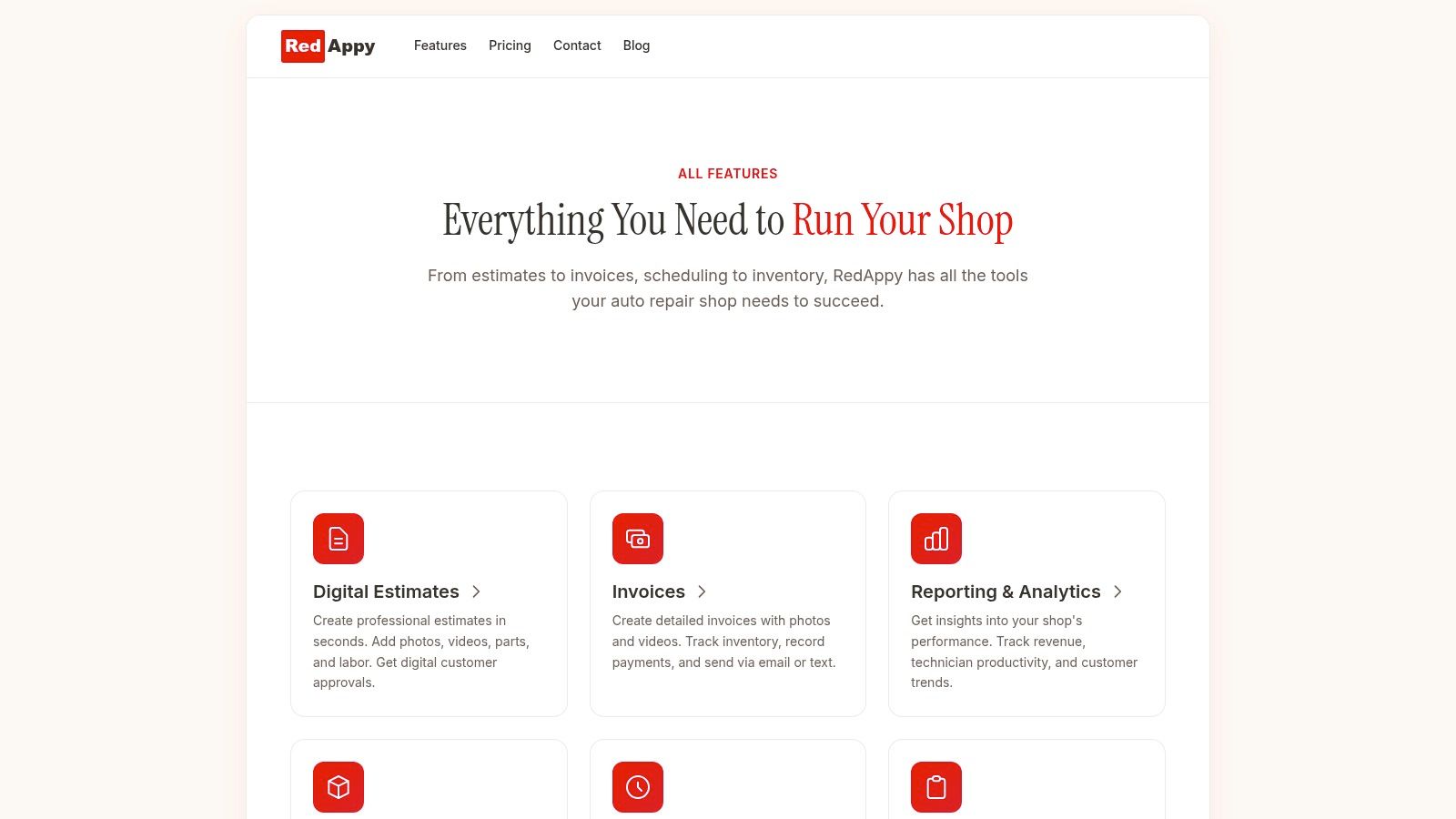
One platform built around that approach is RedAppy features. It connects digital inspections, estimating, invoicing, and shop workflow in one system, including VIN lookup, digital job tracking, and online approvals. That's a different category from a standalone PDF because the estimate isn't treated as an isolated document. It becomes part of how the shop runs the job.
For managers, the ultimate gain is control. Missed line items are easier to catch. Supplement approvals are easier to document. Front-desk staff spend less time chasing paperwork and more time selling approved work and updating customers.
Your Next Step Towards a More Efficient Shop
An auto repair estimate template still matters. Shops need a consistent structure for customer data, vehicle information, labor, parts, fees, taxes, and authorization. That foundation keeps estimates readable and protects the shop from avoidable confusion.
But the format alone won't fix a slow process. If the team still copies data by hand, hunts for approvals, and rebuilds revised estimates from scratch, the bottleneck remains. The decision isn't really PDF versus spreadsheet. It's whether the shop wants estimating to stay a disconnected task or become part of a tighter operating system.
Choose the process not just the template
The strongest shops treat the estimate as a live business record. It supports communication, pricing discipline, approval tracking, supplements, and invoicing. That approach reduces rework and makes the customer experience easier to manage.
A practical evaluation should include questions like these:
- Can the team capture all required line items without workarounds?
- Can advisors send estimates for fast digital approval?
- Can technicians attach photos and findings to justify the work?
- Can approved estimates flow into invoicing without duplicate entry?
What to evaluate before switching
Not every shop needs the same setup. A small independent garage, a mobile mechanic, and a multi-location operation will use different workflows. But all of them benefit from cleaner approvals, better documentation, and fewer manual handoffs.
The right move is usually the one that removes friction at the front counter and inside the bay. If the current estimate process creates delays, missed charges, or customer confusion, it isn't just an administrative nuisance. It's affecting profitability and throughput.
If the shop is ready to move beyond static templates and see how a connected estimate-to-invoice workflow can fit its operation, contact RedAppy or review the platform on the RedAppy website.
Ready to Transform Your Shop?
RedAppy helps auto repair shops create professional digital estimates with photos and videos, send them instantly via text or email, and get customer approvals in seconds. No credit card required to start.