
Auto Repair Programs: Best Tools to Run, Manage, and Grow Your Shop in 2025
Running a shop without the right auto repair programs is like diagnosing an engine without a scan tool — you're guessing, losing time, and leaving money on the table. In 2025, the average independent repair shop juggles estimates, parts ordering, technician scheduling, customer communication, and payments all at once. The shops pulling ahead aren't working harder — they're using smarter software to handle the heavy lifting.
According to the Auto Care Association, the U.S. auto repair industry generates over $116 billion annually, yet many shops still rely on paper forms, spreadsheets, or outdated software that wasn't built for how modern shops actually operate. That gap is exactly where the right tool makes a measurable difference — cutting admin time, increasing approved estimates, and keeping customers coming back.
This article breaks down the best shop management platforms, digital inspection tools, parts ordering systems, and customer communication solutions available today. Whether you run a single-bay garage or a multi-location operation, you'll find a clear picture of what each tool does, who it's built for, and what it costs — so you can make a confident decision.
Table of Contents
- 1. Auto Repair Programs at a Glance: Comparison Table
- 2. RedAppy — Best All-in-One Shop Management Platform
- 3. Shop-Ware — Best for Workflow Transparency and Technician Accountability
- 4. Mitchell 1 Manager SE — Best for Repair Data and OEM Integration
- 5. Tekmetric — Best for Growing Multi-Location Shops
- Conclusion
- Frequently Asked Questions
1. Auto Repair Programs at a Glance: Comparison Table
Picking the right auto repair program comes down to five things: digital inspections, parts ordering, invoicing speed, analytics, and how easy the software is to learn. The table below gives you a quick side-by-side look at the top programs covered in this article so you can spot the best fit before reading the full breakdowns.
Top Auto Repair Programs Compared (2025)
| Program | Best For | Key Features | Pricing Model | Free Trial / Demo |
|---|---|---|---|---|
| RedAppy | All-in-one shop management | Digital inspections, AI Repair Assistant, Kanban board, multi-supplier parts ordering, built-in website | Subscription, month-to-month | Demo available |
| Shop-Ware | Workflow transparency & technician accountability | Paperless workflow, canned jobs, customer-facing approvals, open API | Subscription | Demo available |
| Mitchell 1 Manager SE | Repair data & OEM integration | ProDemand integration, estimating, maintenance schedules, fleet support | Subscription | Demo available |
| Tekmetric | Growing multi-location shops | Cloud-based, role-based permissions, reporting dashboards, CARFAX integration | Subscription | Demo available |
What to Look for in an Auto Repair Program
Not every shop needs the same features. A single-bay garage has different priorities than a shop managing three locations and 12 technicians. Here's what matters most at each stage:
- Digital inspections — Photo-rich inspections increase customer approval rates by giving vehicle owners visual proof of needed repairs
- Parts ordering — Real-time inventory across multiple suppliers cuts the time spent calling around for parts
- Invoicing and payments — One-click invoicing and online payment options reduce the back-and-forth at checkout
- Analytics — Revenue tracking, technician efficiency, and average repair order data help you spot what's working and what isn't
- Ease of use — A steep learning curve costs real money in staff training time and workflow disruption
Software that handles everything in one place — inspections, estimates, parts, payments, and reporting — typically saves shops 10 or more admin hours per week compared to running separate tools for each task.
According to a 2023 industry survey by the, shops that adopted integrated management software reported measurable gains in both technician productivity and customer retention within the first year. That makes the choice of platform one of the higher-leverage decisions a shop owner makes.
If you want to dig deeper into how these tools compare on specific workflows, the full breakdown of each program below covers real use cases, limitations, and who each one is built for.
2. RedAppy — Best All-in-One Shop Management Platform
RedAppy is a cloud-based shop management platform built to handle everything from the first customer call to the final payment. It replaces the patchwork of spreadsheets, paper ROs, and disconnected tools that slow most shops down.
What RedAppy Does
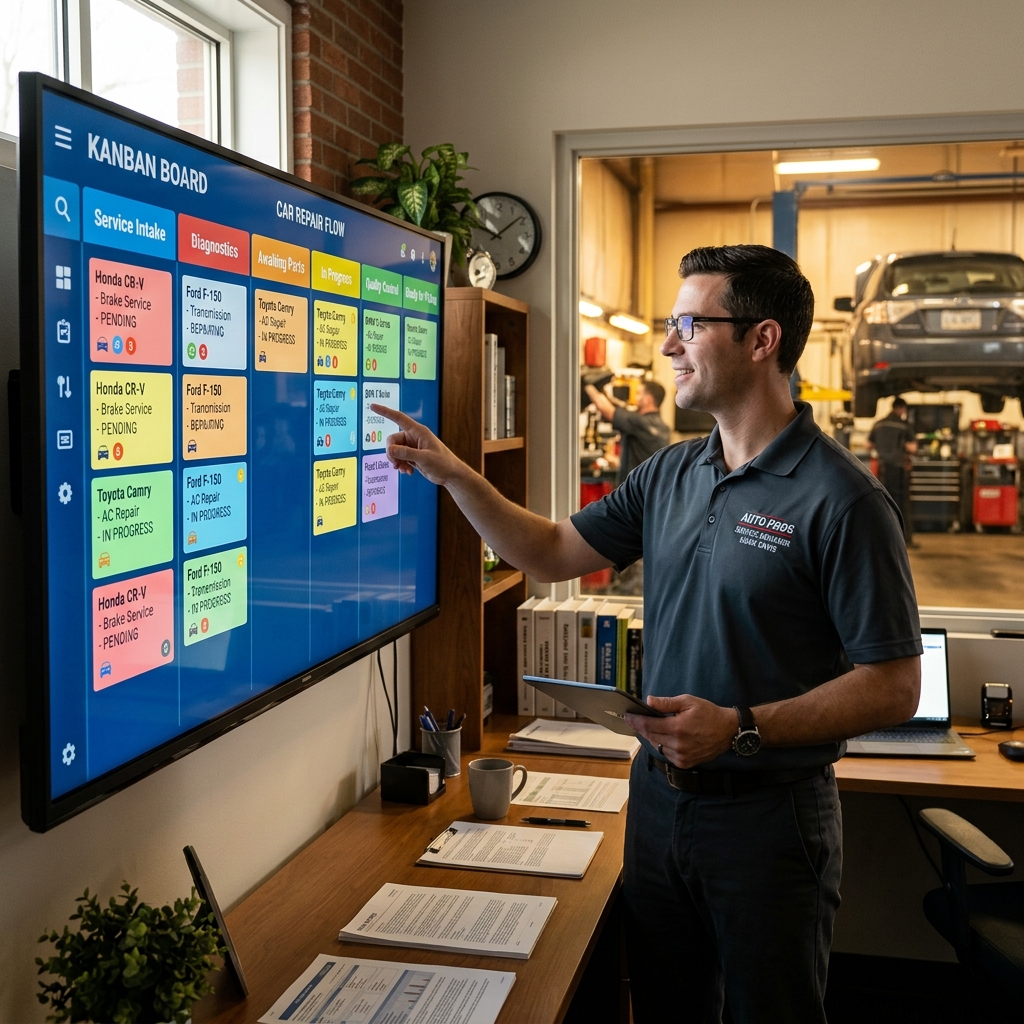
The centerpiece is the Kanban-style Digital Shop Board, which gives every team member a live view of where each vehicle sits in the workflow — check-in, inspection, estimate approval, repair, and checkout. Nothing falls through the cracks because the board updates in real time.
From there, the platform connects every step of the job:
- Digital inspections with photos and notes that get sent directly to the customer
- Instant estimates built from the inspection, with one-click conversion to invoices
- Online payments so customers can pay without calling the shop
- Multi-supplier parts ordering with real-time inventory across suppliers in one screen
- Vehicle history and customer lookup by name, plate, or VIN
The built-in AI Repair Assistant delivers labor times, diagnostic guidance, and shop-specific insights without switching tabs or calling a hotline. In practice, this cuts the time technicians spend hunting for repair data significantly.
Analytics and Business Visibility
RedAppy's real-time analytics dashboard tracks revenue, technician efficiency, average repair order value, and repeat business. Shop owners can see at a glance which technicians are performing, which services are most profitable, and whether the shop is trending up or down — without running manual reports.
Shops that can measure technician efficiency and repeat business rates have a measurable advantage when setting labor rates and booking marketing spend.
Built-In Website and Customer Conversion
Every RedAppy subscription includes a professional, branded website with contact forms and optional used-car listings. This matters because most shop management tools stop at the bay door — RedAppy extends into customer acquisition. For a single-location shop without a marketing budget, having a conversion-ready website baked into the same subscription is a practical advantage.
Typical Results
According to RedAppy, shops using the platform report:
- 10+ admin hours saved per week by eliminating manual data entry and phone-tag approvals
- More approved work through photo-rich digital inspections that build customer trust
- Strong first-year ROI driven by faster invoicing cycles and reduced parts lookup time
Who It's Best For
RedAppy scales from single-bay garages to multi-location operations. The month-to-month pricing and transparent subscription model make it accessible for newer shops that can't commit to long contracts, while the analytics and multi-location support serve growing operations just as well.
| Feature | Included |
|---|---|
| Digital Inspections with Photos | ✅ |
| AI Repair Assistant | ✅ |
| Kanban Digital Shop Board | ✅ |
| Multi-Supplier Parts Ordering | ✅ |
| Online Payments | ✅ |
| Built-In Branded Website | ✅ |
| Real-Time Analytics | ✅ |
| Used-Car Listings | ✅ |
| Month-to-Month Terms | ✅ |
Use case: A two-bay independent shop that's still writing paper ROs and chasing customers for approval by phone. RedAppy replaces that entire process — inspection, estimate, approval, invoice, and payment — in one connected workflow. Explore RedAppy's full feature set to see how each tool fits together.
3. Shop-Ware — Best for Workflow Transparency and Technician Accountability
is a cloud-based shop management system designed around one core idea: every step of a repair job should be visible, trackable, and tied to a specific technician. It replaces paper repair orders with a fully digital workflow that connects the front counter, the shop floor, and the customer in real time.
How Shop-Ware Works
The platform organizes jobs through a live workflow board where every repair order moves through defined stages — from check-in to final approval. Service advisors and technicians see the same real-time status, which cuts down on the back-and-forth that slows most shops down.
Key features include:
- Canned jobs — Pre-built repair templates with labor times and parts already attached, so advisors can build estimates in seconds
- Parts matrix pricing — Automatic markup rules applied to parts based on cost tier, protecting your margins without manual calculation
- Customer-facing approvals — Customers receive a text or email with photos, technician notes, and a digital approval button, making it easy to say yes to more work
- Technician time tracking — Clocked hours are logged per repair order, giving managers clear data on productivity and labor efficiency
- Open API — Shop-Ware connects with third-party tools including parts suppliers, accounting software, and tire catalogs
Shops using digital customer approvals typically see higher average repair orders because customers can review photo evidence and approve additional work from their phones without a phone call.
Who Shop-Ware Is Best For
Shop-Ware fits shops that want full accountability across their team. If you've struggled to track which technician touched which job, or if estimates feel inconsistent between advisors, this platform addresses both problems directly.
In practice, it works best for:
- Mid-size shops with 3–10 technicians who need role-based visibility
- Service-driven shops focused on transparency as a customer retention tool
- Shops migrating from paper that want a structured, guided digital transition
Limitations to Know
Shop-Ware's depth comes with a learning curve. New users — especially technicians who aren't used to clocking into a digital system — need dedicated onboarding time to use it correctly. According to user feedback on, the interface takes some getting used to, and smaller shops may find the feature set more than they need.
Pricing scales with the number of users and repair orders, so costs can grow quickly for busier shops. It's worth requesting a demo and mapping your monthly volume before committing.
| Feature | Available in Shop-Ware |
|---|---|
| Cloud-based access | ✅ |
| Digital inspections with photos | ✅ |
| Customer approval via text/email | ✅ |
| Canned jobs / repair templates | ✅ |
| Parts matrix pricing | ✅ |
| Technician time tracking | ✅ |
| Open API / integrations | ✅ |
| Built-in website | ❌ |
| AI repair assistant | ❌ |
For shops that need a complete solution including a branded website, built-in AI tools, and multi-supplier parts ordering in one package, RedAppy's all-in-one platform covers those gaps alongside workflow management.
4. Mitchell 1 Manager SE — Best for Repair Data and OEM Integration
has been around for decades, and it shows — in a good way. It's one of the most established shop management systems in the industry, built specifically for shops that want their management software and repair data to work as one system.
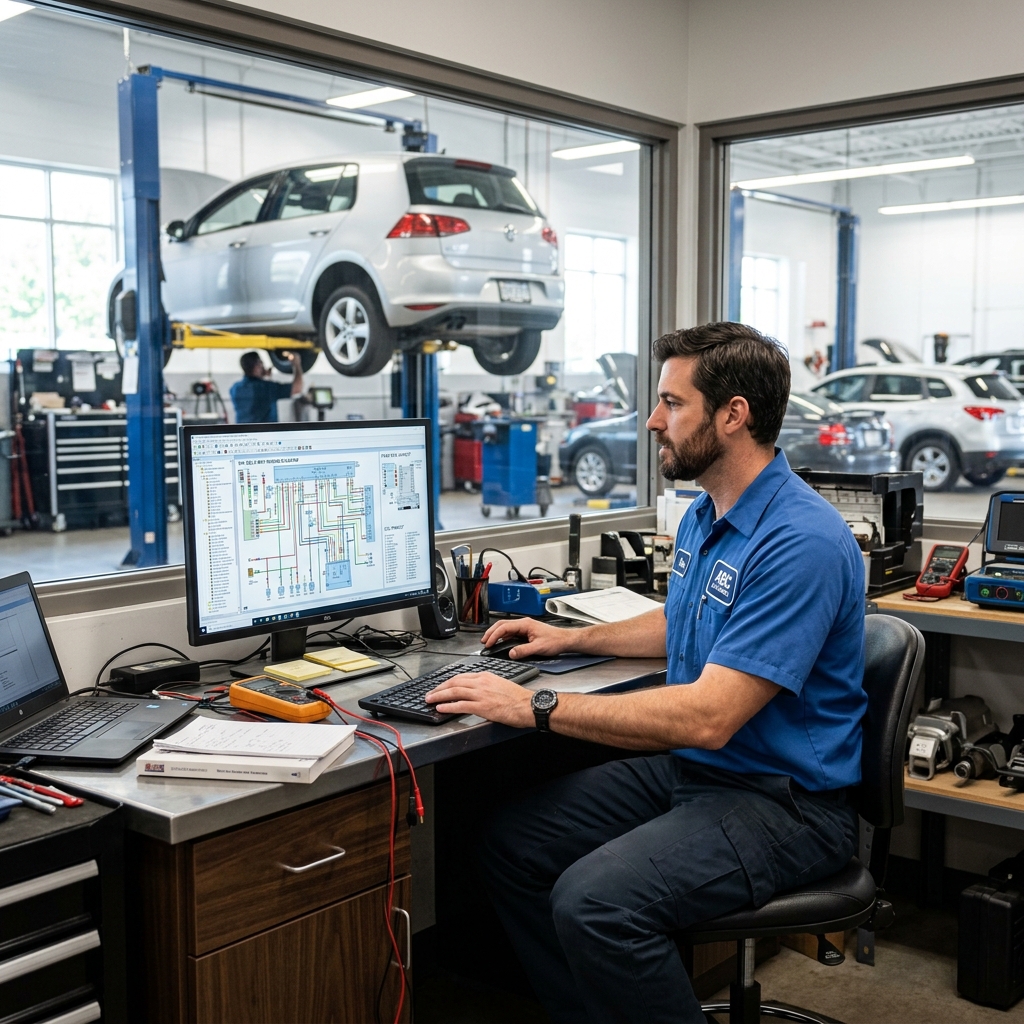
The platform connects directly to ProDemand, Mitchell 1's OEM repair database. That means technicians can pull labor times, wiring diagrams, diagnostic trouble codes, and maintenance schedules without switching between tools. According to Mitchell 1, ProDemand covers over 95% of vehicles on the road in North America.
What Manager SE Does Well
The core strength here is integration. Estimating, invoicing, and repair data all live in the same environment. A service advisor can build an estimate using real OEM labor times, then pass the job to a technician who can pull the full repair procedure — all from one platform.
Key features include:
- Integrated estimating tied directly to OEM labor guides
- Maintenance interval tracking so advisors can recommend upcoming services at the right time
- Fleet management support for shops that service commercial or company vehicles
- Customer history and vehicle records stored locally and accessible per repair order
- Parts ordering through connected suppliers with markup controls
Shops that already use ProDemand for repair data will see the biggest efficiency gains from Manager SE — the two products are designed to work together.
Who It's Best For
Manager SE fits established shops with dedicated front-desk staff and experienced technicians. It rewards teams that are willing to invest time learning the system. In practice, shops with five or more bays tend to get the most out of it because there's enough volume to justify the depth of features.
It's also a solid choice for shops that service a wide variety of makes and models. The OEM data coverage reduces guesswork and backs up labor pricing with documented source data — useful when explaining costs to customers.
Limitations to Know
The interface feels dated compared to newer cloud-native platforms. Manager SE is desktop-based software, which means IT setup, local backups, and manual updates are part of the picture. For smaller shops without dedicated admin staff, the learning curve can slow things down early on.
It's also not the most flexible option for shops that want mobile-first digital inspections or a built-in customer-facing approval workflow. Those features exist in the ecosystem but may require additional Mitchell 1 products or third-party integrations.
| Feature | Available in Manager SE |
|---|---|
| OEM Repair Data Integration | ✅ Via ProDemand |
| Digital Inspections | Limited / Add-on |
| Cloud-Based Access | ❌ Desktop-based |
| Fleet Management | ✅ |
| Customer Approval Workflow | Limited |
| Parts Ordering | ✅ |
Pricing is quote-based and varies by configuration. Mitchell 1 doesn't publish flat rates publicly — shops need to contact their sales team for a demo and pricing.
5. Tekmetric — Best for Growing Multi-Location Shops
is a cloud-based shop management system built with scaling in mind. It's designed for shop owners who are managing growth — whether that means a second location, a larger team, or simply more jobs per day than their old system can handle.
What Tekmetric Does Well
The platform's reporting is one of its strongest features. Real-time dashboards track revenue, average repair order, technician productivity, and car count across every location from a single login. Role-based permissions let owners control what each team member sees and does — a service advisor at one location doesn't need access to another shop's financials.
Multi-location oversight is only useful if the data is clean and consistent. Tekmetric's standardized workflows across locations make that possible.
Digital inspections in Tekmetric support photos and videos, which technicians send directly to customers for remote approval. According to Tekmetric, shops using digital inspections see higher approval rates on recommended work — in practice, giving customers visual proof of a problem removes the hesitation to approve repairs.
Key features include:
- Digital vehicle inspections with photo and video support
- Multi-location dashboards with role-based access control
- Built-in CRM for customer history and follow-up
- Parts ordering integrated with multiple suppliers
- Integrations with CARFAX, Worldpay, and Affirm for financing
Integrations and Ecosystem
Tekmetric connects with tools many growing shops already use. The pulls vehicle history automatically, which speeds up the write-up process. Worldpay handles in-shop payments, and Affirm gives customers a financing option at checkout — useful for larger repair bills that might otherwise lead to declined work.
The open API means Tekmetric can connect with accounting software and other third-party tools, though some integrations require additional setup or cost.
Limitations to Know
Tekmetric's pricing is on the higher end of the market, which makes it a harder sell for single-bay or low-volume shops. The feature set is broad, and smaller operations may find they're paying for capabilities they don't use yet. The onboarding process takes time — from experience, shops with more complex workflows need several weeks to get fully configured.
| Feature | Available in Tekmetric |
|---|---|
| Digital inspections | ✅ Yes |
| Multi-location support | ✅ Yes |
| Role-based permissions | ✅ Yes |
| Built-in website | ❌ No |
| AI repair assistant | ❌ No |
| Parts ordering | ✅ Yes |
| Free trial | Demo available |
Best for: Shop owners running two or more locations, or single-location shops with aggressive growth plans and the volume to justify the investment. If you're a solo operator or just starting out, a platform like RedAppy offers comparable core features at a more accessible price point.
Conclusion
Every program covered in this article solves a real problem — but they don't all solve the same one.
Mitchell 1 Manager SE is the right call if your shop runs on OEM data and needs deep repair information baked into the workflow. Shop-Ware fits shops that want paperless, transparent processes and strong customer-facing approvals. Tekmetric works best for growth-oriented owners managing multiple locations or planning to expand.
The best auto repair program isn't the one with the most features — it's the one your team will actually use every day.
For most shops looking for one platform that handles everything — from digital inspections and parts ordering to invoicing, payments, and analytics — RedAppy is the strongest starting point. It's built to work for a single-bay garage and scale up without forcing you to switch systems later.
Here's a simple way to choose:
- Solo or small shop (1–3 bays): Start with RedAppy. Low overhead, fast setup, and the branded website gives you a marketing head start.
- Growing or multi-location shop: RedAppy or Tekmetric. Both handle multi-location oversight, but RedAppy includes more built-in tools without needing third-party add-ons.
- Data-heavy, established shop with dedicated estimators: Mitchell 1 Manager SE is worth the investment if your team lives inside repair data all day.
- Transparency-first workflow shop: Shop-Ware's customer approval system and open API make it a strong fit for shops that want to stand out on communication.
- Education or certification: ASE and manufacturer training portals like ACDelco are the clearest paths to credentials that customers and employers recognize.
If you're still weighing options, the fastest way to find out if a platform fits is to book a demo and run it against your busiest workflow scenario. Most platforms offer a free trial or walkthrough — use it to test the parts ordering, inspection flow, and invoicing speed under real conditions.
See RedAppy's pricing and book a demo to find out how it fits your shop size and goals.
Frequently Asked Questions
How to pay for car repairs when you have no money?
Several options exist for covering car repairs with no money, including mechanic payment plans, personal loans, credit cards, or borrowing from family. Nonprofit organizations like the Good News Garage or local community action agencies sometimes provide free or subsidized repairs for low-income individuals. Government assistance programs and charitable organizations such as the Salvation Army may also help cover emergency repair costs.
How to get funds for car repair?
Options for funding car repairs include personal loans from banks or credit unions, which often offer rates as low as 6–36% APR depending on credit score. Many mechanics offer buy-now-pay-later financing through services like Snap Finance or Synchrony Car Care. Additionally, some states and counties offer emergency vehicle repair assistance grants through community action agencies or workforce development programs.
What program do auto mechanics use?
Most professional auto mechanics use shop management software such as Mitchell 1, AllData, or Shop-Ware to handle estimates, repair orders, and customer records. For diagnostics, technicians rely on OBD-II scan tools and manufacturer-specific software like Ford's IDS or GM's GDS2. Labor time and parts pricing are commonly looked up through platforms like Mitchell ProDemand or Identifix.
How to get certified for auto repair?
The most recognized certification for auto mechanics is the ASE (Automotive Service Excellence) certification, which requires at least two years of hands-on work experience and passing one or more of ASE's standardized exams. Candidates can register through the ASE website (ase.com) and must recertify every five years to maintain their credentials. Many community colleges also offer accredited automotive technology programs that help students prepare for ASE testing.
Ready to Transform Your Shop?
RedAppy helps auto repair shops create professional digital estimates with photos and videos, send them instantly via text or email, and get customer approvals in seconds. No credit card required to start.