
Auto Repair Scheduling Software: Boost Shop Efficiency
The day usually goes wrong before the first coffee is finished. The phone starts ringing at opening time. A customer wants a status update. A technician needs a bay. Someone walks in with an urgent brake issue. A handwritten calendar says one thing, a sticky note says another, and the front desk has to guess which job should move first.
That setup doesn't just feel messy. It costs labor, slows approvals, and creates avoidable friction with customers. Shops that still run scheduling on paper, whiteboards, or disconnected apps usually think they have a time-management problem. They have a coordination problem.
Auto repair scheduling software fixes that when it's built into the rest of the shop workflow. It stops being a basic booking tool and starts acting like the operating system for the whole business.
Table of Contents
- From Morning Chaos to Smooth Operations
- What Is Auto Repair Scheduling Software Really
- Core Features That Drive Shop Performance
- The Real-World Benefits and ROI for Your Shop
- How to Choose the Right Scheduling Software
- Your Implementation Checklist for a Smooth Rollout
- Frequently Asked Questions
From Morning Chaos to Smooth Operations
A typical paper-based shop runs on memory, interruptions, and favors. The advisor takes a call and scribbles an appointment. A technician asks whether the alignment rack is free. Another customer arrives early. Parts for a larger job haven't landed yet, but the bay was already promised. By mid-morning, the shop isn't following a plan. It's reacting.
That's the core reason paper scheduling breaks down. It doesn't show real capacity. It only shows intent.

What chaos actually looks like on the floor
A busy shop rarely loses money because one person made one bad decision. It loses money because small errors stack up all day:
- Overbooked intake: Too many vehicles arrive in the same window, so advisors bottleneck at the counter.
- Bay conflict: A job gets promised before anyone checks whether the right lift or bay is available.
- Technician mismatch: A complex diagnostic job lands on the wrong person because the schedule only tracks time, not skill.
- Late customer updates: The customer hears nothing because the team is buried in catch-up work.
Shops don't need more hustle. They need fewer preventable handoff problems.
The move to digital scheduling isn't a niche trend anymore. The global auto repair software market is projected to grow at a 14.2% compound annual growth rate and reach US$8.6 billion by 2033, according to. That matters because scheduling sits near the front of every shop workflow. When shops digitize, booking and capacity control are usually the first operational layers that change.
Why this shift matters now
Owners in the trades are dealing with the same problem across different service businesses. Teams need one system that controls appointments, dispatch, communication, and job flow. For a useful comparison outside automotive, this shows how similar service businesses improve operations when they stop treating scheduling like a standalone calendar.
Paper survives longer than it should because it's familiar. But familiar isn't efficient. Once the volume picks up, paper hides conflicts until customers are standing at the counter.
What Is Auto Repair Scheduling Software Really
Most shop owners hear “scheduling software” and think of a calendar with nicer colors. That's too small. Good auto repair scheduling software works more like air traffic control. It coordinates arrivals, available space, technician workload, job timing, and customer communication so the whole shop moves in sequence.
A calendar records bookings. A real scheduling system controls flow.
It connects the moving parts
The strongest systems tie appointments directly to repair orders, digital inspections, invoicing, and customer messages. That way, a schedule change doesn't stay trapped in one screen. It updates the rest of the workflow automatically, which reduces manual re-entry and supports more accurate ETAs, as described in.
That single point matters more than most shops realize. If a vehicle arrives late, the impact shouldn't stop at the front desk. The tech assignment may need to move. The parts timeline may need to shift. The customer may need a revised pickup estimate. If those steps happen in separate tools, somebody has to remember every handoff.
Practical rule: If the schedule changes and the repair order, inspection status, and customer updates don't move with it, the shop still has a manual process.
It becomes the shop's source of truth
A real system should answer these questions without anyone walking across the building:
| Question | What the system should show |
|---|---|
| Who's booked today? | Appointment load by advisor, tech, or service type |
| Which bays are open? | Real-time bay and lift availability |
| What changed? | Status updates tied to the active repair order |
| What should happen next? | The next job stage, not just the next time slot |
That's why integrated scheduling beats a standalone appointment app. A standalone tool can book cars. It can't run the day.
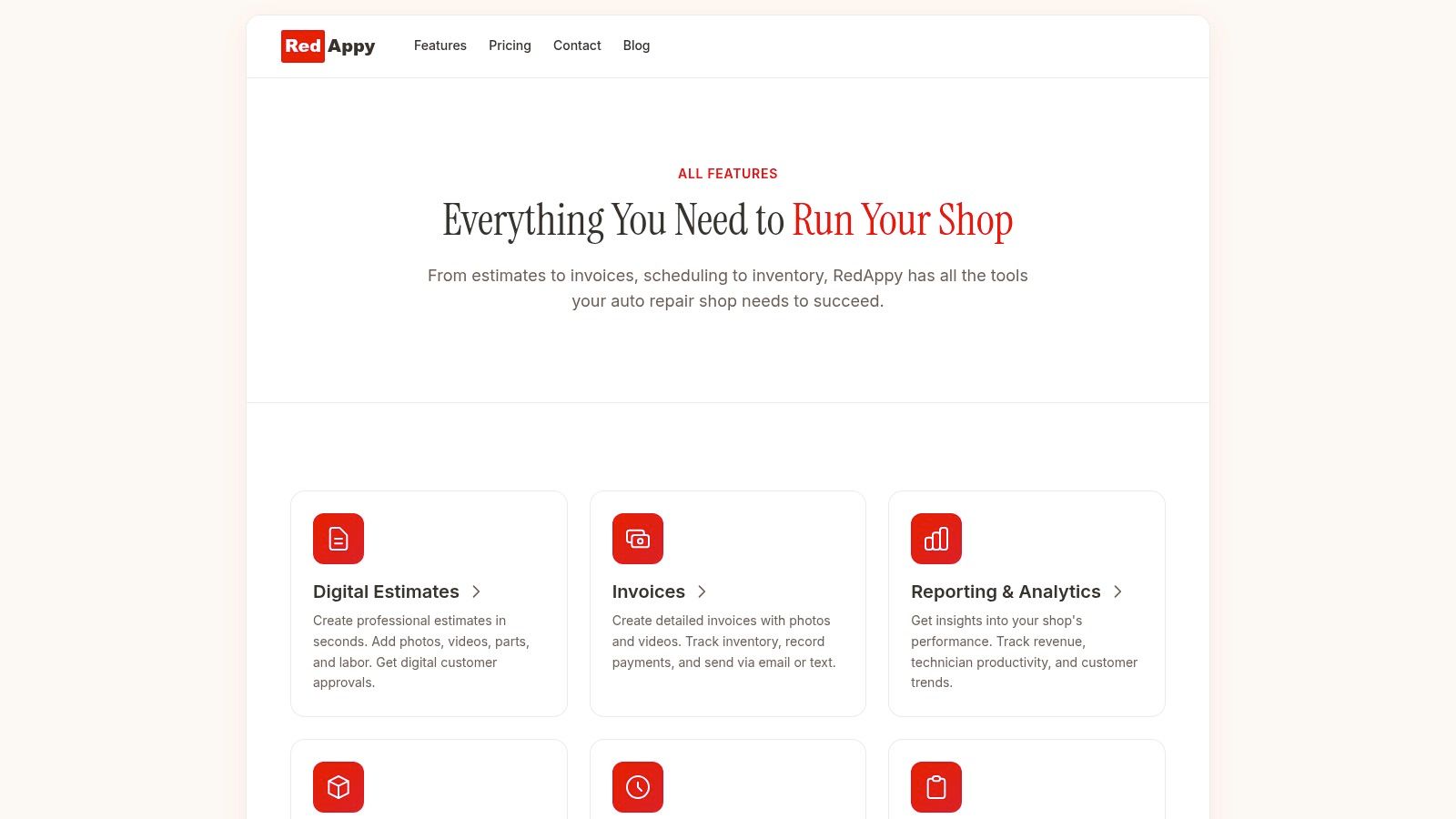
For shops comparing options, it helps to look at examples of how a connected platform handles scheduling, boards, team calendars, inspections, and invoicing in one place on the RedAppy features page.
The right mental model
The useful question isn't “Can customers book online?”
The useful question is “When a customer books online, does that booking trigger the right operational chain inside the shop?” If the answer is no, the software is only solving the easy part.
Core Features That Drive Shop Performance
Features matter only when they remove a bottleneck. Plenty of software products promise convenience. The right auto repair scheduling software should do something harder. It should protect capacity, reduce front-desk friction, and make the next decision obvious.
Capacity planning that prevents bad bookings
This is the feature that separates a real shop scheduler from a dressed-up calendar. Effective scheduling software ties appointments to real-time technician and bay availability so the system can prevent overbooking and stagger intake, which is central to reducing front-desk bottlenecks and improving throughput, according to.
That means the system shouldn't just ask whether the customer wants Tuesday at 10. It should ask whether Tuesday at 10 makes operational sense.
A scheduler built on capacity management helps with:
- Bay control: Jobs only land where the shop can physically handle them.
- Tech loading: The day doesn't collapse because one technician gets overloaded while another waits.
- Intake spacing: Advisors don't get buried by stacked arrivals.
- Duration awareness: A two-hour brake job and a long diagnostic session don't get treated the same.
A visual shop board
Most shops don't need more reports first. They need visibility first. A digital shop board, especially a Kanban-style layout, gives the entire team a live picture of where each job sits. Check-in, waiting on approval, in progress, parts delay, ready for pickup. The board should make that obvious at a glance.
All-in-one systems have an edge. A platform such as RedAppy combines scheduling with a digital shop board, inspections, estimates, invoicing, parts ordering, and team calendars. That matters because the scheduler isn't isolated from the rest of the day's work.
Technician-aware calendars
A blank time slot doesn't mean a job should go there. The scheduler should account for who is available and who is qualified.
Some shops still assign work based on whoever isn't visibly busy. That approach creates rework, slows diagnostics, and irritates technicians. A stronger setup lets the front desk schedule against actual technician capability, not guesswork.
A shop gets faster when work is assigned correctly the first time, not when it simply looks fully booked.
Online booking that doesn't create more cleanup
Online booking is useful only when the rules behind it are tight. If the tool lets customers request anything at any time with no capacity logic, the front desk still has to clean up the mess manually.
Good online booking should:
- Limit services to what the shop wants scheduled online.
- Respect availability by bay, technician, and service category.
- Feed customer details directly into the active workflow.
- Trigger reminders and confirmations automatically.
The result is simple. Phone traffic drops, after-hours demand gets captured, and the shop doesn't start each day reworking bad appointments.
Integrated parts and payment flow
Scheduling gets stronger when it's connected to the end of the transaction. If parts ordering, approvals, and invoicing sit in the same system, the team spends less time re-entering details and fewer things fall between steps.
A disconnected workflow usually sounds like this: book the job in one tool, open the repair order in another, text the customer from a phone, then invoice somewhere else. That's not a software stack. That's a relay race with dropped batons.
The Real-World Benefits and ROI for Your Shop
Software pays for itself only when it changes labor use, workflow speed, and customer handling. If it only gives the front desk a prettier schedule view, it's not enough.
The strongest operational benefit is time recovery. Shop managers and service advisors can save 8 to 10 hours per week with software that automates bookings and job assignments, and centralized management of lifts and bays can reduce double bookings and downtime by up to 68.5%, according to.

Where the return actually shows up
The first return is administrative. When booking, cancellations, rescheduling, and assignment logic get automated, the front desk spends less time coordinating and more time selling approved work, answering customers properly, and keeping the day moving.
The second return is throughput. Fewer bay conflicts and fewer scheduling collisions mean vehicles move through the building with less idle time. That's the part many owners miss. Throughput isn't only a technician issue. It starts at intake.
Why ARO often improves when scheduling improves
Average repair order usually rises when the shop becomes more organized, not just when advisors try harder. A cleaner schedule creates room for complete inspections, timely approvals, and better customer communication. The team can present additional needed work without sounding rushed or disorganized.
That doesn't mean a scheduler directly creates higher ticket values by itself. It means the software protects the workflow conditions that let advisors and technicians do fuller, more consistent work.
Better scheduling creates the time and visibility needed for better inspections, clearer approvals, and fewer rushed handoffs.
Different shop types see the gain differently
| Shop type | Where the payoff usually shows first |
|---|---|
| Small independent shop | Less phone chaos and fewer manual booking errors |
| Multi-location operation | Better centralized oversight and cleaner capacity planning |
| Mobile mechanic | More professional booking and cleaner customer communication |
| High-volume service center | Faster intake and less bay downtime |
The common thread is simple. The return doesn't come from owning software. It comes from removing wasted motion from the day.
How to Choose the Right Scheduling Software
Most shops buy the wrong software for one reason. They shop by surface features instead of workflow fit. A vendor shows online booking, calendar colors, and a mobile app, and the owner assumes the rest will sort itself out. It won't.
The right choice starts with one hard question. Is the software just helping the shop take appointments, or is it helping the shop run work?
Standalone tool or all-in-one system
A standalone scheduler can work for a very small operation with simple needs. But most established shops outgrow it quickly because the actual problems show up after the appointment is booked.
A useful comparison looks like this:
| Option | Works well when | Breaks down when |
|---|---|---|
| Standalone scheduling tool | The shop only needs basic appointment control | The team needs repair order, inspection, invoice, and message flow tied together |
| All-in-one shop management platform | The shop wants one system for intake through payment | The vendor makes setup rigid or support weak |
The all-in-one route usually gives better operational control because every change carries through the workflow. That means less duplication and fewer missed handoffs.
What should be on the shortlist
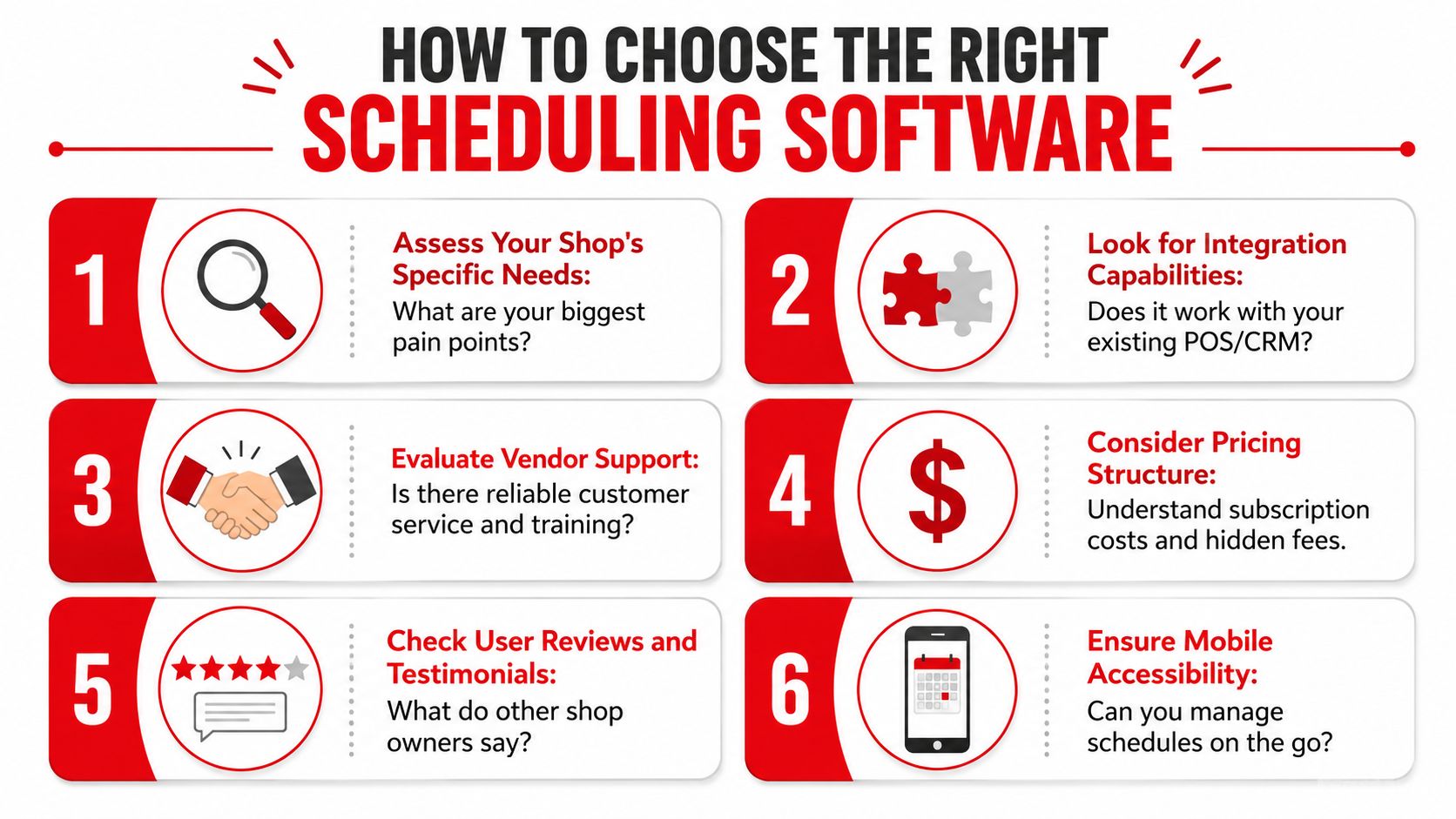
A shop owner evaluating software should press on these points:
- Workflow fit: The software should match how vehicles move through the business, not force awkward workarounds.
- Ease of use: Advisors and technicians should understand the core screens quickly.
- Customization: Labor categories, booking rules, team views, and job stages should be adjustable.
- Support quality: Training and rollout help matter more than polished sales demos.
- Mobile access: Managers need schedule visibility even when they aren't at the front counter.
- Contract risk: Month-to-month terms and clear pricing are safer than long lock-ins.
Red flags that deserve a quick no
Some signs usually mean trouble:
- Too many disconnected add-ons: That often means the team will keep double-entering data.
- Weak service workflow: If a demo focuses on booking but avoids repair orders and status flow, the core process is probably weak.
- Complicated implementation language: If the vendor makes setup sound like a major IT project, adoption will suffer.
- Generic support promises: Shops need concrete onboarding help, not vague reassurance.
The best decision is usually boring. Choose the product that fits the daily operation cleanly and doesn't require heroics from the staff.
Your Implementation Checklist for a Smooth Rollout
The transition feels bigger before it starts. Most shops imagine weeks of confusion, angry technicians, and lost appointments. That usually happens only when the rollout is sloppy or the vendor leaves the team to figure it out alone.
A clean implementation is straightforward when the shop follows an order.
The rollout sequence that works
- Clean customer and vehicle data first. Old duplicates, bad phone numbers, and incomplete vehicle records should be fixed before import.
- Set service categories and booking rules. Basic maintenance, diagnostics, inspections, and larger jobs should not all follow the same timing logic.
- Map bays and technician availability. The software needs the actual operating capacity, not the hopeful version.
- Define job stages. Check-in, waiting approval, in progress, parts hold, ready, and delivered should be consistent across the team.
- Train the front desk before everyone else. Advisors drive the intake flow. If they're shaky, the whole rollout gets messy.
- Bring technicians into the status process. Techs don't need every admin function, but they do need a clear way to update job progress.
- Start with a controlled go-live. A phased launch beats trying every feature on day one.
Smooth rollouts happen when the shop simplifies the first week instead of trying to digitize every habit at once.
What the vendor should handle
A serious vendor should help with data migration, core setup, and practical training. If support is weak during onboarding, it probably won't improve later.
A shop should expect clear answers to these questions:
- Who imports the existing data
- Who configures service types and scheduling rules
- How long staff training takes
- What support looks like during the first live week
If a shop wants a customized rollout plan or needs help evaluating whether an all-in-one setup fits the current workflow, it should start with RedAppy's contact page.
Frequently Asked Questions
Is auto repair scheduling software hard for non-technical staff to use
Not if the product is designed for shop flow instead of office software habits. Service advisors usually adapt quickly when the system mirrors real steps like booking, check-in, approval, and pickup. Technicians need an even simpler view. Job status, notes, and assignments.
Does a small shop really need this
Yes, if the shop is already dealing with phone interruptions, missed callbacks, or overloaded mornings. Small teams feel scheduling mistakes faster because there's less slack in the day. A single bad booking can throw off the whole operation.
What about mobile mechanics
The need is different, but it's still real. Mobile operators need cleaner appointment intake, organized customer records, and better communication. They may not need bay management, but they still need scheduling discipline.
Is standalone scheduling enough
Sometimes, but only for very simple operations. Once the shop needs repair orders, customer updates, invoicing, inspections, and job tracking to move together, standalone scheduling starts creating extra admin work.
How long does adoption usually take
That depends on data quality, team habits, and vendor support. Shops that keep the first rollout focused usually settle in faster than shops that try to redesign every process at once.
What should matter most during selection
Operational fit. A polished demo means very little if the software doesn't match how the shop manages intake, jobs, approvals, and delivery.
Shops that are still juggling paper calendars, texts, and disconnected tools usually don't need another patch. They need one system that runs the day cleanly. RedAppy gives auto repair businesses scheduling, repair orders, digital inspections, invoicing, parts workflow, analytics, and a digital shop board in one platform. For shops that want to see how that setup looks in practice, the features page is worth reviewing. For shops that want a direct conversation about fit, rollout, or workflow, the contact page is the faster next step.
Ready to Transform Your Shop?
RedAppy helps auto repair shops create professional digital estimates with photos and videos, send them instantly via text or email, and get customer approvals in seconds. No credit card required to start.