
Unlock Shop Potential: Auto Repair Software Guide
The shop phone rings while an advisor is still trying to decode a handwritten note from the morning drop-off. A technician needs parts pricing. A customer wants to know whether the brake job was approved. Somebody asks for service history on a vehicle nobody can find in the filing cabinet. That isn't a staffing problem. It's a system problem.
Most shops don't need more hustle. They need fewer disconnected steps. Auto repair software fixes the handoff failures that eat time, stall approvals, and make simple jobs harder than they should be.
That's why this category keeps growing. One market report projects the global auto repair software market at USD 57.19 billion by 2030, up from USD 34.32 billion in 2026, with a 13.6% CAGR over that period, according to. Shops aren't buying software because it sounds modern. They're buying it because paper, whiteboards, and scattered apps stop scaling fast.
Table of Contents
- The End of Chaos in Your Auto Shop
- What Is Auto Repair Software Anyway
- Core Features That Drive Shop Profitability
- The Real World ROI of Upgrading Your Shop
- How to Choose the Right Software for Your Shop
- Your Roadmap to a Successful Implementation
- Frequently Asked Questions About Auto Repair Software
The End of Chaos in Your Auto Shop
Chaos in a repair shop usually looks normal because it happens every day. An advisor keeps mental notes because the estimate isn't finished. A technician waits because photos from the inspection never made it to the customer. A manager stays late because invoicing, parts reconciliation, and follow-up all got pushed to the end of the day.
That's how shops end up busy without being efficient. Cars move, people work hard, but profit leaks out through missed authorizations, slow communication, and repeat admin work.
A solid software stack changes the rhythm of the day. The phone call becomes an appointment with vehicle history attached. The inspection becomes a documented recommendation. The estimate becomes an approval request with photos. The invoice becomes a payment link instead of another clipboard step.
Practical rule: If the team has to ask “Where is that information?” more than a few times a day, the shop already needs a better system.
This isn't just an automotive trend. It's part of a wider shift toward cleaner operations in service businesses. Shops looking for a broader view of how repetitive work gets standardized can learn from, especially around how process bottlenecks pile up when teams rely on manual handoffs.
The point is simple. Software isn't replacing shop judgment. It's removing the friction around that judgment so the team can sell work, complete work, and get paid without constant backtracking.
What Is Auto Repair Software Anyway
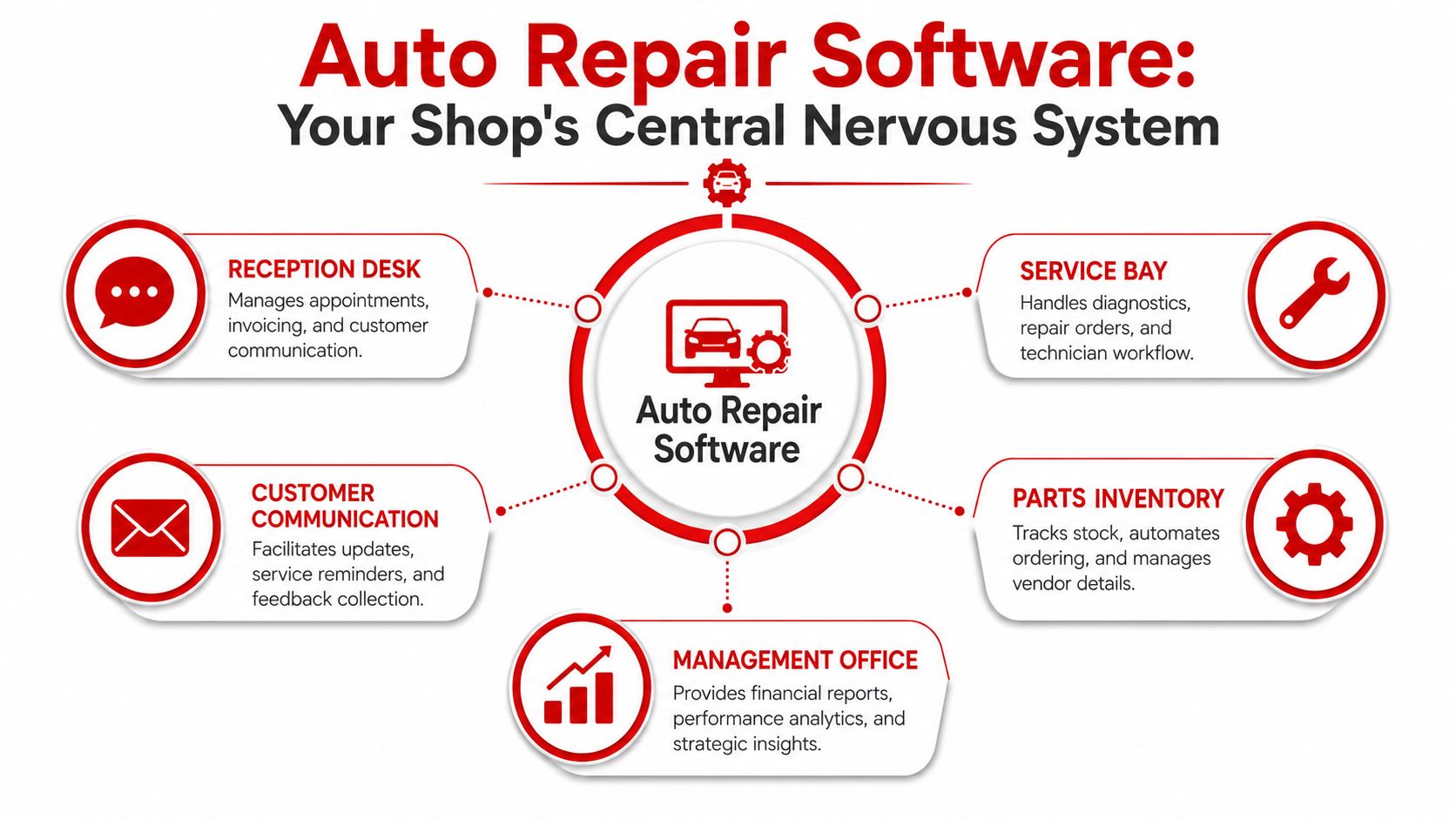
Auto repair software is the central operating system for the shop. It connects the front desk, the bays, the parts process, the customer conversation, and the owner's reporting into one place. Without that system, every department creates its own version of the truth.
That's why basic invoicing tools don't solve the fundamental problem. A shop doesn't just need a way to bill. It needs one workflow that starts with intake and ends with payment, with every status update visible in the middle.
It connects the whole shop
When the system is set up right, one action triggers the next one.
- Reception desk: Appointment details, customer records, and invoices stay tied to the job.
- Service bay: Technicians see assigned work, add findings, and update status without chasing paperwork.
- Parts desk or vendor workflow: Parts needed for the repair attach to the job instead of living on sticky notes or separate tabs.
- Management office: Reporting reflects what's happening in real time, not what somebody types in later.
A weak setup creates duplicate entry. A strong setup creates continuity.
It replaces isolated tasks with a visible workflow
Most shop owners think in terms of features at first. Estimates. Invoices. Inventory. Texting. That's understandable, but it misses the bigger win. The bigger win is workflow visibility.
A visible workflow answers questions instantly:
- What's checked in and waiting
- What's in inspection
- What's approved
- What's waiting on parts
- What's ready for pickup
- What hasn't been invoiced yet
The best systems don't just store information. They keep work moving.
This is the definition. Auto repair software is the tool that turns scattered tasks into a controlled process the whole team can follow.
Core Features That Drive Shop Profitability
Feature lists are cheap. Business impact matters. A shop should judge software by one standard only: does it help the team sell more approved work, waste less labor, and run a tighter day?
This visual gives a quick look at the kind of workflow an all-in-one platform can centralize.
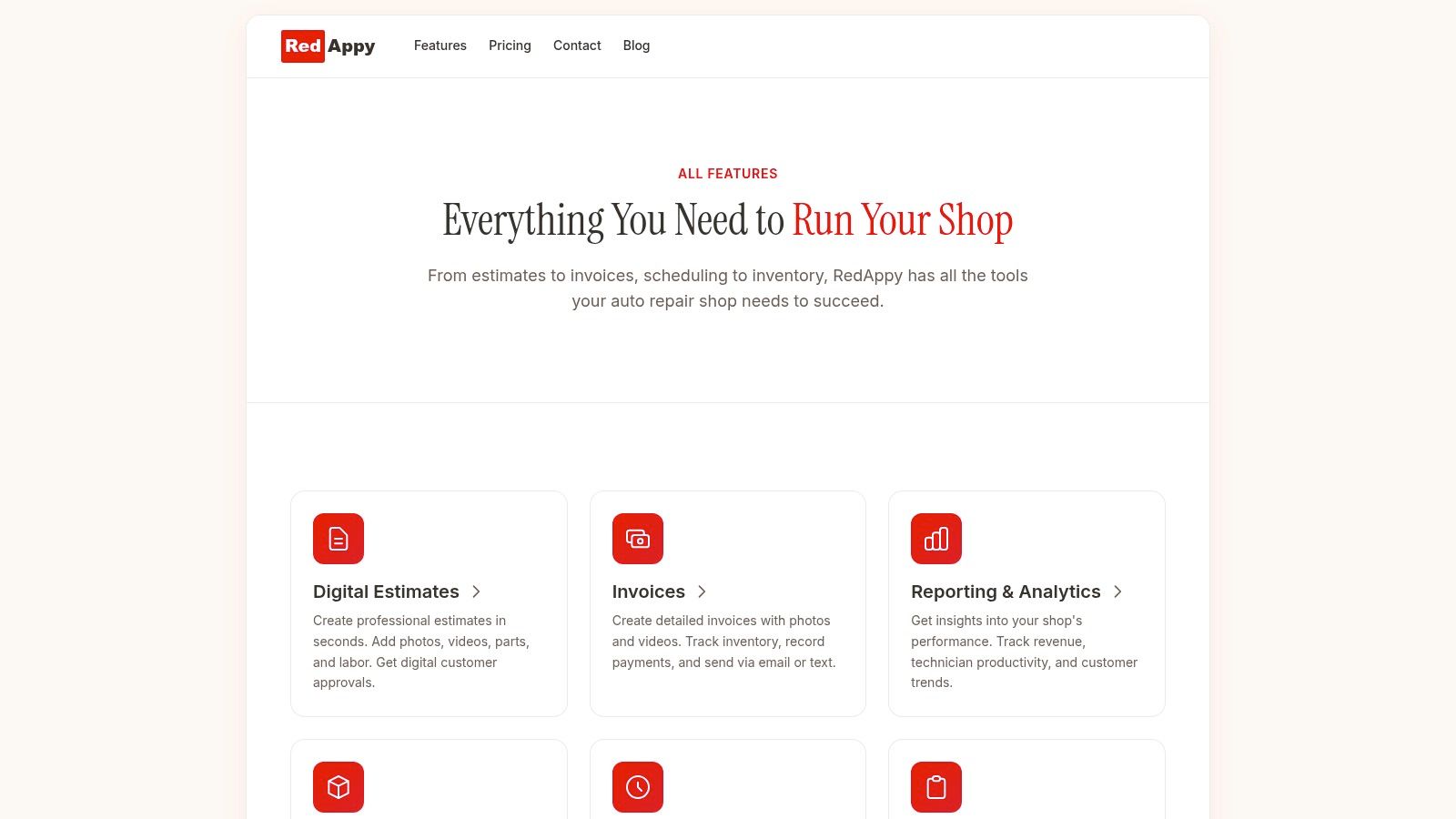
A platform like RedAppy's feature set for shop management brings these functions together in one system, including digital inspections, estimates, invoices, payments, parts ordering, analytics, and a visual shop board. That matters because stitched-together tools usually create extra steps instead of removing them.
Digital inspections
Digital inspections do one job extremely well. They make the repair recommendation visible and credible.
A technician documents findings with photos, notes, and condition status. The advisor sends that inspection to the customer. The customer sees the problem instead of just hearing about it. That changes the conversation from “Do you trust this quote?” to “Do you want this fixed now or later?”
Business impact:
- Higher approval confidence: Customers can see what the shop sees.
- Cleaner advisor handoff: The front desk doesn't have to reconstruct the technician's findings from memory.
- Better documentation: The shop keeps a record of vehicle condition and recommendations.
Estimates and invoicing
Fast estimates protect momentum. Slow estimates kill it.
If advisors need to jump between paper notes, supplier websites, calculator math, and a separate invoice tool, the estimate takes too long and gets sloppier as the day gets busier. Strong auto repair software keeps labor, parts, notes, taxes, approvals, and invoice creation connected.
That drives profit in obvious ways:
| Function | What it fixes | Business result |
|---|---|---|
| Estimate building | Slow quote turnaround | Faster customer decisions |
| Digital approvals | Approval bottlenecks | Less phone tag |
| One-click invoicing | End-of-day admin pileup | Faster payment collection |
A shop doesn't need a prettier invoice. It needs less friction from estimate to payment.
Parts ordering and inventory control
Parts chaos wrecks schedule reliability. It creates comebacks, idle bay time, and ugly calls to customers.
Good software ties parts to the job, tracks stock, and keeps ordering visible. That doesn't mean every shop needs deep inventory controls. A general repair shop with routine stock needs different tools than a parts-heavy operation. But every shop benefits when parts status is attached to the repair order instead of floating in a text thread or a tech's memory.
Watch for these practical outcomes:
- Fewer repair delays because the team knows what's ordered and what's missing
- Less over-ordering because stock is visible
- Cleaner margins because parts cost and usage stay connected to the job
Digital shop board
The digital shop board is one of the fastest ways to fix daily confusion. It shows where every job stands without a manager having to walk the floor and ask six people.
A strong board gives immediate visibility into check-in, inspection, waiting approval, waiting parts, in progress, and ready for delivery. Multi-bay shops need this badly because verbal status updates stop working once volume rises.
A shop board isn't decoration. It's traffic control for labor hours, bay usage, and advisor attention.
For smaller shops, this feature still matters. Even a two- or three-bay operation loses time when work status lives in people's heads.
Analytics and reporting
Owners usually ask for reports after the shop already has a workflow problem. That's backwards. Reports should catch the problem early.
Useful analytics in auto repair software help answer practical questions:
- Which advisors leave work unapproved too long
- Which technicians stay productive and which jobs keep stalling
- Whether average repair order is moving up or down
- Whether repeat customers are returning
Reporting only matters if it leads to action. A dashboard full of charts that nobody uses is wasted screen space.
Customer communication
Shops lose approved work because the customer didn't get a clear update at the right time. Silence creates hesitation. Weak explanations create distrust.
Good software makes communication part of the workflow. Updates, approvals, reminders, and pickup messaging should tie directly to the job. That keeps the customer informed without adding more admin work to the front desk.
This produces better outcomes in three places:
- During the job: Faster response on recommendations
- At pickup: Fewer billing surprises
- After the visit: Better follow-up and retention
AI assistance
AI tools are starting to show up in automotive workflows for reception, support, and operational assistance. That can be useful, but only when it removes real bottlenecks.
The wrong AI layer adds noise. The right one helps the team pull labor times, diagnostic guidance, or workflow answers faster. It should support the advisor and technician, not bury them under another interface.
The rule is blunt. If a shop still struggles with estimates, inspections, and invoicing, it should fix those basics first. AI is an accelerator, not a substitute for process discipline.
The Real World ROI of Upgrading Your Shop
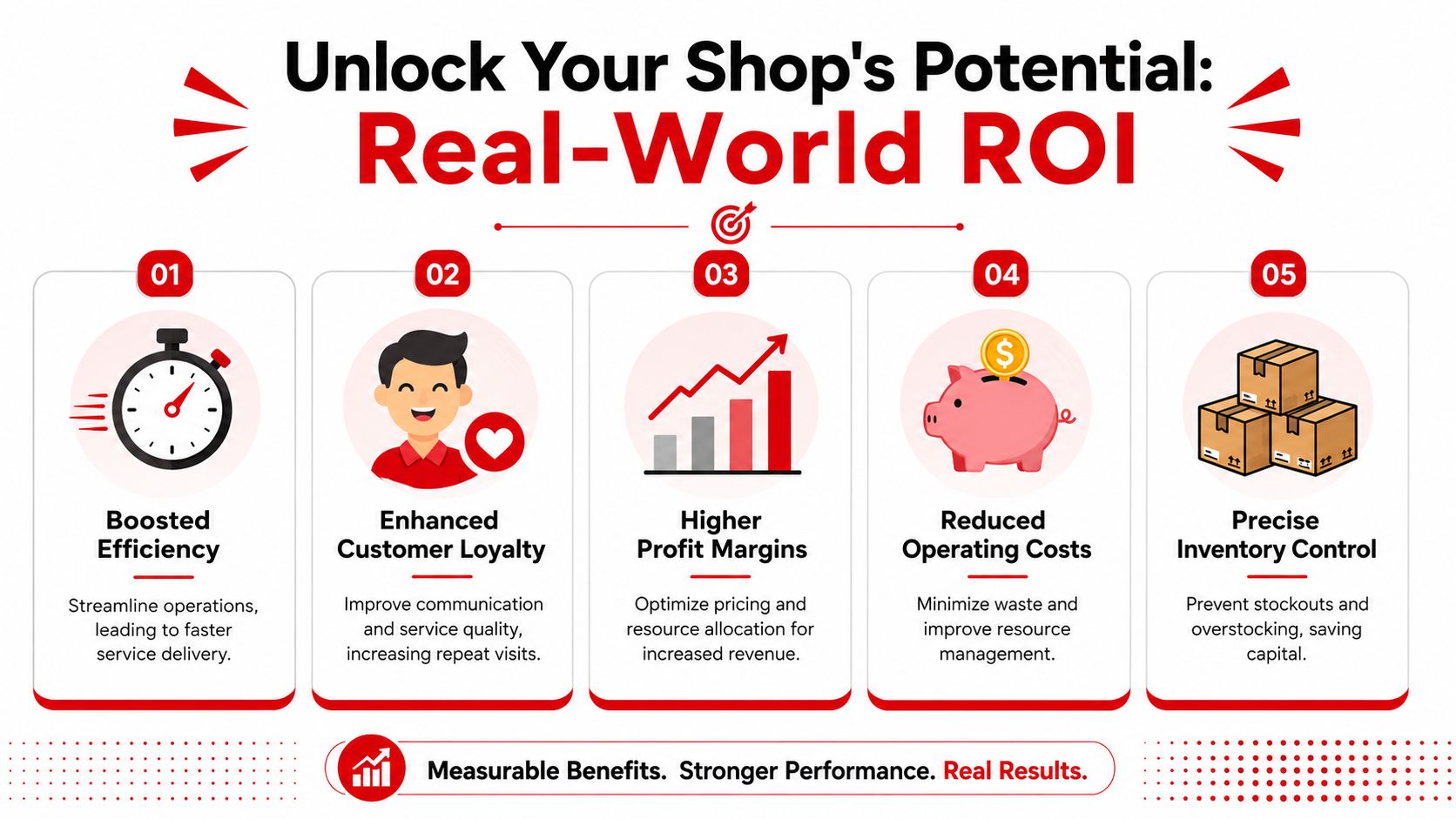
Owners don't buy software for features. They buy it for fewer wasted hours, stronger approvals, and better customer retention. That's the ultimate return.
One documented case matters here. A 40-shop chain increased repair authorizations by 22% after moving from paper to digital inspections with photo markup, according to. That's the cleanest proof of what many shop operators already know. When customers can see what the technician sees, more work gets approved.
Time saved at the front desk
Admin waste usually hides in small tasks. Looking up a plate number. Rebuilding an estimate from a paper inspection. Calling a customer twice because the first message lacked context. Re-entering line items during invoicing.
Software compresses those gaps. The front desk works from one record, one job status, and one communication trail. That doesn't just save time. It reduces mistakes that later turn into discounts, callbacks, or awkward pickup conversations.
A shop owner should ask a hard question: how much of the day is spent pushing information around instead of moving repairs forward?
Revenue increased through better approvals
The fastest path to more revenue often isn't more car count. It's better presentation of the work already found.
Digital inspections, cleaner estimates, visible photos, and faster approval requests all support one thing. They help the customer decide. Shops that still rely on verbal recommendations are making the sale harder than it needs to be.
A few revenue levers show up quickly after adoption:
- More recommended work approved
- Fewer missed line items on estimates
- Less delay between inspection and customer response
- Better conversion from identified need to sold job
Trust that turns into repeat business
Customers rarely judge a shop by technical skill alone. They judge clarity. Did the shop explain the problem? Did they show it? Did updates arrive on time? Did pickup feel organized?
That's why software affects retention. A cleaner experience gives customers a reason to return, and it also supports review generation and visibility online. Shops that want a stronger handle on reputation and should treat communication and follow-up as an operational system, not an afterthought.
The shop that communicates clearly usually wins the second visit, not just the first repair.
ROI isn't mysterious. If the software cuts admin drag, improves work presentation, and creates a more professional customer experience, it earns its place fast.
How to Choose the Right Software for Your Shop
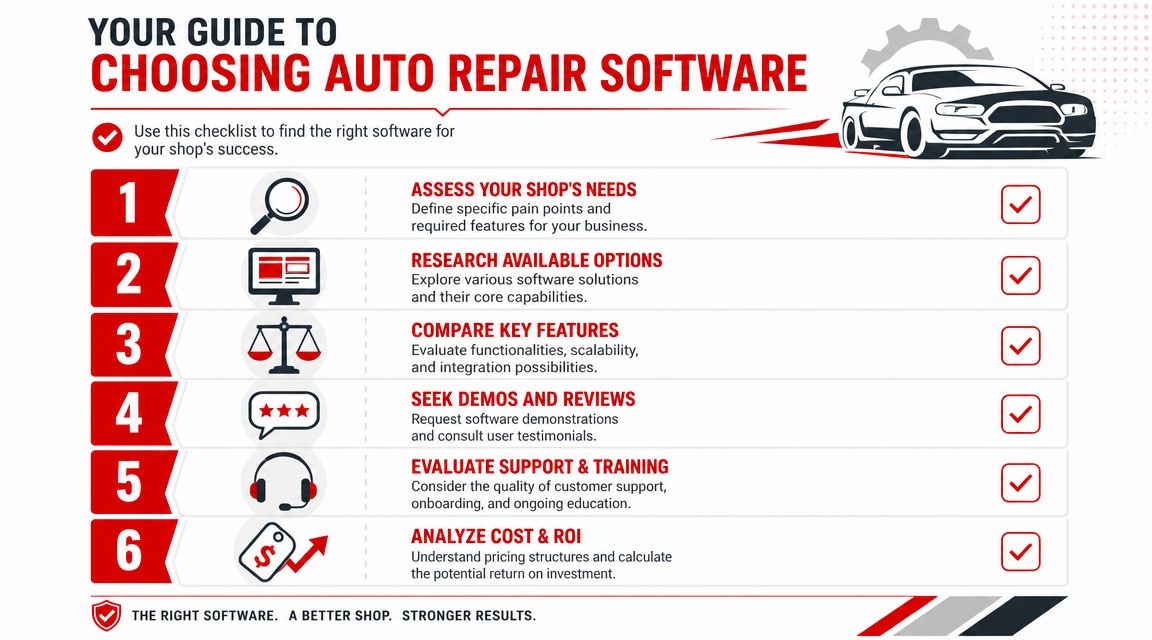
Most shop owners compare software the wrong way. They look at the master feature list, sit through a polished demo, and assume more features means more value. It doesn't. The right platform is the one the team will use, with enough depth to fix the shop's real bottlenecks.
The biggest mistake is overbuying. A one-person mobile mechanic doesn't need the same system as a growing multi-bay shop. A heavy platform can create more setup friction than benefit if the workflow is simple.
Start with workflow, not features
The first question isn't “Which software has the most tools?” It's “Where is the shop losing time or money right now?”
A useful buying discussion starts with pain points like these:
- Approval delays: Customers don't respond quickly because inspections and estimates are weak.
- Front desk overload: Advisors spend too much time on manual entry and phone follow-up.
- Poor visibility: Nobody can tell what's waiting, approved, or stalled without chasing people.
- Parts confusion: Jobs get delayed because ordered parts and stocked parts aren't tracked well.
If the owner can't name the pain clearly, the software search will drift into feature shopping.
Match the platform to the shop type
Many guides fail to address a critical point. Public comparisons usually focus on all-in-one systems and skip the harder question of whether a small operator should adopt one at all. That gap matters because, as noted in, micro-shops and mobile mechanics need to think hard about the break-even point between benefit and adoption friction.
A simple breakdown works better than a giant comparison chart:
| Shop type | Priority | What to avoid |
|---|---|---|
| Mobile mechanic | Mobile invoicing, inspection capture, customer records | Heavy inventory and reporting layers that won't get used |
| Small garage | Fast estimates, digital approvals, easy invoicing | Complex setup that demands constant admin discipline |
| Multi-bay shop | Shop board, technician workflow, parts visibility, analytics | Lightweight tools that can't control workflow at scale |
| Growing multi-location operation | Standardized process, reporting visibility, role control | Patchwork systems that differ by location |
A mobile mechanic should stay lean. A busy multi-bay shop should not.
Use a buyer checklist before any demo
Demos can be misleading because every platform looks smooth when someone else is driving. The better move is to use a checklist and force each vendor to show the workflow on a real repair order.
A good checklist includes:
- Ease of use: Can advisors and technicians learn the core flow without constant help?
- Inspection workflow: Are photos, notes, and approvals simple enough to use every day?
- Estimate to invoice flow: Can the team move from recommendation to payment without duplicate entry?
- Parts workflow: Does the software support how the shop currently orders and tracks parts?
- Visibility: Is there a board or status view that shows the day clearly?
- Support and onboarding: Will the provider help the team get live without drama?
Buy the system that fits the shop's habits and growth path. Skip the one that looks impressive but adds drag.
Your Roadmap to a Successful Implementation
Buying the platform is easy. Changing habits is the main project. Most implementations go sideways for one reason. The shop tries to switch tools without changing the workflow around them.
A clean rollout is simpler when it happens in phases instead of one rushed jump.
Preparation
The shop should clean customer and vehicle records before anything goes live. Duplicate entries, bad phone numbers, missing VINs, and inconsistent naming create confusion on day one.
The team should also decide basic operating rules early. Who builds estimates. Who sends inspections. Who closes invoices. Who updates job status. Software works best when those responsibilities are obvious.
Team training
Training should happen by role, not as one generic session. Advisors need the front-desk flow. Technicians need inspections, notes, and job status. Managers need reporting and oversight.
Keep training practical. Use common jobs the shop already performs. Brake work, check-engine diagnostics, maintenance service, and parts ordering create better learning than abstract examples.
- Advisors need repetition: Intake, estimate creation, approval sending, invoicing
- Technicians need speed: Inspections, findings, job updates, photo capture
- Managers need control: Workflow visibility, exception handling, reporting review
Go live
The first live week shouldn't aim for perfection. It should aim for consistency. Run real jobs through the system, keep the process tight, and fix confusion fast.
Some shops do better by starting with inspections and estimates first, then layering in other functions once the team is steady. Others switch the whole front desk at once. Either path works if the owner or manager stays close to the process during the first stretch.
Early friction is normal. Repeated friction means the workflow or training needs correction.
Optimization
Once the team stops fighting the system, the shop can tune it. That means tightening canned jobs, improving status labels, cleaning templates, and reviewing reports to see where jobs still stall.
Implementation ends only when the software becomes the normal way the shop operates. Until then, it's still just a tool sitting on top of old habits.
Frequently Asked Questions About Auto Repair Software
How much does auto repair software cost
Pricing varies too much by shop size, feature depth, users, and support model to make blanket price comparisons useful without real quotes. The smarter question is whether the system replaces enough admin work and approval friction to justify the cost.
If the software speeds up estimates, improves inspection follow-through, and reduces front-desk chaos, the price discussion gets easier fast.
Are long term contracts required
Not always. Terms depend on the provider. Some platforms use longer commitments, while others offer month-to-month arrangements. A shop should ask this before any onboarding starts, not after the demo.
The practical recommendation is simple. Avoid getting trapped in a long contract before the team has proven it can use the system well.
Who owns the shop data
That should be answered in plain language by the vendor before signing. Customer records, vehicle history, inspection data, and invoices are core business assets. A shop should know how data is stored, how it can be exported, and what happens if the platform is changed later.
If the provider gives vague answers, that's a warning sign.
Does a one person shop need a full system
Not always. A solo operator or mobile mechanic should stay disciplined about the break-even point. If the work is straightforward and volume is manageable, a lighter setup may be the better choice. If admin work keeps stealing evenings, approvals are inconsistent, or customer records are getting messy, then a more complete system starts to make sense.
The wrong move is adopting a bloated platform because somebody said every shop needs one. Every shop needs control. Not every shop needs the same software footprint.
Shops that are tired of paper bottlenecks, slow approvals, and front-desk overload can take the next step by reviewing RedAppy or starting a direct conversation through RedAppy contact. A short walkthrough of the shop's current workflow is usually enough to tell whether a lightweight setup or a fuller system makes sense.
Ready to Transform Your Shop?
RedAppy helps auto repair shops create professional digital estimates with photos and videos, send them instantly via text or email, and get customer approvals in seconds. No credit card required to start.