
Auto Repair Software Free Trial No Credit Card: Guide
Many shops can onboard into live work orders during a full-featured no-credit-card trial, and that makes trial friction reduction a real conversion lever, not just a marketing trick. The harder question is whether the software fits real front-desk and bay workflow in days, not weeks.
Most advice about shop software starts with the wrong filter. The test isn't whether a vendor can remove a card field, it's whether a service advisor can write estimates, track work, and take payment without forcing the shop into a new routine that nobody keeps using. The auto repair software free trial no credit card promise only matters when it helps a shop prove operational fit fast enough to avoid a bad purchase.
Table of Contents
- Why One-Click Payment Trials Matter for Your Shop
- What One-Click Payment Actually Means
- How Tokenization and Stored Methods Work
- Benefits for Conversion and Customer Experience
- Security and Compliance Considerations
- Common Use Cases in Auto Repair Shops
- Implementing One-Click Payments with RedAppy
Why One-Click Payment Trials Matter for Your Shop
A shop owner looking at software usually starts with the same worry. Will this slow the counter down, or will it fit the way the team already handles approvals, invoices, and pickup?
A no-credit-card trial lowers the first barrier, but the genuine value is what happens after signup. If the platform lets the team move from estimate to invoice to payment without dead ends, the trial becomes a live workflow test instead of a feature tour. That matters in a market where vendors are competing for attention with low-friction onboarding and full-access evaluation.
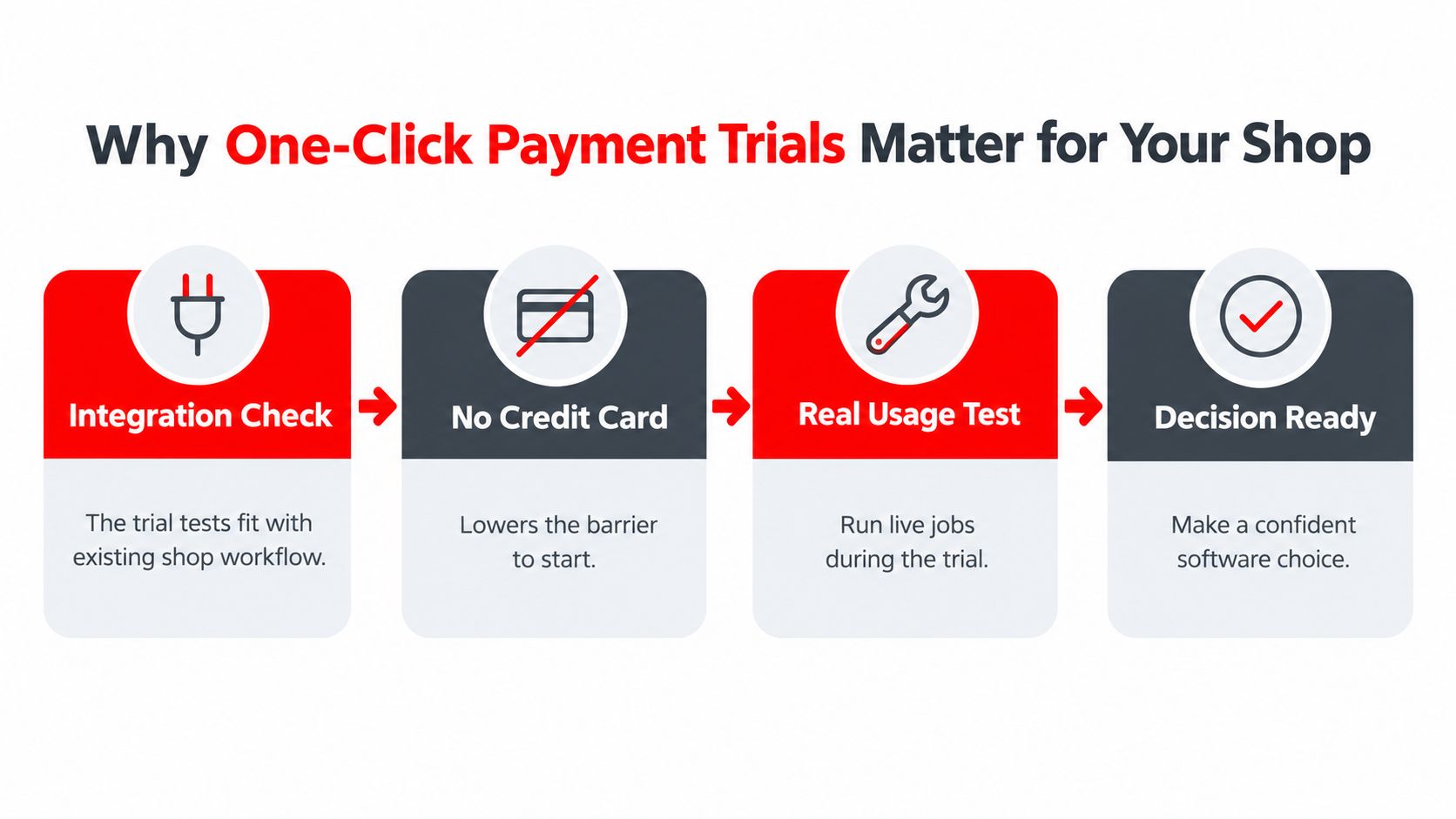
Trial gating should mirror real shop work
A trial that only asks for an email address is easy to start, but it still fails if the shop can't validate actual usage. The useful version gives enough access to see how technicians, advisors, and the cashier handle a live job from start to finish.
Practical rule: if the trial can't support a real repair order, it's too early to judge the software.
That's why the best comparison isn't “card required” versus “no card required.” It's whether the trial lets the shop test the same sequence it uses on a busy day, including customer lookup, job creation, payment, and handoff. For a useful checklist on what to watch before committing, a is worth keeping nearby.
Checkout friction and onboarding friction are the same problem
If a vendor makes checkout easy but onboarding hard, the shop still pays the price. Long setup steps, missing permissions, and confusing payment routing all eat into the trial period before the team can judge whether the software saves time.
The stronger trial model reduces both kinds of friction. That lets the shop see whether one-click payment is just a convenience feature, or whether it shortens the path from approved work to collected revenue.
What One-Click Payment Actually Means
In a repair shop, one-click payment doesn't mean a magic button with no safeguards. It means the shop can charge a stored payment method after the customer has already authorized the card once, so staff don't retype details every time a service ticket closes.
It works like a digital valet key. The shop can move the car forward, collect payment, and finish the handoff without holding the full card data in the open every time.
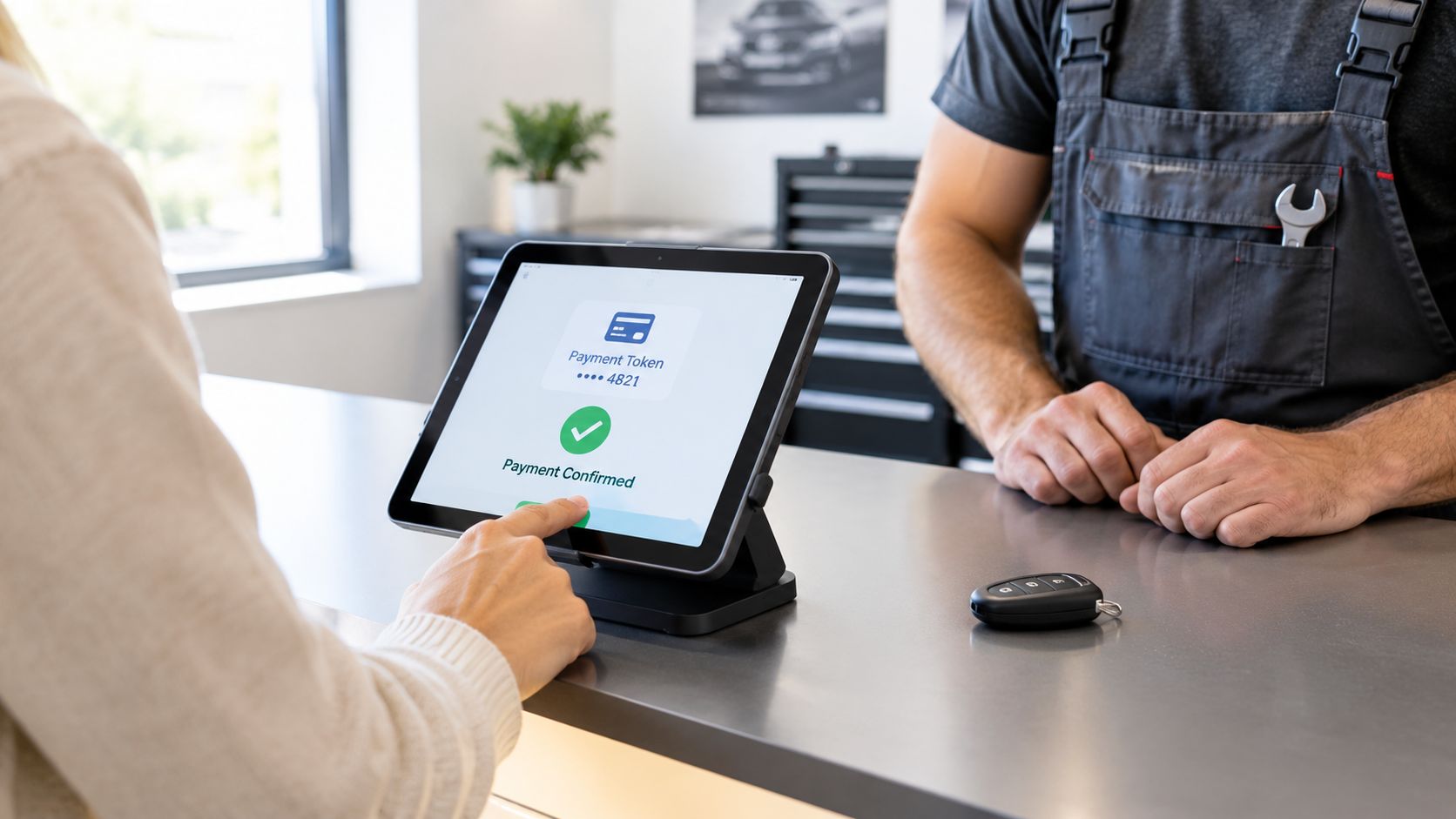
The customer approves once, then the shop reuses the method
The key point is stored authorization, not repeated entry. A customer can approve a card for future use, and the shop can then invoice faster when the same customer returns for routine work or follow-up repairs.
That's different from a raw card file sitting in the system. The shop doesn't need staff typing in card numbers at the counter each time, and the workflow stays cleaner for repeat business.
Speed matters more than the label
A lot of vendors talk about convenience, but the shop feels it in seconds saved at pickup. That's where one-click payment earns its place, because front-desk time is always tighter than the sales page suggests.
For conversion-minded shops, it's useful to compare that ease with other website and checkout tactics. are a helpful reminder that fewer steps usually means fewer drop-offs, but only if the process still fits the way customers pay.
How Tokenization and Stored Methods Work
The engine behind one-click payment is tokenization. Instead of keeping the full card number in a way staff can easily see or reuse, the system replaces it with a unique token that represents the payment method inside the software.
That token is what the shop uses later. The card data stays in the vault, while the token becomes the reusable handle for future invoices.
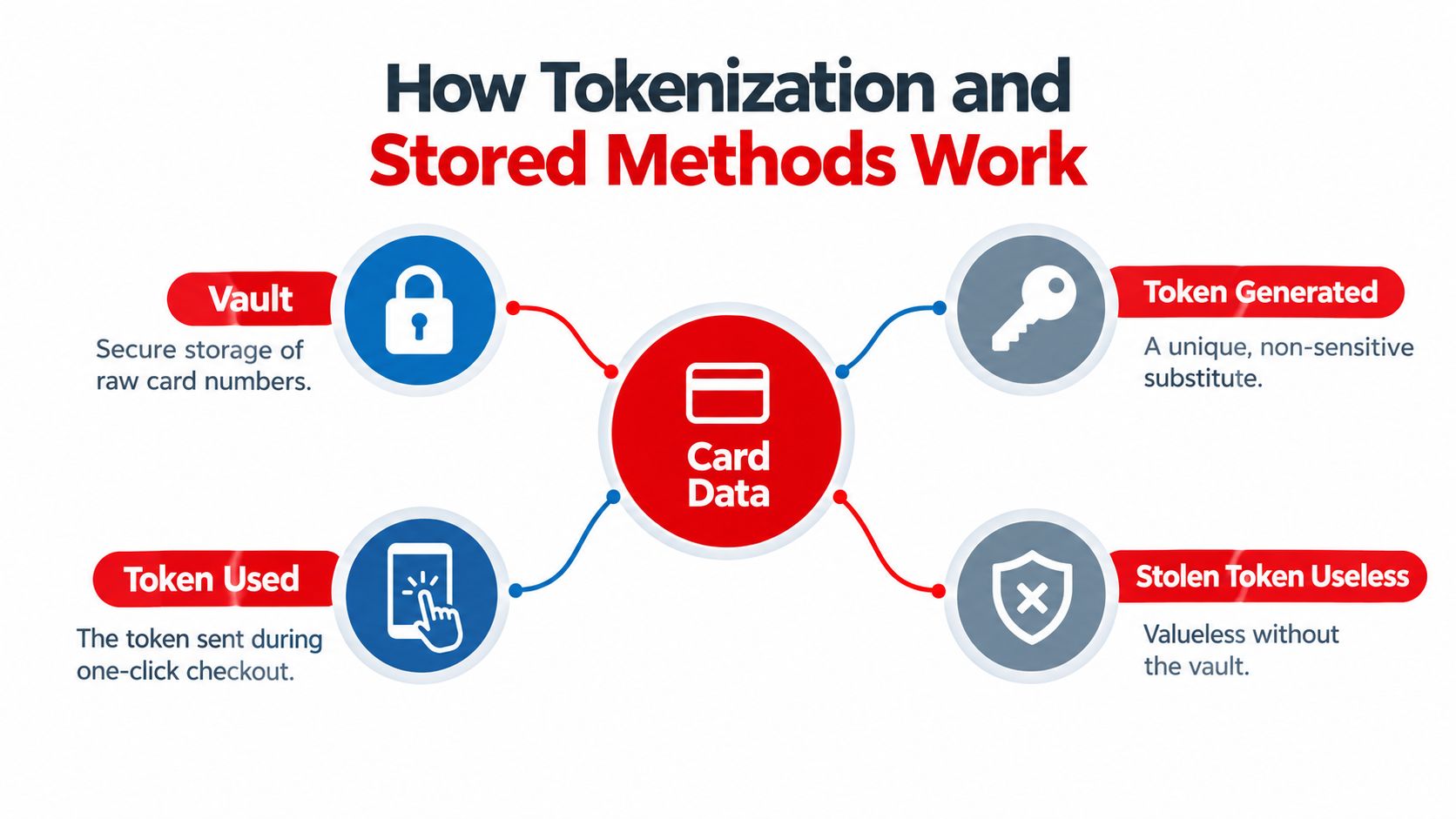
The payment flow in plain language
The sequence is simple when it's set up well.
- Customer enters payment details: the customer authorizes the card once at checkout or during approval.
- System creates a token: the software swaps the sensitive card data for a non-sensitive substitute.
- Token is stored for reuse: the shop keeps the token, not the raw card number, for later invoicing.
- Future payments use the token: staff can charge the stored method without re-entering the card.
If a token is stolen, it's useless without the vault that issued it. That's the point of the design, and it's why tokenization is treated as a security control, not just a convenience feature.
What to verify during the trial
A trial should show whether stored methods work on actual repair tickets, not just in a demo sandbox. The shop should test whether the same customer can be billed again without rebuilding the payment profile from scratch.
A useful vendor will also make the process understandable to the front desk. If staff can't explain what's stored, what's reusable, and what's protected, the payment feature will cause hesitation instead of speed.
The best payment setup feels invisible to the counter, but it's built on very specific controls behind the scenes.
Benefits for Conversion and Customer Experience
The strongest benefit of one-click payment is simple. Fewer steps usually mean fewer abandoned checkouts, and that matters when the customer is standing at the counter with keys in hand.
A slower payment flow creates friction at the worst moment. The repair is done, the car is ready, and the last thing the shop wants is a delay because someone has to dig for a wallet, re-enter details, or wait while the system reloads a form.
Faster checkout keeps the counter moving
Busy shops don't lose time in one dramatic way, they lose it in small stalls. A manual payment process can pile up when multiple customers are waiting, especially if one transaction requires staff to stop and rekey information.
One-click payment reduces that back-and-forth. It also gives repeat customers a smoother handoff, because the shop can focus on confirming the invoice instead of rebuilding the payment step.
Customer experience and trust work together
Speed alone isn't enough if the customer doesn't trust the process. The checkout has to feel secure, understandable, and consistent with the rest of the shop's communication.
That's where checkout design and shop reputation meet. A payment flow that is short, clear, and easy to repeat often feels more professional than a long form, especially when the invoice already matches the estimate and the customer sees the charges line by line.
Why this matters for front-desk performance
- Less waiting at pickup: customers get through the final step faster.
- Fewer typing errors: stored methods reduce manual entry mistakes.
- Cleaner repeat service: returning customers don't need to start payment from zero.
- More consistent closeout: staff can focus on the invoice and the handoff.
Security still matters, though. Faster payment only helps if the shop can keep the process compliant and explain it clearly to the customer.
Security and Compliance Considerations
Payment convenience only works when the shop knows where the boundaries are. PCI DSS compliance and Strong Customer Authentication, or SCA, are not marketing terms, they're the guardrails that determine how payment data can be handled and when extra verification may be needed.
Tokenization helps because the shop isn't storing or reusing the raw card data in normal day-to-day operations. That lowers exposure, but it doesn't remove the need for good controls around access, permissions, and payment records.
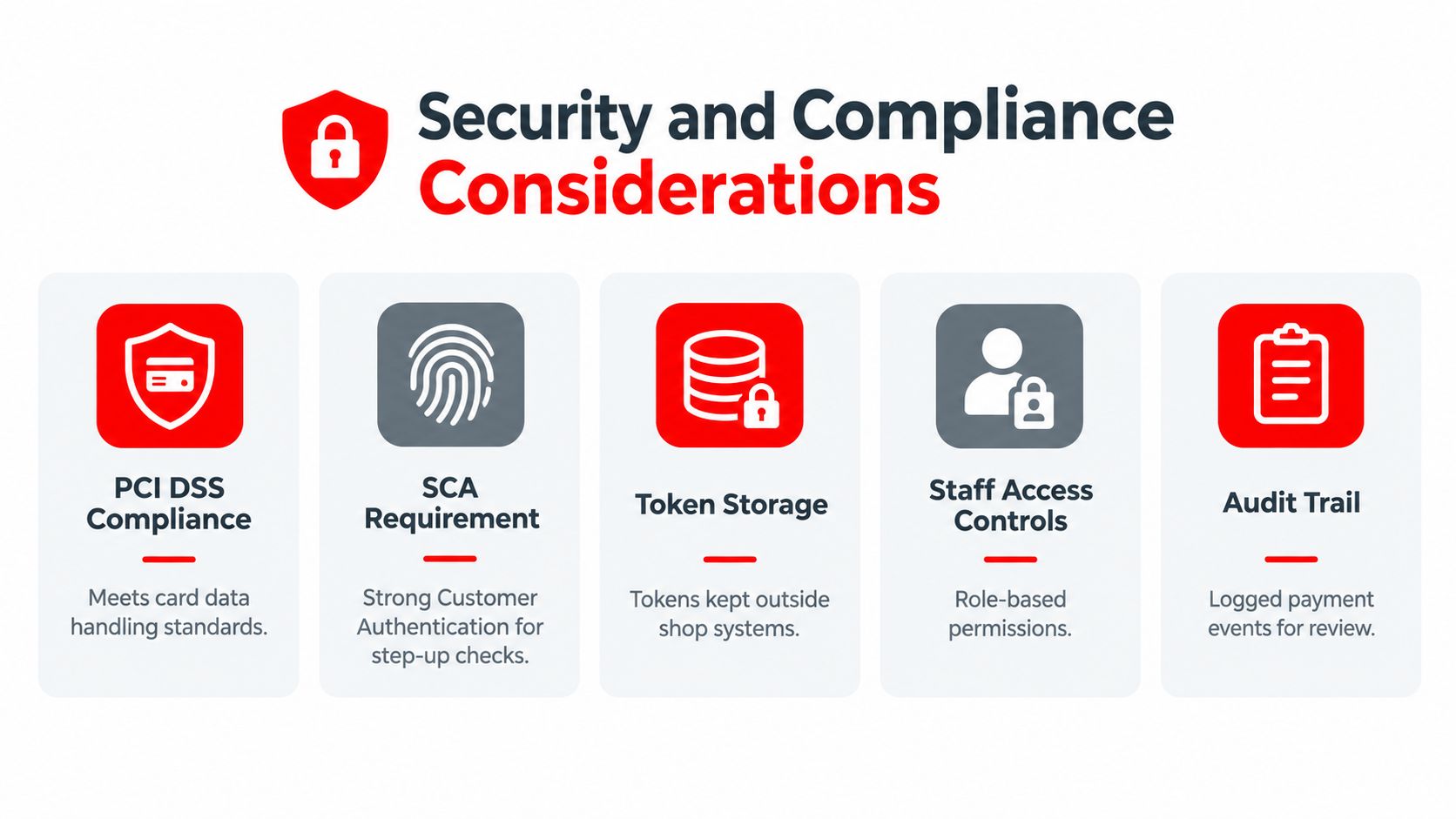
What the shop should ask before trusting a payment feature
The important questions are practical.
- Who can trigger a payment? Role-based access keeps front-desk actions separated from technician access.
- Where is the payment data stored? Tokens should live outside the shop's own local files.
- How are payment events logged? An audit trail helps track who did what and when.
- What happens when step-up authentication is needed? SCA may require additional verification depending on the transaction and region.
- Can staff see full card details? They shouldn't need to.
These questions are more useful than vague promises about being “secure.” They force the vendor to explain the controls the shop will rely on.
Compliance is part of the workflow, not a separate department
Many smaller shops assume payment security belongs to someone else. In practice, the front desk still has to handle the customer interaction correctly, and the software has to make that possible without exposing unnecessary data.
That's why a trial should include the payment path, not just the invoicing screen. If the team can't tell how the system handles tokens, permissions, and logs, the shop shouldn't treat it as ready for live use.
Common Use Cases in Auto Repair Shops
Repeat customers are the easiest win. A driver comes back for an oil change or a follow-up repair, the shop finds the record, and the stored method shortens checkout without restarting the payment process from scratch.
Fleet accounts are another fit. When a business already has an approval path, the shop benefits from faster closeout and fewer interruptions at the counter, especially when invoices follow a standard pattern.
Where the feature helps most
- Routine maintenance: recurring visits are faster when the payment method is already on file.
- Fleet work: approved accounts move through billing with less manual handling.
- Emergency repairs: speed matters when the customer wants the car back as soon as possible.
- Busy front desks: fewer payment steps reduce bottlenecks during peak hours.
The feature is less useful when the shop rarely sees repeat customers or when the team still processes every job differently. In those cases, a slick payment button won't fix a messy intake process.
If the shop's work order process is inconsistent, payment automation only hides the problem for a little while.
That's why the right buyer isn't chasing the tool alone. The right buyer is checking whether the whole workflow, from customer intake to final invoice, holds together under real conditions.
Implementing One-Click Payments with RedAppy
A practical setup starts with the basics. The shop should confirm that payment settings are connected to the same workflow used for estimates, digital inspections, and invoicing, so the front desk isn't jumping between separate systems.
RedAppy states that every standard plan includes a 30-day free trial with no credit card required, and that the shop and website are set up right away so the customer can choose a plan when the trial ends. That makes it easier to evaluate the payment flow in the context of the rest of the shop, instead of in a stripped-down demo.
A sensible rollout sequence
- Open the trial and check the intake flow. The team should see how customer records, vehicles, and invoices connect before payment is turned into a habit.
- Test stored payment handling with a real-like scenario. The goal is to see whether repeat billing works without forcing staff to re-enter details.
- Review permissions. Only the right people should be able to trigger charges or edit payment-related data.
- Confirm the handoff. The invoice, payment confirmation, and customer communication should feel consistent.
RedAppy also fits this topic because it combines online payments with a broader shop workflow, including digital inspections, instant estimates, one-click invoicing, parts ordering, analytics, and a digital shop board. That matters because payment is only one part of the job, and a trial should show whether the rest of the process supports it.
For shops comparing tools, the useful question isn't whether the software says “no credit card required.” It's whether the trial proves the team can run live work cleanly, close invoices faster, and keep the customer experience simple.
If the goal is to test real workflow fit, not just avoid card-entry friction, visit RedAppy and compare the feature set with the way the shop works day to day. For a direct conversation about setup and fit, use the contact page or review the feature examples before making a decision.
Ready to Transform Your Shop?
RedAppy helps auto repair shops create professional digital estimates with photos and videos, send them instantly via text or email, and get customer approvals in seconds. No credit card required to start.