
CRM for Auto Repair Shops: Boost Efficiency & Loyalty
The day usually starts the same way. A customer is waiting at the counter, a phone is ringing, a technician is asking whether the brake job was approved, and someone is flipping through old invoices to see what happened on that vehicle last time. By lunch, the shop has already lost time to missed calls, status questions, and paperwork that should've been easy to find.
That kind of disorder doesn't always look dramatic. It shows up as small leaks. A delayed estimate. A forgotten follow-up. A service advisor who spends more time chasing information than serving customers. A shop owner who knows the bays are busy but still can't see where profit is getting stuck. Even basic money management gets harder when the office side is pieced together, which is why resources with can help sharpen the numbers behind the workflow.
A good CRM for auto repair shops works like a digital crew member. It doesn't just store contacts. It helps the owner see the business clearly, helps the advisor communicate faster, and helps the technician get approved work moving without constant interruptions.
Table of Contents
- Moving Beyond Clipboards and Sticky Notes
- What Is an Auto Repair CRM Really
- The Must-Have Features That Drive Shop Profitability
- How a Modern CRM Benefits Your Entire Team
- Choosing the Right Growth Engine for Your Shop
- How RedAppy Solves Your Biggest Headaches
- Your Next Step Toward a More Profitable Shop
Moving Beyond Clipboards and Sticky Notes
A lot of shops don't think they have a system problem. They think they have a busy-day problem. But when the same issues keep repeating, the underlying problem is usually the workflow.
One repair order lives on the counter. Another is in a text thread. The last service history is buried in an invoice stack. A customer calls for an update, and the advisor has to walk to the bay to ask the technician. Then the technician stops the job to answer. Then the phone rings again.
That's not just annoying. It slows everyone down.
Where the day starts breaking down
The owner feels it in a different way than the front desk does. The owner sees payroll, parts spending, and full bays, but still has trouble getting a clean read on technician productivity, average repair order, or where jobs are stalling. The service advisor feels the pressure in constant interruptions. The technician feels it when approvals are late, notes are incomplete, or the vehicle history isn't easy to find.
Shops rarely lose control all at once. They lose it one missing detail, one delayed approval, and one extra phone call at a time.
Paper and memory can carry a small shop only so far. Once volume grows, those tools start creating friction instead of helping.
The shift that changes the shop
A CRM for auto repair shops brings the moving pieces into one operating flow. Instead of asking three people where a car stands, the shop can check one record. Instead of hoping someone remembers to call a customer back, the task sits inside the system. Instead of guessing which customers are overdue, the shop can act on a list.
The shops that clean this up usually don't become less busy. They become more controlled. That's the difference that matters. Busy without control feels chaotic. Busy with visibility feels profitable.
What Is an Auto Repair CRM Really
A true auto repair CRM isn't a digital address book. It's the central nervous system of the shop. It connects customer communication, vehicle history, appointments, approvals, estimates, and job progress so the front desk and the bays aren't operating as separate worlds.
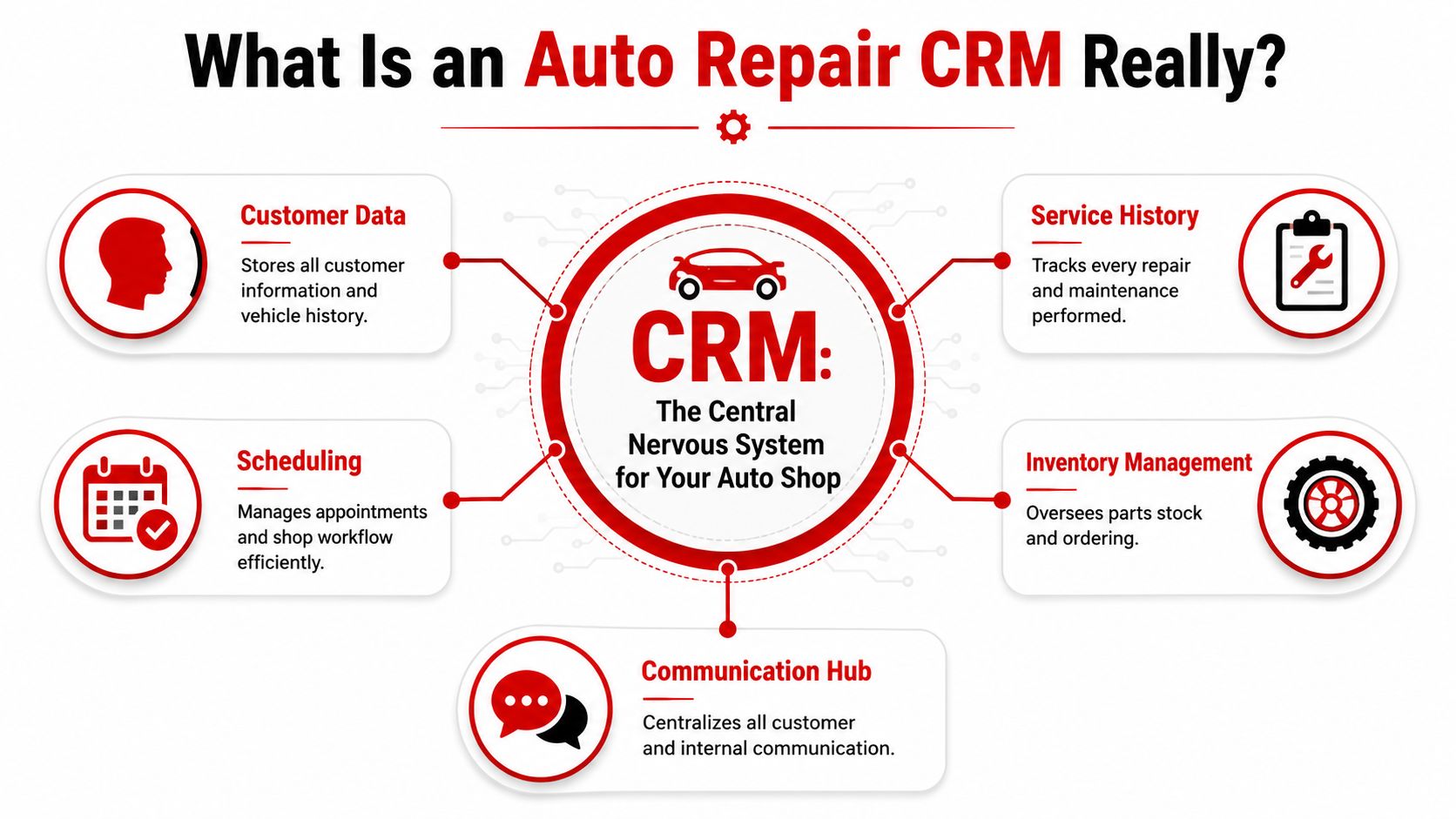
That matters because the operating environment is already large and demanding. The U.S. auto repair market includes 284,000 independent shops, and the single biggest challenge for 31% of them is the shortage of skilled technicians, which increases the need for systems that improve labor efficiency and reduce admin work, according to.
It's built around vehicles, not just people
A generic CRM is usually built for sales pipelines. It expects a contact, an opportunity, and a deal stage. An auto shop needs something else.
It needs one customer linked to one or more vehicles. It needs service history tied to the car, not floating in separate notes. It needs technician assignments, estimate approvals, parts status, and a clear job timeline from check-in to checkout.
A proper CRM for auto repair shops should connect:
- Customer records with contact details, communication history, and preferences
- Vehicle records with plate, VIN, mileage, prior work, and upcoming needs
- Repair workflow with estimates, approvals, parts, labor, and status changes
- Shop communication through text, email, calls, and internal notes
- Reporting so managers can see what's happening without chasing paper
Why generic CRM tools fall short
When a shop tries to force a general business CRM into automotive work, the team usually ends up building side systems around it. The service advisor keeps a spreadsheet. The technician relies on verbal updates. The owner exports numbers into another tool just to understand performance.
That defeats the point.
Practical rule: If the software can't follow the life of a repair order from intake to payment, it's not acting like a shop CRM. It's acting like an extra task.
Some independent shops do best with a split setup. Purpose-built shop management systems such as Tekmetric or AutoLeap can handle operations, while a separate marketing CRM handles reminders and customer follow-up. Guidance on this setup notes core operations pricing that starts around $179 to $199 per month for those systems, while the marketing layer handles retention workflows like reminder campaigns and review requests, as outlined in.
The key isn't whether the shop uses one system or two. The key is whether the software behaves like a reliable crew member instead of another thing the staff has to manage.
The Must-Have Features That Drive Shop Profitability
Features matter only when they remove friction from daily work. In an auto shop, that means getting approvals faster, reducing re-entry, keeping jobs moving, and helping the front desk stay ahead of customers instead of reacting all day.
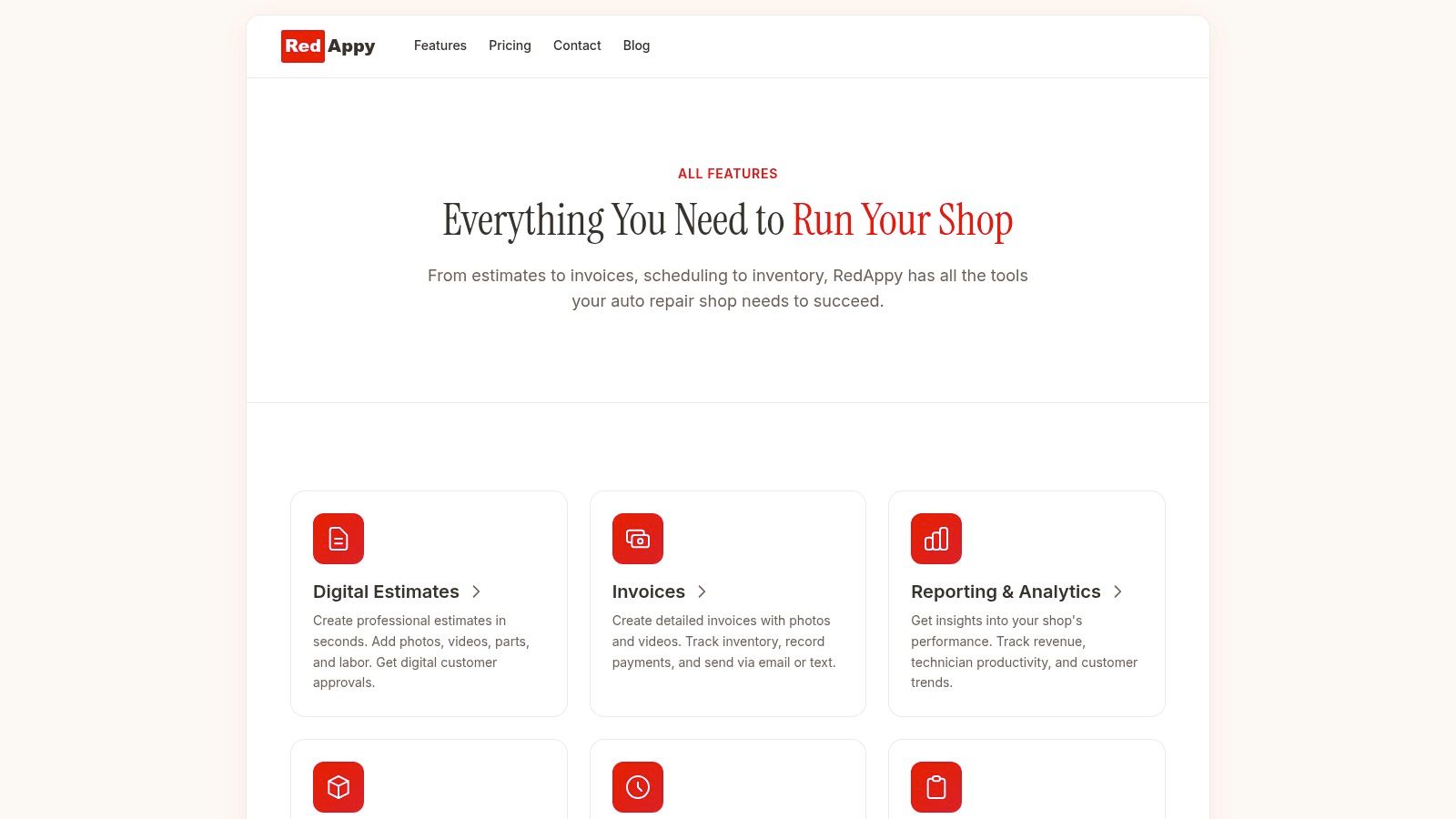
Digital inspections that get approvals moving
The first feature that separates shop software from generic CRM tools is Digital Vehicle Inspection. Auto repair shop management software needs DVI with photo and video capability because visual proof raises work authorization rates by replacing paper estimates with evidence the customer can see, based on.
That's practical, not cosmetic.
When a customer sees a worn belt, leaking component, or brake measurement inside the estimate flow, the advisor doesn't have to rely on a long verbal explanation. The technician documents the issue once. The advisor presents it cleanly. The customer understands why the work is needed.
Without DVI, the shop gets more hesitation, more phone time, and more disputed recommendations.
Connected estimates, invoices, and vehicle history
The second group of features should keep the whole job tied together. Customer and vehicle records need to live in the same record as the work order, not in separate tools.
A strong system should give the team:
- Integrated estimates and invoices so approved work turns into billing without retyping line items
- Vehicle-centric history so the advisor can pull up prior recommendations, past repairs, and warranty context
- Job-based records that tie customer, vehicle, parts, labor, and documentation together
- Searchable lookup by name, plate, or VIN so information is available fast
A platform that ties customer and vehicle records directly to work orders reduces data re-entry and prevents errors that happen when details are spread across spreadsheets and disconnected apps, as described in.
That cleanup matters at the counter. It also matters at closeout, where invoicing mistakes and missing parts details can eat margin.
Scheduling, notifications, and parts flow
Scheduling isn't just about booking appointments. In a busy shop, the scheduler acts like a traffic controller. It decides whether the day runs smoothly or gets overloaded by mid-morning.
Modern shop software needs automated progress notifications for both customers and internal staff so the team isn't relying on status calls and manual updates, according to this overview of car workshop management software capabilities.
The strongest systems also connect parts and reporting. The operational workflow should support data exchange with shop equipment and technical information platforms so managers can track revenue, technician efficiency, and average repair order through integrated analytics rather than hand-built reports, as covered in.
A profitable feature isn't the one that looks impressive in a demo. It's the one that removes one repeated interruption from every repair order.
When evaluating software, these features are essential:
| Feature | What it does in daily work | Why it pays off |
|---|---|---|
| DVI with photos and video | Shows customers exactly what the technician found | Speeds approvals and improves trust |
| Integrated estimating and invoicing | Moves approved work into billing without re-entry | Cuts admin time and billing errors |
| Central vehicle history | Keeps prior jobs and recommendations easy to access | Improves advisor accuracy and upsell quality |
| Dynamic scheduling | Balances appointments and workflow | Reduces overload and idle time |
| Automated notifications | Updates customers and staff as status changes | Lowers inbound calls and confusion |
| Parts ordering links | Connects jobs to needed parts and availability | Prevents delays caused by disconnected purchasing |
How a Modern CRM Benefits Your Entire Team
The easiest way to judge a CRM is to stop thinking about software and start thinking about roles. A good system acts like a digital crew member for each person in the building.
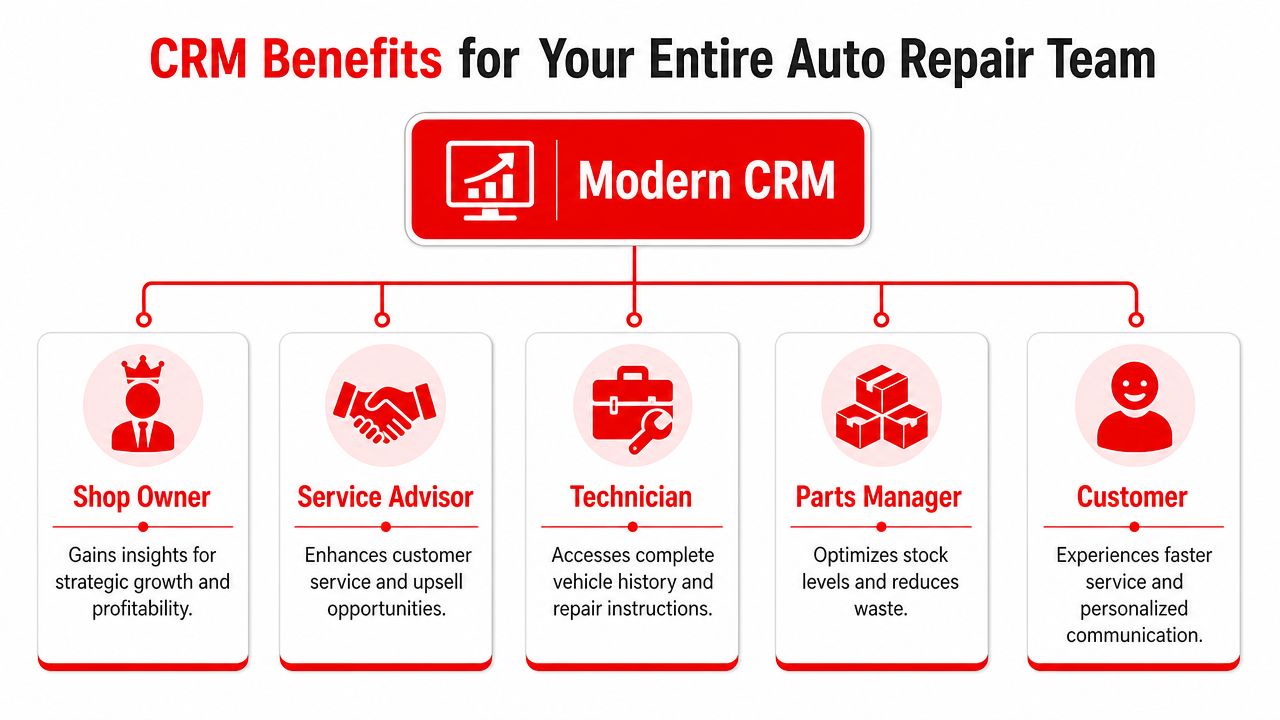
Shops that run systematic service reminder campaigns through CRM workflows typically see a 15% to 25% increase in customer retention, and broader CRM adoption can lift sales by 29% while increasing sales productivity by as much as 34%, according to.
Shop owner
The owner doesn't need more dashboards. The owner needs answers.
Which advisors close approved work efficiently. Which technicians are producing. Which jobs are sitting too long. Which customers haven't returned. A modern CRM gives the owner a real operating view instead of a vague sense that the shop feels busy.
That changes decision-making. Hiring, scheduling, pricing, and follow-up all get better when they're based on current shop data instead of guesswork.
Service advisor
The advisor usually gets hit from every direction. Counter traffic, incoming calls, estimate follow-up, appointment changes, and customer questions all land at the same desk.
A connected CRM cuts that pressure by keeping communication, vehicle history, and job status in one place. The advisor spends less time asking around and more time moving work forward. Service reminders, follow-ups, and status updates can run automatically, which frees the advisor to handle conversations that actually need a human touch.
The front desk gets calmer when the advisor stops being the only place information lives.
Technician
Technicians benefit when the system reduces interruptions. They need to know what was approved, what was declined before, what history exists on the vehicle, and whether parts are ready.
When that information is easy to access, the technician can stay focused on repairs instead of waiting on answers. That improves workflow and lowers frustration across the bay.
A role-based view makes the value of a CRM much easier to judge:
- For the owner it brings visibility into performance and bottlenecks.
- For the advisor it reduces communication chaos and keeps customer follow-up organized.
- For the technician it delivers cleaner job information and fewer stop-start interruptions.
- For the customer it creates faster updates, better explanations, and a smoother service experience.
Choosing the Right Growth Engine for Your Shop
The wrong software usually fails in one of two ways. It's either too generic to run a shop properly, or too complex for the team to adopt without constant babysitting.
That's why the enterprise-versus-hybrid question matters so much. Many small independent shops don't need heavy enterprise CRM complexity. Guidance for shops in the $500k to $3M revenue range points out that they need “zero daily maintenance”, setup in under one hour, and a cost that's “less than one repeat customer per month”, not Fortune 500 complexity, as explained in.
What to reject early
If a platform looks polished but creates extra work, it isn't a fit.
Reject software when it does any of the following:
- Forces generic pipelines that don't match intake, diagnosis, estimate, approval, in-progress, and ready-for-pickup workflows
- Requires daily cleanup just to keep records accurate
- Splits customer and vehicle history across different modules with weak search
- Makes mobile use awkward for service advisors and managers on the floor
- Hides pricing or setup effort until late in the sales process
- Needs too many workarounds to handle inspections, parts flow, and approvals
A shop doesn't need software that impresses a software buyer. It needs software that the front desk can use on a Monday morning when three customers arrive at once.
Auto Repair CRM Evaluation Checklist
| Feature/Aspect | What to Look For | Why It Matters |
|---|---|---|
| Automotive fit | Vehicle records, repair-order flow, approvals, and service history built into the product | Generic CRMs usually create side work |
| Ease of setup | Fast onboarding, simple data import, clear templates | Complicated rollout kills adoption |
| Daily usability | Quick search, clean screens, few clicks for common tasks | Staff will only use what feels natural |
| Communication tools | Text, email, reminders, and status updates tied to the job | Keeps customers informed without manual chasing |
| Inspection workflow | DVI with media capture and easy estimate presentation | Helps turn findings into approved work |
| Scheduling view | Team calendar, workload visibility, easy rescheduling | Prevents bottlenecks and overbooking |
| Parts connection | Ordering visibility linked to the job | Avoids delays and duplicate entry |
| Reporting | Revenue, technician efficiency, and job status visibility | Gives owners operational control |
| Integration path | Works with existing systems or replaces them cleanly | Reduces friction and migration pain |
| Support and flexibility | Real help when needed, with options for shop-specific workflow | A rigid tool becomes expensive fast |
Buy for the way the shop actually works at full speed, not for the way a demo looks in a quiet conference room.
How RedAppy Solves Your Biggest Headaches
Most shop headaches don't come from one huge failure. They come from repeated small tasks that steal time all day. Calling for approvals. Re-entering details. Checking where a car stands. Explaining the same status twice to the customer and once to the technician.
From phone tag to approved work
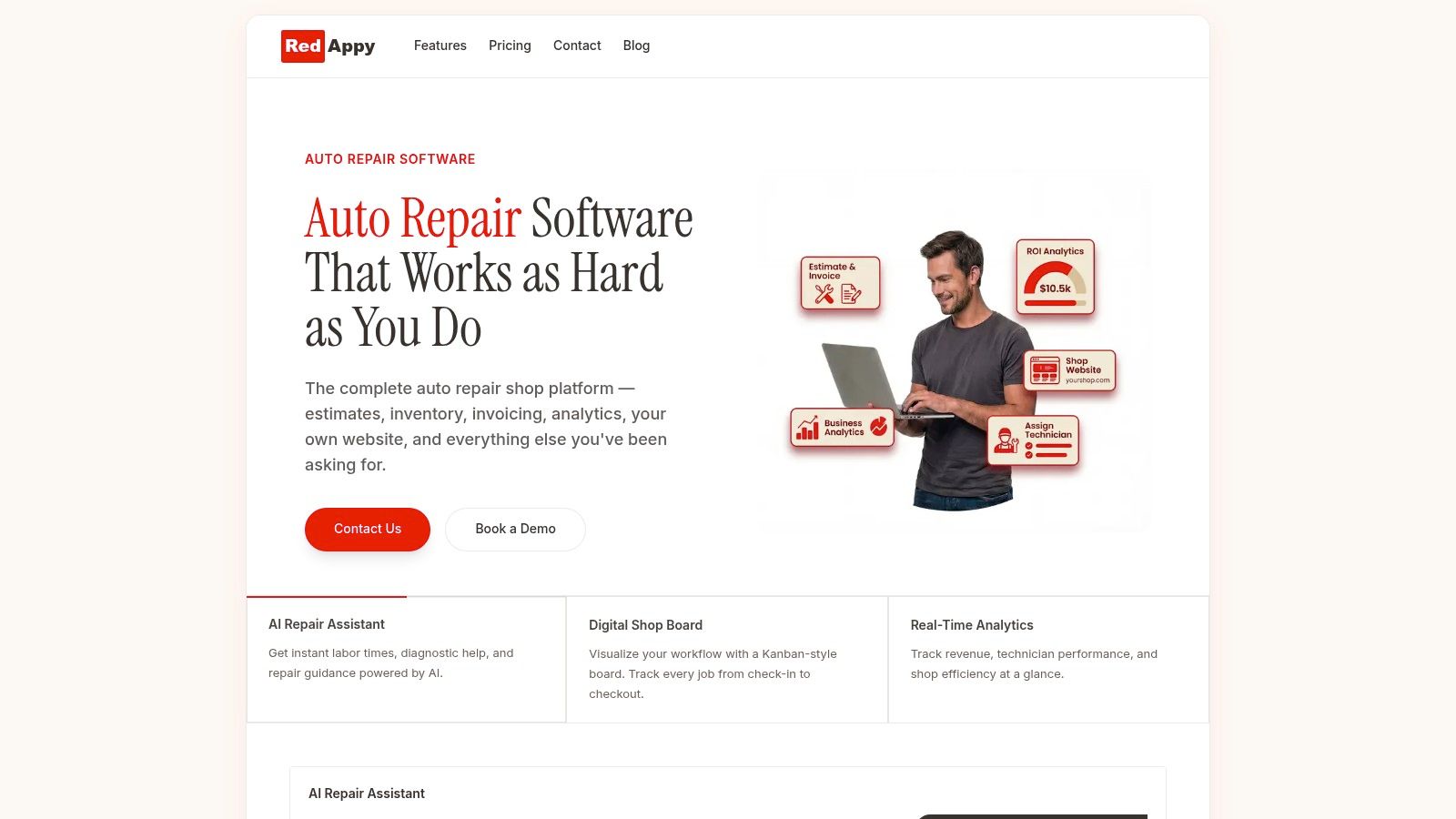
A modern platform solves that by keeping the full repair flow in one system. RedAppy is one example. It combines digital inspections, estimates, invoicing, online payments, analytics, a digital shop board, vehicle history, scheduling, and an AI Repair Assistant inside one shop workflow. A shop owner comparing options can review those capabilities on the RedAppy features page.
The practical payoff is simple. The advisor doesn't have to jump between disconnected tools. The technician can document findings once. The customer gets a clearer path from inspection to estimate to approval.
From re-entry to one connected workflow
One of the biggest daily drains in repair shops is duplicate data entry. When the CRM and shop management sides don't talk to each other, staff keep retyping customer details, vehicle information, job notes, and invoice items. Integration between CRM and shop management software removes that double-entry burden and can save 5 to 10 hours weekly on administrative work while reducing errors through automated data flow, according to.
That time goes somewhere useful. Advisors can follow up on recommended work. Owners can review shop performance. Technicians get fewer interruptions because the information is already in the job.
A practical shop scenario makes the difference clear:
- Old workflow. Technician finds needed work, writes notes, advisor builds estimate manually, customer misses the call, status gets delayed, parts update lives somewhere else.
- Connected workflow. Technician attaches findings, advisor sends estimate digitally, customer approves from the message, job status updates, and the team sees the next step.
That's the point of a digital crew member. It handles the coordination work that used to sit on people's shoulders.
Your Next Step Toward a More Profitable Shop
A CRM for auto repair shops earns its place when it gives time back to the team and control back to the owner. The biggest wins usually aren't flashy. They're quieter than that. Fewer interruptions at the front desk. Faster approvals. Cleaner records. Better follow-up. Less guesswork.
Shops that still run on clipboards, inboxes, and memory usually feel busy all the time and informed only some of the time. A modern system changes that balance. It gives the owner visibility, the advisor structure, and the technician clearer handoffs. Customers feel that difference too. Updates are faster, recommendations are easier to understand, and the overall experience feels more professional.
The right setup doesn't have to be oversized. It has to fit the way the shop works. That means vehicle-first records, inspections with proof, connected communication, usable scheduling, and reporting that helps managers act before problems turn into lost revenue.
If a shop is ready to replace paper trails and patchwork tools with one operating flow, the next move is to compare real features and ask hard workflow questions before buying.
A practical next step is to explore how RedAppy handles inspections, estimates, scheduling, analytics, and shop workflow in one platform, or reach out through the contact page to discuss how the setup could fit a specific shop.
Ready to Transform Your Shop?
RedAppy helps auto repair shops create professional digital estimates with photos and videos, send them instantly via text or email, and get customer approvals in seconds. No credit card required to start.