
How to Increase Average Repair Order Value in Your Auto Repair Shop
A shop can be busy all month and still finish with disappointing revenue. The owner sees more vehicles moving through the bays, yet the month-end total barely changes. In many cases, the problem isn't car count. It's a shrinking ticket, weak service mix, and recommended work that never reaches an approval decision.
The answer to how to increase average repair order value in an auto repair shop isn't pushing unnecessary services. It's presenting legitimate vehicle needs clearly, protecting the labor mix, bundling mechanically related work, and following up before deferred repairs disappear from view.
Table of Contents
- What Average Repair Order Really Means for Your Shop
- Fix the Mix Before You Add More Line Items
- Use Digital Inspections to Lift Every Ticket
- Recommend and Bundle Without Killing Trust
- Automate the Follow-Up That Closes Bigger Jobs
- Add-Ons That Help and Add-Ons That Hurt
- Your 30-60-90 Day Plan to Grow Average Repair Order
What Average Repair Order Really Means for Your Shop
Average repair order, or ARO, equals total revenue from completed repair orders divided by the number of paid repair orders in the same period. A shop with $38,000 in monthly revenue across 160 jobs has an ARO of $237.50 per repair order, using the calculation described in.
That figure gives you a clearer view of shop performance than bay utilization alone. It shows which types of work customers approve, how well technicians identify vehicle needs, and whether the shop is converting inspections into profitable repair orders.
A low ARO usually points to one or more specific breakdowns:
- Weak inspection discipline: Technicians identify issues inconsistently, so legitimate work never reaches the estimate.
- Poor presentation: Advisors rely on technical descriptions instead of showing customers clear evidence.
- Unbalanced service mix: The schedule contains too many low-value maintenance visits and too few diagnostic, brake, alignment, drivability, or wear-related jobs.
- Lost follow-up: Customers defer repairs, and no process reminds them about the specific items they declined.
RedAppy's digital inspections help address the first two problems by giving technicians a consistent inspection workflow and giving advisors photos or videos to support each recommendation. One-click approvals then reduce the friction between a documented need and an approved repair. That matters because every declined repair keeps the current ticket small and creates another follow-up obligation.
Use ARO as a diagnostic signal, not a universal score. One industry benchmark places many independent general repair shops in the $250 to $400 per ticket range, while survey data shows that results vary widely. A reasonable target depends on local labor pricing, vehicle mix, technician capability, and the proportion of diagnostic and wear-related work the shop performs.
| ARO Range | What It Signals | Typical Shop Profile |
|---|---|---|
| Below $250 | Possible under-selling, weak inspection coverage, or a low-value service mix | Shops relying heavily on basic maintenance |
| $250-$400, common independent-shop target | A workable base for a general repair operation | Shops with a balanced mix of maintenance and repairs |
| Above $400 | Stronger approval processes and more complete repair planning | Shops consistently presenting documented vehicle needs |
| $500-$749, survey band | Larger diagnostic, brake, drivability, or bundled repair jobs | Shops with mature inspection and follow-up workflows |
ARO is a mix-and-margin metric, not a persuasion metric. Do not chase a larger number with random line items. Raise the value of each visit by completing the work the vehicle needs, then check whether the resulting mix supports gross profit and repeat business.
Practical rule: A higher ARO helps only when customers understand the recommendation and the shop preserves trust.
Fix the Mix Before You Add More Line Items
More line items don't automatically create more profit. A repair order can become longer while the shop earns less if the additional work contains low-margin parts, consumes technician capacity, or distracts advisors from higher-value work.
Labor and parts are the first mix questions to examine. Independent shop margin data identifies labor as the higher-margin stream in many operations, while typical net profit remains only 3% to 9%, according to. That means a shop should study whether its revenue is coming from productive labor, necessary parts, diagnostics, and related services, rather than treating every dollar of sales as equally valuable.
A practical mix review should separate:
- Labor share: Diagnostic time, inspection time, installation, calibration, and other billable technician work.
- Parts share: Replacement components and consumables attached to the repair.
- Category share: Oil-only visits compared with brakes, alignments, drivability, suspension, cooling, and other more involved work.
- Approval share: Recommended work that customers accept immediately versus work that remains deferred.
A shop can have the same car count and a very different financial result depending on this composition. A schedule dominated by oil changes may keep technicians moving, but it won't create the same revenue structure as a schedule that combines maintenance with legitimate brake, alignment, diagnostic, and drivability work.
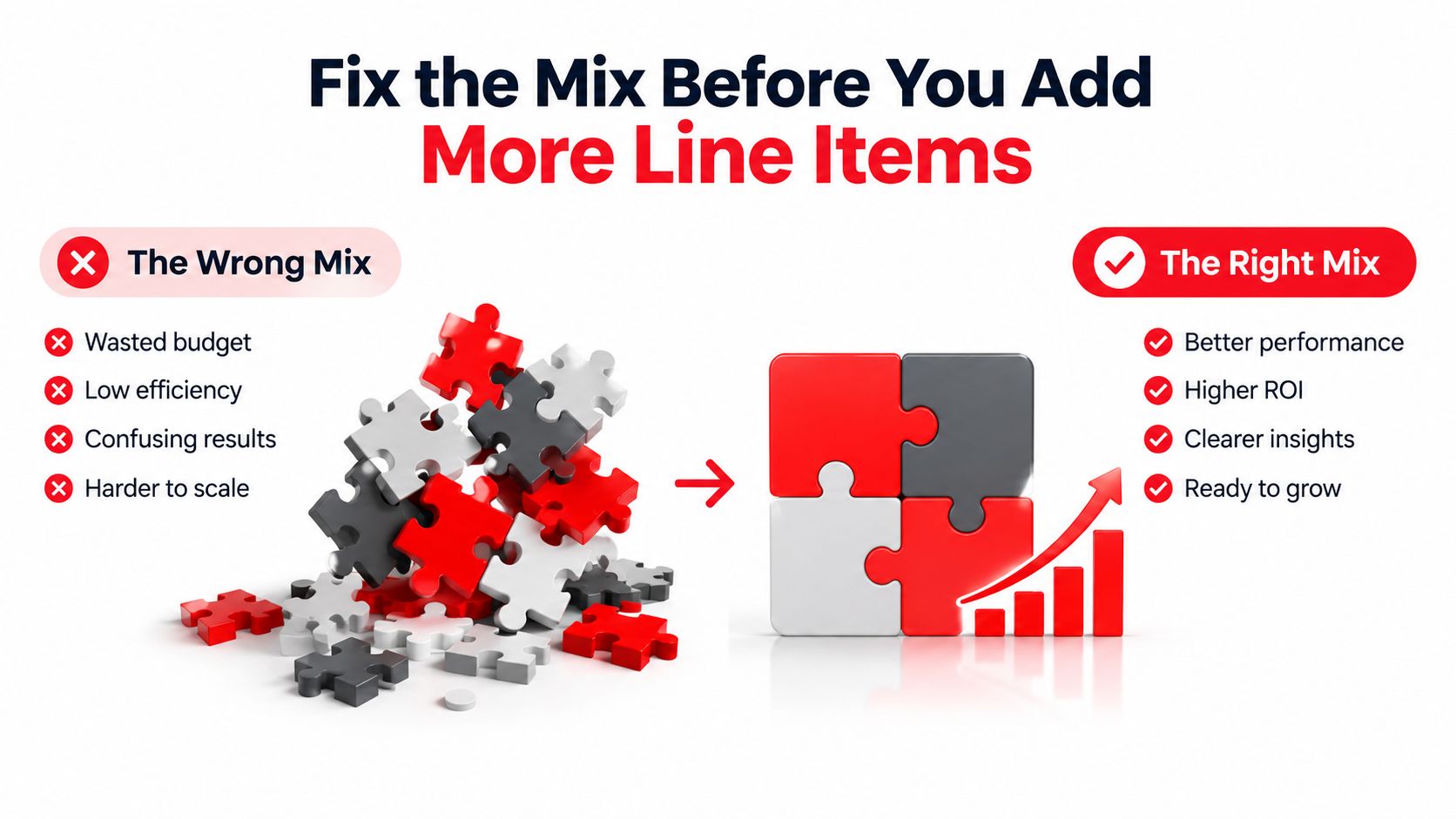
The strongest approach is mix management, not indiscriminate upselling. A multi-point inspection can reveal that a routine visit also needs tires, brakes, an alignment, or diagnostic testing. The advisor then ranks those findings by urgency and mechanical relationship, instead of placing every possible recommendation in front of the customer at once.
PartsTech survey data illustrates how broad the market can be. 36% of surveyed shops reported an ARO between $500 and $749, while 34% reported $250 to $499, as summarized in. Those figures don't establish a universal target, but they do show why owners should compare their own service mix against their actual market and capabilities.
Use Digital Inspections to Lift Every Ticket
A digital inspection should happen on every repair order, not only when a technician expects to find expensive work. Consistency gives the advisor a complete record and gives the customer a clear reason to consider additional repairs.
The workflow is straightforward:
- The technician confirms the vehicle and completes a structured inspection.
- The technician photographs or records video of failed and borderline items.
- Each finding receives a clear status, such as red, yellow, or green.
- The advisor sends the report with an itemized estimate before work begins.
- The customer approves or declines specific work from a phone or computer.
Photos turn an abstract recommendation into something the customer can evaluate. A worn brake component, fluid leak, damaged tire, or restricted filter is easier to understand when the report shows the condition instead of relying on a verbal description.
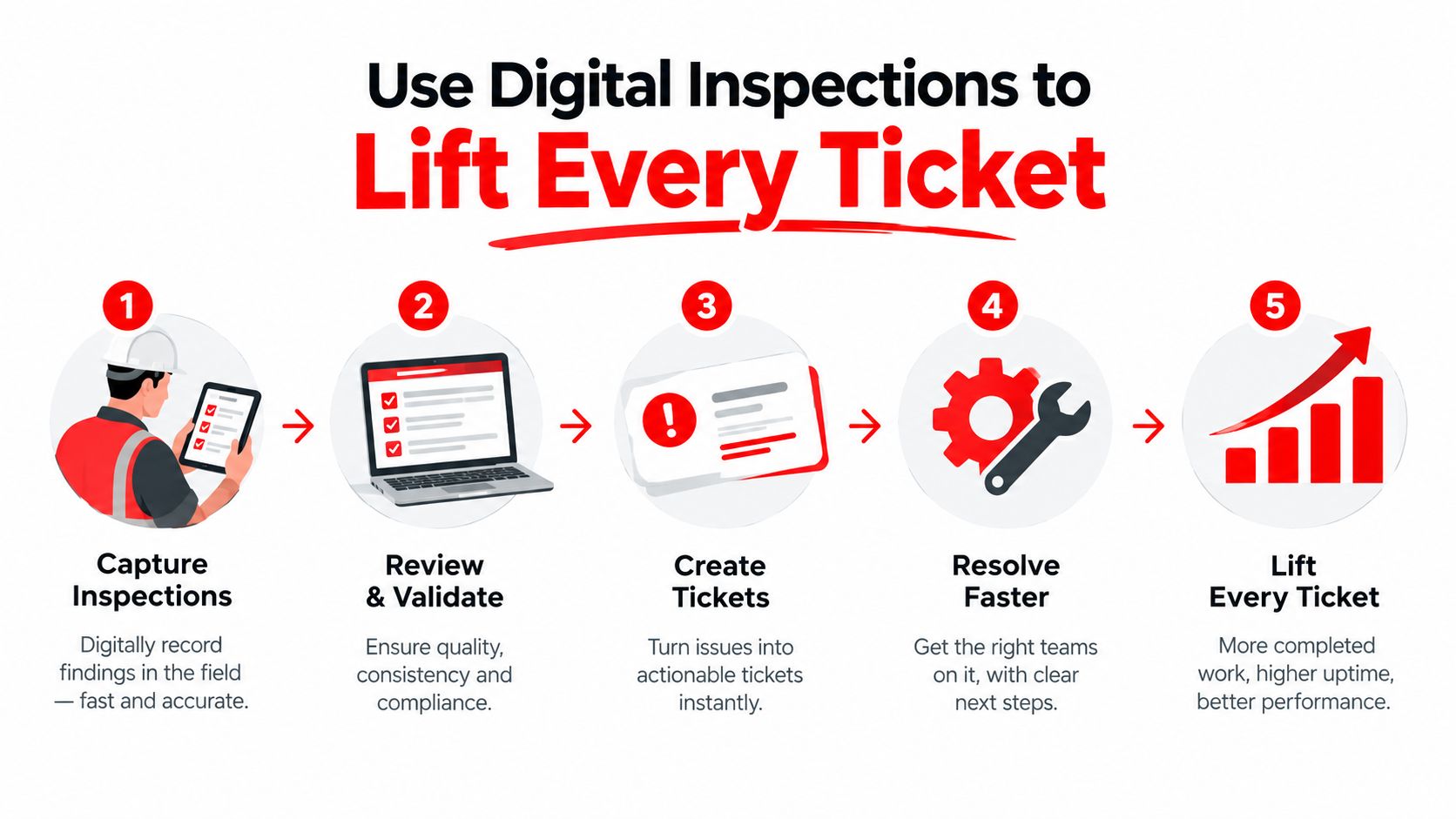
The approval step matters just as much as the inspection. A one-click approval link removes phone tag and converts an accepted estimate into an actionable work order. The customer doesn't need to repeat the repair decision to an advisor, and the advisor doesn't need to chase an answer while the vehicle waits.
Digital authorization has a measurable connection to ticket value. Repair orders authorized digitally were worth 50% more on average than those without digital authorization, according to data cited by. The result doesn't mean every digital estimate will produce the same lift. It does show that an easier, evidence-based approval path can materially affect the value of completed work.
Use the inspection colors with discipline:
- Red findings: Explain the safety or drivability consequence and present them first.
- Yellow findings: Group related work and explain what could happen if the repair is deferred.
- Green findings: Confirm that the vehicle passed that portion of the inspection, which builds credibility for future recommendations.
The report should reach the customer while the vehicle is still part of the current service conversation. Sending it late weakens urgency, even when the finding is legitimate.
Recommend and Bundle Without Killing Trust
Customers rarely object to a well-supported recommendation. They object when an advisor presents unrelated services, vague urgency, or a price without showing what the vehicle needs.
Bundling works when the services have a mechanical relationship. A brake repair can include related hardware service when the inspection supports it. Tire replacement can be paired with an alignment when the vehicle's condition makes that alignment relevant. Cooling-system work can include a related exchange when the service procedure and vehicle requirements justify it.
The bundle should answer one question: Why do these services belong together on this visit?
A visual vehicle health report strengthens that explanation. “The front brakes need replacement” is weaker than a report showing the measured condition, the affected component, and the consequence of waiting. Color coding helps customers separate immediate safety concerns from maintenance that can be planned later.
Trust grows when the recommendation explains the vehicle, not the shop's sales target.
Advisors should sequence the conversation instead of presenting every finding as equally urgent:
- Safety work first: Explain the direct risk and the reason for timely action.
- Related repairs second: Show which services can be completed efficiently during the same visit.
- Deferred maintenance last: Send a clear follow-up message rather than pressuring the customer to approve everything immediately.
A useful script sounds like this:
“The inspection found a safety-related brake concern and a separate maintenance item. The brake work belongs on this visit because of its condition. The maintenance item can be scheduled later, and the report will remain available for reference.”
That language protects close rates because it gives the customer control. RedAppy's visual inspection and estimate features can support this process by organizing inspection findings, media, estimates, and approval decisions in one customer-facing workflow. The platform should be treated as a process tool, not a replacement for an advisor's judgment.
Seasonal packages can follow the same logic. A package should combine services connected to the customer's driving conditions and vehicle condition, rather than stack unrelated line items under a convenient label.
Automate the Follow-Up That Closes Bigger Jobs
The largest missed opportunity often sits inside completed invoices. A customer declined a repair, the advisor made a note, and the work disappeared because nobody contacted the customer again.
A structured follow-up sequence keeps the recommendation visible without making the advisor manually chase every ticket.
- Immediate estimate message: Send the estimate by text within minutes, with photos and a direct approval option. SMS comes first because customers often see it faster than email.
- Approval reminder: If the customer hasn't responded, send a concise reminder that names the specific declined item and includes the original evidence.
- Deferred-work reminder: Contact the customer after the repair to revisit maintenance that was postponed, with wording connected to upcoming driving conditions.
- Re-inspection prompt: Invite the customer to schedule a new inspection when the original finding needs to be checked again.
Email works as a backup channel for customers who prefer a longer record. Voicemail should come last, because it creates more friction and usually requires the customer to return the call before the shop can continue.
Two simple SMS templates keep the language direct:
Approval nudge
“Your vehicle inspection found a recommended repair involving [item]. The estimate and photos are ready to review. Approval can be completed from the repair link, or the shop can answer questions by text.”
Deferred-work reminder
“During the last visit, [item] was recommended but deferred. The report is still available for review. A service appointment can be scheduled before the vehicle needs the repair.”
The message should never exaggerate urgency. It should identify the item, preserve the evidence, and make the next step easy. That approach recovers legitimate work while protecting the relationship with customers who aren't ready to approve immediately.
A shop management system can automate estimate texts, approval links, declined-work reminders, and future service prompts. The important requirement is that each message uses the vehicle's actual inspection record rather than a generic promotion.
Add-Ons That Help and Add-Ons That Hurt
More services don't always mean a healthier ARO. An unrelated or fear-based upsell can increase one invoice while reducing future visits, referrals, and customer confidence.
Helpful add-ons connect directly to the work already underway. A cabin air filter may be relevant during HVAC service. Wiper blades may be appropriate when an inspection documents poor visibility. A belt inspection belongs naturally alongside related belt service when the technician can evaluate the surrounding components.
Harmful add-ons appear without a clear mechanical connection. Paint sealant during a brake repair, a fuel system cleaner during unrelated transmission work, or a transmission flush without service history can make the estimate feel like a sales menu rather than a vehicle health plan.
| Add-On | Pairs With | ARO Impact | Customer Perception |
|---|---|---|---|
| Cabin air filter replacement | HVAC inspection or service | Raises the ticket through relevant maintenance | Convenient and easy to understand |
| Wiper blade replacement | Visibility inspection or under-hood visit | Adds necessary wear-item work | Practical when supported by condition |
| Belt-related inspection | Related belt service | Identifies connected repair needs | Mechanically logical |
| Unrelated appearance service | Brake or drivetrain repair | May add a line item but weakens relevance | Distracting or sales-driven |
| Chemical service without evidence | Major repair with no service history | Risks low approval and future distrust | Difficult to justify |
Before adding any recommendation, the advisor should ask:
- Does the inspection show a real need?
- Is the service connected to the current repair?
- Can the technician explain the consequence of delay?
- Has the customer seen the evidence?
- Can the customer decline it without pressure?
For shops that want to offer vehicle-care services beyond mechanical repair, a resource on can help distinguish useful, clearly packaged options from random add-ons. The same standard applies: relevance, transparency, and customer choice.
Digital inspection reports make that choice visible. Customers can approve one recommendation, decline another, and retain the remaining findings for later. That separation protects trust while giving the shop a legitimate path to recover deferred work.
Your 30-60-90 Day Plan to Grow Average Repair Order
A higher ARO comes from changing the revenue mix, not just adding more line items. Use the first 90 days to measure where ticket value comes from, improve how work is presented, and recover approved revenue from deferred repairs.
Days 1 through 30
Start with a baseline. Pull recent repair orders, calculate ARO, separate labor from parts revenue, and group tickets by service category. Review inspection completion, additional-work recommendations, approval rates, and follow-up on declined work. This shows whether growth must come from labor mix, parts mix, better approval rates, or recovered deferred work.
Audit a sample of estimates before changing software. Correct weak descriptions, missing photos, vague priority labels, and bundles that lack a clear mechanical connection. Each correction should make the customer's decision easier and protect close rates.
Days 31 through 60
Standardize digital inspections and approvals. Give technicians a repeatable checklist, then train advisors to explain red, yellow, and green findings in plain language. Reports should show evidence for failed or borderline items. Estimates should put priority, price, and approval choices in one customer-facing message.
Track ARO alongside labor share, documented-inspection coverage, authorization behavior, and deferred work. The owner can then see whether a larger ticket reflects profitable repair mix or merely extra low-value items.
Days 61 through 90
Build packages around related mechanical work, set seasonal reminders, and create follow-up messages for declined repairs and re-inspections. Owners seeking one workflow can review RedAppy, which combines digital inspections, photo-rich estimates, one-click approvals, automated messaging, analytics, and shop workflow tools. The RedAppy contact page can help assess fit with the shop's current process.
By day 90, compare ARO, labor share, documented inspections, approval behavior, and deferred-work recovery with the first-30-day baseline. That comparison shows which revenue-mix changes produced more dollars per repair order without relying on pressure.
Ready to Transform Your Shop?
RedAppy helps auto repair shops create professional digital estimates with photos and videos, send them instantly via text or email, and get customer approvals in seconds. No credit card required to start.