
Invoice Software for Auto Repair Shops: Best Tools to Bill Faster and Get Paid
Getting paid shouldn't be the hardest part of running a shop. Yet for many auto repair businesses, slow invoicing, paper trails, and missed follow-ups cost real money every week. Finding the right invoice software for auto repair shop operations can cut that friction dramatically — and the difference between a tool that fits and one that doesn't shows up fast in your cash flow.
According to a 2023 report by SCORE, invoice delays are one of the top five cash flow problems small businesses face. Auto repair shops are especially exposed because jobs vary in complexity, parts costs shift, and customers want clear, itemized breakdowns before they approve anything. The right software handles all of that — estimates, approvals, invoices, and payments — in one place.
This article covers the best invoicing tools built for auto repair shops, what each one does well, where they fall short, and which type of shop each suits best. Whether you run a single-bay garage or a multi-location operation, there's a solution here worth a close look.
Table of Contents
- What to Look for in Auto Repair Invoice Software
- Comparing the Top Auto Repair Invoice Software at a Glance
- RedAppy — All-in-One Shop Management with One-Click Invoicing
- Mitchell 1 Manager SE — Industry-Standard Repair Order Software
- Shop-Ware — Cloud-Based Invoicing with Digital Inspections
- Conclusion
- Frequently Asked Questions
What to Look for in Auto Repair Invoice Software
Auto repair invoicing has specific demands that most general billing software simply wasn't built to handle. The right tool does more than generate a PDF — it connects your front desk, technicians, and customers into one clean workflow.
Core Features That Matter for Auto Repair Shops
Labor Time Tracking
Auto repair invoices need accurate labor times tied to industry-standard guides (like Chilton or Mitchell ProDemand). Without this, shops either undercharge or spend hours manually calculating time per job. Look for software that pulls labor time estimates automatically based on the vehicle, make, model, and repair type.
Shops that use integrated labor guides reduce billing errors and recover more billable time on every repair order.
Parts Integration
A good invoicing tool connects directly to parts suppliers so you can look up pricing, check availability, and add parts to an invoice without switching tabs. Some platforms integrate with multiple suppliers — like NAPA, WorldPac, or Advance Auto — and update inventory in real time. Manual parts entry leads to pricing errors and delays at checkout.
Estimates-to-Invoice Workflow
Generic invoicing tools treat estimates and invoices as separate documents. In practice, the best auto repair software converts an approved estimate into an invoice in one click, with all labor lines, parts, and taxes already populated. This alone can save 20–30 minutes per repair order.
Digital Inspections Connected to Billing
When a technician completes a digital vehicle inspection, the findings should flow directly into the estimate — and then into the invoice. Photo evidence attached to line items makes it easier for customers to approve additional work, which increases average repair order value. According to, shops using digital inspections see up to 30% higher approval rates on recommended services.
Payment Processing
Shops need to accept cards, ACH transfers, and increasingly, digital wallets. Look for software with built-in payment processing rather than a separate terminal bolted on. Integrated payments mean faster checkout, automatic reconciliation, and fewer end-of-day errors.
Customer Communication
Invoicing doesn't end when the work is done. Good software sends automated payment reminders, receipts, and service summaries. This reduces phone tag and improves the customer experience without adding admin work.
Why Generic Invoicing Tools Fall Short
Tools like QuickBooks or FreshBooks are solid for general billing, but they lack auto-specific features that shops depend on daily.
| Feature | Generic Invoicing Tools | Auto Repair Invoice Software |
|---|---|---|
| Labor time guides | ❌ Not included | ✅ Integrated |
| Parts supplier lookup | ❌ Manual entry only | ✅ Real-time catalog access |
| VIN/plate customer lookup | ❌ Not available | ✅ Built-in |
| Digital inspections | ❌ Not available | ✅ Photo-linked to invoices |
| Estimate-to-invoice conversion | ⚠️ Manual recreation | ✅ One-click conversion |
| Vehicle history per customer | ❌ Not available | ✅ Full service history |
From experience, shops that use generic tools end up building workarounds — spreadsheets for parts, separate apps for inspections, manual entries for labor. That overhead adds up fast.
The real cost of the wrong software isn't the subscription fee — it's the admin hours lost every week recreating data that should flow automatically.
How Invoice Software Connects to the Bigger Picture
Invoice software works best when it's part of a complete shop workflow — not a standalone tool. When your inspection findings feed into estimates, and estimates convert into invoices, and invoices trigger payment links and receipts, every step happens faster with fewer mistakes.
Look for platforms where:
- Inspections generate recommended services automatically
- Estimates get customer approval digitally before work starts
- Invoices populate from approved estimates without re-entry
- Payments are collected online or at the counter from one interface
- Vehicle and customer history is accessible at every step
This end-to-end connection is what separates shop management platforms from simple billing tools — and it's worth understanding before you compare options.
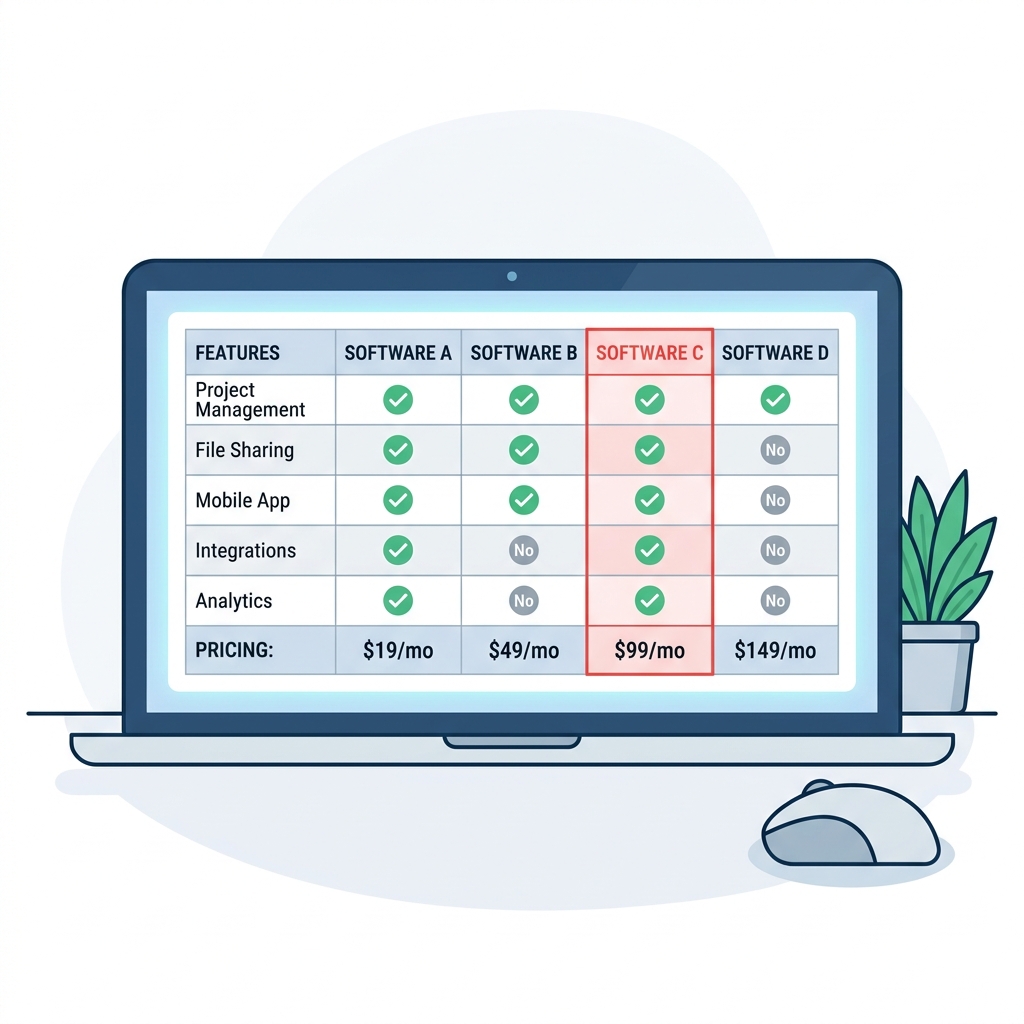
Comparing the Top Auto Repair Invoice Software at a Glance
| Software | Best For | Invoice Features | Parts Integration | Payment Processing | Starting Price |
|---|---|---|---|---|---|
| RedAppy | All-in-one shop management | One-click estimate-to-invoice, digital inspections, photo evidence | Multi-supplier ordering, real-time inventory | Online payments built-in | Transparent, month-to-month |
| Mitchell 1 Manager SE | Established shops needing deep repair data | Repair order workflow, labor guide integration | OEM parts lookup | Third-party processors | Subscription (varies by tier) |
| Shop-Ware | Paperless, communication-first shops | Transparent line-item invoices, customer approvals | Parts ordering with markup tools | Integrated card processing | Tiered pricing |
| Tekmetric | Growth-focused, data-driven shops | Invoice tied to analytics dashboard | Multi-supplier parts ordering | Built-in payment processing | Subscription-based |
| AutoLeap | Independent shops scaling up | Estimate-to-invoice conversion, digital workflow | Parts catalog integration | Online payment support | Subscription-based |
| Bay-Master | Budget-conscious single-location shops | Basic invoicing and repair orders | Limited parts integration | Basic processing | Lower entry price |
The biggest differentiator across these tools isn't price — it's how tightly invoicing connects to estimates, inspections, and parts ordering. Shops that keep those workflows separate end up re-entering data and losing time.
A few patterns stand out when comparing these tools side by side:
- All-in-one platforms like RedAppy reduce software switching by handling inspections, estimates, invoices, and payments in a single workflow
- Specialist tools like Mitchell 1 offer deeper technical data but often require additional software for payment processing or customer communication
- Cloud-based options give service advisors and owners access from any device, which matters for multi-bay shops with multiple users
- Parts integration depth varies significantly — some platforms connect to a single supplier catalog while others pull real-time pricing across multiple vendors
For a deeper look at what each feature means in practice, the auto repair shop management guide walks through workflow considerations by shop size. If you're also evaluating how invoicing connects to estimates, see our breakdown of repair order software features.
RedAppy — All-in-One Shop Management with One-Click Invoicing
RedAppy is built specifically for auto repair shops, which means every feature — from the first phone call to the final payment — is designed around how a shop actually operates.
From Estimate to Invoice in One Click
Most shops lose time re-entering the same information across multiple documents. RedAppy eliminates that by converting a completed estimate into a finalized invoice with a single click. Labor times, parts, and notes all carry over automatically — no duplicate data entry, no risk of pricing errors.
The workflow connects directly to digital inspections. Technicians add photos and notes during the inspection, and that evidence becomes part of the invoice package the customer sees. According to RedAppy, this photo-rich approach helps shops approve more work because customers can see the actual problem, not just a description of it.
Parts Ordering Built Into the Invoice Workflow
RedAppy integrates parts ordering across multiple suppliers with real-time inventory visibility. You can search, compare, and order parts without leaving the platform. When parts are ordered and received, they populate the invoice automatically with the correct pricing and markup.
Shops that manage parts sourcing inside their invoicing software spend less time switching between systems and make fewer ordering mistakes.
This is especially useful for shops that source from more than one supplier. Instead of checking each supplier's website separately, everything is visible in one place.
AI Repair Assistant and Shop Intelligence
The built-in delivers labor times, diagnostic guidance, and shop-specific insights on demand. In practice, this means a service advisor can pull accurate labor estimates while writing an invoice — without calling the tech off the floor or consulting a separate labor guide.
Real-time analytics track revenue, average repair order value, technician efficiency, and repeat customer rate. These numbers update automatically, so you always know where the shop stands without pulling a manual report.
Kanban Digital Shop Board
The Digital Shop Board gives everyone in the shop a live view of every job, from check-in to checkout. Jobs move across the board as work progresses, which reduces the back-and-forth between the front desk and the bay.
From an invoicing standpoint, this matters because it's clear at a glance when a job is ready to invoice. No chasing techs for updates before closing out a repair order.
Payment Processing and Customer Communication
RedAppy handles online payments directly through the platform. Customers can pay by card or digital wallet without the shop needing a separate payment terminal or third-party processor. This speeds up the checkout process and reduces the friction of collecting payment at pickup.
Customer lookup works by name, plate number, or VIN, and full vehicle history is stored in the system. That context is available every time a returning customer comes in, which makes writing the next invoice faster and more accurate.
Branded Website Included
Every RedAppy subscription includes a professionally built, branded website with contact forms and optional used-car listings. This is an unusual inclusion for shop management software and is worth noting for shops that don't have a current web presence or are paying separately for one.
Time Savings and ROI
RedAppy reports that shops typically save 10+ admin hours per week after switching to the platform. That figure comes from reducing manual data entry, eliminating paper-based workflows, and consolidating parts ordering and invoicing into a single system.
Pricing and terms: RedAppy uses transparent pricing with month-to-month subscriptions and no long-term contracts. The platform scales from single-bay garages to multi-location operations, so smaller shops aren't paying for features they don't need, and growing shops don't hit a ceiling.
Best for: Auto repair shops that want a complete workflow solution — not just an invoicing tool — and are ready to move away from paper or disconnected software. Also a strong fit for shops building or rebuilding their online presence.
Mitchell 1 Manager SE — Industry-Standard Repair Order Software
Mitchell 1 Manager SE is one of the most established names in auto repair shop management. It's been a go-to platform for independent shops and dealership service departments for decades, and its repair order system is deeply integrated with labor guides and parts data.
What Mitchell 1 Manager SE Does
is a desktop-based shop management system that handles the full repair order lifecycle — from estimate creation through invoicing and payment. Its core strength is the built-in integration with Mitchell 1's own labor time database, which lets technicians pull accurate labor rates directly into a repair order without switching between tools.
Key invoicing and workflow features include:
- Repair order creation with labor, parts, and sublet line items
- Integrated labor guide with flat-rate times pulled automatically
- Parts ordering through multiple supplier catalogs without leaving the system
- Customer history tied to vehicle records, including past invoices and service notes
- Multi-location support for shops running more than one site
- Built-in accounting exports compatible with QuickBooks
According to Mitchell 1, Manager SE is used by over 30,000 shops across North America, making it one of the most widely adopted platforms in the independent repair segment.
Use Case: Who Mitchell 1 Manager SE Is For
Mitchell 1 suits established shops that want a proven, feature-complete system and are comfortable with a desktop-installed workflow. It's a strong fit for shops that already rely on Mitchell 1 for repair information (ProDemand) and want everything in one ecosystem.
The depth of Mitchell 1's labor data integration is a real advantage for shops doing complex mechanical and diagnostic work — technicians spend less time estimating and more time turning wrenches.
In practice, shops with experienced service writers adapt to the interface quickly because the repair order structure mirrors traditional shop workflows. The learning curve is steeper for smaller operations or first-time users who haven't worked in formal shop management software before.
Limitations to Know
Mitchell 1 Manager SE is primarily a desktop application, which limits access for owners or service advisors working remotely. Cloud access options exist but are not native to the core product. Pricing is not listed publicly — shops need to contact a sales rep for a quote, which can make budget planning harder upfront.
For shops that need a fully cloud-based system with built-in digital inspections and online payment processing out of the box, Manager SE may require additional integrations to match what newer platforms offer as standard. It's a powerful tool, but it's optimized for shops that want a traditional, shop-floor-first workflow rather than a mobile-first or remote-access model.
Shop-Ware — Cloud-Based Invoicing with Digital Inspections
is a cloud-based shop management platform built around a fully paperless workflow. It's designed for shops that want to eliminate clipboards and phone tag by moving customer approvals, inspections, and invoicing into one connected digital system. Everything lives in the cloud, so there's no software to install and no data locked to a single computer.
Paperless Workflow from Inspection to Invoice
Shop-Ware's standout feature is its real-time customer communication loop. Technicians build inspection reports with photos and notes, and customers receive a link to review and approve work directly from their phone. Once approved, that same data flows straight into the invoice — no re-entering parts or labor lines.
Shops that move to digital approvals typically see higher authorization rates because customers can see exactly what's wrong, not just hear about it over the phone.
The invoice itself is detailed and transparent. Parts, labor, and shop supplies are all itemized with clear descriptions. Shop-Ware also supports parts ordering through supplier integrations, so sourcing and invoicing stay connected rather than handled in separate systems.
Who Shop-Ware Is Best For
Shop-Ware suits independent shops and small chains that prioritize customer communication and want to ditch paper-based processes. In practice, it works especially well for shops that do a high volume of service work where customer approval speed directly affects throughput.
- Use case: A shop handling 15–20 repair orders per day where delays in customer approvals create technician downtime
- Use case: Owner-operators who want customers to see photo evidence before approving work, reducing disputes at pickup
Pricing and Limitations
Shop-Ware uses a tiered pricing structure based on shop size and features. Entry-level plans cover core invoicing and inspections, while higher tiers unlock advanced reporting and multi-location tools. Pricing is available on request rather than published openly, which makes direct comparison harder before you book a demo.
The platform's focus on customer-facing transparency is a genuine strength, but shops that need deep built-in analytics or a broader parts supplier network may find it less complete than all-in-one platforms like RedAppy that bundle those features from the start.
Conclusion
Choosing the right invoice software comes down to a few practical factors: your shop's size, how many suppliers you order from, whether you need built-in payment processing, and how much admin time you're willing to spend on billing each week.
Generic tools like QuickBooks can handle basic billing, but they don't know what a labor time is, can't pull parts from supplier catalogs, and won't connect an estimate to a repair order automatically. That gap costs shops real time and real money.
Shops that switch from paper or spreadsheet invoicing to dedicated auto repair software typically recover 8–12 admin hours per week — time that goes back into turning more jobs.
For most independent shops and growing multi-bay operations, the decision usually narrows down to two paths:
- Full shop management platform — handles inspections, estimates, invoicing, payments, parts, and analytics in one place (RedAppy, Tekmetric, Shop-Ware)
- Dedicated repair order software — deep invoicing and labor guide integration with a longer learning curve (Mitchell 1 Manager SE)
If you want a single system that covers the entire workflow without stitching together separate tools, RedAppy is a strong all-in-one option. One-click estimate-to-invoice conversion, real-time parts ordering across multiple suppliers, online payments, and a built-in AI Repair Assistant give shops everything they need without the overhead of managing multiple subscriptions. The month-to-month terms and transparent pricing also mean there's no long-term commitment risk while you evaluate fit.
For larger shops that need deep OEM labor data and have staff to manage a more complex system, Mitchell 1 Manager SE remains a proven choice. Shop-Ware suits shops that prioritize customer-facing transparency and digital approvals. Tekmetric fits data-driven owners who want invoicing tied directly to performance reporting.
The right tool is the one your team will actually use consistently — because even the best software only improves cash flow if it's part of every job, every day.
Frequently Asked Questions
What is the software for repair shop billing?
Dedicated repair shop billing software like Mitchell 1, Shop-Ware, and Tekmetric automates invoicing, labor tracking, and parts pricing for auto repair businesses. These platforms generate professional invoices, process payments, and store customer history in one system. Many also integrate with accounting tools like QuickBooks for seamless financial management.
How to make an invoice for a mechanic shop?
A mechanic shop invoice should include the shop's name and contact details, customer and vehicle information (make, model, VIN), a itemized list of labor charges and parts, and the total amount due. You can create one using auto repair software like Torque360 or Shopmonkey, which have built-in invoice templates. Alternatively, free templates from platforms like Invoice Ninja or FreshBooks work for smaller shops needing a quick solution.
What software do auto repair shops use?
Popular software used by auto repair shops includes Mitchell 1, Tekmetric, Shop-Ware, Shopmonkey, and AutoFluent. These platforms handle work orders, parts ordering, labor guides, customer communication, and invoicing from a single dashboard. Many shops also use point-of-sale systems integrated with accounting software like QuickBooks to manage their full business operations.
What is the billing software for automobile workshop?
Purpose-built billing software for automobile workshops includes Tekmetric, Mitchell 1 Manager SE, and Torque360, all designed specifically for automotive service billing. These tools automate labor time calculations, parts markup, tax application, and digital invoice delivery to customers. Cloud-based options like Shopmonkey and Shop-Ware are increasingly popular for their accessibility and real-time reporting features.
Ready to Transform Your Shop?
RedAppy helps auto repair shops create professional digital estimates with photos and videos, send them instantly via text or email, and get customer approvals in seconds. No credit card required to start.