
Online Invoicing for Small Business Auto Repair Shops
The front desk closes a repair order. The advisor prints an invoice, staples it to the paperwork, and hopes the customer pays on time. Then a parts price changes, a supplement gets added, and the final total no longer matches the original notes. Someone updates the paper copy, someone else emails a PDF, and a third person later wonders whether the invoice was even opened.
That routine feels normal in many shops. It's also where cash flow starts slipping away. A printed invoice or emailed PDF can sit in an inbox, get buried under other messages, or stall because a detail was missing. Meanwhile, the shop has already paid for labor, parts, rent, and utilities.
Online invoicing for small business gives auto repair shops a cleaner way to bill. It sends invoices instantly, shows when customers view them, supports online payment, and reduces the handoff errors that happen when estimates, parts ordering, and billing live in separate places. For repair shops, that last point matters most. Billing works best when it's tied to the actual job in progress, not handled as an afterthought at the end.
Table of Contents
- Introduction
- Understanding Online Invoicing
- Benefits and ROI for Auto Repair Shops
- Must Have Features and Integrations
- Best Practices and Common Pitfalls
- Example Workflows and Metrics to Track
- Conclusion and Next Steps
Introduction
An auto repair shop rarely loses money because technicians forgot how to fix cars. More often, profit leaks out through admin work that takes too long, billing that goes out late, and invoices that need to be corrected after the vehicle is already gone.
Many shops still use a mix of paper, email PDFs, spreadsheets, and memory. That setup creates friction at every step. A service advisor has to retype labor lines. A parts manager checks supplier pricing in one screen and updates the invoice in another. The owner later reviews unpaid work and can't quickly see whether the customer received the bill, questioned it, or forgot it.
That's why online invoicing for small business matters so much in auto repair. It turns invoicing into part of the shop workflow instead of a separate clerical task.
Shops don't need a prettier invoice first. They need a billing process that matches how repair work actually moves from estimate to parts to approval to payment.
For a repair business, the best online invoicing process starts before the invoice is sent. It begins when the estimate is created, continues when parts are ordered, and stays accurate as the job changes. When the shop keeps those steps connected, the invoice becomes faster to produce, easier for the customer to trust, and simpler to get paid.
Understanding Online Invoicing
Online invoicing is more than sending a bill by email. A PDF attachment is digital, but it still behaves like paper in many ways. Staff still has to chase status manually. Customers still have to figure out how to pay. Accounting still may need manual updates.
A real online invoice acts more like a live repair order. It holds the billing details in a system, not just on a document. That means the shop can create, send, track, and follow up from one place.
What an online invoice must include
For a small business, an invoice still has to cover the basics. According to, online invoices must include a unique invoice number, invoice date, due date, client details, itemized services with pricing, payment terms, and accepted payment methods to ensure compliance and avoid delays.
For an auto repair shop, that often looks like this:
- Unique invoice number keeps every job traceable.
- Invoice date and due date tell the customer exactly when payment is expected.
- Client details reduce confusion when a household has multiple vehicles.
- Itemized services show labor, diagnostics, shop supplies, and parts clearly.
- Payment terms prevent arguments later.
- Accepted payment methods remove guesswork at checkout.
Why PDFs by email still fall short
A PDF invoice is like writing a repair update on a sticky note and hoping everyone sees it. It can work, but it doesn't create control. There's no built-in payment tracking, no automated reminder flow, and no smooth handoff into accounting.
That gap is larger than many owners realize. Only 37% of SMBs globally report full e-invoicing adoption, even though a large share of the economic gains from full e-invoicing could flow to SMBs. In the UK, only 29% of SMEs use e-invoicing, while PDF or email remains dominant for sending and receiving invoices, as outlined in the verified data above.
The shop-floor analogy
A good way to think about online invoicing is this: it should work like a shop management board. Every vehicle moves through visible stages. The invoice should do the same.
Practical rule: If a shop can't tell whether an invoice was sent, viewed, approved, and paid without digging through email, it isn't running a true online invoicing process.
That visibility is what makes online invoicing for small business useful. It doesn't just create a bill. It gives the shop a trackable payment path.
Benefits and ROI for Auto Repair Shops
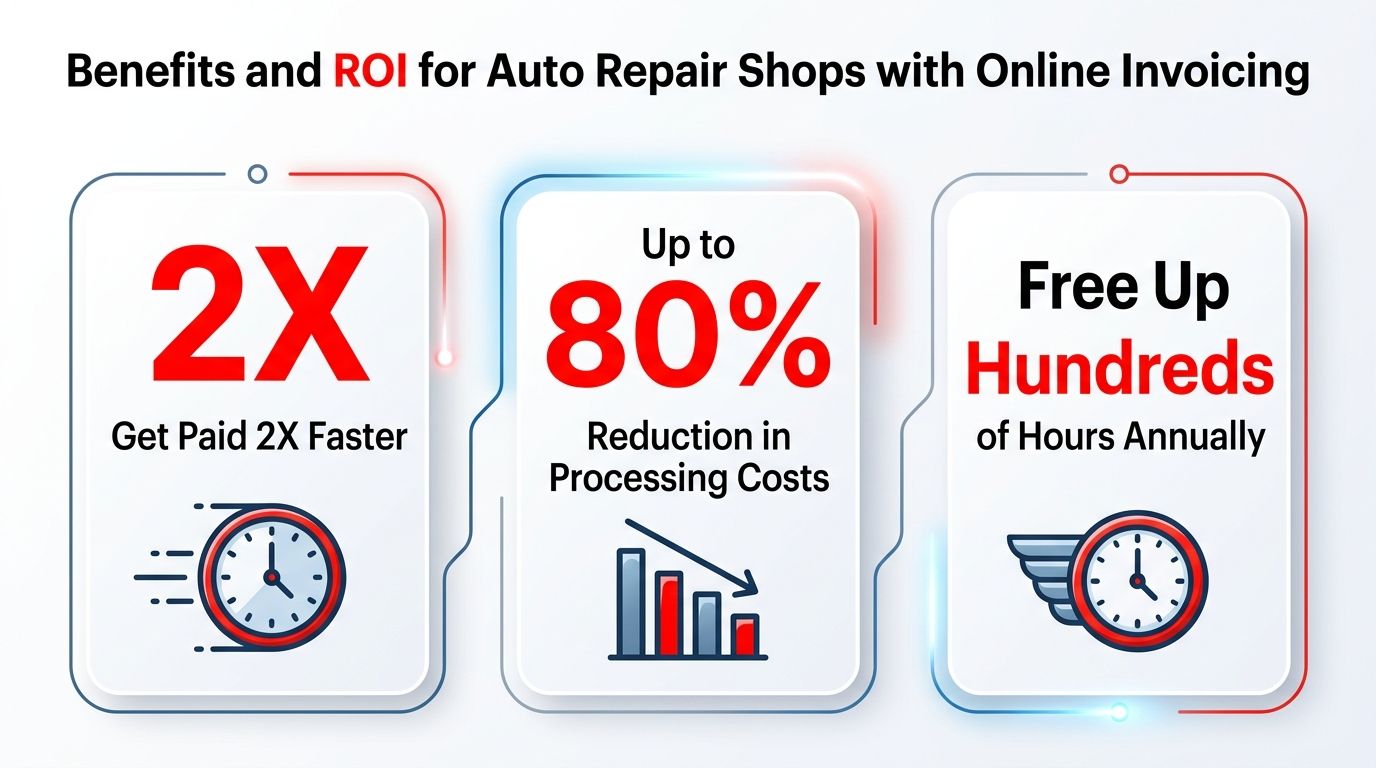
The financial case gets clear quickly when a shop compares manual invoicing with online billing. According to the verified data, businesses that adopt online invoicing get paid up to 2x faster than those using manual methods, cutting processing costs from $12.88–$19.83 per invoice down to $2–$5, an 80% expense reduction.
For a repair shop, those gains show up in ordinary daily work. Faster payment means less time waiting on completed jobs. Lower processing cost means fewer staff hours spent printing, correcting, mailing, re-entering, and following up.
What ROI looks like in a repair shop
A shop owner usually doesn't need another software promise. The owner needs to know what improves.
Online invoicing helps in three places:
| Area | Manual approach | Online approach |
|---|---|---|
| Payment speed | Customer gets a paper invoice or PDF and pays later | Customer receives invoice quickly and can pay online |
| Admin time | Staff retypes and checks details repeatedly | System reuses approved estimate and job data |
| Cash control | Owner reviews unpaid jobs after the problem appears | Staff can track invoice status earlier |
Often, generic invoicing articles conclude prematurely. They focus on sending invoices faster, but auto repair shops need more than speed. They need fewer billing mistakes tied to changing parts, added labor, and job approvals that happen during the day.
Why faster collection matters more than it sounds
A repair shop buys parts before it collects customer payment. That timing gap puts pressure on cash. When invoices go out late, or payment options are clumsy, the shop carries that burden longer.
The gain isn't only about bookkeeping. It affects ordering, payroll planning, and the owner's confidence in daily cash position.
- Less chasing means advisors spend more time with customers.
- Less rework means fewer invoice disputes at pickup.
- Less delay means the shop can close jobs cleanly.
A shop doesn't feel ROI only in reports. It feels it when the front desk stops scrambling at closing time.
The strongest return usually comes when invoicing is connected to the actual repair process. If the estimate, approved work, parts list, and final bill all stay in one flow, the shop avoids the hidden cost of correction work. That closed-loop setup is where repair businesses often gain the most, and it's the gap many invoicing guides miss.
Must Have Features and Integrations
A generic invoicing app may work for a consultant or designer. It often breaks down in a repair shop because the job itself is more complicated. Parts pricing changes. Suppliers differ. Labor lines expand after inspection. Customer approvals come in stages.
That's why an auto repair shop should evaluate invoicing tools as workflow systems, not just billing tools.
The non-negotiable features
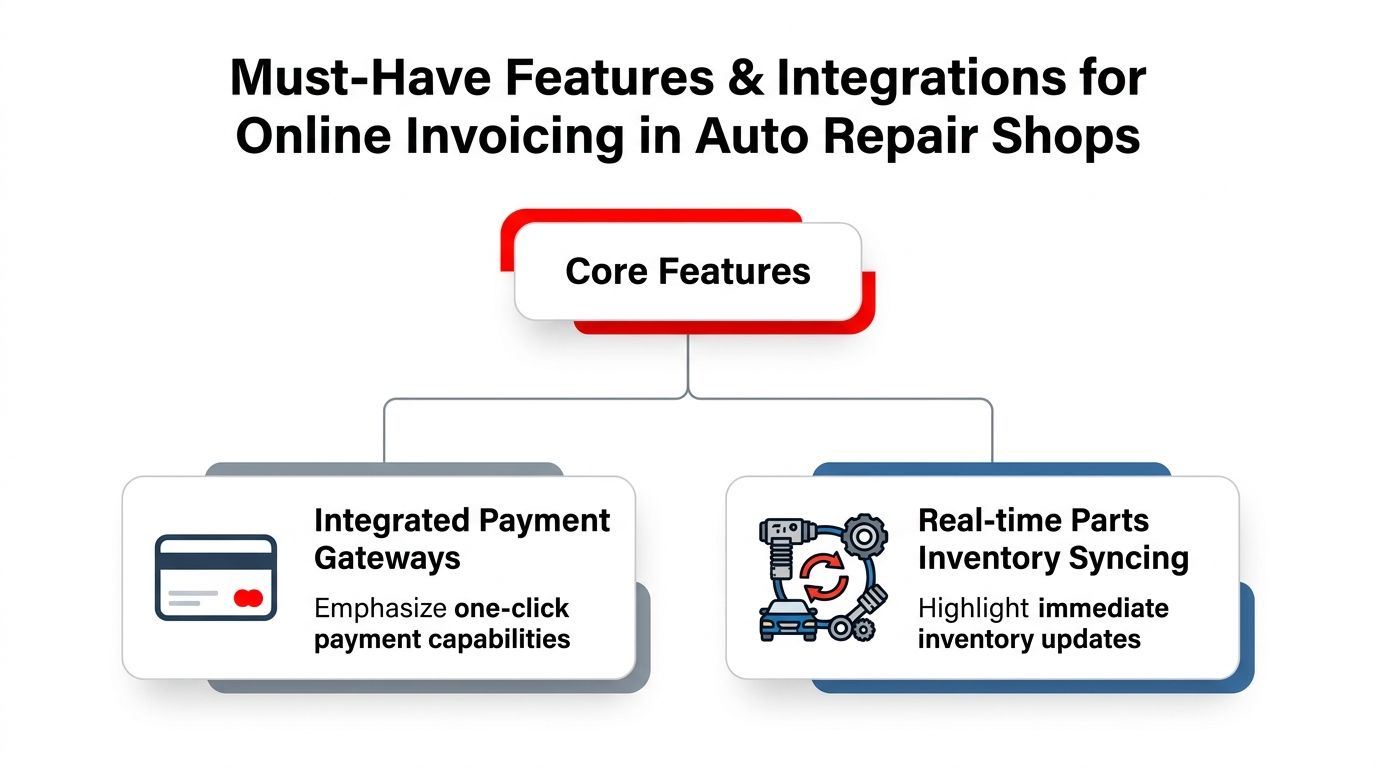
According to, auto repair shops lose over 10 admin hours per week when parts ordering isn't integrated with invoicing. A closed-loop workflow tying Kanban-style job visualization to billing prevents errors and saves time.
That single point changes how a shop should shop for software.
- Integrated payment gateways matter because customers pay faster when payment is built into the invoice, not separated into another step.
- Real-time parts inventory syncing matters because the final bill has to match what was ordered and installed.
- Estimate-to-invoice flow matters because approved labor and parts shouldn't be retyped by hand.
- Job status visibility matters because billing should reflect whether the vehicle is waiting on approval, in progress, or ready for pickup.
A shop comparing systems can also learn from adjacent trades. Teams reviewing operational software often to see how integrations, payment handling, and job costing hold up in field-service businesses with moving parts and changing scope.
What a closed-loop workflow really means
Closed-loop sounds technical, but the idea is simple. The invoice should be the final expression of the work already documented elsewhere in the system.
If a brake job starts with an estimate, adds rotors after inspection, includes parts from multiple suppliers, and gets customer approval by phone or text, the invoice should pull from that record. Staff shouldn't have to rebuild the story at the counter.
A practical checklist helps:
- Can the system pull approved work into the invoice automatically?
- Can it reflect parts changes without manual copy-paste?
- Can the shop see job progress in a board view tied to billing?
- Can accounting and payment status update without extra admin work?
The best invoicing tool for a repair shop usually doesn't look like a standalone invoicing tool. It looks like a service workflow with billing built in.
Best Practices and Common Pitfalls
Some shops switch to digital invoicing and still feel disappointed. The issue usually isn't the idea of online invoicing. It's the setup.
One common mistake is treating the invoice like the only thing that matters. In practice, little configuration details decide whether payment moves smoothly or stalls. Missing purchase order numbers can hold up approvals. Vague payment terms can trigger back-and-forth. Unbranded templates can make a message feel less trustworthy, especially when a customer receives several bills from different vendors in the same week.
Smart habits that improve collections
According to, automated payment reminders sent at set intervals after the due date significantly reduce overdue invoices; even a single reminder can improve cash-flow recovery by a notable margin.
That doesn't mean blasting customers with repeated notices. It means building a reminder process that feels professional and predictable.
- Set one reminder first rather than creating an aggressive sequence from day one.
- Use clear payment terms so customers know what “due” means.
- Personalize the message so it reads like a business communication, not a debt collection warning.
The mistakes that create avoidable delays
A short comparison makes the pattern obvious:
| Pitfall | Better approach |
|---|---|
| Invoice sent without all required details | Use a standard template with every required field |
| No stated late-payment terms | Put terms in writing before payment becomes late |
| Payment instructions buried in email text | Put payment options directly on the invoice |
| Reminder tone feels harsh | Keep reminders short, polite, and specific |
Another easy win is branding. A consistent logo, color scheme, and layout help the shop look established. That doesn't just look nicer. It reduces hesitation when a customer opens the invoice and decides whether it's legitimate, especially for higher-ticket repair work.
Example Workflows and Metrics to Track
A strong invoicing process in an auto repair shop doesn't begin at checkout. It starts when the vehicle enters the workflow and stays connected until payment clears.
That end-to-end view is where online invoicing for small business becomes operational, not just administrative.
A simple repair shop workflow
The cleanest model usually follows this path:
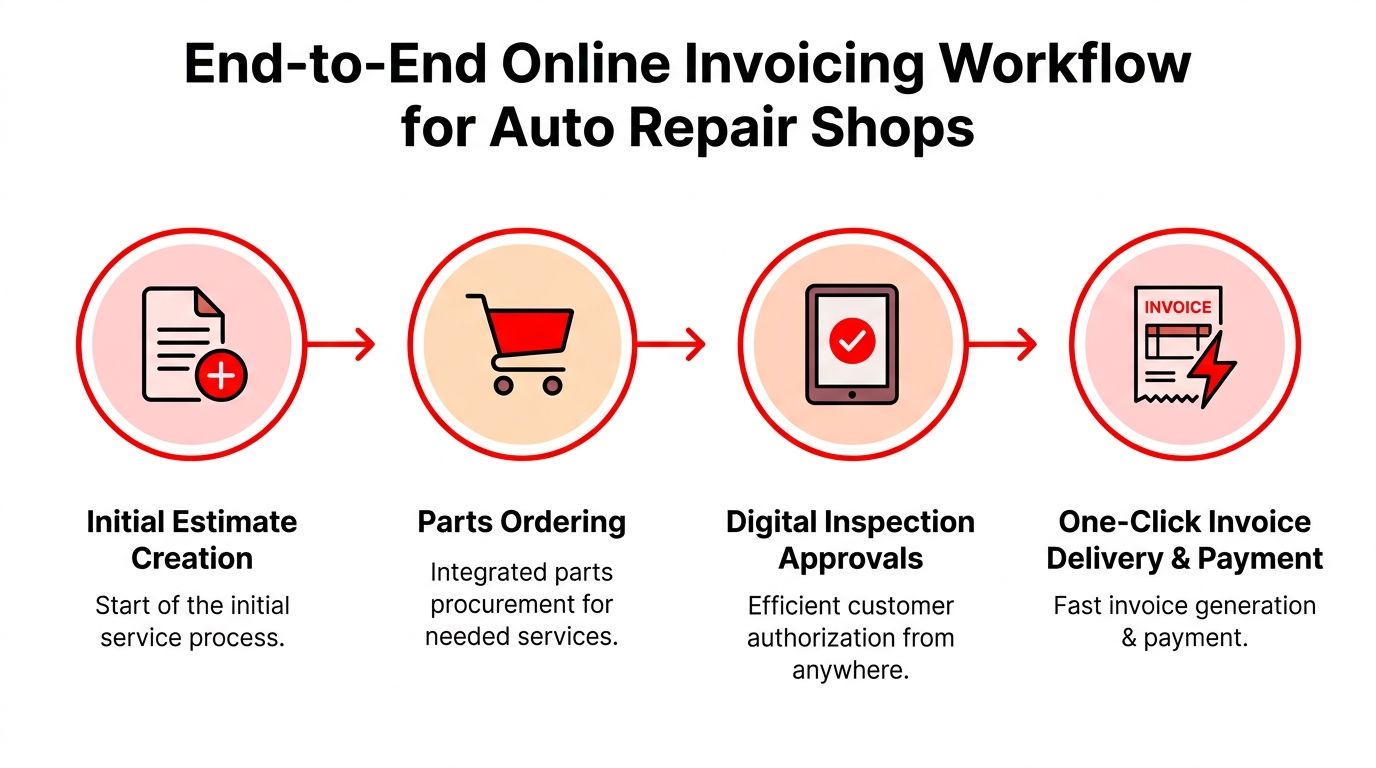
- Estimate created with labor and initial parts assumptions.
- Parts ordered from the selected supplier.
- Inspection and approval captured when more work is needed.
- Job status updated as the vehicle moves through the shop.
- Invoice sent with online payment once work is complete.
- Payment reconciled and the job closed.
According to, implementing online invoicing with integrated payment gateways reduces days sales outstanding by 15–20 days, as instant delivery and one-click pay drastically speed up customer remittance.
That matters because DSO often feels abstract until a shop tracks it against daily operations. When DSO drops, owners usually notice it first in easier parts purchasing and fewer end-of-week cash crunches.
The metrics worth watching
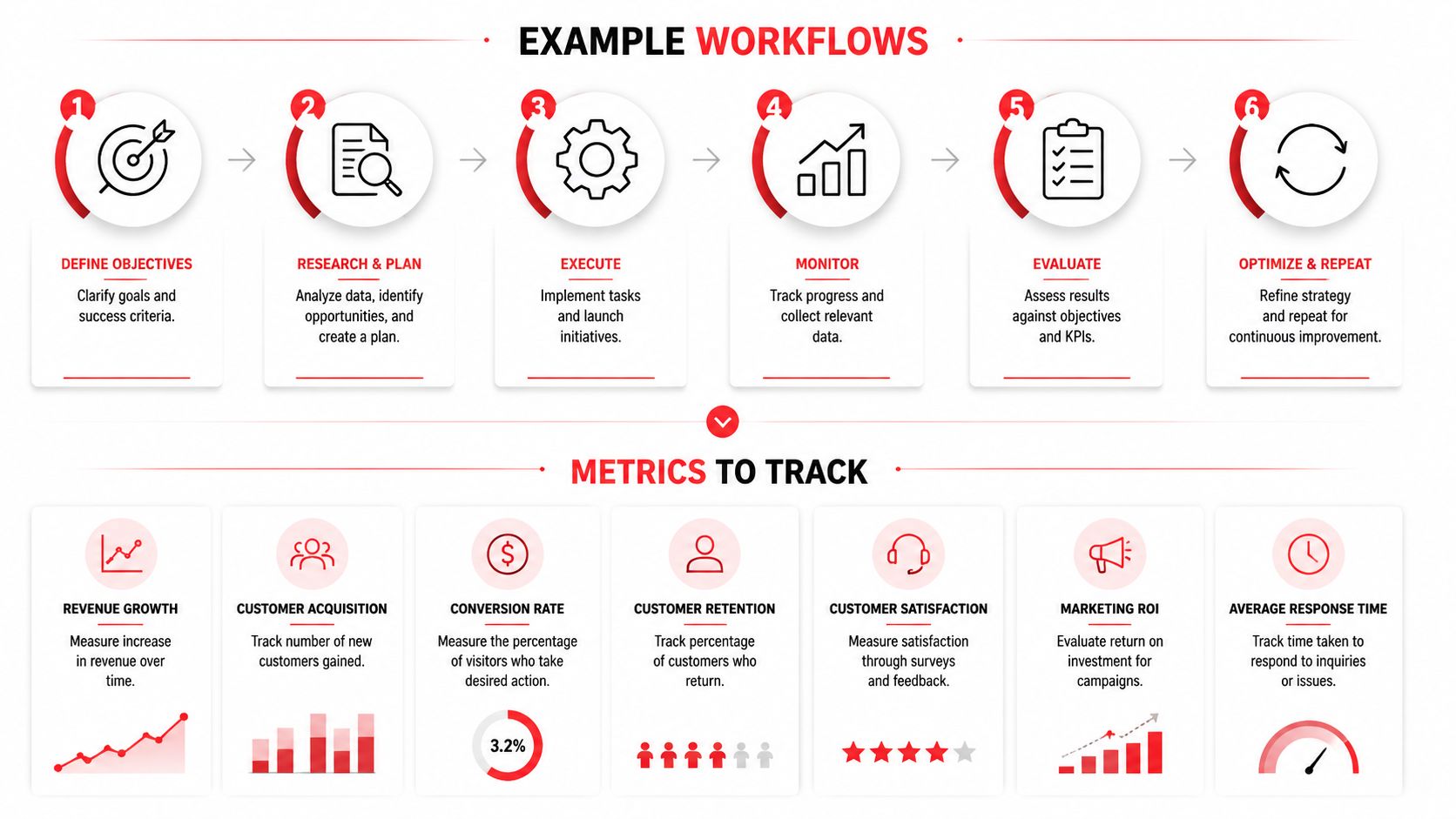
A repair shop doesn't need a giant dashboard at first. It needs a few signals that show whether the workflow is healthy.
- Days sales outstanding shows how long payment takes after invoicing.
- Invoice accuracy rate shows whether billing matches approved work.
- Average payment turnaround reveals how quickly customers pay once billed.
- Admin hours saved helps owners see whether staff time is moving away from clerical work.
- Estimate-to-invoice conversion quality shows whether approved jobs carry through cleanly.
- Payment method usage can reveal whether customers prefer card, ACH, or another option.
- Overdue invoice patterns can expose weak reminder timing or missing customer details.
Operational bottlenecks don't stop at billing. For shops managing service vehicles, pickup logistics, or loaners, adjacent processes matter too. A useful example is, which shows how small control points in vehicle operations can create larger workflow gains when they're tracked consistently.
Track the handoffs, not just the payment. Most invoicing delays start earlier, when job details, approvals, or parts records don't line up.
A practical dashboard view
For a small shop, one weekly review can be enough. The owner or manager can ask:
- Which invoices are still unpaid?
- Were those invoices sent with online payment enabled?
- Did any require manual correction?
- Did delays start at estimating, parts, approval, or billing?
That review turns invoicing into a management habit instead of a monthly cleanup project.
Conclusion and Next Steps
Online invoicing works best in auto repair when it's tied to the workflow. The estimate feeds the job. The job feeds the parts order. The approved work feeds the invoice. The invoice feeds payment. When those steps stay connected, shops spend less time correcting paperwork and more time moving cars through the bays.
That's the overlooked ROI. Faster billing matters, but cleaner handoffs matter just as much. A shop that can see job status, parts usage, approvals, invoice delivery, and payment in one connected process has more control over cash flow and fewer admin headaches.
The next step is simple. Review the current process from estimate to payment and identify where staff retypes information, loses visibility, or waits on manual follow-up. Then compare that against a closed-loop digital workflow built for repair shops.
RedAppy brings those pieces together in one system for modern auto repair businesses. Shops that want to see how digital inspections, estimates, parts ordering, Kanban-style job tracking, one-click invoicing, and online payments fit into a single workflow can explore the RedAppy features. Teams that want a customized walkthrough for their shop can contact RedAppy.
Ready to Transform Your Shop?
RedAppy helps auto repair shops create professional digital estimates with photos and videos, send them instantly via text or email, and get customer approvals in seconds. No credit card required to start.