
Progress Tracking for Auto Shops That Actually Works
A repair shop can look busy all morning and still lose control of its day. One vehicle is waiting for approval, another is sitting because a part wasn't ordered, a technician is asking what comes next, and the service advisor is answering the same “Is my car ready?” question for the third time. By closing time, the board says plenty of work happened, but nobody can clearly explain which jobs moved, which jobs stalled, or what needs attention first.
Progress tracking fixes that gap when it works as an operating system, not a decorative dashboard. The useful question isn't “What percentage of jobs are complete?” It's “Which job, handoff, or decision is slowing the shop right now, and what action will move it forward?” A practical system gives every job a visible status, compares planned work with actual movement, and turns the weekly review into one priority and one leading indicator.
Table of Contents
- Why Progress Tracking Matters in a Busy Repair Shop
- Visualize Every Job From Check In to Checkout
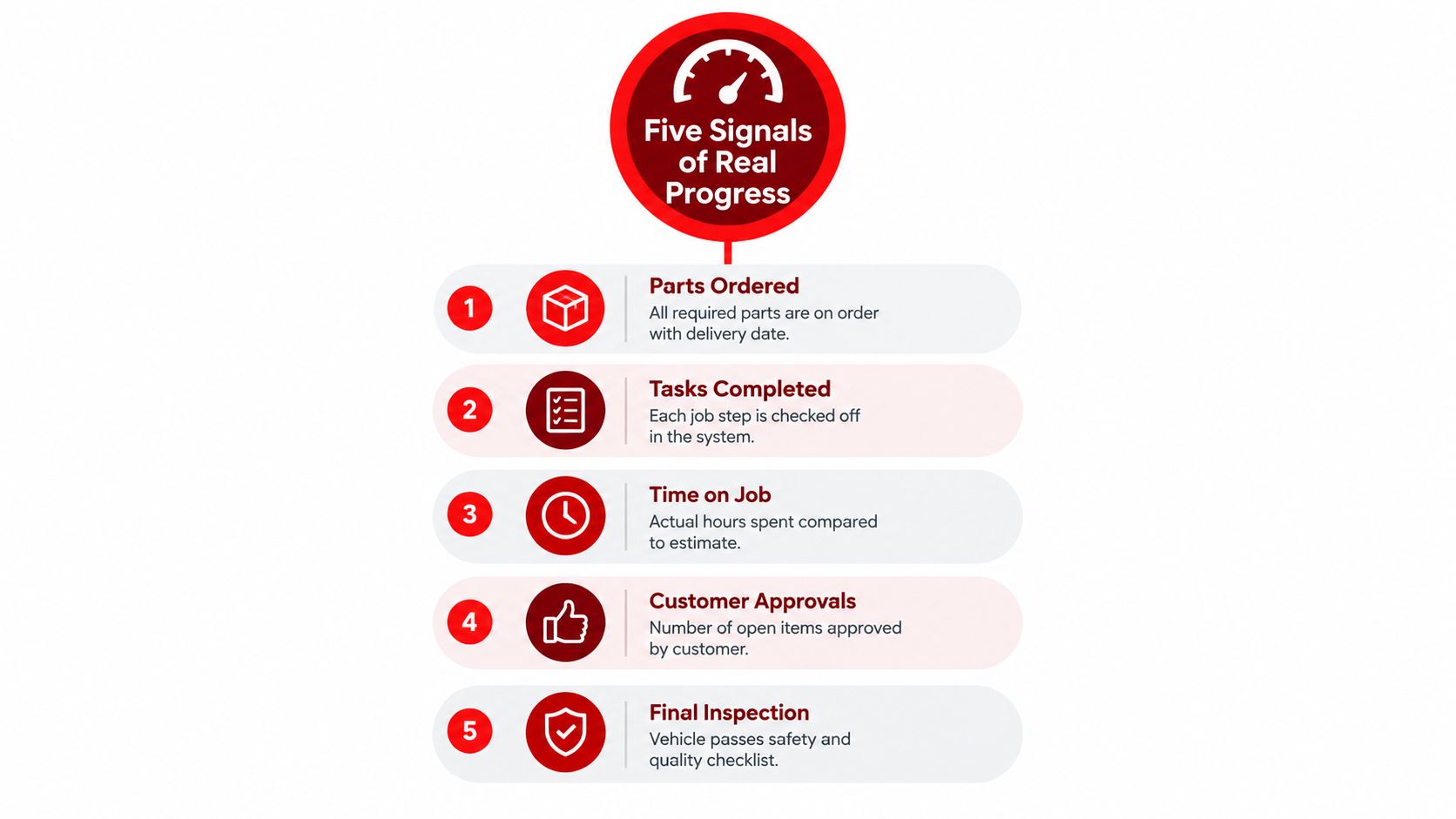
- The Five Signals That Show Real Progress
- Turn Status Updates Into Faster Approvals and Happier Customers
- Use KPIs and Weekly Reviews to Fix the Biggest Gap First
- Put Your Progress Tracking System Into Action Today
Why Progress Tracking Matters in a Busy Repair Shop
The first vehicle arrives before the team has finished the morning huddle. An advisor checks a text message, a technician moves to another bay, and a customer approves additional work from a phone while the parts counter waits for confirmation. None of those events is unusual. The problem starts when each person holds a different version of the job in their head.
A vehicle can be “in progress” on a whiteboard while the technician is waiting for a part. An estimate can be “sent” while the customer hasn't opened it. A completed repair can remain invisible to the advisor because the inspection or final quality check hasn't been recorded. Invisible work creates visible delays, including unnecessary calls, idle bays, rushed handoffs, and promises made without reliable information.
Good tracking compares planned progress with actual, accepted progress, rather than treating a verbal update as proof that work is moving. That baseline-versus-actual logic has roots in project controls. Earned Value Management was formalized by the U.S. Department of Defense through the Cost/Schedule Control Systems Criteria policy, while earlier progress charts recorded daily actual work against planned advancement and documented disruptions such as poor track conditions and extreme cold. The historical record shows that progress tracking isn't a software trend. Its core purpose has been consistent for more than a century, detect drift early, quantify performance, and support better forecasts. provides useful context for that evolution.

What the shop needs to see
A useful board answers practical questions without a meeting:
- What stage is each vehicle in?
- Who owns the next action?
- What is blocked?
- Which customer decision is pending?
- What should the advisor promise today?
Atlassian identifies tasks completed, milestones completed, overdue tasks, blocked work, and work in progress as core project-progress indicators. Those categories translate naturally to a repair shop because they expose both movement and friction. shows why a simple completed count isn't enough.
The system also protects the customer experience. When an advisor can see that diagnosis is complete, parts are ordered, approval is open, or final inspection is pending, the update becomes specific. Customers don't need a vague “the technician is still working on it.” They need an honest explanation of what happened, what comes next, and whether anything is holding the vehicle.
Practical rule: If a status doesn't lead to a decision, an owner, or a customer message, it probably doesn't belong on the main tracking view.
Visualize Every Job From Check In to Checkout
A shop board should mirror the movement of a vehicle, not the categories a software vendor happens to provide. Start by listing the handoffs that already happen in the bays and at the front counter. Then turn those handoffs into a small set of stages that the entire team understands.
A workable flow might include scheduled, checked in, awaiting inspection, estimate sent, awaiting approval, approved, parts pending, repair in progress, quality check, ready for pickup, and closed. A mobile mechanic may need a field-visit stage, while a diagnostic-heavy shop may separate initial testing from repair authorization. The labels matter less than the rule behind them. Each job must occupy one clear stage, and the stage must tell the next person what action is expected.
Build the board around ownership
Every stage needs an owner. The service advisor may own customer approval, the parts coordinator may own sourcing, the technician may own repair completion, and the foreman may own final inspection. Without ownership, a card can sit in “waiting” while everyone assumes somebody else is handling it.
A Kanban-style Digital Shop Board makes the handoff visible. The team moves a vehicle through statuses as work changes, instead of updating separate notes, messages, and spreadsheets. A manager can then spot a cluster of vehicles in one column and ask a useful question: Is the bottleneck diagnosis, parts, approvals, or bay capacity?
Use the board as the single source of truth. If the job status lives in a whiteboard, a technician's notebook, a text thread, and a spreadsheet at the same time, none of those records will stay reliable. The main board should hold the current state, while supporting documents, inspection photos, approvals, and invoices remain attached to the vehicle record.
Limit clutter before it limits throughput
A crowded board doesn't create visibility. It creates noise. Keep each card focused on the vehicle, promised timing, assigned technician, current stage, and next action. Use colors for exceptions, such as waiting for customer approval, delayed parts, or a return visit, rather than decorating every card with multiple colors.
Work-in-progress limits also help. If too many vehicles sit in “repair in progress,” the manager should pause new starts long enough to understand whether technicians lack parts, information, time, or a clear priority. Moving a job into an active column shouldn't mean “someone looked at it.” It should mean the next defined work step has started.
Keep the board current
The board only works if updates happen at the moment of the handoff. A technician shouldn't wait until the end of the shift to mark a repair stage if the advisor needs that information to contact a customer now. A parts status shouldn't remain unchanged after an order confirmation arrives.
A short shop rhythm helps:
- At check-in, confirm the vehicle, concern, promised communication, and assigned owner.
- After inspection, record findings and create the estimate.
- After approval, confirm the authorized work and parts requirement.
- During repair, record blockers and actual job progress.
- Before pickup, complete final inspection, invoice review, and customer notification.
The board is not a surveillance tool. It's a shared operating picture that lets people make fewer guesses.
The Five Signals That Show Real Progress
A job can move across a board and still be at risk. The five core signals below add measurement to the visual workflow. Each one answers a different operational question, so a manager can identify whether the shop lacks momentum, carries too much unfinished work, or has a specific bottleneck.
Tasks completed
Tasks completed show forward movement at the work-step level. For a brake job, that might include inspection, estimate approval, parts receipt, repair, torque verification, road test, and final inspection. Counting only the closed repair hides the smaller steps where work may be stuck.
A completion rate can be calculated by dividing completed items by assigned items within a defined period. describes this basic calculation. In a shop, the period might be a day, a week, or a specific repair order. The value comes from consistent definitions. If one advisor marks a task complete when work starts and another waits until verification, the number loses meaning.
Milestones completed
Milestones represent meaningful points in the customer journey, not every small action. Inspection complete, approval received, parts available, repair complete, and final inspection passed are stronger milestones than vague labels such as “being handled.”
Milestones help the service advisor make accurate promises. A vehicle without approval isn't equivalent to a vehicle with all work authorized, even if both appear active in the system.
Overdue tasks
Overdue work reveals drift against a promised or planned time. The signal should trigger investigation, not blame. A task may be late because the estimate changed, a supplier missed delivery, a customer delayed approval, or the original time expectation was unrealistic.
IBM defines the on-time completion rate as completed projects finished on or ahead of schedule divided by total completed projects. offers a useful model for applying the same logic to shop commitments. The calculation is meaningful only when the shop records planned and actual completion consistently.
Blocked work
Blocked work identifies jobs that can't move without a specific condition. Common blockers include parts, authorization, diagnostic information, bay access, technician availability, or a required subcontractor. The card should name the blocker and the person responsible for removing it.
“Waiting” is too broad. “Waiting for customer approval on rear strut replacement” gives the advisor a next action. “Waiting for part confirmation from supplier” gives the parts coordinator a different action.
Work in progress
Work in progress shows how much unfinished work is consuming attention and capacity. Too little active work may indicate a scheduling problem, while too much can produce constant switching and unfinished repairs.
Teams shouldn't try to watch every signal with equal intensity. Daily attention usually belongs on blocked work, overdue tasks, and active work in progress. Weekly review can examine milestones and on-time completion. recommends weekly progress monitoring so teams can catch delays, error spikes, or stalled work before they become structural problems.
The most useful metric isn't the one that looks impressive. It's the one that tells someone what to do next.
Tracking also changes behavior. Research on task-duration feedback found that showing people how long work takes improved procrastination and self-efficacy, although it didn't remove optimistic planning bias. supports a practical shop lesson: recording actual time helps technicians and managers make better decisions, but it doesn't replace realistic estimating and regular coaching.
Turn Status Updates Into Faster Approvals and Happier Customers
Customers become frustrated when the shop communicates only after a delay has already caused a problem. A better approach ties updates to meaningful events. The customer hears from the shop when the inspection is complete, the estimate is ready, parts are ordered, work is underway, the schedule changes, or the vehicle passes final inspection.
The message shouldn't expose every internal movement. It should translate the current status into a clear decision or expectation. A customer doesn't need a dashboard full of task labels. They need to know what was found, what was approved, what remains, and when the next update will arrive.
Use the right trigger
A reliable update rhythm can follow four customer-facing moments:
- Inspection complete: Send the findings, supporting photos, recommended work, and estimate.
- Approval received: Confirm the authorized repair and explain whether parts or scheduling affect timing.
- Work in progress: Share a concise status when the vehicle enters active repair, especially if the customer has been waiting.
- Ready for pickup: Confirm final inspection, invoice status, pickup requirements, and payment options.
Photo-rich digital inspections help customers understand why a recommendation matters. They also reduce the burden on advisors who would otherwise explain every finding by phone. The workflow should make approval easy to complete from a message, while preserving the decision in the repair order.
Make delays specific
A generic delay message creates more questions. A specific one protects trust because it explains the actual constraint.
“Your vehicle needs an additional part, and the repair can't continue until the supplier confirms delivery. The advisor will update you when the order is confirmed.”
That message is more useful than “the job is taking longer than expected.” It also gives the team a record of what changed and why. The customer may still be disappointed, but uncertainty has been removed.
Progress feedback can help or hurt depending on what the customer expects. Research has found that feedback can improve the experience when progress exceeds expectations, but lagging progress can worsen the experience and reduce completion. Related findings indicate that progress indicators work best when a task is short and expected to be short, rather than when a longer task surprises the user. points to a useful design choice for shops: don't show activity merely to appear transparent. Show the information that helps the customer understand the next decision.
Reduce the gap between bay activity and communication
The faster a technician or advisor records a meaningful update, the sooner the customer can act. Digital inspections, shared vehicle records, automated messages, and approval links shorten the distance between what happens in the bay and what the customer sees.
That speed doesn't mean sending more notifications. It means capturing better information once and reusing it for the advisor, manager, technician, and customer. A clear status, a named blocker, and a realistic next step are more valuable than a stream of empty updates.
Use KPIs and Weekly Reviews to Fix the Biggest Gap First
Daily progress tracking tells the shop what is happening. A weekly review decides what deserves management attention. Without that decision step, the dashboard becomes another place where numbers accumulate while the same bottleneck survives.
The review should combine workflow signals with business KPIs such as revenue, technician efficiency, average repair order, and repeat business. These measures show the commercial effect of operational conditions, but they shouldn't all become weekly projects. A shop that tries to improve every metric at once usually creates scattered initiatives and weak accountability.
Select one gap and one lever
Start by comparing the shop's current result with its target, plan, or prior benchmark. Identify the single largest performance gap, then name the process lever most likely to influence it. If approvals are slow, the lever may be faster digital inspections and clearer follow-up. If technician efficiency is weak, the lever may be accurate job status updates and fewer interruptions. If repeat business is soft, the lever may be consistent pickup communication and service reminders.
Shop-benchmark guidance recommends focusing on the largest gap, identifying the lever behind it, and running a 90-day plan with one leading indicator rather than attempting to move every metric together. also emphasizes re-benchmarking regularly so internal improvement isn't mistaken for competitive progress.
A leading indicator should change before the final business result. For approval speed, track the time from inspection completion to customer decision. For blocked work, track open blockers by cause. For technician efficiency, track accurate time capture and jobs that remain active without a recorded next step.
Use a focused review matrix
| Performance Gap | Leading Indicator to Track | Weekly Action |
|---|---|---|
| Slow customer approvals | Inspection-to-approval response time | Review open estimates and send a specific follow-up |
| Too many stalled vehicles | Blocked jobs by cause | Assign one owner to each blocker and set the next action |
| Weak technician efficiency | Actual time recorded against active jobs | Check jobs without time updates and remove avoidable interruptions |
| Low repeat business | Completed vehicles with a documented next service conversation | Add the next recommended maintenance action to pickup communication |
| Billing delays | Invoices created, paid, partial, or unpaid | Review completed work that hasn't reached a clear payment status |
This table should support a conversation, not replace one. The manager needs to ask what changed, what the team controls, and what action will happen before the next review.
Progress tracking can also support adjacent retention and referral work. Teams interested in using customer and operational data beyond the repair order can explore for broader ideas about turning customer information into repeat engagement.
Re-benchmark the result
At the end of the improvement cycle, compare the result against an external or peer benchmark when one is available, not only against the shop's own earlier performance. A better internal number may reflect easier work, a seasonal shift, or a change in how the team records data. Re-benchmarking keeps the review honest and helps the manager choose the next largest gap.
Put Your Progress Tracking System Into Action Today
A tracking system doesn't need a complicated rollout. It needs definitions that the team can follow during a busy shift. Start with the vehicle journey, assign each stage an owner, and make the next action visible on every active job.
The first version should be deliberately small. A shop can launch with a board, a few meaningful milestones, blocked-work labels, and a consistent customer update rhythm. Once the team trusts those basics, management can add deeper reporting without turning the process into administrative work.
A practical launch checklist
- Map the actual workflow. Write down each handoff from check-in through checkout, including inspection, approval, parts, repair, final inspection, and payment.
- Define stage rules. Decide what must be true before a vehicle moves into each column.
- Assign ownership. Every waiting or active status needs a named person responsible for the next action.
- Choose the daily signals. Start with blocked work, overdue tasks, and work in progress.
- Set customer triggers. Send updates after inspection, approval, parts confirmation, meaningful repair progress, and final inspection.
- Schedule the weekly review. Select one largest gap, one leading indicator, and one action for the next review period.
Avoid the traps that make systems fail
Over-tracking is the most common mistake. If technicians must update a dozen fields for every small movement, updates will become late or inaccurate. The board also fails when staff treat it as a manager's report instead of the shared source of truth. A stale board creates false confidence, which is more dangerous than an obvious lack of information.
The system should also distinguish activity from progress. A vehicle can receive attention without reaching its next milestone. Managers should look for completed work, removed blockers, customer decisions, and verified quality, not just notes added to a record.
An all-in-one platform can bring these pieces into one workflow. RedAppy's Digital Shop Board visualizes jobs from check-in through checkout, while digital inspections, estimates, approvals, parts ordering, invoicing, analytics, and AI assistance support the related decisions. The right setup still depends on the shop's actual process, so the tool should be configured around real handoffs rather than forcing the team into an abstract workflow.
Start by auditing the board at the next opening meeting. If the team can't agree on where each vehicle stands and who owns the next move, the shop doesn't need more metrics yet. It needs clearer status rules and one consistent place to record them.
RedAppy brings the shop board, digital inspections, customer approvals, parts coordination, invoicing, and operational analytics into one system for repair businesses. Visit RedAppy to explore the features, or contact the team to configure progress tracking around the way the shop works.
Ready to Transform Your Shop?
RedAppy helps auto repair shops create professional digital estimates with photos and videos, send them instantly via text or email, and get customer approvals in seconds. No credit card required to start.