
How to Replace Legacy System: A 2026 Strategy Guide
A service advisor is trying to check in a customer while a technician waits for vehicle history, the parts counter searches through an old catalog, and a customer watches an approval request sit on a printer instead of arriving on a phone. The shop is busy, but the process is slow, fragmented, and harder to control than it should be.
That's the point at which many owners start asking how to replace a legacy system. The answer isn't to buy the platform with the longest feature list or force the whole team into a rushed cutover. A successful replacement protects vehicle history, preserves business rules, supports technicians in the service bay, and improves the customer experience without creating an expensive operational setback.
Table of Contents
- Is Your Old Software Costing You More Than You Think
- Assess Your Needs and Define Your Migration Goals
- Map Your Workflows and Plan Your Data Strategy
- How to Choose Your New Shop Management System
- Executing a Smooth Rollout and Training Your Team
- Optimizing for Growth After Your System Is Live
Is Your Old Software Costing You More Than You Think
A shop owner may first notice the problem at the front counter. A customer arrives for a scheduled repair, but the advisor has to search through multiple screens to find the vehicle's history. The old system stores invoices in one place, notes in another, and inspection information on paper. A technician asks whether a previous repair was approved, while the advisor tries to locate a printed estimate.
None of these delays looks large on its own. Together, they consume attention throughout the day. Staff retype customer information, chase missing parts details, repeat explanations, and spend time correcting mistakes that a connected workflow should prevent.
The pressure is widespread. A survey of more than 500 U.S. IT professionals found that 62% of organizations still rely on legacy software, while enterprises often devote 60% to 80% of IT budgets to maintaining older systems, according to. For an auto repair shop, that burden appears less like an IT budget line and more like slow check-ins, limited reporting, duplicate data entry, and a team that has learned to work around the software.
The real cost appears in daily decisions
An outdated shop management platform can make profitable work harder to approve. If an inspection process doesn't support clear photos, technician findings may reach the customer as vague notes or not reach the customer at all. If parts ordering isn't connected to the repair order, advisors and technicians spend more time confirming availability. If the calendar, vehicle history, and customer record don't work together, the shop loses context at precisely the moment it needs it.
The replacement decision should therefore focus on operational friction, not age alone. A system that looks old but still supports reliable workflows may need targeted modernization. A system that forces staff to invent workarounds for every repair order may justify replacement even if it remains technically functional.
Practical rule: Replace the process that is costing the shop control, not simply the software that looks dated.
A staged plan makes the problem manageable. The shop first identifies where time and information disappear, then maps the workflows that depend on the old platform. After that, the team defines a data strategy, evaluates systems built for service-bay work, pilots the new process, and keeps a rollback option until the new records and lookup process can be trusted.
That approach reflects the broader value of, where the objective is to improve business capability without treating every replacement as a risky all-at-once rewrite. The shop's objective is simple: give advisors faster access to facts, give technicians usable information, and give customers a clear path from inspection to approval and payment.
Assess Your Needs and Define Your Migration Goals
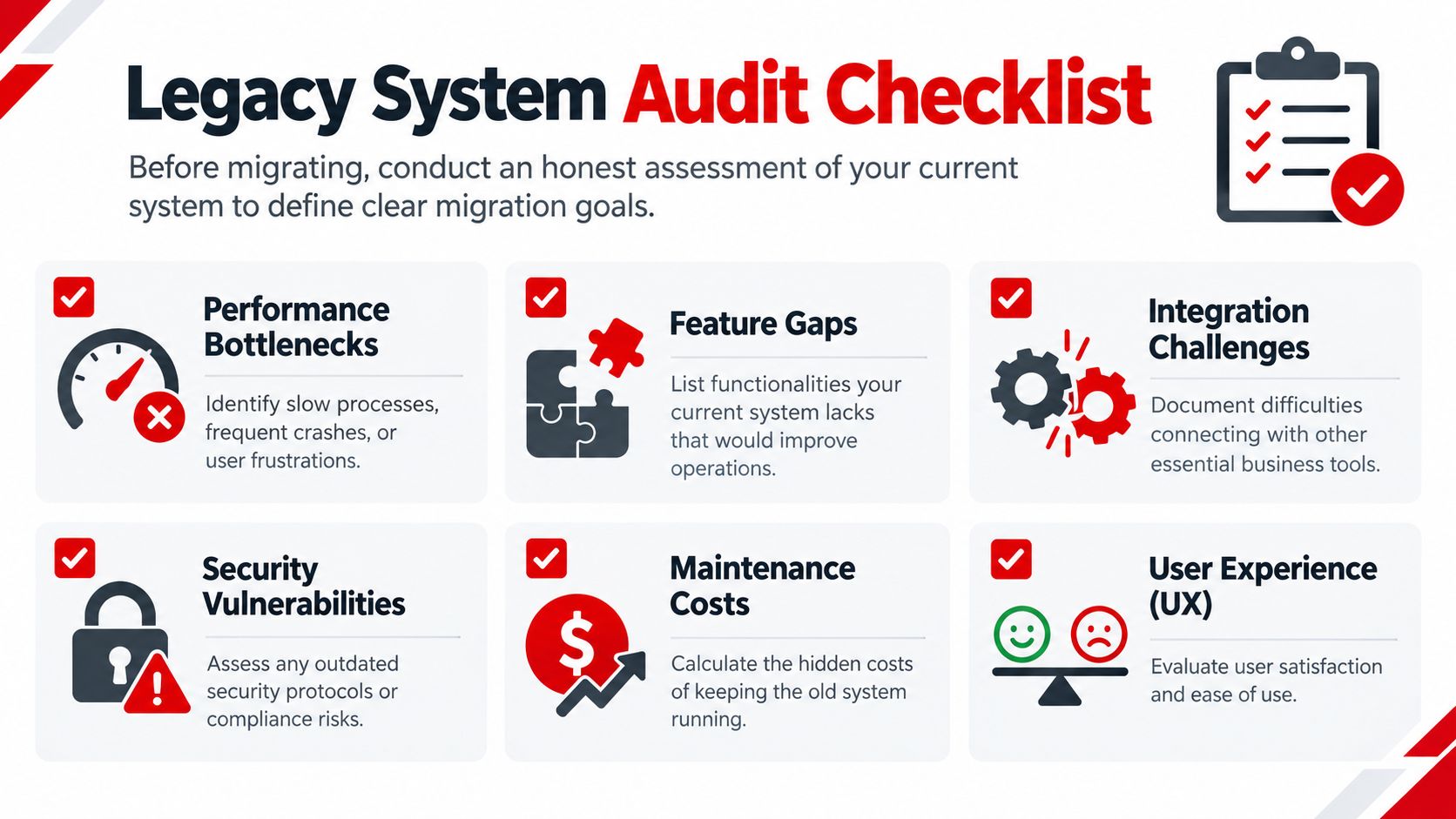
Before comparing vendors, the owner needs an honest record of how the current system performs. “It's slow” is a useful complaint, but it isn't a migration requirement. The team needs to identify where the delay occurs, who handles it, how often it happens, and what the delay prevents the shop from doing.
Start with a short operational audit. Follow a vehicle from the first call through final payment and record every manual handoff. Include the service advisor, technician, parts coordinator, and owner because each role experiences different limitations.
Turn complaints into evidence
The audit should capture specific examples rather than general opinions.
- Check-in delays: Record how staff locate customer, vehicle, and appointment information.
- Repair-order entry: Note which fields are typed more than once and which details are copied from paper.
- Inspection approvals: Identify whether technicians can attach photos and whether customers can approve work digitally.
- Parts coordination: Track how the team checks availability, creates orders, and records substitutions.
- Payment completion: Document the steps between approval, invoicing, payment, and customer receipt.
- Reporting gaps: List the revenue, technician, inventory, or repeat-business questions the owner can't answer quickly.
The next step is to estimate the business consequence of each problem. A missed photo-based approval may delay a repair. An incomplete vehicle history may cause a technician to repeat diagnosis. A disconnected parts process may create rework. The exact cost will differ by shop, so the owner should use the shop's own records rather than rely on a generic industry estimate.
Set goals the team can test
A good goal describes a business outcome and a way to verify it. “Improve communication” is too broad. “Send inspection findings and approval requests from the repair order” is testable. “Reduce administrative time” becomes useful when the shop defines which tasks will disappear and how the team will measure them.
A practical scorecard can include:
| Area | Current condition | Migration goal | Proof after rollout |
|---|---|---|---|
| Customer lookup | Staff search across separate records | Find the correct customer and vehicle from one workflow | Test searches using real records |
| Inspections | Paper notes or limited attachments | Send clear findings and photos for approval | Confirm customer receipt and recorded approval |
| Parts | Manual checks and disconnected entries | Link parts activity to the repair order | Compare order, receipt, and invoice records |
| Scheduling | Calendar information is scattered | Show appointments and job status together | Review a full operating day |
| Reporting | Owner depends on manual summaries | Track selected operating measures consistently | Reconcile reports with source transactions |
Cost deserves special attention. Among small businesses that significantly regretted switching enterprise software, 82% said technology costs were eating into growth, and 29% cited high upfront costs as the biggest barrier, according to. A migration plan should include subscription costs, setup, data preparation, training, payment processing, hardware changes, temporary duplicate work, and support.
The owner should also ask what won't be migrated. Old duplicate customer records, incomplete vehicle entries, outdated inventory items, and unusable attachments can create more confusion in the new platform. A clear retention policy is safer than importing every record without review.
Map Your Workflows and Plan Your Data Strategy
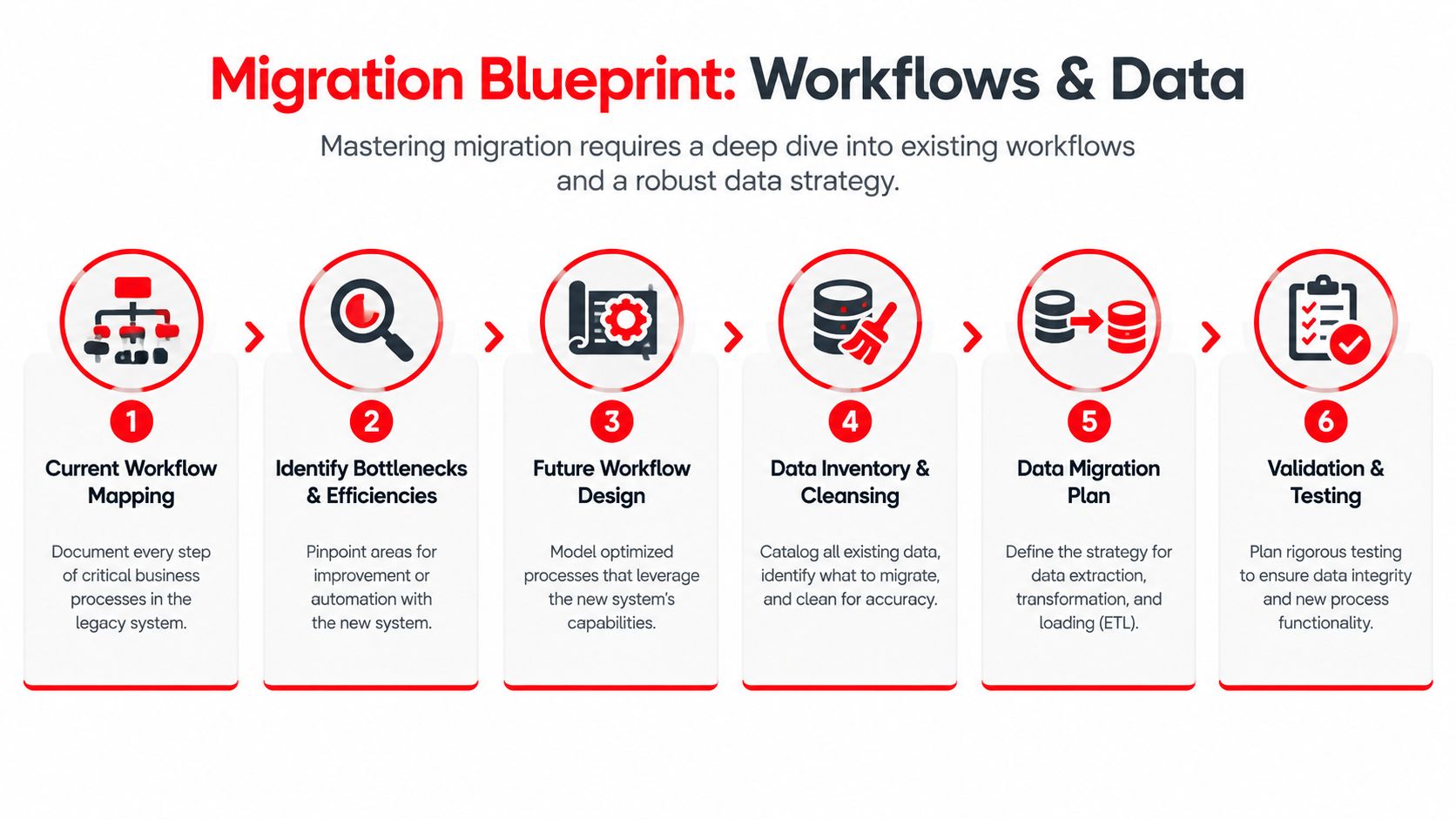
A replacement system changes the order and ownership of work. That's why workflow mapping must happen before configuration. The shop should document what really happens, not what the old software claims should happen.
Begin at vehicle check-in. Record how the advisor confirms customer details, identifies the vehicle, creates the repair order, captures the concern, assigns the job, and communicates with the technician. Continue through inspection, estimate creation, parts selection, approval, repair, quality control, invoicing, payment, and follow-up.
Design around the service bay
A workflow that works at a desk may fail beside a vehicle. Technicians need fast access to assigned work, inspection findings, parts status, and customer-approved services without walking back to the front counter. Advisors need a current view of every job, including work waiting for approval, parts, diagnosis, or quality control.
A Kanban-style Digital Shop Board can make those states visible. The exact columns should match the shop's operating method, but common states include scheduled, checked in, inspection, waiting for approval, waiting for parts, repair in progress, quality control, ready for pickup, and closed. The board should reflect real ownership. If a repair is blocked, the team should see why and who must act next.
The new system should make the next action obvious to the person responsible for it.
Workflow mapping also exposes unnecessary steps. A paper inspection followed by manual estimate entry may become a digital inspection that feeds the estimate. A phone call about approval may become a message with findings and photos. A parts lookup may become a connected selection process tied to the repair order. These changes matter only when they remove work without weakening review or accountability.
Treat data as a business asset
Auto repair data isn't a simple spreadsheet. It may include customer contact details, vehicle identifiers, service history, technician notes, estimates, invoices, payments, parts, inventory balances, suppliers, appointments, and attachments. Some records will be complete, others duplicated, and some may use inconsistent vehicle or customer names.
Industry coverage reports that 68% of auto repair shops experience data migration challenges, including incomplete transfers of historical repair records and customer vehicle histories, according to the. That makes data quality a central replacement risk, not a minor technical task.
The migration team should classify records before export:
- Customer and vehicle identity: Confirm names, contact details, plate information, VINs, and duplicate profiles.
- Repair history: Preserve prior services that help technicians and advisors understand recurring issues.
- Open work: Separate active repair orders, pending approvals, unpaid invoices, and outstanding parts.
- Inventory: Clean obsolete, duplicate, and incorrectly counted items before loading them.
- Financial records: Confirm what must remain available for accounting, warranty, and customer questions.
- Attachments: Test whether photos, documents, and notes can be opened after transfer.
Vendors should answer precise questions about export formats, field mapping, attachments, failed records, duplicate handling, validation reports, and read-only access to the old system. If records are damaged or inaccessible, the shop may need specialists that can before the migration begins.
How to Choose Your New Shop Management System
A vendor demo can make almost any platform look capable. The decision should instead come from a scorecard built around the shop's actual work. A system designed for office administration may offer polished dashboards but still frustrate technicians who need mobile access, clear assignments, and vehicle-specific context in the bay.
Cloud access is useful when owners, advisors, or managers need current information away from a single workstation. It matters even more for multi-location operations, mobile mechanics, and shops where the front desk and service area don't share the same physical space. The vendor should explain availability, backups, support, permissions, and what happens during an internet interruption.
Test the workflow, not the feature list
The evaluation should use a realistic repair scenario. Ask each vendor to demonstrate the complete path from customer lookup to paid invoice, including an inspection, photos, estimate revision, customer approval, parts status, technician assignment, and final payment.
Important criteria include:
- Vehicle history: Search by practical identifiers such as customer name, plate, or VIN, then confirm that prior work is easy to interpret.
- Digital inspections: Check whether technicians can add structured findings, photos, notes, and recommended work without excessive typing.
- Shop-board visibility: Confirm that advisors can see blocked jobs and technicians can see their assignments.
- Parts and inventory: Test supplier ordering, availability, substitutions, receiving, and the connection between parts and repair orders.
- Payments and invoicing: Verify that approved work flows into a clear invoice and that payment status is visible.
- Analytics: Review whether the owner can monitor revenue, technician efficiency, average repair order, repeat business, and other selected goals.
- Support and training: Ask who handles migration questions, how training works, and how quickly the team can get help.
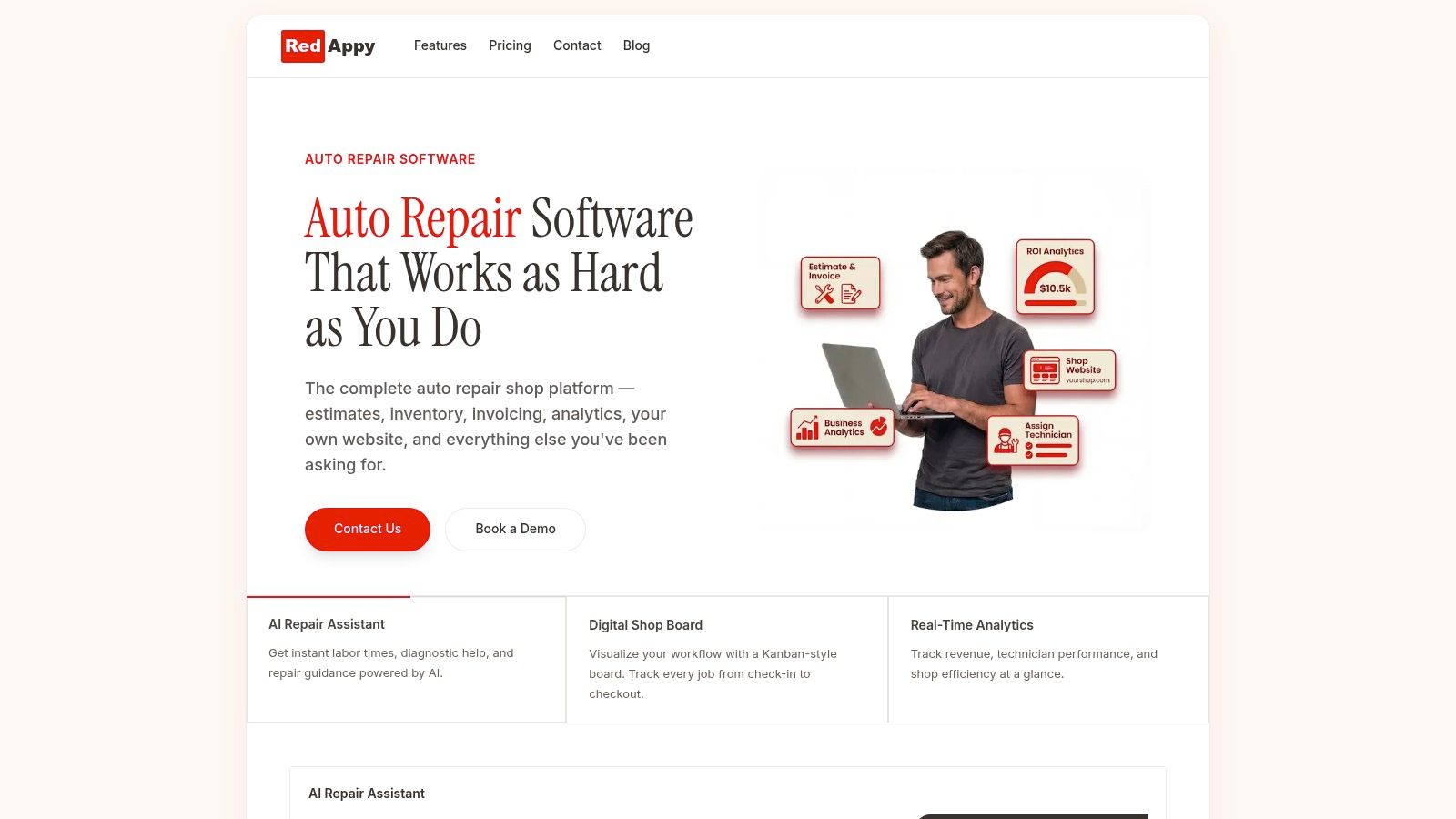
A platform such as RedAppy combines digital inspections, estimates, online payments, parts ordering across suppliers, real-time inventory, analytics, a Kanban-style Digital Shop Board, vehicle history, scheduling, and an AI Repair Assistant. Its features page gives owners a concrete example of how an all-in-one shop platform can address front-desk and service-bay requirements in one environment.
Compare commercial terms carefully
Price should be judged against the operating burden the platform removes. The owner should request a complete quote covering implementation, migration, training, integrations, payment features, user access, support, and future locations. Month-to-month terms and transparent pricing can reduce commitment risk, but only if the shop also confirms data export rights and the process for leaving.
The final scorecard should include at least one live workflow test, a data sample review, staff feedback, implementation responsibilities, and a written cutover plan. A platform that wins a sales demo but fails a vehicle-history search shouldn't make the shortlist.
Executing a Smooth Rollout and Training Your Team
The safest rollout is controlled, observable, and reversible. A big-bang rewrite asks the entire shop to learn new screens, trust new records, and maintain normal customer service on the same day. That concentrates technical and human risk when the business has the least room for mistakes.
Industry reporting places the success rate of phased replacement approaches at around 85%, while big-bang rewrites fail at a rate of 70% to 80%, according to legacy application modernization reporting. These figures support a practical operating choice, migrate in bounded slices and test each slice before expanding.
Use a staged cutover
The rollout can follow a sequence that separates discovery, transfer, validation, and decommissioning:
- Inventory the old environment. List users, workflows, integrations, reports, exports, devices, and records that staff still depend on.
- Prepare a sandbox. Load a representative data sample and configure the new workflows without affecting live operations.
- Run a pilot. Select one service advisor or technician and a controlled group of repair orders. Include ordinary work and edge cases.
- Operate in parallel. Keep the old platform available while the team compares customer lookup, vehicle history, estimates, approvals, parts, invoices, and payments.
- Obtain sign-off. The owner, advisor, technician, and bookkeeper should confirm that the new process meets their requirements.
- Shift gradually. Move additional users or workflow areas only after the pilot results are stable.
- Retain read-only access. Keep the old system available for historical questions until the new lookup process is trusted and the decommissioning decision is documented.
The team should test real actions, not just logins. Create an RO, add a vehicle concern, perform an inspection, attach photos, send an estimate, record approval, order a part, receive it, complete the repair, issue an invoice, process payment, and locate the completed history afterward.
Train by responsibility
Feature demonstrations rarely prepare staff for a busy morning. Training should use the exact jobs each person performs.
- Service advisors: Practice customer lookup, scheduling, repair-order creation, approvals, communication, and payment.
- Technicians: Practice assigned-job review, inspections, photos, notes, recommendations, and status updates.
- Parts staff: Practice supplier searches, ordering, receiving, inventory adjustments, and repair-order matching.
- Managers: Practice permissions, reporting, exception handling, user support, and end-of-day review.
The owner should appoint a floor-level champion for each major role. Champions can answer routine questions, identify confusing screens, and collect issues without turning every problem into an emergency vendor call.
Rollback rule: If a critical workflow fails, the shop returns to the documented fallback process, preserves the affected records, and fixes the cause before expanding the rollout.
The rollback plan should state who makes the decision, which system remains authoritative, how new records are reconciled, and how customers are informed if a delay occurs. A staged replacement succeeds when the shop can slow down safely, not when it pretends problems won't occur.
Optimizing for Growth After Your System Is Live
Go-live marks the beginning of operational improvement. A modern platform becomes valuable when the owner uses its data to improve decisions, not when the team stops using the old screens.
The measures defined during the audit should become part of a regular review. Look for patterns in approval delays, jobs waiting for parts, inspection completion, technician workload, average repair order, repeat visits, and unpaid invoices. The purpose isn't to monitor people mechanically. It's to identify where the process still creates friction and where a small workflow change could help.
Build a feedback loop
Staff feedback should continue after training. Advisors may discover that a customer message needs a clearer template. Technicians may find that an inspection form contains unnecessary fields. Parts staff may identify supplier or receiving exceptions that weren't visible during the pilot.
A useful review asks three questions:
- What slowed the team down? Identify repeated clicks, unclear statuses, missing information, or duplicate entry.
- What improved customer communication? Review approval responses, inspection clarity, and pickup preparation.
- What needs a process owner? Assign responsibility for inventory accuracy, workflow changes, reporting review, and staff support.
The owner should also protect data quality after migration. New duplicates, incomplete vehicle records, and inconsistent notes can rebuild the same information problem the replacement was meant to solve. Set clear naming rules, required fields, permission levels, and review routines.
A 2020 industry report found that 74% of organizations that started a legacy modernization project failed to complete it, often because projects failed to meet goals or manage scope, according to Advanced report coverage. For a repair shop, completion means more than turning off the old login. It means the new platform supports the intended workflow, preserves usable history, and produces information the owner can act on.
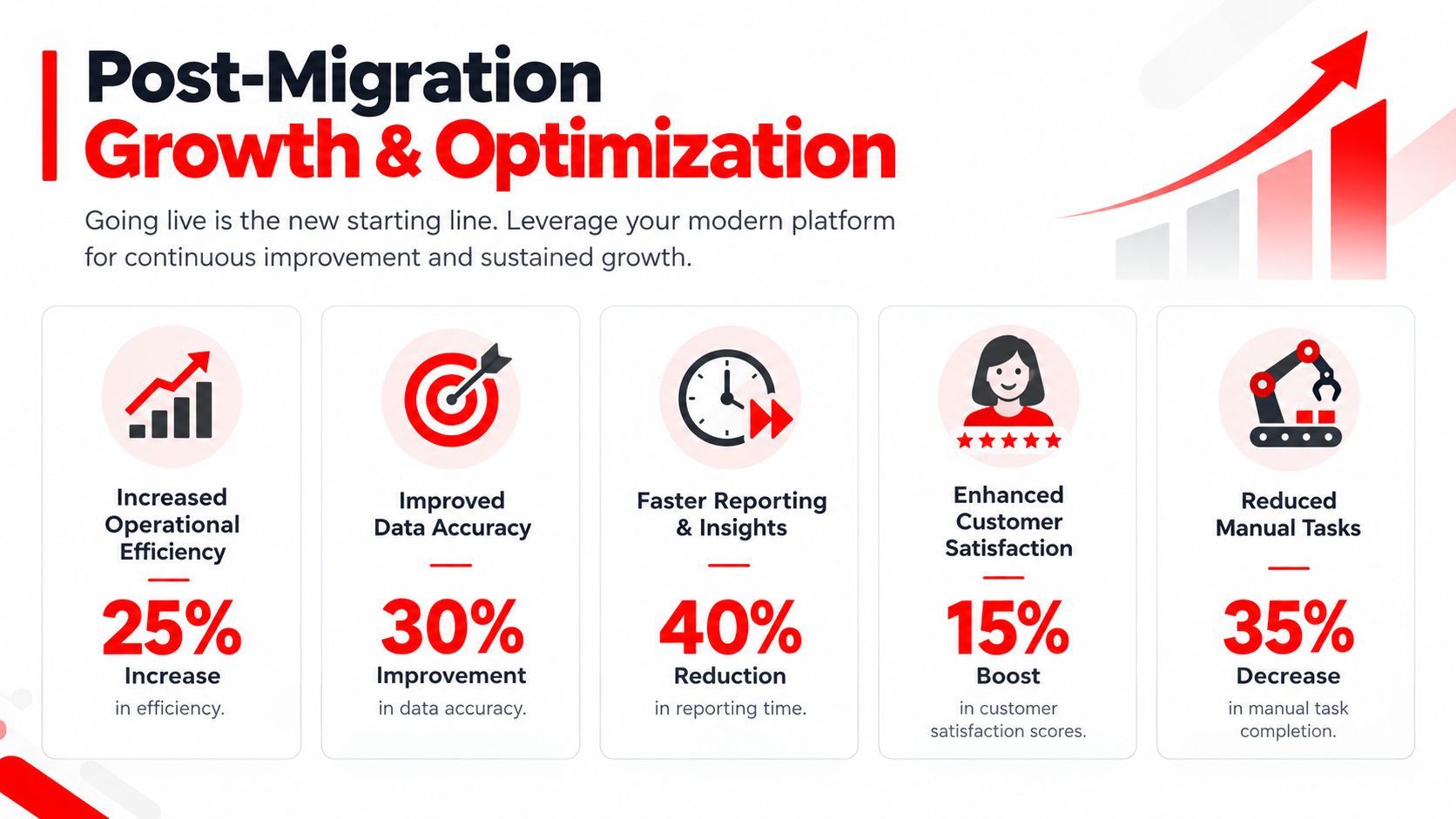
The strongest shops treat replacement as a managed business improvement program. They review results, refine processes, train new employees, and use customer and technician feedback to keep the system aligned with the service bay.
RedAppy brings digital inspections, estimates, payments, parts ordering, vehicle history, scheduling, analytics, and a visual shop board into one platform built for auto repair operations. Visit RedAppy to see how its workflow can support a controlled legacy-system replacement, or contact the team for guidance on planning your migration.
Ready to Transform Your Shop?
RedAppy helps auto repair shops create professional digital estimates with photos and videos, send them instantly via text or email, and get customer approvals in seconds. No credit card required to start.