
Shop Invoice Software: Best Tools for Auto Repair Shops in 2025
Sending a handwritten invoice or chasing down payments with a phone call used to be part of the job. In 2025, that approach costs auto repair shops real money. The right shop invoice software can cut admin time, reduce missed payments, and help you get paid faster — without adding more work to your day.
According to a 2023 report by the Automotive Management Institute, shops that adopt digital workflow tools see an average 20% increase in revenue per repair order. That gap between paper-based and digital shops is only getting wider as customer expectations rise.
This article covers the best invoicing tools built specifically for auto repair shops — from lightweight billing apps to full shop management platforms. You'll get a clear breakdown of what each tool does, who it's best for, and what it costs, so you can choose the right fit for your shop without the guesswork.
Table of Contents
- What Is Shop Invoice Software (And What Should It Do)?
- Comparing the Top Shop Invoice Software at a Glance
- RedAppy — Best All-in-One Shop Management for Auto Repair
- QuickBooks — Best for Shops That Already Use Accounting Software
- Mitchell 1 Manager SE — Best for Established Shops Needing Deep Labor Data
- Conclusion
What Is Shop Invoice Software (And What Should It Do)?
Shop invoice software is a digital tool designed to help auto repair shops create, send, and track invoices for repair jobs. Unlike a basic billing app, purpose-built shop software connects the invoice to everything else happening in the shop — labor times, parts costs, technician notes, and customer history.
Generic invoicing tools like Wave or basic spreadsheets can technically produce an invoice, but they don't know what a brake job costs in labor hours. They can't pull a VIN, check parts availability, or attach inspection photos to justify the repair. That gap costs shops time and money every single day.
Auto repair invoicing is fundamentally different from other industries because the final price is built from three moving parts: labor time, parts markup, and diagnostic findings — all of which can change mid-job.
What Good Shop Invoice Software Actually Does
The right tool handles more than just billing. Here's what separates purpose-built shop invoice software from generic alternatives:
- Labor time tracking — Pulls flat-rate labor times automatically so you're not guessing or looking up times manually
- Parts integration — Connects to supplier catalogs so parts prices populate directly on the estimate and invoice
- Digital inspections — Lets technicians document findings with photos, which increases customer approval rates for additional work
- Payment processing — Accepts online or in-person payments without requiring a separate app
- Customer and vehicle history — Stores past repairs, notes, and spending so you can look up any customer by name, plate, or VIN in seconds
- Estimate-to-invoice conversion — Turns an approved estimate into a final invoice with one click instead of retyping everything
Why Generic Tools Fall Short
According to a 2023 survey by the Automotive Management Institute, shops using dedicated management software reported 30% fewer billing errors compared to those using general accounting tools. That difference comes down to context — shop-specific software understands the relationship between a repair order, a labor code, and a parts line item.
A tool like QuickBooks is excellent at bookkeeping but requires manual entry for every labor item. There's no VIN decoder, no parts catalog, and no way to attach inspection results. Shops end up running two or three separate systems and stitching them together manually.
The Features That Matter Most in 2025
Not every shop needs every feature, but these are the ones that have the most direct impact on revenue and time savings:
| Feature | Why It Matters | Impact |
|---|---|---|
| Integrated parts ordering | Eliminates phone calls and manual price entry | Saves 1–2 hours per day |
| Digital inspections with photos | Increases upsell approval rates | More approved work per RO |
| Online payment collection | Reduces time waiting for checks or card swipes | Faster cash flow |
| Real-time job tracking | Shows where every vehicle is in the repair process | Fewer missed deadlines |
| Reporting and analytics | Tracks revenue, technician efficiency, and repeat business | Better business decisions |
The rest of this article covers the top shop invoice software options for 2025 in detail, with honest assessments of who each tool is built for and where each one falls short.
Comparing the Top Shop Invoice Software at a Glance
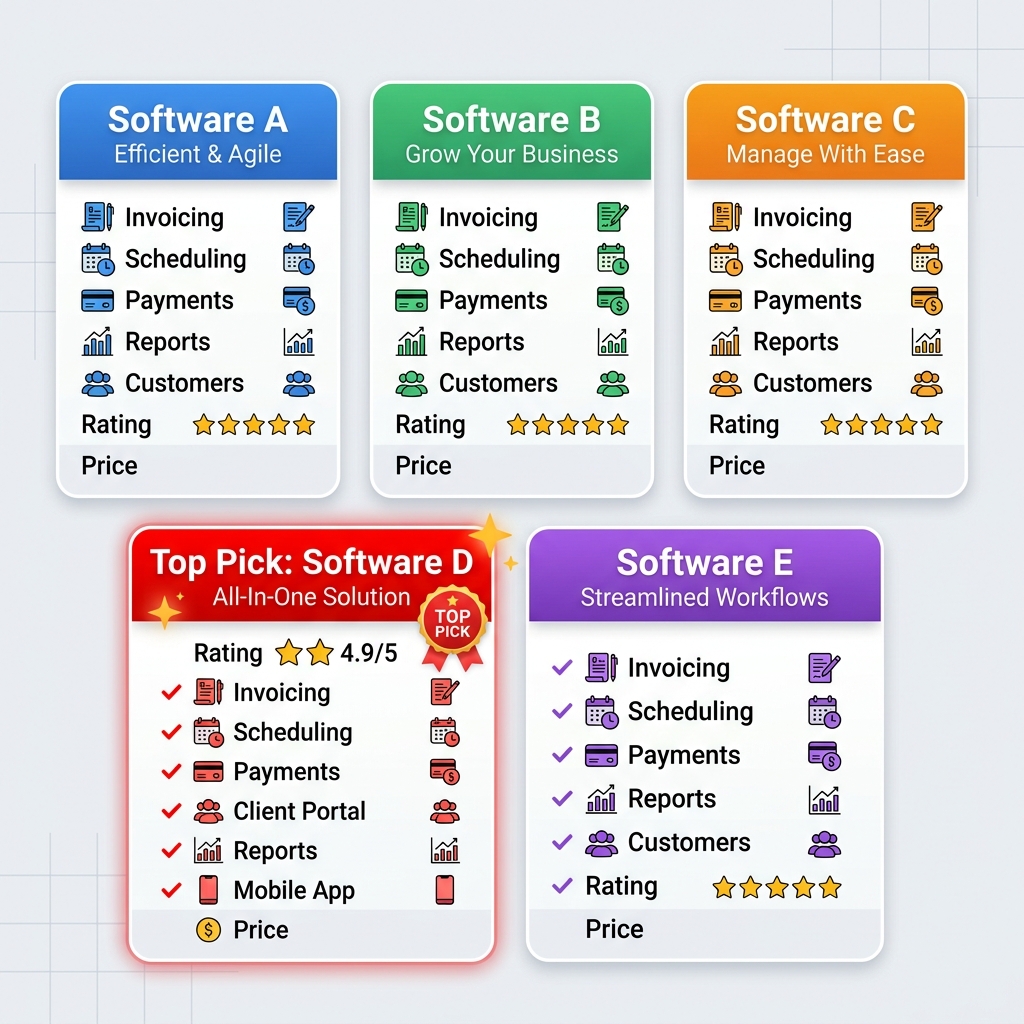
The table below gives you a fast way to compare all five tools before reading the full breakdowns. Use it to filter by your shop size, budget, or must-have features, then jump to the section that fits best.
| Software | Best For | Key Features | Pricing Model | Free Trial |
|---|---|---|---|---|
| RedAppy | All-in-one shop management | Digital inspections, AI Repair Assistant, parts ordering, Kanban board, branded website, online payments | Transparent, month-to-month | Yes |
| QuickBooks | Shops already using accounting software | Invoicing, bookkeeping, tax prep, payment processing | Monthly subscription (tiered) | 30-day free trial |
| Mitchell 1 Manager SE | Established shops needing deep labor data | Labor guides, repair data integration, shop management, invoicing | Annual contract, quote-based | Demo only |
| Tekmetric | Multi-location shop groups | Cloud-based invoicing, multi-shop dashboard, advanced reporting | Monthly subscription (tiered) | Demo available |
Single-bay garages and multi-location operations have very different needs — a tool that's perfect for one can create friction for the other.
A few things to note before diving in:
- Pricing changes frequently. Always verify current rates directly with each provider before committing.
- "Free trial" means you can test the software with real data before paying. A demo is a guided walkthrough — not the same thing.
- Feature depth varies widely. QuickBooks handles invoicing well but has no VIN lookup or labor guides. RedAppy and Mitchell 1 are built specifically for auto repair workflows.
If you're looking for a complete auto repair shop management solution rather than just invoicing, the feature column matters more than the price column. Shops that outgrow basic invoicing tools often end up paying for two or three separate platforms to fill the gaps — which costs more in both money and admin time.
For a closer look at how digital inspections connect to invoicing and approvals, see our guide on auto shop workflow tools. If pricing is your primary concern, the shop management software cost breakdown covers what you should expect to pay at each stage of growth.
RedAppy — Best All-in-One Shop Management for Auto Repair
RedAppy is a shop management platform built specifically for auto repair businesses. Unlike general invoicing tools, it handles the entire job lifecycle — from the first customer call to the final payment — in one place.
How the Workflow Works
The platform follows a logical sequence that mirrors how a real shop operates:
- Customer check-in — Look up any customer by name, license plate, or VIN. Vehicle history loads instantly.
- Digital inspection — Technicians document findings with photos and notes. Customers see exactly what needs fixing.
- Instant estimate — Build and send a professional estimate directly from the inspection results.
- One-click invoicing — Approve the work, complete the job, convert to invoice without re-entering data.
- Online payment — Customers pay digitally. No waiting on checks or manual card processing.
Shops that use photo-rich digital inspections consistently approve more work — customers trust what they can see.
Digital Shop Board and Job Visibility
The Kanban-style Digital Shop Board gives everyone in the shop a real-time view of where every job stands. Service advisors know which bays are busy. Technicians see what's coming next. Bottlenecks become obvious before they cause delays. In practice, this kind of visual workflow reduces the back-and-forth communication that eats up time throughout the day.
AI Repair Assistant
The built-in AI Repair Assistant delivers labor times, diagnostic guidance, and shop insights on demand. Instead of flipping through printed labor guides or calling a hotline, technicians type a question and get an answer. This is especially useful for independent shops that don't have a dedicated master tech on every shift.
Parts Ordering
RedAppy connects to multiple parts suppliers with real-time inventory. You can check availability and order parts without leaving the platform or making separate calls. This keeps the estimate accurate and reduces delays caused by back-ordered parts.
Analytics That Actually Help
The real-time analytics dashboard tracks:
- Revenue trends — spot slow weeks before they become problems
- Technician efficiency — see who's hitting flat-rate targets
- Average repair order (ARO) — a key metric for shop profitability
- Repeat business rate — understand how well you're retaining customers
According to RedAppy, shops using the platform typically save 10+ admin hours per week and see a strong first-year ROI from reduced overhead and higher job approval rates.
Branded Website Included
Every RedAppy subscription includes a professionally designed, branded website with contact forms and optional used-car listings. Most shop management tools charge extra for this or don't offer it at all. For a small shop without a dedicated marketing budget, this removes one more barrier to attracting new customers online.
Pricing and Flexibility
RedAppy uses transparent, month-to-month pricing with no long-term contracts. This matters because committing to a multi-year software contract is a real risk if the tool doesn't fit your workflow. The platform scales from single-bay garages to multi-location operations, so you're not forced to switch software as you grow.
Best for: Independent auto repair shops and small-to-mid-size garages that want one platform to replace their invoicing tool, inspection app, parts ordering system, and shop website.
Limitation to know: Shops already deep into a separate accounting system will need to account for how RedAppy integrates with their existing bookkeeping setup. If your accountant lives inside QuickBooks, verify the integration workflow before switching.
QuickBooks — Best for Shops That Already Use Accounting Software
QuickBooks is general-purpose accounting software made by Intuit. It handles invoicing, expense tracking, payroll, and tax prep — and millions of small businesses use it. For shops that already live inside QuickBooks for their books, adding basic invoicing there makes sense. But it was never built for auto repair, and that gap shows up fast in daily use.
What QuickBooks Does Well
QuickBooks Online is used by over, which means strong third-party integrations, accountant familiarity, and reliable tax reporting. For a shop owner who also manages their own books, having invoicing and accounting in one place reduces double-entry.
- Bank reconciliation happens automatically when you connect your business account
- Tax categories are built in, so end-of-year prep is faster
- Payment processing through QuickBooks Payments accepts cards and ACH transfers
- Customer records store contact info and invoice history in one place
If your accountant already uses QuickBooks, sending them access is simple. That alone saves real time during tax season.
Where QuickBooks Falls Short for Auto Repair
QuickBooks has no concept of a repair order. There's no VIN lookup, no labor guide, no parts catalog integration, and no digital inspection tool. You can create a line-item invoice manually, but every labor time and part price has to be entered by hand.
Shops that use QuickBooks for invoicing often spend 30–45 minutes building what shop-specific software generates in under 5 minutes.
In practice, this creates friction. Technicians can't pull a job through a digital workflow. There's no Kanban board, no photo-based inspection, and no way to track a vehicle's service history by VIN or plate. You're essentially using a spreadsheet with a nicer interface.
Workarounds shops commonly use:
- A separate labor guide app (like ALLDATA) to look up times, then manually copy them in
- Printed inspection sheets instead of digital ones
- A whiteboard or separate scheduling tool to track job status
- Manual parts pricing from supplier websites
Each workaround adds steps and leaves room for error.
QuickBooks Pricing
| Plan | Monthly Cost | Best For |
|---|---|---|
| Simple Start | $18/mo | Solo operators, basic invoicing |
| Essentials | $27/mo | Small teams, bill management |
| Plus | $38/mo | Inventory tracking, project costing |
| Advanced | $76/mo | Larger operations, reporting |
Prices reflect Intuit's current promotional rates; standard pricing is higher after the introductory period.
Who QuickBooks Is Right For
QuickBooks works best for a shop that performs simple, low-volume work and needs solid accounting more than workflow management. A mobile mechanic or a small specialty shop with an existing accountant relationship might get real value here.
For a full-service bay shop handling 10+ repair orders a day, QuickBooks creates more admin work than it removes. That's when purpose-built shop invoice software like the tools in this list start to justify their cost immediately.
Mitchell 1 Manager SE — Best for Established Shops Needing Deep Labor Data
Mitchell 1 Manager SE is a shop management system with decades of industry history behind it. It's built for shops that need direct access to professional-grade labor guides, repair data, and parts catalogs — all inside the same platform they use to write invoices.
What Mitchell 1 Manager SE Does
connects invoicing and estimating to Mitchell 1's own ProDemand labor and repair database. That means when a technician looks up a job, they get OEM-informed labor times, wiring diagrams, and diagnostic procedures — not just a blank invoice template.
Key features include:
- Integrated labor guide with flat-rate times pulled from Mitchell 1's repair database
- Parts ordering connected to multiple supplier catalogs
- Customer and vehicle history stored per RO (Repair Order)
- Digital vehicle inspections with photo attachment
- Invoicing and estimates with line-item parts and labor
- Accounting exports to QuickBooks for shops that keep separate books
In practice, the labor guide integration is the main reason shops choose Manager SE over a generic invoicing tool. Technicians can build an estimate in minutes without manually researching labor times.
Who It's Built For
Mitchell 1 Manager SE is a strong fit for established, mid-to-large shops that do a high volume of complex repairs. According to, Manager SE is used by tens of thousands of shops across North America — a sign that it's proven at scale.
Shops that already rely on ProDemand for repair data will find Manager SE the natural next step, since both products share the same underlying data.
It's less ideal for:
- Small or single-bay shops with tight budgets — pricing is not publicly listed, and quotes often include setup fees
- Shops looking for a quick, low-friction setup — the learning curve is real, and training takes time
- Businesses that want built-in marketing tools or a branded website — Manager SE is focused on shop operations, not customer acquisition
Pricing and Limitations
Mitchell 1 does not publish pricing on its website. You need to contact a sales rep for a quote, which makes cost comparison harder upfront. Based on industry reports, monthly costs typically run higher than newer cloud-based competitors.
The platform is also desktop-based, which means it runs on local hardware rather than a browser. That's a limitation for shops that want remote access or multi-location visibility without additional configuration.
| Feature | Mitchell 1 Manager SE |
|---|---|
| Labor guide integration | ✅ Full Mitchell 1 ProDemand access |
| Cloud-based | ❌ Desktop-installed |
| Digital inspections | ✅ Yes |
| Transparent pricing | ❌ Quote required |
| Built-in website | ❌ No |
| Multi-location dashboard | ⚠️ Limited |
Use case: A 10-bay independent shop doing mostly mechanical repairs — engine, transmission, brake work — where accurate flat-rate labor times directly affect profit margins. Manager SE pays for itself when technicians stop underquoting jobs.
Conclusion
The right shop invoice software comes down to one question: what does your shop actually need day to day?
QuickBooks works if you already live inside its accounting ecosystem and your invoicing needs are simple. But you'll spend time building workarounds for labor guides, VIN lookups, and inspections that auto repair shops rely on.
Mitchell 1 Manager SE earns its place with shops that need deep repair data and established workflows. The tradeoff is a steeper learning curve and pricing that may not suit smaller operations.
Tekmetric fits growing shop groups well, especially those managing multiple locations from one dashboard. It's less compelling for a single-bay shop watching its budget.
If you want one platform that handles the full workflow — estimate, inspection, invoice, payment, parts, and analytics — without stitching together separate tools, the all-in-one approach saves real time.
RedAppy is built for exactly that. From the first customer call to the final payment, every step runs inside one system. The Digital Shop Board keeps jobs visible at a glance. The AI Repair Assistant cuts the time spent looking up labor times. Digital inspections with photos help customers approve more work. And every subscription includes a branded website, so you're not paying extra for your online presence.
RedAppy's month-to-month terms mean you're not locked into a long contract while you figure out if it fits. For shops saving 10+ admin hours per week, the ROI case tends to make itself in the first few months.
- Already using QuickBooks? Keep it for accounting, but consider pairing it with a purpose-built shop tool for repair-specific needs.
- Running multiple locations? Compare Tekmetric and RedAppy side by side — both scale, but their pricing models differ.
- Growing from a single bay? RedAppy's transparent pricing and customization options scale with you without forcing a platform switch later.
The best move before committing to any platform is to request a demo or trial. Most shops know within a week whether a tool fits the way they actually work. Start there, and let the workflow — not the feature list — make the decision for you.
Ready to Transform Your Shop?
RedAppy helps auto repair shops create professional digital estimates with photos and videos, send them instantly via text or email, and get customer approvals in seconds. No credit card required to start.