
Ten Questions to Ask Before Signing a Shop Management Software Contract
A shop owner signs a contract after a polished demo and an attractive monthly price. Months later, the problems arrive one at a time: closed repair orders never migrated, customer texting costs extra, payment processing requires another module, and the cancellation deadline passed before anyone noticed. The software still works, but the contract no longer works for the shop.
That's why Ten Questions to Ask Before Signing a Shop Management Software Contract should focus on more than features. The serious risks involve data portability, add-on pricing, security, workflow adoption, renewal terms, and exit rights. A careful conversation before signing can prevent lost service history, unexpected charges, and a forced renewal.
Table of Contents
- Why the Right Questions Protect Your Shop
- What a Shop Management Contract Really Commits You To
- Questions About Your Data and Migration Scope
- Questions About Pricing, Add-Ons, and Contract Flexibility
- Questions About Security, Backups, and Uptime Guarantees
- Questions About Integrations and Workflow Fit
- Renewal Traps, Exit Rights, and Your Final Checklist
Why the Right Questions Protect Your Shop
Shop management software becomes expensive when the contract hides the operational details. A vendor can demonstrate digital inspections, online payments, reporting, and scheduling in a convincing sales presentation. That demonstration doesn't automatically explain which data transfers, which features require an additional fee, or how much notice the shop must give before cancellation.
A common failure starts with an incomplete migration. Customers and vehicles appear in the new platform, but older repair orders sit in the previous system, sometimes without a usable export. The service advisor then loses quick access to warranty history, prior recommendations, and accounts-receivable details. The shop hasn't just changed software. It has weakened its own memory.
Practical rule: A promise made during a demo has little value if the contract doesn't define the deliverable.
The financial problem often appears later. Texting, online payments, extra users, reporting modules, and multi-location controls may sit outside the advertised subscription. The base price looks manageable until the team adopts the tools it actually needs. At that point, switching may feel too disruptive, so the shop keeps paying.
Software can still produce meaningful operational value when the agreement fits the business. One industry report claims that software-enabled shops can reduce average repair-order processing time from 120 minutes to 75 minutes and improve operational efficiency by about 30%. The same report claims that over 71% of U.S. repair shops use digital invoicing and service-management tools, according to. The point isn't to chase a percentage. It's to make sure the contract supports the workflows that create the value.
The ten questions below give owners a practical way to test the commitment before a signature locks the shop in.
What a Shop Management Contract Really Commits You To
A software demo is a test drive. A signed contract is a lease.
The test drive shows how the vehicle handles under ideal conditions. The lease determines the payment obligation, the return conditions, the penalties, and what happens when the driver wants out. Shop management software works the same way. The demo shows features. The contract controls term length, data access, support, pricing changes, renewal, and termination.
The purchase has become a mainstream operational decision rather than a niche technology experiment. Market estimates place the global auto repair software market between $1.6 billion and $3.4 billion, with one projection implying a 9.2% CAGR. Cloud deployment accounts for roughly 62.4% to 63%, while North America is reported to represent between 38% and 45.2% of global market share, depending on the study. Those figures appear in. More shops are evaluating these systems as core infrastructure, which makes contract quality just as important as the feature list.
Cloud access, mobile operation, and branch scalability deserve specific attention. A single-bay garage may need a simple front-desk workflow today, while a growing group of locations may later need shared reporting, centralized permissions, and consistent customer records. If the contract treats each new location or essential module as a separate surprise, growth becomes a penalty.
The contract controls the real cost
A serious review should identify four commitments:
- Payment commitment: What the shop pays at signing, each billing cycle, and when the vendor can change the price.
- Usage commitment: Which users, locations, vehicles, integrations, and communication tools the subscription covers.
- Service commitment: What support, uptime, backups, security controls, onboarding, and training the provider must deliver.
- Exit commitment: How the shop retrieves its data, gives notice, turns off access, and completes the transition.
The same discipline applies to other technology agreements. A useful comparison is this guide to, which reinforces the need to examine service scope instead of accepting a broad promise of support.
Questions About Your Data and Migration Scope
1. Exactly what data will transfer?
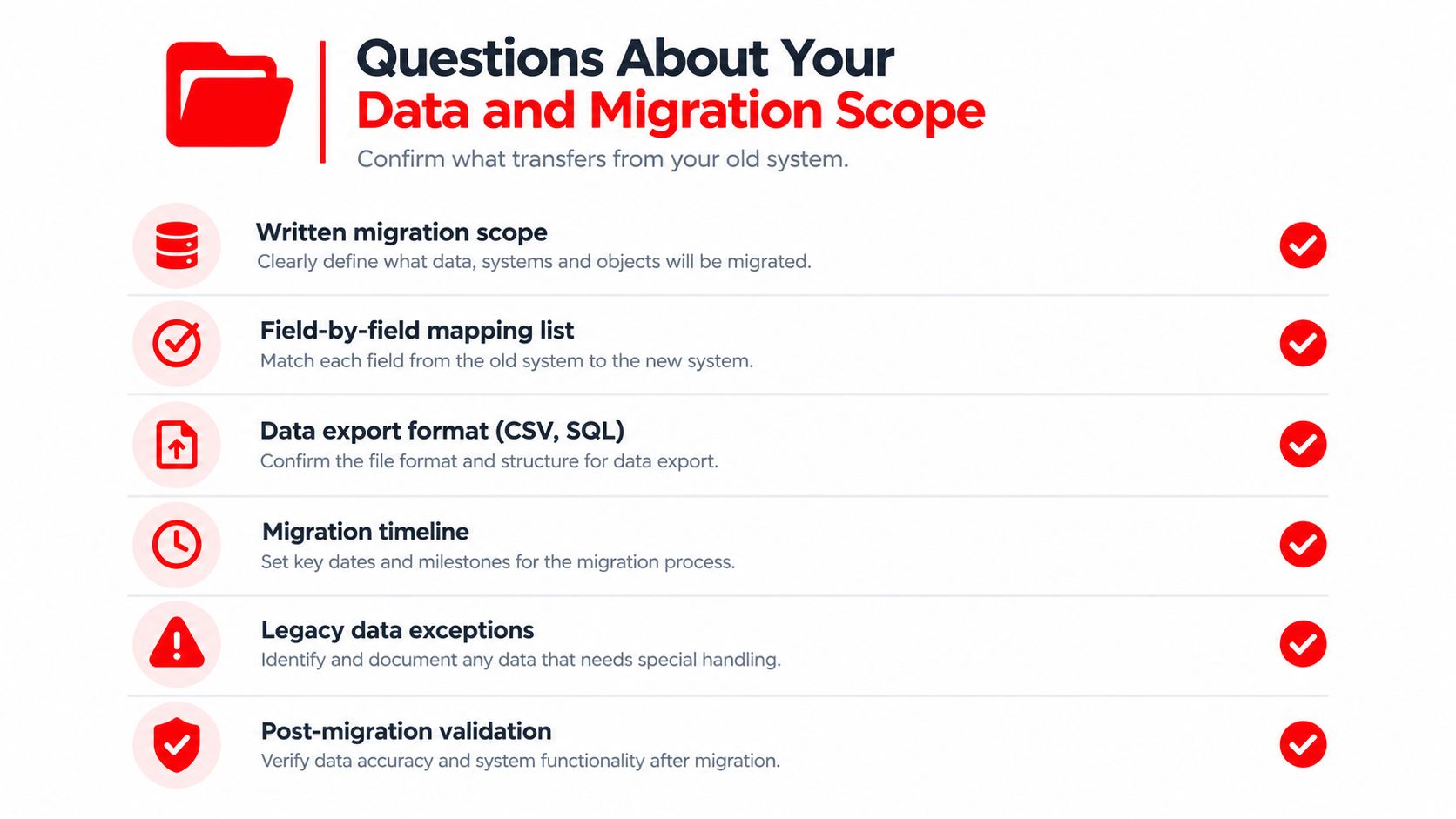
The answer must appear in writing, not in a sales email that says the vendor will “move the shop's data.” The migration schedule should identify customers, vehicles, open repair orders, invoices, payment records, notes, inspection results, attachments, technician records, and service history as separate fields or categories.
Independent implementation guidance notes that customers, vehicles, and open repair orders usually transfer. Closed repair orders and full service history may arrive read-only or may not transfer at all, as explained in this. That difference matters during warranty disputes and customer follow-up. A read-only record may be useful for reference, but it isn't equivalent to a searchable, editable history inside the new platform.
The contract should also state what the vendor considers a successful migration. “Data imported” is too vague. The agreement should define the fields covered, the file formats used, the attachments included, the party responsible for cleaning records, and the method for validating the result.
2. What happens to closed repair orders and full service history?
This question deserves its own answer because vendors often treat historical information differently from active information. A shop may assume that every old repair order will appear in the new system, only to discover that older records are excluded, read-only, or available only through a separate archive.
The vendor should provide a field-by-field mapping list before implementation begins. It should show whether each record transfers as editable, read-only, searchable, downloadable, or excluded. If a limitation exists, the contract should name it instead of leaving the shop to discover it after go-live.
The safest approach is to keep the legacy system in read-only mode for at least 90 days, following the implementation guidance cited above. That gives service advisors a dependable source for warranty lookups, historical estimates, customer questions, and outstanding receivables while the new system settles.
3. What export will the shop receive if it leaves?
Data ownership isn't useful if the shop can't retrieve its records in a practical format. The contract should specify the export format, the included fields, the treatment of attachments, the delivery method, the timing, and whether the vendor charges for assistance.
A vendor that offers only a PDF report or a limited customer list hasn't provided a meaningful exit plan. The shop needs an export that another system can use, with enough structure to preserve customer, vehicle, repair-order, payment, and service-history relationships.
The right question isn't only “Can the shop cancel?” It's “Can the shop leave with a usable business record?”
Questions About Pricing, Add-Ons, and Contract Flexibility
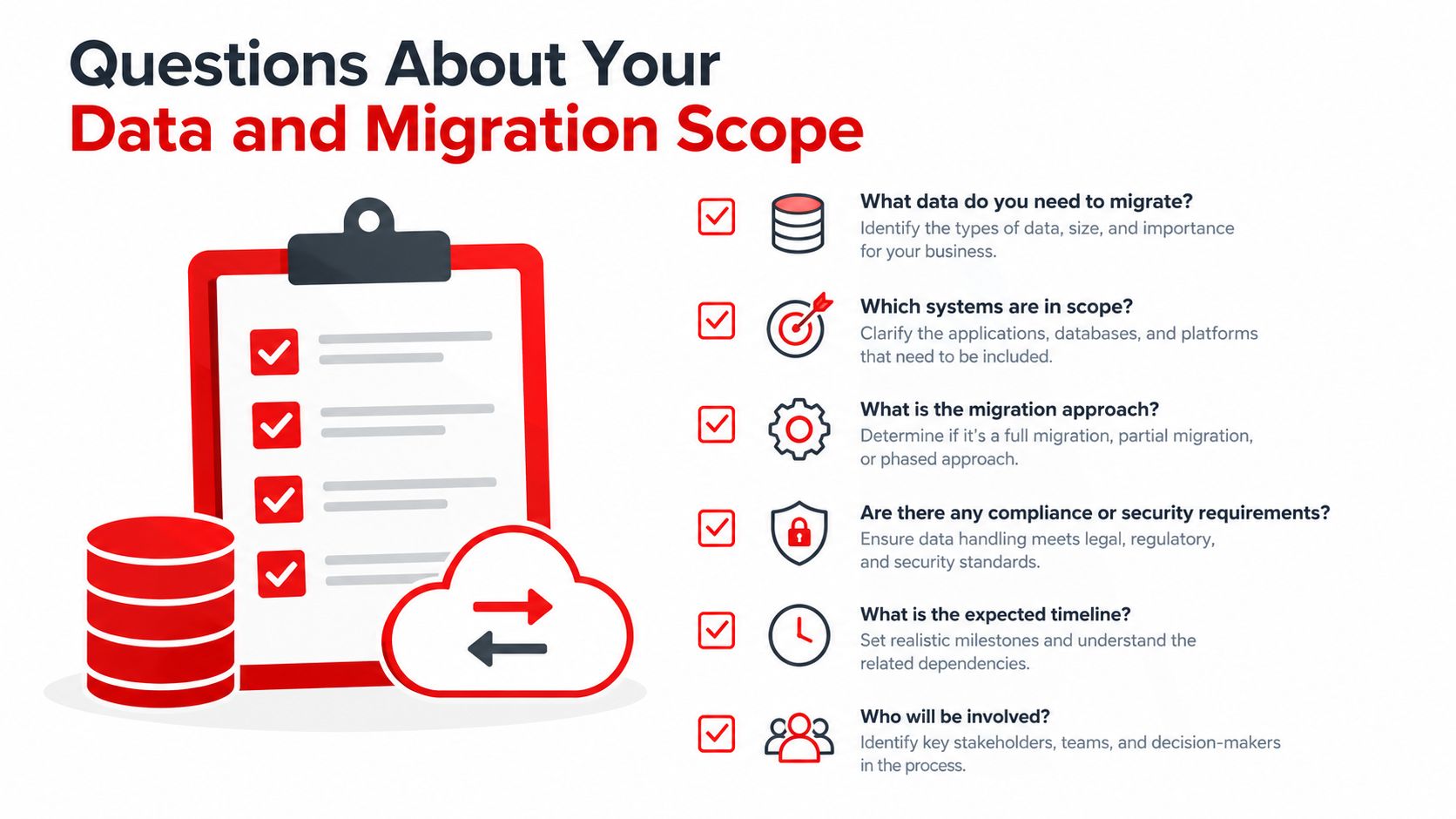
4. What is the fully loaded monthly and implementation cost?
The subscription line is only the starting point. The quote should separate the recurring license from setup, onboarding, training, data migration, support tiers, payment processing, texting, integrations, extra users, additional locations, and optional modules.
Buyer guidance highlights three frequently missed questions: what data migrates, what export format is available on departure, and whether setup, onboarding, and training fees sit outside the subscription. It also notes that month-to-month flexibility often costs more upfront, as discussed in these.
A useful pricing review asks the vendor to price the shop's actual intended workflow, not a stripped-down trial configuration. If the team expects to text customers, accept online payments, manage several locations, and connect parts or accounting tools, those items belong in the written quote.
5. Which features trigger extra charges?
Many platforms charge separately for texting, payments, modules, and multi-location controls, according to recent buyer guidance. Those charges can turn a low headline price into a much larger operating cost once the front desk uses the system properly.
The contract should answer these questions plainly:
- Communication: Is customer texting included, or billed by user, message, or package?
- Payments: Are online payment tools included, and what processing or platform charges apply?
- Locations: Does the subscription cover additional branches, shared reporting, and centralized permissions?
- Users: Can technicians, service advisors, and managers access the system without separate surprises?
- Integrations: Are accounting, parts, inspection, or vehicle-data connections included?
The goal isn't to eliminate every add-on. A separate charge can be reasonable when it covers a genuine service. The problem is signing before the shop knows which add-ons are necessary for daily operations.
6. Which contract term matches the shop's risk?
A longer term may produce a lower recurring rate, but it increases exposure if migration fails, staff rejects the workflow, or the vendor's pricing changes. A month-to-month agreement may cost more upfront, yet that premium can be cheaper than paying for a system the shop can't use or exiting a contract after a failed implementation.
| Contract Term | Typical Upfront Cost | Flexibility | Best Fit |
|---|---|---|---|
| Month-to-month | Often higher upfront or recurring cost | Highest | Shops testing adoption or managing rapid change |
| Short fixed term | Moderate, depending on setup and training | Moderate | Shops with a defined implementation plan |
| Long fixed term | May offer lower recurring pricing | Lowest | Stable operations with verified migration and workflow fit |
The choice should follow the shop's confidence, not the vendor's preferred billing structure. Any discount for a longer commitment should be weighed against migration risk, re-onboarding costs, data-export limitations, and cancellation fees.
Questions About Security, Backups, and Uptime Guarantees
7. What protection and availability commitments are written into the contract?
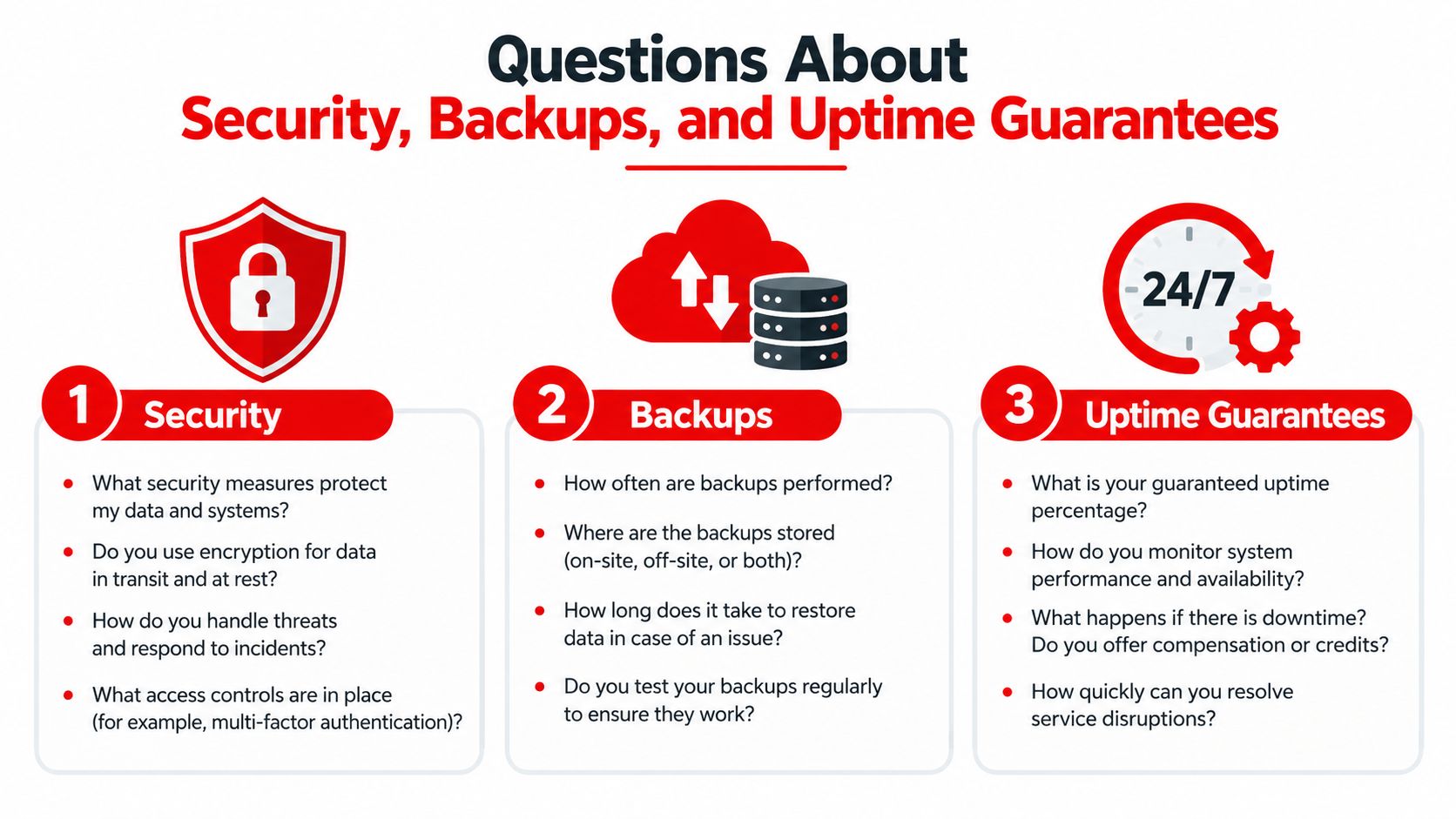
A vendor's statement that the platform is secure isn't a contract term. The agreement should specify cloud hosting, automatic backups, a documented uptime SLA, encrypted storage, role-based access controls, and third-party security certification such as SOC 2 Type II. These controls are specifically recommended in.
Backups need more detail than the word “automated.” The contract should identify backup frequency, retention, restoration procedures, testing practices, and the support path for recovering records. If the provider won't describe those controls, the shop can't properly assess the risk of losing estimates, customer notes, inspections, or payment-related information.
Availability affects the front desk
A short outage can interrupt more than a technician's screen. Service advisors may lose access to estimate approvals, customers may not receive updates, and the accounting team may delay invoicing. A contract without a documented uptime commitment leaves the shop dependent on goodwill when a disruption affects revenue or customer communication.
The SLA should define the uptime commitment, what counts as downtime, planned maintenance rules, notification procedures, service credits if offered, and escalation contacts. It should also clarify whether integrations have separate availability terms. A shop may have access to the main application while parts ordering or payment processing remains unavailable.
Access controls protect customer information
Repair shops handle personally identifiable information and payment workflows. Every employee shouldn't have unrestricted access to customer records, pricing controls, refunds, or administrative settings.
Role-based permissions let the owner separate technician, advisor, cashier, and manager access. The agreement should also address account deactivation, administrator control, audit logs, incident notification, and the vendor's responsibility when a security event occurs.
A security feature matters only when the contract describes who maintains it and what happens when it fails.
Questions About Integrations and Workflow Fit
8. Does the platform connect the complete job from intake to payment?
A feature list can make a platform look powerful while hiding broken handoffs. The meaningful test is whether information moves cleanly through the jobs that happen every day:
- A customer contacts the shop.
- The team schedules the vehicle and records the concern.
- The technician completes an inspection with findings and media.
- The advisor builds and sends an estimate.
- The customer approves the work.
- Parts arrive through the selected supplier connection.
- The team tracks the repair through completion.
- The shop invoices, collects payment, and records the vehicle history.
If staff must copy information between screens, re-enter parts, manually update job status, or reconcile payment records later, the shop has purchased separate features rather than one connected workflow.
9. Will the team actually use the system?
Adoption should be tested with the people who will operate the platform, not only the owner or vendor representative. A technician may reject an inspection workflow that takes too many steps. A service advisor may avoid an estimate tool that makes customer approvals awkward. A manager may distrust reports that don't match the shop's operating definitions.
Recent software buyer guidance argues that the important question isn't whether a platform has a feature. It's whether the feature connects end to end and whether the team will adopt it. The same guidance warns that texting, payments, modules, and multi-location controls may cost extra, as described in this overview of.
The vendor should demonstrate the shop's actual workflow with realistic examples. The review should include a digital inspection with photo and video attachments, estimate approval, parts ordering across suppliers, invoicing, payment, reporting, and job-board movement. Staff should be allowed to challenge the process instead of watching a rehearsed presentation.
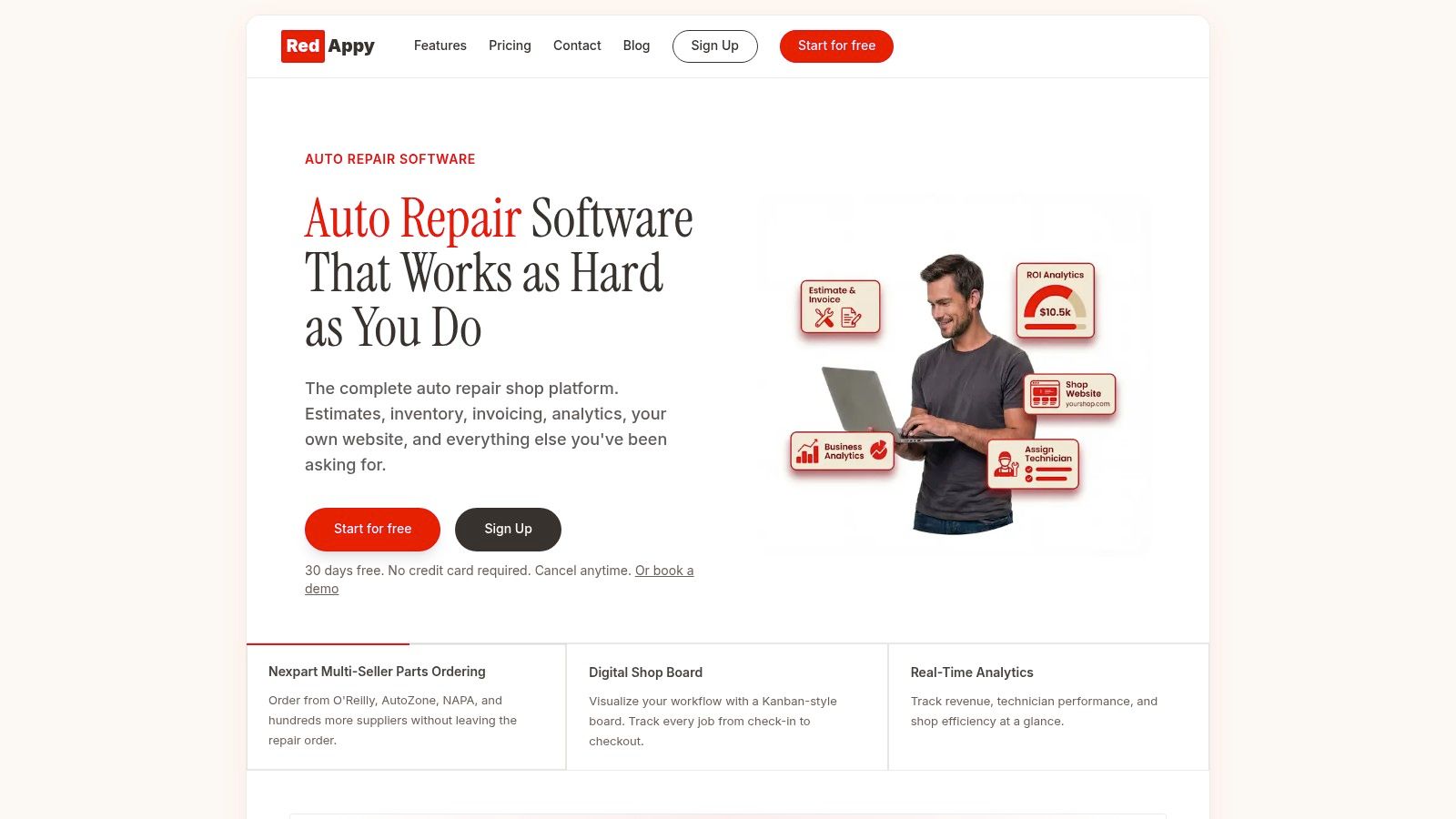
A platform with digital inspections, one-click invoicing, online payments, supplier-connected parts ordering, analytics, and a visual job board shows what connected operation can look like. RedAppy is one example of that all-in-one approach, with a Kanban-style Digital Shop Board that tracks work from check-in through checkout. The relevant question remains whether the workflow fits the shop and whether the contract includes the required capabilities.
Before signing, staff should complete a hands-on workflow test. If the system saves time for one role but creates extra work for three others, the contract isn't solving the shop's operational problem.
Renewal Traps, Exit Rights, and Your Final Checklist
10. When can the shop cancel, and what happens at renewal?
Cancellation language deserves the same attention as pricing. Shop software agreements often use annual terms with a fixed cancellation window. One industry guide identifies 60 days' notice as a common requirement, while software-contract guidance describes 30-, 60-, and 90-day notice periods as typical. Some enterprise agreements require 180 days' notice, according to this.
The contract should answer four questions:
- Renewal date: On what exact date does the current term end?
- Notice deadline: How many days before that date must written notice arrive?
- Notice method: Must cancellation go by email, certified mail, an online portal, or a named contact?
- Renewal effect: Does the agreement renew automatically, and for how long?
Missing a 60-day cancellation window can lock a shop into another full year of service under the contract terms described in industry guidance. “Termination for convenience” doesn't solve the problem unless the clause states the deadline, fees, refund treatment, and data-access period.
The final contract review
Before signing, the owner or manager should mark each answer in the agreement itself. A sales proposal, demo note, or verbal assurance shouldn't replace contract language.
- Data scope: Which customers, vehicles, repair orders, attachments, and history transfer?
- Historical access: Which records are editable, read-only, searchable, or excluded?
- Export rights: What file format and field coverage does the shop receive after departure?
- Full cost: What do migration, onboarding, training, users, locations, payments, texting, and modules cost?
- Add-on rules: Which features can create new charges, and how can those prices change?
- Term choice: Is the flexibility of a shorter agreement worth the additional cost?
- Security controls: Are backups, encryption, permissions, certification, and incident procedures documented?
- Uptime support: Does the SLA define availability, maintenance, escalation, and recovery?
- Workflow fit: Do estimates, inspections, parts, payments, reporting, and scheduling connect properly?
- Exit timing: What notice, method, fee, and renewal language applies?
A shop shouldn't sign until the vendor answers every item clearly. The right platform can improve control, but the wrong contract can turn a useful system into a costly operational trap.
Before any signature, shop owners can review RedAppy's features against this checklist and ask the team for written answers on migration, included tools, support, pricing, and exit terms. The comparison should be based on the complete operating cost and the shop's ability to leave with its data, not on the demo screen or the starting subscription alone.
RedAppy brings digital inspections, estimates, invoicing, online payments, parts ordering, analytics, and job tracking into one shop management workflow. Visit RedAppy to evaluate the platform with these ten contract questions in hand before committing to a system.
Ready to Transform Your Shop?
RedAppy helps auto repair shops create professional digital estimates with photos and videos, send them instantly via text or email, and get customer approvals in seconds. No credit card required to start.