
Vehicle Inspection Checklist Template: Boost Revenue 2026
The shop is busy, the phones keep ringing, and a technician drops off a paper inspection sheet with grease on the corners and half the notes hard to read. The advisor tries to turn that sheet into a customer conversation, but the details are thin, there are no photos, and the customer hears a list of recommendations that sounds more like a sales pitch than proof. That scene plays out every day in independent shops.
A vehicle inspection checklist template fixes more than documentation. Used properly, it becomes the system that ties together technician consistency, advisor communication, customer trust, and approved work. The shops that treat inspections as a formality usually miss work that should've been found, explained, and sold. The shops that build a structured process around inspections usually run cleaner lanes and produce stronger repair orders.
Table of Contents
- Beyond the Clipboard Why Your Shop Needs a Smarter Inspection Process
- The Anatomy of a High-Performing Inspection Checklist
- From Paper to Pixels Creating Your Digital Template
- Implementing Your New Checklist for Maximum Impact
- Advanced Strategies and Customization
- Turn Inspections into Your Biggest Revenue Driver
Beyond the Clipboard Why Your Shop Needs a Smarter Inspection Process
Monday morning at the front counter, a customer approves the oil change and declines everything else because the advisor has nothing solid to show. The technician wrote "front brakes low" on paper, skipped the measurements, and forgot to note the inner pad wear. By the time the advisor tracks him down, the car is already off the rack and the customer has lost confidence.
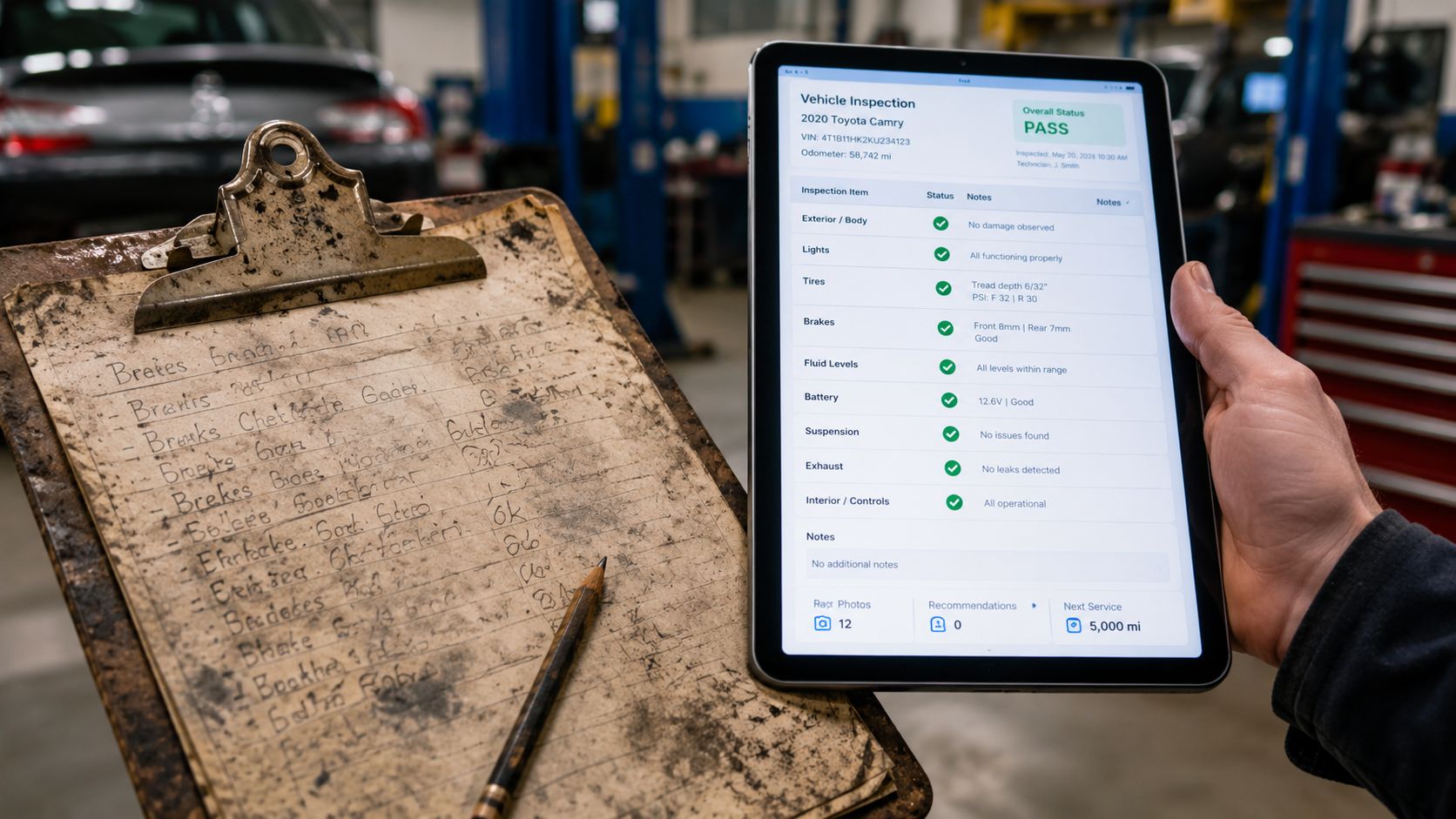
That is how weak inspection processes cost shops money. Not through one obvious mistake, but through missed details, slow handoffs, and recommendations that never make it into a form the customer can understand.
I have seen this pattern in independent shops, multi-location operations, and dealer service lanes. The paper form is rarely the only problem. The core issue is that the inspection never becomes a reliable workflow. One technician writes clear notes. Another circles boxes. An advisor sells off memory. A manager has no fast way to confirm whether the car was inspected thoroughly or just moved through the bay.
The hidden cost of informal inspections
Informal inspections create friction at every step. Advisors chase technicians for missing notes. Service managers answer avoidable questions. Customers ask for photos, measurements, or context that should have been attached the first time.
That delay kills approvals.
A clipboard can record that a problem exists. It does a poor job showing urgency, building trust, or carrying findings cleanly from the technician to the estimate and then to the customer.
Practical rule: If the inspection can't be read, shared, and defended in under a minute, it isn't helping the sale.
Paper also makes follow-up weaker. A seep noted six months ago may never get revisited because the old form is hard to find or too vague to use. The shop loses a second chance to sell needed work, and the customer hears a fresh recommendation with no visible history behind it.
What a better process changes
A smarter inspection process gives the shop repeatability first, then sales benefits. Every vehicle gets checked the same way. Every finding has a place. Every recommendation can be supported with measurements, photos, and notes that survive past the current visit.
That changes the customer conversation. The advisor is no longer asking the customer to trust a generic recommendation. The advisor is showing documented condition, explaining what needs attention now, and separating that from work that can wait.
This is the part free templates usually miss. A vehicle inspection checklist template should do more than organize the technician's routine. It should help the shop produce clearer estimates, recover deferred work, and turn inspection results into approved jobs without adding extra admin time.
Shops that make this shift usually see the same operational result first. Fewer dropped findings, fewer interruptions between bay and counter, and fewer vague recommendations that die at the estimate screen. The revenue lift comes after that, because customers approve work more often when the inspection is consistent and the evidence is easy to understand.
The Anatomy of a High-Performing Inspection Checklist
A strong checklist isn't just a longer list. It has a sequence that reduces missed items and gives technicians a repeatable flow. The best templates guide the technician from intake to road test in the same order every time.
Start with order, not length
The first block should cover identity and documentation. That means VIN, plate, odometer, and any service history or customer concern tied to the visit. If that information is incomplete, the rest of the inspection gets weaker because findings won't connect cleanly to the right vehicle and prior recommendations.
The next block should force a 360-degree walk-around. Exterior damage, tire condition, light operation, glass, wipers, and visible leaks should all sit in that part of the template. The inspection shouldn't say "tires checked." It should require measured tread depth and tire pressure status.
A checklist that asks for measurements produces better decisions than one that only asks for pass or fail.
A standard vehicle inspection checklist must verify at least eight key safety areas: exterior condition, tire tread depth and pressure, braking system responsiveness, light and signal functionality, fluid levels, steering and suspension, seatbelt integrity, and vehicle documentation validity, according to.
Core Components of a Vehicle Inspection Template
| Category | Key Inspection Points |
|---|---|
| Vehicle intake | VIN, plate, odometer, customer concern, documentation validity |
| Exterior walk-around | Body damage, glass, wipers, mirrors, leaks, light and signal function |
| Tires and wheels | Tread depth, pressure, sidewall condition, wheel condition |
| Braking | Brake responsiveness, visible wear indicators, pedal feel, warning signs |
| Under the hood | Oil, coolant, brake fluid, belts, hoses, battery condition |
| Steering and suspension | Play, noise, uneven wear clues, ride-control concerns |
| Safety equipment | Seatbelt integrity, warning lights, basic cabin safety items |
| Road test | Braking feel, steering behavior, noises, drivability concerns |
What strong templates force technicians to verify
The best templates don't leave key items open to interpretation. They force a standard. That means measured tread depth, defined status colors, and a place for technician notes when the condition is borderline or likely to become sellable at the next visit.
A useful structure often includes:
- Green items for systems that passed and need no action.
- Yellow items for maintenance planning, wear trends, or issues the customer should monitor.
- Red items for safety or reliability concerns that need immediate attention.
- Photo prompts where visual proof matters, such as tire wear, leaks, cracked bushings, or brake concerns.
- Repair verification fields so the shop can confirm whether previously noted defects were addressed.
Shops don't need a bloated form. They need one that matches how a technician physically moves around the car and how an advisor sells from the result.
From Paper to Pixels Creating Your Digital Template
Most paper inspection forms break at the exact point where the shop needs them most. They don't travel cleanly from technician to advisor to customer. That's why digital inspection isn't a cosmetic upgrade. It's an operational one.
What paper gets wrong
Paper slows everything down because it separates the finding from the proof. A technician marks a concern. Then someone else has to interpret it, explain it, and often go back to the bay for clarification. That delay costs time and weakens the recommendation.
Digital inspection closes that gap by letting the technician attach evidence at the source. A photo of a leaking strut or worn tire shoulder does more work than a handwritten note ever will.
Integrating photo-rich attachments and a defect history verification step into the checklist workflow can lead to a 30% increase in approval rates for additional work and a 90% first-year ROI for shops using digital inspection systems, according to.
What to build into the digital version
A digital vehicle inspection checklist template should include more than checkboxes. It should help the shop sell clearly and document cleanly.
The most useful features are:
- Photos and video attachments so the customer sees the exact condition.
- Color-coded statuses that make the report easy to scan.
- Technician notes tied to each item instead of one comment block at the bottom.
- Required fields for measurements such as tread depth and fluid condition notes.
- Defect history checks so recurring issues don't disappear between visits.
- Digital signatures and shareable reports for faster customer response.
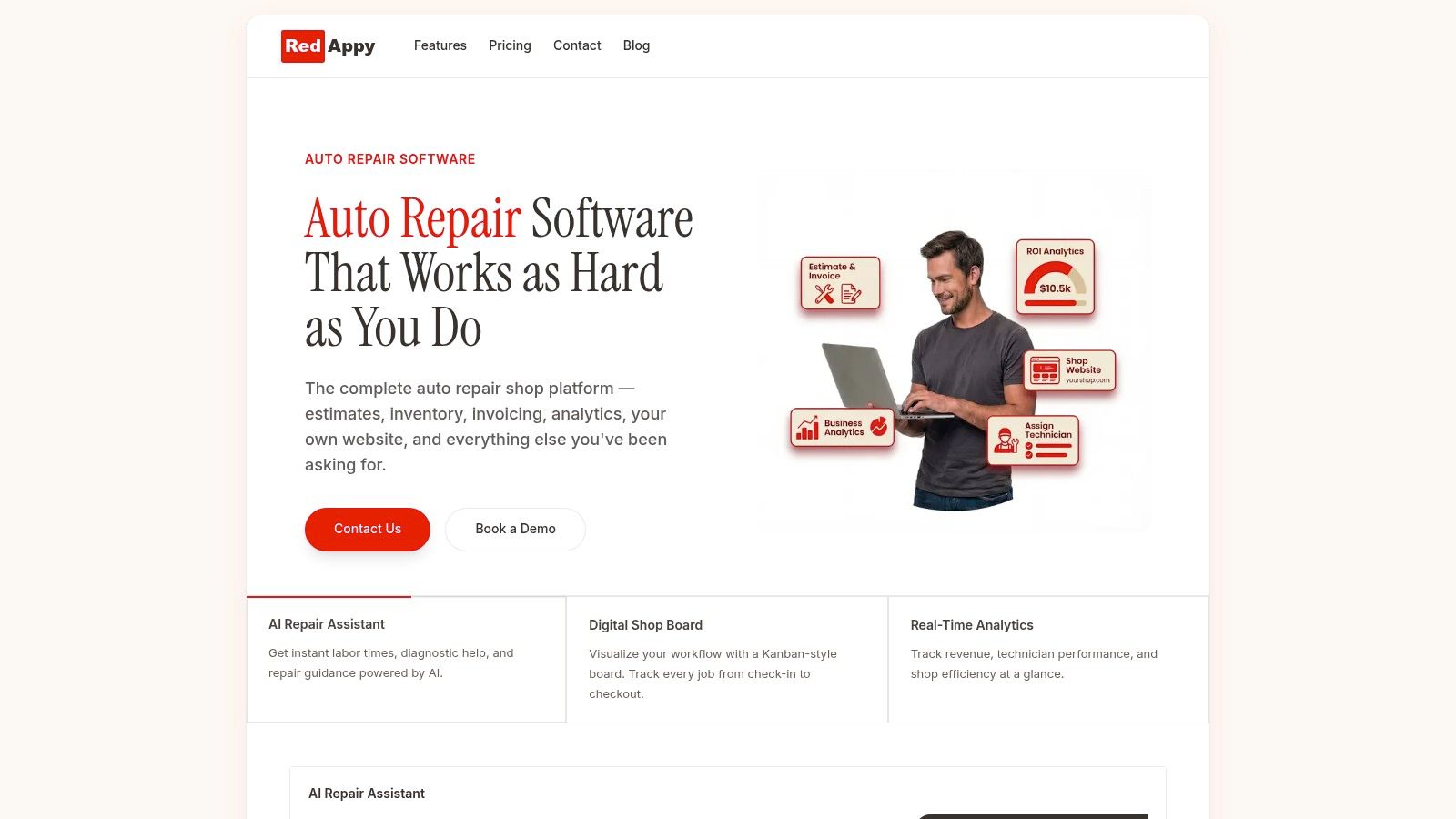
Some shop management systems also connect the inspection to estimating, invoicing, parts, and customer history. That's where the process becomes a workflow instead of a standalone form. RedAppy features show one example of this approach, including digital inspections, vehicle history, and connected shop workflow tools.
The digital checklist should be built for the bay first, not the front counter. If technicians can't complete it quickly at the vehicle, adoption drops.
Another practical point matters here. Don't digitize a bad paper form line for line. Rebuild it. Remove duplicate questions, add photo prompts where customers need proof, and make sure each item supports a technician action or an advisor conversation.
Implementing Your New Checklist for Maximum Impact
A good template still fails if the shop rolls it out badly. The most common mistake is handing technicians a tablet and assuming the process will sort itself out. It won't. The shop has to define how inspections start, how they get reviewed, and how customers receive them.
Rollout that technicians will actually follow
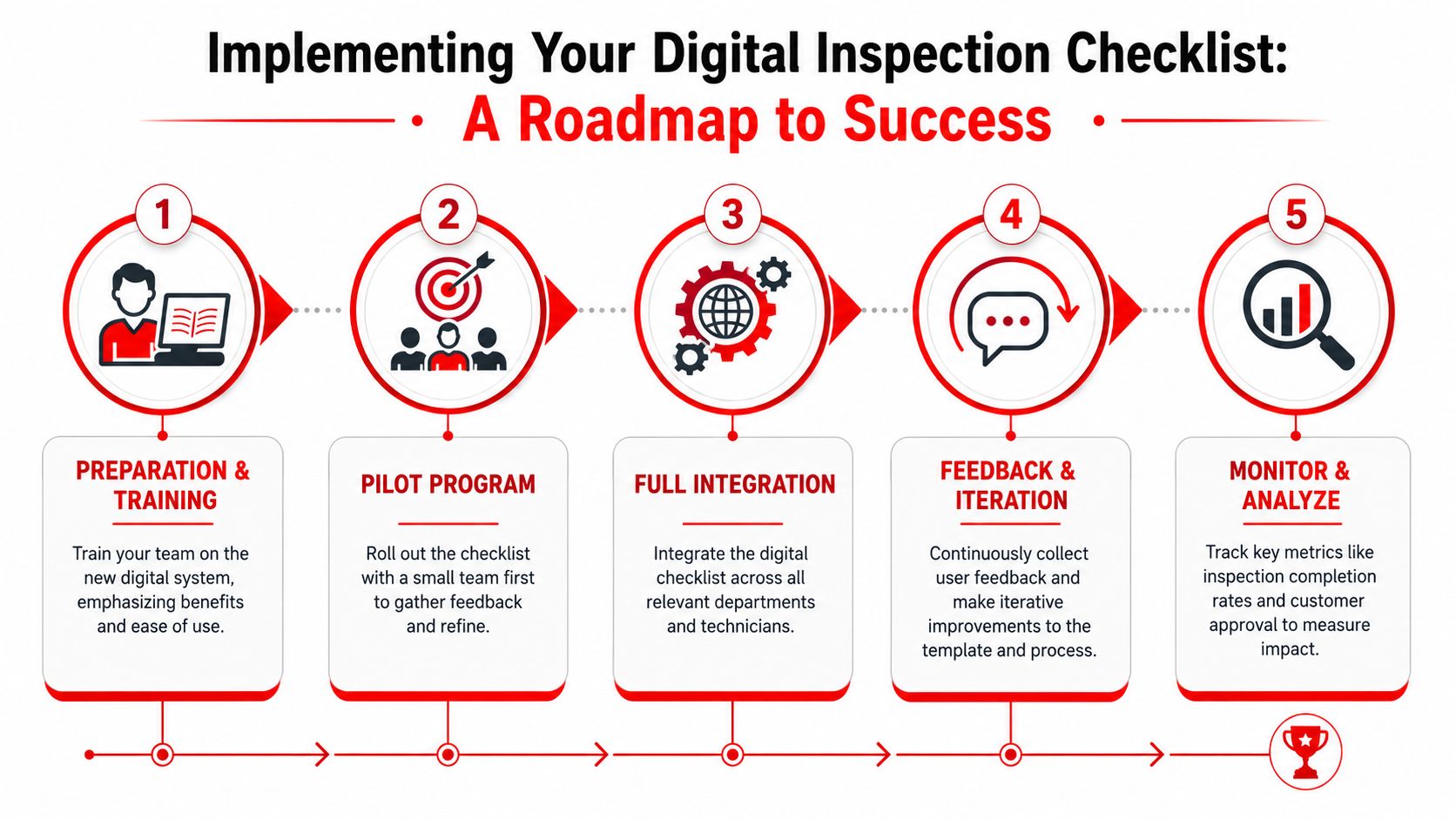
The cleanest implementation usually starts with a pilot group. A small team uses the new checklist on live jobs, management watches where it stalls, and the template gets adjusted before shop-wide rollout. That catches practical problems like missing fields, confusing category names, or too many required photos on low-risk items.
A workable rollout looks like this:
- Train on workflow, not software alone. Show technicians where the inspection starts, when photos are required, and how statuses should be assigned.
- Use a limited pilot first. A controlled test gives the shop real feedback before full adoption.
- Set advisor expectations early. Advisors need a standard script and a standard review process for every completed inspection.
- Audit completion quality. Managers should check whether technicians are measuring, documenting, and attaching useful evidence.
- Refine the template quickly. If a field is ignored every day, the problem is usually the form design, not only the user.
Turn findings into approvals without sounding pushy
The advisor's role isn't to "sell the inspection." The inspection should already do that. The advisor's job is to organize the findings into immediate needs, near-term recommendations, and watch items.
Benchmarks indicate that checklists using digital signatures and instant recommendation generation achieve a 45% faster customer approval cycle than paper-based forms, according to.
That speed matters because delayed approvals hold up bays, tie up lifts, and create phone tag between the counter and the customer.
Customers usually approve faster when the report answers three questions clearly: what was found, why it matters, and what should be done now.
A clean implementation also means reports go out the same way every time, usually by text or email, with photos, statuses, and clear recommendations. Consistency is what turns the inspection from an internal worksheet into a customer-facing trust tool.
Advanced Strategies and Customization
Shops get more value from inspections when the template matches the job in front of the technician. A quick maintenance visit, a used-car evaluation, a drivability complaint, and a fleet unit with compliance requirements should not run through the same form.
That one-size-fits-all approach looks efficient on paper. In the bay, it creates wasted taps, skipped fields, and reports that bury the items customers are most likely to approve.
One checklist is rarely enough
High-performing shops usually build a template set, not a single master form. They keep a shared core for safety and wear items, then add job-specific sections based on visit type. That keeps the inspection tight enough to complete properly and detailed enough to support the estimate.
Useful variants often include:
- Courtesy inspection templates built for speed and consistency on everyday visits
- Pre-purchase templates with added space for cosmetic findings, road test notes, and visible risk items
- Diagnostic templates centered on symptoms, test steps, results, and affected systems
- Fleet service templates focused on repeatable documentation, defect confirmation, and service history patterns
This also gives managers a cleaner way to review performance. If technicians are forced through one oversized checklist for every car, strong notes and usable evidence get buried under fields that do not matter for that visit.
Static templates miss revenue opportunities
Most free templates are static. They record what happened on one visit, but they do little to guide the next decision. That is the gap shops should care about.
points to the same broader issue. Basic forms rarely account for customer history, prior declined work, repeat advisories, or related system prompts that help the technician inspect with context.
That does not mean every shop needs advanced automation on day one. It means the shop should stop treating the checklist as a dead document.
The better move is to turn the template into an operating tool. If a vehicle declined brakes two visits ago, the next inspection should surface that history. If a battery tested weak last month, the checklist should prompt a retest. If a fleet unit comes in with repeated tire wear, the form should cue alignment and suspension checks without relying on memory.
That is where customization starts paying for itself. The template stops being a record of labor already spent and starts helping the shop produce better recommendations, faster estimates, and more approved work.
Turn Inspections into Your Biggest Revenue Driver
A vehicle inspection checklist template shouldn't sit in the business as a compliance form or a courtesy add-on. It should operate as one of the shop's main profit systems. Done well, it standardizes technician behavior, improves advisor communication, and gives customers proof they can understand quickly.
The shift is simple. Stop treating the inspection as paperwork attached to the repair order. Treat it as the engine that generates the repair order. When the process is structured, visual, and easy to approve, the shop doesn't have to lean on pressure or vague recommendations.
Shops that stay on paper usually keep paying for the same problems. Missing notes. Slower approvals. Inconsistent inspections. Weak follow-up on prior concerns. Shops that move to a modern digital workflow usually gain a cleaner handoff from bay to counter and a stronger path from finding to authorized work.
The template matters. The workflow matters more.
If the goal is to turn inspections into a more consistent source of approved work and less wasted admin time, contact RedAppy to review the workflow in a real shop context.
Ready to Transform Your Shop?
RedAppy helps auto repair shops create professional digital estimates with photos and videos, send them instantly via text or email, and get customer approvals in seconds. No credit card required to start.