
Work Order Tracking System: The Auto Shop Owner's Guide
The shop looks full. Cars are lined up. Technicians are moving. Phones keep ringing. Service advisors are answering the same question over and over: “Has my car been started yet?”
That kind of day feels productive because everyone is busy. Often, it isn't. Paper work orders get buried under parts invoices. A whiteboard shows half the truth. One advisor promises a pickup time based on memory, another interrupts a technician for a status update, and the front counter becomes a traffic controller instead of a sales desk.
A work order tracking system changes that pattern. It gives the shop one live place to see what's waiting, what's in progress, what's blocked, and what's ready to close. In a major facility-management survey, tracking work order status was the single most time-consuming task for more than 44% of respondents, which shows how much labor gets eaten up by manual visibility work in day-to-day operations.
Table of Contents
- Your Shop Is Busy Is It Productive
- What a Work Order Tracking System Really Is
- Core Features That Drive Shop Efficiency
- The Real-World Benefits for Your Auto Shop
- Key Performance Indicators to Track for Success
- Avoiding Common Implementation Pitfalls
- Your Action Plan for a More Productive Shop
Your Shop Is Busy Is It Productive
A crowded bay doesn't automatically mean the shop is running well. Many owners discover the actual bottleneck isn't wrench time. It's the time spent trying to find out what's happening.
The pattern is familiar. A vehicle is checked in, but the work order sits on a counter until someone hands it off. A technician finishes one line of work, but nobody marks it clearly. A customer calls, the advisor walks to the bay, the technician stops working, and a simple status question turns into a chain of interruptions. By the end of the day, everyone feels rushed, yet too many jobs still seem to drift.
That's why a work order tracking system matters. It doesn't just record repairs. It turns the repair process into a visible workflow that the whole shop can trust.
The hidden cost of status hunting
Manual status tracking creates two kinds of waste at once. The first is obvious. Advisors and managers spend time checking on work instead of moving jobs forward. The second is more damaging. Every interruption breaks technician focus.
Practical rule: If the front counter has to ask the bay what's happening all day, the shop doesn't have a workflow problem alone. It has a visibility problem.
A good system replaces verbal updates and sticky notes with live status movement. The service advisor sees whether the vehicle is waiting for diagnosis, parts, approval, active repair, quality check, or pickup. The foreman sees which jobs are stalled. The owner sees whether the day is filling with profitable work or low-value confusion.
What productive looks like
A productive shop feels calmer than a chaotic one. That surprises some owners.
In a healthy setup:
- Advisors answer faster: They can check status on screen instead of chasing technicians.
- Technicians stay in the bay: Fewer interruptions mean more consistent repair flow.
- Managers spot delays earlier: A blocked job is visible before it turns into an angry phone call.
- Customers get clearer updates: That lowers friction at the counter and builds trust.
The point isn't to make the shop quieter for the sake of it. The point is to make every repair move through a clear path from check-in to checkout.
What a Work Order Tracking System Really Is
Most shops start with some version of a board. It may be a whiteboard, a stack of paper repair orders, or a spreadsheet printed every morning. That board works until volume rises, one person is out sick, or jobs start changing status faster than anyone can erase and rewrite.
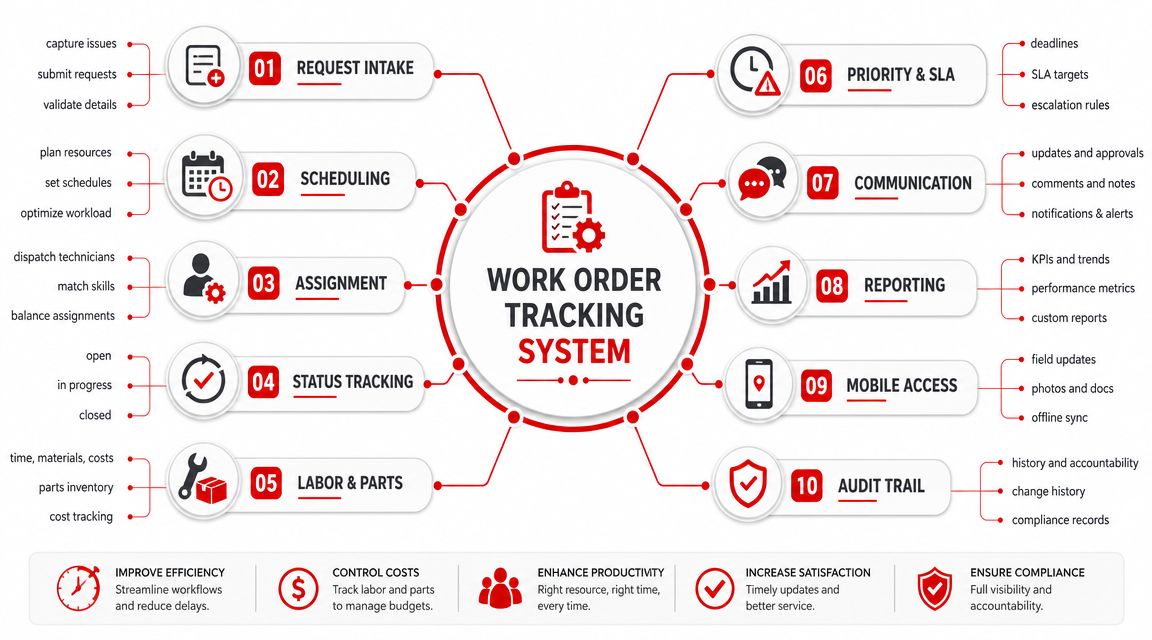
A work order tracking system is the digital version of that board, but it's far more useful because it updates with the work instead of lagging behind it.
More than a task list
A simple to-do app can tell the team that a brake job exists. It can't run the shop. An actual tracking system connects intake, diagnosis, estimate approval, parts, labor, inspection notes, invoicing, and closeout into one flow.
That's why the Kanban board analogy is useful. Each work order moves from one column to the next. Waiting. Diagnosing. Approval sent. Approved. In progress. Awaiting parts. Ready for pickup. Closed. Everyone sees the same board, but each role sees the details that matter to them.
The front desk cares about approvals and customer communication. The technician cares about assigned work, labor lines, notes, and inspection items. The manager cares about stalled jobs, scheduling conflicts, and output. One live board supports all three.
The work order is the operating record
The most effective systems don't treat a work order like a loose reminder. They treat it as a structured operational record. That means it captures scope, priority, labor, materials, and documentation in a format the team can use consistently, which lets supervisors monitor progress without constant manual check-ins, as described in.
That structure matters in an auto shop because every repair creates decisions downstream. If labor time is entered one way, parts another way, and inspections somewhere else, the shop ends up with disconnected data and fuzzy accountability.
The best shop board isn't the one with the prettiest layout. It's the one that makes every handoff clear.
One source of truth
A proper system becomes the place where the shop looks first. Not the filing tray. Not the advisor's memory. Not the tech who “probably knows where that job stands.”
A strong setup usually includes:
- A shared live board: Everyone can see where each vehicle sits in the workflow.
- Vehicle and customer history: Advisors can pull context before speaking to the customer.
- Embedded documentation: Photos, notes, approvals, and parts details stay attached to the same job.
- Mobile-friendly updating: Technicians can record progress at the point of work instead of later.
That's the shift from whiteboard chaos to digital control. The work order becomes the central operating object of the shop, not an afterthought created for paperwork.
Core Features That Drive Shop Efficiency
Software features only matter if they remove friction from real shop work. A long feature list looks impressive in a demo, but shops usually win or lose on a handful of daily actions. Can the team create work fast, move it visibly, document it properly, get approval without delay, and close it cleanly?
That's the standard to use when comparing systems.
Digital work order creation
The first step should be fast and consistent. If advisors have to enter the same information into multiple places, errors show up early.
A good setup captures the basics once and carries them through the job:
- Vehicle information
- Customer details
- Complaint or requested service
- Priority and promised timing
- Assigned advisor or technician
- Parts and labor placeholders
- Internal notes and customer-facing notes
This sounds simple, but it changes the pace of the day. The advisor isn't rebuilding the same repair order later. The technician isn't deciphering handwriting. The manager isn't trying to guess which jobs are waiting on approval.
A Kanban-style digital shop board
This is the feature many shops feel immediately. A live board turns the day into something visible.
Instead of asking, “What's going on with the Honda in bay three?” the team can see where the job is sitting. If multiple cars are piling up in “awaiting approval,” the service desk knows where the bottleneck is. If several jobs are stuck in “awaiting parts,” the parts process needs attention. If work lingers in “ready for pickup,” follow-up may be weak.
That's why the board matters more than a static list. A list stores jobs. A board exposes flow.
Digital inspections with photos and video
Tracking and sales start to work together at this point. The inspection isn't just a technical checklist. It becomes part of the approval engine.
When technicians attach photos, mark issues clearly, and send findings in a format customers can understand, service advisors don't have to rely on vague verbal explanations. The customer sees the condition. That usually makes the approval conversation cleaner and more credible.
Shops don't increase trust by talking more. They increase trust by showing the work clearly.
A digital inspection also protects the shop. It creates a visible record of what was found, what was recommended, and what was approved or declined.
Customer communication and approvals
Phone tag slows down everything. The vehicle is diagnosed, but the estimate sits because the customer is unavailable, the advisor is busy, or the details weren't presented clearly enough.
A modern system should support:
- Estimate delivery in a clear digital format
- Approval requests tied to the actual work order
- Status updates customers can understand
- A record of what was approved, declined, or deferred
This doesn't remove the advisor's role. It sharpens it. The advisor spends less time repeating details and more time guiding the customer to a decision.
Invoicing, payment, and closeout
A work order that can't close smoothly still creates friction at the finish line. The cleanest systems carry approved labor, parts, fees, notes, and recommendations directly into the invoice.
That reduces duplicate entry and billing mistakes. It also makes pickup smoother because the customer sees a professional record of what happened, not a rushed summary built after the fact.
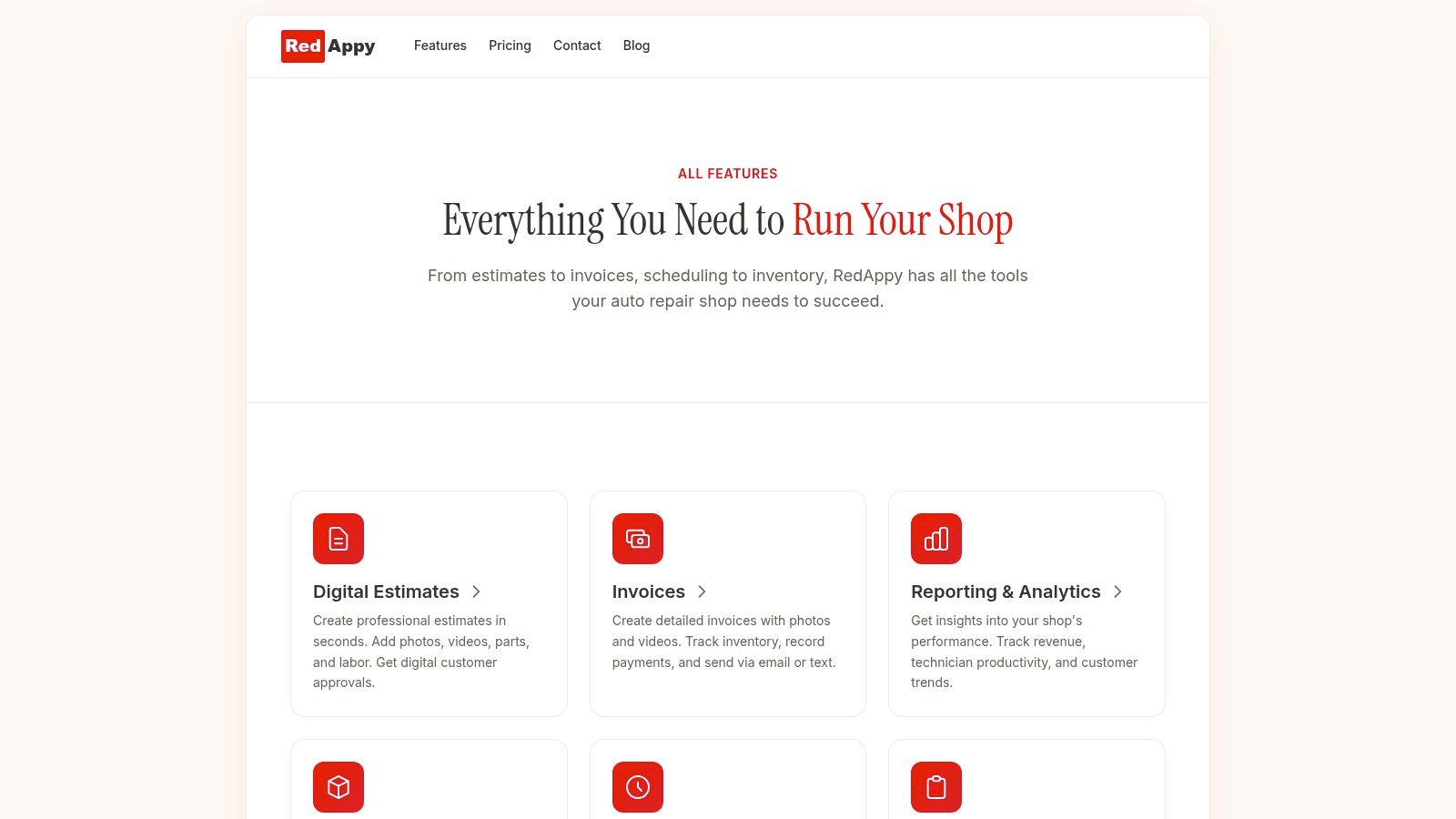
One option owners often review is RedAppy's feature set for auto repair workflow, which includes a digital shop board, inspections, estimates, invoicing, payments, analytics, and related shop-management functions in one platform.
The Real-World Benefits for Your Auto Shop
The biggest benefit of a work order tracking system isn't that the shop looks more organized. It's that the business starts acting with more control.
That shows up in profit, labor use, and customer confidence.
Fewer fires and better planning
Many shops live in reactive mode longer than they realize. The schedule gets filled by interruptions, comeback checks, delayed approvals, missing parts, and jobs that should have been prepared earlier.
A useful parallel comes from a dataset reported by Smart Church Solutions. In a sample of 842 churches, organizations averaged 635 work orders per year, or about 53 per month, while preventive maintenance averaged only 28 PM work orders per year, which is fewer than 3 preventive maintenance work orders per month. The setting is different, but the operational lesson carries over. Without clear tracking, reactive work tends to dominate planned work.
For an auto shop, that often means too much time is spent recovering the day instead of shaping it.
Better approvals and stronger repair orders
When the team documents findings well and moves estimates through a clean digital approval process, the repair order becomes easier to build and easier to defend. Customers are more likely to trust recommendations they can review clearly.
That can influence Average Repair Order in a practical way. Not because software performs magic, but because the shop presents work more clearly, follows up faster, and leaves fewer recommended items buried in technician notes.
Less administrative waste
A strong system removes a lot of low-value motion:
- Less duplicate entry: Advisors don't rewrite the same data at multiple stages.
- Less phone chasing: Status and approvals are easier to find and send.
- Less searching: Notes, photos, history, and parts details stay attached to the same job.
- Less end-of-day reconstruction: The day's activity is already recorded in the workflow.
That kind of cleanup matters because administrative drag usually hides in small moments. One missing note. One unclear handoff. One invoice rebuilt from memory. Those moments stack up.
More customer trust
Customers don't judge a shop only on whether the car gets fixed. They judge the experience around the repair. Was the diagnosis explained clearly? Were they updated without having to call twice? Did the final invoice match what they approved?
A work order tracking system helps answer yes to those questions because it creates transparency. The shop can show what was found, what was recommended, what was approved, and what was completed. That's what trust looks like in daily operations.
Key Performance Indicators to Track for Success
Many articles about shop software stop at broad promises like “better efficiency.” That isn't enough for an owner making a real buying decision. The practical question is simpler: which numbers prove the system is helping?
That gap is common. Guidance on work order tracking often fails to answer which KPIs prove value in the first 30–90 days, leaving managers without clear benchmarks to justify adoption, as noted in.
The KPIs that matter on the shop floor
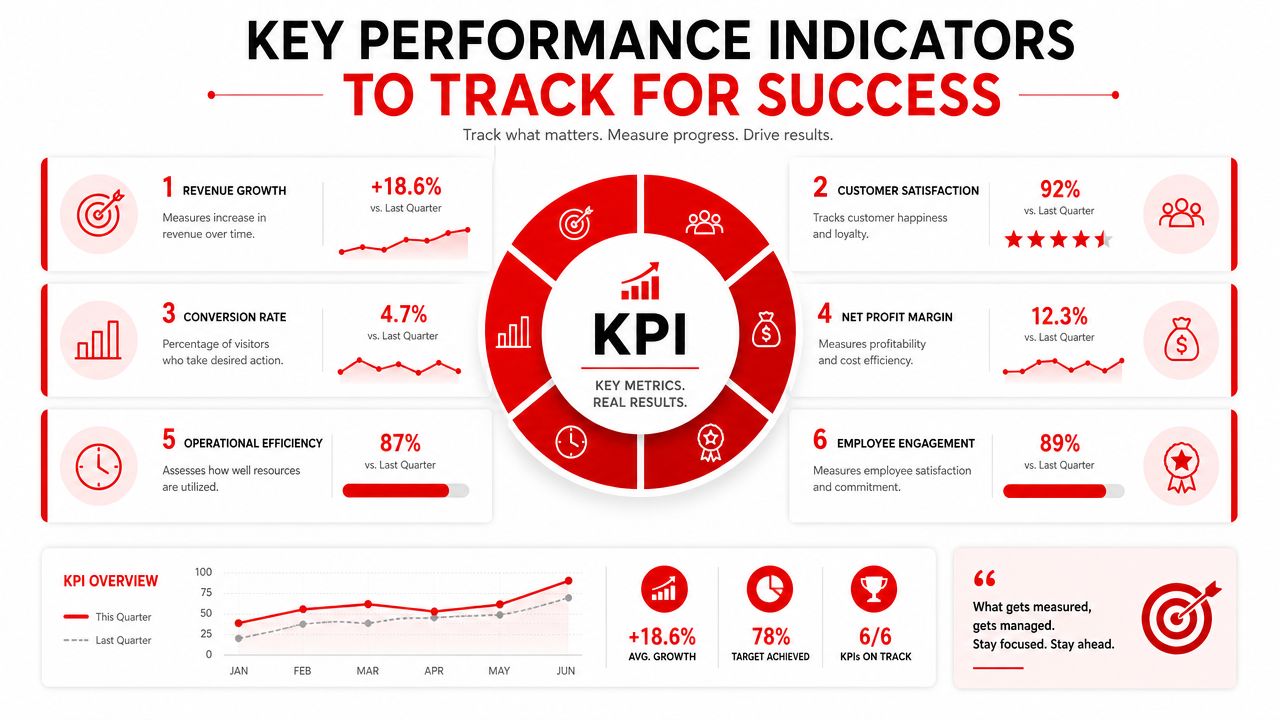
A work order tracking system should make these metrics easier to monitor because the underlying job data is already being captured during normal work.
| KPI | What it tells the shop | Why it matters |
|---|---|---|
| Technician efficiency | The gap between available labor and billed labor | Shows whether tech time is being turned into sold work |
| Average Repair Order | The average value of completed repair orders | Reveals how well the shop diagnoses, presents, and closes work |
| Parts gross profit | Margin performance on parts sold | Protects profit that often gets lost through inconsistency |
| Job cycle time | How long a vehicle stays in process from check-in to payment | Exposes delays in approvals, parts, dispatch, and closeout |
| Approval rate by estimate | How often recommended work gets accepted | Helps advisors refine presentation and follow-up |
| Rework and comeback patterns | Which jobs return and why | Protects schedule capacity and customer confidence |
What to watch first
Not every metric deserves equal attention in the first stage. Owners usually get the clearest signal by starting with a short scorecard.
A practical early scorecard often includes:
- Technician efficiency: Is the team spending more time on billed work and less on waiting?
- Average Repair Order: Are inspections and approvals leading to fuller, cleaner repair orders?
- Job cycle time: Are cars moving through the shop with fewer avoidable pauses?
- Approval rate: Are customers responding faster to documented findings?
If a shop can't see where time stalls, it can't improve flow with confidence.
A useful way to think about KPI tracking
Operations leaders in other fields face the same issue. They need a few performance indicators that connect activity to business results, not a dashboard full of noise. That's why it can help to look outside automotive for measurement discipline. Teams that want a plain-language example can review how other businesses and then apply the same thinking to repair operations: choose a small set of metrics, define them clearly, and review them consistently.
The software alone doesn't improve the KPI. The system makes the workflow measurable. That's what gives the owner a basis for coaching advisors, balancing load, and cleaning up process weak points.
Avoiding Common Implementation Pitfalls
A new work order tracking system can clean up a shop fast. It can also create frustration if the rollout is sloppy. Most failures don't happen because the software can't work. They happen because the team enters the change without clear rules.
The resistant technician
One common scenario starts in the bay. A technician says the tablet slows things down, notes can wait until later, and the old paper method worked fine. Within days, some jobs are updated properly and others are half-recorded. The board stops reflecting reality.
The fix isn't a lecture about technology. The fix is to make the system part of the actual repair flow. Keep the update steps short, require them at natural handoff points, and train around real jobs rather than abstract menus.
A technician is more likely to adopt the process when it helps with assigned work, inspections, history, and parts visibility instead of feeling like office paperwork.
The overcomplicated setup
Another shop chooses a platform with too many modules turned on at once. The team faces custom fields, edge-case workflows, and screens they don't need. The front counter starts creating workarounds by day two.
That usually means the shop bought software before defining process.
A better rollout starts with the core path:
- Check in the vehicle.
- Build the work order.
- Assign it visibly.
- Record findings.
- Send approval.
- Complete work.
- Invoice and close.
Add complexity later if it solves a real problem.
Simplicity at launch beats sophistication that nobody uses.
The messy start
Data migration can create quiet damage. Customer records are inconsistent, vehicle history is incomplete, and labor items don't match the way the shop writes tickets. The team loses confidence because the new system looks unreliable.
The safer approach is to clean critical records first. Start with active customers, common services, technician access, and current workflow stages. Historical cleanup can continue after launch if needed, but the live operation must be dependable from day one.
The day-one fumble
Some owners assume training means sending a login and letting the team click around. That almost always creates a rough first week.
Good training is role-based. Advisors should practice estimate creation, approvals, and invoicing. Technicians should practice inspections, status updates, and notes. Managers should practice board review, scheduling decisions, and report reading.
The goal isn't to teach every menu. It's to make the first week feel controlled enough that nobody wants to go back to the whiteboard.
Your Action Plan for a More Productive Shop
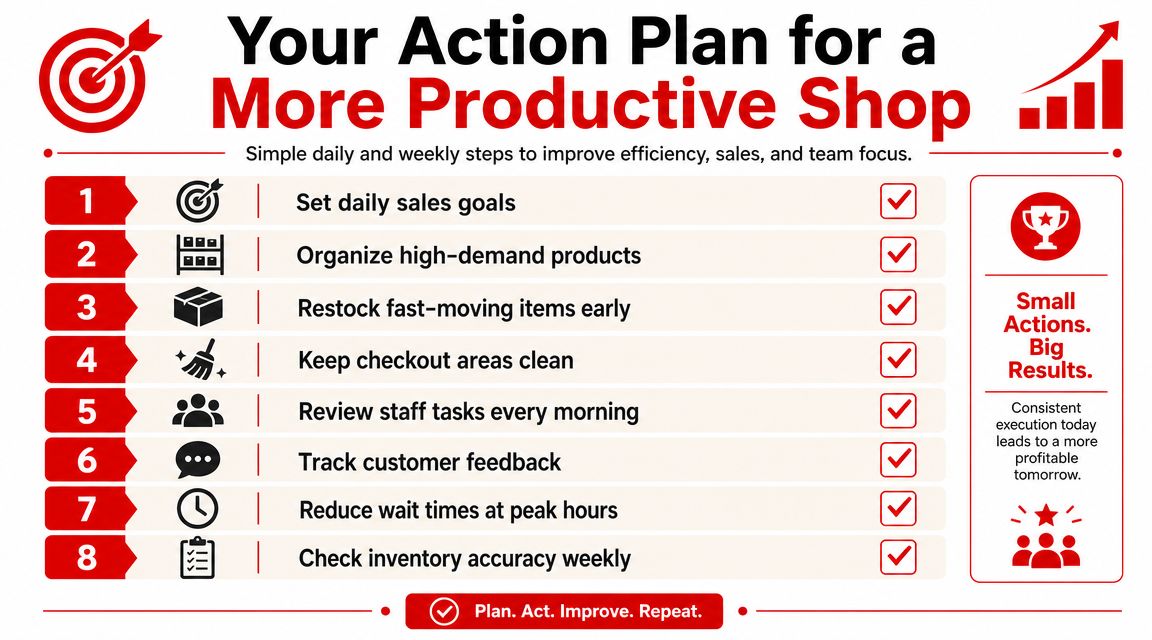
Choosing a work order tracking system is a business decision before it's a software decision. The shop needs a clearer workflow, tighter communication, better visibility, and cleaner closeout. The platform should support that. It shouldn't define it by accident.
For owners who want a broader view of workflow design, this guide to is a useful companion because it shows how teams can remove repetitive work without losing control of the customer experience.
The shortlist that keeps buying decisions grounded
A disciplined buying process usually comes down to a few practical questions:
- Does it match the shop flow: Can the system handle check-in, inspection, approvals, parts, invoicing, and payment without awkward handoffs?
- Can the team see status instantly: A digital shop board should show where every job stands without extra detective work.
- Will technicians use it: Mobile updates need to be fast enough for the bay, not built only for the office.
- Does it support management visibility: Owners need reporting that helps them coach and adjust, not just archive old jobs.
- Is onboarding realistic: The team should be able to launch in stages without stopping the shop.
Work Order System Implementation Checklist
| Phase | Action Item | Why It Matters |
|---|---|---|
| Define workflow | List the actual stages from check-in to checkout | Prevents buying software that fights the shop's process |
| Set priorities | Decide which problems matter most first | Keeps rollout focused on visible operational wins |
| Review team roles | Map what advisors, technicians, and managers each need | Avoids clutter and confusion during setup |
| Clean core data | Prepare active customer, vehicle, and service information | Reduces errors and mistrust at launch |
| Build the board | Create workflow columns the whole shop understands | Gives everyone a shared view of work in motion |
| Train by role | Practice real tasks with the people who do them | Improves adoption faster than generic demos |
| Launch in phases | Start with core work orders before advanced extras | Lowers disruption and makes problems easier to fix |
| Review weekly | Check flow, user habits, and reporting after launch | Turns rollout into a managed improvement process |
What a strong launch looks like
A strong launch is usually plain and disciplined. The shop chooses a few workflow stages that match real operations. Advisors create jobs the same way every time. Technicians update status at clear moments. Managers review the board daily and correct drift early.
That's enough to create momentum.
A work order tracking system pays off when the whole shop trusts it as the place where work moves, not just where records end up.
The final step is simple. Ask for a demo that follows the shop's actual repair flow, not a generic tour. If the vendor can't show how the vehicle moves from intake to approval to invoice in a way the team would really use, the software probably won't stick.
If the shop is ready to replace paper, whiteboards, and status chasing with a cleaner digital workflow, the next step is to contact RedAppy and walk through the shop's actual process with a real team member.
Ready to Transform Your Shop?
RedAppy helps auto repair shops create professional digital estimates with photos and videos, send them instantly via text or email, and get customer approvals in seconds. No credit card required to start.