
Auto Repair Shop Scheduling That Actually Works
The service desk is already behind before the first vehicle reaches a bay. A customer wants an earlier appointment, a technician is waiting on parts, and the schedule says a diagnostic will be finished before anyone has confirmed what the fault is. That's not just a busy calendar. It's a capacity problem.
Effective auto repair shop scheduling connects customer requests to the people, bays, parts, and equipment needed to complete the work. When the calendar, repair orders, and live shop-floor status stay in sync, managers can make realistic promises and adjust when the day changes.
Table of Contents
- The Monday Morning Most Shops Still Live Through
- What Poor Scheduling Costs a Shop
- Designing the Front-Door Appointment Flow
- Matching Bays and Technicians to Real Work
- Running the Day on a Digital Shop Board
- Cutting No-Shows With Confirmations, Not Overbooking
- Putting It All Together With RedAppy
The Monday Morning Most Shops Still Live Through
Monday starts with a whiteboard that's been erased and rewritten so many times that yesterday's notes still show through. Three vehicles are waiting for parts that didn't arrive, a technician is finishing a diagnostic that has already run long, and a walk-in is asking whether the shop can take a look today.
The appointment calendar says the bays are full. On the floor, one technician has no ready-to-work job, another is tied up on a repair that needs approval, and the service advisor is trying to remember which customer needs a call first. The customer waiting in the lobby wants an update on the wrong vehicle because the status never made it from the technician to the front desk.

This kind of morning doesn't necessarily mean the shop needs more appointments. It means the schedule isn't showing the constraints that determine whether the work can move: technician skills, bay availability, parts readiness, job duration, and customer authorization.
That gap is common. A State of the Market report found that just 47% of independent repair shops used online appointment and scheduling systems, while the rest relied on phone calls, paper records, or informal manual processes, according to.
A better schedule gives the team one shared view of what's promised and what's ready. It captures the appointment, shows the job's stage, and makes it clear when a delay needs a decision. The payoff isn't a calendar with no empty spaces. It's fewer avoidable collisions, less time spent hunting for updates, and more realistic customer commitments.
What Poor Scheduling Costs a Shop
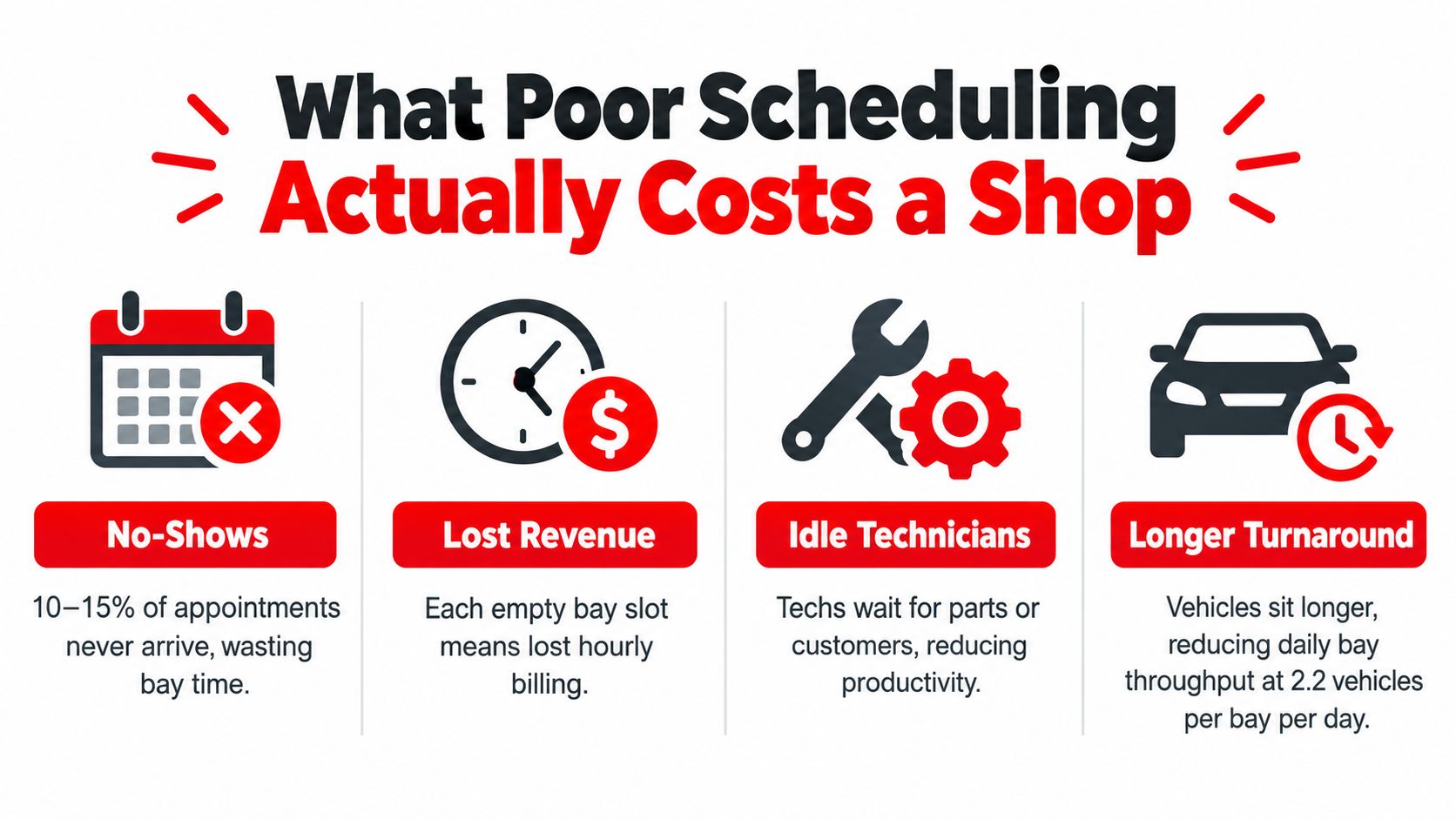
A no-show leaves more than an empty slot on the calendar. It leaves a bay idle, a technician standing between jobs, and a customer whose promised time just slipped. The dollar figure depends on the shop's average ticket and how full the floor runs, but the capacity loss shows up every single day whether anyone measures it or not.
The per-bay math cited earlier puts it in concrete terms. Under the stated assumptions on vehicles per bay, working days per month, and typical no-show rates, the missed revenue works out to roughly $1,420 per bay each month, or about $17,000 per bay per year. That money does not come back once the slot passes. A cancellation flagged two hours ahead can sometimes be refilled with waiting work. A customer who never arrives cannot.
Demand and capacity are different problems
A long booking horizon can mean healthy demand. It can also mean something is stuck. An industry report citing CRASH Network surveys said 85% of repair shops were scheduling new work at least two weeks into the future, a finding described in.
A shop booked three weeks out might be buried in demand. It might just as easily have two technicians covering five bays, parts arriving late, or diagnostic jobs parked on lifts while authorizations sit unanswered. The wait time alone will not tell you which one it is.
Start with a baseline: Track the no-show rate, the time from customer request to scheduled slot, and vehicles processed per bay per day. Those three numbers separate an attendance problem from a capacity problem, and the fix for each is different.
Designing the Front-Door Appointment Flow
The appointment process starts before anyone assigns a technician. Each channel needs a consistent intake routine, but the shop shouldn't treat every request as a confirmed slot. A call, website request, walk-in, and roadside problem can require different commitments.
Give each booking channel a clear lane
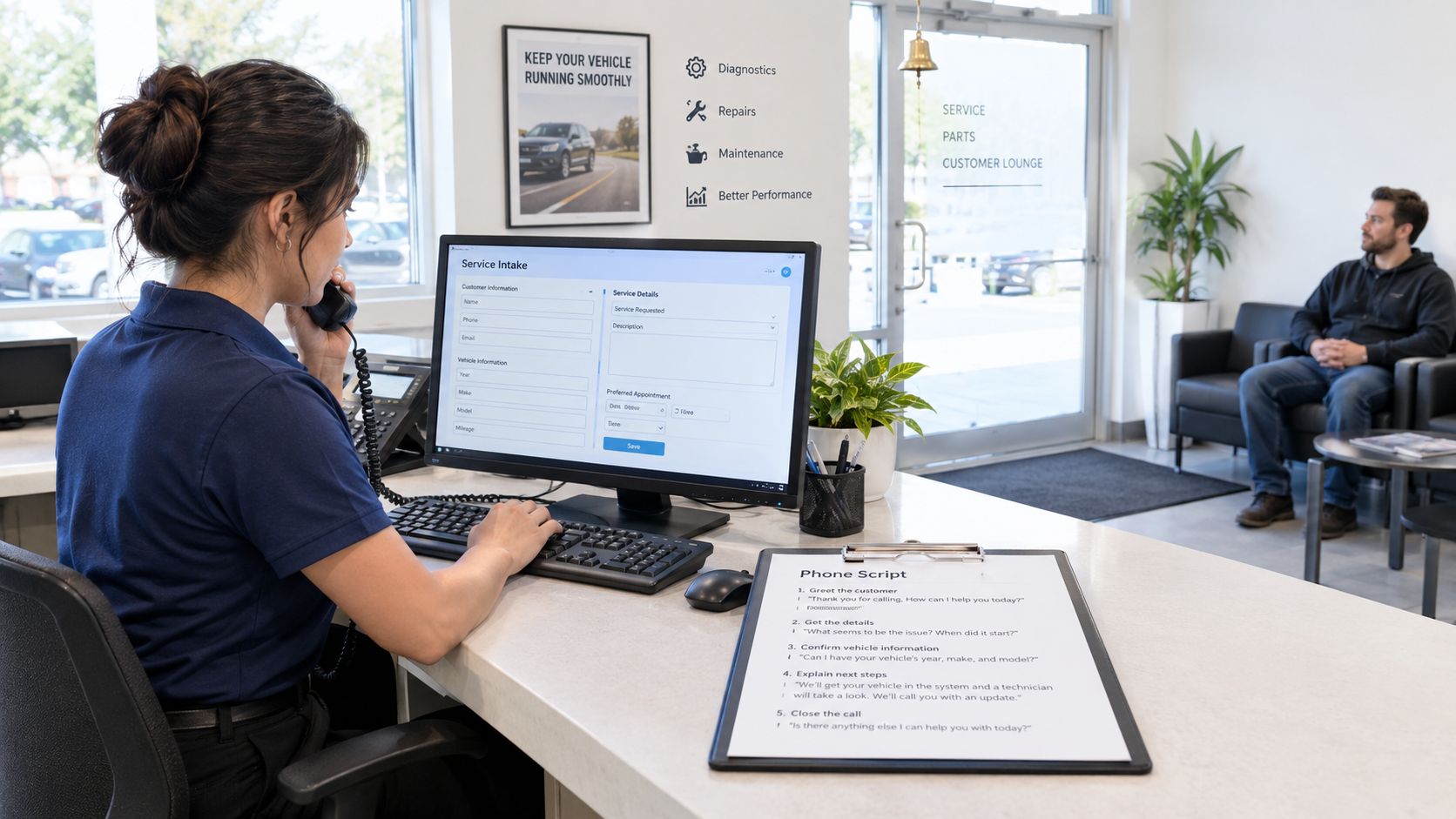
Phone calls: Ask what the vehicle is doing, when the symptom occurs, and whether the customer is requesting diagnosis or a known repair. Capture the vehicle details, VIN or plate, drop-off plan, transportation needs, and authorization limits. A symptom description such as “noise when turning” isn't enough to promise a repair duration.
Online requests: Keep the form focused on information that helps the advisor triage the job. Ask for vehicle identification, requested service, a brief description of the concern, and preferred appointment times. Treat a request as pending until the shop checks capacity and confirms the slot.
Walk-ins: Check the floor before accepting the vehicle for immediate work. The advisor can offer a later drop-off or schedule a future inspection instead of promising that an already-full team will somehow fit it in.
Mobile or urgent calls: Use a separate intake path for stranded drivers or vehicles that can't safely continue. Clarify location, whether the vehicle can be driven, and what help the customer needs before making a commitment.
A front-desk checklist
Before locking in an appointment, record:
- Vehicle and customer: Name, contact details, year and model, plus VIN or plate when available.
- Reason for visit: Requested service, symptoms, and whether the concern needs diagnosis.
- Arrival plan: Drop-off or wait, transportation constraints, and any time-sensitive needs.
- Authorization boundaries: What the customer permits the shop to inspect or approve before further contact.
- Next step: Confirmed appointment, request awaiting review, or referral to a different booking lane.
This information helps prevent a diagnostic concern from being booked into a short maintenance slot. It also gives the team a useful starting point when parts, technician skill, or equipment must be checked before confirming a time.
Matching Bays and Technicians to Real Work
Once an appointment is understood, the service manager has to match it to the shop's actual resources. The useful question isn't just “Who's free?” It's whether the available technician has the right skill, the bay has the right lift or equipment, and the required parts are ready.
A calendar that treats every bay and technician as interchangeable can look orderly while creating avoidable delays. Instead, classify work as routine maintenance, diagnostic, or complex repair. Use the job's likely duration and uncertainty to decide how much room the schedule needs. A predictable service can take a tighter slot; a diagnostic should have room for findings that change the scope.
Make the constraints visible
Consider a day with a brake job, an EV battery diagnostic, and a transmission rebuild. The brake job belongs with a technician and bay equipped for that work, with parts confirmed before the vehicle arrives. The EV diagnostic needs a technician qualified for the task and the appropriate diagnostic equipment. The transmission rebuild may need a dedicated bay and a longer window, so it shouldn't be placed where an overrun will block several shorter jobs.
The point isn't to prescribe a universal schedule for these jobs. It's to check the constraints before committing: capability, equipment, parts, duration, and what work is already in progress. A manager can then sequence work to protect the jobs most likely to disrupt the day.
A Ratchet+Wrench industry survey found that 24% of technicians were in the 80–99% efficiency range, 21% were below 80%, and 14% of shops didn't track efficiency. Those figures reinforce the value of scheduling by actual job duration and technician capability, rather than by appointment count alone, as reported in the.
| Constraint | Ask Before Booking | Risk If Ignored |
|---|---|---|
| Technician capability | Who can perform this work? | A job waits for the right person or is assigned poorly. |
| Bay and equipment | Which lift or diagnostic tools are required? | Another vehicle occupies the needed space or equipment. |
| Parts readiness | Are the required parts available or confirmed? | A vehicle and technician can sit idle while the shop waits. |
| Job uncertainty | Is this known repair work or diagnosis first? | An uncertain job overruns a slot built for predictable work. |
Productivity benchmarks in the supplied industry guidance place typical shops around 65–75% productive time and higher-performing operations around 75–85%, based on. That's a reminder that a schedule filled to every available minute leaves no room for diagnosis, customer decisions, parts delays, or jobs that run long.
Running the Day on a Digital Shop Board
A shared shop board makes the work visible after a vehicle arrives. A calendar shows when work is booked; a Kanban-style Digital Shop Board shows where each repair stands and what needs attention next.
The board should use job stages that match how the shop operates: intake, inspection, estimate, approval, repair, quality check, and cure when applicable. The exact labels can vary, but the team needs to know whether a vehicle is waiting for inspection, customer authorization, parts, active repair, or final checks. When the stage is visible, the service advisor can answer customer questions without interrupting technicians to find out what happened.
Use three dispatch reviews to keep work moving
At check-in: Compare the plan with the vehicles and technicians on site. Move jobs that are blocked, identify ready work, and confirm that urgent arrivals won't displace appointments without a decision.
Mid-shift: Review vehicles waiting for approval or parts. The advisor can contact customers, clarify the next step, or release a slot that can't be used. The manager can then reassign ready work rather than leaving a technician to search for the next job.
Before close: Update every vehicle's stage, record what remains, and prepare the next day's work around confirmed parts, technician availability, and bay needs. That reduces the chance that tomorrow's first dispatch depends on someone remembering an unrecorded conversation.
Technician productivity guidance identifies 80–89% as a common industry range, with 90% or higher described as top-tier, not a reason to book every minute. The supports a practical approach: keep technicians connected to ready repair orders while preserving room for inspections, quality checks, approvals, and variable work.
The board is useful only if staff update it as work changes. A stale screen is just another version of the half-erased whiteboard. A live view gives the manager something actionable: which job is blocked, who can take ready work, and what needs a customer update.
Cutting No-Shows With Confirmations, Not Overbooking
Blanket overbooking looks like a quick fix for missed appointments, but it can turn one no-show into two customers waiting for the same technician or bay. A better approach is to confirm attendance, give customers an easy way to reschedule, and keep a waitlist that matches the work the shop can take.
A reported comparison puts no-shows at roughly 15–25% for operations with minimal reminder programs and 8–14% for structured, multi-touch text programs. Those ranges vary, and auto-repair-specific no-show data isn't standardized, so the shop should treat them as context rather than a guaranteed result. The reported ranges are discussed in.
A confirmation sequence the team can use
At booking: Send the appointment details and ask the customer to confirm the vehicle, requested service, drop-off plan, symptoms, and authorization limits. This is the point to catch an appointment that was booked under the wrong job type.
Roughly 48 hours before arrival: Remind the customer of the appointment and offer a clear way to confirm or reschedule. If the customer's plans have changed, the shop has time to offer the opening to someone else.
On the day: Send a short confirmation message with a simple response or rescheduling option. A reminder alone doesn't prove the vehicle is coming, so the reply should make the next step clear.
Keep the waitlist usable: Rank customers by job duration, availability, and the work their vehicle needs. A short opening can go to a job that fits it, while a complex repair should wait for a slot with the right technician, bay, and parts.
Track the shop's own no-show rate by booking channel, lead time, customer history, repair type, and reminder status. Compare similar operating periods before and after changing the process. That helps identify what's working without assuming every customer behaves the same way, or filling more hours than the floor can handle.
Putting It All Together With RedAppy
A controllable schedule connects the front door to the shop floor. The booking request needs to reach the team calendar, the repair needs a visible stage, and the manager needs enough information to spot a technician, bay, or parts constraint before it becomes a stalled vehicle.
RedAppy combines a shared team calendar with online booking through a shop website, vehicle lookup by plate or VIN, parts ordering across suppliers, and a Kanban-style Digital Shop Board. Its real-time analytics track technician efficiency and average repair order. Shops can review the Digital Shop Board and workflow features to see how those tools fit their operating process.
A practical rollout starts with the appointment intake fields, then adds online booking and clear board stages. Next, the team can introduce the confirmation sequence and use dispatch reviews to keep stalled work from disappearing from view. The important part is to make one shared workflow that advisors, technicians, and managers will keep current.
After the process is in use, review the baseline measures: no-shows, request-to-booking time, vehicles processed per bay, and technician utilization. Look for the source of friction before changing appointment volume. The aim isn't a fuller calendar. It's one that reflects what the shop can complete.
For shops ready to map the workflow to their own bays, technicians, and intake process, contact the RedAppy team to discuss the setup.
RedAppy brings online booking, a shared team calendar, parts ordering, analytics, and a Digital Shop Board into one shop-management workflow. Visit RedAppy to explore how those tools can help the team schedule around real capacity, not just open calendar slots.
Ready to Transform Your Shop?
RedAppy helps auto repair shops create professional digital estimates with photos and videos, send them instantly via text or email, and get customer approvals in seconds. No credit card required to start.