
Auto Repair Shop Software with Free Website That Converts
A customer searches “brake repair near me” from a phone while waiting in a supermarket car park. The shop appears in local results, but its website shows only a phone number and an old service list. There's no clear way to request an appointment, upload vehicle details, or ask for a quote. The customer moves to another shop that makes the next step obvious.
That missed enquiry is why auto repair shop software with a free website should be judged as more than a low-cost software bundle. The website is the shop's front door. The management system is the workshop behind it. If the two don't pass information smoothly, the shop may attract visitors without turning them into repair orders.
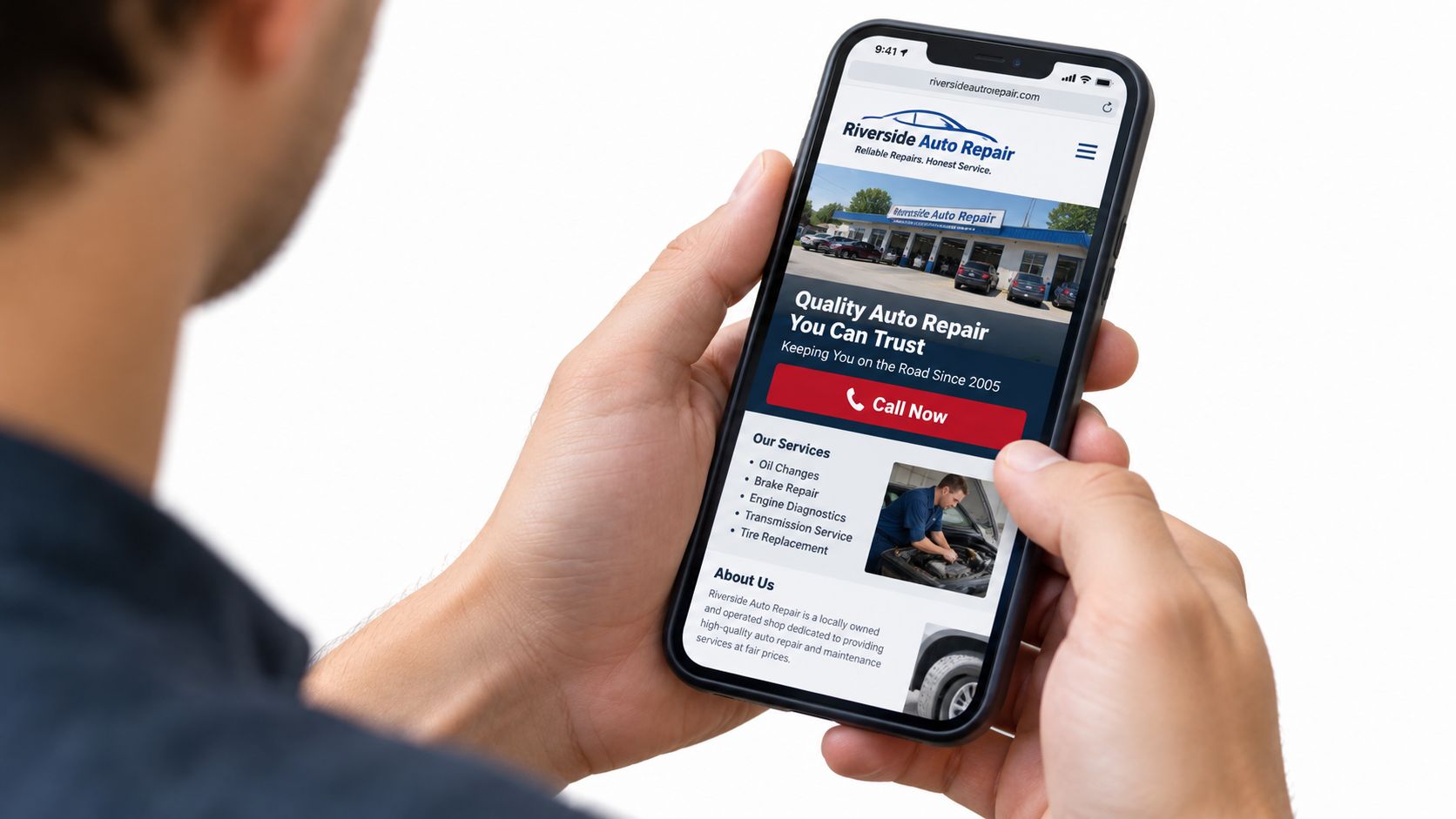
The right platform should help a customer discover the shop, request service, enter the calendar, receive confirmation, and continue through estimates, approvals, invoicing, and payment. The word free matters less than whether the website captures, routes, and measures demand.
Table of Contents
- Introduction Why Your Shop Needs More Than Just Software
- What Auto Repair Shop Software With Free Website Really Means
- Why Cloud Access and Online Booking Now Drive Shop Growth
- How to Tell If a Free Website Will Actually Bring Customers
- How Website Leads Should Flow Into Your Shop Workflow
- Choosing the Right Fit for Your Shop Size and Growth Plans
- Next Steps to Launch Your Software and Website Together
Introduction Why Your Shop Needs More Than Just Software
A service advisor finishes an estimate and updates a vehicle record, while a potential customer visits the shop's website after closing time. The software keeps the operation organised, but a site with only a phone number gives that visitor no practical way to describe the repair or request an appointment.
The gap has two parts. Local search visibility brings people to the shop, while a clear online action gives them a path into the booking process. Without both, a shop can appear in search results and still lose the repair order to a competitor with a simpler enquiry route.
The front door and the workshop
Use this model to judge the relationship:
- The website is the front door. It introduces the shop, explains relevant services, answers basic questions, and invites a visitor to book or enquire.
- The software is the workshop. It holds customer and vehicle details, prepares estimates, manages work orders, tracks parts, and creates invoices.
- The connection is the service desk. It carries a web request into the calendar and customer record, rather than making staff retype details from email or paper notes.
That connection determines whether a free website creates useful work. A page showing a logo and phone number acts like a sign outside the building. A working lead funnel offers clear choices such as Book Now, Request a Quote, or Contact the Shop, collects the information the team needs, and shows what happened to the enquiry.
For example, a brake enquiry should reach the right staff member with the customer's contact details, vehicle information, requested service, and preferred time. The team should then be able to confirm the request and continue it through the shop's normal process. If the website cannot capture, route, and measure that handoff, “free” describes the page, not its business value.
Cloud-based tools are gaining ground in repair operations, with analysts estimating that they held 62.5% of the car repair software market in 2025. The same car repair software market analysis values the global market at $3.33 billion in 2025 and projects $6.74 billion by 2034.
The useful question is straightforward: does the website help turn online demand into a repair order, or does it merely decorate the software subscription?
What Auto Repair Shop Software With Free Website Really Means
The phrase can describe very different products. Some platforms include a basic page as a marketing add-on. Others provide a branded website with contact forms, service information, and online requests that connect directly to shop management.
Think of a repair business as a building with two connected spaces. The front counter is the website. It answers common questions, presents services, and collects the customer's details. The workshop office is the management system. It turns that enquiry into an appointment, estimate, work order, parts request, invoice, and customer history.
The website side
A useful included website should normally support:
- Branding: The shop's name, logo, colours, service area, and contact details should be clear.
- Service content: Visitors should understand whether the shop handles inspections, brakes, diagnostics, tyres, servicing, or other relevant work.
- Contact options: Forms should collect enough information to start a useful conversation.
- Booking or request actions: Customers need a visible next step, not just a phone number.
- Mobile usability: Buttons, forms, and service information should work comfortably on a phone.
- Optional listings: Some platforms may support additional content, such as used-car listings, alongside repair services.
A helpful resource on can also clarify how service businesses should structure pages, calls to action, and trust-building information.
The management side
Shop software commonly covers billing and invoicing, quoting and estimating, inventory management, work orders, appointment scheduling, labour rate tracking, point of sale, service history, and VIN lookup, as listed in Capterra's auto repair software overview. A broader auto repair software comparison from Capterra describes systems that create estimates, track repair orders, manage parts inventory, communicate with customers, and generate invoices.
The important distinction is integration. A separate website can send an email to the front desk, but a connected platform can create a structured customer request inside the shop workflow. Before accepting the word free, the owner should ask whether the site is included beyond a trial, whether the domain and branding are usable, and whether a form submission becomes a trackable customer record.
Why Cloud Access and Online Booking Now Drive Shop Growth
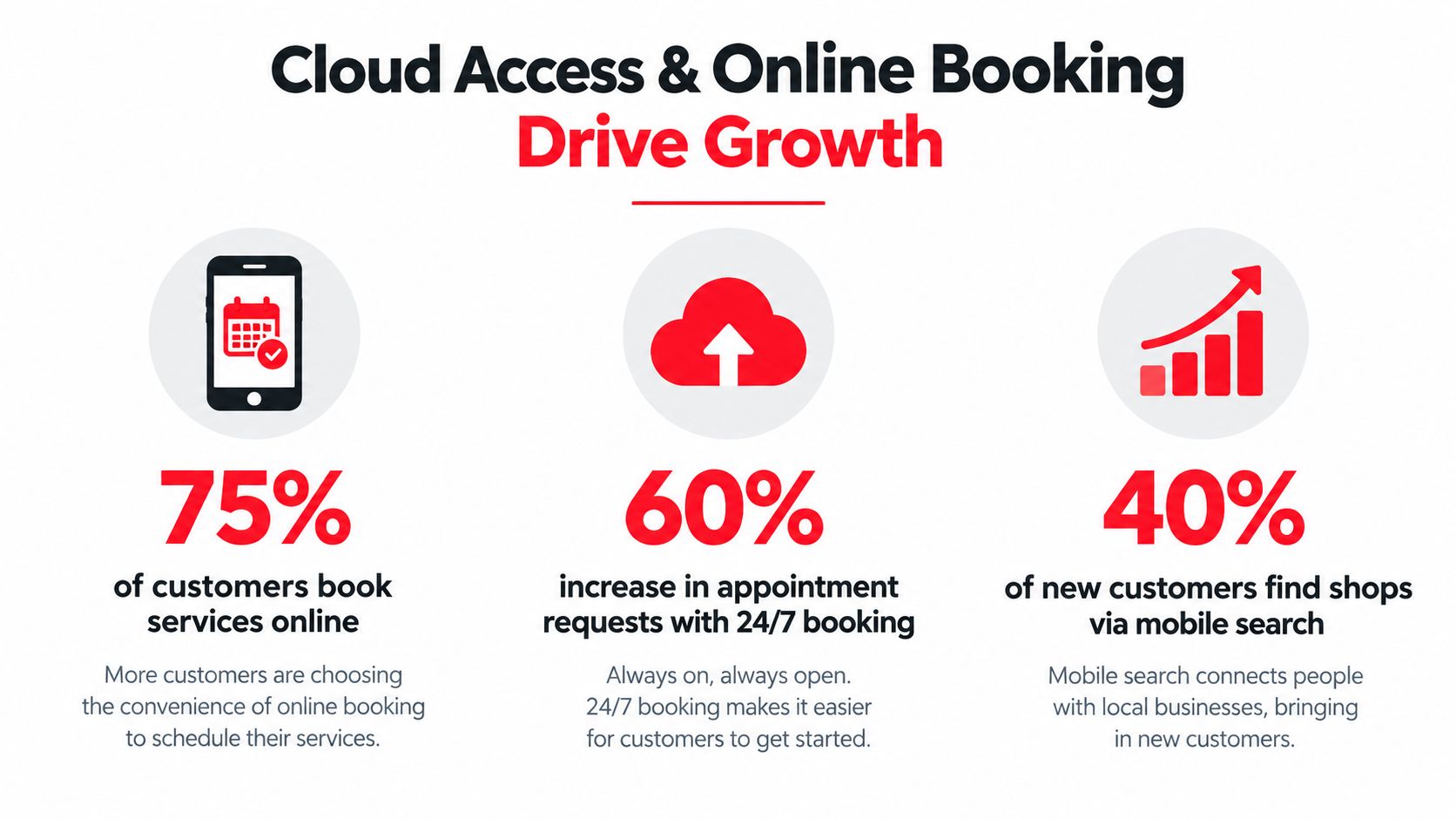
A customer submits a request after closing time. The service adviser sees it the next morning with the vehicle details and requested work already recorded. That handoff shows why a free website should be judged as part of the repair-order funnel, not as a bonus page.
Cloud access lets authorised staff reach schedules, customer records, estimates, and job information from the front desk, service bay, or another location. A browser-based system works like a shared shop board that updates for the people who need it, rather than leaving key information on one office computer. Staff can respond to web leads while checking vehicles, handling calls, or working away from the premises.
Customer convenience starts before the phone call
A driver may search during lunch, after work, or while travelling. Waiting for the shop to reopen can mean forgetting the request or choosing another provider. An online form or booking option lets that person start the process when the need appears.
Industry data indicates that a meaningful group of U.S. vehicle owners is open to online maintenance booking, while some already use mobile apps for reminders and scheduling. The point is not to force every customer into an automated appointment. It is to provide a clear route for people who prefer to begin online.
That route should capture useful details, send the request to the right staff member, and create a record that can be measured. A website that only displays a phone number leaves the shop guessing how many visitors intended to make contact.
Booking must match real capacity
Online booking helps only when its calendar reflects the shop's working reality. Set it around opening hours, staff availability, bay capacity, service duration, and the difference between routine maintenance and diagnostic work. A customer requesting an oil change should not receive the same scheduling treatment as someone describing an intermittent electrical fault.
Square's illustrates features owners may evaluate, including advance booking, confirmations, reminders, and scheduling across multiple locations. The practical test is simple: can the system offer a time the shop can honour, then give staff the information needed for the next action?
The strongest setup connects the website request to the shop workflow. Cloud access makes that connection available wherever authorised staff work, while online booking gives the website a measurable job: capture, route, and support a lead until it becomes a scheduled repair.
How to Tell If a Free Website Will Actually Bring Customers
A polished template isn't the same as a customer-acquisition tool. The evaluation should begin with the visitor's task: can a person on a phone understand the service, trust the shop, and submit a useful request without hunting through the page?
Industry guidance recommends keeping forms focused on essential fields such as name, phone, vehicle details, and service needed. The same guidance cites a typical automotive website conversion benchmark of around 1.5%. The benchmark is a reference point, not a guarantee. A shop's results depend on its market, reputation, offer, traffic, and follow-up speed.
A conversion checklist
| Question | Conversion-ready website | Weak basic page |
|---|---|---|
| Mobile use | Forms and booking buttons work comfortably on a phone | Visitors must zoom, scroll excessively, or call |
| Call to action | “Book Now” or “Request a Quote” is easy to find | The page shows contact details without a clear next step |
| Form design | The form asks for useful details without unnecessary friction | The form is too long, confusing, or disconnected from the shop |
| Local discovery | Services and location information support local search visibility | Generic copy gives searchers little useful context |
| Speed | Pages load quickly enough for visitors on mobile connections | Heavy pages or clutter slow down the experience |
| Measurement | The shop can see form views, starts, submissions, bookings, calls, or resulting jobs | Enquiries vanish into an untracked inbox |
Read the fine print
“Free website” can mean a permanent included feature, a limited page, or a trial-period benefit. Comparison coverage notes that free auto repair tools are rare and often feature-limited, while some listings mention only a generic basic website or trial access rather than a branded, SEO-ready site with forms, calls to action, and lead tracking (free auto repair software comparison).
The owner should also check customisation limits, domain ownership, page speed, local SEO controls, form routing, and reporting access. A website may be free in price but expensive in missed opportunities if it cannot show which visitors became enquiries and which enquiries became repair orders.
Practical rule: A free website earns its place when it shortens the distance between a local search and a booked job.
How Website Leads Should Flow Into Your Shop Workflow
A connected lead flow should feel like a service advisor receiving a complete handoff, not like finding a sticky note on a windscreen. The customer clicks Book Now or submits a request. The system creates or updates the customer record, adds vehicle information, and presents the request where the team manages appointments.
Expert guidance says an integrated scheduling flow can send a website-built-in “Book Now” action directly into the shop calendar without manual syncing. The same guidance recommends tracking events such as form_view, form_start, form_submit, and job_booked to measure which web leads become repair orders.
The handoff in practical steps
- A visitor opens a service page. The page explains the job, gives the shop's location and contact details, and displays a clear request button.
- The visitor submits focused information. Name, phone number, vehicle details, and service needed give the advisor a useful starting point.
- The platform routes the request. The enquiry should enter the shop calendar, lead queue, or customer record instead of waiting in an unmonitored mailbox.
- The team confirms the appointment. Automated confirmations and reminders can reduce uncertainty, while staff retain control over jobs that need diagnosis before scheduling.
- The request becomes an estimate. The advisor can add inspection findings, labour, parts, and customer notes without retyping the original enquiry.
- The job continues through the system. Work orders, inventory, service history, approvals, and invoices remain connected.
The workflow should also support different operating models. A shop with several bays may need staff calendars and appointment rules. A mobile mechanic may need a simple request form, vehicle lookup, and a schedule that reflects travel time.
Resources such as this offer useful background on designing websites around measurable lead actions. For a repair shop, measurement must continue beyond the form. The meaningful outcome is a booked visit, approved work, completed repair, or collected payment.
A form submission is a lead. A repair order is the business result.
Choosing the Right Fit for Your Shop Size and Growth Plans
A small garage and a multi-location service chain shouldn't evaluate a website bundle in the same way. The right question is not whether the plan has many features. It's whether the plan supports the shop's current workflow without creating a barrier to the next stage.
A small independent shop
A single-bay garage, solo mechanic, or mobile technician may need a focused setup:
- Branded presence: The shop needs its name, location, services, hours, and contact details presented clearly.
- Simple requests: A short appointment or quote form may be enough for the first conversation.
- Basic records: Customer, vehicle, estimate, invoice, and service history should remain organised.
- Low administration: The system shouldn't force a small team to maintain complex workflows they don't use.
For this type of business, a free website can be sufficient if it is included, mobile-ready, branded, and connected to enquiries. A simple system may also be easier to adopt than a large platform with controls designed for a much bigger operation.
A growing shop
As the team adds technicians, service advisors, bays, or locations, the website becomes part of a larger operating system. The shop may need:
- Multi-user permissions so staff see the right tasks and customer information.
- Capacity-aware scheduling across bays, technicians, and service types.
- Inventory control across suppliers and repair orders.
- Consistent branding across several locations.
- Analytics that connect enquiries with booked and completed work.
- Centralised vehicle history that follows the customer across visits or branches.
Marketplace coverage notes that free plans often cap bookings, users, or features, and that many products focus on basic scheduling rather than full shop management. Those limits may not matter at launch. They matter when staff begin working around the software instead of using it.
Look beyond the monthly price
The hidden cost can appear as restricted customisation, weak local search support, manual data entry, disconnected forms, or a forced migration later. A growing owner should ask what happens when the shop needs more users, more bookings, multiple branches, inventory, reporting, or consistent customer communication.
The best fit is the smallest system that handles today's work while offering a credible path for tomorrow's workflow. “Free” should reduce the cost of starting, not postpone an operational decision that the shop will soon have to make again.
Next Steps to Launch Your Software and Website Together
A practical evaluation can begin with one customer journey. Search the shop on a phone, open the website, choose a service, submit a request, and follow the enquiry inside the management system. If the team can't see where the lead goes, the bundle isn't yet proven.
The platform should answer these questions clearly:
- Can the site be branded? The shop's identity, services, location, and contact details should be easy to manage.
- Can mobile visitors act? A visitor should have a clear route to book, request a quote, or contact the team.
- Does the form create a record? Staff shouldn't need to copy every submission into another system.
- Does booking respect capacity? The calendar should reflect staff, bays, hours, and service types.
- Can the team follow the full workflow? Estimates, digital inspections, work orders, parts, approvals, invoices, and payments should connect.
- Can performance be measured? The shop should be able to distinguish views, form starts, submissions, bookings, and completed jobs.
RedAppy is one example of this bundled approach. Its platform includes digital inspections, a Kanban Digital Shop Board, an AI Repair Assistant, and a professional branded website with contact forms and optional used-car listings included with every subscription. The wider workflow includes estimates, invoicing, online payments, parts ordering, vehicle history, scheduling, and analytics, so the website can be evaluated as part of the shop operation rather than as a separate marketing page.
A shop owner can test the customer journey before committing. The strongest choice will be the platform that makes it easy for customers to start a request and easy for staff to finish the job.
RedAppy combines shop management with a professional branded website, contact forms, scheduling, digital inspections, estimates, invoicing, and customer records. Visit RedAppy to explore the features, then contact the team through the site to discuss whether the workflow fits the shop's size and growth plans.
Ready to Transform Your Shop?
RedAppy helps auto repair shops create professional digital estimates with photos and videos, send them instantly via text or email, and get customer approvals in seconds. No credit card required to start.