
Automotive Invoice Template: Build One That Sticks
A solid automotive invoice template should follow a five-block workflow covering shop identity, vehicle identification, work performed, itemized cost, and terms. It should also capture state-required compliance details while supporting faster digital checkout.
A customer may leave the shop satisfied, then call days later because a warning light returned, a replacement part is under question, or the final price doesn't match what was expected. If the shop has only a vague receipt, the service advisor must reconstruct the repair from memory, messages, handwritten notes, and payment records. A properly designed invoice prevents that scramble by connecting the vehicle, authorization, repair work, charges, and warranty terms in one traceable record.
Table of Contents
- Why Your Automotive Invoice Template Should Do More Than Collect Payment
- Core Sections of an Automotive Invoice Template
- State Requirements and Compliance Details Your Template Must Handle
- Common Automotive Invoice Template Mistakes and How to Avoid Them
- Print, Digital, and Integrated Automotive Invoice Templates
- Next Steps to Streamline Your Shop Invoicing Workflow
Why Your Automotive Invoice Template Should Do More Than Collect Payment
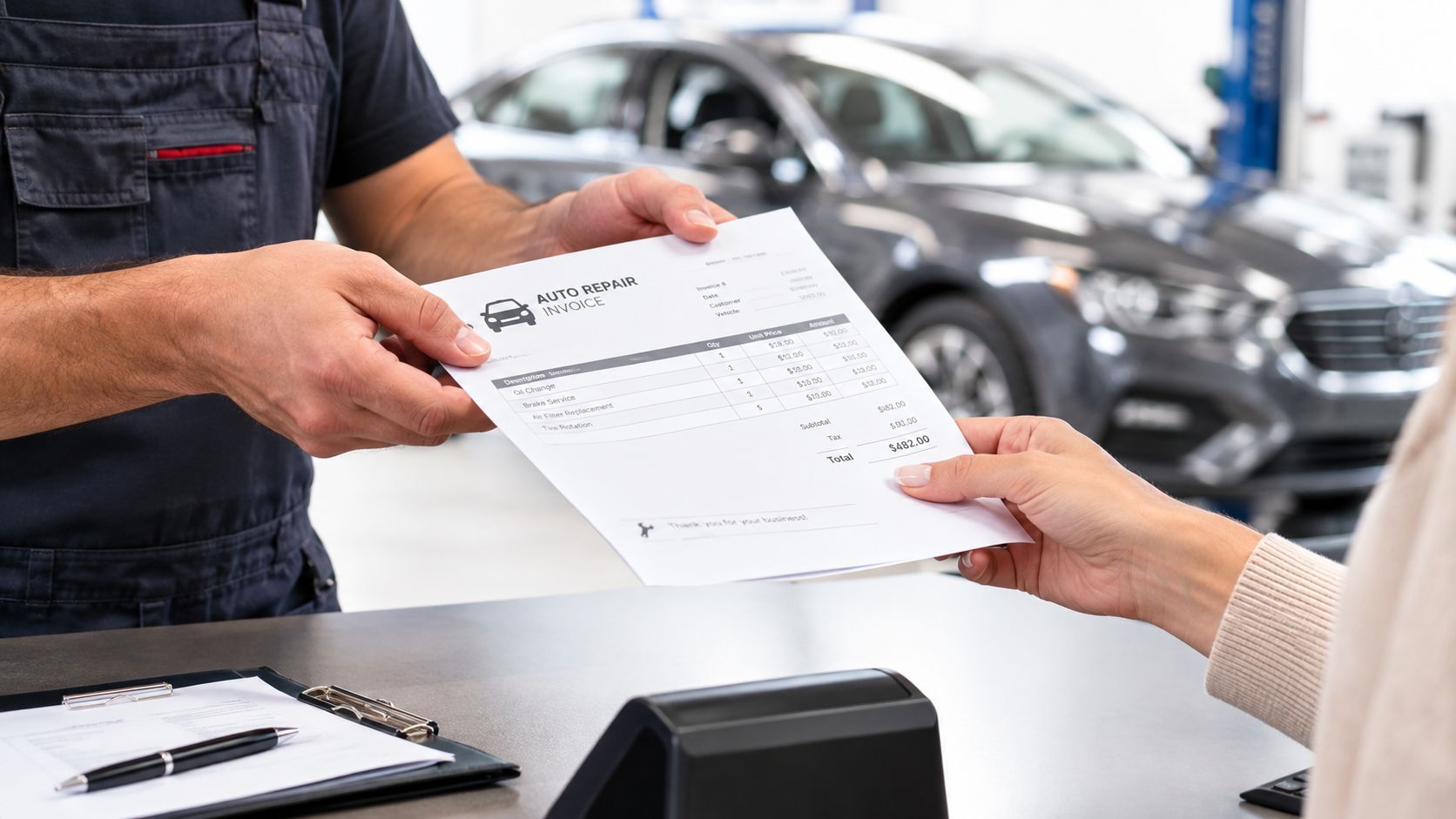
An automotive invoice isn't just proof that money changed hands. It can become the document a customer, warranty processor, auditor, or mediator relies on when the repair is challenged. A line that says “engine work” won't explain what was inspected, which parts were installed, what labor was performed, or whether the customer approved additional work.
That distinction matters because an invoice and a receipt serve different purposes. A receipt generally confirms payment, while an invoice records what the shop supplied and what the customer owes or paid. Shops that need a clearer explanation can review these before designing a document that does more than confirm a transaction.
Build the document around shop risk
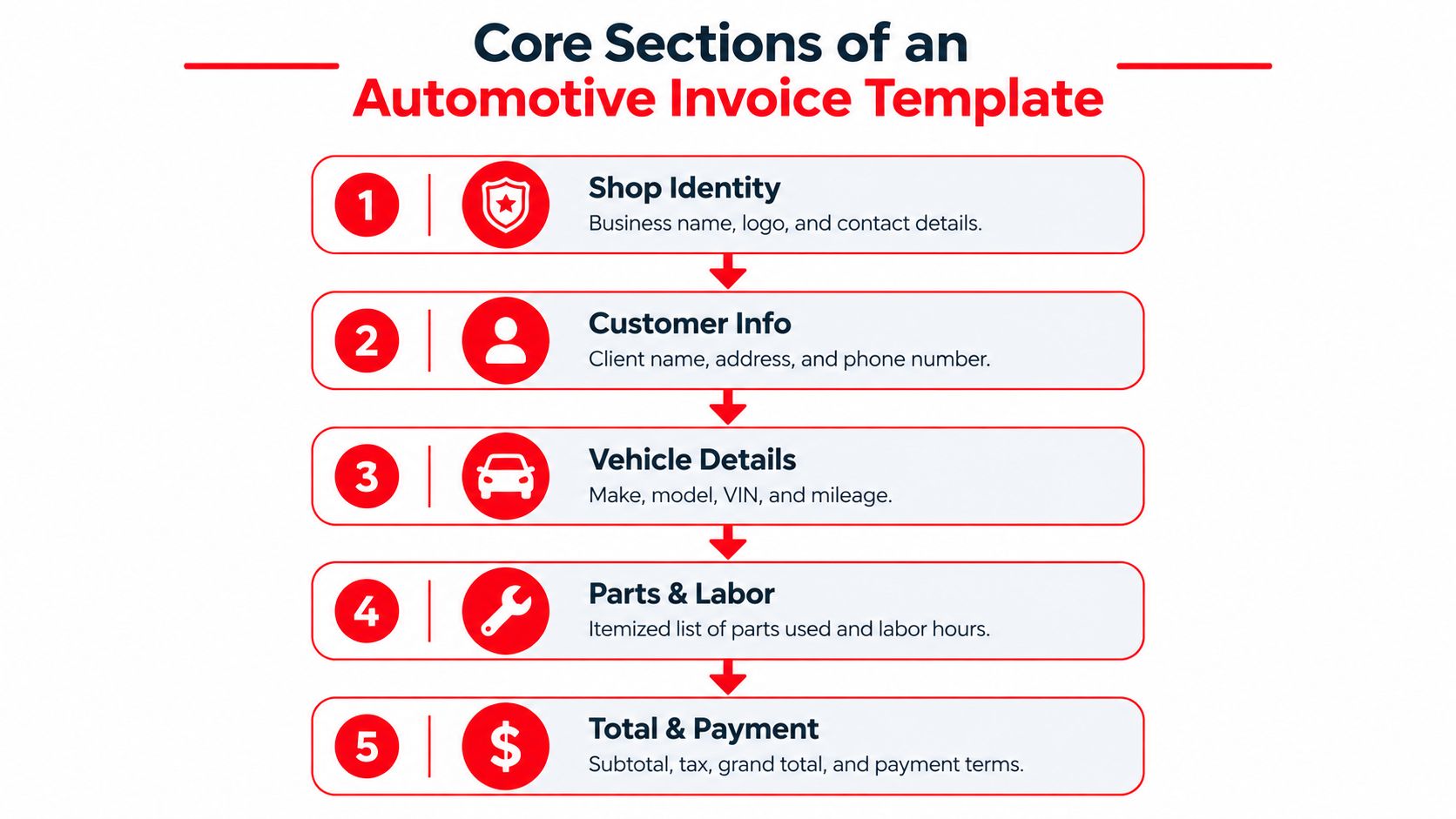
An automotive invoice template follows five connected blocks:
- Shop identity: Include the business name, address, phone details, registration information where required, and a unique invoice number.
- Vehicle identification: Record the customer, vehicle year, make, model, VIN, license plate, mileage in, mileage out, and repair or order number.
- Work performed: Describe the customer's complaint, diagnostic findings, completed services, labor hours, and technician notes in plain language.
- Itemized cost: Separate labor, parts, part numbers, diagnostic charges, shop supplies, disposal fees, tax, and the total due.
- Terms: State payment details, warranty terms, replacement-part information, and proof of customer authorization.
This structure follows the practical field guidance outlined in. The value comes from the order. A vehicle identifier without a repair description isn't enough, and an itemized charge without authorization can still leave the shop exposed.
Practical rule: The final invoice should let a third party understand what happened without calling the technician who performed the work.
A template that collects only the customer name, total price, and payment method may look clean at the counter, but it creates work later. A structured record takes slightly more discipline at check-in and checkout, then reduces uncertainty when a customer asks what was approved, what changed, and what the warranty covers.
Core Sections of an Automotive Invoice Template
The strongest automotive invoice template isn't a long list of fields. It assigns each field a job in the repair record, so the front desk can complete it without guessing and the customer can read it without decoding shop shorthand.
Start with identity and traceability
The first block should show the shop's legal or trading name, contact details, facility information where applicable, invoice number, invoice date, and related repair order number. Customer name, address, phone number, and email should sit close to the shop identity, not in a separate system that the customer can't see.
The vehicle block needs year, make, model, VIN, license plate, mileage in, and mileage out. It should also reference the order or repair number. These details tie the invoice to a specific vehicle and repair event, supporting labor, parts, tax, and warranty tracking, as described in Acctual's auto repair invoice template guidance.
Describe the work so another person can follow it
“Repair brakes” is too vague for a durable record. The work section should connect the customer-reported complaint to the inspection, diagnosis, completed repair, and any recommended work that wasn't authorized. Labor should show the task, hours, and rate, with the calculation visible rather than buried in a combined figure.
Parts need descriptions, quantities, prices, and part numbers where available. Fees should be separated into recognizable categories such as diagnostics, shop supplies, and disposal. This gives the customer a reasonable explanation for the total and helps the shop match the invoice to parts purchasing records.
Close with money and permission
The cost block should show subtotal, tax, other applicable charges, and total due. The terms block should state warranty coverage, exclusions, payment status, accepted payment method, and the authorization record. A signature, digital approval, message confirmation, or other linked approval can show that the customer accepted the work before the final invoice was issued.
That last connection is where a basic form becomes a defensible workflow. The invoice records the finished transaction, while the supporting authorization proves that the customer agreed to the work and price.
State Requirements and Compliance Details Your Template Must Handle
In many U.S. markets, an automotive invoice functions as a formal compliance record rather than a simple receipt. New York repair rules require details including the shop name, address, facility number, invoice date, vehicle presentation date, itemized parts and labor costs, odometer reading, customer name, vehicle year, make, and plate number or VIN, promised delivery date if given, guarantee terms, the customer-reported problem, and the shop registration number. These requirements are summarized in the supplied.
Minnesota requires dated invoices to itemize parts, labor, tax, delivery, storage, and other charges. It also allows a written estimate to serve as the invoice when the required information is added. New Hampshire adds a recordkeeping obligation, requiring the shop to give the customer a copy and retain one copy as a business record for at least one year.
Medium matters less than completeness
Paper and electronic formats can both support a compliant process. California's Bureau of Automotive Repair states that an invoice may be paper or electronic and must be provided when all repairs are complete, with the final price for parts and labor. Florida requires written repair estimates and repair invoices to be maintained for at least 12 months, with customer inspection and copying available during that period. The California requirements appear in the Bureau's.
Wisconsin requires a complete and accurate invoice copy before the vehicle is returned. Its required information includes shop and customer identity, the date the vehicle was tendered back, vehicle identifiers, odometer reading when applicable, total or itemized price, and itemized labor and parts. New York also requires the invoice to identify whether replacement parts are used or not of original quality, along with guarantee terms and the repair-shop registration number.
Design for the jurisdiction, not just the screen
A digital template should make required information impossible to overlook. Mandatory fields can remain locked until completed, while optional notes can stay collapsed until needed. The customer-facing version should remain readable, with legal and warranty details presented clearly instead of hidden in a dense paragraph.
Shops operating across regions should also review broader tax and invoicing obligations. A resource covering how to can help teams compare local requirements when a standard domestic template no longer covers every transaction.
Common Automotive Invoice Template Mistakes and How to Avoid Them
The most expensive template mistake is treating the invoice as the entire repair record. It isn't. The repair order tracks the job, the authorization record proves permission, and the final invoice documents what the shop completed and charged. Combining those functions into one editable spreadsheet makes it difficult to tell which version a customer approved.
A safer process keeps the records connected but distinct. The initial estimate states the proposed work. The repair order records inspections, findings, parts, labor, and status changes. A change order records additional work after diagnosis or teardown, with the customer's approval attached. The final invoice carries the completed line items and references the supporting records.
Where manual templates break down
A spreadsheet can work for a small shop with straightforward repairs, provided someone checks every calculation and saves each approved version. It becomes fragile when several employees edit the same file, a customer approves work by text, or the estimate changes after a component is opened.
Common failures include:
- Vague labor lines: Replace “diagnosis” or “engine repair” with a plain-language description of the task performed.
- Missing change orders: Record the newly discovered issue, revised price, customer approval, and approval channel before adding the work.
- Unclear fees: Separate diagnostic, shop-supply, disposal, delivery, and storage charges so the customer can identify each amount.
- Weak warranty notes: State what the warranty applies to, which parts or labor it covers, and any relevant conditions.
- Disconnected authorization: Link the final invoice to the estimate, inspection, photos, messages, or signed approval that supports the work.
Template pages often include VIN, mileage, labor, parts, tax, and payment terms but overlook dispute-proofing, pre-approval, change orders, warranty claims, and cross-border compliance. This gap is also identified in.
A clean invoice can't repair a broken approval trail. The shop needs both.
An integrated shop management system reduces version confusion by carrying approved services and parts from the estimate into the repair order and then into the final invoice. Manual files remain useful for simple operations, but they require stronger human controls as job complexity increases.
Print, Digital, and Integrated Automotive Invoice Templates
Print, digital, and integrated templates solve different problems. The right choice depends on whether the shop needs a document for immediate handover, a professional file for email, or a connected record that moves from inspection to payment without retyping.
| Format | What works | Where it falls short |
|---|---|---|
| Print-based | Immediate handover, familiar counter process, usable during connectivity problems | Manual filing, repeated data entry, limited approval evidence |
| Digital PDF or document | Easy email delivery, professional appearance, simpler storage and editing | Payment, approval, and repair history may remain disconnected |
| Integrated software | Connects inspections, estimates, approvals, invoices, payments, and records | Requires setup, staff adoption, and a workflow that matches the shop |
A printed automotive invoice template can still make sense for a customer who wants a physical copy or a shop that handles a simple walk-in job. The weakness appears when staff copy vehicle details from a paper estimate into another system. Each transcription creates an opportunity for a wrong VIN, mileage, part price, or tax calculation.
PDF, Word, Excel, Google Docs, and online forms improve sharing and editing. Excel can calculate line items, while Word and PDF can preserve a polished layout. None of those formats automatically proves that the customer approved a change after teardown unless the shop stores the approval with the correct repair record.
Turn the invoice into a checkout workflow
A digital-first process should attach inspection photos to the estimate, request approval through a channel the customer can access, and carry approved services into the invoice. At checkout, an instant payment link can reduce the extra step of manually entering card details or waiting for a customer to return to the counter.
Deposits and partial payments should appear as payment records, not informal notes. The final invoice should show what was paid, what remains due, and which payment method was used. Email, text, and printed delivery can then serve different customer preferences without creating separate versions of the same invoice.
California permits paper or electronic invoices, while other state rules emphasize complete copies, itemized charges, customer access, and retention. That pattern makes the operational lesson clear: digital delivery is useful, but data completeness and record control matter more than the file type.
Next Steps to Streamline Your Shop Invoicing Workflow
A shop doesn't need to replace every process at once. The practical starting point is an audit of the current automotive invoice template and the records surrounding it. Pull several completed jobs, then check whether each file connects the customer complaint, vehicle identifiers, inspection findings, authorization, change orders, labor, parts, fees, tax, payment, and warranty terms.
Use a short implementation checklist
- Audit required fields: Compare the template with the rules that apply to the shop's location and customer base.
- Separate records: Keep estimates, repair orders, approvals, and final invoices distinct but connected.
- Standardize descriptions: Give service advisors examples of clear labor and parts wording.
- Capture approvals: Store signatures, digital confirmations, messages, and photo-backed inspection approvals with the job.
- Reduce retyping: Move approved services, parts, and prices into the final invoice automatically where possible.
- Make payment easy: Offer payment links, record deposits and partial payments, and deliver invoices through the customer's preferred channel.
- Review retention: Store customer copies and internal records in a searchable location that supports warranty questions and inspections.
The underserved part of most template advice is the customer handoff. A PDF sent after the vehicle leaves may look professional, but it doesn't solve the friction caused by disconnected approvals, payment collection, and vehicle history. A modern workflow should allow the service advisor to send an estimate with inspection photos, receive approval, convert the approved work into an invoice, and send that invoice by email or text without rebuilding the document.
A shop management platform can connect those steps with digital inspections, instant estimates, one-click invoicing, online payments, parts ordering, vehicle history, customer lookup, scheduling, and a visual job board. RedAppy also provides detailed invoices with vehicle information, itemized services, parts, fees, and payment records, plus conversion from an approved estimate into a finalized invoice.
Decision point: If staff still copy the same vehicle and repair information between paper, spreadsheets, messages, and accounting records, the template problem is really a workflow problem.
The best automotive invoice template is the one that stays accurate from check-in through final payment. It identifies the vehicle, explains the work, itemizes the charges, records permission, preserves warranty details, and gives the customer a clear way to pay. A shop that builds those controls into daily software gains a more reliable record without asking the front desk to manage disconnected paperwork.
RedAppy connects digital inspections, approved estimates, one-click invoices, online payments, vehicle history, and customer records in one shop management workflow. Visit RedAppy to review the features or contact the team about fitting the invoicing process to the shop's current operation.
Ready to Transform Your Shop?
RedAppy helps auto repair shops create professional digital estimates with photos and videos, send them instantly via text or email, and get customer approvals in seconds. No credit card required to start.