
Automotive Repair Shop Software: The Best Tools to Run a Smarter Shop in 2025
Running an auto repair shop in 2025 means juggling more than wrenches. Automotive repair shop software has become the backbone of shops that want to stay competitive — handling everything from digital inspections and parts ordering to invoicing and customer follow-ups without the paper trail. According to the Auto Care Association, the U.S. auto repair industry generates over $115 billion annually, yet many shops still rely on spreadsheets and sticky notes to manage daily operations.
The gap between shops that grow and shops that struggle often comes down to systems. The right software can save your team hours every week, reduce missed approvals, and give you a clear picture of where your money is going. In practice, shops that switch to modern management platforms report faster write-ups, higher average repair orders, and fewer dropped balls between the front desk and the bay.
This article breaks down the best tools available right now — covering what each one does, who it's built for, and where it falls short. Whether you run a single-bay garage or a multi-location operation, you'll find an honest comparison that helps you pick the right fit for your shop.
Table of Contents
- How to Choose Automotive Repair Shop Software
- RedAppy — Best All-in-One Shop Management Platform
- Conclusion
- Frequently Asked Questions
How to Choose Automotive Repair Shop Software
Choosing the right shop management software comes down to one question: does it cover your full workflow, or will you still need five other tools to fill the gaps? The difference between an all-in-one platform and a point solution is significant. Point solutions do one thing well — say, digital inspections or invoicing — but you end up stitching them together, which creates data gaps and extra admin work. All-in-one platforms handle estimates, inspections, invoicing, parts ordering, and customer communication in a single system.
Shops using fragmented tools spend more time on admin because data doesn't move cleanly between systems. An integrated platform eliminates that transfer work.
The most important areas to evaluate before you commit:
- Workflow coverage — Can it handle the full job cycle, from the first customer call to final payment collection?
- Parts ordering — Does it connect to multiple suppliers with real-time pricing and inventory, or is that a separate process?
- Digital inspections — Can technicians attach photos and send results to customers directly from the platform?
- Ease of use — Will your team actually adopt it, or will it sit half-used after the first month?
- Pricing model — Is it per user, per location, or a flat monthly rate? Hidden per-seat fees add up fast.
- Scalability — Can it grow with you from one bay to multiple locations without a platform switch?
What to Look for Before You Buy
Before signing up for any trial or demo, run through this checklist. It will save you from committing to software that looks good in a sales call but creates friction in daily use.
Integrations
- Does it connect to your existing accounting software (QuickBooks, Xero)?
- Are parts supplier integrations built in, or do they require a third-party connector?
- Can it sync with your shop's payment processor, or does it lock you into a specific one?
Support quality
- Is live support available during your shop hours, or is it email-only?
- According to a, poor customer support is the top reason small businesses churn from software subscriptions — so this matters more than most vendors admit.
- Ask specifically: what happens if the system goes down mid-day?
Training resources
- Is onboarding included, or do you pay extra?
- Are there video tutorials, a knowledge base, or a dedicated onboarding rep?
- From experience, shops with minimal training support report lower adoption rates among older technicians.
Contract terms
- Month-to-month gives you flexibility to switch if the platform doesn't perform.
- Annual contracts often come with a discount, but lock you in before you've seen how the software handles a full seasonal cycle.
- Read the cancellation policy — some platforms require 60–90 days written notice even on monthly plans.
Hidden costs to watch for:
| Cost Item | What to Ask |
|---|---|
| Per-user fees | Does the price change as you hire more staff? |
| Add-on modules | Are inspections, reporting, or texting extra? |
| Data export fees | Can you take your customer data if you leave? |
| Onboarding/setup | Is implementation support included or billed separately? |
| Payment processing | Is there a platform markup on top of standard processing rates? |
Some platforms advertise a low entry price but charge separately for inspections, customer messaging, and reporting — features most shops consider basic.
In practice, the lowest-priced option rarely stays lowest once you factor in the modules you actually need to run a shop. Always ask for an all-inclusive quote before comparing prices across platforms.
Quick Comparison: Top Automotive Repair Shop Software at a Glance
| Platform | Best For | Key Features | Starting Price | Contract Type |
|---|---|---|---|---|
| RedAppy | All-in-one shop management | Digital inspections, AI Repair Assistant, Kanban job board, parts ordering, branded website | Transparent flat rate | Month-to-month |
| Mitchell 1 | Repair data depth | OEM data (ProDemand), Manager SE workflow, SureTrack community | ~$200+/mo (varies) | Annual typical |
| ALLDATA | OEM technical information | ALLDATA Repair, wiring diagrams, ALLDATA Manage Online | ~$150+/mo (varies) | Annual typical |
| Shop-Ware | Paperless, high-volume shops | Cloud-native MPI, customer approval workflow, digital-first process | Custom pricing | Subscription |
| Tekmetric | Data-driven shop owners | KPI dashboards, technician performance tracking, customer communications | Starting ~$199/mo | Month-to-month |
Use this table as a starting point — the sections below go deeper on each platform so you can match the right tool to how your shop actually operates. If you're still deciding what category of software fits your needs, understanding shop workflow automation is a good place to start.
What to Look for Before You Buy
Before signing a contract, run every platform through this checklist. The demo always looks polished — these are the questions that reveal what daily use actually feels like.
Integrations
- Does it connect to the parts suppliers you already use?
- Can it sync with your accounting software (QuickBooks, Xero)?
- Does it support two-way texting or email for customer communication?
- Will it pull vehicle data from VIN scans or license plate lookups?
Support quality
- Is live support available during your shop hours, or only by ticket?
- Are there real humans on the other end, or just a chatbot and a knowledge base?
- Check third-party reviews on and G2 for patterns in support complaints — one bad review is noise, ten is a signal.
Training resources
- Does the platform offer onboarding assistance, or do you figure it out yourself?
- Are there video tutorials, a help center, and a user community?
- How long does it realistically take a new technician or service advisor to get comfortable?
Contract terms
- Month-to-month vs. annual: annual plans often come with discounts but lock you in before you know if the software fits.
- Ask explicitly about cancellation policies and data export — some platforms make it surprisingly hard to leave.
Shops that switch software mid-year lose an average of two to four weeks of productivity during the transition. Getting the contract terms right the first time matters more than saving a few dollars per month on an annual plan.
Hidden costs to ask about upfront
Some platforms advertise a low base price, then add fees for things you'd reasonably expect to be included. Before you commit, ask directly about:
- Per-user or per-technician seat fees
- Extra charges for digital inspections or customer-facing features
- Payment processing rates (some platforms charge 2.9%+ on top of the subscription)
- Onboarding or setup fees not shown on the pricing page
- Fees for integrations with parts suppliers or accounting tools
According to, nearly 40% of small business software buyers report paying more than expected in the first year due to add-on fees not disclosed during the sales process. That number is worth keeping in mind when comparing sticker prices.
Scalability If you're running one location now but plan to grow, check whether the platform supports multi-location management under one account. Some tools are built for single shops and require expensive workarounds — or a full platform switch — when you add a second bay or a second location.
In practice, the platforms that save shops the most time are the ones where every core function — estimates, inspections, invoicing, parts ordering, payments — lives in one place. Point solutions can fill gaps, but every extra login and data sync is friction your team has to absorb every day.
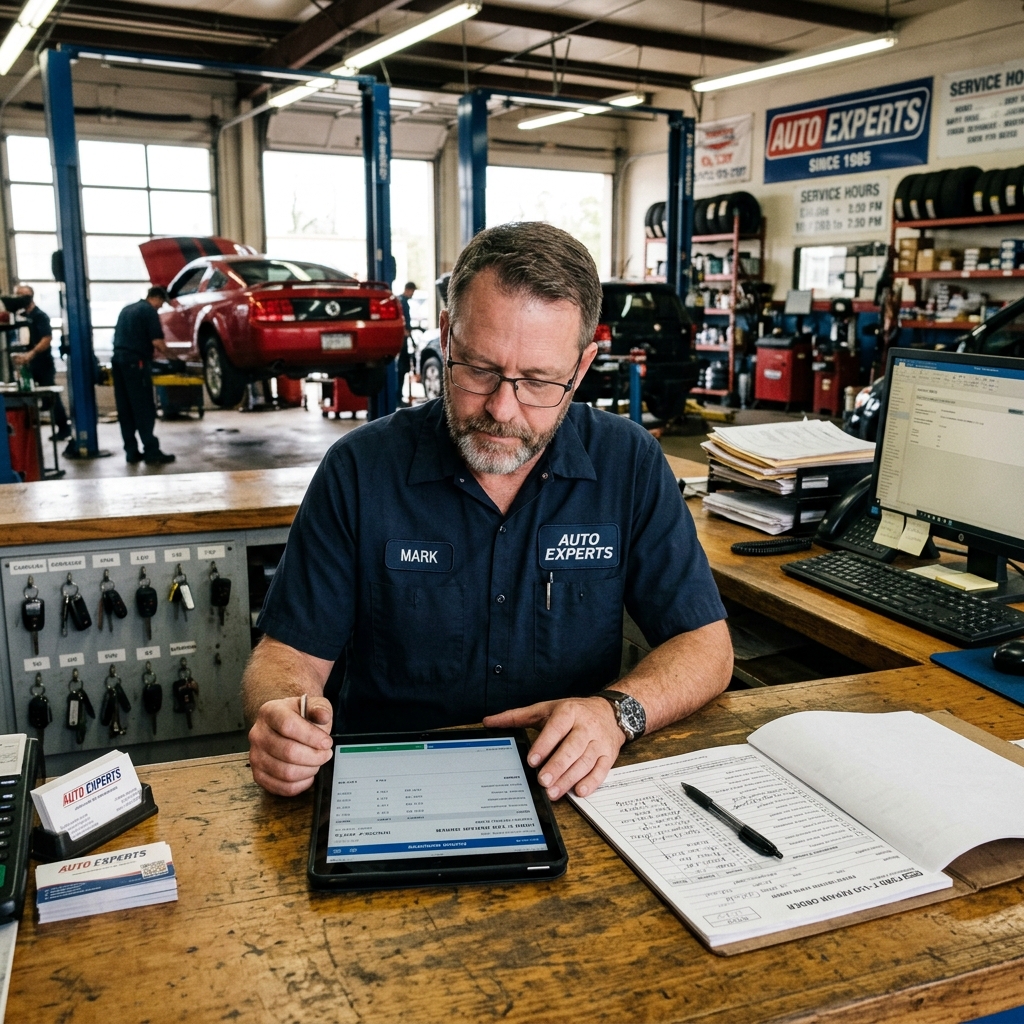
Quick Comparison: Top Automotive Repair Shop Software at a Glance
| Platform | Best For | Key Features | Starting Price | Contract Type |
|---|---|---|---|---|
| RedAppy | All-in-one shop management | Digital inspections, AI Repair Assistant, Kanban board, parts ordering, built-in website, analytics | Contact for pricing | Month-to-month |
| Mitchell 1 | Repair data depth | ProDemand OEM data, wiring diagrams, SureTrack community, Manager SE workflow | ~$200+/month | Annual |
| ALLDATA | OEM technical information | ALLDATA Repair, ALLDATA Manage Online, OEM-accurate diagrams | ~$149+/month | Annual |
| Shop-Ware | Paperless high-volume shops | Cloud-native, digital MPI, customer approval workflow, canned jobs | ~$299+/month | Annual |
| Tekmetric | Data-driven shop owners | KPI dashboards, technician tracking, customer communication, reporting | ~$199+/month | Month-to-month |
No single platform is right for every shop. A two-bay independent with one service advisor has different needs than a five-location operation — and the right software should fit your current workflow, not force you to change it.
A few things this table doesn't capture: onboarding quality, how responsive support is when something breaks, and whether the pricing you see includes the features you actually need. Those factors matter as much as any feature list.
Use this table as a starting point. The sections below cover each platform in detail — including honest limitations — so you can match the right tool to your specific shop before committing to a demo or trial.
RedAppy — Best All-in-One Shop Management Platform
RedAppy is an all-in-one shop management platform built to handle every step of the repair workflow — from the first phone call to the final payment. Unlike tools that specialize in just estimates or just inspections, RedAppy combines those functions with parts ordering, analytics, a branded website, and an AI assistant under one roof.
Shops that consolidate onto a single platform report saving 10+ admin hours per week by eliminating manual re-entry between disconnected tools.
Who it's for: Independent shops, growing multi-bay operations, and multi-location businesses that want one system instead of a patchwork of apps.
Use case: A service advisor creates a digital inspection with photos, sends the estimate to the customer for online approval, orders parts from multiple suppliers in the same screen, then invoices and collects payment — all without switching platforms.
Core features:
- Digital Shop Board — A Kanban-style board that shows every job's status in real time, from check-in to checkout. In practice, this replaces the whiteboard and the mental load of tracking what's happening on each bay.
- Digital inspections — Technicians attach photos and notes directly to inspection reports. Photo-rich inspections consistently drive higher work approval rates because customers can see exactly what needs attention.
- Instant estimates and one-click invoicing — Estimates convert to invoices without re-entering data. This alone eliminates a common source of billing errors.
- Parts ordering — Real-time inventory and pricing across multiple suppliers, compared side by side. No more calling suppliers or toggling between browser tabs.
- Online payments — Customers can pay from their phone. Fewer trips to the shop for pickups, faster cash flow.
- Vehicle history and customer lookup — Search by name, license plate, or VIN. Service history pulls up instantly, which helps with upsell conversations and repeat customer identification.
- Team calendar — Centralizes scheduling for technicians and service advisors in one view.
- Built-in analytics — Tracks revenue, technician efficiency, average repair order value, and repeat business. No separate reporting tool needed.
- AI Repair Assistant — Delivers labor time estimates, diagnostic guidance, and shop insights on demand. Based on how AI tools perform in similar contexts, this reduces the time spent looking up labor guides or researching codes.
- Branded website included — Every RedAppy subscription includes a professional website with contact forms and optional used-car listings. Most competitors charge extra or don't offer this at all.
Pricing and terms: RedAppy uses transparent, month-to-month pricing with no long-term contracts. This matters because several competitors lock shops into annual agreements before they've fully tested the platform. See how RedAppy compares on pricing.
Limitations to know: Because RedAppy covers so much ground, shops coming from a specialized tool (like a standalone estimating platform with deep customization) may need a short adjustment period. The breadth of features is a strength, but it also means there's more to learn upfront.
What Makes RedAppy Different
Most shop management platforms do one or two things well. RedAppy is built around the idea that every handoff between tools — estimate to invoice, inspection to parts order, job status to customer communication — costs time and creates mistakes.
The platforms that deliver the strongest ROI are the ones that remove friction between steps, not just automate individual tasks.
Kanban-style job tracking in practice: The Digital Shop Board gives everyone in the shop — owners, service advisors, and technicians — a live view of every job. According to workflow research in service businesses, visual job management reduces status-check interruptions by a significant margin. A service advisor doesn't need to walk to the bay to know if a vehicle is ready; the board shows it.
AI Repair Assistant — real-world impact: The built-in AI delivers labor times and diagnostic guidance without leaving the platform. In practice, this means a technician can flag a diagnostic code and get guidance immediately, rather than pulling up a separate database. It also helps less experienced staff handle more complex service write-ups with confidence.
Customer lookup by plate, VIN, or name: This sounds like a small detail, but it changes the rhythm of a busy front desk. A returning customer calls in — you pull their full history in seconds, see what was recommended last visit, and write a better estimate faster.
Used-car listings built in: Independent shops that sell used vehicles typically need a separate listing tool or rely on third-party sites. RedAppy includes this natively, which is a meaningful differentiator for shops running a used-car operation alongside their service department. Learn more about managing shop workflows end-to-end.
Scalability: RedAppy is designed to work for a single-bay garage and a multi-location group. The analytics layer becomes especially valuable as shops grow — owners can compare technician efficiency, average repair order, and repeat business rates across locations without building custom reports. See how RedAppy handles multi-location shops.
| Feature | RedAppy | Typical Point Solution |
|---|---|---|
| Digital inspections | ✅ Included | Often separate tool |
| Parts ordering (multi-supplier) | ✅ Real-time | Limited or manual |
| AI Repair Assistant | ✅ Built-in | Rare |
| Branded website | ✅ Included | Usually extra cost |
| Month-to-month terms | ✅ Yes | Often annual lock-in |
| Used-car listings | ✅ Included | Separate platform |
| Real-time analytics | ✅ Built-in | Often basic or add-on |
Visit RedAppy's official platform page to see current pricing and request a demo.

What Makes RedAppy Different
Most shop management platforms make you choose between workflow tools and technical data. RedAppy combines both in a single subscription — and adds features that typically cost extra elsewhere.
The Kanban-style Digital Shop Board is one of the most practical differentiators. In practice, it gives every person in the shop — from the front desk to the technician bay — a live view of where every job stands. Jobs move through stages visually, so nothing gets lost between check-in and checkout. There's no need to chase down status updates or dig through paper ROs.
AI-powered labor times and diagnostics are built directly into the workflow. Rather than switching to a separate repair data tool mid-job, technicians and service writers can pull labor times, diagnostic guidance, and shop insights without leaving the platform. This eliminates a common time drain that adds up across dozens of jobs each week.
Shops that eliminate tool-switching during the estimate and diagnostic phase recover measurable time — RedAppy reports saving 10+ admin hours per week for typical users.
Customer and vehicle lookup works by name, license plate, or VIN. That flexibility matters at the counter when a customer calls in and you need to pull their history fast. Vehicle history is attached to each record, so returning customers don't have to repeat themselves.
A few other standout features that are less common in competing platforms:
- Built-in used-car listings on the branded website — useful for shops that also move inventory
- Multi-supplier parts ordering with real-time availability, so you're not jumping between supplier portals
- Photo-rich digital inspections that give customers visual proof of recommended work, which directly supports higher approval rates
- Month-to-month terms with no long-term lock-in — a meaningful contrast to platforms that require annual contracts
The branded website included with every RedAppy subscription is another differentiator that goes unnoticed until you price it separately. Most competitors treat a professional web presence as an add-on. RedAppy includes it, with contact forms and optional used-car listings already integrated.
For shops scaling from a single bay to multiple locations, the analytics layer tracks revenue, technician efficiency, average repair order, and repeat business in real time — giving owners the same KPI visibility that larger operations invest heavily to achieve.
Conclusion
The right automotive repair shop software depends on what your shop actually needs right now — not what looks best in a demo.
For shops that want one platform to handle everything from job tracking to customer approvals to parts ordering, an all-in-one solution like RedAppy eliminates the tool-switching that burns admin hours every week. Based on typical results reported by users, that adds up to 10+ hours saved per week — time that goes back into turning more repairs.
Shops that consolidate on a single platform spend less time on data entry and more time on billable work.
If technical data depth is your top priority, Mitchell 1 and ALLDATA are the industry benchmarks. They've earned their reputation for OEM repair data and wiring diagrams. But in practice, both require additional workflow tools to cover the full job lifecycle.
Shop-Ware fits high-volume shops running a fully paperless process with a customer-approval-first mindset. Tekmetric works best for data-driven owners who want granular technician and revenue reporting baked into their daily view.
Here's a simple way to narrow your choice:
- Single-bay or growing shop → RedAppy or Tekmetric for workflow and analytics without the learning curve
- Multi-tech shop prioritizing OEM accuracy → Mitchell 1 ProDemand paired with Manager SE
- High-volume, paperless operation → Shop-Ware
- Technical-first, diagnostics-heavy shop → ALLDATA Repair for data, supplemented by a workflow platform
Before you commit to any platform, take advantage of free trials and demos. Run a real job through the system — create an estimate, order a part, send an inspection, and process a payment. That single workflow test will reveal more than any feature list.
Month-to-month terms, like those RedAppy offers, remove the risk of locking into the wrong platform. If a vendor pushes you toward a long annual contract upfront, treat that as a signal worth noting.
The shops that get the most from their software aren't necessarily using the most expensive platform — they're using the one that fits how their team actually works. Explore how digital inspections drive approvals, see how parts ordering integrations reduce delays, and learn what real-time analytics look like in a shop environment to sharpen your decision before you buy.
Frequently Asked Questions
What's better than Alldata?
Mitchell 1 ProDemand and Identifix Direct-Hit are widely considered strong alternatives to Alldata, offering comparable OEM repair data with more intuitive interfaces. Shop-Ware, Tekmetric, and Manager SE are also highly rated for overall shop management capabilities. The best choice depends on whether you prioritize repair data depth, workflow automation, or integrated invoicing tools.
What is the 30 60 90 rule for cars?
The 30-60-90 rule refers to recommended vehicle maintenance intervals at 30,000, 60,000, and 90,000 miles. At each milestone, specific components should be inspected or replaced — for example, air filters and fuel filters at 30k, spark plugs and brake fluid at 60k, and coolant and transmission fluid at 90k. Following this schedule helps prevent major mechanical failures and extends vehicle life.
How much does alldata repair cost?
Alldata Repair costs approximately $149 per month for a single-user subscription covering one manufacturer. A multi-manufacturer subscription runs around $179–$199 per month, while the full Alldata Manage360 shop management suite adds additional costs. Pricing can vary based on contract terms and bundled features.
How much does Mitchell 1 software cost?
Mitchell 1 Manager SE, the shop management software, typically starts around $199–$299 per month depending on the tier and features selected. ProDemand, their repair information platform, is priced separately at approximately $159–$229 per month. Bundling both products together often results in discounted pricing, and Mitchell 1 offers custom quotes for multi-location shops.
Ready to Transform Your Shop?
RedAppy helps auto repair shops create professional digital estimates with photos and videos, send them instantly via text or email, and get customer approvals in seconds. No credit card required to start.