
Best Shop Management Software for Auto Repair in 2026
A service advisor answers a parts call with one hand, flips through a paper inspection sheet with the other, and tries to remember whether a waiting customer approved the brake work by text or by phone. A technician stands idle because the estimate is still handwritten. The invoice gets built from scratch at closing time. That scene is not a staffing failure. It's a systems failure, and it's exactly what the best shop management software is built to fix.
The decision facing most independent shops, multi-location operators, and mobile mechanics is no longer whether to digitize. It's which platform connects the whole job, proves a return, protects customer data, and helps a shop handle more complex vehicles without piling on separate subscriptions. Feature counts don't answer those questions. Operating fit does.
Table of Contents
- What Shop Management Software Actually Solves Today
- The Five Capability Pillars Every Platform Must Cover
- Comparing the Top Shop Management Platforms Side by Side
- How to Evaluate Digital Inspections Beyond a Feature Check
- Matching Platforms to Independent Shops, Chains, and Mobile Mechanics
- The Hidden Costs Behind Low Subscription Prices
- Measuring ROI and Managing Security Risk
- Choosing the Right Vendor and When RedAppy Fits
What Shop Management Software Actually Solves Today
The fragmented counter described above creates the same losses every day. Approvals stall because photos sit on a technician's phone. Parts arrive late because ordering lives outside the repair order. Advisors retype the same customer and vehicle details into an estimate, then again into an invoice. Each handoff is a chance for delay, error, and lost revenue.
A modern shop management system replaces that chain with one connected workflow. A booking becomes a check-in. Check-in opens a repair order. The technician completes a digital vehicle inspection with photos inside that order, the advisor builds the estimate from the inspection findings, and the customer approves on a phone. Parts, labor, invoicing, and payment stay attached to the same record.
Where Time Actually Leaks Out of a Shop
Most leaks occur between steps, not inside them. Diagnosis waits for authorization. Authorization waits for a clear estimate. Repair waits for parts. Checkout waits for a finished invoice. Software that only digitizes one step, such as invoicing alone, leaves the gaps untouched.
- Scheduling gaps: Bays sit empty while the phone goes unanswered during busy counter periods.
- Approval delays: Customers can't say yes to work they don't understand or haven't seen.
- Parts friction: Advisors leave the repair order to call suppliers and check stock manually.
- Paper trails: Vehicle history scatters across folders, making repeat visits slower.
Practical rule: A platform earns its cost between departments, in the handoffs where jobs stall, not inside isolated screens that look tidy in a demo.
Different shops feel those leaks differently. A single-bay garage needs speed and simplicity. A multi-location chain needs visibility across sites without phone calls to each manager. A mobile mechanic needs the whole workflow on a phone, at the customer's location. The right buying criteria follow from that operating model, not from the longest feature list on a vendor website.
The Five Capability Pillars Every Platform Must Cover
Grouping software into five pillars gives owners a scoring framework that survives sales demos. A platform that's weak in any one pillar forces staff back into spreadsheets, sticky notes, or a second subscription.
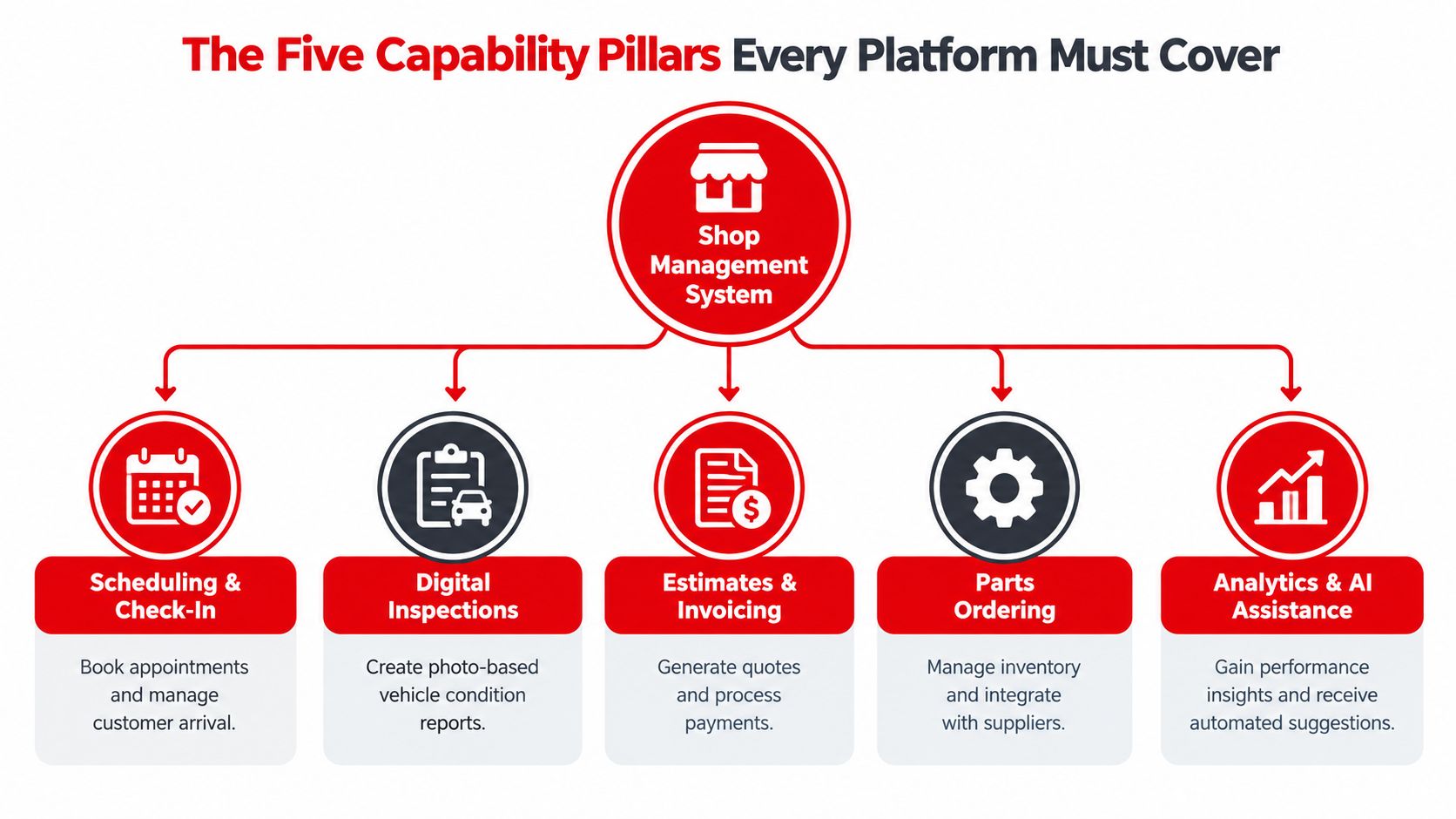
Adoption data shows where the industry stands. In a, 70% of owners viewed technology adoption as key to remaining competitive, yet only 22% currently used AI assistants, even though 90% of those AI users reported being at least somewhat satisfied. The same research found nearly 90% using online parts ordering and 66% using electronic repair orders, while fewer than half used digital inspection sheets or online appointment scheduling. Mature tools are everywhere. Integration is the gap.
The Five Pillars in Plain Terms
- Scheduling and check-in: Online booking, a team calendar, and fast customer lookup by name, plate, or VIN at arrival.
- Digital inspections: Photo and video based condition reports sent directly to the customer for review.
- Estimates and invoicing: Quotes built from inspection findings, converted to invoices without retyping, with online payment attached.
- Parts ordering and inventory: Supplier ordering inside the repair order, real-time stock visibility, and low-stock alerts.
- Analytics and AI assistance: Dashboards for revenue, technician efficiency, and average repair order, plus AI help with labor times and diagnostic direction.
A platform covering four pillars but missing analytics leaves owners guessing about profitability. One missing parts integration sends advisors back to the phone. Scoring each pillar separately, then checking how data flows between them, separates integrated systems from bundles of loosely connected modules wearing one logo.
Comparing the Top Shop Management Platforms Side by Side
Platform names dominate most roundups, but the useful comparison is structural. AutoLeap targets small shops that want a simple interface and basic reporting. Mitchell 1 serves larger operations with deep diagnostic and repair information ties and customizable workflows, at the cost of more training. Shopmonkey emphasizes a modern cloud experience, customer portals, and integrated payments. Each can be the right answer. None is right for every shop.
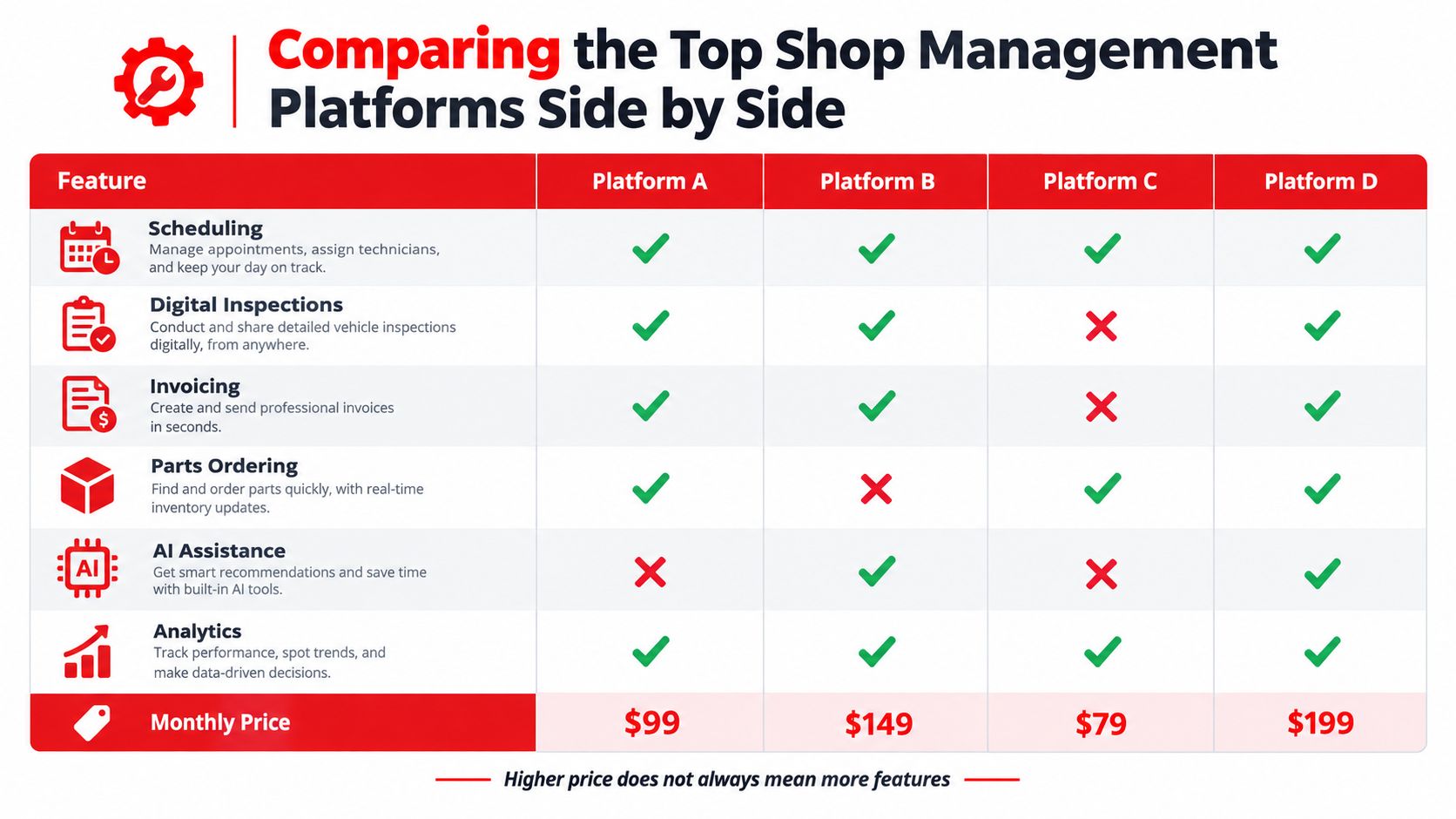
Shop Management Software Comparison Matrix
| Platform | Scheduling | Digital Inspections | Parts Ordering | AI Assistance | Pricing Model |
|---|---|---|---|---|---|
| AutoLeap | Included, simple | Included | Supplier integrations | Limited | Per location |
| Mitchell 1 | Included, configurable | Included | Integrated with repair data | Varies by package | Scales with features and users |
| Shopmonkey | Online booking focus | Included | Included | Automation focused | Per location |
| Fullbay | Built for heavy-duty fleets | Workflow based | Inventory focused | Limited | Plan based |
The table is a starting point, not a verdict. Pricing model matters as much as any feature row. Per-user pricing punishes growing teams and discourages giving every technician a login, which undermines inspection and time-tracking data. Per-location pricing suits stable sites but needs scrutiny when a second location opens. Month-to-month terms reduce risk for first-time buyers, while long contracts demand a much stronger pilot result before signing.
Questions That Separate Marketing From Fit
- Add-on exposure: Is AI assistance included, or sold as a separate module after signup?
- Inspection depth: Does the inspection tool report photo counts and completion times, or only produce a checklist?
- Parts breadth: How many suppliers connect natively, and does inventory update in real time?
- Exit terms: Can customer, vehicle, and repair history data be exported in a usable format at any time?
A demo that cannot run a real repair order from check-in to paid invoice, using the shop's own parts suppliers, is a presentation, not an evaluation.
Single-bay shops should weight setup speed and total monthly outlay heavily. Chains should weight permissions, cross-location reporting, and integration reliability. Both should treat any feature locked behind an unpriced add-on as absent until a written quote proves otherwise.
How to Evaluate Digital Inspections Beyond a Feature Check
Run one brake job through the demo before you believe a word of the pitch. Have a technician photograph the rotors on a phone, send the inspection to a real customer number, and time how long approval takes. That single exercise exposes more than an hour of slides.
The numbers behind this are public. An covering 50,000 inspections found a median completion time of 21 minutes, roughly 30% faster than a 30-minute best-practice benchmark, and inspections with 20 or more photos generated repair orders roughly 30% higher than inspections with five or fewer photos. Strong inspection practices in that analysis were associated with a 27 to 28% increase in average repair-order value.
Build a Scorecard, Then Grade the Pilot
| What you measure | Healthy sign | Warning sign |
|---|---|---|
| Median inspection time | Steady times across technicians | One tech finishes far faster than peers |
| Photo completeness | Consistent media on every job | Photo counts drop on busy days |
| Delivery speed | Customer gets it within minutes | Inspections sit unsent until closing |
| Approval latency | Decisions arrive same day | Customers need phone-call chasing |
| Approval rate and RO value | Rising together | Higher prices with flat approvals |
Two conditions decide whether those rows stay green. First, mobile usability: if uploading photos means walking to a desktop, technicians stop taking them, and if the form fights gloves or poor light, detail suffers. Second, reporting granularity: the platform must break every metric down by technician, location, and repair order, or you cannot separate better inspections from one advisor having a good week.
Test on the shop floor, on real vehicles, with the technicians who will use it daily. A scorecard filled in by your own team beats any reference call the vendor arranges.
Matching Platforms to Independent Shops, Chains, and Mobile Mechanics
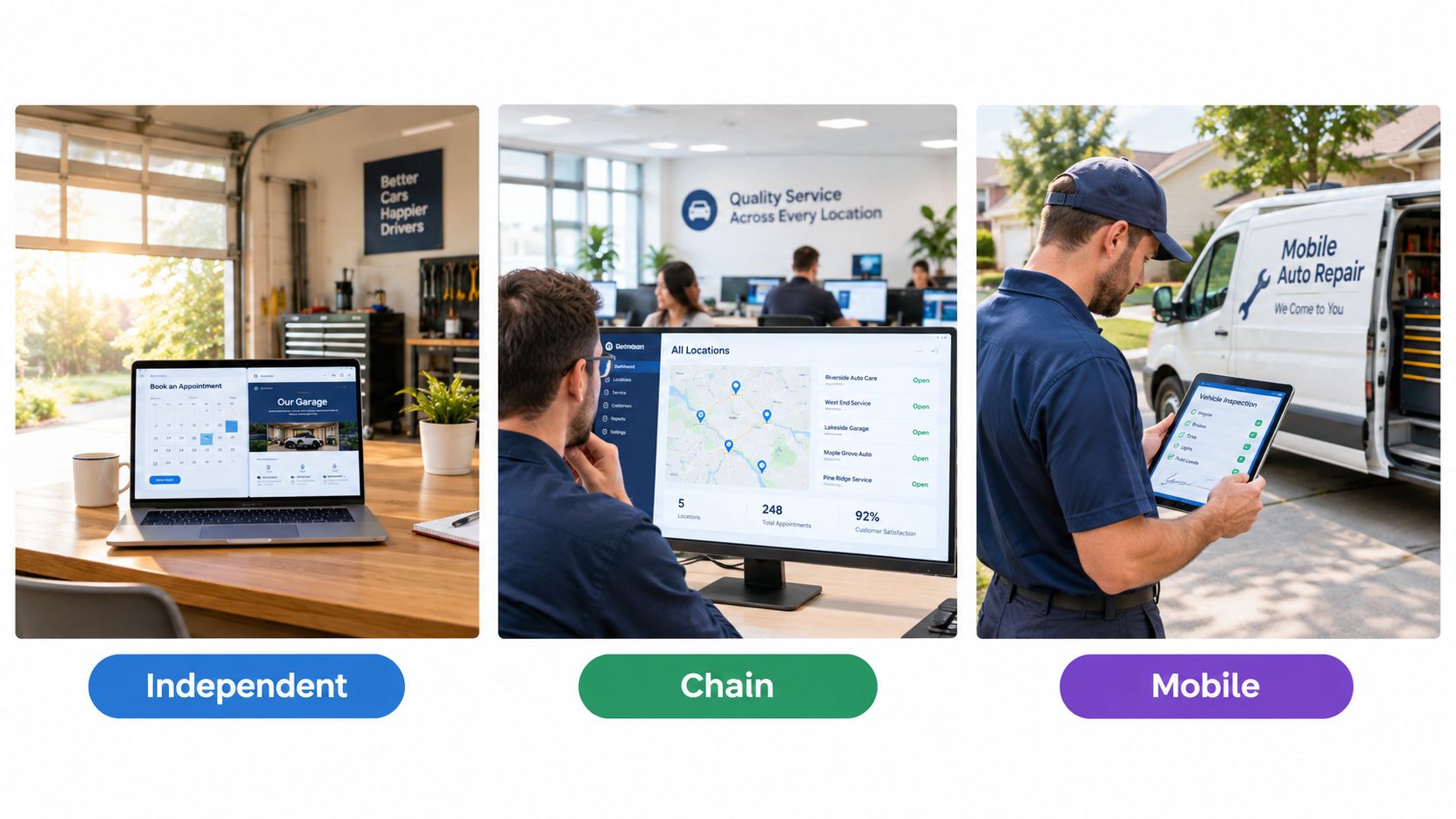
The same platform can delight one shop and frustrate another. Matching starts with honest profiling, not aspiration.
Customer expectations apply across all three profiles. A covering 1,974 vehicle owners found 72% considered reviewing and approving service estimates important, and at least 70% said viewing photos or videos, tracking repair progress, and using digital payment improved the service experience. A separate found 54% of customers wanted a digital inspection viewable on a mobile device and 45% wanted online payment and checkout. Any profile that skips digital approvals and payment is fighting its own customers.
Independent Single-Bay Shops
Priorities are fast setup, low administrative overhead, and month-to-month flexibility. An included branded website carries real weight here, since a small shop often has no web presence converting searches into bookings. Heavy customization menus and enterprise reporting usually go unused and slow the team down.
Multi-Location Chains
Chains need role-based permissions, centralized analytics, and comparable reporting across sites. A visual job board showing work from check-in to checkout at each location lets regional managers spot bottlenecks without calling every store. Standardized inspection templates matter too, because approval rates can't be compared across locations using different forms.
Mobile Mechanics
Mobile work lives or dies on the phone. Lookup by plate or VIN at the curb, photo inspections sent before work begins, and payment collected on site define the workflow. Desktop-first platforms with a companion viewer app fail this profile quickly. Offline tolerance and simple invoicing outweigh deep inventory features a van-based operation won't use.
The Hidden Costs Behind Low Subscription Prices
A two-bay shop signs the platform with the lowest monthly fee on its shortlist. Three months later the owner is paying separately for a diagnostic database, a labor guide, and a messaging module the demo never showed. The invoice grew. The capability did not.

That pattern repeats across the industry, and it compounds with a second problem: capability gaps carry their own price. In a covering 752 U.S. shops, 31% identified technician shortages as their biggest challenge, 20% cited training for increasingly complex vehicles, and 13% cited limited access to repair data. The same coverage described a broader survey of 600 workshops in which 47% had declined ADAS-related repairs for lack of capability. Every declined job is revenue handed to a competitor, and no subscription discount covers a steady stream of turned-away work.
Build the annual cost the way an accountant would:
| Cost line | Where it hides |
|---|---|
| Base subscription | Per-location and per-user pricing that scales past the headline rate |
| Add-on modules | Inspections, messaging, AI assistance, advanced reporting |
| Separate data tools | Diagnostic databases and labor information sold as standalone subscriptions |
| Payment processing | Rates tied to the platform's required or preferred processor |
| Declined work | Jobs turned away for lack of guidance, data, or training support |
Parts spending belongs in the same calculation. A applied economic-order-quantity planning to engine oil and oil filters, calculating optimal order sizes and weighing storage costs against ordering costs for each item. Buyers should take the direct lesson: parts software needs demand forecasting, reorder planning, and inventory-cost visibility. A simple item list manages nothing.
The last line of the math is capability priced as decoration. Embedded AI repair assistance, labor-time data, and diagnostic guidance cost money, but for a shop short on senior technicians, guidance that keeps a mid-level technician productive on complex work can outweigh a modest gap in monthly fees after a single saved job.
Measuring ROI and Managing Security Risk
A service manager signs the contract in January. By June the owner asks whether the platform paid for itself, and nobody can answer because no one recorded where the shop started. That conversation plays out constantly, and it is entirely avoidable.
Before go-live, write down five numbers: average repair order, recommended-work approval rate, labor utilization measured against available hours, declined work logged by reason, and payment collection time. These are the same mechanics covered in this, which tracks repair cycle time, bay utilization, advisor performance, idle time, and rework. A platform that cannot surface these figures after implementation earns no credit for improving them.
A Statistic Worth Testing in Your Own Bays
Industry coverage of reported digitally authorized jobs averaging 50% higher in value than jobs without digital authorization. Treat that figure as a hypothesis. Shops already serving higher-value customers tend to adopt digital tools earlier, so the correlation may reflect who buys the software rather than what it does. Run a controlled pilot inside your own shop: same advisors, same vehicle mix, six to eight weeks, and compare approval values before and after. Your own data settles the question in a way vendor case studies never will.
The same coverage reported 68% of auto service shops experienced successful cyberattacks, with point-of-sale systems involved in 66% of attacks. Shop software holds customer personal information, vehicle identifiers, employee accounts, and payment data. A breach hits every one of those at once, so security belongs in the buying criteria alongside inspection speed and parts integration.
recommends enabling multi-factor authentication, especially phishing-resistant MFA where available, and applying software updates and patches promptly. Put the rest in writing during evaluation: role-based access, encryption in transit and at rest, audit logs, automated backups with tested restoration, and central deactivation for departing employees. Ask each vendor to document these controls rather than describe them verbally. A vendor that can't is a risk regardless of how polished the feature demo looks.
Choosing the Right Vendor and When RedAppy Fits
Vendor selection works best as a scored pilot, not a leap of faith. Two finalists, real repair orders, and agreed metrics produce a decision owners can defend to partners, staff, and themselves.
A Selection Checklist That Holds Up
- Scored pilot: Inspection time, photo completeness, approval rate, and average repair order measured before and after.
- Security evidence: MFA, access logging, backup testing, and patch practices documented in writing.
- Integration proof: Parts suppliers, accounting, and payment flow tested with live data.
- Contract terms: Pricing model, add-on costs, and renewal conditions stated plainly.
- Data export rights: Full customer, vehicle, and history export confirmed before signing.
Scale makes the choice consequential. Federal data on recorded quarterly revenue of $51.237 billion for the automotive repair and maintenance subsector, up roughly 6.4% from $48.164 billion in the comparable earlier quarter, across a sector of roughly 249,269 establishments and about 1.47 million employees. Small workflow gains compound quickly in a market that size.
Decision standard: The right platform proves incremental approved work and saved administrative time during a pilot, while documenting how it protects the customer data that work creates.
For independent shops and growing multi-location operations wanting digital inspections, estimates, invoicing, multi-supplier parts ordering, analytics, AI guidance, and an included branded website on transparent month-to-month terms in one system, RedAppy fits that profile directly, and owners can examine the details on the RedAppy features page or map a pilot through the RedAppy contact page. Shops with highly specialized dealer-side or heavy-duty fleet requirements should still pilot two finalists and score both against the checklist above. Either way, the decision should rest on measured pilot results, documented security, and true annual cost, never on the loudest demo.
Shop owners ready to replace fragmented texts, paper inspections, and manual invoices with one connected workflow for inspections, estimates, parts, payments, analytics, and AI assistance can start with RedAppy. A short pilot scored against approval rate, inspection quality, and saved counter time will show quickly whether the fit is right.
Ready to Transform Your Shop?
RedAppy helps auto repair shops create professional digital estimates with photos and videos, send them instantly via text or email, and get customer approvals in seconds. No credit card required to start.