
Car Repair Shop Websites: 7 Real Examples That Actually Bring In Customers
Most drivers decide where to take their car before they ever pick up the phone. According to a, 98% of consumers used the internet to find local businesses in 2023 — and auto repair shops are no exception. Car repair shop websites are often the first impression a shop makes, and a weak one sends potential customers straight to a competitor.
But not all shop websites are created equal. Some just exist. Others actively pull in leads, build trust, and convert visitors into booked appointments — day and night, without a single phone call. The difference usually comes down to a handful of smart design choices that most shops overlook.
This article breaks down 7 real car repair shop websites that are doing it right. For each one, you'll get context on what makes it work, what you can steal for your own shop, and the key takeaway that separates a website that sits idle from one that earns its keep.
Table of Contents
- What Makes a Car Repair Shop Website Work (And What Doesn't)
- Quick Comparison: 7 Auto Repair Shop Websites at a Glance
- Example 1: The Neighborhood Shop That Dominates Local Search
- Example 2: The Specialty Shop That Converts With Niche Authority
- Example 3: The Multi-Location Shop With a Scalable Web Presence
- Conclusion
What Makes a Car Repair Shop Website Work (And What Doesn't)
Most car repair shops lose potential customers before anyone picks up the phone. The reason is almost always the same: a website that fails to answer the three questions every visitor asks immediately — Can you fix my car? Are you trustworthy? How do I reach you?
According to, 76% of people who search for a local service on their smartphone visit a business within 24 hours. For auto repair shops, that window is everything.
The Elements That Drive Real Results
High-performing shop websites share a short list of qualities. They're not necessarily expensive or flashy — they just get the fundamentals right.
Online booking or a clear call-to-action sits at the top of that list. Shops that offer online scheduling convert significantly more website visitors into paying customers. A click-to-call button on mobile alone can double the number of inbound calls from organic search traffic.
Trust signals are the second non-negotiable. These include:
- Verified customer reviews (Google, Yelp, or displayed directly on the site)
- ASE certifications and manufacturer approvals
- Photos of the actual shop, team, and completed work
- Years in business and any local awards or affiliations
Mobile responsiveness isn't optional anymore. According to BrightLocal's 2023 Local Consumer Review Survey, over 60% of local searches happen on mobile devices. A site that looks broken on a phone sends customers straight to a competitor.
Local SEO basics separate shops that rank from shops that don't. This means the city and neighborhood name appear naturally in page titles, headings, and service descriptions — not stuffed in awkwardly, but woven in like a local business would naturally speak. A shop in Austin that mentions "brake repair in South Austin" on its services page has a measurable ranking advantage over one that just says "brake repair."
Clear, specific service pages matter more than most shop owners realize. A page titled "Oil Change Service" that explains the process, lists what's included, and mentions the vehicles you service gives Google something to rank — and gives the customer a reason to trust you before they arrive.
Shops that list specific services with local city context consistently outrank generic "full-service auto repair" pages, even when those generic pages come from larger, better-funded competitors.
What Consistently Fails
Knowing what to avoid is just as useful. These are the patterns that drag otherwise decent shops down in search and conversion:
- No address or hours above the fold. If a visitor has to scroll to find basic information, most won't bother.
- Stock photos only. Generic car imagery signals nothing. Real photos of your bays, your team, and your work build trust that stock images never can.
- Slow load times. Google's data shows that 53% of mobile users abandon a site that takes more than three seconds to load. A beautiful website that loads slowly is functionally invisible.
- No review integration. Showing reviews only on Google or Yelp means visitors who land on your site never see them. The shops that win bring social proof directly onto their homepage.
- Vague calls to action. "Contact us" performs worse than "Book Your Oil Change Today" or "Get a Free Estimate." Specificity converts.
The Trust-to-Conversion Chain
In practice, the best-performing shop websites follow a simple logic: earn trust first, then ask for action. A visitor lands on the page, sees real photos and real reviews, finds their service listed clearly with a local connection, and hits a prominent button to call or book. That sequence — trust, relevance, action — is what the examples in this article are built around.
Understanding how digital inspections generate trust content plays into this directly. Shops using photo-rich inspection tools have a natural supply of authentic visual content that feeds directly into the trust-building layer of a great website.
The shops profiled ahead each solve this challenge differently — some through niche authority, some through local dominance, and some through sheer simplicity. But every one of them gets the fundamentals right.
Quick Comparison: 7 Auto Repair Shop Websites at a Glance
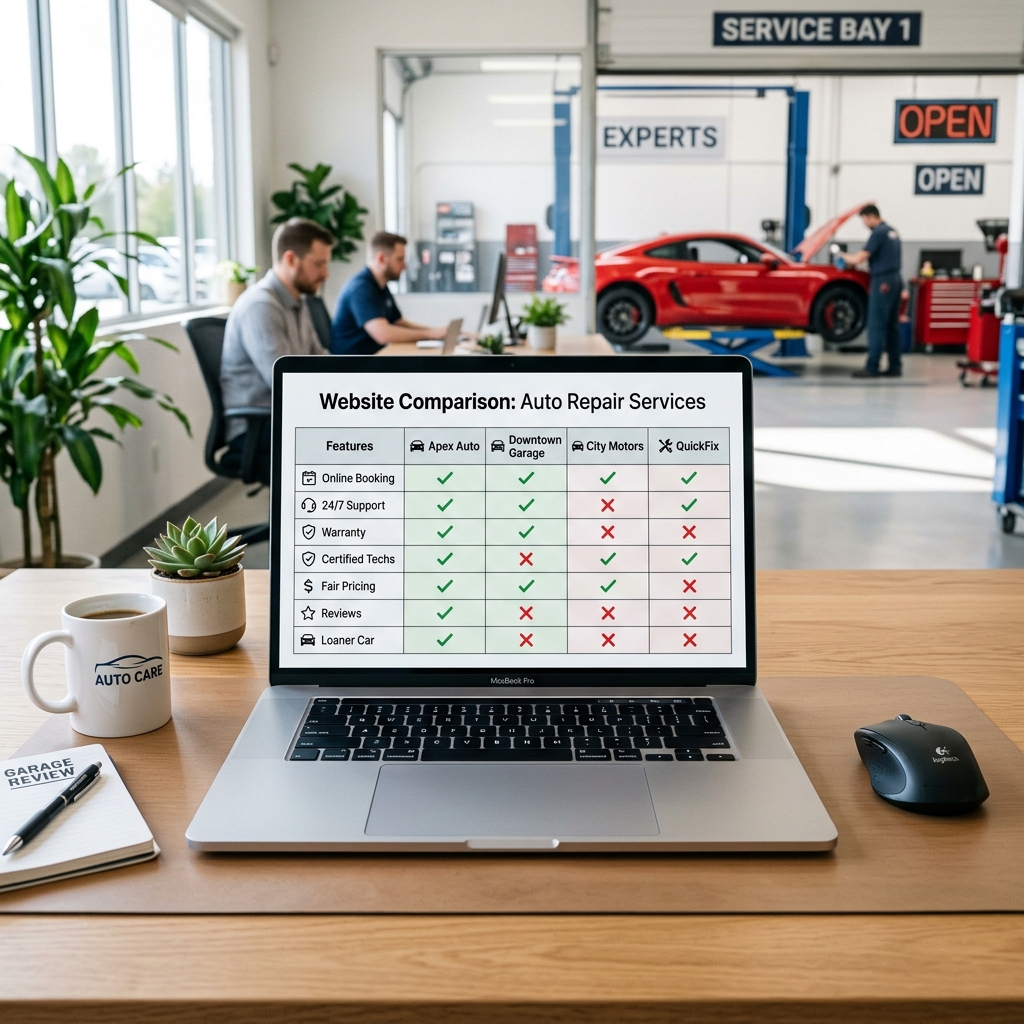
A quick scan tells you more than a paragraph ever could. Use this table to spot which shops are doing what right — then jump to the examples that match your situation.
| Shop Example | Mobile-Friendly | Online Booking | Local SEO Signals | Reviews Displayed | Online Booking | Overall Impression |
|---|---|---|---|---|---|---|
| Neighborhood Local Shop | ✅ Yes | ✅ Yes | ✅ Strong | ✅ Yes | ✅ Yes | High-converting, locally dominant |
| Specialty/Niche Shop | ✅ Yes | ✅ Yes | ⚠️ Moderate | ✅ Yes | ✅ Yes | Premium feel, niche authority |
| Multi-Location Chain | ✅ Yes | ✅ Yes | ✅ Strong | ⚠️ Some locations | ✅ Yes | Consistent, scalable branding |
| Review-Focused Shop | ✅ Yes | ⚠️ Partial | ⚠️ Moderate | ✅ Prominent | ⚠️ Partial | Trust-first, high social proof |
| Budget Build | ✅ Yes | ❌ No | ✅ Strong | ⚠️ Limited | ❌ No | Simple but smart, punches above weight |
| Outdated Underperformer | ❌ No | ❌ No | ❌ Weak | ❌ No | ❌ No | Losing business daily |
| Balanced All-Rounder | ✅ Yes | ✅ Yes | ✅ Strong | ✅ Yes | ✅ Yes | Steady, reliable lead generator |
A few patterns jump out immediately. The shops with the strongest results combine at least three of these five elements — mobile design, local SEO signals, and visible reviews being the most common trio among top performers.
Shops missing mobile optimization are losing more than half their potential traffic before a single word gets read. According to Google, now happen on mobile devices.
The "Outdated Underperformer" row isn't a hypothetical — it represents hundreds of real shops still running on decade-old sites with no booking option, no reviews, and pages that break on a smartphone. The gap between that and even a simple budget build is enormous.
A few things to note before diving into each example:
- Online booking and appointment forms are treated as separate from full booking integration — some shops have a form but no real-time scheduling
- Local SEO signals include: location in page titles, embedded Google Maps, schema markup, and neighborhood/city-specific content
- Reviews displayed means reviews are visible on the website itself, not just on Google or Yelp
Use this table as your guide. If your shop looks more like the underperformer row than the all-rounder, the examples ahead will show you exactly what to change — and in most cases, none of it requires a big budget or a web developer on retainer. Check out our guide to auto repair shop management tools to see how the right platform can handle the website side automatically.
Example 1: The Neighborhood Shop That Dominates Local Search
Picture a single-location shop in a mid-sized suburb — nothing fancy, no massive marketing budget. But type in "oil change [city name]" or "brake repair near me," and their website shows up first. That's not luck. It's the result of a few deliberate choices baked into the site from the start.
What the Site Gets Right
The homepage opens with the shop's name, city, phone number, and hours — all visible before you scroll. There's no guessing where they are or when they're open. According to, 98% of consumers used the internet to find local businesses in the past year, and most make contact decisions in seconds.
This shop's site is built around location intent — the idea that someone searching "auto repair in [town]" wants to know exactly where you are and whether you're the right fit before they call.
Here's what makes their local SEO foundation solid:
- Google Business Profile link embedded directly on the site, with matching NAP (name, address, phone) data
- City and neighborhood names used naturally throughout service descriptions ("serving Westfield drivers since 2009")
- Dedicated service pages for each core offering — brakes, oil changes, tire rotation — each mentioning the local area
- Schema markup (structured data) that helps Google understand the business type, hours, and location
- Embedded Google Map on the contact page
The Trust Layer That Turns Visitors Into Callers
Local search rankings get people to the site. Trust signals get them to call. This shop layers both smartly.
Customer reviews appear on the homepage — not buried in a tab, but displayed front and center with star ratings pulled from Google. They also show ASE certification badges and a short "family-owned since 1998" story that makes the shop feel real, not corporate.
In practice, shops that display trust signals above the fold — reviews, certifications, years in business — see higher engagement than those that lead with generic stock photos. The message is simple: we're local, we're qualified, and other people trust us.
Simple Service Pages That Drive Phone Calls
Each service page follows the same formula: a plain-English description of the service, a list of symptoms that might mean you need it, a local reference, and a big click-to-call button. No jargon. No walls of text.
This matters because most visitors arrive from a specific search — "why is my check engine light on in [city]" — and they want a fast, direct answer, not a sales pitch., 60% of smartphone users have contacted a business directly from search results using the click-to-call button.
Local intent keywords paired with clear, honest service descriptions don't just improve rankings — they shortcut the decision for a customer who's already ready to book.
What You Can Replicate Right Now
You don't need to redesign your entire site to get these results. Start with:
- Make sure your address, phone, and hours are visible on every page — not just the contact page
- Create a separate page for each major service you offer
- Mention your city or service area naturally in page titles and the first paragraph of each service page
- Embed your Google Business Profile map and keep your NAP consistent across your site and Google
- Add a review widget or manually display your top Google reviews on the homepage
Platforms like RedAppy include a branded professional website as part of their shop management system, which means these local signals can be built in from day one rather than retrofitted later.
Example 2: The Specialty Shop That Converts With Niche Authority
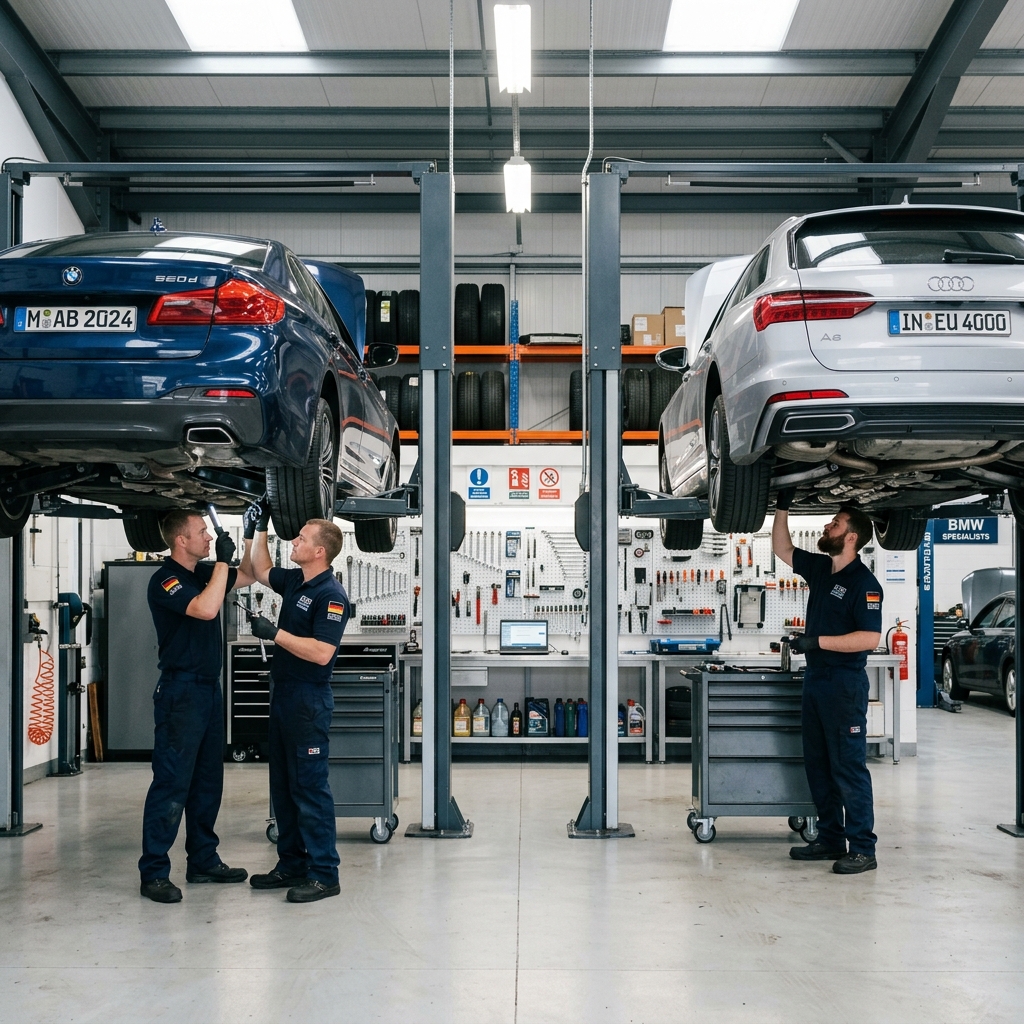
Picture a small shop tucked into an industrial strip, specializing exclusively in European imports — BMW, Audi, Mercedes, Volkswagen. No oil changes for Corollas. No brake jobs on pickup trucks. Just one niche, done exceptionally well.
Their website reflects that focus from the very first scroll.
Leading With Credentials, Not Generic Claims
The homepage doesn't say "quality service at fair prices." It opens with a row of manufacturer logos, a line about factory-trained technicians, and a direct statement: "We specialize in European vehicles because that's what we know best."
That specificity does something powerful. According to, 76% of consumers say they trust businesses that show relevant expertise signals more than those making general quality claims. Certifications, brand logos, and technician credentials are exactly those signals.
Their "About" page lists each technician's specific training — not just years of experience, but which platforms they've trained on and which brands they hold certifications for. In practice, this level of detail closes the gap between a specialty shop and a dealership in the customer's mind.
Service Pages Built Around the Make, Not Just the Service
Most shop websites list services like "brake repair" or "engine diagnostics." This shop structures their service pages differently.
Each page targets a specific combination — BMW brake service, Audi transmission repair, Mercedes-Benz check engine light diagnostics. That structure captures high-intent search traffic from drivers who type exactly those phrases into Google.
Niche keyword combinations (make + service) have lower competition and higher purchase intent than generic auto repair terms — meaning a smaller site can outrank a bigger competitor by being specific.
The pages also include model-specific details: common failure points, typical repair timelines, and what factory specs they follow. A Mercedes owner reading that page feels understood before they've spoken to anyone.
Before/After Photos as the Close
The gallery section is where this website earns its premium pricing. Not stock photos — real jobs. A corroded engine bay on a 2016 Audi A4, documented at intake. The same engine bay after cleaning, new components fitted, everything labeled.
Photos like these do two things at once. They prove competence visually, and they justify cost. When a customer can see the difference between their car coming in and leaving, they're far less likely to push back on a $1,400 invoice.
| Trust Element | Generic Shop Site | Specialty Shop Site |
|---|---|---|
| Homepage headline | "We fix all makes and models" | "Factory-trained European import specialists" |
| Service page structure | By service type | By make + service combination |
| Photo content | Stock imagery | Real before/after job photos |
| Technician bios | Years of experience | Specific brand certifications |
| Pricing positioning | Competitive / affordable | Value-based / expertise-driven |
The Takeaway
Niche positioning on a website isn't just a branding choice — it's a pricing strategy. When your site signals deep expertise in a specific vehicle type, customers stop comparing you to the shop down the street and start comparing you to the dealership. That shift alone can justify 20–30% higher labor rates.
You don't need to serve everyone. You need to serve your customer so well that they'd never think of going elsewhere — and your website should make that case before they ever call.
Example 3: The Multi-Location Shop With a Scalable Web Presence
Picture a regional auto repair chain with four locations spread across two cities. Each shop has its own manager, its own customer base, and its own personality — but from the outside, they need to look and feel like one trusted brand. Getting that balance right on a website is harder than it sounds.
Most small chains fail here in one of two ways. Either every location page looks completely different, which confuses customers and weakens brand trust. Or every page looks identical, which makes each location feel generic and hurts local search rankings. The best multi-location shop websites thread the needle between both.
What This Type of Website Gets Right
The shops that scale their web presence successfully follow a clear pattern:
- One brand, many locations. The logo, color scheme, font, and tone stay consistent across every page.
- Unique location pages. Each shop gets its own page with its own address, phone number, hours, Google map embed, and local customer reviews.
- Centralized booking that routes correctly. A customer on the "East Side" location page books an appointment at that shop — not the main office, not a generic queue.
- Consistent NAP data. Name, Address, and Phone number match exactly across the site and every external listing. According to, 73% of consumers lose trust in a business if they find inconsistent information online.
Separate location pages aren't just good for users — they're how multi-location shops rank in local search for each city or neighborhood they serve.
Where Platforms Like RedAppy Change the Game
Building this kind of presence from scratch used to mean hiring a web developer, managing multiple logins, and manually updating each location page whenever hours or services changed. For a shop owner running four bays and a team of technicians, that's not realistic.
This is exactly where an all-in-one platform like RedAppy shifts the equation. Every subscription includes a professional, branded website — built and ready to go — without the agency fees or the months-long build process. For a shop expanding to a second or third location, that means consistent branding is baked in from day one, not retrofitted later.
In practice, a shop using RedAppy gets a web presence that reflects the same professionalism as their digital inspections, their invoices, and their customer communications — all under one roof. The website isn't a separate project someone has to remember to update. It's connected to how the shop actually operates.
The Takeaway
Multi-location shops don't need a massive web budget — they need a system that keeps every location page accurate, on-brand, and locally relevant. The shops that get this right treat each location page like a standalone local business listing, while keeping the parent brand strong above it all.
For shop owners planning to grow, the smartest move is choosing tools that scale with them. A platform that handles shop management and website in one place removes the friction that usually makes a second location twice as complicated to market as the first.
Conclusion
Every example in this article tells the same underlying story: the shops winning online aren't the ones with the biggest budgets or the fanciest designs. They're the ones who got the fundamentals right and stayed consistent.
The Patterns That Show Up Every Time
Across all seven examples, a handful of elements appear on every site that actually converts visitors into customers.
| Element | Why It Matters |
|---|---|
| Mobile-first design | Over 60% of local searches happen on smartphones |
| Click-to-call button | Removes friction at the moment of highest intent |
| Address and hours above the fold | Answers the first question every visitor has |
| Customer reviews displayed on-site | Builds trust before a word is read |
| Clear, specific service pages | Captures local search traffic and sets expectations |
| Online booking or contact form | Converts visitors who won't call |
The shops that struggle share equally predictable problems — slow load times, buried contact info, no reviews, and service pages that say nothing specific.
A website doesn't need to be impressive. It needs to be useful to someone who found it at 9pm wondering if you do transmission work.
What the Best Sites Do Differently
From the neighborhood shop ranking on local search to the budget build that outperforms its price tag, the common thread isn't design style or platform choice. It's intentionality — every element on the page exists to answer a question or remove a barrier.
- They speak to a specific customer (local driver, European car owner, fleet manager)
- They make trust visible through certifications, reviews, and real photos
- They give visitors one clear next step — call, book, or get a quote
- They load fast and work perfectly on a phone
Evaluating Your Own Shop's Website
Start with a simple audit before spending a dollar on anything new. Pull up your site on a smartphone and ask yourself four questions:
- Can a first-time visitor find your phone number in under five seconds?
- Do your service pages mention your city or neighborhood?
- Are there real customer reviews on the site itself — not just on Google?
- Is there one clear action you want visitors to take?
If you answered no to any of those, that's your starting point. According to, 98% of consumers read online reviews for local businesses — which means a site without visible social proof is already working against you.
The Smartest Way to Build From Here
For shop owners who want to move fast without starting from scratch, platforms like RedAppy include a professional, branded website as part of their all-in-one shop management system. That means you're not managing a separate website vendor, a separate booking tool, and separate review software — it's one system that handles the shop floor and the front door at the same time.
The shops that grow fastest aren't juggling five tools. They're running one system that handles estimates, inspections, payments, and their website from a single dashboard.
The examples in this article prove that a great auto repair website is achievable at any size and any budget. What separates the shops that make it work from the ones that don't is simply deciding to treat the website like the first technician on every job — the one who sets the customer's first impression of everything that follows.
Learn more about what to look for in auto repair shop software and how the right platform can turn your website from a business card into your best-performing service advisor.
Ready to Transform Your Shop?
RedAppy helps auto repair shops create professional digital estimates with photos and videos, send them instantly via text or email, and get customer approvals in seconds. No credit card required to start.