
DIY Auto Repair Software: The Best Tools for Home Mechanics and Small Shops (2025)
Whether you're diagnosing a check engine light in your driveway or running a small shop out of a two-bay garage, finding the right diy auto repair software can save you hours of guesswork — and real money. According to the Auto Care Association, Americans spend over $300 billion annually on vehicle maintenance and repairs, and a growing share of that work is being done by hands-on owners who want more control over their vehicles and costs.
The tools available today go far beyond basic OBD scanners. From professional repair databases and parts lookup platforms to full shop management systems, there's software built for every skill level and budget. The challenge is knowing which tools are worth your time and which ones will leave you more confused than when you started.
This guide covers the best options across every category — free and paid, beginner-friendly and professional-grade. Whether you're a weekend mechanic chasing down a misfire or a small shop owner looking to streamline your workflow, you'll find a practical recommendation here.
Table of Contents
- 1. Quick Comparison: DIY Auto Repair Software at a Glance
- 2. Mitchell 1 DIY — Best for OEM-Level Repair Data
- 3. ALLDATA DIY — Best for Comprehensive Factory Information
- 4. AutoZone's AutoMD and Free OBD2 Resources — Best Free Starting Point
- 5. RedAppy — Best DIY-to-Professional Bridge for Growing Shop Owners
- Conclusion
1. Quick Comparison: DIY Auto Repair Software at a Glance
| Software | Best For | Key Features | Pricing Model | Platform |
|---|---|---|---|---|
| Mitchell 1 DIY | OEM repair data | Wiring diagrams, TSBs, labor times, step-by-step procedures | Subscription (time-based) | Web |
| ALLDATA DIY | Factory-level single-vehicle info | Factory diagrams, recalls, maintenance schedules, OEM data | Annual subscription (per vehicle) | Web |
| AutoMD / AutoZone Guides | Free basic repairs | Repair guides, parts lookup, how-to videos | Free | Web / Mobile |
| FIXD App | OBD2 diagnosis on mobile | Error code reading, maintenance alerts, repair cost estimates | Free + Premium tier | iOS / Android |
| Torque Pro | Advanced OBD2 data logging | Live sensor data, custom dashboards, fault code reading | One-time purchase (~$5) | Android |
| RedAppy | Growing shops and pro mechanics | AI Repair Assistant, digital inspections, parts ordering, Kanban board, invoicing | Monthly subscription | Web / Mobile |
| Identifix / ProDemand | Professional diagnostics | Real-world fixed-it data, OEM procedures, wiring | Professional subscription | Web |
The right tool depends entirely on where you are in your repair journey — a weekend DIYer and a shop owner have almost nothing in common when it comes to what software they actually need.
A few things to notice in this table:
- Free tools like AutoMD and FIXD cover the most common repair scenarios for one or two personal vehicles
- Subscription OEM databases (Mitchell 1 DIY, ALLDATA) are worth the cost when you're doing serious work and need accurate torque specs or wiring diagrams
- Professional platforms like RedAppy are a different category entirely — they manage a business, not just a repair
Pricing ranges from $0 to roughly $150+ per year for OEM databases, while professional shop platforms are priced at a monthly subscription rate that reflects the full workflow they replace. Platform availability matters too — if you're working in the driveway with your phone in hand, a web-only tool is a real limitation.
The sections below cover each option in detail so you can match the right tool to your exact situation.
2. Mitchell 1 DIY — Best for OEM-Level Repair Data
gives home mechanics access to the same repair data that professional technicians use in commercial shops. That's the core value proposition — not summarized guides, but actual OEM-sourced wiring diagrams, step-by-step procedures, and factory specifications.
What Mitchell 1 DIY Includes
The platform pulls data from original equipment manufacturer (OEM) documentation — meaning the instructions come from the same source as the factory service manual for your specific vehicle. Coverage spans most domestic and import vehicles from the early 1980s through current model years.
Key features include:
- OEM wiring diagrams — color-coded, searchable, and component-level specific
- Step-by-step repair procedures — organized by system (engine, transmission, brakes, HVAC, etc.)
- Technical Service Bulletins (TSBs) — manufacturer-issued fixes for known problems
- Labor time estimates — the same flat-rate hours a shop would charge
- Diagnostic trouble code (DTC) lookup — paired with likely causes and test procedures
- Maintenance schedules — factory-recommended service intervals by mileage and time
Labor time estimates are particularly useful if you're trying to verify whether a shop's quote is reasonable — even if you're not doing the repair yourself.
Pricing and Access
Mitchell 1 DIY uses a subscription model with tiered access. Pricing typically runs around $34.99 per month or $99.99 per year for a single-vehicle subscription, though multi-vehicle options are available at higher tiers. Subscriptions are web-based, so there's no software to install — you access everything through a browser on desktop or tablet.
| Plan Type | Coverage | Approx. Annual Cost |
|---|---|---|
| Single Vehicle | One make/model/year | ~$100/year |
| Multi-Vehicle | Up to 5 vehicles | ~$200–$250/year |
Pricing may vary — check directly for current offers.
Who It's For
Mitchell 1 DIY is built for the serious home mechanic — someone tackling jobs like timing belt replacement, electrical diagnosis, or transmission work where getting the spec wrong has real consequences. Based on the depth of data available, it's genuinely comparable to what a shop tech would reference on a professional subscription.
It's a strong fit if you:
- Work on multiple systems beyond basic maintenance
- Need accurate wiring diagrams for electrical diagnosis
- Want to cross-check a repair shop's labor estimate
- Are restoring or maintaining a vehicle with limited third-party documentation
Honest Limitations
Mitchell 1 DIY has a learning curve. The interface is functional but dense — navigating between systems and subsections takes some adjustment. For someone changing oil or swapping brake pads, the depth of data is overkill and the annual cost isn't justified.
It's also worth noting that choosing the right repair database depends heavily on how often you use it. If you're doing two or three repairs a year on a single car, a lower-cost alternative may serve you better. But for anyone who regularly gets under the hood on complex jobs, the OEM-level accuracy is hard to match.
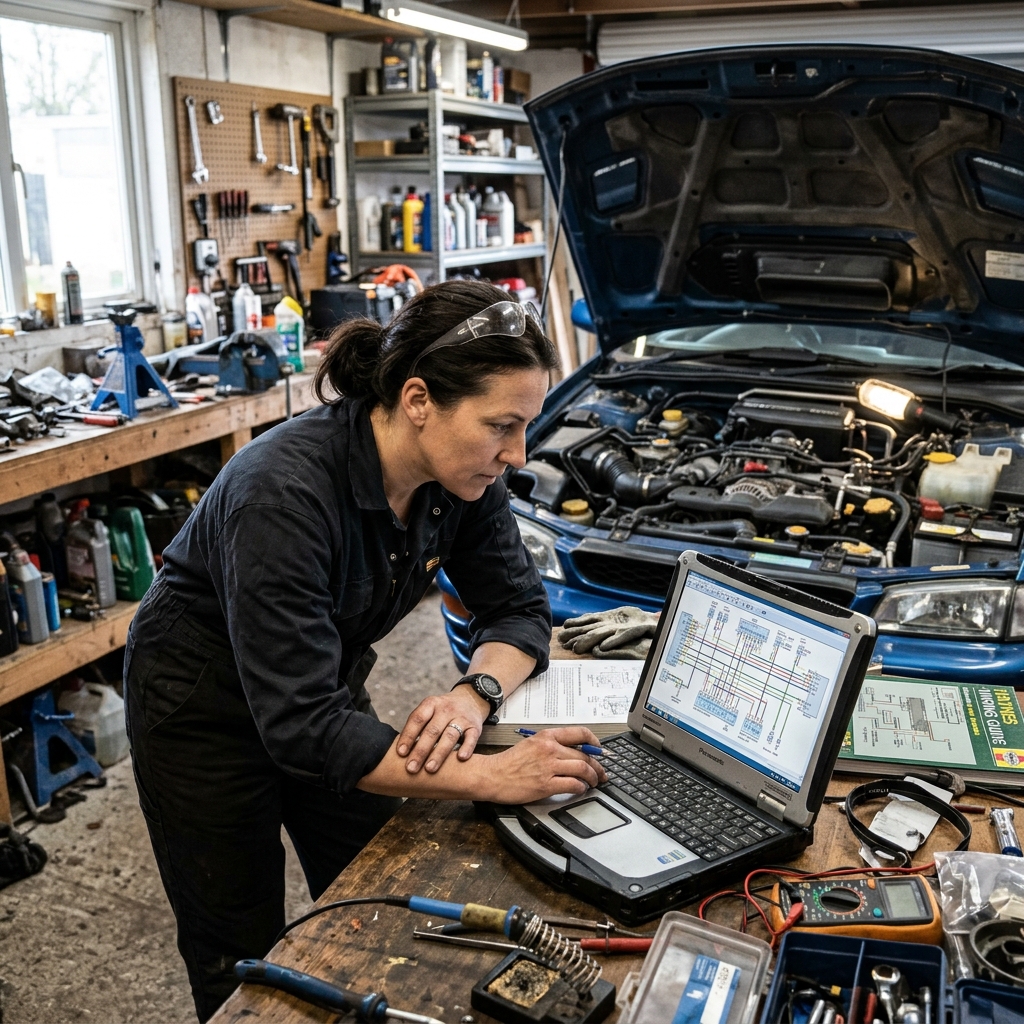
3. ALLDATA DIY — Best for Comprehensive Factory Information
takes a different approach from Mitchell 1. Instead of offering multi-vehicle access, it sells single-vehicle subscriptions — one price, one car, everything that OEM published about it. That focus makes it one of the most complete sources of factory repair information available to non-professionals.
What ALLDATA DIY Includes
ALLDATA sources its data directly from vehicle manufacturers, which is the same pipeline that feeds dealership service departments. For the vehicle you subscribe to, you get:
- Factory wiring diagrams — not simplified aftermarket versions
- Step-by-step repair procedures with torque specs and special tool requirements
- Technical Service Bulletins (TSBs) and recall notices
- Maintenance schedules and fluid specifications
- Diagnostic trouble code (DTC) explanations with manufacturer-recommended repair paths
- Component locations and disassembly sequences
The wiring diagrams alone justify the cost for anyone doing electrical work. Aftermarket alternatives are often incomplete or inaccurate on connector pinouts.
ALLDATA covers over 44,000 engine-specific vehicles from 1982 to present, according to ALLDATA's own documentation. That's broad enough to cover most domestic, Asian, and European makes.
Pricing and What You're Actually Paying For
ALLDATA DIY runs $29.95 per year for a single-vehicle subscription. A second vehicle adds another $14.95/year, and subsequent vehicles cost $14.95 each on top of that.
| Vehicles Covered | Annual Cost |
|---|---|
| 1 vehicle | $29.95 |
| 2 vehicles | $44.90 |
| 3 vehicles | $59.85 |
| 4 vehicles | $74.80 |
For a household with three or four cars, the cost adds up faster than it first appears. Mitchell 1 DIY's per-vehicle subscription model is similar, but worth comparing directly based on the specific vehicles you own — coverage quality varies by make and model year on both platforms.
In practice, the single-vehicle model makes the most sense if you're doing a significant repair on one specific car. If you're working on a fleet of family vehicles or rotating through project cars, the per-vehicle cost stacks up quickly.
Who Should Use ALLDATA DIY
ALLDATA DIY is a strong fit for:
- Home mechanics tackling a specific repair on a vehicle they plan to keep — the annual cost is a fraction of one dealership diagnostic fee
- Anyone doing electrical diagnosis or module work where wiring accuracy matters
- Owners of newer or less-common vehicles where aftermarket repair guides are thin or nonexistent
- Pre-purchase inspectors who want factory maintenance history and recall data before buying a used car
Honest Limitations
ALLDATA DIY is vehicle-specific by design, which is both its strength and its constraint. If you work on multiple cars regularly, the per-vehicle pricing makes a broader subscription platform more economical. The interface is functional but not particularly modern — from experience, it can feel dated compared to newer tools, and mobile usability on smaller screens is limited. It's also not integrated with any OBD2 scanner apps, so you're cross-referencing data manually rather than pulling it in automatically.
ALLDATA DIY is best treated as a digital factory service manual — authoritative and complete for one vehicle, but not designed to be a multi-vehicle research hub.
For serious repairs on a single vehicle, it's hard to beat the data quality at that price point. For anything broader, the free resources covered in the next section or a multi-vehicle platform may serve you better.
4. AutoZone's AutoMD and Free OBD2 Resources — Best Free Starting Point
Free repair resources have gotten surprisingly good. For most home mechanics tackling routine jobs — brake pads, sensors, fluid changes — a combination of free tools and a cheap OBD2 scanner covers the majority of what you'll face.
AutoMD
is a free repair guide platform that walks you through common fixes with step-by-step instructions, cost estimates, and symptom-based diagnostics. You enter your year, make, and model, describe the problem, and it narrows down likely causes with repair guidance attached.
Best for: Home mechanics doing their first brake job, diagnosing a rough idle, or checking whether a shop quote seems fair.
- Covers hundreds of common repairs across most passenger vehicles
- Includes labor time estimates and parts cost ranges to benchmark shop prices
- Completely free — no account required for most content
The cost estimate feature is particularly useful. According to AutoMD's own data, users save an average of $200–$500 per repair by coming to shops informed.
AutoZone Repair Guides
are built into their website and available without a subscription. They cover basic procedures like replacing alternators, starters, oxygen sensors, and timing belts, often with photos and part-specific torque specs.
Best for: Mechanics who already have a part in hand and need a quick procedure walkthrough before starting.
- Integrated with AutoZone's parts catalog — you can look up the guide and order the part in the same session
- Some guides include torque specs and fluid capacities
- Coverage varies significantly by vehicle — older or less common models may have thin or missing content
Free guides work well for high-frequency repairs on popular vehicles. For wiring diagrams, detailed torque sequences, or rare models, they fall short fast.
FIXD App
pairs a $20–$40 Bluetooth OBD2 sensor with a smartphone app that translates fault codes into plain English. Instead of seeing "P0420," you see "Catalytic Converter Efficiency Below Threshold" with a plain-language explanation and likely repair options.
Best for: Car owners who want to understand a check engine light before visiting a shop — or confirm a repair was done correctly.
- The app breaks down severity (urgent vs. monitor vs. maintenance reminder)
- Tracks maintenance history and sends service reminders based on mileage
- Premium tier ($8–$10/month) adds predicted repair costs and mechanic hotline access
- Limitation: FIXD is a diagnostic aid, not a repair manual — it tells you what's wrong, not exactly how to fix it
Torque Pro
is an Android-only OBD2 app ($5 one-time purchase) that pulls live sensor data from your vehicle — engine temperature, fuel trims, ignition timing, O2 sensor voltages, and more. It's a favorite among enthusiasts who want to monitor performance or diagnose intermittent issues that don't always throw a code.
Best for: Hobbyists and performance enthusiasts who want real-time engine data, not just code reading.
- Customizable dashboard with gauges you choose
- Supports extended PIDs for deeper data on specific makes (especially useful for VAG group vehicles)
- Works with any ELM327-compatible Bluetooth adapter — a $10–$15 unit from Amazon does the job
- Limitation: No repair instructions built in — it's a data tool, not a guide
Where Free Resources Fall Short
| What You Need | Free Tools Cover It? |
|---|---|
| Common repair procedures | ✅ Yes |
| OBD2 code reading | ✅ Yes (with a scanner) |
| Labor time estimates | ⚠️ Approximate only |
| Wiring diagrams | ❌ Rarely |
| Torque specifications | ⚠️ Partial coverage |
| TSBs and recalls | ❌ Not reliably |
| Complex electrical diagnosis | ❌ No |
In practice, free tools handle about 70–80% of what the average home mechanic needs. Once you move into electrical faults, transmission work, or anything requiring OEM wiring diagrams, you'll hit a wall quickly. That's when a paid database like Mitchell 1 DIY or ALLDATA DIY becomes worth the subscription cost.
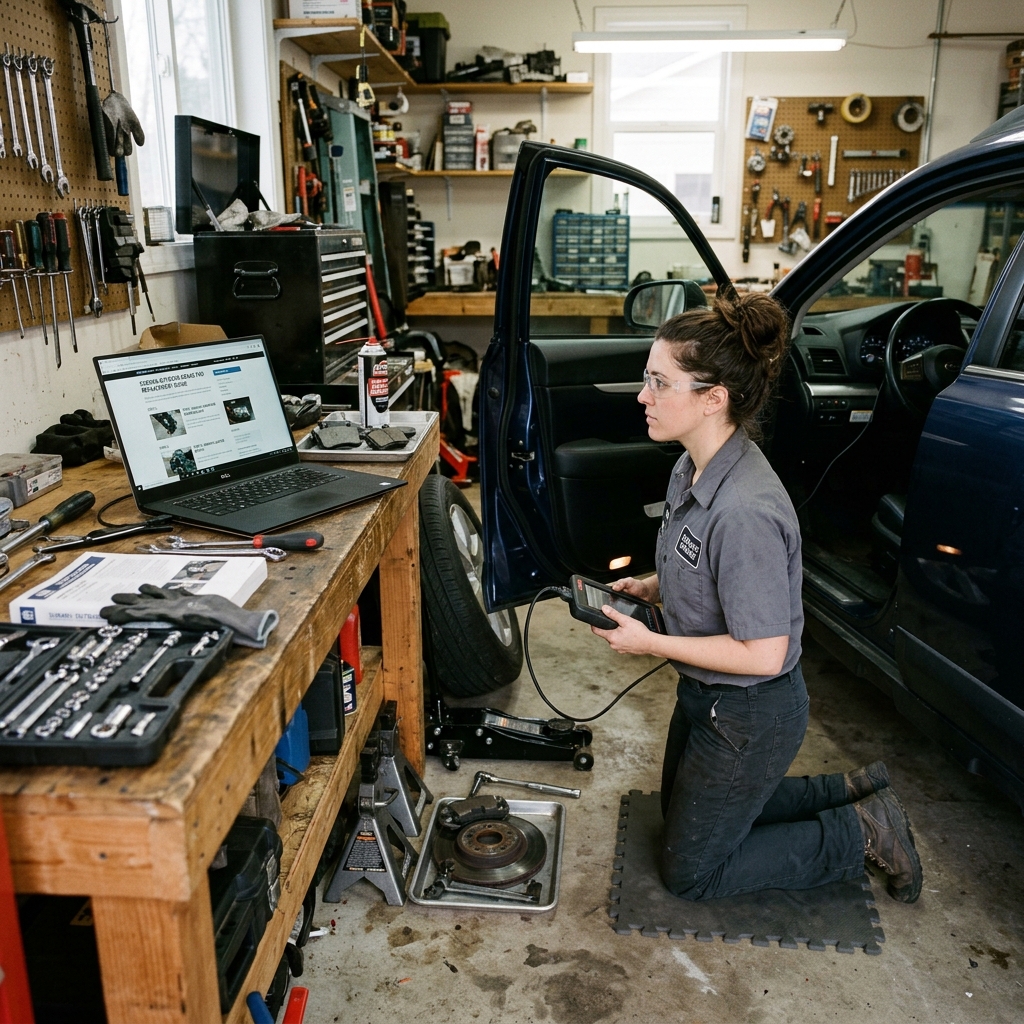
5. RedAppy — Best DIY-to-Professional Bridge for Growing Shop Owners
Most mechanics who start fixing their own cars eventually hit a ceiling. The repairs get more complex, friends start asking for help, and suddenly there's a business to run. RedAppy is built for exactly that transition — when your skills outgrow the driveway and you need real shop management tools.
What RedAppy Does
RedAppy is an all-in-one shop management platform that handles the full workflow of a professional auto repair business. Where DIY tools like Mitchell 1 or ALLDATA stop at repair data, RedAppy picks up with everything a running shop actually needs: estimates, invoices, parts ordering, digital inspections, and customer management.
In practice, it replaces a stack of separate tools — scheduling software, invoicing apps, parts catalogs, and paper inspection sheets — with a single platform. That's a meaningful difference when you're trying to run a shop and fix cars at the same time.
The AI Repair Assistant
The built-in AI Repair Assistant is the feature most relevant to mechanics making the DIY-to-professional leap. It delivers labor time estimates, diagnostic guidance, and shop-specific insights on demand — so you're not guessing what to charge or how long a job should take.
Pricing mistakes are one of the fastest ways a new shop loses money. Having labor time data built into your workflow removes a lot of that guesswork.
For someone who learned repair through experience rather than formal training, this is a practical safety net. You may know how to do the job — the AI helps you price it correctly and document it professionally.
Digital Inspections and Estimates
RedAppy's digital inspection tool lets technicians capture photos and notes during a vehicle walkthrough, then send a photo-rich report directly to the customer. This is the feature that tends to convert more work — customers can see the problem, not just hear about it.
From experience, shops that move from verbal estimates to visual inspections consistently report higher approval rates on recommended work. RedAppy cites this as a key driver of its reported first-year ROI outcomes.
Parts Ordering and Shop Operations
The platform connects to multiple parts suppliers with real-time inventory, so you can order parts without switching tabs or making phone calls. Combined with the Kanban-style Digital Shop Board, every job is visible from check-in to checkout — which matters more than it sounds when you're managing three bays and five vehicles at once.
Other operational features include:
- Customer lookup by name, VIN, or license plate
- Vehicle history tied to each customer record
- Team calendar for scheduling technicians and appointments
- One-click invoicing and online payment collection
- Real-time analytics tracking revenue, technician efficiency, and repeat business
The Branded Website Inclusion
Every RedAppy subscription includes a professionally built, branded website with contact forms and optional used-car listings. For a new shop owner, this alone saves hundreds of dollars and removes one more thing to figure out. It's not a homepage builder — it's a functional business website designed to attract and convert customers.
Who RedAppy Is For
| User Profile | Is RedAppy a Fit? |
|---|---|
| Home mechanic fixing personal vehicles | No — overkill for personal use |
| Hobbyist working on classics occasionally | No — better served by Mitchell 1 or ALLDATA |
| Mobile mechanic taking on paying customers | Yes — handles estimates, invoicing, and scheduling |
| Opening a first shop (1–3 bays) | Yes — built for exactly this stage |
| Established shop looking to consolidate tools | Yes — replaces multiple platforms |
| Multi-location operation | Yes — scales across locations |
Honest Limitations
RedAppy isn't a repair data source in the way Mitchell 1 or ALLDATA are. It doesn't provide OEM wiring diagrams or factory service procedures. In practice, many shops pair it with a data subscription for repair specs while using RedAppy for everything else on the business side. That combination covers the full professional workflow.
RedAppy reports saving shops 10+ admin hours per week, which compounds quickly for a small owner-operator who is also turning wrenches. Pricing is month-to-month with no long-term contracts, and it scales from single-bay garages to multi-location shop management.
For a DIYer who has decided to go pro, there's no comparable tool that handles this much of the business in one place. The AI Repair Assistant and inspection workflow in particular are built for mechanics who are skilled at the work but newer to running it as a business.
Conclusion
The right DIY auto repair software comes down to one question: what are you actually trying to do?
For basic maintenance and common repairs, free tools like AutoMD and a $30 OBD2 scanner cover most situations. You don't need to pay for a subscription to reset a check engine light or follow a brake pad replacement guide.
For serious home mechanics tackling engine rebuilds, electrical faults, or unfamiliar vehicles, ALLDATA DIY or Mitchell 1 DIY provide the factory-level data that makes the difference between guessing and knowing. The annual cost is a fraction of a single dealership diagnostic fee.
The gap between a free resource and an OEM database isn't convenience — it's the difference between a general walkthrough and the exact torque sequence for your specific engine.
For mechanics who've turned their skills into a business — or are planning to — the toolset changes entirely. Professional shop management software like RedAppy handles the workflow that free tools and repair databases were never designed for: estimates, invoices, digital inspections, parts ordering, and technician scheduling. Saving 10+ admin hours per week has a real dollar value when you're running a shop, not just a weekend project.
Here's a simple map to the right starting point:
- Fixing your own one or two vehicles: Start with free resources. Add an OBD2 app like FIXD or Torque Pro. Only upgrade to a paid database if you hit a wall on wiring or specs.
- Working on multiple vehicles or classics: An ALLDATA DIY or Mitchell 1 subscription pays for itself quickly when it prevents one wrong repair.
- Running or starting a professional shop: Skip the DIY databases and invest in a platform built for business. RedAppy's AI Repair Assistant and shop management tools give you labor times, diagnostics, and operational control in one place.
- Somewhere in between: Use a decision framework like the one in Section 6 to match your current situation, not where you think you'll be in two years.
The tools exist for every level. The only mistake is using the wrong one for the job — paying for professional software when you're changing your own oil, or relying on free guides when you're billing customers for diagnostics. Match the tool to the work, and you'll spend less time searching for answers and more time actually fixing things.
For your next step: if you're still in the DIY phase, bookmark a free resource and grab a basic OBD2 scanner. If you're ready to run a real shop, explore what RedAppy offers — the month-to-month terms mean you can try it without a long-term commitment.
Ready to Transform Your Shop?
RedAppy helps auto repair shops create professional digital estimates with photos and videos, send them instantly via text or email, and get customer approvals in seconds. No credit card required to start.