
Free Auto Repair Shop Software: What It Really Costs
The repair-order binder is open on the counter. A customer wants an update, a technician needs approval for extra work, and the parts invoice is somewhere under yesterday's tickets. The owner wants to stop shuffling paper, but another monthly subscription doesn't look appealing.
Free auto repair shop software can be a sensible starting point. The useful question isn't whether it costs nothing to open an account. It's whether the shop can finish its daily work, keep control of its records, and leave without an expensive cleanup.
Table of Contents
- What Free Shop Software Typically Includes
- Hidden Costs That Make Free Software Expensive
- Which Option Fits Your Shop and When to Upgrade
- Feature and Security Checklist Before You Trust Free Software
- How to Move Your Shop Records Without Losing History
- Run a Trial and Decide
What Free Shop Software Typically Includes
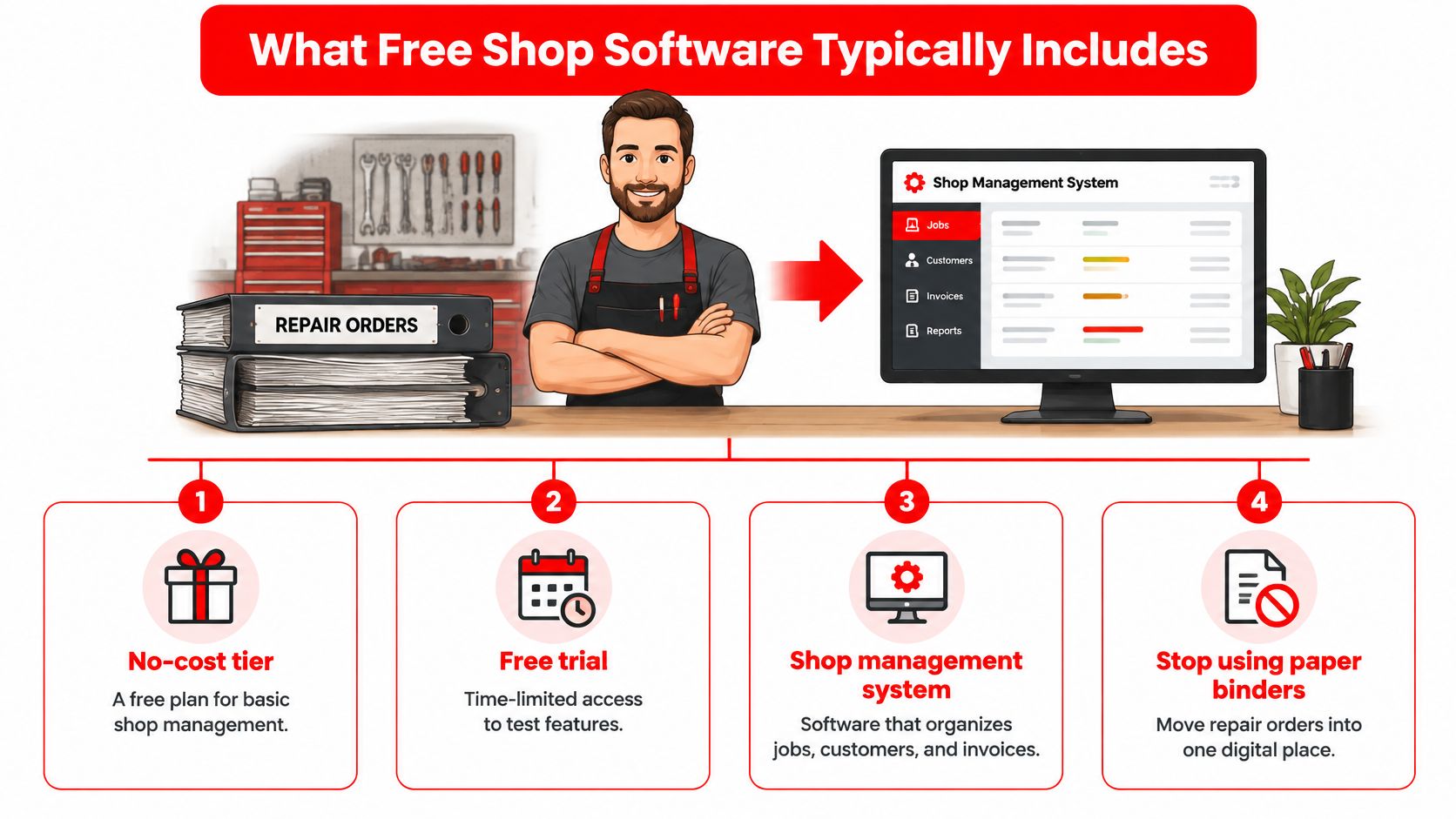
For the owner replacing a binder, free software should first provide a shared place for jobs, customers, and invoices. A complicated setup that still requires paper tickets hasn't solved the original problem.
A free plan is like a kitchen starter kit. The stove works, but the oven and dishwasher cost extra. Basic invoicing may be available, while inspections, supplier ordering, or customer messages require payment.
What free shop software usually includes and its typical limit
| Feature | Usually in free plans | What to verify |
|---|---|---|
| Estimates | Often included | Parts and labor on one estimate, plus customer approval tracking |
| Invoices | Often included, sometimes capped | Branded printable invoices and visible payment status |
| Digital inspections | Sometimes limited | Photo count limits and whether video is supported |
| Customer and vehicle records | Usually included | Complete VIN storage and records exportable as CSV |
| Scheduling | Basic or missing | Team calendar and online appointment requests |
| Parts ordering | Often missing or add-on | Supplier connections and live pricing on the repair order |
| Reporting | Basic or paywalled | Revenue, technician efficiency, and repeat business |
| Texting and payments | Usually paid add-ons | Per-message credits and per-transaction card fees |
| Shop website | Rarely included | Hosting cost and built-in booking |
This is a screening table, not a promise about every product. A feature listed on a website may belong to a paid tier rather than the free account.
The different meanings of free
Free auto repair shop software generally describes a shop management system offered through one of these arrangements:
- No-cost tier. Basic access continues without a subscription charge, but users, records, storage, or features may be restricted.
- Free trial. Access lasts for a limited evaluation period before a paid subscription is needed.
- Free core product. The main tool costs nothing, while modules, hosting, support, or connected services carry charges.
A downloadable invoice generator is narrower than a shop management system. It can produce a document without maintaining job status, vehicle history, or technician assignments.
Website extras deserve the same distinction. Expressify AI's is a useful example of a separate customer-contact tool, not a replacement for repair orders or scheduling. The shop still needs a clear handoff from an inquiry to an actual appointment.
Practical rule: If the feature the team uses every day sits on the paid side, the free plan will cost time.
Before comparing products, owners should mark the table's must-haves for their own operation. A mechanic working alone needs a different setup from a front desk coordinating advisors and technicians.
Hidden Costs That Make Free Software Expensive
Consider a hypothetical three-bay garage that chooses a free system. Within six months, the owner adds text credits, a parts module, and an export tool. Its monthly bill could exceed a $39 paid plan before anyone counts the time spent moving information between screens.
That isn't an argument against free software. It's an argument for calculating fees, limits, and staff time together.
Where the bill grows
Hidden costs in free shop software and how they add up
| Hidden cost | Where it shows up | Why it adds up |
|---|---|---|
| Payment processing | Card and online payments | Percentage plus fixed fee on every transaction |
| Texting and messaging | Customer reminders and updates | Credits or per-message charges that grow with volume |
| Seat and vehicle limits | Adding technicians or records | Forced upgrade as the shop grows |
| Data export and migration help | Leaving the platform | Paid export tools or hours of manual cleanup |
| Add-on modules | Parts, accounting, inspections | Each module priced separately |
| Onboarding and training | First weeks of use | Staff time lost during setup |
| Duplicate entry | Front desk and shop floor | Re-typing customers, plates, and VINs across tools |
| Downtime | Outages or lost access | Jobs stalled and payments delayed |
Processing charges belong in the payment terms, not just the subscription comparison. Owners should check the percentage, fixed charge, refund treatment, and whether online payments use a different rate from terminal payments.
Messaging allowances usually appear in plan details or a separate credits page. User and record caps need closer reading: reaching a limit might block new work, require an upgrade, or leave existing records available only for viewing.
Export and cancellation terms deserve attention before signup. A subscription can look inexpensive until the shop needs its inspection files or wants help transferring history.
Put a value on slower work
In Roland Berger's Automotive Aftermarket Pulse survey, ease of use accounted for 26.3% of responses and speed or efficiency for 22.7%, making them the most valued shop-management-system attributes. That's a practical buying signal: a longer feature list doesn't compensate for a slow counter routine.
For a hypothetical workload, an extra 10 minutes per repair order across 40 orders a week equals 400 minutes, or six hours and 40 minutes weekly. That time might be spent copying approved labor, attaching photographs twice, or reconciling payments manually.
The owner should multiply that time by the shop's actual loaded hourly cost. Training deserves a separate allowance because setup time is temporary, while duplicate entry keeps consuming labor.
A free product can cost more than a paid one when the shop pays the difference through payroll and delayed work.
A useful monthly comparison separates recurring charges, temporary setup work, and avoidable administrative time. It also identifies who owns each extra task. Otherwise, the front desk absorbs the cost without anyone recording it.
Which Option Fits Your Shop and When to Upgrade
Shop type, people touching each job, and workload determine whether a free system fits. Bay count alone doesn't. A small garage handling complicated approvals and frequent parts purchases may need more coordination than a larger operation doing straightforward work.
The right choice follows the handoffs. Every time a job moves from advisor to technician, parts counter, or cashier, someone needs accurate status without asking around.
Free shop software fit by shop type
| Shop type | Free software usually fits | Move to paid when |
|---|---|---|
| Mobile mechanic working alone | Basic invoicing and customer records | Texting, reminders, or online booking become necessary |
| Single-bay independent garage | Estimates, invoices, and basic scheduling | Another technician or steady daily workload strains the limits |
| Multi-technician shop | Single-user or trial-level use | Staff need separate logins, permissions, and job assignment |
| Shop replacing Excel | Simple records and invoices | The team needs a shared job board and inventory |
| Shop with heavy parts volume | Little or none | Supplier ordering and live inventory become daily work |
| Multi-location chain | Rarely suitable | Consolidated reporting and a standard workflow are required |
Match the system to the handoffs
A mobile mechanic working alone could reasonably use free invoicing for a year in a hypothetical low-volume setup. The mechanic already knows which jobs are waiting, who approved the work, and which parts are in the van.
A hypothetical two-advisor shop with a busy parts counter could reach its limits within the first month. Separate people need to update the same job without overwriting notes or interrupting one another.
The clearest upgrade triggers are operational:
- Separate access becomes necessary. Another person needs an individual login and permissions suited to the job.
- Customer contact expands. Text updates and online booking become part of the normal service routine.
- Parts coordination becomes daily work. Staff need ordering and stock information connected to repair orders.
Repeated limit warnings are another signal. So are parallel spreadsheets, slow estimate approvals, and an inability to see revenue or technician performance without assembling reports manually.
Choose a path rather than drifting
Stay free when daily work fits comfortably, a complete export is available, and staff aren't maintaining a shadow system elsewhere. Basic software is enough when it finishes the job.
Stay free with a scheduled review when the shop is still establishing its workload. The review should be tied to actual use, such as adding staff or introducing appointment requests, rather than waiting for the account to stop accepting records.
Move to paid now when the missing tools already cause delays or obscure responsibility.
RedAppy is an all-in-one alternative with digital inspections, instant estimates that include parts and labor, one-click invoicing, online payments, multi-supplier parts ordering, analytics, and a Kanban-style Digital Shop Board. Plans start at $39 per month with month-to-month terms, and a branded website with built-in online booking is included free with every plan.
The shop management features show the connected workflow. The comparison should still use the plan that matches the shop's actual needs, including any tier-specific capabilities or usage charges, rather than assuming the starting price meets every possible requirement.
Feature and Security Checklist Before You Trust Free Software
The first trial test should happen before real customer information enters the system. Using a non-customer test record, the evaluator should deliberately mistype a VIN and check whether the software warns about it.
identifies the VIN as the vehicle's unique identifier and describes its 17-character structure, including a mathematically computed check digit in the ninth position. Validation helps catch transcription errors, although an accepted VIN still needs to match the actual vehicle.
Test the repair from intake to payment
A useful trial follows a complete job: intake, inspection, estimate, approval, repair, invoice, and payment. Clicking through separate demonstration screens won't reveal whether staff must re-enter the same information.
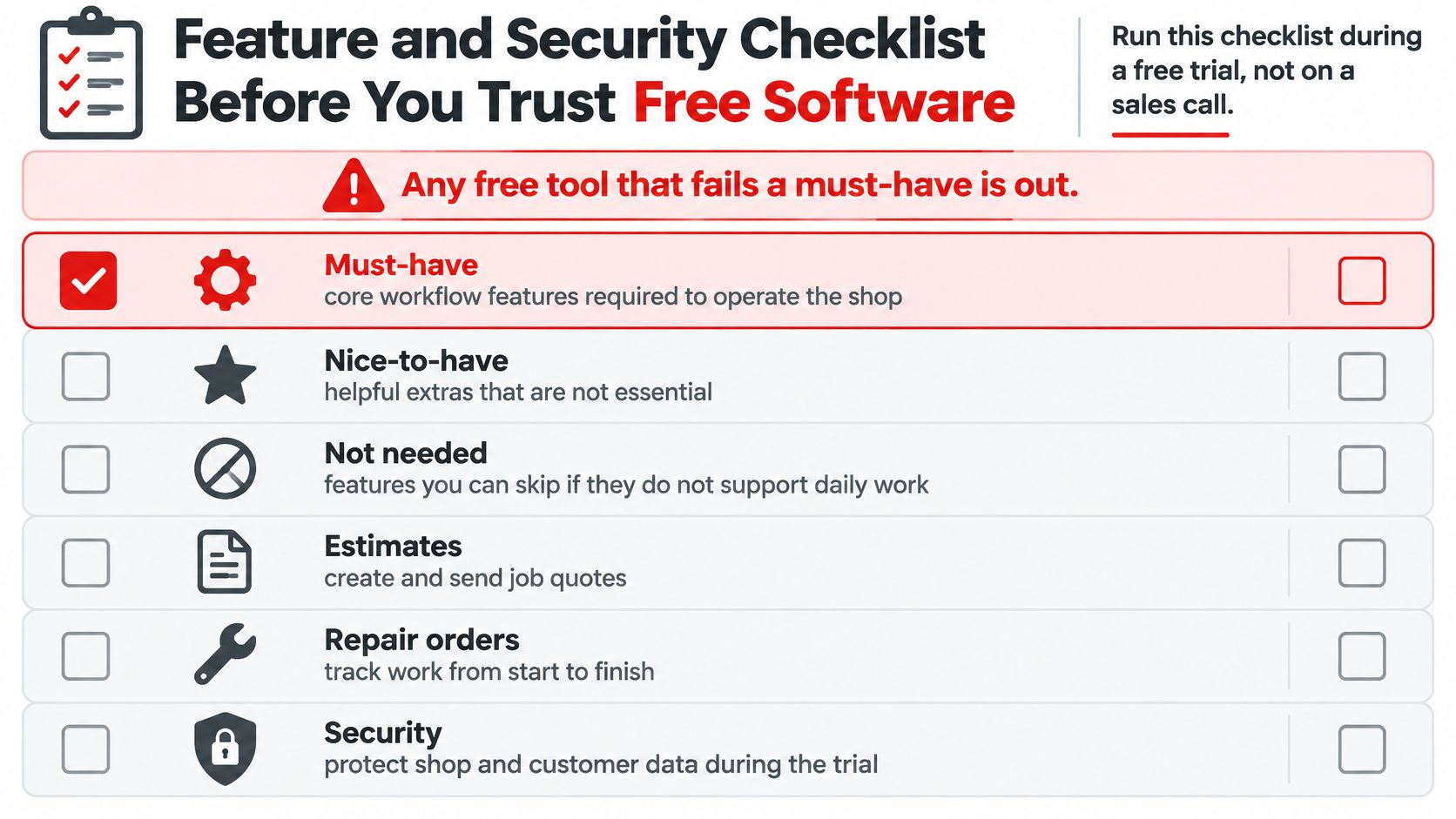
Must-have checks for free shop software
| Check | What to test | Priority |
|---|---|---|
| Estimates | Parts and labor on one estimate with customer approval | Must-have |
| Digital inspections | Photo capture and video support | Must-have |
| Invoices | Branded printable invoice with visible payment status | Must-have |
| VIN lookup | Complete VIN stored; mistyped VIN flagged | Must-have |
| Individual logins | Separate accounts and role-based permissions | Must-have |
| Multi-factor authentication | Available for every account | Must-have |
| Offline behavior | Work continues when the internet drops | Nice-to-have |
| Full export | Machine-readable export of all records and files | Must-have |
| Backups and restore | Restore tested at least annually | Must-have |
These priorities form a demanding starting scorecard. The shop should label each capability must-have, nice-to-have, or not needed before testing. Video support, for example, may not be essential to a shop that documents inspections through photographs.
An evaluator should revise an irrelevant requirement before the trial, not excuse a missing must-have after becoming attached to the product.
For estimates, the test should include adding work after the original approval. Staff need to distinguish the initial authorization from the later addition. For inspections, photographs should stay attached to the correct vehicle and job when the report reaches the customer.
Record searches should work by customer name, plate, and full VIN. A vague description such as a blue SUV isn't a reliable basis for service history.
Protect access and prove recovery
recommends multi-factor authentication wherever supported, patched systems, and protected backups that are regularly tested. A shop should treat these as operating requirements, not optional technical extras.
Separate accounts establish responsibility. The evaluator should confirm who can change an estimate, view financial information, issue a refund, or remove a record. Shared passwords make those checks much less useful.
Security documentation should answer specific questions:
- Encryption. Customer information should be protected in transit and at rest.
- Account removal. The shop needs a documented way to revoke a former employee's access.
- Payment handling. A payment processor should handle card details rather than staff storing them in notes, photographs, or local files.
- Recovery evidence. The vendor should explain backup frequency, restoration testing, and access to recoverable records.
Support also needs a practical test. A question sent during the shop's normal working hours reveals more than an advertised support badge. The owner should check support hours, available channels, outage notices, and published uptime history.
An internet-disconnection test should establish exactly what stops working. Some tools may allow viewing cached information but not saving new work. Staff need a documented fallback that doesn't create conflicting repair orders.
Acceptance standard: A tool that fails a genuine must-have doesn't pass because its subscription is free.
Privacy and payment obligations differ by state and country. The shop should confirm its own requirements for customer consent, retention, and payment handling rather than treating software availability as proof of compliance.
How to Move Your Shop Records Without Losing History
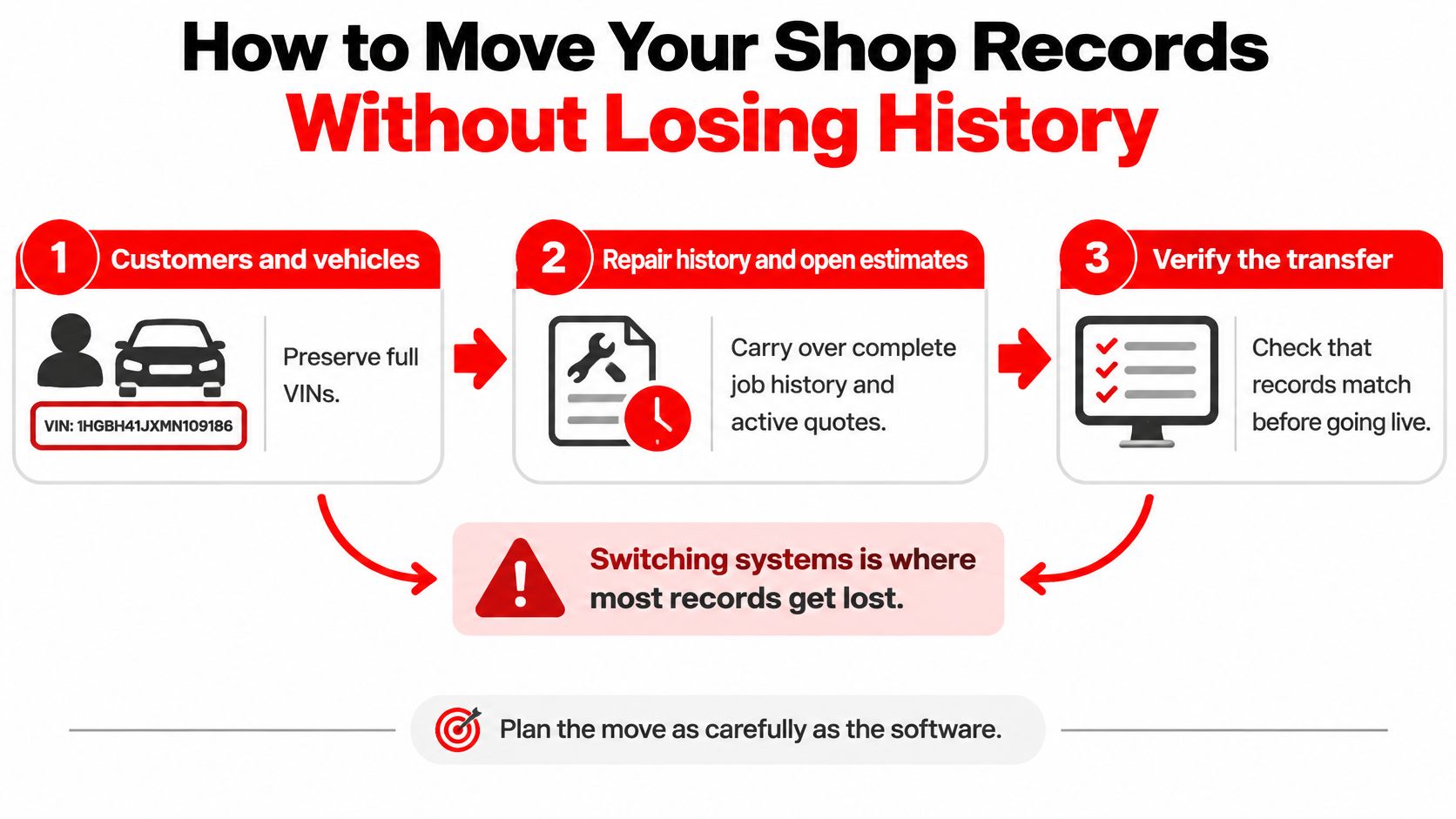
A migration can preserve customer names while losing the relationships that make the records useful. An invoice without its vehicle, inspection photographs, or approval trail isn't a complete service history.
The move needs to preserve customers and vehicles, repair history and open estimates, and invoices with payment status. Photos, signed approvals, diagnostic attachments, and PDFs need their own inventory because they may not travel with a spreadsheet export.
Make the transfer testable
recommends backing up critical information near-real-time, securing copies, testing restoration at least annually, and keeping some copies offline or offsite. Migration is a useful opportunity to prove that the shop can recover its records, not merely download them.
The transfer should follow a controlled sequence:
- Export customers and vehicles. CSV or another machine-readable format should preserve the identifiers connecting each customer to each vehicle, so the destination can rebuild those relationships.
- Collect transaction records and attachments. Estimates, invoices, parts lists, labor entries, and payments should be exported, with inspection photos saved separately and matched through stable record identifiers.
- Clean vehicle information. Complete VINs should be checked against the vehicle or source documents, and genuine duplicates merged without combining different vehicles owned by the same customer.
- Import a small batch. Customer-to-vehicle and vehicle-to-job links, timestamps, image links, and totals should match the old system before the full import proceeds.
- Test a sample restore. The shop should record its recovery point objective, meaning how much recent information it can afford to lose, and its recovery time objective, meaning how quickly operations must resume.
- Retain read-only access. A cautious migration policy could keep the old system available for at least 30 days while staff reconcile open jobs and answer questions about previous work.
The restore test should record actual results as well as targets. A backup that exists but can't be restored quickly enough won't help the front desk release a vehicle or establish what a customer already paid.
Preserve meaning, not just files
A pre-migration inventory should separate paid history from outstanding balances. Open estimates also need their approval status preserved so staff don't mistake an old quote for authorized work.
RedAppy can import customer and vehicle CSV lists exported from Shopmonkey before the trial ends. Earlier work can be recorded as a note on the vehicle record or as an invoice entered with its original service timing and marked paid.
Those methods serve different purposes. A note provides context, while an invoice creates a structured financial record. The shop should decide how historical entries will be treated in reporting before importing them.
A folder full of PDFs is an archive, not a working replacement for linked customer, vehicle, and repair records.
A tool that provides only PDF reports, omits photographs, or blocks bulk export creates vendor lock-in. That's a reason to stop before migrating in, not a problem to leave for cancellation day.
Run a Trial and Decide
A trial should produce evidence from normal shop work. A clean dashboard and a sample invoice don't establish whether the software can handle an interrupted repair, an additional approval, or a disputed balance.
The owner needs a short decision record showing what passed, what failed, and what required extra work. Limit warnings, side spreadsheets, and delayed approvals belong on that record.
Make the decision from completed work
- Run the checklist. The evaluator should complete a representative repair order, perform the mistyped-VIN test, and obtain a full export. Any failed must-have should be recorded before staff enter more customer information.
- Run a sample migration. A small, authorized batch of actual records should pass through the transfer process, with elapsed time and cleanup work recorded. Sensitive exports should remain in controlled storage.
- Calculate total monthly cost. The comparison should include subscriptions, add-ons, payment charges, messaging, and staff time. Minutes lost per repair order multiplied by actual order volume establish the recurring time burden.
That total should be compared with the paid plan the shop would need, using the $39 monthly starting price as an entry point rather than an assumed final bill. Temporary migration work should remain separate from recurring operating costs.
If a paid workflow removes enough friction to justify the move, a migration check or custom setup discussion provides a concrete next step. If the free plan still handles daily work cleanly, the owner should schedule a review and repeat the tests when staffing, volume, or services change.
The best outcome isn't automatically a paid subscription. It's a system the team can use without hidden work and leave without losing its history.
RedAppy combines estimates, inspections, invoicing, parts ordering, and a shop website in a connected management platform. Shop owners comparing free software with a paid workflow can visit RedAppy to assess the fit and discuss a controlled move from their current records.
Ready to Transform Your Shop?
RedAppy helps auto repair shops create professional digital estimates with photos and videos, send them instantly via text or email, and get customer approvals in seconds. No credit card required to start.