
Mobile Mechanic Software Guide to Better Shop Talk
A driveway job goes sideways fast when the customer says yes to brakes but no to the rotors, and the approval never makes it from a text thread to the work order. The tech is already rolling to the next stop, the note is on a torn pad in the van, and someone later has to guess what was approved. That's where mobile mechanic software earns its keep, not as a fancy scheduling app, but as the communication system that keeps the first call, the inspection, the approval, and the invoice tied together.
The best systems do the boring work that prevents awkward calls later. They keep the job moving when the signal is weak, they preserve the inspection trail when the tech is standing in a parking lot, and they stop the shop from rebuilding the story from memory after the vehicle is already gone. The stronger platforms also handle the full lifecycle in one place, from scheduling and estimates to invoicing, payment collection, customer communication, and inventory management, which is exactly why technicians working out of a van need a different setup than a desk-bound shop workflow.
Table of Contents
- Why Communication Breaks Without Mobile Mechanic Software
- Opening Scripts That Turn Inquiries Into Booked Jobs
- In Shop and Remote Workflows That Keep Everyone Aligned
- Digital Inspections and Estimates That Earn Faster Approvals
- Handling Difficult Conversations and Keeping Trust Intact
- Follow Up KPIs and Templates That Close the Loop
Why Communication Breaks Without Mobile Mechanic Software
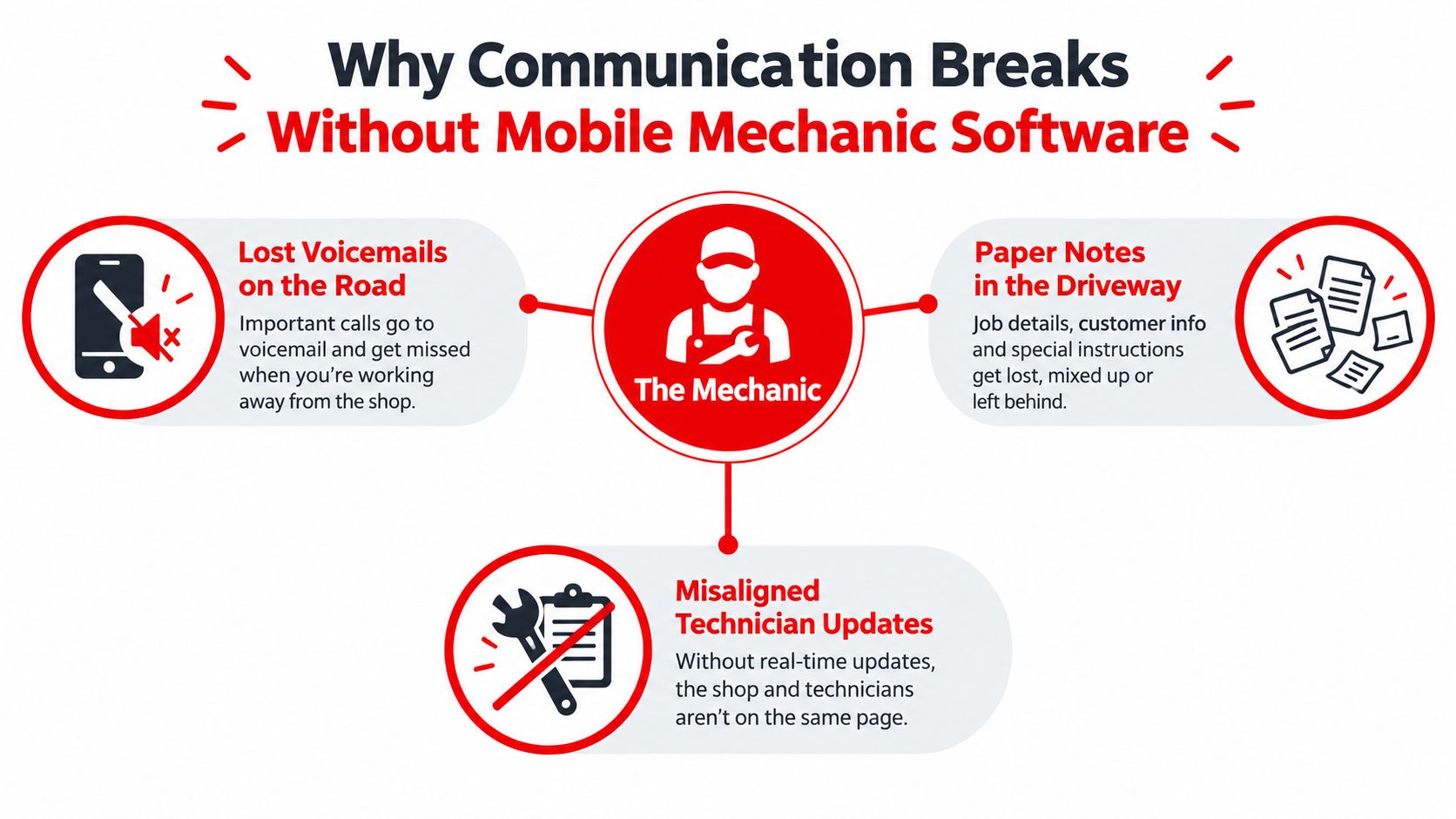
A missed approval rarely starts with a big mistake. It usually starts with a small one, a voicemail left while a tech is under a hood, a paper note tossed on the passenger seat, or a text thread that never makes it into the repair record. By the end of the day, someone in the office is asking, “Did the customer approve the alignment too, or just the front pads?” and nobody wants to answer from memory.
The real failure point is lost context
Mobile work creates more handoffs than a fixed-bay shop. A customer calls while the tech is driving, sends a photo through text, answers a follow-up question by voicemail, then changes the scope after seeing the inspection notes. Without a shared system, each piece of that conversation lives somewhere else, and the final estimate turns into a reconstruction project.
Practical rule: if the approval can't be tied to the job in the moment, it'll get retyped later, and that's where errors start.
The problem gets worse on driveway, roadside, and parking-lot jobs because the tech is also dealing with bad lighting, weak signal, and limited time. Independent commentary on mobile field work flags offline-first behavior as a core failure point, and it's easy to see why. When an app can't save notes safely during low-signal work, or asks for too many taps, the tech starts skipping steps or delaying updates until later, which is how details go missing. For mobile mechanics, the gap isn't just scheduling, it's whether the software can capture the job at the moment of work and keep that data usable after sync.
Why one system matters more than more features
The temptation is to add another tool for calls, another for estimates, and another for invoicing. That usually makes the problem worse. Information gets trapped in silos, dispatch doesn't match inventory, and the customer hears one version while the invoice tells another.
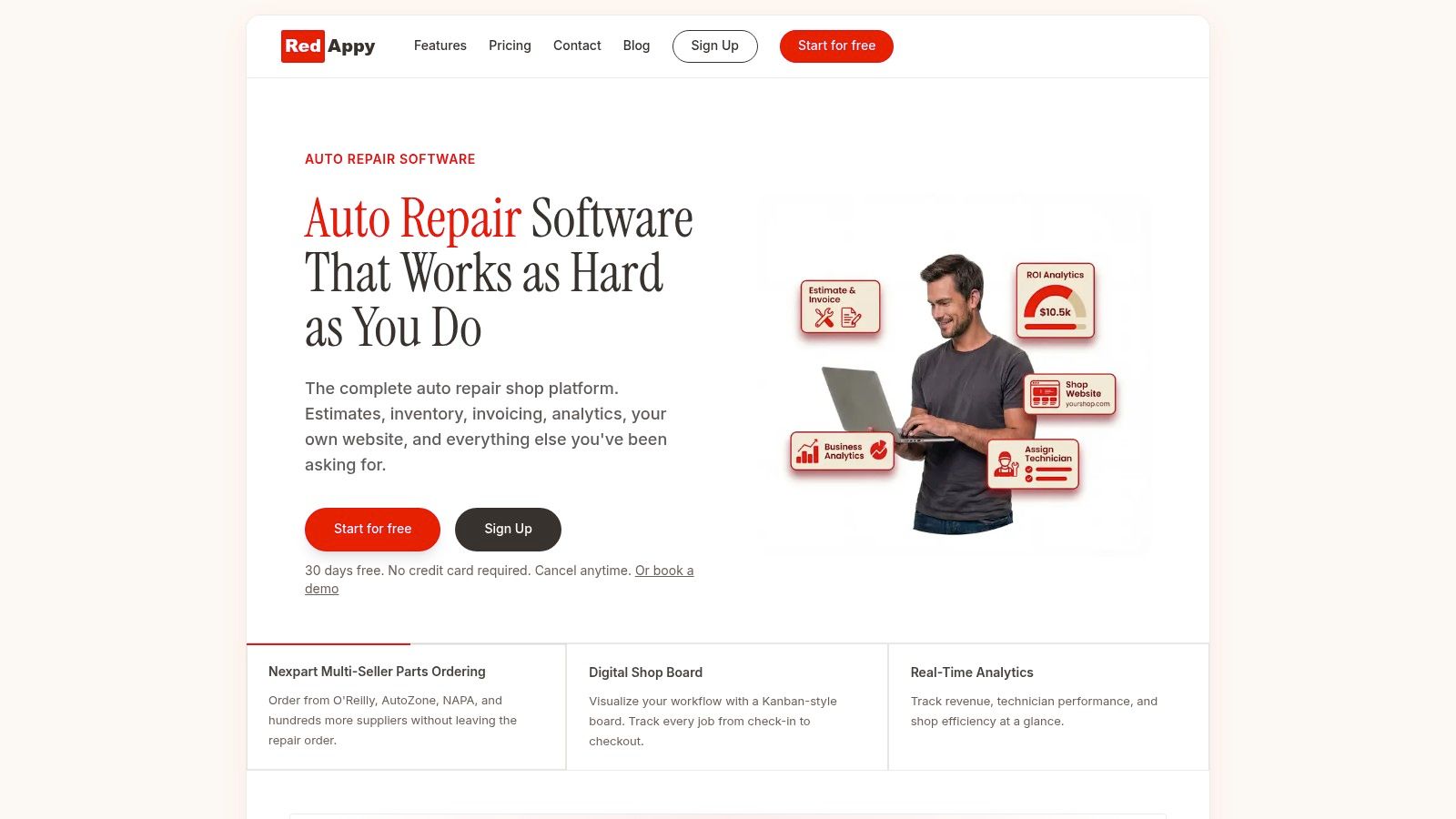
RedAppy fits into this discussion as one example of a system that centralizes the workflow from first contact to payment. It combines a Kanban-style Digital Shop Board, digital inspections, instant estimates, online payments, customer and vehicle lookup, and a team calendar, so the conversation doesn't have to be rebuilt in five different places. For mobile mechanics, that kind of structure matters because it keeps the story attached to the job instead of scattered across apps and notebooks.
Opening Scripts That Turn Inquiries Into Booked Jobs
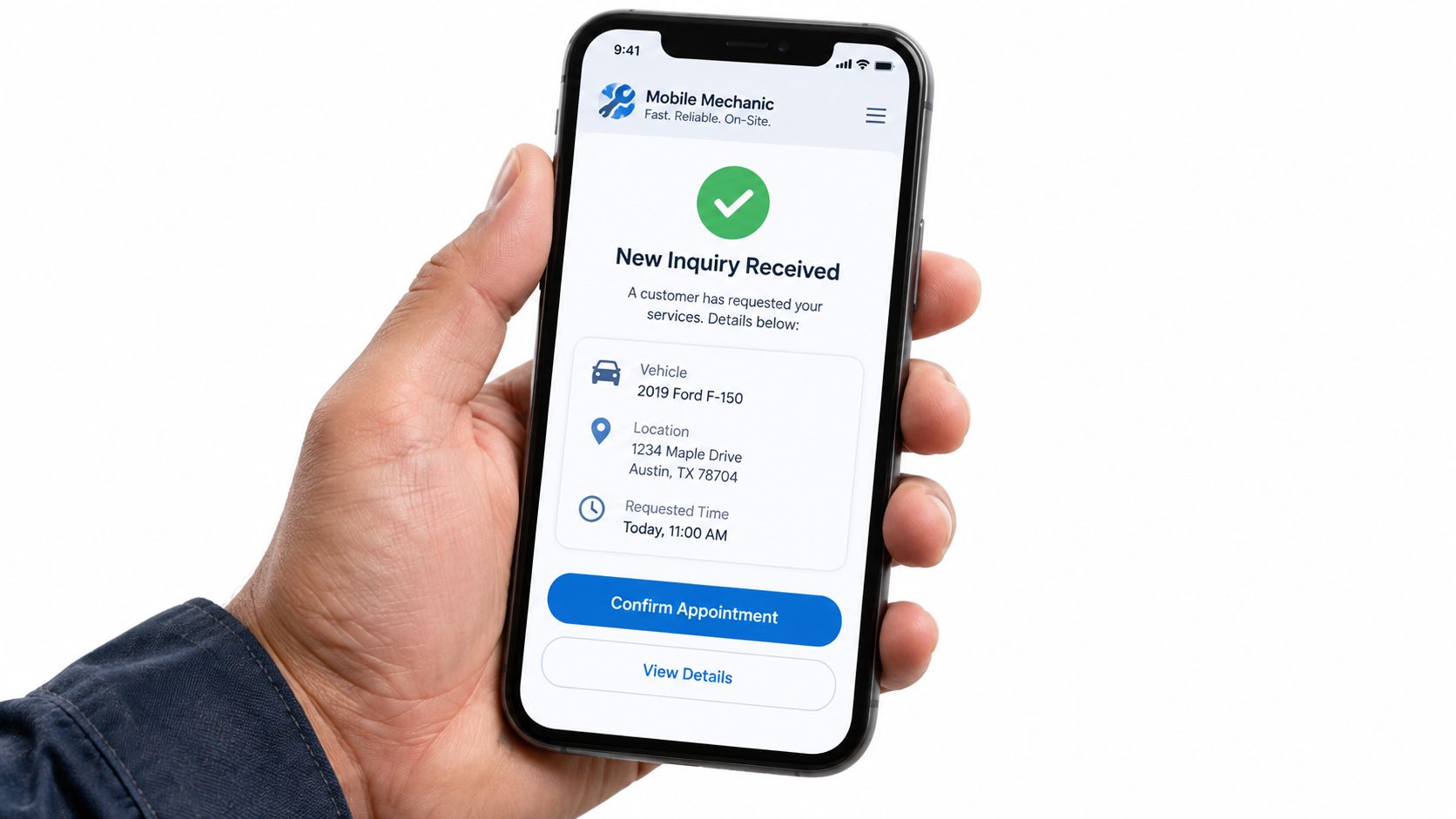
The first message or call should do three things, qualify the job, set the expectation, and capture enough detail to quote without chasing the customer twice. A lot of missed bookings happen because the front desk or solo operator sounds polite but vague. The customer leaves the exchange unsure whether the service is mobile, whether diagnostics are included, and what information is still needed.
Phone and text scripts that stay short and clear
A good phone opener sounds direct, not scripted. Something like, “Thanks for calling, what vehicle are we working on, and where's it parked?” gets to the point fast. If the customer is describing symptoms, the next question should be, “Has it been inspected already, or is this still a no-start or warning-light diagnosis?” That narrows the job without making the caller feel interrogated.
For text back, the goal is speed and structure. A reply can ask for the name, phone number, plate or VIN, vehicle issue, location, and permission to text updates. That gives enough data to build the estimate and keep the conversation in one thread. Mobile workflow teams care about inquiry-to-estimate time because that's where the first conversion leak usually shows up, and the cleaner the intake, the less time the team spends rewriting the same details later.
If the lead comes in after hours, the first response shouldn't be a wall of text. A short reply that confirms receipt, sets the follow-up window, and asks for the same core details is enough to keep the job warm. For teams that want a useful script library for appointment handoffs, the is a handy reference point for phrasing that doesn't sound stiff.
What to capture before the booking is real
The best intake teams don't ask for everything. They ask for the right things.
- Vehicle identity: name, plate, or VIN, plus make and model if the caller has it.
- Job location: driveway, lot, roadside, or shop drop-off.
- Issue summary: symptom, warning light, no-start, inspection request, or repair need.
- Contact preference: text or call, then a clear yes on text updates.
- Approval path: whether the customer wants estimate-only, diagnosis first, or same-day repair if approved.
A clean intake doesn't just book the job, it protects the next step. If the adviser or owner already knows where the vehicle sits, what it's doing, and how the customer prefers to communicate, the estimate lands faster and the repair starts without a second round of questions.
In Shop and Remote Workflows That Keep Everyone Aligned
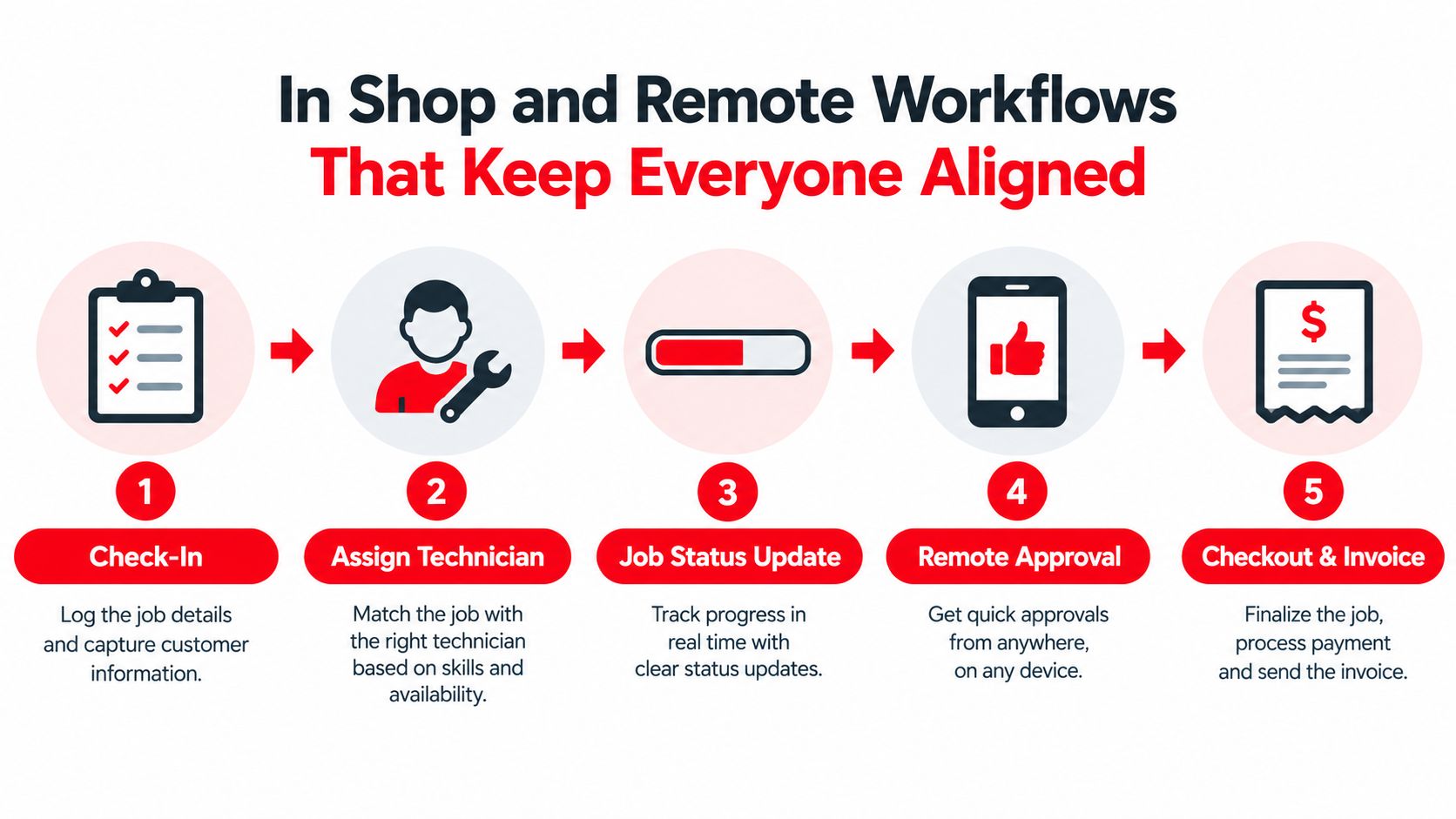
Once the job is booked, the software has to carry the same record through the bay and the driveway. Check-in, assignment, status updates, approval, and checkout should all sit in one flow. A Kanban-style board helps because the team can see what's waiting, what's active, and what's ready to close without asking around the shop.
The job should move without re-entry
The strongest workflows keep scheduling, estimates, invoicing, payment collection, and inventory tied to the same job card. That matters because one customer may start as a roadside diagnostic, turn into a parts order, and finish as a shop repair. If each step lives in a different tool, someone ends up retyping notes, resending paperwork, or checking another system for parts status.
Real-time job updates matter for the customer and the office. A tech can mark the job as arrived, inspection in progress, waiting on approval, parts ordered, or completed, and the customer does not have to keep calling for an ETA. That cuts down on interruptions, which helps when the technician needs to stay focused on the repair instead of fielding status checks.
Offline capture is not optional in field work
Mobile work falls apart fast when the app assumes perfect connectivity. Field apps need to save notes, photos, and job details during weak signal, then sync later without losing the record. That matters in a parking lot or on a roadside shoulder, where the app also has to cope with glare, battery drain, different devices, and unstable data coverage.
If the app needs the internet to do the important part, it's not field-ready.
Customer and vehicle lookup also reduces friction. Systems that search by name, phone, plate, or VIN and then show service history keep the team from asking for the same basics twice. That helps in the shop, but it helps even more on remote jobs where every extra call slows the day down.
A platform like RedAppy does this by tying the board, vehicle history, and estimate flow together so the office and the field are looking at the same record. For teams comparing workflow structure, shows the same basic principle in another field-service setting. The practical result is fewer context switches, fewer missed handoffs, and less time cleaning up after a job that should have been clear from the start.
Digital Inspections and Estimates That Earn Faster Approvals
The fastest approval usually comes from the clearest proof. When a technician shows the worn part, the fluid leak, the damaged connector, or the safety issue in a photo or video, the customer doesn't have to guess what the recommendation means. That's why digital vehicle inspections are such a core mechanic in mobile repair, they let the tech capture evidence, send it before work begins, and make the estimate easier to accept.
Proof works better than explanation alone
A strong inspection doesn't bury the customer in jargon. It shows the concern in plain language, then ties that concern to the next action. A cracked belt needs a photo, a short note, and an estimate line that tells the customer what happens if it's left alone. That's a lot more persuasive than a vague line that just says “inspect and advise.”
Good estimates do the same thing. They organize the work so the customer can see the immediate fix, the recommended follow-up, and the optional items without digging through a block of text. That structure helps the conversation stay calm, because the customer can compare choices instead of feeling pushed into a yes-or-no decision with no context.
Parts and approvals should flow from the inspection
The handoff becomes a real operational advantage. If the inspection leads directly into an estimate, and the approved work ties back into parts ordering or automatic parts deduction, the job moves without someone re-entering the same details. Parts handling is not an afterthought in mobile work, platforms may support supplier integration, automatic parts markup, inventory tracking, and auto-deduction of parts, fluids, and supplies used on the job. That matters because a repair can't move cleanly if the parts list lives somewhere else.
RedAppy's feature set fits this workflow well because it combines digital inspections, instant estimates, one-click invoicing, online payments, and parts ordering across multiple suppliers. It also includes customer lookup by name, plate, or VIN, which helps keep the estimate attached to the right vehicle history, not just the right phone number. For a mobile mechanic, that's the difference between a clean approval path and a callback later because the wrong tire size, sensor, or service history got entered.
Simple standard: if the customer can't see the problem and approve the fix from the same workflow, the approval takes longer than it should.
Handling Difficult Conversations and Keeping Trust Intact
A price objection doesn't always mean the customer rejects the repair. Often, it means the estimate arrived without enough clarity, or the customer is comparing the total to a smaller repair they had in mind. The reply that saves the job is calm, specific, and options-based, not defensive.
What to say when the customer pushes back
When a customer says it costs too much, the best response is usually to narrow the decision. “That's the full repair to solve the issue safely, but there are a couple of ways to proceed. The immediate concern is this part, and the rest of the vehicle can be handled later.” That keeps the conversation on safety and scope, not on a vague argument about price.
When the customer says they need to think about it, the job shouldn't disappear into silence. A good response is, “No problem, the estimate is ready if you want to review it, and the inspection photos are attached so the concern is easy to see.” That preserves trust and keeps the door open without pressure.
“Let's separate the urgent repair from the optional work so you can decide with the facts in front of you.”
Delays are similar. If parts are slow or a supplier is waiting on inventory, the customer needs a clear update, not a guess. A plain message that says what's delayed, what's still on track, and when the next update will come is better than a long explanation that sounds uncertain. If the job needs to be split across two visits, documenting the first approved portion and the declined or postponed items keeps the record honest and protects the follow-up.
Payment flexibility can keep work moving
Mobile mechanic platforms may also support partial payments, downpayments, and payment plans, which helps when a customer approves part of the work but needs time for the rest. That's useful when the car has multiple issues and the customer wants the priority repair done first. The key is to keep the terms visible in the record so the team knows what was approved, what was declined, and what still needs attention.
Guessing later is a trust killer. If the software lets the advisor log the conversation, attach the inspection, and preserve the declined items for follow-up, the shop doesn't have to relive the same discussion next week.
Follow Up KPIs and Templates That Close the Loop
A mobile operation gets stronger when the follow-up is as disciplined as the repair itself. The useful numbers aren't vanity metrics, they're the places where communication either speeds the job or stalls it. Teams that track the right points can see whether the intake is clean, whether approvals are moving, and whether customers are getting dropped after the first contact.
The metrics worth watching
The most useful weekly numbers are inquiry-to-estimate time, estimate close rate, and after-hours call-to-booked-job conversion because those are the moments where mobile workflow software has the clearest impact on throughput. A healthy process also pays attention to the handoff from estimate to invoice, because that's where the customer either gets a smooth close or starts waiting for a missing message.
Some teams also track technician productivity, service calls per day, and time spent on actual service versus administration, since mobile-first systems are built to cut the desk work that slows field repairs. Route optimization and digital work orders matter here because they reduce drive time and paperwork, which keeps the technician on actual repair work longer. The point isn't to chase a perfect number, it's to see where the workflow is leaking time.
| KPI to watch | Why it matters |
|---|---|
| Inquiry-to-estimate time | Shows how fast the lead gets converted into a real opportunity |
| Estimate close rate | Reveals whether the inspection and estimate are convincing |
| After-hours call-to-booked-job conversion | Measures whether late leads are being handled well |
| Technician productivity | Shows whether the tech is spending time on repairs or admin |
| Follow-up completion | Confirms whether customers are getting the next message |
Templates that keep the loop tight
A short approval update can say, “Your inspection is complete, the findings are attached, and the estimate is ready for review.” A payment reminder can be even simpler, “Your invoice is ready, and you can pay online when convenient.” A post-service check-in can ask, “Everything working as expected after the repair?” without sounding like a sales pitch.
The best part of a structured follow-up is that it creates repeatable habits. It also makes it easier to invite the next appointment without starting from scratch, because the customer already sees a record of the last visit, the approved work, and the payment status. For teams that want the workflow, customer history, inspections, and analytics in one place, RedAppy is one option to review alongside the broader feature set and compare against the way a mobile operation runs.
If the current setup still depends on scraps of paper, text threads, and memory, it's time to put the repair story in one place. Visit RedAppy to see how the workflow, inspections, estimates, and payments fit together, then contact the team to shape it around the way your mobile jobs get approved.
Ready to Transform Your Shop?
RedAppy helps auto repair shops create professional digital estimates with photos and videos, send them instantly via text or email, and get customer approvals in seconds. No credit card required to start.