
Online Invoicing Service: Auto Shops Get Paid Faster
Friday afternoon at the front desk is where paper invoicing usually falls apart. Phones ring, a customer wants an update, a technician is waiting on approval, and a stack of estimates is still sitting between the keyboard and the coffee cup. When the payment finally comes up, someone is still typing line items that should've been ready hours ago.
An online invoicing service changes that bottleneck into a quick, trackable step. For repair shops, the value isn't generic billing software. It's a billing flow that understands estimates, digital inspections, labor lines, parts, approvals, taxes, and payment collection without forcing the service advisor to rebuild the job twice.
Table of Contents
- Why the Front Desk Is Still the Slowest Part of the Shop
- What an Online Invoicing Service Actually Does
- Core Features That Matter to a Repair Shop
- Integrations That Keep the Shop Running in One Flow
- Security, Compliance, and Payment Options Customers Expect
- Pricing Models and How to Calculate Real ROI
- Implementation Roadmap With a Shop Owner Checklist
- Bringing Online Invoicing Into Your Shop With RedAppy
Why the Front Desk Is Still the Slowest Part of the Shop
The slow part usually isn't the repair bay. It's the write-up. A service advisor can diagnose the job, explain the work, and still lose the day in the gap between approval and payment because the invoice lives in paper folders, email attachments, or a PDF that doesn't talk to the rest of the shop.
That gap gets expensive in small ways. One customer is waiting for a printed estimate, another wants photos of worn parts, and a third is ready to pay but can't get a clean bill because the labor lines and parts entries were copied by hand from another system. None of that is hard in isolation, but together it turns the front desk into a traffic jam.
Practical rule: if a job needs the same information typed twice, the shop is already wasting time.
The promise of an online invoicing service is compression. It pulls the approved work, the customer details, and the payment request into one flow, so the advisor spends less time copying and more time moving cars through the bay. That matters because online invoicing has become a major business system, not a niche admin tool, as the global market has grown rapidly and market estimates now place it in the billions of dollars with strong projected expansion from USD 6.00 billion in 2024 to USD 36.72 billion by 2032 in one estimate, and from USD 12.47 billion in 2023 to US$ 62.68 billion by 2031 in another projection, reflecting a broad shift toward digitization and compliance.
For shops, that shift is practical, not abstract. The front desk gets faster when the invoice starts where the estimate ended, not when somebody opens a blank template and begins over.
What an Online Invoicing Service Actually Does
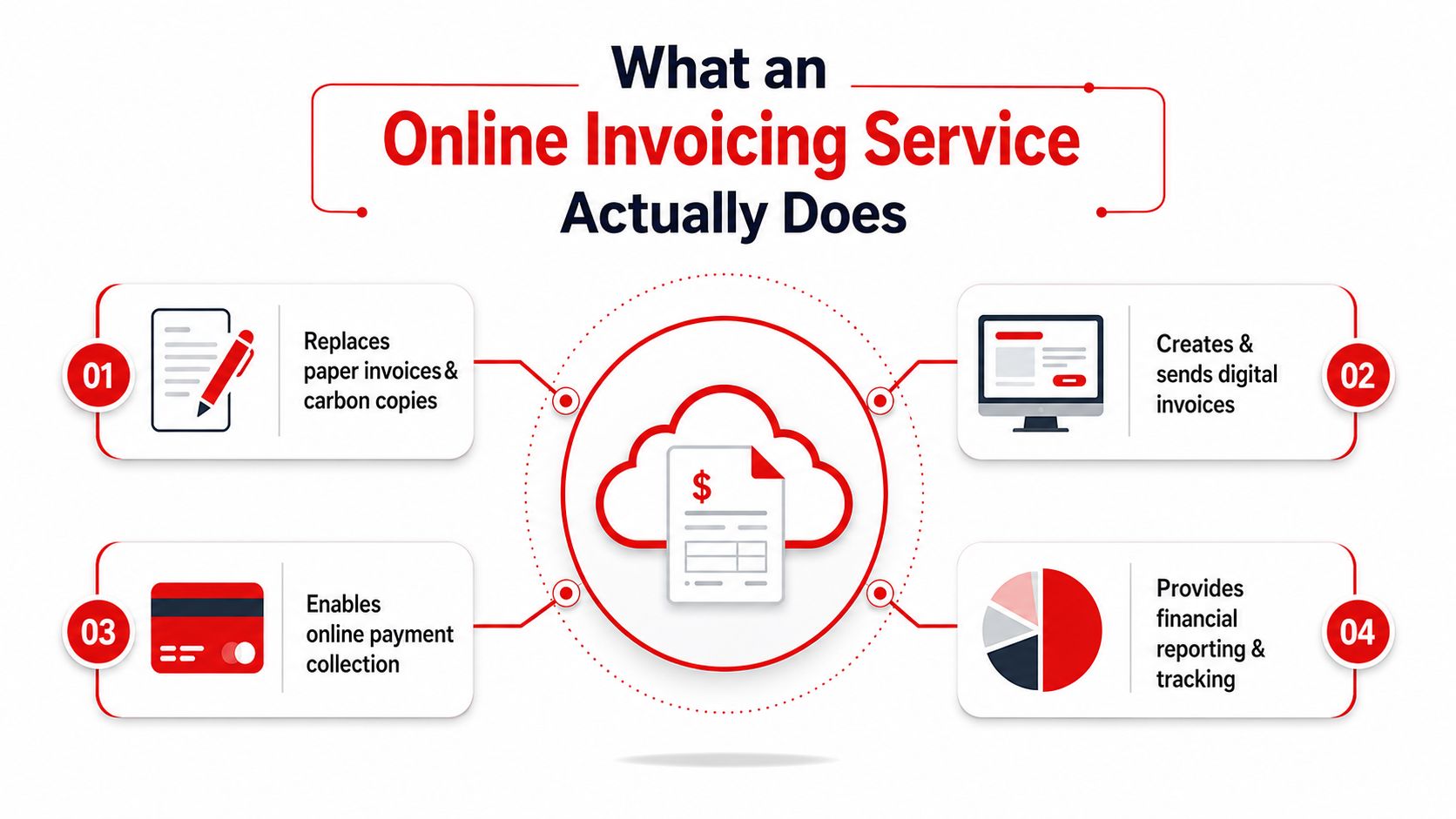
A standard invoice does three jobs at once. It itemizes and records a transaction, it acts as a request for payment, and it shows how much the customer owes plus the payment terms. For an auto shop, that definition matters because the invoice isn't just a receipt. It's the handoff between work approved, work completed, and money collected.
A shared notebook replaces a stack of loose pages. Paper invoices and PDFs can show the same information, but the shared notebook updates in one place, so the estimate, invoice, and payment status stay aligned. A browser or mobile app can create, send, track, and reconcile the invoice without making the advisor stitch together separate files.
Why repair shops need more than a PDF generator
Generic billing tools often stop at “make invoice, send invoice, collect payment.” That's not enough for a bay-based workflow. Repair invoices usually need labor lines, parts pricing, taxes, shop branding, customer details, and a clear link back to the approved job, or the advisor ends up doing manual cleanup before the bill can go out.
A real online invoicing service also tracks status. The shop can see whether the bill was sent, viewed, paid, or still waiting on approval, which helps stop the usual “Did we ever send that?” conversation at the counter. That visibility matters even more when the same customer comes back for a repeat job and the shop needs the prior history to stay attached to the vehicle record.
What changes when billing moves online
- The estimate becomes the starting point. Approved work should flow into the invoice instead of being retyped.
- The customer sees a clean request for payment. The bill shows the total due and the terms in one place.
- The shop gets a record it can search. That record should tie back to the customer, vehicle, and previous work.
A service advisor should be able to explain the bill in under a minute. If the invoice needs a second story to make sense, the software is in the way.
The best systems don't just digitize the old paper form. They make the invoice a live part of the repair record.
Core Features That Matter to a Repair Shop
A repair shop doesn't need a feature parade. It needs tools that reduce repeat typing, prevent billing disputes, and get money moving. The right feature set usually starts with one-click invoice creation from an approved estimate, because that cuts the handoff between authorization and checkout.
The features that actually save time
Digital inspections with photos matter because they justify the line items. When worn pads, leaks, or damage are attached to the job, the advisor spends less time defending the bill and more time closing it. That kind of proof is especially useful when a customer wants a clear explanation before approving extra work.
Real-time payment status keeps the counter honest. Staff can see whether an invoice is unpaid, partially paid, or settled, which reduces follow-up confusion and makes pickup smoother. Automated tax handling and discount logic also matter because manual math at the front desk invites errors, and errors turn into rework.
A repair shop also benefits from customer lookup by plate, VIN, or name, because the service advisor shouldn't have to search three systems to find the right vehicle file. Branded templates help too, not for vanity, but because consistent shop identity makes invoices look deliberate and trustworthy.
| Capability | Generic Online Invoicing | Repair-Shop Platform |
|---|---|---|
| Estimate to invoice flow | Often manual or copy-paste | Usually tied to approved jobs |
| Labor and parts lines | Basic line items only | Built around repair operations |
| Digital inspections | Rare | Often attached to the work order |
| Customer lookup | Email or name only | Plate, VIN, and history search |
| Payment tracking | Invoice sent, invoice paid | Status connected to the repair job |
What to watch for in demos
A strong demo should show how the invoice behaves when the job changes. If a brake job grows after inspection, the software should handle the added parts and labor cleanly instead of forcing a fresh invoice.
It should also show how the front desk avoids duplicate entry. If the vendor can't move approved work into billing without retyping everything, the platform is just a prettier version of the old bottleneck.
Integrations That Keep the Shop Running in One Flow
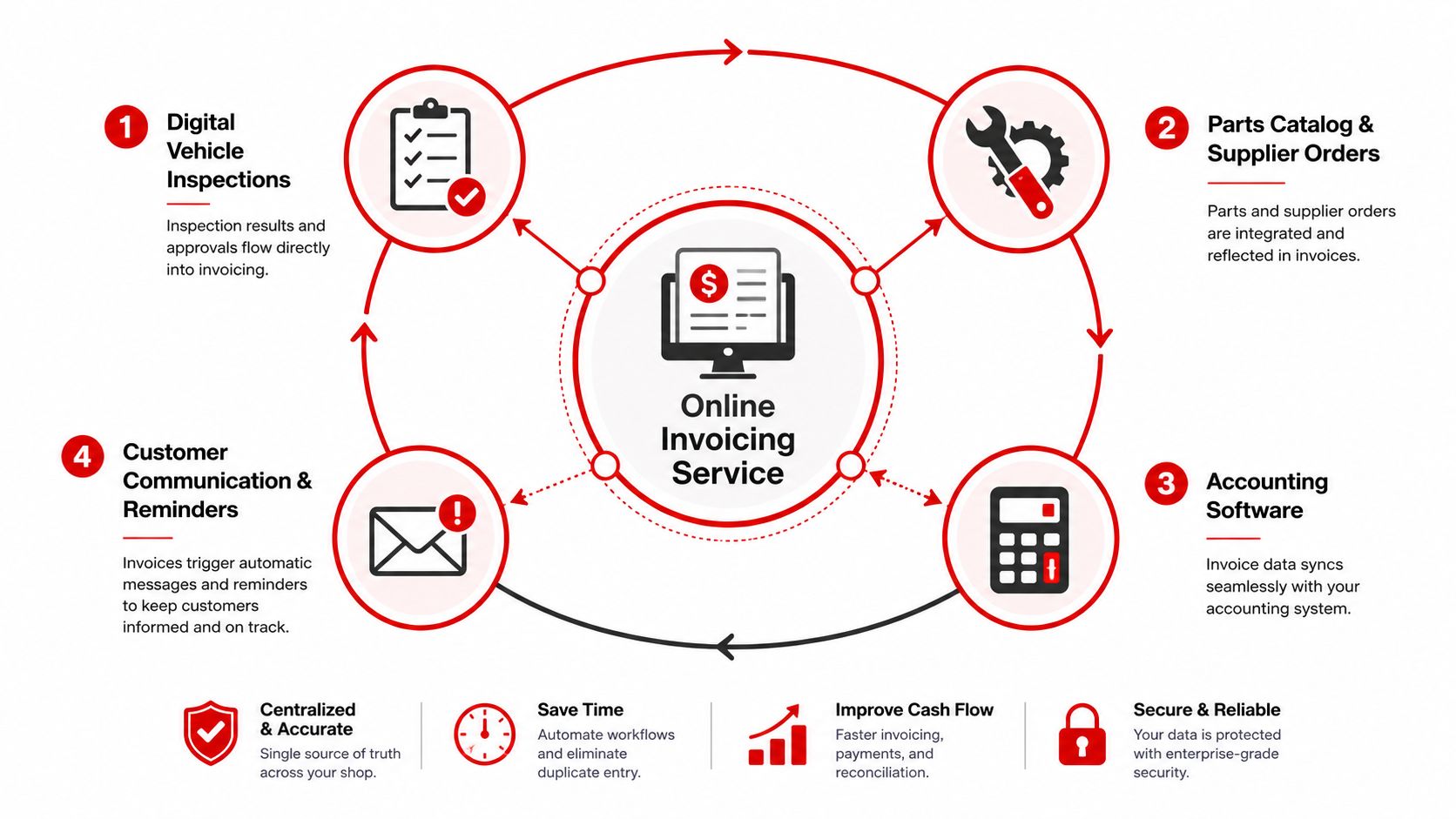
A repair shop starts losing time the moment billing sits outside the repair workflow. The invoice has to move with digital inspections, parts ordering, customer messages, accounting, and payment collection, or the front desk ends up stitching together updates from too many screens.
A brake job makes that problem obvious. The vehicle comes in, the technician completes a digital inspection, and photos back up the recommendation. The advisor sends the estimate, the customer approves it, parts are ordered, the invoice is built from the approved work, and payment is collected online before pickup. Each step has to feed the next one, or staff end up rebuilding the same job in more than one place.
The best integrations reduce re-entry. The inspection app, the billing screen, and the accounting record all need to recognize the same job, the same customer, and the same status. If one system still needs manual copying to stay current, the shop has not really connected the workflow.
That kind of setup depends on API-first design and a standardized invoice domain model. One system can keep the invoice header, line items, tax, charge, and reference data in a single source of truth, while regional compliance rules and output formats are handled at the edges. As outlined in a technical approach to, that structure helps shops avoid tech debt and makes compliance updates easier to roll out.
What a connected brake job looks like in practice
The workflow stays cleaner when every system knows its part.
The inspection starts the chain. The technician uploads photos and findings, and the advisor uses that record to build the estimate. Customer approval drives the next step, because the approved work should be the version that flows into billing. Parts and invoicing stay aligned, so the bill reflects what was approved instead of what someone remembered to type in later. Payment closes the loop through the same record that tracked the repair.
If a system can't carry the job from check-in to checkout without manual copying, it's not really integrated.
Some shops still run a standalone invoicing app alongside separate inspection and accounting tools. That can work if the APIs are solid and the data model stays consistent. In practice, it often breaks when one app cannot read the job status from the other, and the front desk is pushed back into spreadsheets, phone calls, and duplicate entry.
RedAppy is one example of a platform that brings invoicing together with digital inspections, online payments, parts ordering, and shop board workflow, so the invoice stays inside the repair process. The point is not the brand name, it is whether the tools stop fighting each other and let the job move from estimate to payment without extra copying.
Security, Compliance, and Payment Options Customers Expect
A shop that handles customer records, vehicle details, and card payments needs more than a clean interface. Encrypted storage, role-based access, and payment processing that keeps card data out of free-text fields are the baseline, because the front desk is handling personal and financial information every time it opens a job.
The invoice itself has to be easy to audit. In the UK, a compliant invoice must include a unique identification number, seller and customer business details, a clear description of what's being charged, the supply date, the invoice date, the amounts charged, and applicable tax amounts. That format is useful well beyond the UK, because a repair shop needs a bill that staff can read quickly, accountants can match to the job, and customers can understand without calling back for clarification.
For a shop owner, the practical test is simple. Can the system show who touched the invoice, keep payment data out of risky places, and produce a bill that matches the approved work order without extra cleanup? If the answer is no, the shop is still depending on memory and manual correction.
Payment options that shorten the wait
Customers now expect to pay at pickup without a back-and-forth at the counter. Card payments, digital wallets, and contactless options reduce the awkward “Can you call back with another method?” moment, especially when the service adviser is trying to turn over the next car.
Payment built into the invoice helps because the bill and checkout sit in the same record. The adviser sends one message, the customer opens one job, and payment can be completed without another phone call or a separate terminal flow. That lowers friction at the desk and reduces the chance of an invoice sitting unpaid because someone had to leave and return later.
Minimum safeguards a shop should ask about
- Access controls: staff should see only the records they need.
- Audit trail: edits and payments should leave a visible record.
- Payment handling: card data should move through compliant processing, not free-text notes.
- Invoice structure: the bill should always show the job, dates, totals, and tax clearly.
A shop should ask the same hard questions of every vendor, even if the demo looks polished. Can the system limit access by role, preserve a clear edit history, and keep payment handling inside a compliant flow? Can it produce invoices that line up with the approved repair, not just the final total?
Good invoicing security is invisible to the customer, but very visible when something goes wrong. That is why the shop should ask about controls before it asks about design.
A vendor that can explain those basics clearly is usually easier to trust than one that leads with flashy dashboards and skips the hard questions. In shops I have helped move off paper and PDF billing, the systems that held up were the ones that made security and payment handling part of the daily workflow, not a separate checkbox.
Pricing Models and How to Calculate Real ROI
Online invoicing services usually price themselves in a few familiar ways. Some charge per user, some charge per location, some layer transaction-based add-ons on top, and some bundle invoicing into a larger shop management package. The right fit depends on whether the shop is a one-bay operation, a busy independent, or a multi-location group that needs the same billing rules everywhere.
How to judge the price without getting lost in the pitch
The core question is not “What does it cost?” It's “What does it replace?” If the software removes duplicate entry, speeds approvals, and collects payment sooner, the invoice line item can be easier to justify than a cheaper tool that leaves the front desk doing the same work by hand.
A simple ROI check looks like this:
- Count the admin time saved. Compare the old write-up and invoicing routine with the new one.
- Measure payment speed. Faster payment matters because cash stops sitting in limbo.
- Compare that to the subscription. The math has to hold after the staff gets used to the system, not just during the first week.
The broader labor-efficiency point shows up in related shop management advice from, which is worth reading alongside invoicing decisions because billing speed and labor efficiency usually rise and fall together.
What usually works and what doesn't
Flat-rate bundles make sense when the shop wants one platform instead of three disconnected tools. Per-user pricing can be fine for smaller teams, but it gets awkward if service advisors rotate or if a manager only logs in occasionally. Transaction add-ons deserve extra attention because they can look cheap up front and then creep higher once the shop uses the system.
The right price model is the one that matches the shop's rhythm, not the one with the cleanest sales page.
A back-of-the-envelope check is often enough. If the front desk is spending less time on repeat typing and fewer invoices sit unpaid because online payment is built in, the system is helping the shop do real work, not just admin theater.
Implementation Roadmap With a Shop Owner Checklist
A rollout goes sideways fast when a shop treats it like a software install instead of an operations change. The platform can be fine and the shop can still stumble if customer records are a mess, the team is rushed through training, or the counter staff is forced to abandon old habits before the new flow feels usable.
A better launch follows the repair desk's rhythm. Cleanup comes first, then controlled practice, then a full switch once the team has already seen how estimates, digital inspections, labor lines, parts, and approvals move through the system.
A phased rollout that keeps the counter moving
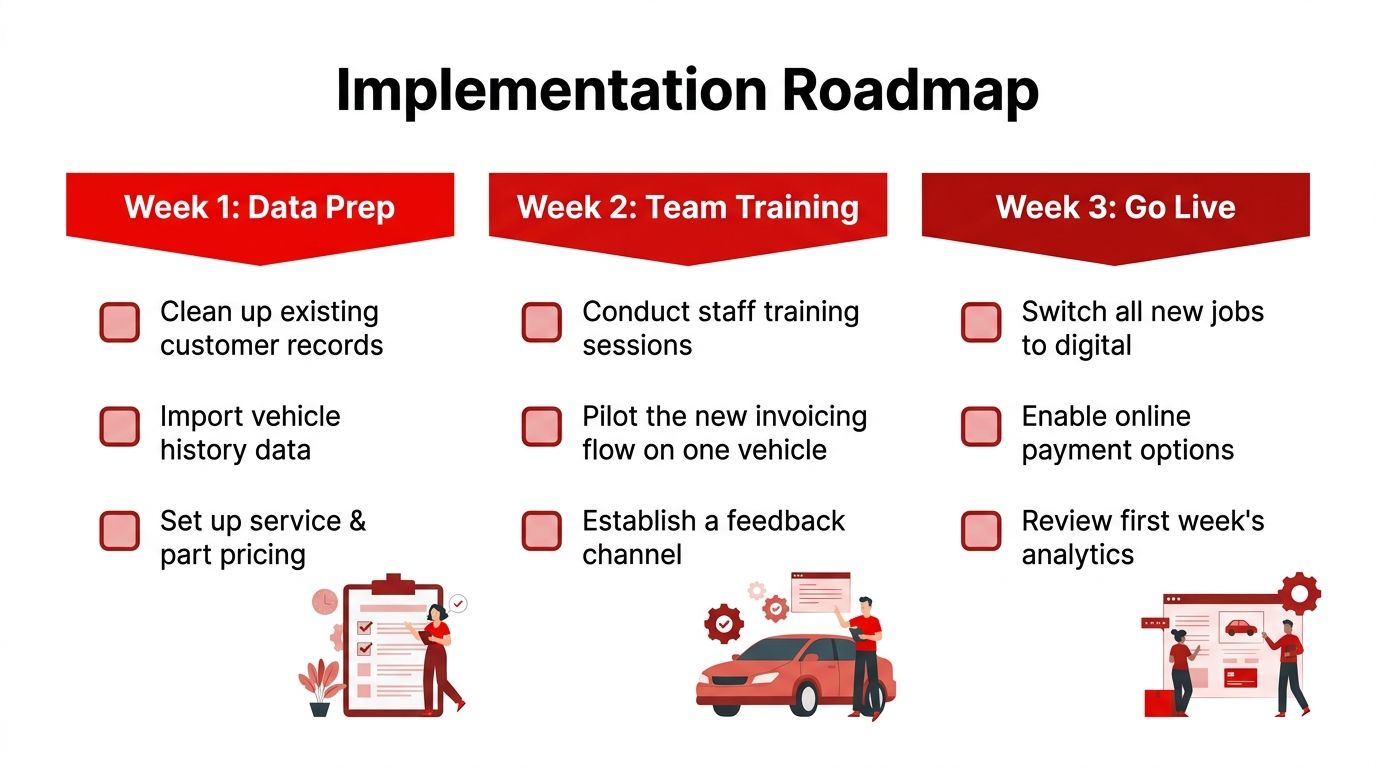
Week one should be cleanup. Customer records need to be deduped, vehicle history needs to be imported, and service and part pricing needs to be checked before anyone touches live jobs. That work is tedious, but skipping it creates invoice errors that show up later as rework, confused customers, and awkward callbacks.
Week two should be practice. Service advisors need hands-on training, and the new flow should be piloted on a limited set of jobs so the team can spot friction before it spreads. A feedback channel helps here, because the people at the counter notice small failures long before management does. A missing labor line, a slow approval screen, or a parts note that does not carry over can all stall the job if nobody catches them early.
Week three and beyond should be the switch. New jobs move to digital invoicing, online payments get turned on, and automated reminders start handling the follow-up work that used to sit on someone's sticky note pile. At that point, the goal is not perfection. It is consistency, so the shop stops bouncing between paper habits and the new system whenever the desk gets busy.
Shop owner checklist
- Clean up records first. Bad customer data makes every later step slower.
- Train the front desk thoroughly. Advisors need repetition, not a one-time walkthrough.
- Pilot before full launch. One controlled lane is better than a chaotic full-store flip.
- Reconcile old receivables. Old balances need a clean handoff so the new system does not inherit confusion.
- Tell customers what changed. A clear message reduces payment friction and surprise.
- Watch the first invoices closely. Early mistakes are easier to fix than months of inconsistent billing.
A good rollout also needs an owner who watches the messy spots, not just the dashboard. If the first invoices are getting stuck, if approvals are slipping, or if staff keep reaching for paper because the digital step feels awkward, the system needs adjustment before the old habit returns. Shops that handle implementation this way usually settle in faster, and the invoice flow starts feeling normal because it matches the way the work moves through the front desk.
Bringing Online Invoicing Into Your Shop With RedAppy
RedAppy pulls digital inspections, one-click invoicing, online payments, and real-time analytics into the same repair-shop workflow, so the invoice stays tied to the job instead of drifting off into a separate admin pile. That matters when the goal is a cleaner front desk and a faster path from approval to paid repair.
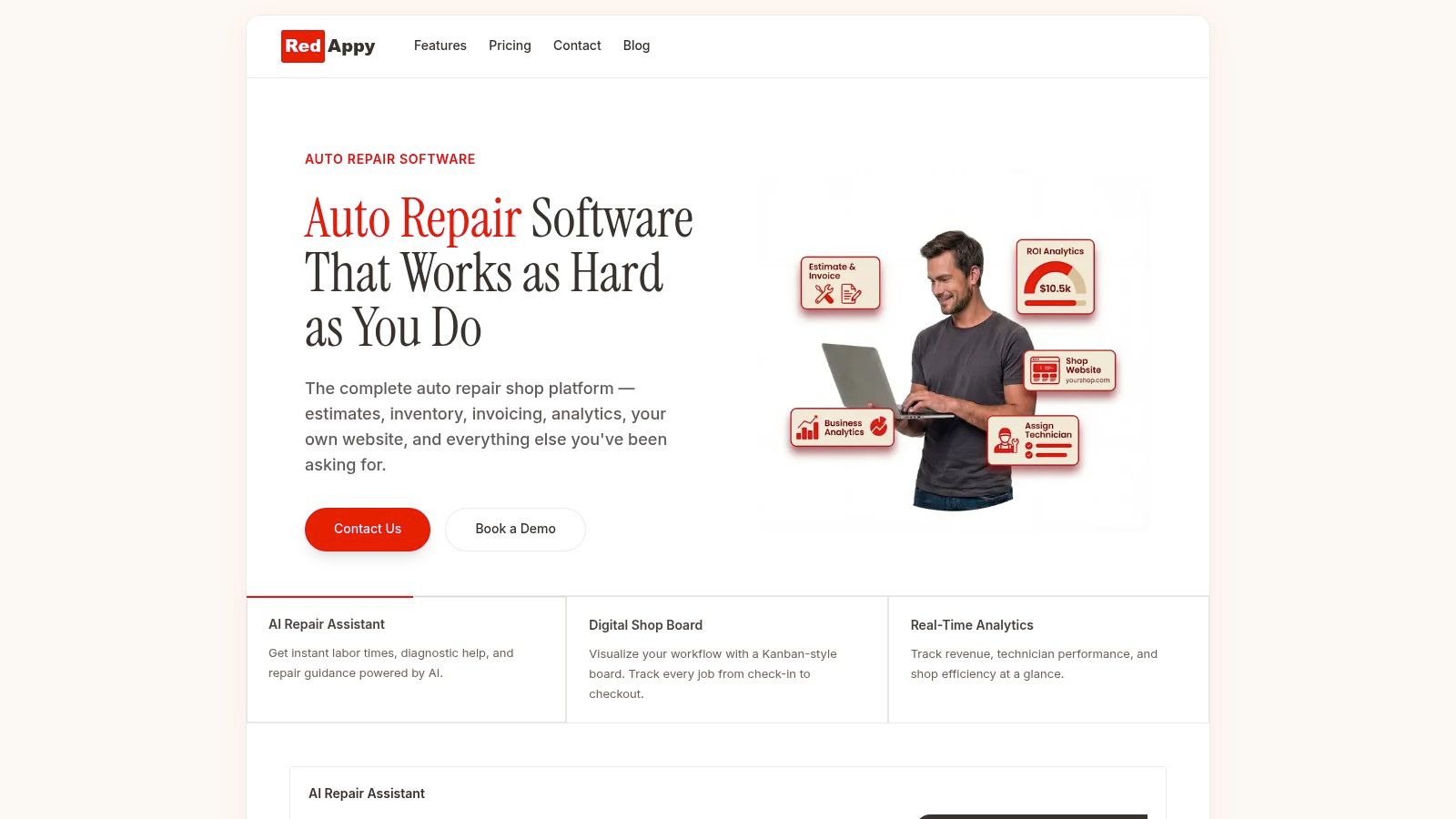
The practical next step is simple. Explore the feature set at RedAppy features, or speak with the team through RedAppy contact if the shop needs to connect invoicing to inspections, payments, and the rest of the repair flow.
Ready to Transform Your Shop?
RedAppy helps auto repair shops create professional digital estimates with photos and videos, send them instantly via text or email, and get customer approvals in seconds. No credit card required to start.