
Best Online Invoicing Software Free Options for 2026
The front desk is buried. A customer is waiting for an estimate. A technician is asking whether the parts were approved. Someone needs a receipt re-sent. Meanwhile, the invoice is still sitting in a generic app that knows nothing about the vehicle, nothing about labor, and nothing about what happened in the bay.
That's where a lot of repair shops are right now. They start with paper, spreadsheets, or a generic invoicing app because it looks fast and cheap. Then the cracks show up. The invoice gets created, but the team still has to chase parts, verify labor, copy totals into accounting, and call the customer separately to get paid. The invoice exists, but the workflow is still broken.
That's why the search for online invoicing software free matters. Digital billing is no longer a niche category. The market is large and still expanding, with the global online invoicing software market estimated at USD 13,750.45 million in 2024 and projected to reach USD 26,500.78 million by 2032, growing at a CAGR of 8.56% according to.
For a freelancer, a free invoicing tool can be enough. For an auto repair shop, “free” often means disconnected. That disconnect creates admin work, payment friction, and missed opportunities at the counter.
Table of Contents
- Introduction Beyond the Invoice
- What Free Online Invoicing Software Typically Covers
- The Auto Shop Checklist for Invoicing Software
- Hidden Costs and Limitations of Free Tools for Shops
- When to Upgrade to an Integrated Shop Management System
- Conclusion Choosing Smart Invoicing for Your Growth
Introduction Beyond the Invoice
An invoice is the last visible step to the customer. Inside the shop, it's tied to everything that happened before it. The estimate, the approval, the labor line, the parts cost, the service history, the payment method, and the record that has to be easy to find when that same vehicle comes back.
That's why generic billing apps create confusion in repair environments. They treat invoicing like a standalone office task. A shop owner doesn't run a standalone office task. A shop owner runs a moving operation with bays, vehicles, technicians, timelines, and customers who expect updates without delay.
Practical rule: If the invoice tool can't connect to the actual repair process, it isn't saving time. It's just relocating the work.
A repair shop needs software that does three things at once. It has to help the team create a professional estimate quickly, keep the repair order accurate while the work is happening, and close the loop with payment and records after the job is done.
Free invoicing tools can help with the first layer. Many will let a business create an invoice, email it, and keep a customer list. That sounds good until the service advisor starts building invoices by hand from technician notes and parts receipts.
What makes the shop context different
Freelancer reviews miss the point because a garage is not billing for abstract project hours. A garage is balancing labor, parts, authorizations, vehicle details, and speed at the front counter.
A simple invoice app might look clean on day one. By week two, the team is already working around it. This is the core problem. The software wasn't built for the way a repair shop operates.
The right question
The question isn't whether free invoicing software can send an invoice. It can.
The question is whether online invoicing software free can support a professional repair workflow without creating extra admin. In many shops, the answer is no.
What Free Online Invoicing Software Typically Covers
Free invoicing tools usually work on a freemium model. That means the subscription starts at zero, but the provider still needs to make money somewhere else. For many platforms, that “somewhere else” is payment processing, paid upgrades, or limits that push a business into a higher tier once usage gets serious.
What the free plan usually includes
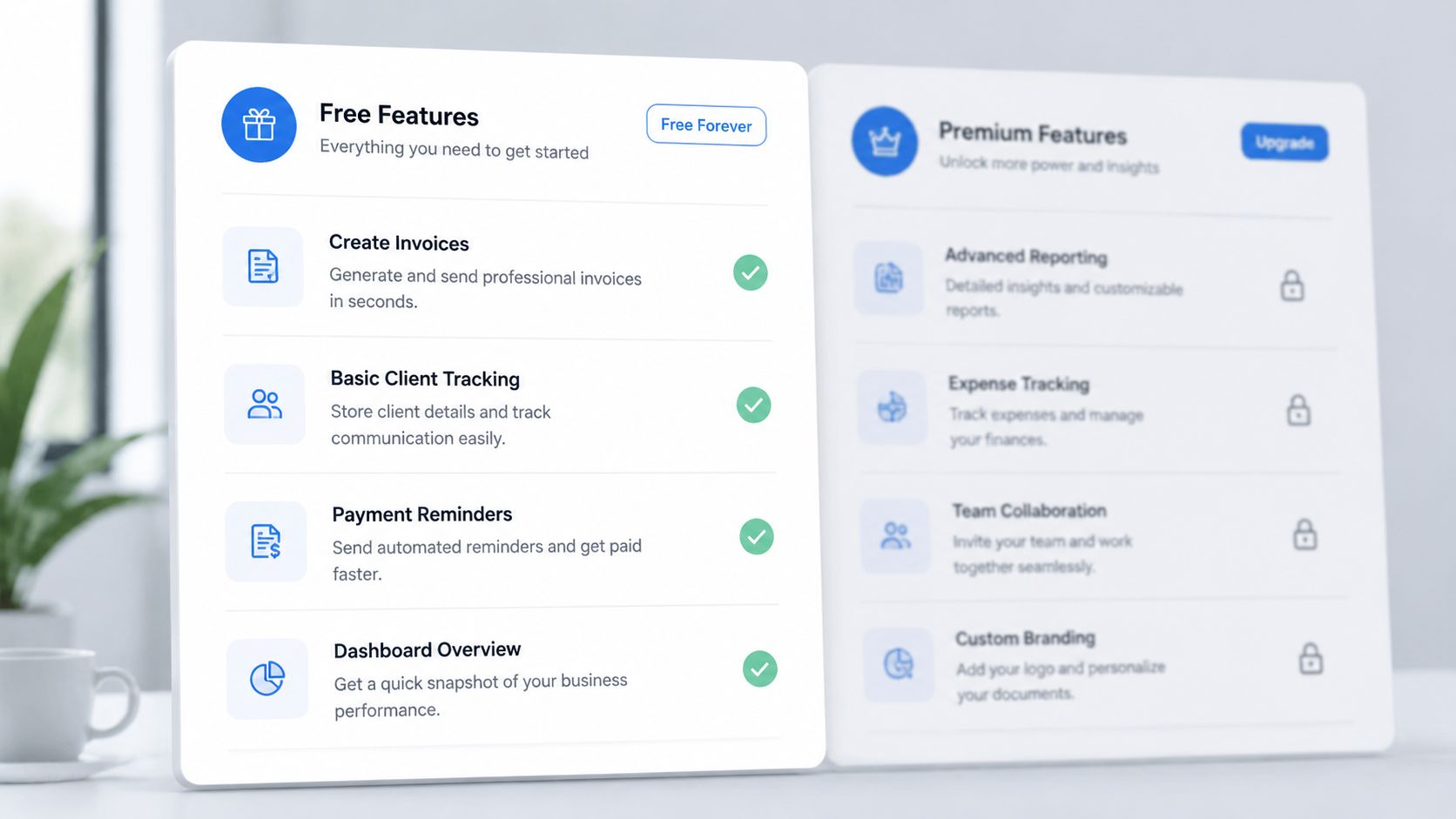
The basic free offer is often enough for a very small operation. Common features include:
- Invoice creation: Build and send invoices through a browser or app.
- Estimate support: Some tools also allow simple estimates.
- Customer records: Basic client profiles are usually included.
- Templates and branding: Limited customization is common.
- Basic reporting: Some platforms include simple reporting dashboards.
Wave is a good example of the appeal. It allows small businesses to create unlimited invoices, estimates, and customer profiles without subscription fees, and it also includes reporting tools for free, according to.
For a small operator, that can be a solid start. For a repair shop, this is only the surface layer.
Where the business model turns
The free app is a bit like a “free” phone tied to a paid carrier plan. The device looks cheap up front, but the ongoing cost appears in usage. In invoicing software, that usage cost often shows up when customers pay.
The dominant model in the category is the SaaS freemium model, which subsidizes the zero-subscription cost through payment processing. Typical fees look like 2.9% + $0.30 per transaction, and that shifts software cost from a fixed fee to a variable fee that rises with sales volume, as explained in.
| What looks free | What often triggers cost |
|---|---|
| Sending invoices | Accepting online card payments |
| Basic customer list | Advanced workflows or integrations |
| Simple templates | Removing limitations or adding business-specific features |
| Standalone billing | Connecting billing to the rest of operations |
Free software isn't free when the payment layer becomes the real product.
For shop owners trying to improve margins, variable fees matter. The more invoices a business processes, the more the “free” model can cost.
Why this matters more for repair shops
A freelancer can live inside a lightweight invoice app because the workflow is simple. A repair shop can't. The invoice is tied to labor, parts, approvals, and customer communication.
That's why broad small-business resources can help with marketing and visibility, but they don't solve shop operations. For example, owners trying to strengthen their digital presence may still find useful alongside billing software decisions. But that's a separate problem. Bringing in leads is one task. Turning work orders into clean invoices and fast payments is another.
The free tools cover the billing shell. They usually don't cover the repair workflow behind it.
The Auto Shop Checklist for Invoicing Software
A repair shop shouldn't judge invoicing software by whether it can send a PDF. It should judge it by whether the staff can move from check-in to payment without retyping information, chasing details, or opening three separate systems.
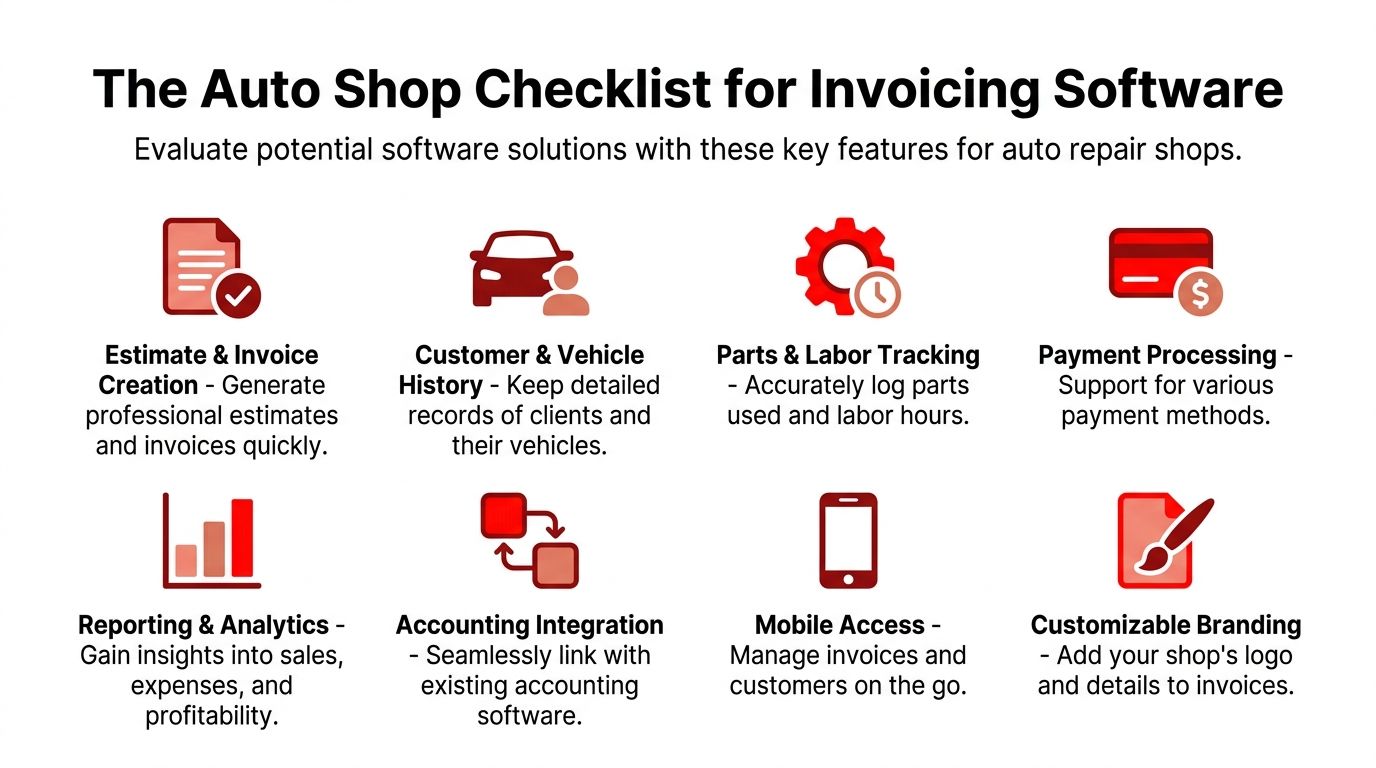
This checklist is the standard.
Front counter essentials
The front desk lives or dies on speed and accuracy. The software should support both.
- Estimate and invoice creation: The team needs to build estimates fast, convert them into invoices cleanly, and avoid rewriting line items.
- Customer and vehicle history: A customer record without vehicle context is incomplete. The advisor needs prior work, notes, and history in one place.
- Custom branding: A professional estimate and invoice help the shop look established. Generic templates make the business look smaller than it is.
- Payment processing: Customers should be able to pay without a messy workaround. If payment collection is awkward, cash flow slows down.
When those basics are missing, the advisor becomes the integration layer. That means the person at the counter is manually connecting customer memory, technician notes, and billing records.
Shop floor and management needs
Shops don't just bill. They manage moving work. That means the invoicing system should connect to the rest of the operation.
- Parts and labor tracking: This is essential. If labor hours and parts usage live outside the invoice workflow, mistakes and delays show up fast.
- Mobile access: Technicians and managers shouldn't be chained to a single workstation just to check status or update a line item.
- Reporting and analytics: The owner needs visibility into what's selling, where margin is slipping, and which services drive the business.
- Accounting integration: Billing data has to move into accounting cleanly. Manual transfer creates duplicate entry and preventable errors.
A shop that can't track labor and parts inside the billing process is doing office work twice.
A lot of owners underestimate this point. They compare a free invoicing app to a paid system on subscription price alone. That's the wrong comparison. The correct comparison is total operating friction.
That same logic applies to service pricing. Shops reviewing labor structure, package pricing, or bundled offers can also learn from broader business frameworks like. Pricing strategy affects invoicing because messy pricing creates messy estimates, and messy estimates become disputed invoices.
A quick scoring method
A shop can use a simple pass-fail scorecard before adopting any platform.
| Requirement | Pass if the software can | Fail if the team has to |
|---|---|---|
| Vehicle-based workflow | Tie invoices to vehicle history | Search separate records |
| Parts and labor accuracy | Build line items from actual repair data | Re-enter data manually |
| Payment collection | Accept payment inside the workflow | Use a workaround or separate tool |
| Daily usability | Support the front desk and the bay | Force staff back to spreadsheets |
If a tool fails on more than one of these, it's not a shop system. It's a generic billing app wearing a shop label.
Hidden Costs and Limitations of Free Tools for Shops
The biggest problem with free invoicing software in a repair shop isn't the monthly price. It's the daily drag.
A service advisor opens a generic billing tool to send an invoice. The parts are in another system. Labor notes are on a repair order or in a text thread. Customer approvals are in email or on paper. The payment link needs another add-on. Nothing is connected, so the advisor stitches it together by hand.
The problem is not the invoice
The invoice itself may look fine. That's why owners stick with these tools longer than they should. The document gets sent, so the system feels “good enough.”
It isn't. The wasted effort hides behind the document. Staff copy line items, verify totals twice, answer avoidable phone calls, and clean up mistakes after the customer sees the invoice.
Every manual handoff creates another chance for delay, confusion, or lost revenue.
Generic software hurts shops more than it hurts freelancers. A freelance designer can tolerate a standalone invoice app. A repair shop with vehicles moving through bays cannot.
Where the extra cost shows up
The hidden costs appear in a few places at once:
- Payment friction: For an auto shop sending 50+ invoices monthly, the free label can become a trap because the business often needs POS integration or premium accounting to accept payments online, adding a $20–$30/month surcharge just to get paid, according to.
- Admin time: Staff spend time re-entering parts, labor, and customer information.
- Slower approvals: If estimates and repairs aren't tied together cleanly, approvals slow down.
- Weaker customer experience: Customers notice when invoices are confusing, delayed, or disconnected from the actual job.
What owners usually notice too late
The first warning sign is not software failure. It's staff frustration.
The advisor complains that invoicing takes too long. The owner struggles to see what happened on a job without asking three people. A customer calls back because a labor line doesn't match the estimate. None of that shows up on the monthly software bill, but it costs the shop anyway.
While Online invoicing software free can help a shop start, it usually can't help a shop run cleanly once the work volume is real.
When to Upgrade to an Integrated Shop Management System
Monday morning gets ugly fast in a busy shop. A service advisor is answering the phone, a technician is waiting on parts approval, and the invoice tool is still sitting off to the side like a separate chore. The software can send a bill, but it cannot run the day.
That is the point where a shop needs to stop patching together tools and move to an integrated shop management system.
Signs the shop has outgrown free tools
Owners usually wait too long to make this switch. They keep the free invoice app because the monthly price looks harmless, while the staff burns time fixing the gaps around it.
Upgrade when these problems show up regularly:
- The front desk re-enters the same job details more than once: Estimates, labor lines, parts, and final invoices should flow from one record.
- Technicians, advisors, and management are looking at different information: That leads to missed updates, pricing mistakes, and confusion at pickup.
- Cars move through the shop without a clear live status view: Multi-bay work needs job tracking, not whiteboards, sticky notes, and memory.
- Payments sit outside the repair process: If collecting payment feels like a separate system, staff gets slowed down at the counter.
- Parts usage and invoicing do not match cleanly: That is where margin gets eaten without anyone noticing right away.
- Adding people makes the day harder instead of easier: Growth should improve output, not multiply admin work.
Analysts at Billed found that fragmented invoicing setups can create enough extra admin work to outweigh the savings from free software, according to.
The fundamental decision is operational. A shop is choosing between a connected workflow and a pile of small tasks that keep landing on the front desk.
What an integrated system changes
An integrated shop management system ties the job together from write-up to payment. The estimate becomes the work order. The labor, parts, notes, vehicle details, and invoice stay connected. The customer record stays intact for the next visit.
That changes daily operations in practical ways. Advisors stop copying information between screens. Technicians get clearer job status. Owners can see what is in progress, what is waiting, what has been approved, and what has been billed without chasing updates from three different people.
It also gives management actual control. You can track technician output, repair order trends, customer history, and billing activity from one place instead of building the story by hand from disconnected apps.
Good shop software cuts handoffs, shortens billing time, and keeps the whole repair order in one system.
Generic invoicing tools were built for simple billing. Auto repair shops need process control.
The smarter next step
Upgrade the moment the invoicing tool starts creating office work instead of removing it. That is the line.
Choose software built around repair flow. Look for visual job tracking, connected estimates and invoices, built-in payment handling, parts and labor tied to the repair order, customer and vehicle history, and reporting that shows what is really happening in the shop. That is the professional answer for a growing auto repair business.
Conclusion Choosing Smart Invoicing for Your Growth
Friday at 5:30. A customer is waiting to pay, the advisor is flipping between an estimate, a parts note, and a separate invoice screen, and nobody is fully sure the final total matches the work that was approved. That is what "free" often looks like in a repair shop.
Free invoicing software can work for a solo operator with a simple billing routine. An auto shop runs on connected steps, not isolated invoices. If your team has to re-enter labor, chase parts details, confirm approvals by hand, and patch payment records together later, the software is creating office work instead of removing it.
That cost shows up fast. Service advisors spend more time fixing paperwork. Billing slows down. Payment collection gets awkward. Vehicle history ends up incomplete, which hurts the next visit and makes the whole shop harder to manage.
Shop owners who only compare monthly price usually miss the full expense. Manual handoffs, missed details, and front desk cleanup cost more than the subscription they were trying to avoid.
Choose the system that fits repair flow. It should keep the job tied together from estimate to invoice to payment, while keeping customer and vehicle records clean for the next visit. That is how a shop gets faster, more accurate, and easier to run as car count grows.
If you are done patching invoicing, payments, parts tracking, and job management together, look at RedAppy and review RedAppy's contact page.
Ready to Transform Your Shop?
RedAppy helps auto repair shops create professional digital estimates with photos and videos, send them instantly via text or email, and get customer approvals in seconds. No credit card required to start.