
Repair Shop Websites: 7 Real Examples That Actually Bring in Customers
Most repair shop websites sit online doing nothing. They have a phone number, maybe a list of services, and a photo of a garage — and that's it. Meanwhile, the shop down the street is booking appointments at midnight because their site actually works.
A website isn't just a digital business card anymore. According to, 98% of consumers used the internet to find local businesses in 2023. If your site doesn't build trust fast, answer questions, and make it easy to take action, visitors leave — and they don't come back.
This article breaks down 7 real examples of auto and repair shop websites that bring in actual customers. For each one, you'll see what they do well, why it works, and what you can steal for your own shop.
Table of Contents
- What Makes a Repair Shop Website Work (And What Doesn't)
- Side-by-Side: How Top Repair Shop Websites Stack Up
- The All-in-One Shop Site: RedAppy's Branded Website Approach
- The Local SEO Champion: Small Shop, Big Search Presence
- The Trust-First Design: How Transparent Shops Win Online
- Conclusion
- Frequently Asked Questions
What Makes a Repair Shop Website Work (And What Doesn't)
A repair shop website either works as a sales tool or it doesn't. The difference usually comes down to a handful of specific elements — not design trends or flashy animations.
According to, 76% of people who search for something nearby on their smartphone visit a related business within a day. For auto repair shops, that means your website is often the first — and only — impression you get to make before a customer calls a competitor.
The Elements That Actually Drive Conversions
Clear calls-to-action (CTAs) A button that says "Schedule Service" or "Get an Estimate" needs to be visible without scrolling. In practice, sites that bury their contact options below the fold lose customers who won't scroll to find them. One CTA above the fold, repeated at the bottom of the page, is a proven pattern.
Mobile responsiveness More than 60% of local service searches happen on mobile devices, according to. A site that requires pinching and zooming on a phone sends customers away fast. Mobile-first design isn't optional anymore — it's the baseline.
Trust signals Customers searching for a repair shop are often anxious. They don't know who to trust. Visible review scores, ASE certifications, technician photos, and transparent pricing all reduce that anxiety. Sites that show social proof convert at higher rates than sites that don't.
Fast load times Google data shows that 53% of mobile users abandon a site that takes longer than 3 seconds to load. Page speed directly affects both user experience and search ranking. A slow site costs you customers before they ever read a word.
Local SEO basics Local SEO means showing up when someone nearby searches "auto repair near me" or "brake repair [city name]." The building blocks are a verified Google Business Profile, your name/address/phone (NAP) consistent across the web, location-specific service pages, and schema markup that tells search engines exactly what you do and where.
What Separates a High-Converting Site from a Digital Brochure
Most repair shop websites were built once and forgotten. They have a homepage, an "About Us" page, maybe a services list — and nothing that actively pulls customers in or earns their trust.
A website that looks professional but has no booking path, no reviews, and no local search presence is a digital business card. It confirms you exist, but it doesn't bring in work.
High-converting sites do three things well: they get found (SEO), they earn trust fast (design and social proof), and they make it easy to take the next step (clear CTAs and booking options). Every example in this article is evaluated against those three pillars.
The Criteria Used Throughout This Article
Each website example below is assessed on:
| Criteria | Why It Matters |
|---|---|
| Call-to-action clarity | Tells customers exactly what to do next |
| Mobile experience | Captures the majority of local search traffic |
| Trust signals | Reviews, credentials, and transparency reduce buying friction |
| Load speed | Affects both bounce rate and Google ranking |
| Local SEO elements | Determines whether the site gets found at all |
| Integration with shop operations | Connects the website to real workflow — estimates, bookings, payments |
That last criterion — integration — is where a lot of shop websites fall short. A beautiful site that isn't connected to how the shop actually operates creates more admin work, not less. The examples that follow show what it looks like when all of these elements come together. Some are purpose-built platforms, some are custom-designed, and each has a clear lesson worth taking back to your own shop.
Side-by-Side: How Top Repair Shop Websites Stack Up
Before diving into each example, it helps to see how they compare at a glance. The table below covers the key features that separate high-performing repair shop websites from ones that just take up space online.
| Website Example | Standout Feature | Booking/CTA Style | Mobile-Friendly | Local SEO Elements | Built-in vs. Custom |
|---|---|---|---|---|---|
| RedAppy Branded Site | Connected directly to shop workflow | Contact form + estimate request | Yes | Service pages, schema-ready | Built-in with subscription |
| Local SEO Champion | Dominates "auto repair near me" results | Click-to-call + Google booking | Yes | Location pages, GBP integration | Custom WordPress |
| Trust-First Design | Public digital inspections + tech bios | "See our work" → booking flow | Yes | Review schema, local citations | Custom |
| Mobile-First Shop Site | Sub-3-second load, tap-friendly UX | SMS follow-up + tap-to-call | Yes (optimized) | Mobile-indexed, fast Core Vitals | Custom or template-based |
What the Table Tells You
A few patterns stand out immediately. The strongest-performing sites combine at least two of these elements: a clear CTA, mobile optimization, and some form of trust signal. No single feature carries a site on its own.
A beautiful website with no booking path and slow load times will lose customers to a plain-looking site that answers the phone faster.
The "Built-in vs. Custom" column matters more than most shop owners realize. Custom sites give you flexibility, but they require ongoing maintenance, developer costs, and separate integrations for scheduling, payments, and reviews. Built-in platforms solve those problems by design — though they trade some customization for convenience.
Honest Limitations to Keep in Mind
From experience reviewing shop websites across both categories, the biggest mistake is treating design as the finish line. According to, 98% of consumers used the internet to find information about a local business in 2023. Getting found is step one — converting that visitor is step two, and most sites fail at the second part.
A few limitations worth flagging before the deep dives:
- Custom sites can outperform built-in options for SEO flexibility, but only if someone actively manages them
- Built-in platforms move faster to launch and stay connected to shop operations, but may have limited design customization
- Template-based sites look polished but often lack the local SEO structure that drives organic traffic
- No website drives results without consistent Google Business Profile management running alongside it
Each example in the sections ahead breaks down exactly what works, why it works, and what you can take from it for your own shop.
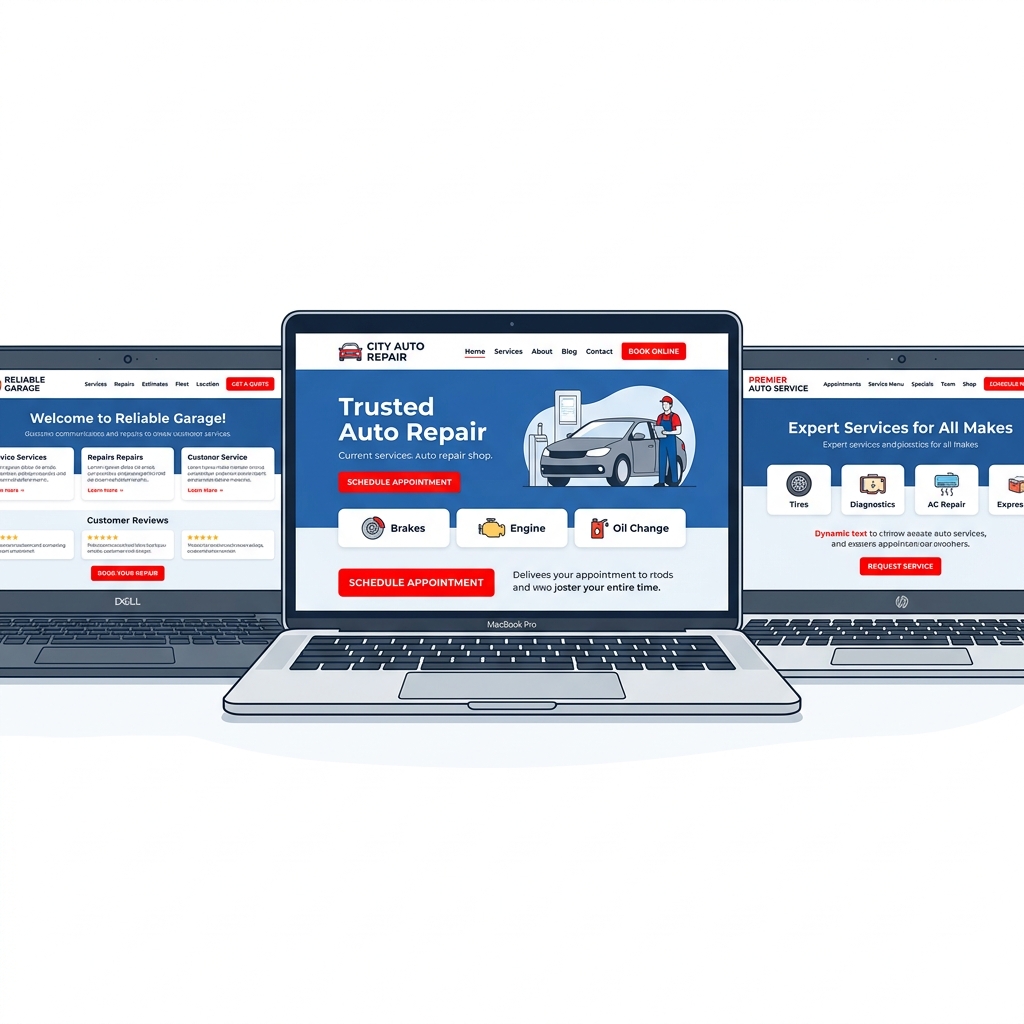
The All-in-One Shop Site: RedAppy's Branded Website Approach
RedAppy takes a different approach to shop websites than most platforms. Instead of pointing you toward a generic website builder or leaving web presence as an afterthought, every RedAppy subscription includes a professional, branded website built specifically for auto repair businesses.
What's Included Out of the Box
Most shop management software and website builders are sold separately. RedAppy bundles both — which matters more than it might seem at first glance. When your website and your shop operations run on the same platform, the gap between "customer clicks" and "job booked" shrinks dramatically.
Every RedAppy website comes with:
- Contact forms connected directly to the shop's workflow
- Used-car listings for shops that sell vehicles alongside repairs
- Professional branding that reflects the shop's identity, not a cookie-cutter template
- Mobile-optimized design ready for customers searching on their phones
The used-car listing feature is worth highlighting. Most shop website tools ignore this entirely, leaving dealers and hybrid repair/sales operations to stitch together two separate web presences. RedAppy handles both in one place.
Why Purpose-Built Beats Generic WordPress
A WordPress site with a general business theme can look polished. But it doesn't know what a repair order is. It can't surface your digital inspections, connect to your parts inventory, or feed into your estimates workflow.
According to, 98% of consumers used the internet to find a local business in 2022 — and auto repair ranks among the top categories searched. Getting found is step one. Converting that visit into a booked job is where generic templates fall short.
A shop website that isn't connected to how you actually run jobs is just an expensive business card.
Purpose-built shop websites are designed around the actions customers actually take — requesting estimates, asking about services, checking hours, or browsing available vehicles. Every element points toward a conversion, not just a visit.
How It Connects to the Shop's Full Workflow
The website doesn't sit in isolation on the RedAppy platform. It's the front door to a system that handles digital inspections with photo documentation, instant estimates, one-click invoicing, and online payments. When a customer submits a contact form, that lead flows into the same environment where technicians are tracking jobs on the Kanban-style Digital Shop Board.
This connection matters for admin efficiency. RedAppy reports that shops typically save 10+ admin hours per week by centralizing workflow — and a website that feeds directly into that system rather than creating a separate inbox to monitor is a big part of why.
The ROI Case for an Integrated Website
Buying a shop management platform and a separate website can cost significantly more than an all-in-one subscription — and that's before accounting for the time spent making two systems talk to each other.
| Approach | Website Cost | Integration Effort | Admin Time Saved |
|---|---|---|---|
| Separate website + separate SMS | $100–$300/month combined | High — manual hand-off | Minimal |
| Generic shop software + template site | Varies | Medium — limited connection | Some |
| RedAppy all-in-one | Included in subscription | None — built in | 10+ hours/week reported |
RedAppy's first-year ROI claim is grounded in that combination: fewer tools to pay for, less time on admin, and more jobs approved through photo-rich digital inspections that build customer trust before they even walk in.
Shops that connect their website to their actual operations stop losing jobs between the first click and the first call.
From experience, the shops that get the most from their online presence aren't necessarily the ones with the most elaborate designs — they're the ones where the website feeds directly into how the shop works every single day.
The Local SEO Champion: Small Shop, Big Search Presence
A small independent shop competing against national chains might seem outmatched online. But in local search, size doesn't determine who wins — strategy does.
The Power of "Near Me" Searches
According to, searches for "auto repair near me" have grown consistently year over year, with local service searches being among the highest-intent queries on the internet. When someone types that phrase, they're not browsing — they're ready to book.
A shop that shows up first for that search doesn't need a flashy site. It needs the right structure.
Ranking locally isn't about having the most expensive website. It's about giving Google exactly what it needs to trust you as the best answer for a specific location.
What a Local SEO-Optimized Shop Site Looks Like
Consider a composite case based on common patterns seen across high-performing independent shops: a two-bay garage in a mid-sized city that went from invisible online to fully booked within six months. The changes weren't dramatic — they were structural.
Here's what the site included:
- A dedicated Google Business Profile linked directly from the site, with consistent NAP (name, address, phone) data across every page
- Location-specific service pages — not just "oil change" but "oil change in [City Name]" — each with 300+ words of original content
- Schema markup (structured data that tells Google what your business is, where it is, and what it does)
- An embedded Google Maps widget on the contact page
- A review generation strategy that prompted customers via SMS after service completion, feeding fresh reviews back to the Google Business Profile
The result: the shop ranked in the top 3 of the Google Map Pack for 11 local search terms within five months.
Breaking Down the Key Elements
| SEO Element | What It Does | Difficulty to Implement |
|---|---|---|
| Google Business Profile integration | Boosts map visibility and trust | Low |
| Location service pages | Captures long-tail search traffic | Medium |
| Schema markup | Helps Google read your site accurately | Medium-High |
| Review generation | Builds authority and click-through rate | Low |
| Consistent NAP data | Prevents ranking penalties from conflicting info | Low |
How Reviews Become a Search Engine Asset
Each new Google review acts as a signal to search algorithms that the business is active and trusted. Shops that average even 5–10 new reviews per month consistently outrank competitors with higher overall star ratings but fewer recent reviews.
In practice, the best review systems aren't manual. Shops using platforms like RedAppy can trigger review requests automatically after a job closes — turning every completed repair into a potential search ranking boost.
A review left today is a ranking signal that keeps working for months.
Why Service Pages Beat a Single "Services" Tab
Most shop websites list all services on one generic page. That approach competes for nothing specific. A shop that creates individual pages for "brake repair in Austin," "check engine light diagnosis in Austin," and "transmission service in Austin" is competing for three distinct searches — each with high local intent.
This structure also helps with auto repair shop marketing beyond SEO. Each page becomes a landing destination for paid ads, social media links, and referral traffic.
The Takeaway
A small shop can absolutely out-rank a national chain in local search — because local SEO rewards relevance and proximity over budget. The formula is repeatable: structured location pages, a well-maintained Google Business Profile, schema markup, and a steady stream of fresh reviews. None of it requires a custom-built six-figure website. It requires consistency and the right tools connected to your shop management workflow.
The Trust-First Design: How Transparent Shops Win Online
Transparency is one of the most powerful conversion tools a repair shop website can have. According to a, 76% of customers say they don't fully trust auto repair shops — which means a shop that openly shows its work has a massive competitive edge before a customer even calls.
The Example: A Shop That Shows, Not Just Tells
Picture a mid-sized independent shop in a suburban market. It's competing against two dealerships and a national chain. On paper, it should lose. But its website does something those competitors don't — it makes the repair process completely visible.
The homepage features:
- Technician bios with photos and certifications — not generic stock images, real people with real credentials
- Sample digital inspection reports — actual photo-rich walkthroughs customers can browse before booking
- Video explainers for the 10 most common repairs the shop handles
- Visible service pricing for routine maintenance like oil changes, brake pads, and tire rotations
This isn't just design preference. It's strategy.
Why Transparency Converts
Customers who feel informed before arriving are far more likely to approve additional work once they're there.
A found that shops using photo-based digital inspections see 20–40% higher work approval rates compared to verbal-only estimates. When customers can see a cracked belt or low brake fluid in an actual photo, saying yes becomes easy.
The trust-first approach works in two directions. It lowers the anxiety of first-time visitors who don't know the shop yet. And it reinforces confidence for returning customers who already do.
How Digital Inspections Feed the Website
This is where shop software and the website become one connected tool. Platforms like RedAppy send photo-rich inspection reports directly to customers via text or email. Those same inspection formats — structured, visual, professional — can be displayed as sample reports on the shop's website.
A visitor lands on the site. They see exactly what an inspection looks like. They understand what they're paying for. That removes the biggest objection in auto repair: "How do I know I actually need this?"
RedAppy's digital inspection workflow also creates a feedback loop. Better inspections lead to more approvals, more revenue, and more satisfied customers who leave reviews — which then strengthen the trust signals on the website itself.
The Takeaway
| Trust Signal | Impact |
|---|---|
| Technician bios with photos | Reduces anonymity anxiety |
| Sample digital inspection reports | Sets expectations, increases approval rates |
| Video walkthroughs | Builds credibility before the first visit |
| Visible pricing | Eliminates the "hidden fees" fear |
| Customer reviews with responses | Shows the shop listens and cares |
A trust-first website doesn't just look credible — it actively removes the reasons customers hesitate to book. From experience, shops that invest in transparency-driven design consistently outperform competitors with slicker but emptier sites. The content does the selling before anyone picks up the phone.
Conclusion
The best repair shop websites don't just look good — they do a job. Every example in this article shares the same core traits: fast load times, mobile-first design, clear calls-to-action, and trust signals that convert skeptical visitors into booked appointments.
A website without the right system behind it is just a digital billboard. The shops that consistently win online are the ones where the website connects directly to operations — estimates, inspections, payments, and customer communication all flowing from one place.
The gap between a shop that gets calls from its website and one that doesn't usually comes down to three things: how fast the site loads, how easy it is to request service, and whether the site gives customers a reason to trust you before they walk in the door.
From local SEO dominance to photo-rich digital inspections displayed publicly, each approach covered here reflects a real strategy that moves customers from search to service bay. No single tactic works in isolation. The strongest shop websites layer these elements together.
RedAppy is built around exactly this idea. Every subscription includes a professional, branded website purpose-built for auto repair — one that connects directly to digital inspections, instant estimates, online payments, and the full shop workflow. There's no gap between what a customer sees on your site and what happens when they book a job. That's what separates a shop management platform from a generic website builder.
If you're evaluating your current site against the examples in this article, start with the basics: Is it loading in under three seconds? Can a customer request service in two taps on a phone? Are your reviews and certifications visible above the fold? Fix those first, then build from there.
Shops that treat their website as a living part of their operation — not a one-time project — are the ones that show up first in search, earn customer trust before the first call, and keep bays full. The tools exist. The only variable is whether your shop is using them.
Frequently Asked Questions
What's better than Alldata?
Mitchell 1 ProDemand is widely considered a strong alternative to Alldata, offering OEM repair data, wiring diagrams, and labor estimating tools in a single platform. Many technicians also favor Identifix for its real-world, community-sourced diagnostic data, which can be faster for pinpointing common fixes than Alldata's OEM-only approach.
Do you have to pay to get something repaired on the repair shop?
Yes, customers typically pay for repairs at a repair shop — the shop diagnoses the issue and charges for parts and labor. Some shops offer free initial diagnostics as a promotional service, but the actual repair work is always a paid service unless covered under a warranty or insurance claim.
Who is the best online auto parts store?
RockAuto is frequently ranked as the top online auto parts store for its massive inventory and competitive pricing across thousands of vehicle makes and models. AutoZone and Advance Auto Parts also rank highly due to their combination of online availability, in-store pickup options, and loyalty programs.
What is the best site for auto repair manuals?
AllData DIY and Mitchell 1 DIY are the leading sites for professional-grade auto repair manuals, providing OEM factory service data for most vehicles. NAPA's RepairLink and the free resource iATN are also well-regarded, while Haynes and Chilton offer more budget-friendly manual options for DIY repairs.
Ready to Transform Your Shop?
RedAppy helps auto repair shops create professional digital estimates with photos and videos, send them instantly via text or email, and get customer approvals in seconds. No credit card required to start.