
RO Writer Pricing: Plans, Costs & Best Alternatives in 2025
If you're researching RO Writer pricing, you're probably already frustrated. The software doesn't list its costs publicly, which means shop owners spend time on sales calls just to get a number. That lack of transparency makes it hard to budget — and even harder to compare your options fairly.
RO Writer is one of the older names in auto repair shop management software, and it has a loyal user base. But the industry has changed. Shops today expect cloud-based access, modern interfaces, and pricing they can find without a demo. Whether RO Writer still delivers that value in 2025 is worth examining closely.
This article breaks down everything known about RO Writer's plans and costs, what you actually get for the money, and which alternatives are worth considering — including RedAppy, a modern all-in-one platform built for how shops operate today. You'll get a side-by-side comparison, honest pros and cons, and a clear recommendation based on what different shop types actually need.
Table of Contents
- What Is RO Writer?
- RO Writer Pricing: How Much Does It Cost?
- RO Writer Plans & Features Breakdown
- RO Writer vs. Competitors: Side-by-Side Comparison
- Who Should (and Shouldn't) Use RO Writer?
- Conclusion
- Frequently Asked Questions
What Is RO Writer?
RO Writer is a shop management software built specifically for auto repair businesses. The "RO" stands for Repair Order — the document that tracks everything about a customer's vehicle service, from the initial complaint to the parts used and final labor charges. In short, a repair order is the paper trail of a job, and RO Writer was designed to manage that process digitally.
The platform covers the core workflows most shops need: writing estimates, converting them to invoices, ordering parts, accessing labor guides, and storing customer and vehicle history. It's been a fixture in the auto repair industry since the 1980s, which makes it one of the oldest shop management systems still in active use.
RO Writer has changed hands over the years and is now owned by, a large automotive data and software company. This matters for pricing and support, as enterprise ownership often means customized contracts rather than off-the-shelf plans.
The software runs primarily on Windows desktop installations, not the cloud. Shops that use it typically install it on local machines, with data stored on-site. Some cloud-connected features have been added in recent years, but the foundation is still a traditional desktop application.
What RO Writer Does
- Estimating and invoicing — Build repair orders from scratch or use saved templates
- Parts ordering — Connect to supplier catalogs and order directly from the software
- Labor guides — Access labor time data (through integrations like Mitchell or Identifix)
- Customer and vehicle history — Look up past jobs by name, plate, or VIN
- Reporting — Track basic shop performance metrics
It's a capable system for shops that need a structured, traditional workflow. But understanding what it does is only half the picture — how shops actually use shop management software day-to-day often determines whether a platform like this is the right fit.
RO Writer Pricing: How Much Does It Cost?
RO Writer does not publish its pricing online. To get a quote, you have to contact their sales team directly. This lack of transparency makes budgeting difficult, especially for smaller shops comparing options.
Based on industry forums, user reviews on platforms like and G2, and reports from shops that have gone through the sales process, here's what the cost picture typically looks like.
Typical Cost Range
| Cost Component | Estimated Range |
|---|---|
| Base monthly software fee | $200 – $400/month |
| Full module package | $400 – $600+/month |
| Setup / implementation fee | $500 – $2,000+ (one-time) |
| Labor guide add-on (Mitchell, Identifix) | $50 – $150+/month extra |
| Cloud sync / remote access | Additional cost |
| Parts integrations (premium suppliers) | Additional cost |
| Training and onboarding | Often billed separately |
These figures are estimates gathered from user-reported experiences. Actual quotes will vary based on shop size, number of users, and modules selected.
The modular pricing model means your final bill depends heavily on what you enable. A shop that only needs basic estimating and invoicing will pay less than one that adds digital inspections, advanced reporting, and multiple labor guide integrations.
Contract Terms and Commitment
RO Writer typically requires an annual contract, not a month-to-month subscription. This is a meaningful commitment, especially for shops that are still evaluating what software fits their workflow. Early exit from the contract can come with penalties, though terms vary by agreement.
Setup fees are common and can add several hundred to over a thousand dollars to the first-year cost, making the total investment in year one significantly higher than the monthly rate suggests.
Is RO Writer Cloud-Based?
RO Writer is primarily a desktop-based platform installed on Windows computers. It has added some cloud-connected features over time — such as remote access tools and online payment options — but it is not a true cloud-native system. This means:
- Software lives on your local machine, not a browser
- Updates require manual installation or IT coordination
- Data backups are the shop's responsibility unless you pay for additional cloud services
- Mobile access is limited compared to fully cloud-based alternatives
For shops without in-house IT support, this creates real overhead. A technician working off-site or a service advisor checking job status from a tablet faces friction that cloud-first platforms eliminate by design.
Add-On Costs That Catch Shops Off Guard
Several features that competitors include in their base pricing cost extra with RO Writer:
- Labor guides (Mitchell 1, Identifix, AllData) are licensed separately and billed monthly
- Digital inspections may require an additional module depending on the version
- Parts catalog integrations beyond standard suppliers often require setup and may carry additional fees
- Cloud backup and remote access are not included in the core desktop installation
In practice, a shop trying to match the full feature set of a modern all-in-one platform could end up paying at or above the top of the estimated range — while still managing more infrastructure than a cloud-based alternative would require.
RO Writer Pricing: Pros and Cons
Pros:
- Powerful feature set for large, established shops
- Deep parts and labor guide integrations available
- Long track record (since the 1980s) with a large user base
- Customizable through modular add-ons
Cons:
- No transparent pricing — requires a sales call for any quote
- Annual contracts with upfront commitment
- Setup and implementation fees add to first-year cost
- Core platform is desktop-only; cloud features are limited and cost extra
- Labor guides, digital inspections, and premium integrations all cost extra on top of the base fee
- IT overhead for updates, backups, and local installation
For shops evaluating total cost of ownership, it's worth calculating not just the monthly software fee, but also the add-ons, the setup cost, and the internal time spent managing a desktop-based system. Those numbers change the comparison significantly.

RO Writer Plans & Features Breakdown
RO Writer organizes its software around individual modules — you pay for what you need, but costs add up quickly as you build out your stack.
Core Modules
Here's what each major component includes and how it's typically licensed:
| Module | What's Included | Pricing Model |
|---|---|---|
| Estimating & Invoicing | Repair order creation, labor entry, parts markup, customer approval | Base subscription |
| Parts Ordering | Integration with major suppliers (NAPA, Worldpac, etc.) | Base subscription |
| Labor Guide | Mitchell 1 or Identifix labor times and repair data | Add-on cost |
| Digital Inspections | Photo capture, inspection checklists, customer-facing reports | Add-on cost |
| Customer History & CRM | Vehicle history, service reminders, customer lookup | Included in most tiers |
| Reporting & Analytics | Sales reports, technician productivity, parts usage | Included, limited depth |
| Cloud Sync / Remote Access | Partial data sync, limited mobile access | Add-on cost |
| Multi-Location Support | Consolidated reporting across shops | Enterprise pricing |
The labor guide is one of the most essential tools in any shop — and with RO Writer, it's not bundled in. That's an extra line item every shop will almost certainly need.
What Comes Standard
The base package covers the fundamentals: writing repair orders, invoicing, basic parts lookups, and customer records. For a shop already familiar with the software, that's a functional starting point. Most user reviews on platforms like confirm the estimating and invoicing workflow is solid and time-tested.
What Costs Extra
In practice, the add-on structure is where total cost climbs fast:
- Mitchell 1 or Identifix integration — required for accurate labor times and OEM repair procedures
- Digital inspections — not included in the base plan
- Cloud access — RO Writer is primarily a Windows desktop install, so remote access requires additional setup or a third-party solution
- Training and onboarding — often billed separately or bundled into a higher-cost tier
- Software updates and IT maintenance — because it's locally installed, your shop handles backups and updates
Known Limitations
These aren't dealbreakers for every shop, but they're worth knowing before committing:
- Windows-only installation — no native Mac, tablet, or mobile app support
- Legacy interface — the UI has not changed significantly in years; new staff often face a steep learning curve
- IT overhead — local installation means your team (or a hired IT person) manages server maintenance, data backups, and updates
- No built-in AI tools — diagnostic guidance and AI-assisted labor recommendations require third-party integrations
- Annual contracts — month-to-month flexibility is generally not offered
Because RO Writer was built in the desktop era, many of its structural limitations — local install, module-by-module pricing, no native mobile — aren't bugs. They're architecture decisions that haven't changed.
For shops evaluating whether these limitations affect their day-to-day workflow, the next section's comparison table puts RO Writer side-by-side with modern cloud alternatives to make that call easier.
RO Writer vs. Competitors: Side-by-Side Comparison
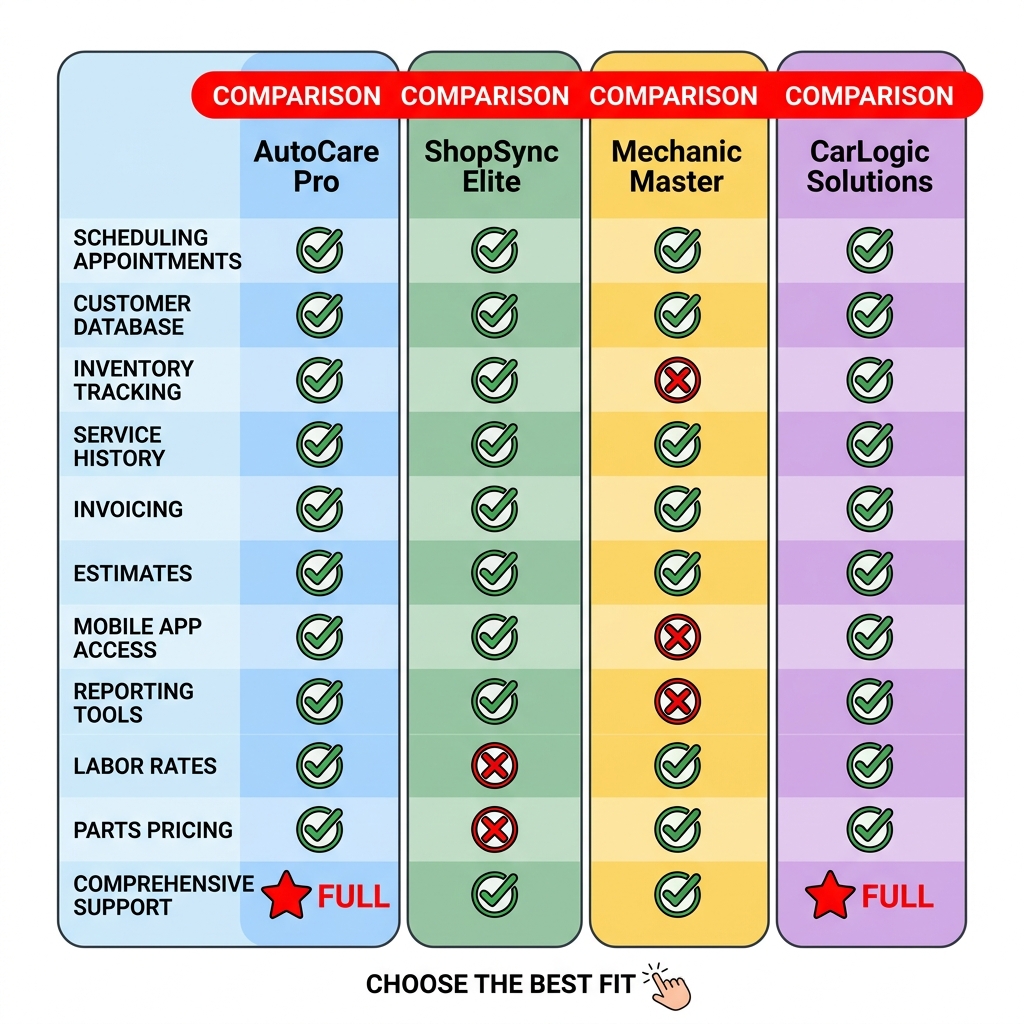
RO Writer stacks up differently depending on what a shop needs most. The table below compares it against three modern alternatives across the criteria that matter most to shop owners in 2025.
Comparison Table
| Feature | RO Writer | RedAppy | Mitchell 1 Manager SE | Shop-Ware |
|---|---|---|---|---|
| Pricing Transparency | ❌ Quote only | ✅ Published pricing | ❌ Quote only | ❌ Quote only |
| Starting Price (est.) | ~$200–$600+/mo | Transparent, month-to-month | ~$150–$300+/mo | ~$300–$500+/mo |
| Cloud-Based | ❌ Desktop-first | ✅ Full cloud | ✅ Cloud available | ✅ Full cloud |
| Digital Inspections | ✅ Add-on cost | ✅ Included | ✅ Included | ✅ Included |
| Built-in AI Tools | ❌ None | ✅ AI Repair Assistant | ❌ None | ❌ None |
| Parts Ordering | ✅ Integrated | ✅ Multi-supplier, real-time | ✅ Integrated | ✅ Integrated |
| Kanban/Visual Board | ❌ No | ✅ Digital Shop Board | ❌ No | ✅ Yes |
| Branded Website Included | ❌ No | ✅ Yes | ❌ No | ❌ No |
| Contract Terms | Annual contract | Month-to-month | Annual contract | Month-to-month |
| Best For | Large, established shops with IT support | Single-bay to multi-location, growth-focused shops | Shops wanting Mitchell labor data bundled | Tech-forward shops prioritizing transparency |
Shops evaluating RO Writer often find that the final monthly cost — after adding labor guides, cloud sync, and inspections — lands significantly higher than entry-level pricing suggests.
RO Writer: Pros & Cons
Pros
- Deeply established platform with 40+ years of development
- Extensive parts integration network and labor guide options (Mitchell, Identifix)
- Strong reporting and estimating tools for high-volume shops
- Wide industry familiarity — many experienced techs already know it
Cons
- No published pricing; requires a sales call and negotiation
- Desktop-only installation; limited mobile access
- Annual contracts with setup fees create high switching costs
- No built-in AI tools for diagnostics or labor time lookup
- Modern features like digital inspections cost extra
- Requires dedicated IT support for updates, backups, and maintenance
- Interface reflects its legacy roots — steep learning curve for new hires
RedAppy: Pros & Cons
Pros
- Transparent, published pricing with month-to-month terms
- Fully cloud-based — accessible from any device, anywhere
- Built-in AI Repair Assistant for labor times and diagnostic guidance
- Digital inspections, parts ordering, invoicing, and payments all included
- Kanban-style Digital Shop Board visualizes job progress in real time
- Every plan includes a branded professional website
- Scales from single-bay garages to multi-location shops
- Reports saving 10+ admin hours per week on average
Cons
- Newer platform — less established than legacy competitors
- Smaller integration ecosystem compared to RO Writer's decades-long partner network
- Shops migrating large historical datasets may need onboarding support
How the Alternatives Compare
is a solid choice for shops that already use Mitchell labor data and want a familiar ecosystem. It bundles well with ProDemand for repair information, but pricing still requires a quote and AI features aren't part of the package.
Shop-Ware appeals to shops that want a modern, paperless workflow with month-to-month flexibility. Based on user reviews, it performs well on transparency and digital inspections, though its starting price can be comparable to or higher than RedAppy's.
The clearest differentiator in 2025 is built-in AI. Only a handful of platforms — RedAppy among them — include AI-assisted diagnostics and labor guidance without an additional subscription.
For shops comparing auto repair software options, the decision usually comes down to three things: how much IT overhead you're willing to manage, whether you need mobile access, and whether built-in AI tools are on your priority list. RO Writer wins on legacy depth. Cloud-first platforms like RedAppy win on flexibility, modern features, and cost predictability.
Who Should (and Shouldn't) Use RO Writer?
RO Writer is a strong fit for specific shop profiles — but it's a poor match for others. The right answer depends on your shop's size, tech comfort level, and budget flexibility.
Shops That Benefit Most from RO Writer
RO Writer tends to work best for large, established shops with the infrastructure to support it. In practice, that means dedicated IT support, stable Windows workstations, and a team willing to invest time in training.
RO Writer is a good fit if your shop:
- Has 5+ service advisors and high daily repair order volume
- Already uses RO Writer and has years of customer history built in
- Has an IT resource to manage updates, backups, and local server maintenance
- Prefers on-site data storage over cloud-based systems
- Works primarily with fleet accounts or high-complexity commercial vehicles
According to user reviews on, shops that have used RO Writer for 5+ years often cite familiarity and deep parts integration as reasons to stay, even when acknowledging the dated interface.
Shops That Should Look Elsewhere
Smaller shops, startups, and operations without dedicated IT support tend to struggle with RO Writer's model. The module-based pricing, annual contracts, and desktop-only architecture create friction that modern cloud platforms eliminate.
RO Writer is likely a poor fit if your shop:
- Is a single-bay or small independent garage
- Needs mobile access for technicians or remote management
- Wants transparent, month-to-month pricing with no surprise add-ons
- Requires built-in AI tools for diagnostics or labor guidance
- Is opening a new location and needs fast, low-overhead setup
Shops switching away from RO Writer most commonly cite three reasons: rising total cost, an interface that hasn't kept pace with modern expectations, and having to pay extra for capabilities that competitors include by default.
Common Reasons Shops Switch Away
Based on user feedback across review platforms, the pattern is consistent. Shops don't typically leave because RO Writer fails — they leave because newer platforms offer more for less effort.
| Switch Trigger | Details |
|---|---|
| Cost creep | Add-ons for labor guides, cloud sync, and inspections push monthly costs well above initial quotes |
| Outdated UI | The Windows-based interface requires more clicks and training than web-first alternatives |
| No built-in AI | Labor time lookups and diagnostic tools require separate subscriptions |
| Mobile limitations | Technicians and owners can't access the system easily from tablets or phones |
| Contract lock-in | Annual agreements make it harder to switch when a better option appears |
Where RedAppy Fits as a Modern Alternative
For shops that want to move past these friction points, RedAppy is built around the opposite philosophy. Everything — digital inspections, invoicing, parts ordering, AI repair guidance, and a branded website — is included in a single subscription with month-to-month terms.
RO Writer vs. RedAppy at a glance:
| Factor | RO Writer | RedAppy |
|---|---|---|
| Pricing model | Per-module, opaque | All-in-one, transparent |
| Contract terms | Annual | Month-to-month |
| Platform | Desktop (Windows) | Cloud-based |
| AI tools | Not included | Built-in AI Repair Assistant |
| Digital inspections | Add-on cost | Included |
| Setup complexity | High (IT required) | Low (no IT needed) |
| Best for | Large shops with existing investment | Single-bay to multi-location shops |
In practice, RedAppy suits shops that want modern tooling without hiring a consultant to stand it up. The Kanban-style Shop Board, real-time analytics, and built-in parts ordering across multiple suppliers are all available from day one — not after purchasing additional modules.
Pros of staying with RO Writer:
- Deep feature set for high-volume shops
- Established integrations with major parts suppliers
- Familiar to staff already trained on the platform
Cons of staying with RO Writer:
- Pricing requires a sales call with no public reference point
- AI and cloud features require additional purchases
- Desktop-only limits flexibility and remote access
- Annual contracts reduce leverage if needs change
Pros of switching to a platform like RedAppy:
- All-in-one pricing with no surprise module costs
- Cloud access from any device
- Built-in AI, inspections, and analytics from the start
- Month-to-month terms mean no long-term commitment risk
Cons of switching:
- Migration of existing customer and vehicle history takes time
- Staff retraining required during transition period
The decision usually comes down to one question: is your shop built around RO Writer, or is RO Writer holding your shop back?
Conclusion
RO Writer is a powerful legacy platform with decades of development behind it. But power alone doesn't make it the right choice for every shop in 2025.
The core tradeoffs come down to three things: pricing transparency, deployment model, and built-in capabilities.
| Factor | RO Writer | Modern Cloud Alternatives |
|---|---|---|
| Pricing | Opaque, quote-required | Transparent, listed online |
| Deployment | Desktop (Windows only) | Cloud / browser-based |
| AI Tools | Not built-in | Included (e.g., RedAppy) |
| Contract Terms | Annual, rigid | Month-to-month available |
| Setup Time | Weeks, IT required | Days, self-service |
| Mobile Access | Limited | Full mobile support |
RO Writer's modular pricing model means most shops end up paying significantly more than the base cost once labor guides, parts integrations, and support are factored in.
When RO Writer Still Makes Sense
- Your shop is large, established, and already running on RO Writer
- You have dedicated IT support to manage updates and backups
- You've built custom workflows around its specific module structure
- Switching costs outweigh the benefits of a modern platform
When to Choose a Cloud-First Alternative
- You want transparent, predictable monthly pricing
- Your team needs mobile access for inspections or approvals
- You want built-in AI for labor times and diagnostics without add-on fees
- You're opening a new shop or switching from outdated software
Final Recommendation by Shop Type
| Shop Profile | Best Fit |
|---|---|
| Large shop, deep RO Writer history | RO Writer (if switching costs are prohibitive) |
| Growing shop, 2–10 bays | RedAppy — all-in-one, AI-powered, month-to-month |
| Multi-location, enterprise needs | Mitchell 1 Manager SE or Shop-Ware |
| Solo technician or single bay | RedAppy — fast setup, no long-term commitment |
RO Writer pros:
- Deep feature set built over 40+ years
- Wide parts supplier integrations
- Familiar to many experienced shop managers
RO Writer cons:
- No published pricing — requires a sales call
- Desktop-only with limited cloud functionality
- AI tools, labor guides, and key integrations cost extra
- Steep learning curve and IT overhead
RedAppy pros:
- Transparent pricing with month-to-month terms
- Built-in AI Repair Assistant included at no extra cost
- Cloud-based with full mobile access
- Includes a branded website with every subscription
RedAppy cons:
- Newer platform with a shorter track record than legacy tools
- May have fewer deep customizations for very large enterprise operations
From experience, shops that switch away from RO Writer most often cite three reasons: unpredictable costs, the inability to work remotely, and the need to pay extra for capabilities that come standard elsewhere.
If you're starting fresh or ready to modernize, a cloud-first platform with built-in AI, transparent pricing, and no annual lock-in will serve most shops better in 2025. If you're already deep in the RO Writer ecosystem and running a large operation with IT support, the switching cost calculation deserves careful thought before committing to a change.
Frequently Asked Questions
What is the best auto repair software?
Several auto repair software options consistently rank highly, including Mitchell 1, Shop-Ware, Tekmetric, and RO Writer, depending on shop size and needs. Mitchell 1 is widely used for its comprehensive repair data integration, while Tekmetric is popular for cloud-based operations. The "best" option depends on factors like budget, shop volume, and whether cloud or server-based systems are preferred.
Is RO Writer cloud based?
RO Writer offers both a traditional server-based (on-premise) version and a cloud-based version called RO Writer Cloud. The cloud version allows shop owners and technicians to access data remotely from any internet-connected device. This dual availability makes it flexible for shops transitioning from legacy systems to modern cloud infrastructure.
What are the alternatives to autorox?
Strong alternatives to Autorox include Tekmetric, Shop-Ware, Mitchell 1 Manager SE, and RO Writer, all of which offer shop management capabilities like estimates, invoicing, and parts ordering. Tekmetric and Shop-Ware are particularly noted for their modern, cloud-native interfaces. The best choice depends on integration needs, pricing, and the specific workflow of your auto repair shop.
What is a RO Writer?
RO Writer is a shop management software platform designed specifically for automotive repair businesses. The name "RO" stands for Repair Order, which is the core document the software helps shops create, manage, and track throughout the repair process. It includes features for estimating, invoicing, parts procurement, customer communication, and technician management.
Ready to Transform Your Shop?
RedAppy helps auto repair shops create professional digital estimates with photos and videos, send them instantly via text or email, and get customer approvals in seconds. No credit card required to start.