
Shop Scheduling Optimization: A Step-by-Step Playbook
A repair shop can look busy all day and still lose money through poor scheduling. One technician waits for a delayed part, another finishes early but can't find the next approved job, and the service advisor takes calls while trying to move three vehicles into two available bays. By closing time, the schedule has changed repeatedly, customers are waiting for updates, and the owner is left reconstructing what happened from paper notes and scattered messages.
Scheduling optimization fixes the workflow before it becomes a crisis. It combines realistic capacity planning, clear job priorities, technician skill matching, parts visibility, customer communication, and disciplined rescheduling. Software can support that work, but software alone won't create an orderly shop. The operating rules have to reflect what happens between check-in and checkout.
Table of Contents
- The Hidden Costs of Poor Shop Scheduling
- Diagnosing Bottlenecks and Setting Up Rules
- Balancing Tech Loads with Predictive Labor Data
- Structuring Bookings and Managing Walk-ins
- Tracking KPIs and Troubleshooting Common Issues
- Scaling Your Scheduling Playbook for Growth
The Hidden Costs of Poor Shop Scheduling
Chaotic scheduling rarely begins with one dramatic mistake. It starts with small compromises. An advisor books a diagnostic job into a bay already needed for a long repair. A technician accepts another vehicle because the work order looks short, even though the required part hasn't arrived. A walk-in is squeezed into the day without protecting time for inspections, road tests, cleanup, or rework.
Each decision appears manageable in isolation. Together, they create idle labor, crowded bays, rushed inspections, late deliveries, and inconsistent promises to customers. The shop may still have a full calendar, but a full calendar isn't the same as productive capacity. Revenue gets trapped in vehicles that occupy space without moving through the repair process.

Where the waste appears
Poor scheduling usually produces visible symptoms before management identifies the underlying rule failure:
- Technician waiting: The vehicle is ready, but parts, authorization, information, or a bay isn't ready.
- Bay congestion: Several jobs reach the same physical constraint at once, while other work areas sit unused.
- Promise failures: Advisors provide completion times based on estimated labor alone, ignoring parts and inspection uncertainty.
- Administrative overload: Staff spend the day moving appointments manually instead of confirming work and supporting customers.
- Unplanned overtime: A late start or interrupted repair pushes unfinished work into the end of the shift.
A research paper on automotive repair-shop scheduling reported that an optimization-based sequencing method, compared with manual scheduling, reduced total flow time by about 42% and idle or overtime costs by 47%. The findings are documented in this. The practical lesson isn't that every shop will achieve the same result. It's that sequencing decisions can materially affect throughput and cost.
Practical rule: A schedule should describe the next workable action for every active vehicle, not merely list appointment times.
Owners who want a broader framework for coordinating people, tasks, and calendars can also review these. For an auto shop, the principle is straightforward. The schedule has to connect the front desk, parts process, bays, technicians, and customer updates into one operating picture.
Scheduling optimization became a distinct area of modern operations research in the mid-20th century. Johnson's landmark paper in 1954 is widely regarded as a starting point for scheduling as an independent field, while historical surveys trace earlier work to Gantt in 1916 and identify the 1950s and 1960s as the period when core methods such as branch-and-bound, combinatorial analysis, computational complexity, heuristics, and richer scheduling models took shape. The long research history explains why serious scheduling systems use several methods rather than one universal formula. Historical scheduling research shows that the problem has always involved balancing precision, speed, and practical constraints.
Diagnosing Bottlenecks and Setting Up Rules
A new scheduling tool won't fix a process nobody has examined. The first useful exercise is a flow audit. Select a representative group of recent jobs and trace each vehicle from the initial call or arrival through inspection, estimate approval, parts sourcing, repair, quality control, and payment. The purpose isn't to blame an employee. It's to find where work stops moving.
Find the constraint before changing the calendar
A shop manager should record the handoff at each stage and ask a simple question: What was this vehicle waiting for? The answer might be a missing authorization, an unavailable technician, an incomplete inspection, a supplier response, or a bay occupied by a job that has already stopped.
The diagnostic sequence should include:
- Customer check-in: Confirm whether the concern, contact details, promised service, and vehicle history are complete.
- Inspection: Separate confirmed symptoms from assumptions, and identify which jobs require additional diagnostic time.
- Parts sourcing: Check availability before a repair receives a firm bay commitment.
- Bay assignment: Match the work to the correct equipment, space, and technician capability.
- Repair execution: Track starts, pauses, completion, quality checks, and any return to an earlier stage.
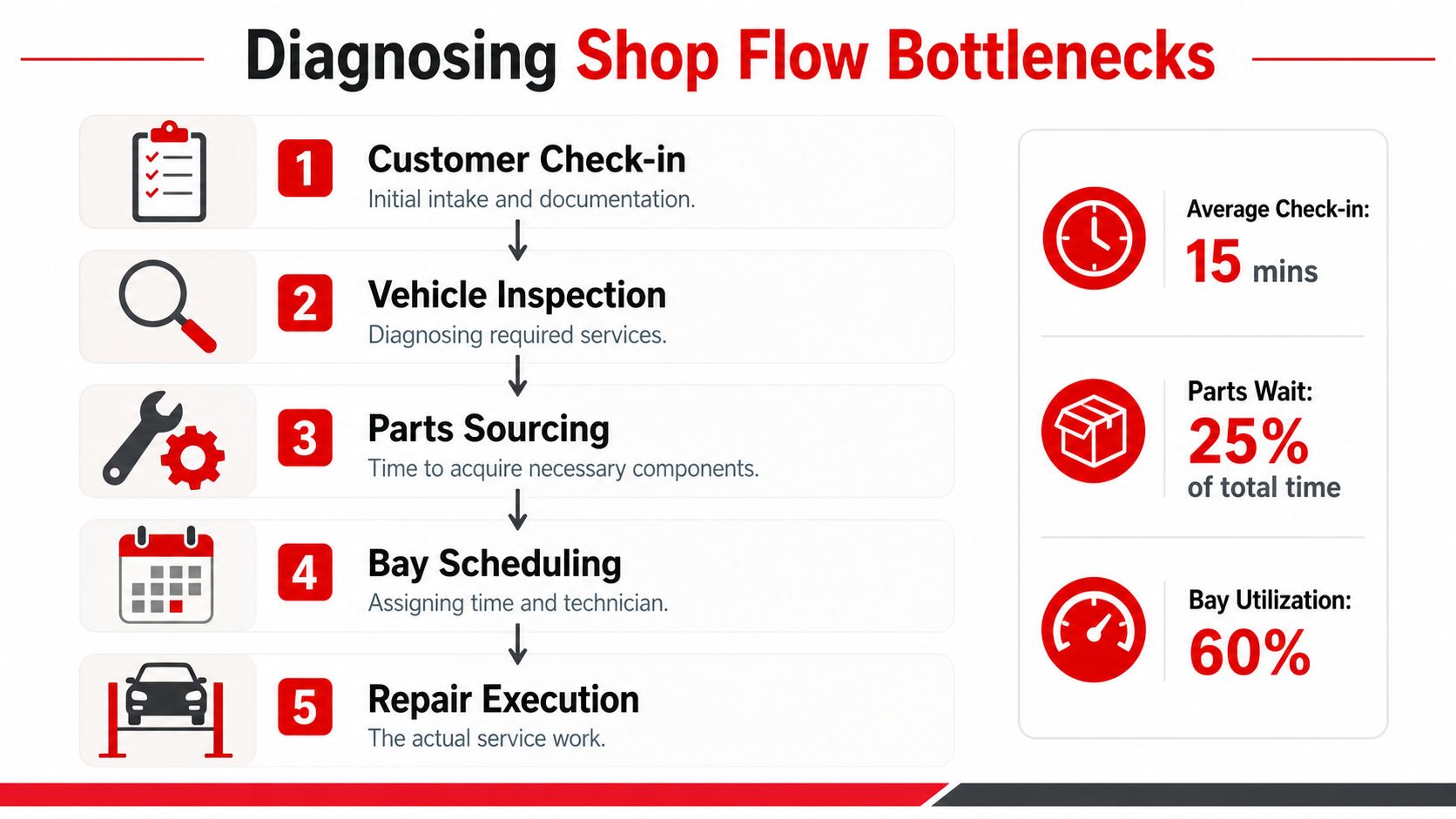
A digital shop board makes these transitions visible. Columns for check-in, inspection, estimate approval, parts pending, ready to schedule, in progress, quality control, and ready for pickup give advisors and technicians the same status language. A centralized vehicle history also prevents staff from making scheduling decisions without access to previous repairs, diagnostic notes, or customer approvals.
Turn observations into scheduling rules
Rules should be written plainly enough that a service advisor can apply them during a busy morning:
- Parts rule: Don't place a repair into a committed bay slot until the required parts are confirmed or a defined sourcing action is assigned.
- Skill rule: Assign jobs according to verified technician capability and equipment access, not just the first open name on the roster.
- Priority rule: Separate safety concerns, promised deliveries, diagnostic work, maintenance, and waiting customers so urgency is explicit.
- Approval rule: Treat an estimate awaiting customer authorization as a pending decision, not as active repair capacity.
- Exception rule: Define who can interrupt the schedule for a comeback, safety issue, or emergency vehicle.
The rule set should remain small at first. Too many exceptions turn the system into another form of guesswork. Managers should review actual stalls regularly and add a rule only when the same failure repeats.
Balancing Tech Loads with Predictive Labor Data
A technician's available hours aren't interchangeable. A senior diagnostic technician, a general repair technician, and a specialist with access to particular equipment may all have open time, but they can't necessarily absorb the same work. Scheduling optimization starts by treating capacity as a combination of hours, skills, tools, and job readiness.
A neutral operations recommendation uses a clear capacity example. For 4 technicians working 8 hours a day, 5 days a week, total weekly capacity is 160 tech-hours, but the recommendation is to reserve a 15% to 20% buffer for parts delays, overruns, and emergency work. That leaves roughly 135 to 140 hours as the maximum planned schedule, as explained in this.
The calculation matters because booking every available hour assumes that every job starts on time, every labor estimate is accurate, every part arrives, and no urgent work appears. A working shop doesn't operate under those conditions.
Build a usable labor view
The scheduler should classify work by more than quoted labor. Each job needs a practical profile:
- Required skill: Who can perform the work safely and efficiently?
- Equipment requirement: Does the job need a lift, alignment equipment, scan tool, press, or another constrained resource?
- Expected labor range: What is the normal effort, and what makes the job run longer?
- Parts readiness: Are all required components available, partially available, or still being sourced?
- Inspection and test time: What must happen before the vehicle can leave?
Predictive labor data can help the advisor avoid treating every estimate as equally reliable. A repair with a stable labor pattern may receive a tighter booking window. A diagnostic job with uncertain findings should carry more schedule flexibility and shouldn't be placed where a delay would disrupt several committed repairs.
Load the right technician, not merely an open technician
A balanced board doesn't mean every technician has identical work. It means the planned workload matches capability and leaves room for variation. The shop foreman should review the board during the day, not wait for the end of the shift to discover that one technician has a queue of complex jobs while another is waiting for direction.
Parts lead data belongs in the same decision. A vehicle awaiting a component should move into a visible pending state, with a next follow-up action and a realistic rescheduling trigger. It shouldn't occupy an active bay slot because the customer approved the estimate.
A vehicle isn't ready for the repair schedule until the people, parts, information, and physical space are ready together.
This approach also protects technicians from the pressure to start work that can't finish. A clean handoff reduces partial disassembly, abandoned vehicles, and repeated setup time, which are often mistaken for technician performance problems.
Structuring Bookings and Managing Walk-ins
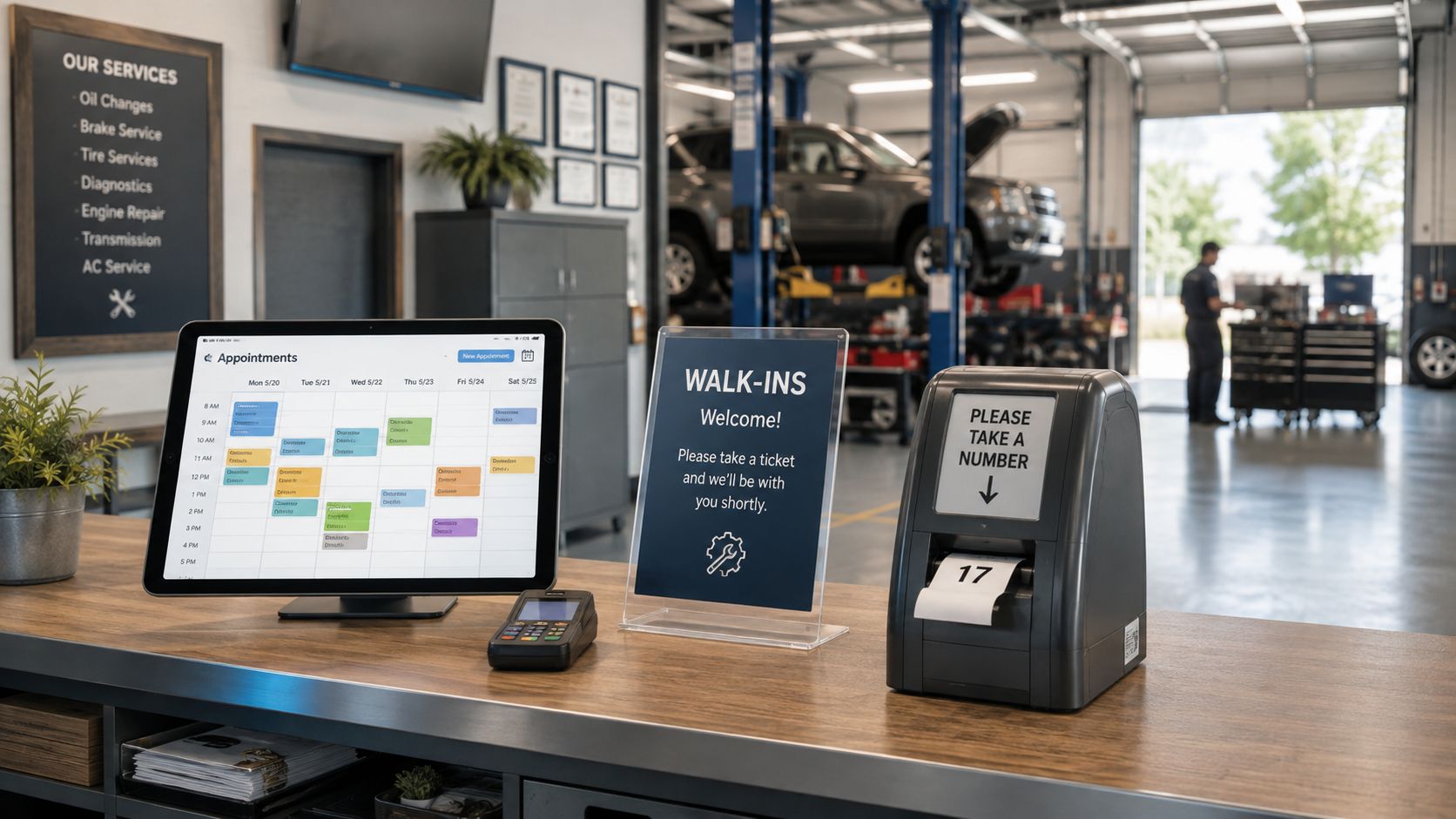
Appointments and walk-ins need different controls. An appointment gives the shop advance information, but it doesn't guarantee that the vehicle will arrive on time, the concern will be fully described, or the repair will be approved. A walk-in provides less planning certainty, but it may become valuable work if intake staff can assess it without disturbing active repairs.
Compare the booking models
A first-come, first-served approach is easy to explain and can suit a small garage with simple work. It becomes fragile when several customers arrive together, because the front desk has no protected space for inspections, estimates, callbacks, or urgent work.
Reserved walk-in windows provide more control. The advisor protects portions of the day for uncertain demand, then releases unused capacity when the window approaches. This model works well when the shop receives frequent unplanned visits but still needs to protect scheduled repairs.
A fully appointment-driven model creates cleaner planning for larger operations, especially when jobs require specific technicians or equipment. It can also turn away useful work if the calendar doesn't include a process for triage.
The most practical structure is usually a hybrid:
- Confirmed appointments receive a realistic arrival and service window.
- Walk-in requests receive an intake assessment before anyone promises a completion time.
- Diagnostic jobs receive separate handling when the repair scope isn't known.
- Urgent safety work follows an escalation rule rather than automatically taking the next open slot.
- Unclaimed capacity can be offered to waiting customers after the foreman confirms that the bay and technician are available.
An industry scheduling guide recommends a 10% to 15% daily buffer for unexpected issues and roughly 30 minutes between jobs for bay cleanup, tool reset, and a short break. The guidance is available in this. Back-to-back bookings may look efficient on a calendar, but they leave no room for the physical transition between vehicles.
Keep intake from becoming the choke point
Every walk-in should enter the same digital queue as an appointment, even if the initial information is incomplete. The advisor can record the concern, vehicle details, requested timing, and next action, then assign a status such as waiting for inspection or waiting for authorization.
Phone demand needs similar discipline. A queueing system can help the front desk protect active customer conversations and reduce abandoned calls. Shops reviewing ways to should connect phone follow-up to the same appointment record, rather than leaving promises in a separate call log.
Tracking KPIs and Troubleshooting Common Issues
A schedule needs measurements that expose flow, not vanity metrics. A full appointment book can hide poor vehicle movement, while a high technician utilization figure can conceal burnout, rework, or excessive interruptions. The manager should compare planned work with completed work and investigate the reason for every meaningful gap.
Essential Shop Scheduling KPIs
| KPI | Why It Matters | Action if Low |
|---|---|---|
| Technician efficiency | Shows whether available labor is converting into completed work | Review job assignment, waiting causes, skill matching, and interruptions |
| Average repair order | Connects completed work with estimate quality and customer approvals | Audit inspections, declined work follow-up, and estimate presentation |
| Bay utilization | Reveals whether physical capacity is being used without creating congestion | Check job sequencing, parts readiness, cleanup time, and bay constraints |
| On-time completion | Measures whether customer promises match actual workflow conditions | Tighten labor assumptions, parts checks, and customer update triggers |
| First-time completion | Identifies rework and comeback pressure on the schedule | Strengthen inspection, quality control, road testing, and technician handoffs |
| Schedule changes | Shows how often the plan is being disrupted | Classify changes by parts, approvals, arrivals, staffing, and emergencies |
The numbers should lead to action. If technician efficiency is weak, the first question isn't whether a technician is working hard. It's whether the technician had a ready vehicle, correct parts, complete information, and a sensible job sequence.
Use recovery rules instead of improvisation
A major parts delay should move the vehicle to a visible waiting state, trigger a customer update, and release the bay for a job that can proceed. A no-show should follow a defined contact and rebooking process, not remain as a silent gap on the calendar. An urgent rework request should be assessed by the foreman, then inserted according to safety and customer impact rather than whoever asks loudest.
Research on dynamic scheduling identifies persistent challenges around uncertainty, scalability, rapid updates, standardized benchmarks, multi-objective decisions, and real-time rescheduling with minimal disruption. The concerns are summarized in this. That finding matters on the shop floor because a schedule that works only when nothing changes isn't optimized. It's merely arranged.
Recovery standard: Change the plan quickly, but preserve the reason for the change. A clear record prevents the same disruption from being repeated tomorrow.
The manager should hold a short schedule review at the end of the operating period. The review should identify one recurring bottleneck, one rule that failed, and one adjustment to test. Continuous improvement works better than occasional calendar overhauls.
Scaling Your Scheduling Playbook for Growth
A single-bay garage and a multi-location service chain don't need identical scheduling screens, but they do need the same operating logic. Every shop must know what work is ready, who can perform it, which resources are constrained, and what the customer has been promised.
A small garage can begin with a shared calendar, a visible job board, consistent status labels, and a written buffer rule. The manager may personally approve exceptions, but the process still needs to distinguish pending parts, pending approval, active repair, quality control, and ready for pickup.
As volume increases, manual coordination becomes the constraint. A larger operation needs centralized vehicle histories, technician and PTO calendars, digital inspections, supplier and inventory visibility, and a workflow board that shows bottlenecks across advisors, bays, and locations. Multi-location teams also need permission rules and consistent definitions, so one branch doesn't treat “ready” as another branch's “waiting for parts.”
A practical implementation sequence
- Map the current flow: Document every handoff from first contact to final payment.
- Create status rules: Make each board status represent a real operational condition.
- Load true capacity: Reserve time for interruptions, transitions, and uncertain work.
- Match skills and resources: Assign technicians and bays based on job requirements.
- Standardize exceptions: Define the response to delays, no-shows, comebacks, and urgent work.
- Review KPIs: Use the data to improve rules, not to punish staff for process failures.
- Choose connected tools: Keep scheduling, inspections, estimates, parts, invoicing, payments, analytics, and calendars linked to the same vehicle and customer record.
The scheduling function in RedAppy includes a shop calendar and appointments, while its digital shop board, team calendar, vehicle history, parts ordering, analytics, digital inspections, estimates, invoicing, and online payments support the connected workflow required for scheduling optimization. Its AI Repair Assistant also provides labor-time and diagnostic guidance within the broader shop-management system. The platform is one option for shops that want scheduling decisions tied to the rest of the repair process instead of maintained in a separate calendar.
The right system won't eliminate uncertainty. It will make uncertainty visible early enough for the advisor and foreman to act. That distinction separates a usable scheduling workflow from a calendar that only records problems after they occur.
RedAppy connects appointments with digital inspections, estimates, parts ordering, technician calendars, the Digital Shop Board, invoicing, payments, and shop analytics, so teams can manage the full path from check-in to checkout. Visit RedAppy to review the scheduling features, or contact the team to discuss how the workflow can fit a single-bay garage or a growing multi-location operation.
Ready to Transform Your Shop?
RedAppy helps auto repair shops create professional digital estimates with photos and videos, send them instantly via text or email, and get customer approvals in seconds. No credit card required to start.