
ShopKey Pro Review: Features, Pricing, and Whether It's Right for Your Shop
Finding the right repair information software can make or break your shop's efficiency. If you've been researching shop pro key solutions, ShopKey Pro likely came up early in your search — and for good reason. It's one of the more recognized names in OEM repair data, used by thousands of technicians across North America.
But is it the right fit for your shop? The answer depends on what you actually need. Repair data is just one piece of running a modern auto repair business, and the tool you choose should match your workflow, your budget, and your growth plans.
This review breaks down ShopKey Pro's core features, honest pricing, real limitations, and how it stacks up against broader shop management platforms. By the end, you'll have a clear picture of whether ShopKey Pro deserves a place in your shop — or whether a more complete solution might serve you better.
Table of Contents
- What Is ShopKey Pro?
- What ShopKey Pro Includes: Core Features Breakdown
- ShopKey Pro Pricing: What It Costs Per Month
- ShopKey Pro vs. ALLDATA: Which Is Better for Independent Shops?
- ShopKey Pro Customer Service and Support
- Conclusion
- Frequently Asked Questions
What Is ShopKey Pro?
ShopKey Pro is a web-based repair information system published by Epicor, a major provider of automotive data and software. It gives independent auto repair shops access to the same factory-level technical data that dealership technicians use — without requiring a dealership account.
The core problem it solves is simple: when a technician needs accurate labor times, wiring diagrams, or step-by-step repair procedures for a specific vehicle, guessing or relying on generic data costs time and money. ShopKey Pro pulls that information directly from OEM (Original Equipment Manufacturer) sources, so your team works from accurate specs.
Who Uses ShopKey Pro?
ShopKey Pro is built for independent repair shops — not dealerships, which already have factory-level subscriptions through their brand portals. It's popular with:
- General repair shops handling a wide mix of makes and models
- Specialty shops that need deep OEM data for specific brands
- Mobile mechanics and diagnosticians who need reliable specs on the go
Is ShopKey Pro a Shop Management System?
No — and this distinction matters. ShopKey Pro is a data and reference tool, not a shop management platform. It tells you how to fix a vehicle and how long it should take. It doesn't handle estimates, invoicing, customer communication, or parts ordering. You'll need a separate system for those functions, which is worth knowing before you budget for subscriptions.
What About Uptime — "Is ShopKey Pro Down?"
Like any cloud-based tool, ShopKey Pro can experience occasional outages. If you can't access the platform, check or their status page for real-time service updates. From experience, most downtime reports from users are brief and resolved within hours — but any outage during a busy shop day disrupts workflow. That's one reason shops pair data tools with locally cached resources or backup references.
A shop that depends on one web-based tool for critical repair data should always have a backup process for when connectivity fails.
What ShopKey Pro Includes: Core Features Breakdown
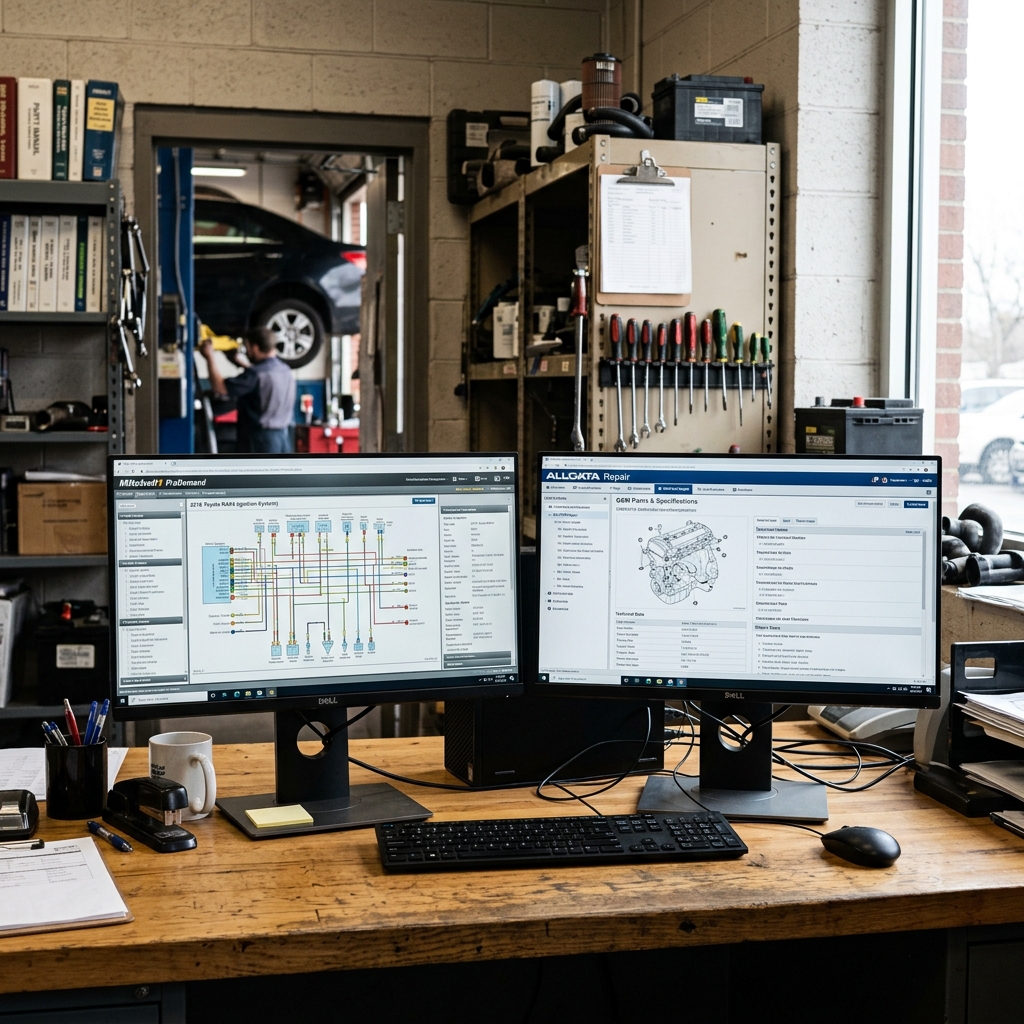
ShopKey Pro gives technicians access to a deep library of OEM repair data through a web browser — no software installation required. Here's a breakdown of what's inside and, just as importantly, what's not.
Core Features You Get with ShopKey Pro
1. Labor Time Guides
ShopKey Pro provides OEM-sourced labor time estimates for thousands of repair operations. These are the same times manufacturers use, which makes them more defensible when writing estimates. You can look up a specific job, get the flat-rate hours, and build your estimate from there.
2. OEM Wiring Diagrams
The platform includes detailed wiring diagrams pulled directly from factory service manuals. You can search by system — fuel, ignition, body electrical — and view component locations, connector pinouts, and circuit paths. This level of detail saves significant diagnostic time compared to aftermarket data.
3. Technical Service Bulletins (TSBs)
TSBs are manufacturer-issued notices about known issues and updated repair procedures. ShopKey Pro indexes these by year, make, model, and system. Finding the right TSB before you start a job can prevent misdiagnosis and comeback repairs.
4. Recall Information
You can check any vehicle against open recalls directly within ShopKey Pro. This is useful both for informing customers and for identifying work that may be covered under a manufacturer program.
5. Step-by-Step Repair Procedures
Factory repair procedures walk technicians through jobs in sequence, including torque specs, fluid capacities, and special tool requirements. This is especially valuable for less common repairs where technician experience is limited.
6. Diagnostic Procedures and Testing Specs
ShopKey Pro includes pinpoint diagnostic trees and component testing specifications. These guide technicians from a fault code or symptom to a root cause using the same logic the OEM designed.
What's Included vs. What's Not
This is where many shops get surprised. ShopKey Pro is a repair information tool, not a shop management system. It tells you how to fix a car — it doesn't help you run your business.
| Feature | ShopKey Pro | Shop Management System Needed |
|---|---|---|
| OEM labor times | ✅ | — |
| Wiring diagrams | ✅ | — |
| TSBs and recalls | ✅ | — |
| Diagnostic procedures | ✅ | — |
| Estimates and invoicing | ❌ | ✅ |
| Digital inspections | ❌ | ✅ |
| Parts ordering | ❌ | ✅ |
| Customer communication | ❌ | ✅ |
| Online payments | ❌ | ✅ |
| Technician scheduling | ❌ | ✅ |
| Business analytics | ❌ | ✅ |
ShopKey Pro answers the question "How do I fix this vehicle?" — but it doesn't answer "How do I run this shop?" You'll need a separate platform for the operational side of your business.
Understanding this distinction matters before you subscribe. If you're expecting ShopKey Pro to replace your shop management software, it won't. It's a professional reference tool that works best alongside a dedicated management platform. See how to build a complete shop tech stack for more on pairing these tools effectively.

ShopKey Pro Pricing: What It Costs Per Month
Pricing for ShopKey Pro isn't listed publicly on Epicor's website, which means you'll need to contact their sales team directly for a quote. Based on user-reported figures across forums and industry communities, subscriptions typically fall in the range of $100–$200 per month for a single shop, though your actual price may vary based on location, contract length, and negotiation.
Here's how to get accurate pricing for your shop:
- Visit the official ShopKey Pro website at and use the contact or request-a-demo form to start the conversation.
- Call Epicor's sales line directly — have your shop size, number of bays, and lift count ready. Sales reps often use this information to tailor a quote.
- Ask about contract flexibility — ShopKey Pro has historically offered both monthly and annual billing. Annual commitments sometimes come with a lower effective monthly rate.
- Ask specifically what's included in your tier — some users report differences in data access depth depending on the plan they're on.
- Ask about a free trial or demo period — Epicor has offered trial access in the past, though availability changes. It's worth asking before you commit.
What to Expect From the Pricing Structure
| Factor | Details |
|---|---|
| Pricing model | Subscription-based (monthly or annual) |
| Publicly listed pricing | No — quote required |
| Estimated monthly cost | ~$100–$200 (user-reported) |
| Per-user vs. per-location | Typically per-location |
| Free trial | Available in some cases — confirm with sales |
| Contract terms | Flexible options reported; annual may offer savings |
Pricing data for subscription software changes frequently. Always verify the current rate directly with Epicor before making a decision.
One thing to factor into your total cost: ShopKey Pro is a repair data tool only. It doesn't include estimating, invoicing, parts ordering, or customer management. That means most shops pay for ShopKey Pro on top of a separate shop management system — which makes your real monthly investment higher than the subscription price alone.
If budget is a consideration, it's worth mapping out the full cost of your tech stack before signing up. A standalone repair data subscription makes more sense when you already have a shop management platform in place to handle everything else.
ShopKey Pro vs. ALLDATA: Which Is Better for Independent Shops?
Both ShopKey Pro and ALLDATA are well-known OEM repair information systems, and independent shops often debate which one is worth the subscription cost. ShopKey Pro is built on Epicor's data infrastructure, while is owned by AutoZone and has been a staple in independent shops for decades. The right choice depends on what you prioritize — coverage depth, ease of use, or price.
Head-to-Head Comparison
| Feature | ShopKey Pro | ALLDATA |
|---|---|---|
| OEM Data Coverage | Strong domestic and import coverage | Broader coverage, 38,000+ vehicles |
| Wiring Diagrams | Yes, OEM-sourced | Yes, OEM-sourced |
| TSBs and Recalls | Yes | Yes |
| Labor Times | Yes | Yes |
| Ease of Use | Clean, browser-based interface | Functional but older UI feel |
| Mobile Access | Yes | Limited on some plans |
| Estimating Tools | No | Basic estimating on some tiers |
| Shop Management | No | No (separate ALLDATA Manage product) |
| Pricing Transparency | Quote-based | Quote-based |
| Free Trial | Not widely advertised | Available on some plans |
What the Data Says
According to a survey by, ALLDATA consistently ranks as the most widely used repair information system among independent shops in North America. That market dominance comes partly from AutoZone's distribution reach and partly from ALLDATA's long track record.
ShopKey Pro's data comes from Epicor's extensive OEM licensing agreements — the same data infrastructure that powers parts and repair information for major retailers and fleets.
In practice, technicians who've used both systems report that the data quality is comparable for most common repairs. Where differences show up is in coverage of newer model years and niche vehicles, where ALLDATA tends to update slightly faster.
Where ShopKey Pro Has an Edge
- Interface: ShopKey Pro's browser-based layout is generally considered cleaner and easier to navigate than ALLDATA's older interface design
- Search speed: Users report faster lookups for labor times and wiring diagrams in ShopKey Pro
- Integration potential: Epicor's ecosystem connects with several shop management platforms
Where ALLDATA Has an Edge
- Vehicle coverage breadth: ALLDATA claims coverage for over 38,000 vehicle applications
- Brand recognition: More widely recognized by technicians entering the workforce
- ALLDATA Manage: AutoZone offers a bundled shop management add-on, though it's a separate product
- Community familiarity: More training resources and user communities online
Which Should You Choose?
| Shop Type | Better Fit |
|---|---|
| High-volume domestic vehicle shop | Either works well |
| Euro/import specialist | Test both — coverage varies by make |
| Shop wanting cleaner UX | ShopKey Pro |
| Shop prioritizing brand familiarity | ALLDATA |
| Multi-tech shop needing scalability | Compare per-user pricing carefully |
From experience, the best approach is to request a demo of both before committing. Since neither platform publishes pricing publicly, you can negotiate based on your shop size and the number of users you need.
Neither ShopKey Pro nor ALLDATA includes shop management features like invoicing, inspections, or parts ordering — so whichever you choose, you'll still need a separate platform to run daily operations.
The repair data question and the shop management question are two different decisions. Getting the right answer on both is what separates a smoothly run shop from one that's constantly switching between disconnected tools. The next section looks at how to get help when ShopKey Pro isn't working or when you need support.
ShopKey Pro Customer Service and Support
Reaching ShopKey Pro customer service starts with knowing which channel matches your issue — billing questions, technical errors, and data problems each have different resolution paths.
How to Contact ShopKey Pro Support
According to Epicor's support documentation, customers can reach the ShopKey Pro team through several channels:
- Phone support — Call Epicor's automotive solutions support line during business hours. This is the fastest route for urgent issues like login failures or system outages.
- Online support portal — Log in to Epicor's customer portal to submit a ticket, track open cases, and access self-help documentation.
- Email support — Submit detailed technical questions by email when the issue isn't time-sensitive. Attach screenshots to speed up diagnosis.
- Live chat — Available on the Epicor website during staffed hours for quick questions about features or account access.
For the most current contact details, visit the directly, since phone numbers and portal links can change.
Support Hours and Response Times
Epicor primarily offers support during standard U.S. business hours, Monday through Friday. Based on user reports across automotive technician forums, response times vary:
| Contact Method | Typical Response Time | Best For |
|---|---|---|
| Phone | Same day | Login issues, outages, urgent errors |
| Live chat | Under 1 hour | Quick feature questions |
| Support portal ticket | 1–3 business days | Data errors, billing disputes |
| 1–2 business days | Non-urgent technical questions |
Weekend support coverage is limited — if your shop runs Saturday hours and hits a system problem, plan ahead and document the issue so you can escalate first thing Monday.
What Users Say About ShopKey Pro Support
In practice, user feedback on ShopKey Pro support is mixed. Technicians often praise the depth of knowledge from support staff on OEM data questions. However, some users report that wait times on phone support can stretch during peak hours, and resolving billing or subscription changes sometimes requires multiple contacts.
Common complaints include:
- Difficulty reaching a live agent quickly during busy periods
- Slow resolution for data inaccuracies in older vehicle coverage
- Limited self-service options compared to some newer platforms
The support experience tends to be stronger for technical repair data questions than for account management issues. If you're troubleshooting a wiring diagram discrepancy or a missing TSB, the team generally knows the product well.
Tips for Getting Faster Help
Follow these steps to resolve issues more efficiently:
- Gather your account details first — Have your subscription number, shop name, and the specific vehicle (year, make, model, VIN) ready before you call or submit a ticket.
- Document the problem clearly — Screenshot the error message or the incorrect data with the URL visible. This cuts back-and-forth significantly.
- Use the portal for non-urgent issues — Submitting a ticket through the portal creates a paper trail and tends to get faster written responses than email alone.
- Call for time-sensitive issues — If a repair is stalled because the system is down or data is wrong, phone is always faster than a ticket.
- Check status pages first — Before calling to report an outage, confirm whether ShopKey Pro is experiencing a broader service disruption. Epicor's support portal typically posts system status updates.
Conclusion
ShopKey Pro is a solid tool for what it's built to do — give technicians fast access to OEM repair data, labor times, wiring diagrams, and TSBs. For independent shops that need factory-level information without a dealer subscription, it delivers real value.
But it's only one piece of what a modern shop needs to run efficiently.
Here's a simple way to think about your setup:
-
Identify what you need from a repair data tool. If your technicians regularly work on complex diagnostics, need accurate labor times, or reference wiring diagrams often, ShopKey Pro (or a comparable tool like ALLDATA) belongs in your workflow.
-
Recognize what repair data tools don't cover. ShopKey Pro won't write estimates, track parts orders, process payments, send inspection photos to customers, or show you which technician is the most profitable. That gap is where shops lose time and money every day.
-
Add a shop management platform to handle operations. A tool like RedAppy picks up exactly where ShopKey Pro leaves off — digital inspections, one-click invoicing, real-time parts ordering, online payments, and a Kanban-style Digital Shop Board that shows every job's status at a glance.
-
Use the built-in AI to bridge the data gap. RedAppy includes an AI Repair Assistant that delivers labor time guidance and diagnostic support directly inside the platform. For many jobs, you may not need to switch between tools at all.
-
Track what's actually working in your shop. RedAppy's real-time analytics cover revenue, technician efficiency, average repair order value, and repeat business — the kind of visibility that repair data subscriptions simply don't provide.
-
Make sure your shop is easy to find online. Every RedAppy subscription includes a branded professional website with contact forms and optional used-car listings, so you're not just managing jobs better — you're attracting more of them.
Shops that pair reliable OEM data with a full management platform stop losing hours to admin work and start making decisions based on real numbers.
According to RedAppy's reported results, shops using their platform save 10+ admin hours per week and approve more work through photo-rich digital inspections — that's the kind of operational lift that a repair data tool alone can't deliver.
The bottom line: ShopKey Pro is worth evaluating if OEM-level technical data is a gap in your current setup. But no single information tool replaces a complete shop management system. To run a modern, profitable auto repair business, you need both — and RedAppy is built to handle the half that ShopKey Pro doesn't touch.
Frequently Asked Questions
How much does ShopKeyPro cost per month?
ShopKeyPro pricing starts at approximately $99–$149 per month for a single-user subscription, though rates can vary based on plan tier and any active promotions. Multi-user or shop-wide plans are available at higher price points. It's best to check ShopKeyPro.com directly for the most current pricing, as rates may have been updated.
How can I contact ShopKey Pro customer service?
ShopKeyPro customer service can be reached by phone at 1-800-825-1181 or through the support portal on their official website at ShopKeyPro.com. Live chat and email support options may also be available during standard business hours. Checking their "Contact Us" page ensures you have the most up-to-date support options.
Is Alldata better than ShopKey?
Both ALLDATA and ShopKeyPro are highly regarded OEM repair information platforms, but the better choice depends on shop needs. ALLDATA is widely considered the industry standard for OEM data breadth and is used by a large number of independent shops, while ShopKeyPro (powered by Mitchell 1) is praised for its labor guide integration and parts ordering features. Many technicians favor ALLDATA for domestic vehicles and find ShopKeyPro competitive for its workflow tools.
Is ShopKey Pro down?
Real-time status for ShopKeyPro can be checked at their official website or by visiting a third-party site like DownDetector.com, which aggregates user-reported outages. If you're experiencing issues, clearing your browser cache or contacting support at 1-800-825-1181 is recommended. Planned maintenance windows are typically announced in advance on the platform.
Ready to Transform Your Shop?
RedAppy helps auto repair shops create professional digital estimates with photos and videos, send them instantly via text or email, and get customer approvals in seconds. No credit card required to start.