
ShopKey Pro: What It Is, What It Costs, and Whether It's Right for Your Shop
Choosing the right repair information software can make or break a technician's day. ShopKey sits near the top of most recommended lists, but with several subscription tiers, overlapping products, and a parent company that's gone through major changes, it's easy to feel confused before you even log in. If you're running an auto repair shop and wondering whether ShopKey Pro is worth the investment, you're in the right place.
This article breaks down exactly what ShopKey Pro is, how it works, what it costs, and how it stacks up against alternatives. We'll also cover the honest limitations — because no single tool solves every problem — and help you decide whether it fits the way your shop actually operates.
Whether you're a one-bay independent or managing a multi-lift operation, your repair information system is only one piece of the puzzle. The other piece is how your shop manages jobs, customers, and revenue from the moment a vehicle rolls in. We'll touch on that too, so you leave with a complete picture.
Table of Contents
What Is ShopKey Pro?
ShopKey Pro is a web-based automotive repair information platform owned and distributed by, one of the largest automotive parts manufacturers in North America. It gives auto repair technicians access to OEM (Original Equipment Manufacturer) repair procedures, wiring diagrams, labor time guides, and diagnostic data — all from a single browser-based interface.
The platform was built to solve a specific problem: technicians spending too much time hunting for accurate repair information across multiple sources. Before tools like ShopKey Pro, shops often relied on paper manuals, manufacturer CDs, or fragmented online databases that were slow to update and difficult to search.
A technician who can find the correct torque spec or wiring schematic in two minutes instead of twenty is worth significantly more to a shop's daily output.
ShopKey Pro is designed specifically for independent repair shops and dealership service departments that need fast, reliable technical data to diagnose and repair modern vehicles. It is not a shop management tool — it is purely a repair information resource. Understanding that distinction matters when evaluating whether it fits your shop's needs.
Standard Motor Products acquired the ShopKey brand as part of its broader strategy to support the professional installer market. The platform has grown in adoption among independent shops that want a lower-cost alternative to larger platforms like ALLDATA or Mitchell 1 ProDemand, while still accessing professional-grade repair data.
Core Features and What You Actually Get
ShopKey Pro packages several tools into one subscription. Here's what each one actually does in a working shop environment.
| Feature | What It Does |
|---|---|
| OEM Repair Procedures | Step-by-step factory repair instructions for specific vehicles |
| Wiring Diagrams | Detailed electrical schematics for tracing circuits and faults |
| Labor Time Guides | Estimated hours per job to support flat-rate estimating |
| Diagnostic Trouble Code (DTC) Lookup | Code definitions, possible causes, and diagnostic steps |
| Technical Service Bulletins (TSBs) | Manufacturer-issued fixes for known, recurring problems |
| Maintenance Schedules | Factory-recommended service intervals by vehicle |
| Fluid Specifications | OEM-approved fluid types, capacities, and torque specs |
Repair Data and OEM Procedures
OEM repair procedures are the step-by-step instructions that vehicle manufacturers publish for their own dealership technicians. ShopKey Pro licenses this data and makes it available through its web interface, so independent shops can access the same baseline information a dealer would use.
ShopKey sources its repair content primarily through Standard Motor Products' data relationships, along with industry-standard data providers. Coverage spans a broad range of domestic, Asian, and European vehicles, typically from the mid-1980s through current model years. In practice, coverage is strongest for high-volume domestic and Japanese makes — Ford, GM, Toyota, Honda — and can be thinner for lower-volume European brands or very recent model-year releases.
Coverage for vehicles older than 1996 can be incomplete across most repair information platforms, not just ShopKey — the further back you go, the more gaps you'll find.
Procedures include torque specs, removal and installation steps, and component locations. These are not generic how-to guides — they reference specific trim levels, engine configurations, and production dates, which matters when a vehicle has multiple variants with different specs.
One honest limitation: data freshness. New model year content doesn't always appear on day one. Shops working on very late-model vehicles may occasionally encounter missing or incomplete procedures while the platform catches up with manufacturer releases.
Wiring Diagrams and Diagnostics
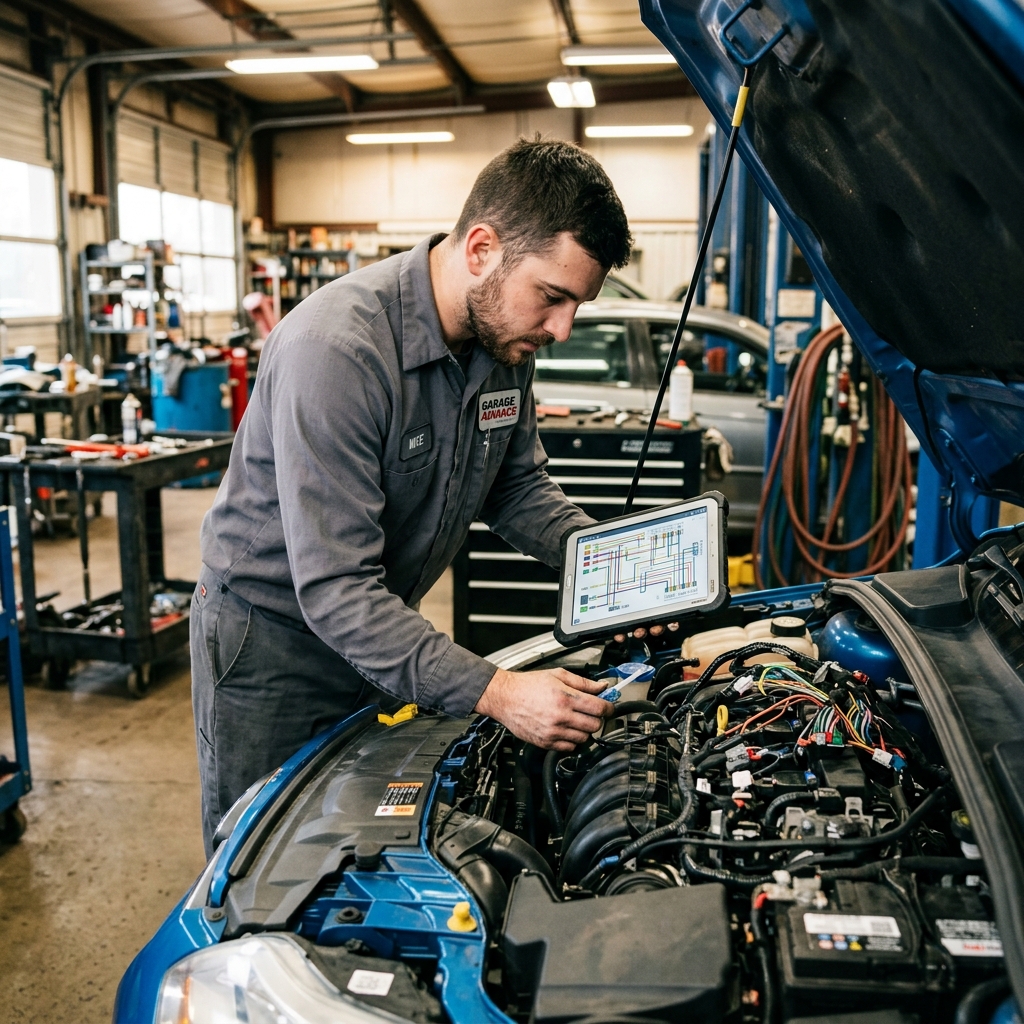
Wiring diagrams in ShopKey Pro are component-level schematics organized by system — charging, starting, lighting, body control, and so on. Technicians can navigate by system category and drill down to the specific circuit they're diagnosing.
The diagrams display connector pinouts, ground locations, splice points, and wire color codes. For electrical diagnostics, this level of detail matters significantly. Tracing a parasitic draw or an intermittent open circuit without an accurate wiring diagram is slow and often leads to unnecessary parts replacement.
ShopKey's diagrams are functional and cover the major systems well, but they are generally static images rather than fully interactive schematics. Some competing platforms offer click-to-trace interactivity, where you can follow a wire path across pages automatically. ShopKey is more traditional in format — competent, but not as visually dynamic as some newer tools.
For DTC lookup, ShopKey provides code definitions alongside probable causes and, in many cases, a diagnostic procedure tree. This is more useful than a simple code definition lookup, since it gives technicians a starting point rather than just a description of the fault.
Labor Times and Estimating
Labor time guides in ShopKey Pro follow the flat-rate model standard across the industry. Each job is assigned a time value in hours — a water pump replacement on a 2018 Camry, for example, might carry a listed time of 2.4 hours. That number becomes the basis for calculating what to charge the customer, regardless of how long the job actually takes.
From experience, flat-rate times in any repair information system are guidelines, not guarantees. A job on a rust-belt vehicle with seized fasteners will run longer than the guide suggests. ShopKey's labor times are in line with industry norms — similar to what you'd find in Mitchell 1 or Alldata — and are generally considered reasonable starting points for most jobs.
Labor times are most accurate when the vehicle matches the exact configuration the guide specifies. Aftermarket modifications, prior repairs, or unusual configurations can all push actual time beyond the listed value.
ShopKey Pro provides the labor time data, but the platform itself is not an estimating tool. You can look up the time for a job, but building and sending a customer-facing estimate requires separate software. This distinction becomes important when evaluating what ShopKey Pro covers versus what a shop management platform handles.

Repair Data and OEM Procedures
ShopKey Pro sources its repair data directly from OEM (original equipment manufacturer) documentation — the same technical information that dealership technicians use. This is a meaningful distinction because aftermarket-compiled data can introduce errors or lag behind updates.
Standard Motor Products licenses and aggregates this data to cover a wide range of domestic and import vehicles. In practice, coverage typically spans model years from the early 1980s through the current year, though the depth of information improves significantly for vehicles from the mid-1990s onward, when OBD-II standardization made data collection more consistent.
What the Data Actually Includes
For each vehicle, ShopKey Pro generally provides:
- OEM repair procedures — step-by-step instructions written to manufacturer specifications
- Torque specifications — fastener values pulled directly from factory service manuals
- Technical Service Bulletins (TSBs) — manufacturer-issued updates for known problems and revised repair methods
- Fluid capacities and specifications — oil, coolant, transmission fluid, and more
- Component locations — descriptions and diagrams showing where parts are physically situated on the vehicle
OEM-sourced procedures protect shops from liability. If a technician follows the documented factory method and something goes wrong, the shop has a clear, defensible record of following the correct process.
How Current Is the Data?
ShopKey Pro updates its database on a rolling basis as manufacturers release new service information. For current-model-year vehicles, there can be a short lag between when an OEM publishes updated service data and when it appears in a third-party platform — this is true across the industry, not just ShopKey.
For vehicles more than two or three model years old, coverage is generally reliable and well-documented. Technicians working on late-model vehicles (within the first year of release) should verify that the data is complete before beginning a repair.
Coverage Gaps to Know About
No single repair information platform covers everything equally well. Honest limitations with ShopKey Pro include:
- Light-duty trucks and passenger cars are well covered; heavy-duty commercial vehicles and fleet equipment are not a focus
- European luxury brands (BMW, Mercedes-Benz, Porsche) may have less comprehensive coverage compared to domestic makes or Japanese imports
- Hybrid and EV-specific procedures are an evolving area — coverage exists but may not match the depth available from OEM-specific tools for vehicles like the Toyota Prius or Tesla models
- Pre-OBD-II vehicles (generally pre-1996) have more limited diagnostic data, though basic repair procedures are often still available
| Vehicle Category | Coverage Depth |
|---|---|
| Domestic cars and light trucks | Strong |
| Japanese imports (Toyota, Honda, Nissan) | Strong |
| Korean makes (Hyundai, Kia) | Moderate to strong |
| European brands | Moderate |
| Heavy-duty / commercial vehicles | Limited |
| Electric vehicles | Developing |
For shops working primarily on a specific make — say, a shop that focuses heavily on German imports — it's worth testing ShopKey Pro's coverage on your most common vehicles before committing to a subscription. Most platforms offer a trial period for this reason.
Wiring Diagrams and Diagnostics
Wiring diagrams are often where electrical diagnostics either get solved quickly or drag on for hours. ShopKey Pro includes wiring diagrams as a core part of its subscription, and the quality is a genuine strength of the platform.
The diagrams in ShopKey Pro are sourced from OEM documentation, which means they reflect the actual factory wiring rather than redrawn interpretations. This matters because aftermarket-redrawn diagrams sometimes introduce errors or simplify circuits in ways that mislead technicians. With OEM-sourced diagrams, what you see matches what's in the vehicle.
What the Diagrams Include
ShopKey Pro's wiring diagrams cover a wide range of electrical systems across most domestic and import vehicles, including:
- Component location views — showing where a relay, sensor, or module physically sits in the vehicle
- Connector pinouts — identifying each wire by circuit number, color, and function at the connector
- Ground and power distribution diagrams — tracing how voltage flows through a system
- System-specific circuit diagrams — broken down by function (fuel system, ABS, HVAC, etc.) rather than presented as one overwhelming full-vehicle schematic
Breaking diagrams down by system is a practical advantage. Technicians searching for an ABS fault don't have to parse an entire vehicle wiring layout — they pull the ABS circuit specifically.
Using Diagrams for Diagnostics
ShopKey Pro pairs its wiring diagrams with diagnostic trouble code (DTC) lookup, which is where the two tools work together effectively. A technician can pull a code, look up the diagnostic procedure, and then open the relevant wiring diagram from within the same workflow.
Combining DTC lookup with circuit-specific wiring diagrams cuts the time spent cross-referencing between separate sources — which is where a lot of diagnostic time gets lost in practice.
The platform also includes component test procedures alongside many diagrams, specifying expected resistance values, voltage readings, and signal parameters. This gives technicians a defined pass/fail target rather than requiring them to interpret raw measurements against general knowledge.
Diagram Quality vs. Basic Alternatives
The difference between ShopKey Pro and free or entry-level diagram sources is meaningful.
| Feature | ShopKey Pro | Free Online Sources | Basic Aftermarket Manuals |
|---|---|---|---|
| OEM-sourced data | Yes | Rarely | Sometimes |
| Component pinouts | Yes | Limited | Limited |
| System-specific views | Yes | No | Varies |
| DTC integration | Yes | No | No |
| Coverage for newer vehicles | Current model years | Inconsistent | Often lagged |
| Connector detail | High | Low | Low |
Free sources like forum posts or generic diagrams can work for older, well-documented vehicles. For anything built in the last five to seven years — especially vehicles with CAN bus networks, ADAS systems, or advanced power management — OEM-sourced diagrams are often the only reliable option.
Honest Limitations
ShopKey Pro's wiring diagrams are not fully interactive in the way that some competitors handle them. Platforms like Mitchell 1 ProDemand offer interactive wiring diagrams where a technician can click a component and trace the circuit through the schematic, highlighting connected wires and related components automatically.
ShopKey Pro's diagrams are high-quality static views rather than interactive maps. For complex multi-module electrical faults, an interactive diagram can meaningfully reduce diagnostic time. This is a real difference and worth weighing if your shop handles a high volume of advanced electrical work.
That said, for the majority of wiring and electrical diagnostics — sensor circuits, relay faults, ground issues, power supply checks — ShopKey Pro's diagram quality and system-specific organization is more than sufficient for experienced technicians.
Labor Times and Estimating
Labor time guides are built into ShopKey Pro and serve as a direct input for building repair estimates. When a technician looks up a procedure, the labor time associated with that job appears alongside the repair data — so there's no need to cross-reference a separate guide.
Shops that generate estimates faster tend to get more approvals, simply because customers aren't left waiting.
How Labor Times Are Calculated
ShopKey Pro uses flat-rate labor times — standardized hour values assigned to specific repair operations on specific vehicles. These are based on OEM and industry-standard data, not real-world stopwatch averages. A brake job on a 2019 Honda Accord, for example, will have a fixed labor time attached to it regardless of which shop performs the work.
This matters for estimating because most shops bill by flat rate. You multiply the labor time by your shop's hourly rate to get the labor charge on a quote. ShopKey makes that lookup fast.
Practical Accuracy in Real Shop Conditions
Flat-rate times are a starting point, not a guarantee. In practice, older vehicles, rust, seized bolts, or non-standard previous repairs can push actual time well beyond the published figure. Experienced service advisors typically know which jobs run over and adjust quotes accordingly.
According to data from the, auto service technicians work in highly variable conditions — and that variability is exactly why flat-rate times are averages, not absolutes.
ShopKey's labor times are generally considered reliable for common domestic and import vehicles, particularly from model years where OEM documentation is complete. Coverage gets thinner on older vehicles (pre-1990s) and some low-volume models.
The Gap Between Lookup and Estimate
ShopKey Pro gives you the labor time. What it doesn't do is turn that time into a formatted estimate, add parts pricing, apply your labor rate, or send anything to the customer. That step still requires a separate tool — either a manual process or dedicated shop management software.
| Task | ShopKey Pro | Shop Management Software |
|---|---|---|
| Look up labor time | ✅ Yes | Varies |
| Apply shop labor rate | ❌ No | ✅ Yes |
| Add parts with pricing | ❌ No | ✅ Yes |
| Generate formatted estimate | ❌ No | ✅ Yes |
| Send estimate to customer | ❌ No | ✅ Yes |
This gap is significant for shops trying to move quickly. A technician can find the labor time in ShopKey, but the service advisor still has to manually transfer that number into an estimating tool. That handoff takes time and introduces room for error.
Platforms like RedAppy close this loop by combining labor time lookup with instant estimate generation, parts ordering, and digital customer approval — all in one workflow. The labor time feeds directly into the estimate rather than being copied from one screen to another.
Conclusion
ShopKey Pro is a solid repair information platform best suited for independent shops and technicians who need reliable OEM procedures, wiring diagrams, and labor times in one place. It does that job well. But repair information is only one piece of running a profitable shop.
Knowing how to fix a car and running a shop efficiently are two different problems — and they need two different tools.
ShopKey Pro doesn't generate estimates, send invoices, track technician performance, manage parts ordering, or handle customer communication. Those gaps are real, and they add up in daily shop operations.
Who ShopKey Pro Is Best For
- Independent shops that don't have dealership-level access to OEM data
- Diagnostic technicians handling complex electrical and driveability issues
- Multi-make shops needing broad vehicle coverage across domestic and import brands
- Service advisors who need accurate labor times to build consistent estimates
It's less suited to shops that already use a platform bundling repair data with shop management tools, or very small operations where budget and simplicity take priority.
The Two-Tool Reality
Most repair shops run on two categories of software, and it's worth being clear about what each one does:
| Tool Type | What It Solves | Examples |
|---|---|---|
| Repair information software | OEM procedures, wiring, labor times, TSBs | ShopKey Pro, Alldata, ProDemand |
| Shop management software | Estimates, invoices, inspections, parts, payments, analytics | RedAppy |
These tools don't compete — they complement each other. A technician uses ShopKey Pro to find the correct procedure and labor time. A service advisor uses that information inside a shop management platform to build an estimate, order parts, and send a digital inspection to the customer.
Platforms like RedAppy handle the full business workflow — from digital inspections and one-click invoicing to parts ordering, online payments, and real-time analytics — so nothing falls through the cracks between the repair bay and the front desk.
Final Take
ShopKey Pro earns its place in a well-equipped shop's toolkit. Its OEM-sourced data, wiring diagram depth, and broad vehicle coverage make it a dependable reference for technicians doing diagnostic and repair work. The limitations are straightforward: it's an information tool, not a business management tool.
Shops that pair a strong repair information platform with capable shop management software tend to move faster, approve more work, and keep better records — all of which directly affect revenue. Getting both sides right is what separates a shop that's busy from one that's actually profitable.
Ready to Transform Your Shop?
RedAppy helps auto repair shops create professional digital estimates with photos and videos, send them instantly via text or email, and get customer approvals in seconds. No credit card required to start.