
ShopKey Pro: What It Is, What It Does, and Whether It's Right for Your Shop
Finding the right repair information software can make or break a technician's workflow. ShopKey Pro is one of the more well-known names in the space, promising OEM-level repair data, wiring diagrams, and labor times in a single platform. But is it the right fit for your shop, or are there better options worth considering?
This article breaks down exactly what ShopKey Pro offers, how it works in practice, and where it falls short. We'll cover pricing, core features, real-world limitations, and how it compares to alternatives — so you can make a confident, informed decision.
Whether you're a single-bay independent shop or managing a multi-location operation, the tools you choose shape how efficiently your team works and how much revenue you capture. By the end, you'll have a clear picture of where ShopKey Pro fits — and whether it belongs in your shop's tech stack.
Table of Contents
What Is ShopKey Pro?
ShopKey Pro is a professional automotive repair information system published by, one of the longest-standing names in the auto repair data industry. It gives technicians and shop owners access to vehicle-specific repair procedures, wiring diagrams, labor times, and diagnostic data — all in one searchable platform.
Mitchell 1 has been supplying repair information to the industry since 1918. ShopKey Pro is their dedicated repair information product, separate from their shop management software (Manager SE). It sits in the same category as ALLDATA and Identifix — tools built specifically to answer the question: how do I fix this vehicle correctly?
The target user is the working technician or service writer who needs fast, accurate, vehicle-specific data to diagnose a problem, write an estimate, or complete a repair.
The platform covers a wide range of domestic and import vehicles and is sold as a subscription service, typically to independent repair shops and dealership service departments. It is not a shop management system — it doesn't handle invoicing, customer communication, or parts ordering. Its sole focus is technical repair information.
Understanding that distinction is important before evaluating whether it fits your operation. ShopKey Pro is a reference tool, and a serious one. The next sections break down exactly what that means in practice.
What ShopKey Pro Includes: Core Features Breakdown
ShopKey Pro gives technicians a centralized hub for the technical information they need to diagnose and repair vehicles correctly. The core offering is built around four pillars: OEM repair data, wiring diagrams, labor times, and diagnostic support — all organized by year, make, model, and engine.
Repair Data and OEM Information
OEM repair data is the foundation of ShopKey Pro. OEM stands for Original Equipment Manufacturer — meaning the repair procedures come directly from the vehicle's maker, not third-party estimates or generalized guides.
In practice, this means a technician working on a 2019 Ford F-150 gets the same torque specs, fluid capacities, and step-by-step procedures that Ford dealership technicians use. ShopKey Pro covers a wide range of domestic, Asian, and European vehicles, with data going back several decades on most makes.
Aftermarket repair guides often generalize across model years or trim levels. OEM data is vehicle-specific, which reduces the chance of errors on procedures where torque specs or part configurations differ between builds.
This level of specificity matters for liability and quality. A wrong torque value on a head bolt or incorrect brake bleeding sequence can cause a comeback — or worse.
Wiring Diagrams and Diagnostic Support
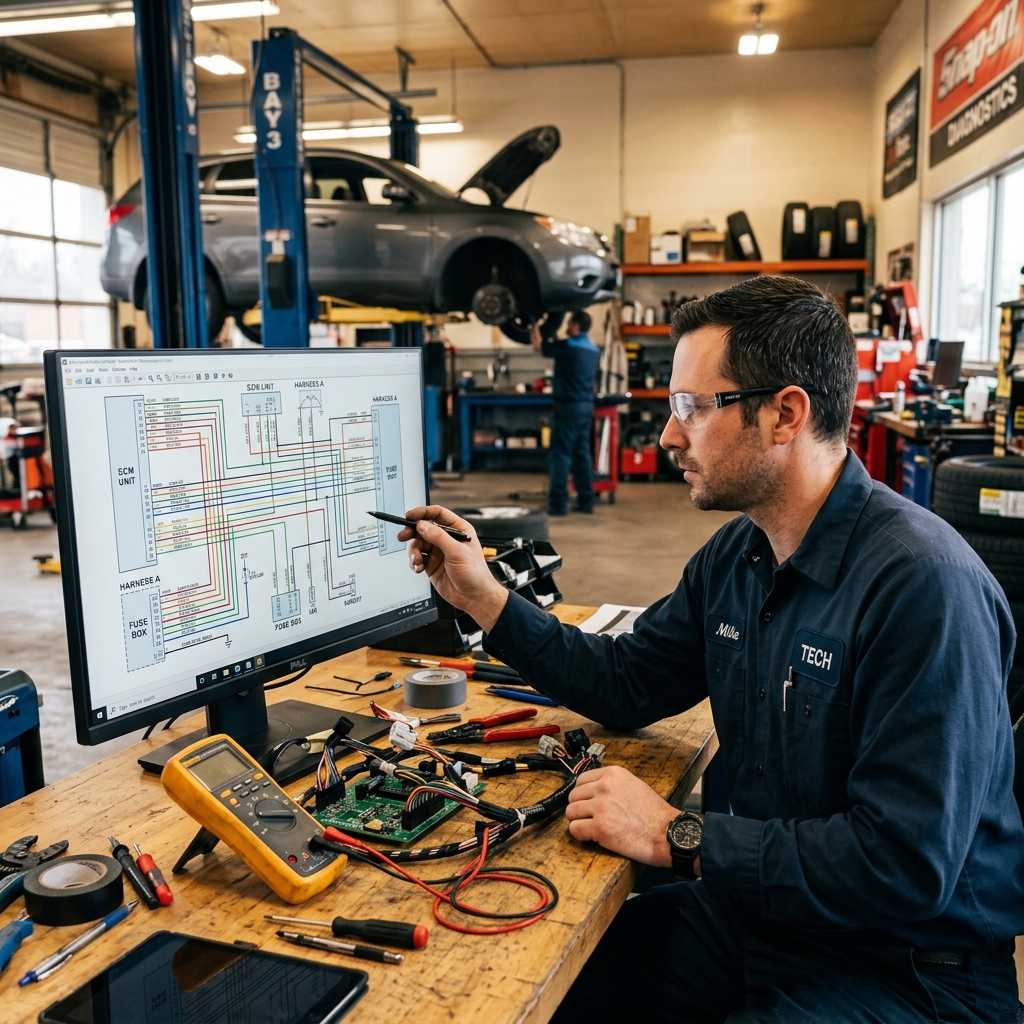
Electrical diagnostics are one of the hardest parts of modern vehicle repair. ShopKey Pro includes detailed wiring diagrams that show circuit paths, connector locations, component positions, and wire colors for specific vehicles.
From experience, the ability to trace a circuit from a fuse to a component — without guessing — cuts diagnostic time significantly on electrical complaints. Technicians can look up a specific subsystem (like the anti-lock brake circuit or HVAC control module) rather than wading through an entire vehicle diagram.
ShopKey Pro also links diagnostic trouble codes (DTCs) to relevant repair procedures. When a scan tool pulls a P0420 code, for example, a technician can look up that exact code and see OEM-recommended diagnostic steps, common causes, and related technical service bulletins (TSBs).
TSBs are notices from manufacturers flagging known issues and updated repair procedures. Having TSBs integrated alongside DTC lookups means technicians don't have to search separately for known problem patterns.
Labor Times and Estimating
ShopKey Pro includes labor time guides that shops use to build repair estimates. These times reflect how long a specific repair is expected to take on a specific vehicle, measured in labor units (typically tenths of an hour).
| Labor Time Type | Source | Use Case |
|---|---|---|
| OEM Labor Times | Vehicle manufacturer | Warranty and dealer work |
| Mitchell 1 Labor Times | Mitchell 1 database | Independent shop estimating |
| Overlap/Add-on Times | Calculated | When multiple repairs share disassembly steps |
Mitchell 1 publishes its own labor times, which are distinct from OEM warranty times. OEM times are typically set for warranty reimbursement and can run lean. Mitchell 1's times are calibrated for independent shops and tend to reflect real-world conditions more closely.
Shops use these times to price jobs consistently. A service writer can pull up a brake job on a specific vehicle, get the flat-rate hours, multiply by the shop's labor rate, and produce a quote — all without guessing or calling a technician away from a bay.
Consistent labor times protect shops from underquoting. Without a reference system, the same job can get priced differently depending on who writes the estimate.
ShopKey Pro also supports overlap calculations, which adjust labor when multiple repairs share a disassembly step. For example, if replacing both the water pump and timing belt on an engine requires removing the same components, the labor time for the combined job is less than the sum of both repairs done separately. This keeps estimates accurate and fair.
ShopKey Pro does not function as a full shop management system — it doesn't generate invoices, manage work orders, or track parts orders. It is a reference tool that feeds into those workflows, which is an important distinction when evaluating whether it fits your shop's needs. Learn more about what shop management software covers and how it differs from repair information systems.

Repair Data and OEM Information
OEM repair data is the technical information published directly by vehicle manufacturers — the same specs and procedures dealer technicians use. ShopKey Pro sources this data and organizes it for independent shops, covering domestic, Asian, and European makes going back several decades.
In practice, this means a technician working on a 2018 Ford F-150 or a 2015 Honda Accord can pull up the exact torque specs, fluid capacities, component locations, and step-by-step repair procedures that Ford or Honda originally published. There's no guesswork about whether a spec has been adapted or approximated.
Why OEM Data Matters
Aftermarket repair guides — like those found in older printed manuals or some third-party databases — often summarize or generalize factory information. OEM data is the original source, which means it reflects the actual tolerances, sequences, and cautions the manufacturer requires.
Getting a torque spec wrong by 10 ft-lbs on a cylinder head can mean a comeback in three months. OEM-sourced data eliminates that margin of error.
This distinction matters most for:
- Complex engine work where precise torque sequences are critical
- Transmission and drivetrain service with tight clearance specs
- Safety system repairs like airbag components or ABS modules
- Advanced driver assistance systems (ADAS) where calibration procedures are highly vehicle-specific
Vehicle Coverage Depth
ShopKey Pro covers a wide range of model years, with particularly strong coverage of vehicles from the mid-1980s onward. Coverage includes:
| Vehicle Category | Coverage Highlights |
|---|---|
| Domestic (Ford, GM, Chrysler) | Deep coverage, including trucks and commercial vehicles |
| Asian imports (Toyota, Honda, Hyundai, etc.) | Strong coverage across popular models |
| European (BMW, Mercedes, VW, Audi) | Available, though depth can vary by make |
| Light trucks and SUVs | Included across all major manufacturers |
According to, ShopKey Pro draws on one of the largest OEM data repositories in the industry, updated continuously as manufacturers release new service information.
How Technicians Use It
When a vehicle comes into the shop, a technician typically searches by year, make, and model — or by VIN when available. From there, they can navigate to the specific system or component they're working on.
Each repair procedure includes:
- Required tools and special equipment
- Step-by-step instructions in the correct order
- Torque specs and clearances
- Fluid types and capacities
- Safety warnings and precautions
This structure keeps technicians from missing a step and helps newer techs work more independently on unfamiliar vehicles.
From experience, shops that consistently use OEM procedures tend to see fewer comebacks — which directly protects both the shop's reputation and its labor revenue.
If you're evaluating what software handles the business side of your shop — scheduling, estimates, invoicing — that's a separate category covered in shop management software for auto repair.
Wiring Diagrams and Diagnostic Support
Wiring diagrams in ShopKey Pro are detailed, vehicle-specific electrical schematics pulled from OEM documentation. They show how circuits are connected, where components sit in the system, and how current flows through each part of the vehicle.
For electrical diagnostics, this level of detail matters. A generic wiring diagram might show that a component exists — but it won't tell you which pin on a connector carries which signal, or where a splice is located in the harness. ShopKey Pro's diagrams get that specific.
How the Wiring Diagrams Work
ShopKey Pro organizes wiring diagrams by system — charging, starting, ABS, HVAC, lighting, and so on. Technicians select the vehicle and system, then navigate to the relevant circuit. From experience, this kind of system-level organization saves time compared to scrolling through a full factory wiring manual.
The diagrams include:
- Component locations — where parts physically sit on the vehicle
- Connector pinouts — which wire connects to which terminal
- Ground locations — often the root cause of intermittent electrical faults
- Splice and junction points — where circuits share a common path
- Wire color codes and gauge — essential for tracing circuits with a multimeter
Electrical faults are among the most time-consuming repairs in any shop. Having pinout-level detail cuts diagnostic time significantly compared to working from generic schematics.
Diagnostic Trouble Code (DTC) Support
ShopKey Pro pairs wiring diagrams with diagnostic trouble code information. When a tech pulls a code from a scan tool, they can look it up in ShopKey Pro and get:
- A plain-language description of what triggered the code
- Possible causes ranked by likelihood
- A step-by-step diagnostic procedure
- Relevant wiring diagrams tied to the affected circuit
This workflow — code → cause → procedure → schematic — keeps technicians moving in a logical direction instead of guessing. In practice, it's especially useful for codes that have multiple possible causes, like evaporative emission faults or communication bus errors.
Technical Service Bulletins for Electrical Issues
Many electrical problems have known fixes that manufacturers have already documented. ShopKey Pro surfaces relevant Technical Service Bulletins alongside diagnostic data, so technicians can check whether a wiring or software issue already has a published solution before spending time diagnosing from scratch.
According to, ShopKey Pro covers millions of TSBs and repair procedures across domestic and import vehicles — which means electrical-specific bulletins are included in that library.
Limitations to Know
ShopKey Pro's wiring diagrams are strong, but a few limitations are worth acknowledging:
- Older vehicles may have less complete coverage than late-model cars
- Proprietary scan tool data — like live PIDs and bidirectional controls — requires a separate scan tool; ShopKey Pro provides the reference data, not the scan capability
- Software updates are needed to keep diagrams current, particularly for recent model years
For shops that handle a high volume of electrical work, ShopKey Pro's diagnostic support is one of its strongest selling points. For shops where electrical diagnostics are rare, the depth of this feature set may be more than they actively use.
Labor Times and Estimating
Labor times in ShopKey Pro come from Mitchell 1's own labor time database, which is built from a combination of OEM data, industry benchmarking, and real-world repair analysis. These are not manufacturer flat-rate times — they're Mitchell 1's independently developed estimates designed to reflect what a competent technician should take to complete a given repair.
When a service writer looks up a job, ShopKey Pro returns a time value in labor hours for that specific operation on that specific vehicle. Multiply that by your shop's labor rate, and you have the labor charge for the estimate.
How the Labor Time Lookup Works
The process is straightforward in practice. A service writer selects the vehicle (year, make, model, engine), navigates to the repair category, and pulls up the specific procedure. ShopKey Pro returns the labor time along with any related operations — things like additional time for removing components that are in the way.
Many shops use these times to write estimates directly from the ShopKey Pro interface. The times cover a wide range of operations, including:
- Engine and drivetrain repairs
- Brake and suspension work
- HVAC and electrical jobs
- Routine maintenance procedures
- Body and trim operations
OEM Times vs. Mitchell 1 Times
This distinction matters more than most shops realize.
Mitchell 1's labor times are their own standardized estimates — not pulled directly from manufacturer flat-rate manuals. In some cases, this means the times will differ from what a dealer quotes.
OEM flat-rate times are what manufacturers publish for warranty reimbursement — they can be aggressive and assume ideal conditions. Mitchell 1's times tend to be more practical for the independent repair market, which is one reason shops prefer them for customer-facing estimates.
That said, neither set of times accounts for a rusted bolt, a vehicle in poor condition, or a job that turns into something more complex. Experienced shop owners know to build in that judgment call.
Using ShopKey Pro Times to Build Estimates
ShopKey Pro is a research tool, not a full estimating platform. It gives you the labor time, but you still need to build the complete repair order elsewhere — adding parts, taxes, fees, and customer information in a separate system.
This workflow is manageable for shops that already have a shop management system. For shops that don't, it means jumping between ShopKey Pro and another tool every time they write an estimate, which adds friction to the process.
For comparison, platforms like RedAppy integrate labor time lookups directly into the estimating workflow, so technicians and service writers can build a complete estimate — parts, labor, and totals — without switching between systems.
Conclusion
ShopKey Pro is a strong repair information system for shops that need deep technical data. It delivers OEM repair procedures, vehicle-specific wiring diagrams, diagnostic trouble code guidance, and Mitchell 1's labor times in one place. For technicians, that's a real advantage — especially on complex diagnostics or unfamiliar vehicles.
But it solves one piece of the puzzle.
ShopKey Pro doesn't write estimates, send invoices, order parts, or track technician efficiency. It doesn't handle customer communication, digital inspections, or payment processing. A shop running ShopKey Pro still needs separate tools for everything on the business side — and managing multiple disconnected platforms adds friction, cost, and admin time.
Repair information gets the job done right. Shop management software gets the business running right. Shops that want both need to either stack multiple tools or find a platform that handles it all.
For shops that want to consolidate, an all-in-one platform like RedAppy covers the business layer that ShopKey Pro leaves open. RedAppy combines digital inspections, instant estimates, one-click invoicing, online payments, and real-time parts ordering across multiple suppliers — all in a single dashboard. It also includes a Kanban-style Digital Shop Board that tracks every job from check-in to checkout, plus an AI Repair Assistant that surfaces labor times and diagnostic guidance on demand.
Where ShopKey Pro focuses entirely on technical data, RedAppy focuses on running the shop. Some shops use both. Others — particularly smaller or growing operations — find that RedAppy's built-in repair guidance tools reduce their dependence on a separate information system altogether.
The right call depends on your shop's priorities:
- Deep OEM data with separate management tools: ShopKey Pro paired with a shop management platform
- All-in-one operations with integrated repair guidance: A platform like RedAppy that combines workflow management with AI-assisted technical support
- Large multi-tech shops with complex diagnostic volume: ShopKey Pro's depth may justify the additional subscription
RedAppy reports that shops using its platform save 10+ admin hours per week and see stronger approval rates through photo-rich digital inspections. Those are business outcomes that repair information software alone isn't designed to deliver.
ShopKey Pro does what it's built to do — and it does it well. The question every shop owner should ask is whether technical data is the only gap they need to fill, or whether the bigger opportunity is building a more connected, efficient operation from estimate to payment.
Ready to Transform Your Shop?
RedAppy helps auto repair shops create professional digital estimates with photos and videos, send them instantly via text or email, and get customer approvals in seconds. No credit card required to start.