
ShopKey Pro Pricing: Plans, Costs, and Whether It's Worth It for Your Shop
Figuring out ShopKey Pro pricing before you commit to a subscription can save your shop real money — and real frustration. Too many shop owners sign up based on a sales pitch, only to discover hidden fees, feature limitations, or a price point that doesn't match what they actually get. This article breaks down exactly what ShopKey Pro costs, what's included at each tier, and how it stacks up against the competition.
We'll cover the full plan breakdown, what you get for the price, and where ShopKey Pro falls short. You'll also see how it compares to alternatives — including platforms that bundle more features into a single subscription — so you can make a confident, informed decision for your shop.
Table of Contents
- What Is ShopKey Pro?
- ShopKey Pro Pricing: Plans and Costs Broken Down
- ShopKey Pro vs. ALLDATA: Side-by-Side Comparison
- ShopKey Pro vs. Identifix: How Do the Costs Compare?
- What the Best Auto Repair Shop Software Actually Needs
- Conclusion
- Frequently Asked Questions
What Is ShopKey Pro?
ShopKey Pro is a web-based automotive repair information platform developed by, one of the largest automotive data providers in North America. It gives professional technicians and shop owners access to OEM (original equipment manufacturer) repair procedures, labor time guides, wiring diagrams, technical service bulletins (TSBs), and diagnostic support — all through a browser, without installing software.
The platform is designed specifically for professional repair shops, not DIY users. Its data comes directly from vehicle manufacturers, which means the repair procedures match what the factory recommends rather than being crowd-sourced or interpreted by a third party.
Core Features at a Glance
- OEM repair data — step-by-step procedures from the original manufacturer
- Labor times — flat-rate guides to help price jobs accurately
- Wiring diagrams — electrical schematics for diagnostics and repairs
- TSBs and recalls — manufacturer-issued notices for known issues
- Diagnostic trouble code (DTC) lookup — descriptions and repair paths for fault codes
- Vehicle coverage — domestic, Asian, and European makes going back to the early 1980s
ShopKey Pro is a repair information tool, not a shop management platform. It tells your technicians how to fix a car — but it doesn't handle estimates, invoicing, parts ordering, or customer communication.
The distinction matters when you're evaluating cost. You may need ShopKey Pro and a separate shop management system to run your operation efficiently, which affects how you calculate the total value of the subscription. The next section breaks down exactly what that subscription costs.
ShopKey Pro Pricing: Plans and Costs Broken Down
ShopKey Pro doesn't publish a full pricing menu on its website — you'll need to contact Epicor directly for a quote. That said, industry sources and user reports give a reasonably clear picture of what to expect.
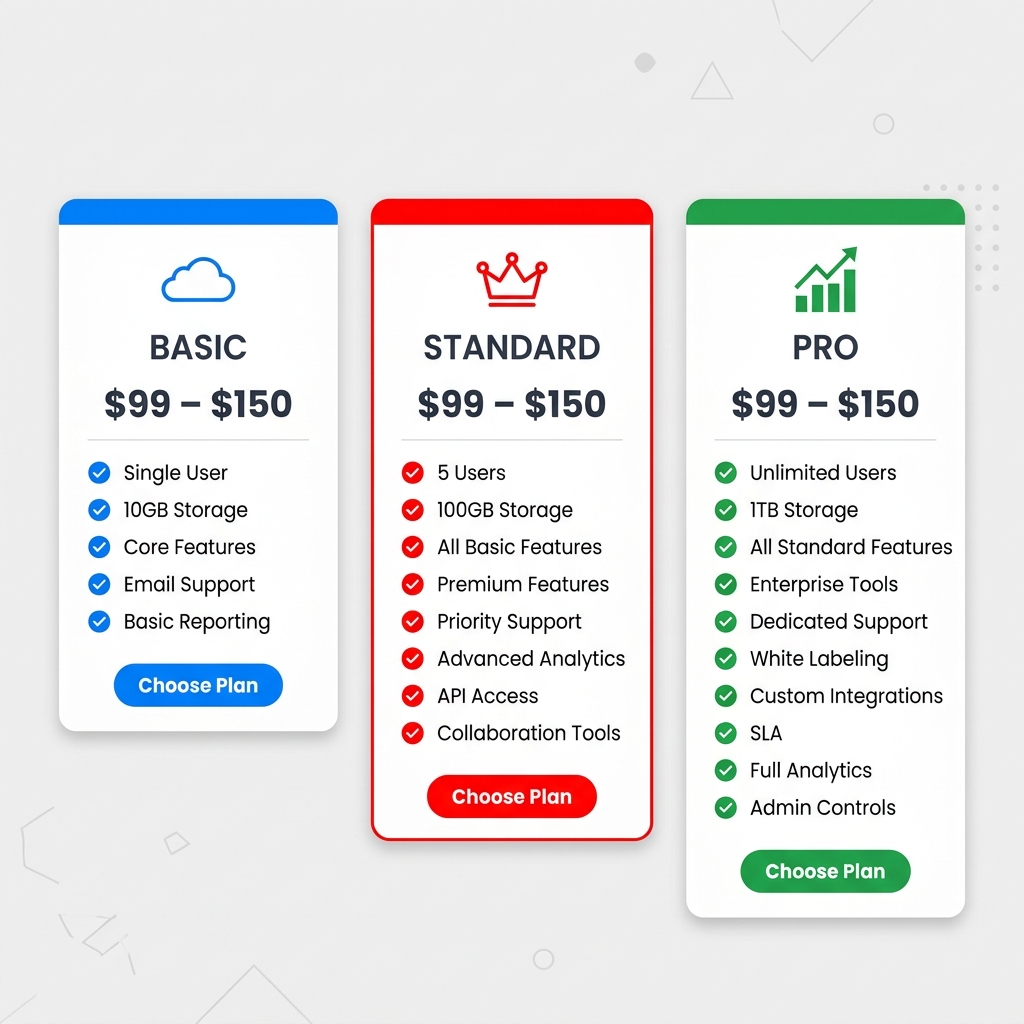
Based on reported pricing, ShopKey Pro runs approximately $99–$150 per month for a single-user subscription, depending on the plan tier and billing cycle. Annual billing typically brings the monthly rate down compared to month-to-month.
Plan Tiers and What's Included
ShopKey Pro offers tiered access based on the depth of data and number of users. Here's how the plans generally break down:
| Plan Level | Est. Monthly Cost | Key Features Included |
|---|---|---|
| Basic/Single User | ~$99/month | OEM repair data, labor times, TSBs, wiring diagrams |
| Professional | ~$120–$135/month | All Basic features + enhanced diagnostics, expanded vehicle coverage |
| Shop/Multi-User | ~$150+/month | All Professional features + multiple concurrent users, fleet coverage |
| Annual Billing | ~10–15% discount | Any tier paid upfront for 12 months |
Exact pricing varies by region, number of users, and any bundled promotions Epicor is running at the time — always request a current quote before comparing.
What's Included in Every Plan
Regardless of tier, ShopKey Pro subscriptions generally cover:
- OEM repair procedures for domestic, Asian, and European vehicles
- Labor time guides with flat-rate estimates
- Technical Service Bulletins (TSBs) and recall information
- Wiring diagrams and component locators
- Diagnostic trouble code (DTC) lookup
- Maintenance schedules by year, make, and model
Vehicle coverage spans over 35 years of makes and models, which is one of ShopKey Pro's stronger selling points for shops that see a wide variety of vehicles.
What Costs Extra
A few things are either not included or require an upgrade:
- Additional user seats — the base plan covers one concurrent user; more users typically mean a higher tier or add-on fee
- Mitchell 1 integration — some shops pair ShopKey Pro with Mitchell 1 ProDemand for shop management, which is a separate subscription entirely
- Training and onboarding — Epicor offers training resources, but structured onboarding support may cost extra depending on the agreement
ShopKey Pro Pricing: Pros and Cons
Pros:
- Competitive monthly rate compared to some OEM-data competitors
- Broad vehicle coverage included at base level
- Annual billing option reduces overall cost
- No long-term contract required in most cases
Cons:
- Pricing isn't transparent — requires a sales call to get exact figures
- Per-user costs add up quickly for larger teams
- No shop management features included at any price point — it's a data tool only
- Cost stacks with any shop management software you're already paying for
ShopKey Pro is purely a repair information subscription. You'll pay separately for estimates, invoicing, parts ordering, and customer communication — none of that is part of the package.
For shops evaluating total software spend, it's worth mapping out every tool you're paying for. ShopKey Pro covers the data side. Everything else — workflow, payments, inspections — requires a separate platform like a full shop management solution.
ShopKey Pro vs. ALLDATA: Side-by-Side Comparison
ALLDATA is ShopKey Pro's most direct competitor, and the comparison comes up constantly in shop owner discussions. Both pull from OEM sources, both cover a wide range of makes and models, but they differ in price transparency, interface, and who they serve best.
ALLDATA is generally cheaper upfront for single-make or light-volume shops, while ShopKey Pro tends to offer broader multi-make value at scale.
Pricing Comparison
ALLDATA is more transparent about pricing than ShopKey Pro. According to, its shop subscription (ALLDATA Repair) runs approximately $149–$179 per month for a single-user license covering all makes and models. Multi-user and collision packages cost more.
ShopKey Pro pricing isn't publicly listed and requires a direct quote from Epicor. Based on industry reports and forum discussions, it typically lands in a similar range but can vary significantly based on the number of users and location count.
| Feature | ShopKey Pro | ALLDATA Repair |
|---|---|---|
| Pricing | Quote-based | ~$149–$179/month (published) |
| OEM Data Source | OEM + Epicor-curated | OEM direct |
| Vehicle Coverage | Domestic + Import | Domestic + Import |
| Wiring Diagrams | Yes | Yes |
| Labor Times | Yes | Yes |
| TSBs & Recalls | Yes | Yes |
| Diagnostic Support | Yes | Limited |
| Interface | Web-based, modern UI | Web-based |
| Mobile Access | Yes | Yes |
| Multi-User Pricing | Available | Available (add-on cost) |
| Free Trial | Limited | Available |
ShopKey Pro: Pros and Cons
Pros:
- Strong diagnostic guidance alongside OEM repair data
- Generally well-regarded for import vehicle coverage
- Modern, clean interface that technicians tend to find faster to navigate
- Integrates with other Epicor tools if your shop already uses their ecosystem
Cons:
- No published pricing — harder to budget without a sales call
- Some users report data gaps on older or less common vehicles
- No shop management features — it's a reference tool only
- Customer support quality can vary by region
ALLDATA: Pros and Cons
Pros:
- Transparent, published pricing makes budgeting straightforward
- Direct OEM data pipeline is well-established and trusted industry-wide
- Strong brand recognition and long track record (used by over 400,000 technicians, per ALLDATA's own data)
- Collision repair add-on available for body shops
Cons:
- Interface feels dated compared to ShopKey Pro in practice
- Diagnostic depth is more limited — it's primarily a repair reference, not a diagnostic assistant
- Cost per additional user adds up quickly for larger teams
- Less flexibility in plan customization
Which One Should You Choose?
The right pick depends on what your shop prioritizes. If price transparency and OEM trust matter most, ALLDATA is easier to evaluate and has a longer track record. If you want a more modern interface with diagnostic support baked in, ShopKey Pro has an edge — though you'll need to go through a sales conversation to get actual numbers.
For shops handling a high volume of import vehicles or complex diagnostics, ShopKey Pro's diagnostic layer is a meaningful advantage over ALLDATA's more static reference format.
For a broader look at how these tools fit into your full shop workflow, see our guide to auto repair shop software — because neither ShopKey Pro nor ALLDATA handles estimates, invoicing, or customer communication on their own.
ShopKey Pro vs. Identifix: How Do the Costs Compare?
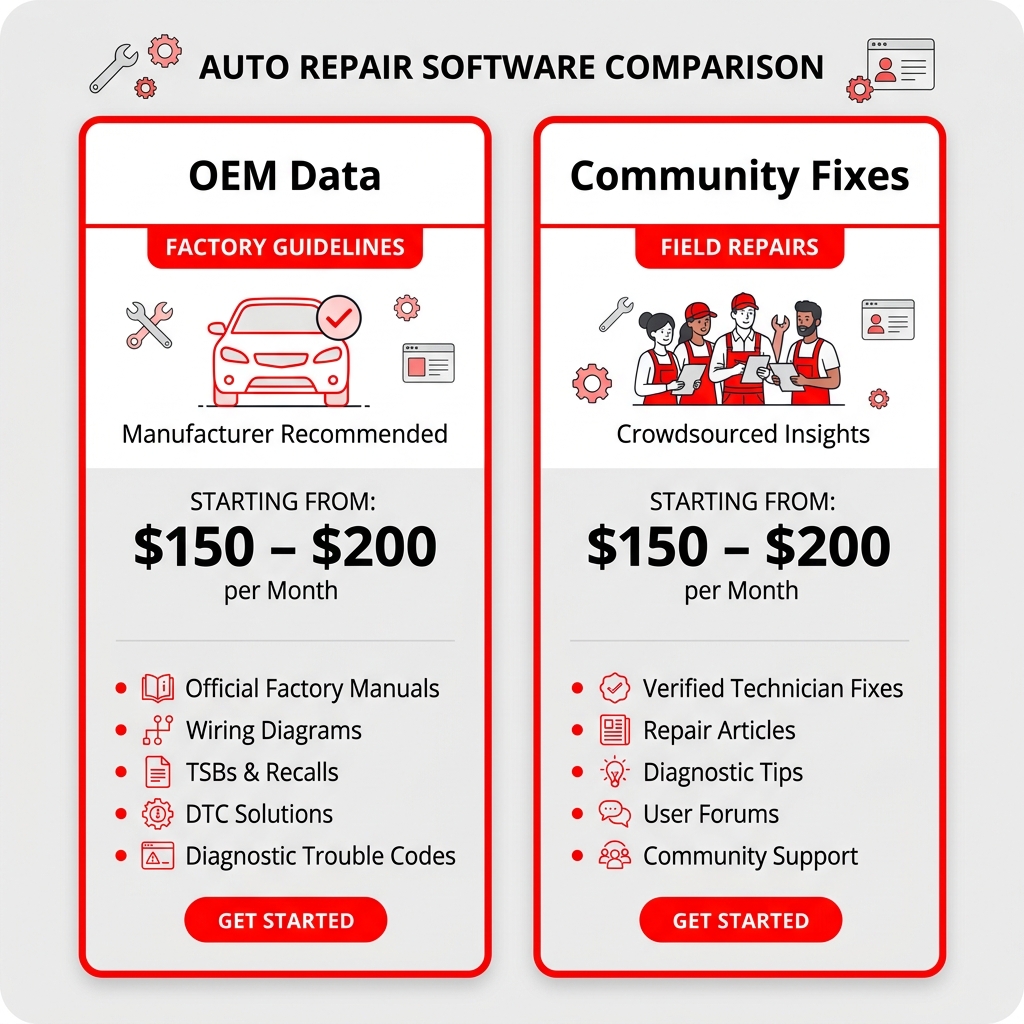
runs approximately $150–$200 per month for a single-user subscription, putting it in the same general price range as ShopKey Pro. Both tools target professional technicians, but they take different approaches to repair information — and that difference matters when you're deciding where to spend your budget.
ShopKey Pro leans on OEM (original equipment manufacturer) data — the same specs and procedures the factory produces. Identifix is built around real-world, community-sourced fixes contributed by working technicians across the country. In practice, that means ShopKey Pro is more authoritative on specifications, while Identifix often gets you to a confirmed fix faster on common diagnostic problems.
Identifix vs. ShopKey Pro: Feature and Price Comparison
| Feature | ShopKey Pro | Identifix |
|---|---|---|
| Monthly cost | Contact for quote (~$100–$200 est.) | ~$150–$200/month |
| Annual discount | Available | Available |
| OEM repair procedures | ✅ Yes | ⚠️ Partial |
| Wiring diagrams | ✅ Yes | ⚠️ Limited |
| Labor times | ✅ Yes | ✅ Yes |
| TSBs and recalls | ✅ Yes | ✅ Yes |
| Community fix data | ❌ No | ✅ Yes — core feature |
| Diagnostic hotline | ❌ No | ✅ Yes (Direct-Hit line) |
| Vehicle coverage | Domestic + import | Domestic + import |
| Mobile access | ✅ Yes | ✅ Yes |
| Shop management tools | ❌ No | ❌ No |
ShopKey Pro: Pros and Cons
Pros:
- Full OEM repair procedures give you factory-accurate data for specs and torque values
- Comprehensive wiring diagrams — useful for electrical diagnosis
- Broad vehicle coverage including imports
- Integrated labor times for estimating
- Reliable TSB and recall access
Cons:
- No community fix data — you won't see what other techs found on the same vehicle
- No diagnostic hotline for live support
- Pricing requires a direct sales conversation
- No shop management, invoicing, or customer communication features
Identifix: Pros and Cons
Pros:
- Real-world fix data from thousands of technicians speeds up diagnosis on common failures
- Direct-Hit diagnostic hotline connects you with live technical support
- Strong on pattern failures and known issues — often faster than searching OEM data
- Good for shops that handle a high volume of check engine lights and driveability complaints
Cons:
- Wiring diagrams are less comprehensive than ShopKey Pro
- OEM procedure depth is weaker — not ideal for complex mechanical jobs
- Costs $150–$200/month with no lower-tier entry point
- Like ShopKey Pro, it handles zero shop management functions
Identifix wins on diagnostic speed for common problems. ShopKey Pro wins on data accuracy for complex repairs. The right choice depends on your shop's diagnostic workload.
Which One Should You Choose?
The decision comes down to what type of work fills your bays most often.
- Choose ShopKey Pro if your shop handles a wide mix of makes and models, does a lot of electrical work, or needs precise OEM specs for mechanical repairs
- Choose Identifix if your shop is diagnostic-heavy, sees a lot of repeat failure patterns, and wants access to a live hotline when a job gets difficult
- Consider both if your volume justifies the combined cost — some shops subscribe to both tools and use them for different stages of diagnosis
According to shop owner feedback on forums like iATN, many high-volume diagnostic shops find that pairing OEM data access with community fix databases reduces average diagnostic time significantly. Whether that time savings justifies $300–$400/month in combined subscriptions depends on your labor rate and how many diagnostic tickets you write per week.
Neither platform helps you write that estimate, send it to the customer for approval, or collect payment when the job is done. For that, you need a separate tool entirely — which is what the next section covers.
What the Best Auto Repair Shop Software Actually Needs
The best auto repair shop software depends entirely on what problem you're trying to solve. There's an important distinction most shop owners miss: repair information tools and shop management platforms are two different categories — and most shops need both.
Repair Information Tools vs. Shop Management Platforms
A repair information tool like ShopKey Pro, ALLDATA, or Identifix gives you OEM data, labor times, wiring diagrams, and diagnostic guidance. These are reference databases — they help your technicians fix cars faster and more accurately.
A shop management platform handles the business side: writing estimates, sending invoices, processing payments, tracking parts, communicating with customers, and monitoring shop performance. ShopKey Pro does none of this.
Most shops are running two or three separate tools — one for repair data, one for estimates, one for invoicing — and paying for all of them independently.
What a Complete Shop Management Platform Should Include
For a shop to run efficiently, the software needs to cover the full job lifecycle — from the moment a customer calls to the moment they pay.
| Feature | Why It Matters |
|---|---|
| Digital inspections with photos | Increases customer approval rates for recommended work |
| Instant estimates and one-click invoicing | Cuts admin time and speeds up the repair order process |
| Online payments | Reduces friction at checkout and improves cash flow |
| Parts ordering across multiple suppliers | Saves time and helps find the best price without switching tabs |
| Kanban-style job board | Gives the whole team a real-time view of shop status |
| Customer communication tools | Keeps customers informed without phone tag |
| Analytics and reporting | Tracks revenue, technician efficiency, and repeat business |
| Built-in AI repair assistant | Delivers labor times and diagnostic guidance without a separate subscription |
According to industry data, shops that use digital inspection tools approve significantly more recommended work than those using paper — because photos build customer trust in ways verbal explanations don't.
How RedAppy Fills the Gap ShopKey Pro Leaves
RedAppy is built specifically for this gap. It's an all-in-one shop management platform that handles estimates, invoicing, digital inspections, parts ordering, online payments, and real-time analytics in a single subscription.
RedAppy pros:
- Covers the full workflow from check-in to payment
- Built-in AI Repair Assistant for labor times and diagnostic guidance
- Kanban-style Digital Shop Board visualizes every job in real time
- Parts ordering from multiple suppliers with real-time inventory
- Includes a branded professional website with every plan
- Month-to-month terms with transparent pricing
- Scales from single-bay shops to multi-location operations
- Reports saving 10+ admin hours per week on average
RedAppy cons:
- Not a replacement for deep OEM repair databases if your shop handles complex, multi-make diagnostics at high volume
- Newer platform compared to established names like ALLDATA
ShopKey Pro pros:
- Deep OEM repair data across a wide vehicle range
- Strong labor time accuracy
- Wiring diagrams, TSBs, and diagnostic support in one place
- Trusted by professional technicians for reference accuracy
ShopKey Pro cons:
- No shop management features whatsoever
- No invoicing, estimates, or customer communication tools
- Pricing requires a direct quote — no self-serve signup
- Must be paired with a separate platform to run the business side
ShopKey Pro makes your technicians more accurate. RedAppy makes your shop more profitable. The best-run shops need both — or a platform that bundles repair data into shop management.
For smaller shops and single-location operations, choosing the right all-in-one platform can eliminate the need for multiple subscriptions entirely. For high-volume diagnostic shops handling complex, multi-make repairs daily, pairing a dedicated repair data tool with a full management platform is the stronger setup.
The question isn't which category of software is better — it's whether your current stack covers both sides of the equation. Most shops that feel disorganized or understaffed are actually just under-tooled on the management and workflow side.
Conclusion
ShopKey Pro is a capable repair information tool, but it's one piece of a larger puzzle. The right choice depends on what your shop actually needs day to day.
If your priority is OEM repair data, ShopKey Pro delivers solid vehicle coverage, accurate labor times, and wiring diagrams from a trusted source. Before committing, get quotes from all three major platforms and compare them directly.
| Your Shop's Priority | Best Fit |
|---|---|
| OEM-accurate repair data only | ShopKey Pro or ALLDATA |
| Real-world diagnostic fixes | Identifix |
| Full shop workflow management | RedAppy |
| Repair data + shop management combined | RedAppy + ShopKey Pro |
When to Choose ShopKey Pro
- Your shop handles a high volume of multi-make repairs and needs reliable OEM specs
- Technicians spend significant time on diagnostics and wiring issues
- You already have a separate shop management platform handling estimates, invoicing, and payments
- Labor time accuracy is directly affecting your profitability
When to Look Elsewhere
- You're a smaller shop doing mostly routine maintenance where OEM data depth isn't critical
- Your budget requires one platform to cover both repair data and shop management
- You need customer communication tools, digital inspections, or parts ordering built in
- You want transparent, published pricing before making a call
ShopKey Pro doesn't replace a shop management system — it supplements one. Shops that treat it as their only software investment often find gaps in day-to-day operations.
The Case for Pairing Tools
In practice, the most efficient shops use a repair information tool alongside a dedicated shop management platform. ShopKey Pro (or ALLDATA) handles the technical data side. A platform like RedAppy handles everything else — digital inspections, estimates, invoicing, parts ordering, online payments, and real-time analytics.
RedAppy's built-in AI Repair Assistant also provides labor times and diagnostic guidance, which may reduce how much you lean on a standalone repair data subscription. For smaller shops watching costs, that overlap is worth factoring into your decision.
Final Action Steps
- Request quotes from ShopKey Pro, ALLDATA, and Identifix — pricing varies by shop size and negotiation
- Audit your current workflow — identify whether your gaps are in repair data, shop management, or both
- Trial before committing — ask each vendor about trial periods or demo access
- Calculate ROI realistically — measure labor time accuracy improvements and diagnostic speed against the monthly cost
- If you need full shop management, explore a platform like RedAppy that handles the operational side your repair data tool won't touch
The goal isn't to find the most feature-rich software — it's to find the combination that removes friction from your specific workflow and pays for itself in time saved and revenue captured.
Frequently Asked Questions
What's cheaper than Alldata?
Mitchell 1 ProDemand and ShopKey Pro are both commonly cited as more affordable alternatives to ALLDATA, which typically runs $150–$200+ per month. Chilton Library and AutoZone's free ALLDATA DIY access also offer budget-friendly options for basic repair information. For professional shops, ShopKey Pro often provides competitive pricing with comparable OEM data coverage.
What is the best software for automotive repair shops?
Top-rated automotive repair shop software includes Mitchell 1 Manager SE, Shop-Ware, and Tekmetric for overall shop management. For technical repair data specifically, ProDemand, ALLDATA, and ShopKey Pro are industry leaders. The best choice depends on whether you need shop management features, repair data, or an integrated solution combining both.
What is ShopKey Pro?
ShopKey Pro is a professional automotive repair information platform developed by Mitchell 1 that provides OEM repair data, wiring diagrams, technical service bulletins (TSBs), and diagnostic information. It covers a broad range of domestic and import vehicles, giving technicians step-by-step repair procedures and labor time guides. It is designed as a cost-effective alternative to ALLDATA for independent repair shops.
How much does Identifix cost per month?
Identifix Direct-Hit, the platform's primary subscription product, is generally priced around $150–$200 per month for a single-user subscription, though pricing can vary based on the plan and contract length. Identifix is now owned by Solera and may bundle pricing with other products. Contacting their sales team directly is recommended for current exact pricing, as published rates are not always publicly listed.
Ready to Transform Your Shop?
RedAppy helps auto repair shops create professional digital estimates with photos and videos, send them instantly via text or email, and get customer approvals in seconds. No credit card required to start.