
Vehicle Service History by VIN: A Shop Owner's Guide
A customer arrives at the service desk certain that the oil was changed recently. The dashboard mileage suggests otherwise, and the shop's last record is attached to an old phone number rather than the vehicle in the bay. A quick vehicle service history by VIN lookup can turn that disagreement into a documented starting point before anyone writes an estimate.
The lookup won't reveal every repair, and a clean result doesn't prove that a vehicle has been maintained properly. Used correctly, however, it gives the advisor a reliable identity anchor, exposes title and mileage concerns, highlights unresolved recalls, and helps the technician separate documented maintenance from customer recollection.
Table of Contents
- Why the VIN Is the Vehicle's Real Identity
- Capturing the VIN and Running Your First Lookup
- Which Source to Use for Which Question
- Reading the Report Without Overpromising
- Plugging the Lookup Into Your Shop Workflow
- Red Flags Worth Documenting
- A Repeatable VIN Lookup Routine for the Service Desk
Why the VIN Is the Vehicle's Real Identity
Customer names change. License plates can change when a vehicle moves between jurisdictions. A 17-character VIN stays attached to the vehicle, which makes it the most dependable key for connecting records from different owners, registration systems, dealerships, independent shops, auctions, and inspection providers.
U.S. regulations require every motor vehicle to carry a 17-character VIN with a mathematically validated check digit in the ninth position. The can identify information encoded in a specific VIN and gives the service desk a practical way to validate the vehicle before attaching records to a repair order.
The check digit matters because a single mistyped character can connect the wrong history to the right customer. A VIN copied from a phone message or entered from a faded document deserves a physical confirmation before an advisor relies on the result.
Why customer and plate searches fall short
A customer may own several vehicles. A family may use one phone number for multiple cars. A license plate may not match older service invoices after registration changes. Searching only by name or plate can create duplicate vehicle records and make a technician believe that an earlier repair belongs to the car in front of them.
The VIN provides the stable reference. It lets the shop build a timeline around the vehicle instead of around whoever happens to bring it in.
That principle resembles the broader data-management idea of a. In a repair shop, the practical version is simple: one verified VIN, one vehicle record, and one place where inspections, estimates, invoices, mileage, and technician notes remain connected.
The intake habit that prevents confusion
The advisor should read the VIN from the vehicle, verify it against the paperwork, and attach it to the repair order before reviewing history. That small habit protects every later decision. It also gives the shop a defensible record when the customer remembers a service differently from the available documentation.
Practical rule: The VIN isn't just a search field. It's the identity check that makes the rest of the vehicle history worth trusting.
Capturing the VIN and Running Your First Lookup
The most dependable VIN comes from the vehicle itself, not from a text message or an old invoice. The advisor should inspect the VIN visible through the driver-side windshield and the label on the driver-side door jamb, then compare those characters with the registration and title.
If the physical VIN and paperwork don't match, the advisor shouldn't choose one and continue without raising the issue. The mismatch may reflect a paperwork error, a replacement document, a data-entry problem, or a more serious identity concern. The repair order should record the discrepancy and pause any history-based conclusion until the shop confirms which identifier belongs to the vehicle.
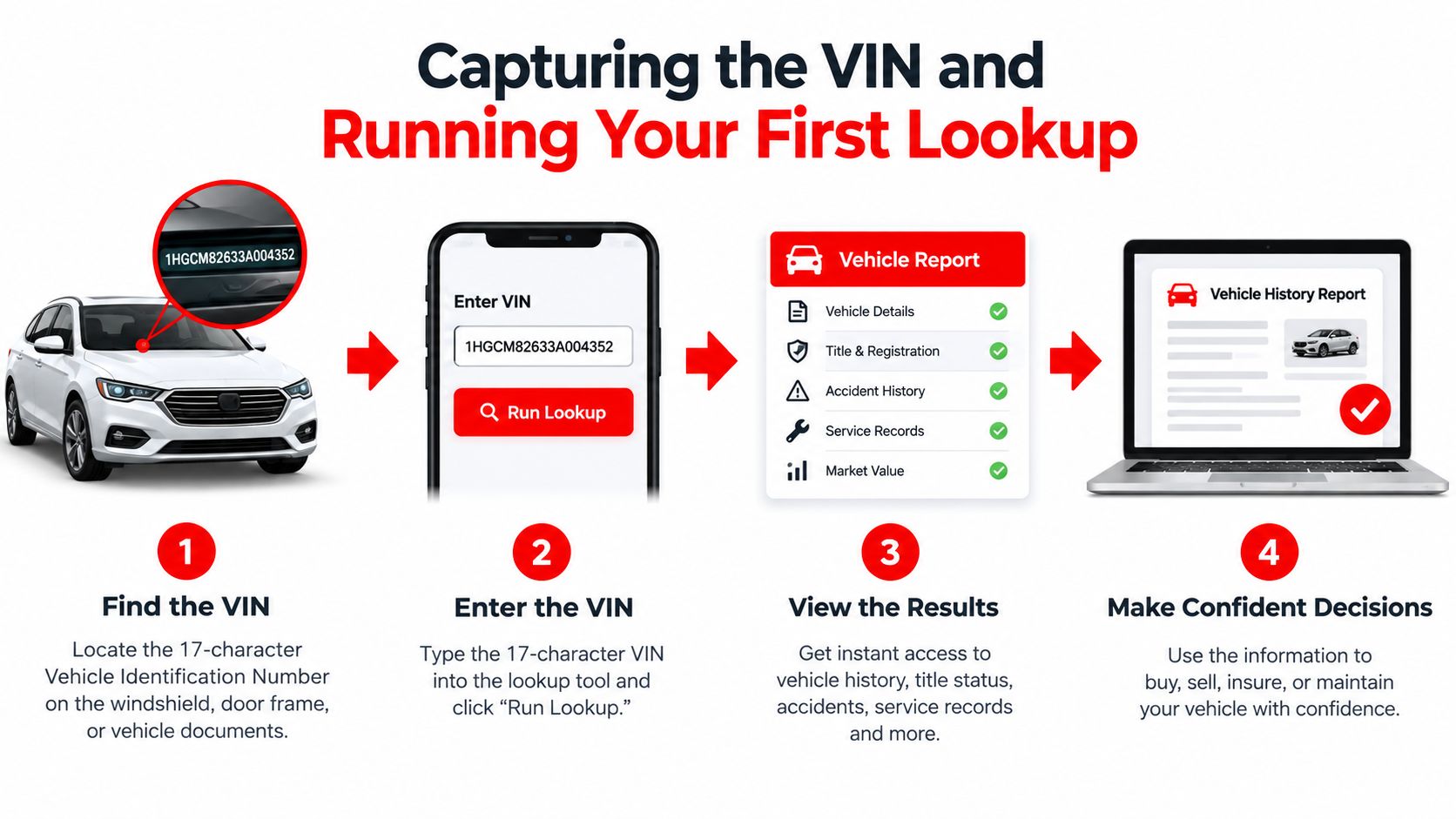
A clean first-pass sequence
The first lookup works best when the advisor separates different questions instead of treating one report as a complete answer.
- Validate the identity: Record the VIN exactly as seen on the vehicle, then confirm the make, model, and other decoded details.
- Review title and odometer information: Look for salvage or rebuilt branding, theft information, reported mileage, and inconsistent readings.
- Check safety recalls: Run the VIN through the relevant recall database and record whether an unrepaired campaign appears.
- Review maintenance and damage records: Examine service entries, reported accidents, inspections, ownership changes, and major repairs.
- Attach the evidence: Save the report, retrieval information, mileage, and unresolved questions to the repair order.
The order matters. A title brand can change how an advisor presents an estimate. An odometer conflict can affect maintenance recommendations. An open recall can require a separate safety conversation. Routine service records answer a different question and shouldn't be blended into those categories.
CARFAX reports are available for vehicles manufactured from model year 1981 onward, when the 17-character VIN format was standardized, which is why older vehicles may return thin records, as explained in. A thin result isn't automatically suspicious. It may just reflect the vehicle's age, reporting sources, or service performed outside connected networks.
The service desk should preserve the source, lookup date, event date, mileage, work description, and confidence level. That record remains useful even when a later lookup adds information or returns nothing new.
Which Source to Use for Which Question
No single database answers every service-desk question. The right workflow matches the source to the decision being made.
| Source | Best for | Does not cover |
|---|---|---|
| NHTSA | Unrepaired safety recalls and VIN decoding | Complete routine service, all completed recalls, every historical damage event, and every campaign |
| NMVTIS | Title state, title dates, latest reported odometer, theft information, and brand or salvage history | Complete repair history |
| CARFAX | Reported service, maintenance, accident, ownership, and other participating-source records | Repairs or events that were never submitted by connected sources |
| OEM or dealer portal | Manufacturer campaigns, warranty-related information, and dealer-held records | Independent-shop work and records outside that manufacturer network |
NMVTIS is authoritative for title state, title dates, latest reported odometer, theft information, and brand or salvage history, but it explicitly does not contain complete repair history, according to the. That makes it valuable for title-risk screening, not for proving that oil changes or brake repairs happened.
Match the tool to the question
If the question is, “Does this vehicle have an unrepaired safety campaign?” start with NHTSA. If the question is, “Has this vehicle carried a salvage or rebuilt brand?” use title-focused data. If the question is, “What maintenance has been reported?” review CARFAX and the shop's own records. If the question concerns warranty or manufacturer campaign work, check the OEM or dealer portal.
The recommends obtaining a vehicle-history report because it may reveal ownership history, reported accidents, repair records, and salvage status. It also points buyers toward NMVTIS-approved providers and makes clear why one report shouldn't be treated as exhaustive.
An independent shop should keep those boundaries visible to the advisor. A recall result isn't a service history. A title result isn't a mechanical inspection. A CARFAX entry isn't proof that the repair was performed correctly. Each source contributes evidence, and the repair order should show which question each piece of evidence answers.
Reading the Report Without Overpromising
A report is evidence, not a verdict. The advisor's job is to identify patterns that deserve inspection, documentation, or a direct customer question.
Start with the odometer timeline. Read every mileage event in sequence and look for decreases, implausible jumps, duplicate entries, or long periods with no supporting documentation. A missing interval doesn't prove that maintenance was skipped, but it does lower confidence in recommendations based only on assumed mileage.
Then compare the history with the vehicle in the bay. A service entry for brake work should lead to a physical brake inspection, not an automatic conclusion that the current braking system is healthy. A reported accident should prompt attention to alignment, body repairs, electrical systems, restraint systems, and underbody damage when relevant.

What a service entry can and cannot prove
CARFAX stated that its database contained more than 35 billion historical records and received information from over 151,000 sources, with service and maintenance records identified as the largest category of data being loaded, according to. That scale makes the data useful, but participation still determines what appears for a particular vehicle.
A reported service can confirm that a source submitted an event. It doesn't independently confirm the quality of the repair, the parts used, the diagnosis, or the condition of the vehicle today. Conversely, an absent entry may mean the work was completed by an independent mechanic, mobile technician, fleet operator, owner, or shop that didn't report the event.
The most useful reading habit is to label evidence rather than force a yes-or-no conclusion:
- Verified: A dated invoice, OEM record, or shop document includes the VIN, mileage, operation, and source.
- Partially documented: The event appears in a history report but lacks enough detail to confirm the work or its quality.
- Unverified: The customer remembers the work, but no dated record supports it.
Patterns that deserve a closer look
Repeated quick-lube entries with no other maintenance may show only that oil service was reported, not that inspections or scheduled work occurred. A long gap between documented visits may justify requesting invoices, inspection sheets, or manufacturer records. An ownership change near a mileage inconsistency deserves careful review rather than an immediate accusation.
The advisor should write the finding and the next action on the repair order. “Mileage conflict, verify invoices and inspect vehicle” is more useful than “history looks strange.” Precise notes help the technician, customer, warranty reviewer, and future service advisor understand what was known at intake.
Plugging the Lookup Into Your Shop Workflow
A vehicle arrives for diagnosis, and the advisor has minutes to decide what belongs on the repair order. The VIN lookup earns its place when it changes that intake decision, not when it remains in an email while the technician works from another screen. Recall status, salvage branding, and mileage conflicts should be visible before the estimate is written.
Start at booking or check-in. Search the existing vehicle by VIN, plate, or customer name, then compare the stored VIN with the plate or VIN on the vehicle in the bay. Duplicate records need careful merging. Keep the reliable vehicle identity and connect prior visits to it instead of creating another customer-specific record.
Keep history beside the repair order
Attach the report to the digital inspection and record the current mileage before diagnosis begins. Relevant findings can sit beside photos, test results, estimates, and approval notes, so the technician and advisor work from the same intake information.
Keep three kinds of information separate:
- History record: Prior service, title information, reported damage, mileage events, and recall status.
- Current inspection: Present brake measurements, fluid condition, diagnostic results, tire condition, and visible damage.
- Estimate note: The operation recommended now and the current inspection evidence supporting it.
This structure stops an old service entry from standing in for today's inspection. It also gives the customer a clear reason for each recommendation, without asking the technician to rebuild the vehicle's past from scattered files.
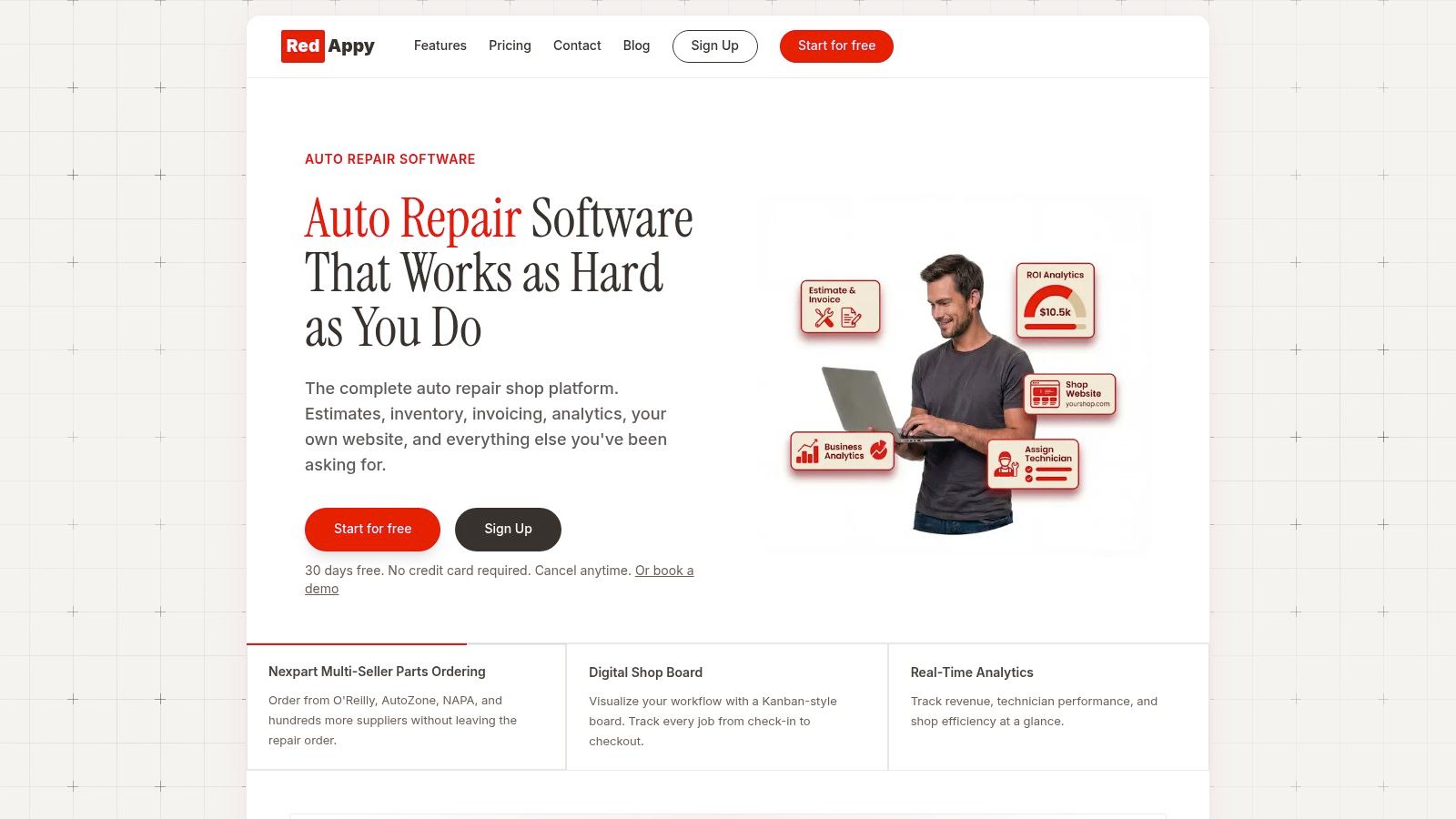
RedAppy integrates with CARFAX to help place vehicle history in the shop workflow alongside vehicle and customer lookup, inspections, estimates, and repair records. Shops assessing software can review the RedAppy features to see whether historical information stays close to the work order instead of in a separate browser tab.
Use the same recordkeeping discipline described in these. Each entry should identify the vehicle, mileage, date, work performed, parts or operation, technician, and supporting document.
Make the history portable
Keep invoices, estimates, inspections, service dates, mileage, technician details, work summaries, and customer-approved photos in the shop record. These documents remain useful when a later VIN report contains a gap or omits work performed by an independent shop.
The FTC recommends a vehicle-history report before buying a used vehicle. A repair business has a different job. It should create an auditable maintenance trail that supports future diagnosis, warranty decisions, customer conversations, and safety follow-up.
Red Flags Worth Documenting
A clean-looking report can still hide an important gap. The shop should treat warning signs as documented questions, not as conclusions that are either concealed or overstated.
The following findings deserve a visible note on the repair order:
- Salvage or rebuilt branding: Confirm the title status and explain that the vehicle may require additional inspection before certain repairs are recommended.
- Odometer decrease: Preserve the conflicting readings and request supporting documentation before using mileage alone to schedule maintenance.
- Flood, fire, or hail branding: Inspect electrical, structural, corrosion, and body-related systems according to the condition found.
- Long documentation gap: Ask for invoices, inspection reports, dealer records, or owner documentation.
- Open safety recall: Record the campaign status separately from routine service and direct the customer to the appropriate manufacturer or dealer process.
- VIN mismatch: Stop the history-based assessment until the vehicle identity and paperwork are reconciled.
The point isn't to reject every vehicle with a complicated past. A properly repaired accident vehicle may still be serviceable, while a vehicle with no reported damage may have hidden problems. The estimate should reflect what the shop can verify now and what remains uncertain.
A clean recall result has limits
NHTSA's VIN search reports unrepaired safety recalls but excludes recalls older than 15 years, some newly announced campaigns before all affected VINs are identified, and certain small-manufacturer campaigns, as stated on the. A clean NHTSA result therefore means no matching unrepaired campaign was displayed under that system's scope. It doesn't mean the vehicle has never had a recall or that every manufacturer campaign is closed.
The advisor should compare important findings with the manufacturer's own VIN portal. NHTSA notes that manufacturer systems may contain information not yet posted on its site, so an OEM check is appropriate when the vehicle has a gap, a concerning brand, or a customer question about campaign work.
A missing record should trigger verification, not reassurance. A present record should trigger inspection, not automatic approval.
A Repeatable VIN Lookup Routine for the Service Desk
The service desk can turn vehicle service history by VIN into a short daily routine:
- Read the VIN from the vehicle.
- Verify it against the registration and title.
- Decode and confirm the vehicle details.
- Run title, brand, theft, and odometer checks.
- Check unrepaired safety recalls and confirm important campaigns through the OEM.
- Review reported maintenance, accidents, inspections, and ownership events.
- Attach the report and lookup details to the repair order.
- Document gaps, contradictions, and red flags before writing the estimate.
- Record the shop's own inspection, diagnosis, photos, mileage, and completed work.
The final step is what makes the process durable. External databases are valuable but incomplete. A shop-owned timeline gives the next advisor and technician evidence that won't disappear just because a provider didn't receive a particular invoice.
The routine also improves customer communication. Instead of saying that a report is “clean,” the advisor can explain what was checked, what was documented, what wasn't found, and what the physical inspection confirms. That language is more accurate and gives the customer a clear reason to approve, postpone, or investigate work.
Shops ready to standardize this process can compare RedAppy's features or contact the team through the RedAppy contact page.
RedAppy connects vehicle records, VIN-based history, digital inspections, estimates, invoices, and customer communication in one shop workflow, with CARFAX integration available for centralized vehicle history. Visit RedAppy to see how the platform can help the service desk turn every VIN lookup into a documented, repeatable intake habit.
Ready to Transform Your Shop?
RedAppy helps auto repair shops create professional digital estimates with photos and videos, send them instantly via text or email, and get customer approvals in seconds. No credit card required to start.