
Website Conversion Optimization for Auto Repair Shops
A service advisor starts the morning with a full schedule and a ringing phone. Between a vehicle waiting on the lift, an estimate that still needs approval, and a contact form buried in an inbox, a customer searches for brake repair, finds the shop's website, and leaves without speaking to anyone. The shop may have strong technicians and steady traffic, yet the digital path from concern to approved work keeps breaking.
Website conversion optimization closes that gap. For an auto repair business, a conversion isn't only a form submission. It can be a phone call, a booked appointment, an approved estimate, a payment, or a returning customer who already trusts the shop. The right approach combines clear service messaging, short forms, mobile usability, credible proof, photo-rich inspections, and follow-up that makes approval easy.
Table of Contents
- The Conversion Leak in a Typical Repair Shop Website
- Auditing Your Current Site and Funnel
- Writing Messaging That Earns Trust Before the Phone Rings
- Building Landing Pages and Forms That Convert
- Using Photo-Rich Digital Inspections to Close More Jobs
- Putting RedAppy Features to Work as One Conversion System
- Measuring What Works and Running Your First A/B Tests
The Conversion Leak in a Typical Repair Shop Website
A typical repair-shop leak begins before the customer reaches the front desk. A driver notices a grinding sound, searches for a nearby brake specialist, and lands on a homepage that says little more than “Welcome to Our Shop.” The phone number is difficult to tap, the service page has no clear next step, and the contact form asks for information the customer doesn't have ready. The visitor leaves, not because the need disappeared, but because the website created work at the exact moment the driver wanted reassurance.
The same problem continues after the lead arrives. A form may sit unread until the next afternoon. A technician may diagnose a fault, but the estimate may lack photos or a simple approval action. Each handoff adds uncertainty. A shop can generate attention without turning that attention into scheduled visits and paid repair orders.
A useful comparison is the broader field of, where visitors often move toward a purchase through product pages, checkout steps, and promotional offers. Repair work has different mechanics. Vehicle breakdowns create urgency, unfamiliar repairs create risk, and customers often need evidence before approving work they can't see themselves.
Six places where leads disappear
- The audit: Identify where visitors abandon pages, calls, forms, estimates, and payment steps.
- The message: Replace generic shop language with service-specific promises, local relevance, and transparent proof.
- The landing page: Give each high-intent service a focused page with one primary action.
- The inspection: Turn a technician's diagnosis into visual evidence a customer can understand.
- The operating system: Connect the website, forms, inspections, estimates, invoices, payments, and job visibility.
- The testing loop: Measure approved work, not just clicks, then test one meaningful change at a time.
Practical rule: A lead isn't fully converted when someone fills out a form. The valuable conversion is the next business outcome, usually a scheduled visit, an approved estimate, or paid work.
Owners should map the entire journey rather than judging the website by traffic alone. A visitor who calls but can't reach the shop, a customer who submits a form but receives no prompt response, and an estimate that never gets approved are different leaks. Each requires a different fix, and treating all of them as “not enough leads” hides the underlying problem.
Auditing Your Current Site and Funnel
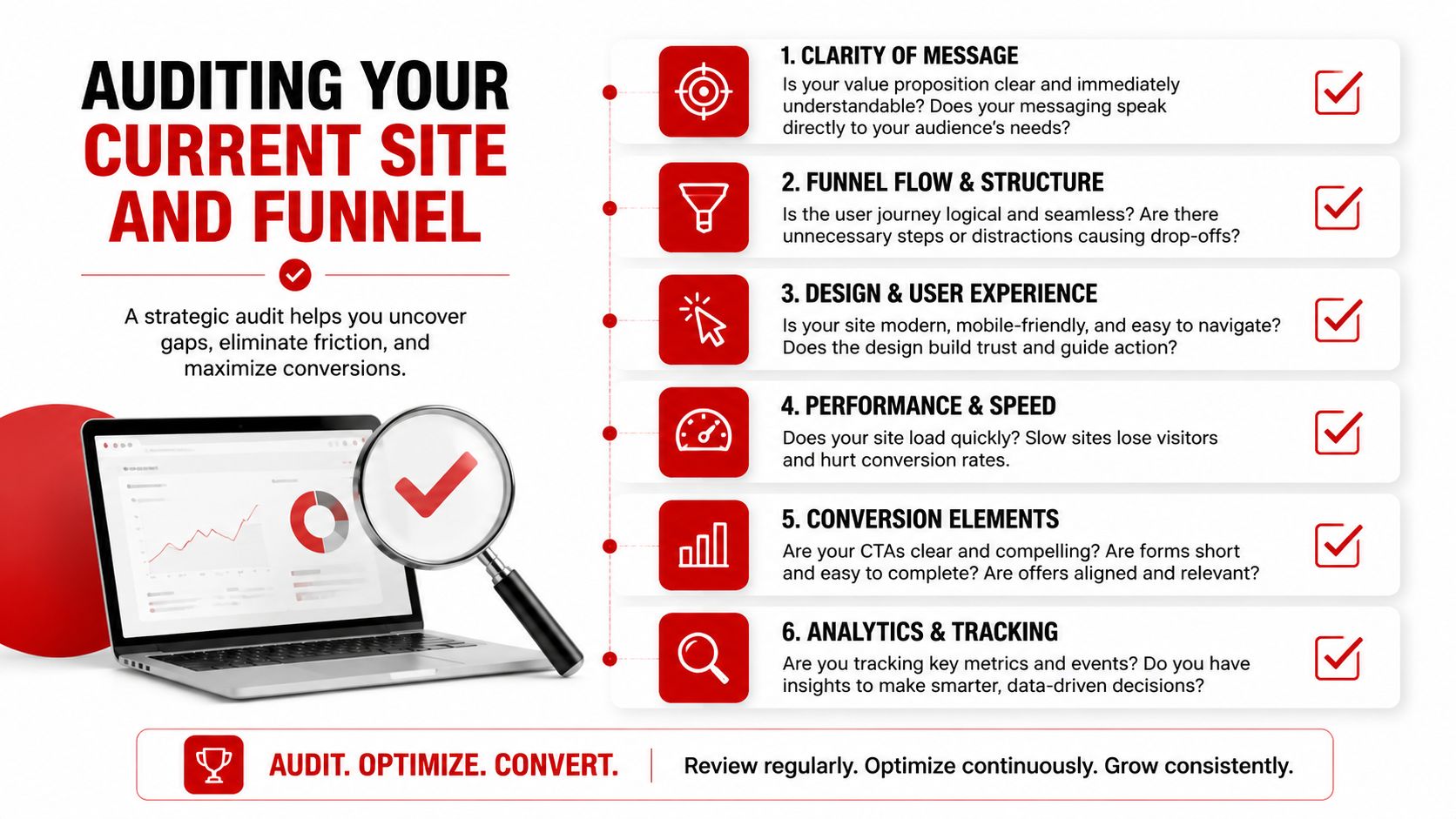
A shop manager can complete a useful audit in a week by following the customer journey from first visit to payment. The purpose isn't to collect impressive reports. It's to find the moment when a person with a real vehicle problem stops moving.
Pull the evidence first
Start with four sources:
- Analytics: Check visits, service-page engagement, click-to-call actions, form starts, form completions, appointment requests, and traffic by device.
- Search Console: Review the queries and pages bringing visitors in. A page ranking for “brake repair” should lead to brake-repair information, not a generic homepage.
- Call tracking: Compare calls from organic search, paid campaigns, Google Business Profile links, and individual service pages. Listen for unanswered calls and repeated questions.
- Form records: Match every submission to a response time, appointment outcome, estimate, and eventual approval where possible.
Heatmaps and session recordings add the missing context. They can reveal visitors tapping a phone number that isn't clickable, clicking a service card that leads nowhere, or abandoning a form after an unexpected required field. Scroll depth shows whether customers reach reviews, warranties, inspection examples, and FAQs, or whether those elements sit below the point where attention ends.
Run a technical and message check
Open the site on a real phone using a normal mobile connection. Watch for slow-loading hero images, small buttons, horizontal scrolling, intrusive pop-ups, and forms that are awkward to complete with one hand. Confirm that every phone number supports click-to-call and that directions, hours, service areas, and appointment options are easy to find.
Check service-area pages and structured data as well. Missing local service pages can weaken the match between a search and the page a customer sees. Broken schema may prevent search engines from interpreting business details correctly. These issues look minor to a shop owner, but they can divert high-intent visitors before the service advisor ever sees them.
Red flags worth fixing immediately
- Unanswered contact requests: A working form has no value if nobody owns the response.
- Generic landing pages: A customer searching for transmission service shouldn't have to find it from the homepage.
- Unclear approval paths: An estimate without a visible approve action creates avoidable delay.
- Unmeasured phone calls: Call volume alone doesn't show which campaign or page produced qualified work.
- Blended reporting: Site-wide averages hide differences between mobile, desktop, service type, traffic source, and customer intent.
Record the baseline before changing copy or design. Use a simple formula, conversions divided by visitors, then segment it by page, device, channel, and desired action. A blended number can make a weak service page look healthy because stronger pages are carrying it.
Writing Messaging That Earns Trust Before the Phone Rings
Repair customers don't buy a visible product from a shelf. They approve work on a vehicle, often under pressure, and must trust a business to diagnose the problem. Website messaging has to reduce that uncertainty before the first call or form submission.
A headline such as “Welcome to Our Shop” gives a visitor no reason to continue. A service-specific headline gives the page a job: “Brake Repair in [City], Same-Day Diagnosis.” It matches the search intent, identifies the location, and tells the customer what happens next. The supporting copy should explain who the service is for, what the shop checks, and how the customer receives the recommendation.
Put proof beside the decision
Trust signals work best where the customer feels risk, not in a distant testimonials page. Technical and brand signals commonly include HTTPS with a valid SSL certificate, real reviews with full names near the call to action, visible contact details, named technician or author information, and payment or security badges beside the form or checkout action.
For an auto repair shop, the same principle extends to:
- Technician identity: Name the service team and explain relevant training or certifications, including ASE or manufacturer experience where applicable.
- Repair assurance: State warranty terms in plain language instead of hiding them in legal copy.
- Pricing language: Explain whether the first step is an inspection, diagnosis, estimate, or authorization.
- Customer evidence: Use specific reviews that identify the customer and describe the service, rather than anonymous praise.
- Visual evidence: Show real inspection photos, workshop conditions, equipment, and completed work.
The page should also answer questions customers ask before approving unfamiliar repairs. If parts may be OEM or aftermarket, explain how the shop decides. If diagnosis can change the estimate, say so clearly. Transparency may remove a few poorly matched inquiries, but it helps the remaining leads arrive with more realistic expectations.
Match the message to the vehicle problem
A customer with a warning light needs different reassurance from someone searching for routine maintenance. Build copy around the problem, not the shop's internal department names. “Check Engine Light Diagnosis in [City]” is more useful than “Engine Services,” while “Fleet Brake Inspections” speaks directly to a commercial operator managing several vehicles.
The call to action should also reflect the next step. “Request a Brake Inspection” is clearer than “Submit.” “Send My Vehicle Details” may suit a form that needs context, while “Approve Recommended Work” belongs beside a digital estimate. Strong messaging doesn't pressure customers to approve blindly. It explains the decision and makes the safe next action obvious.
Building Landing Pages and Forms That Convert
A high-performing repair landing page should feel like a direct answer to a specific vehicle concern. It shouldn't force a driver with a failing alternator to sort through every service the shop offers.
Start with one primary CTA above the fold. Add the service, location, immediate benefit, and a short path to contact. Follow with scannable proof, then details for customers who need more confidence before acting.
Use a focused page structure
A practical service page can include:
- Headline and CTA: State the repair and location, then offer one clear action such as “Request a Diagnosis.”
- Benefit bullets: Explain response expectations, inspection process, warranty language, or scheduling options without making unsupported promises.
- Trust block: Place reviews, technician credentials, contact information, and relevant badges close to the action.
- Photo-rich proof: Show inspection images, worn components, diagnostic findings, or completed repairs with useful captions.
- Objection-handling FAQ: Address parts choices, diagnostic charges, warranties, shuttle options, and what happens after submission.
- Short contact form: Ask only for information needed to start the conversation.
The form should usually begin with the vehicle owner's name, contact method, and a concise description of the concern. A shop can collect VIN, mileage, preferred appointment time, and other details later, once the customer has engaged. Progressive profiling protects the first conversion from unnecessary friction.
Form length has a direct relationship with completion. Data on form fields reports conversion at 18.2% for one field, 13.0% for two, 11.5% for three, 9.9% for four, 8.1% for five, 7.6% for seven, 5.8% for eight, and 4.2% for nine or more fields. These figures aren't a reason to demand a one-field form from every shop. They show why each requested detail needs a clear operational purpose.
Design for a driver holding a phone
Mobile visitors may be standing beside a disabled vehicle or trying to schedule between errands. Use large tap targets, click-to-call phone numbers, autofill-friendly fields, readable contrast, and a sticky contact action that doesn't block the page. Compress large images and remove scripts that delay the first useful interaction.
For additional landing-page guidance on hierarchy, forms, and calls to action, offers a useful complementary reference. The repair-specific adjustment is to put evidence and reassurance closer to the action, because the customer is approving a service rather than selecting a simple product.
Benchmark data reinforces the value of focused page elements. Headline changes have been associated with up to a 34% average conversion lift, CTA placement with up to a 21% lift, and reducing a form from five or more fields to three with an approximately 18% improvement, according to. Those results should guide hypotheses, not become promises for every shop.
Using Photo-Rich Digital Inspections to Close More Jobs
A written diagnosis asks customers to trust an invisible claim. A photo-rich digital inspection gives the service advisor a way to show what the technician found, explain why it matters, and let the customer make an informed decision.
The strongest inspection content is specific. A technician photographs a cracked belt, a leaking component, uneven brake wear, or a damaged tire, then adds a short annotation that identifies the condition and recommended action. The image doesn't replace technical judgment. It translates that judgment into evidence a vehicle owner can understand without standing under the car.
Build the inspection around approval
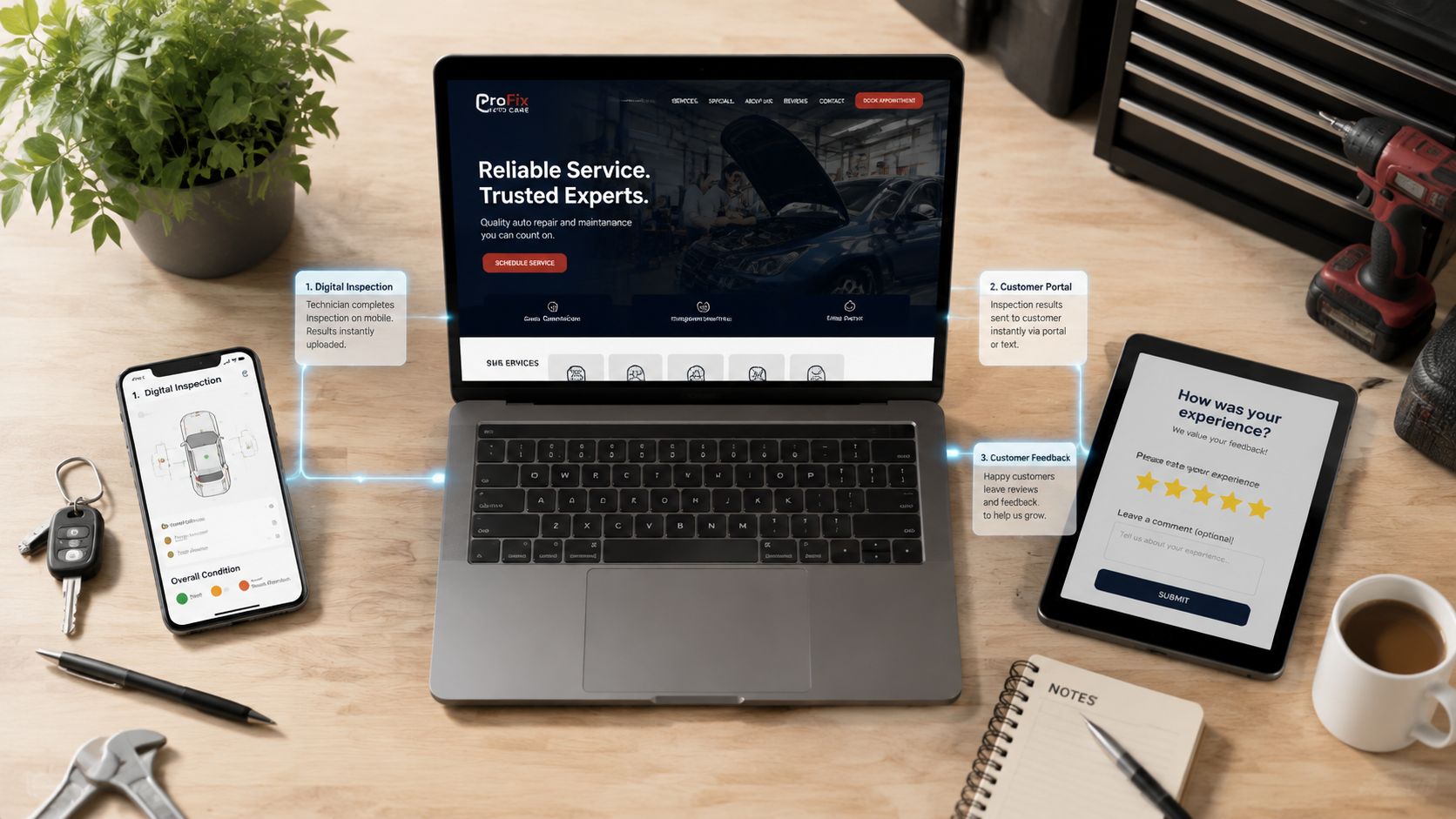
Capture the inspection during the write-up, not after the service advisor has already called the customer. The report should identify the vehicle, separate urgent findings from monitored items, and connect each recommendation to an estimate. Send it through the customer's preferred channel, such as SMS or email, with a clear action.
An effective sequence looks like this:
- Inspect and document: Photograph the relevant component and record the finding.
- Explain the consequence: Describe what the condition can affect without using unnecessary technical language.
- Attach the recommendation: Connect the finding to the proposed repair and parts choice.
- Present the estimate: Show the work, pricing, and any relevant warranty terms.
- Offer a simple decision: Give the customer a clear way to approve, decline, or ask a question.
- Keep the record: Store the report with the vehicle history for future visits.
Repair-shop insight: A photograph turns “the technician recommends this” into “the customer can see what the technician found.”
This content also improves future website conversion optimization. With permission, a shop can use anonymized inspection examples to answer customer questions on service pages. Customers who see how the shop documents work may arrive with greater confidence, and completed repairs become a source of credible review conversations.
The inspection should remain useful after the immediate approval decision. A customer may decline a nonurgent recommendation today and return later. Clear photos, condition notes, and vehicle history let the next advisor continue the conversation without asking the customer to reconstruct what happened.
Putting RedAppy Features to Work as One Conversion System
A shop can buy separate tools for forms, inspections, estimates, invoicing, payments, scheduling, and reporting, but disconnected tools create new handoffs. The practical question is whether each step passes usable information to the next person and gives the customer a clear action.
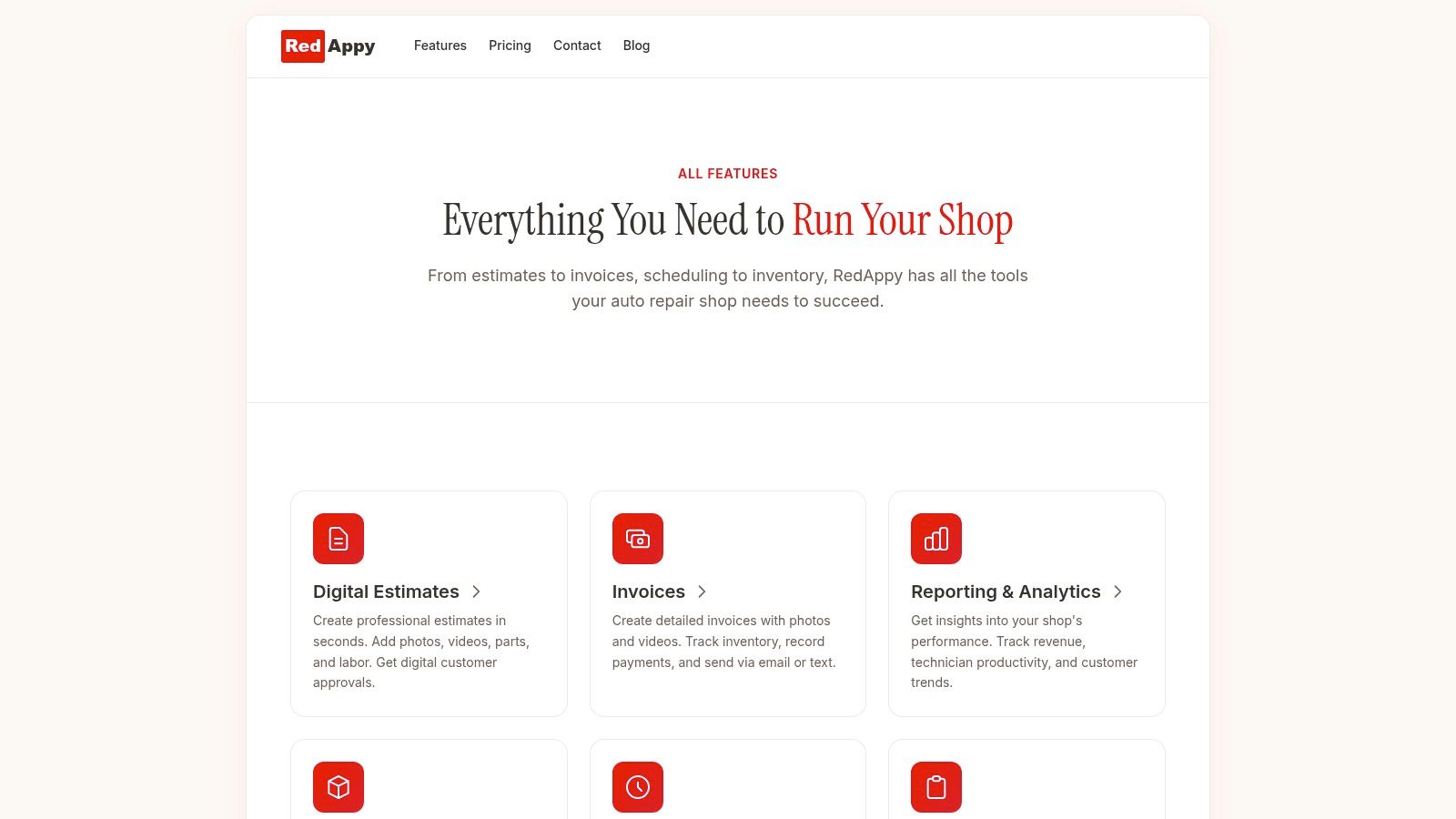
RedAppy brings together a branded shop website, contact forms, digital inspections, instant estimates, one-click invoicing, online payments, parts ordering across multiple suppliers with real-time inventory, analytics, and a Kanban-style Digital Shop Board. Its customer and vehicle records can be searched by name, plate, or VIN, while the team calendar centralizes scheduling. The built-in AI Repair Assistant provides labor times, diagnostic guidance, and shop insights on demand.
Treat each capability as a conversion lever
The branded website and contact forms create the entry point. They need service-specific calls to action and a reliable path into the shop's workflow. A form that creates an organized lead is more useful than one that only sends an email notification.
Digital inspections provide the proof engine. The technician captures photos and findings, the advisor sends the report, and the customer can review the recommendation without relying on a rushed phone explanation. Instant estimates and one-click invoicing reduce the time between diagnosis and approval. Online payments complete the closing step without requiring another manual exchange.
The Digital Shop Board gives the team a shared view from check-in to checkout. That visibility matters for conversion because an approved job can still fail operationally if nobody knows its status. Analytics should connect the original source, service type, estimate, approval, revenue, technician efficiency, average repair order, and repeat business where tracking permits.
The strongest measurement model follows a lead beyond the form. A website visit that becomes a low-quality inquiry isn't equivalent to a customer who approves a complex repair and returns for maintenance. Owners should compare channels and job categories using the business outcomes that matter, not clicks alone.
A coherent system also helps multi-location groups compare branches without forcing every location into identical messaging. The parent operation can monitor shared KPIs, while each shop can identify local service demand, response bottlenecks, and approval behavior.
Measuring What Works and Running Your First A/B Tests
Optimization becomes useful when a shop can connect a change to a business result. Start with four core measures: form submission rate, cost per approved estimate, estimate approval rate, and repeat-customer rate. Add calls, booked appointments, declined work, and paid invoices so the team can see where interest turns into revenue and where it stops.
Establish a clean baseline
Use conversion rate as conversions divided by visitors, but don't combine every page and action into one report. A service page, a homepage, a contact form, and an estimate approval screen serve different intents. Benchmark the relevant cohort by page type, channel, device, and customer stage.
One large landing-page dataset analyzed 41,000 landing pages, 464 million visitors, and 57 million conversions, reporting a 6.6% median conversion rate across industries, while top-performing pages exceeded 11.45%. Another benchmark reports a 2.35% median website conversion rate and 11.45% for top-performing sites, with mobile traffic at roughly 65% of website traffic and converting at 1.82% on mobile versus 3.14% on desktop. These figures illustrate why a shop should compare like with like rather than chase a universal target.
A separate audited benchmark covering 1,055 A/B tests reported a 4.6% median control conversion rate in its verified subset. The lesson is practical: the baseline may be modest, and the test should measure meaningful improvement for the right audience.
Run controlled tests
Choose one high-intent page and one variable. Test a service headline against another service headline, a benefit-focused CTA against a generic label, or a shorter form against the existing form. Keep the traffic source and primary KPI clear, and let RedAppy analytics connect the web action to the estimate and approval outcome.
| Test Variable | Why It Matters | Primary KPI |
|---|---|---|
| Service-specific headline | Matches the visitor's repair intent and location | Qualified form submissions |
| CTA wording | Clarifies the next action and reduces uncertainty | Appointment requests |
| Form length | Removes fields that create early friction | Completed forms |
| Inspection proof block | Shows the evidence customers may need before contacting the shop | Approved estimates |
| Mobile click-to-call placement | Makes urgent contact easier on a small screen | Qualified calls |
Don't stop because a variation receives a few encouraging submissions. Don't change the headline, form, photos, and CTA at the same time, because the result won't explain what caused the movement. Avoid outliers and compare medians and comparable cohorts, especially when traffic quality changes.
A practical first month can follow this rhythm:
- Week one: Audit analytics, calls, forms, mobile behavior, service pages, and response ownership.
- Week two: Rewrite one high-intent service page, shorten its form, and add relevant trust proof.
- Week three: Introduce a photo-rich inspection flow and connect estimates to a simple approval action.
- Week four: Review form submissions, calls, approved estimates, payments, and repeat-customer signals, then select the next single-variable test.
A/B testing is only one part of website conversion optimization. If the shop answers leads slowly, fails to document inspections, or loses approved work in an unclear workflow, a better headline won't repair the whole funnel. The useful loop is diagnose, change, measure, and connect the result to completed business.
RedAppy gives auto repair shops a branded website, contact forms, digital inspections, instant estimates, invoicing, online payments, job-board visibility, and analytics in one workflow. Visit RedAppy to see how the platform can connect website interest with approved repair work, or review the RedAppy features before choosing the first funnel improvement to implement.
Ready to Transform Your Shop?
RedAppy helps auto repair shops create professional digital estimates with photos and videos, send them instantly via text or email, and get customer approvals in seconds. No credit card required to start.