Reports
Record income that is not an invoice
Log money that comes in outside of repair invoices, like scrap metal, used oil, core returns, or a car sale, so your Analytics show the whole picture.
Some income does not come from an invoice: a scrap pickup, a used car sold off the lot, a core return paid in cash. Miscellaneous Income is where those go, so revenue reports are not missing them.
Record an entry
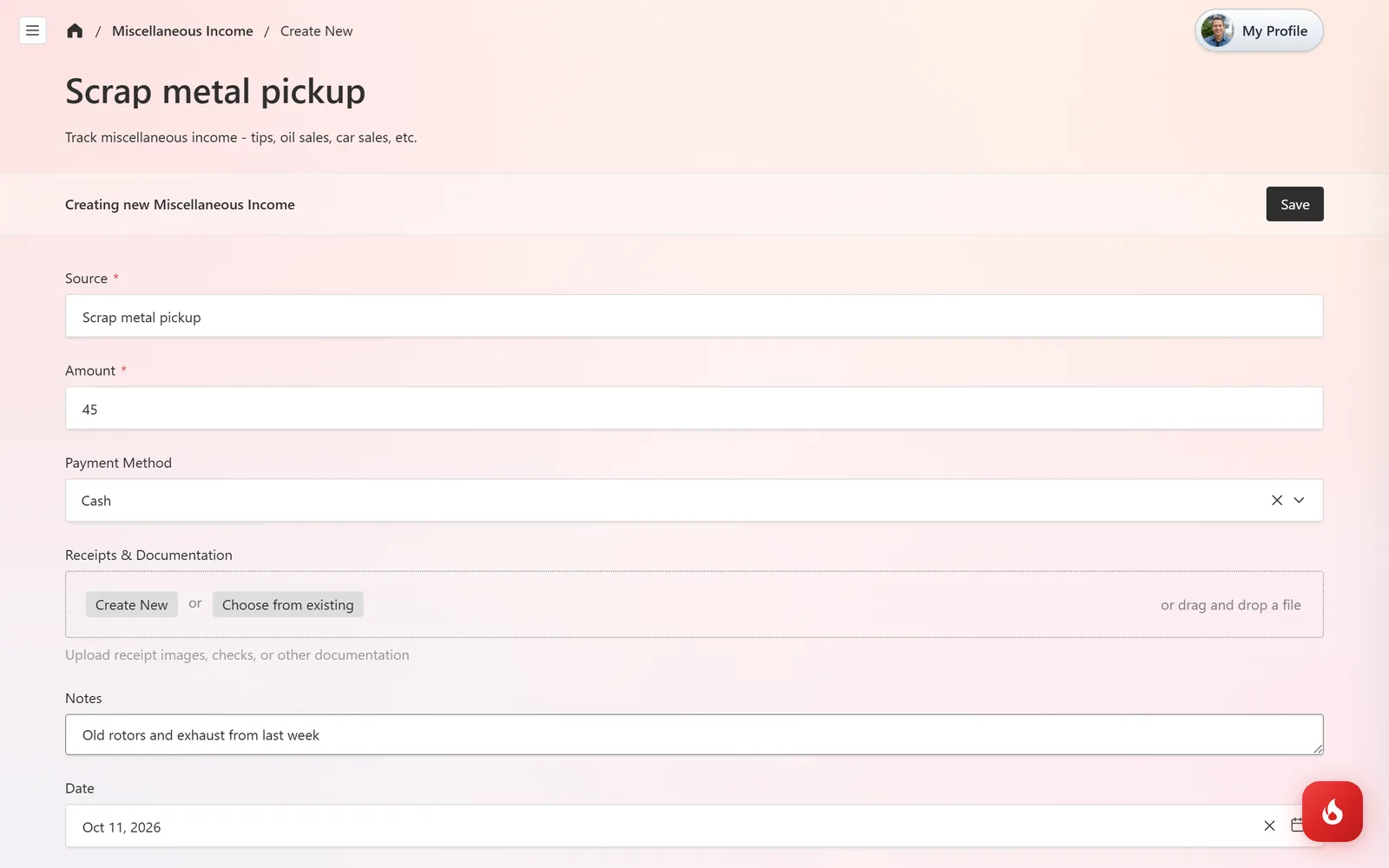
Open Inventory & Purchasing → Miscellaneous Income and click Create New. Enter the Source (what it was), the Amount, and the Payment Method. Drop a receipt or check photo into Receipts & Documentation, add Notes, and check the Date. Click Save.
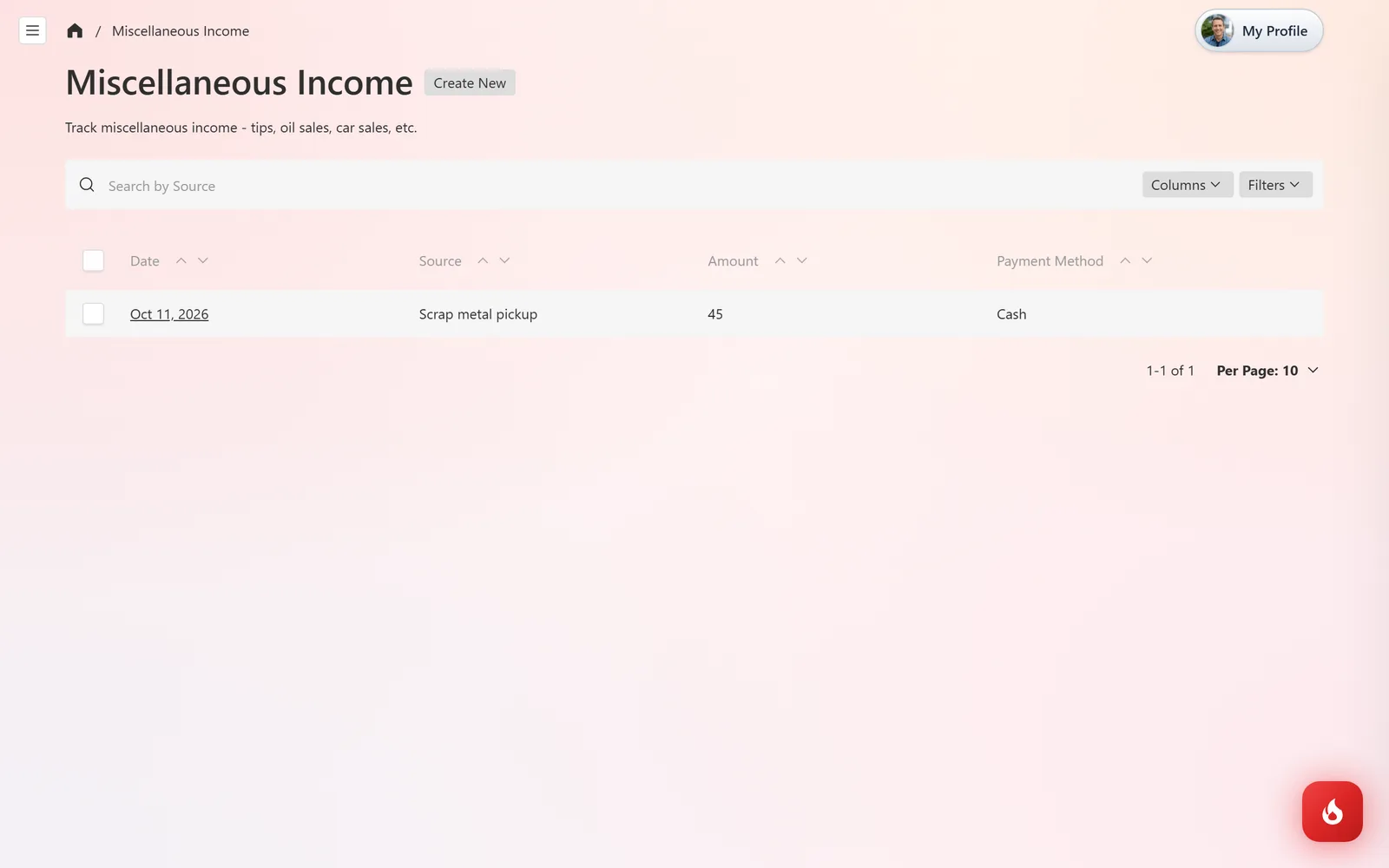
Entries are listed by date and source so you can find and edit them later.
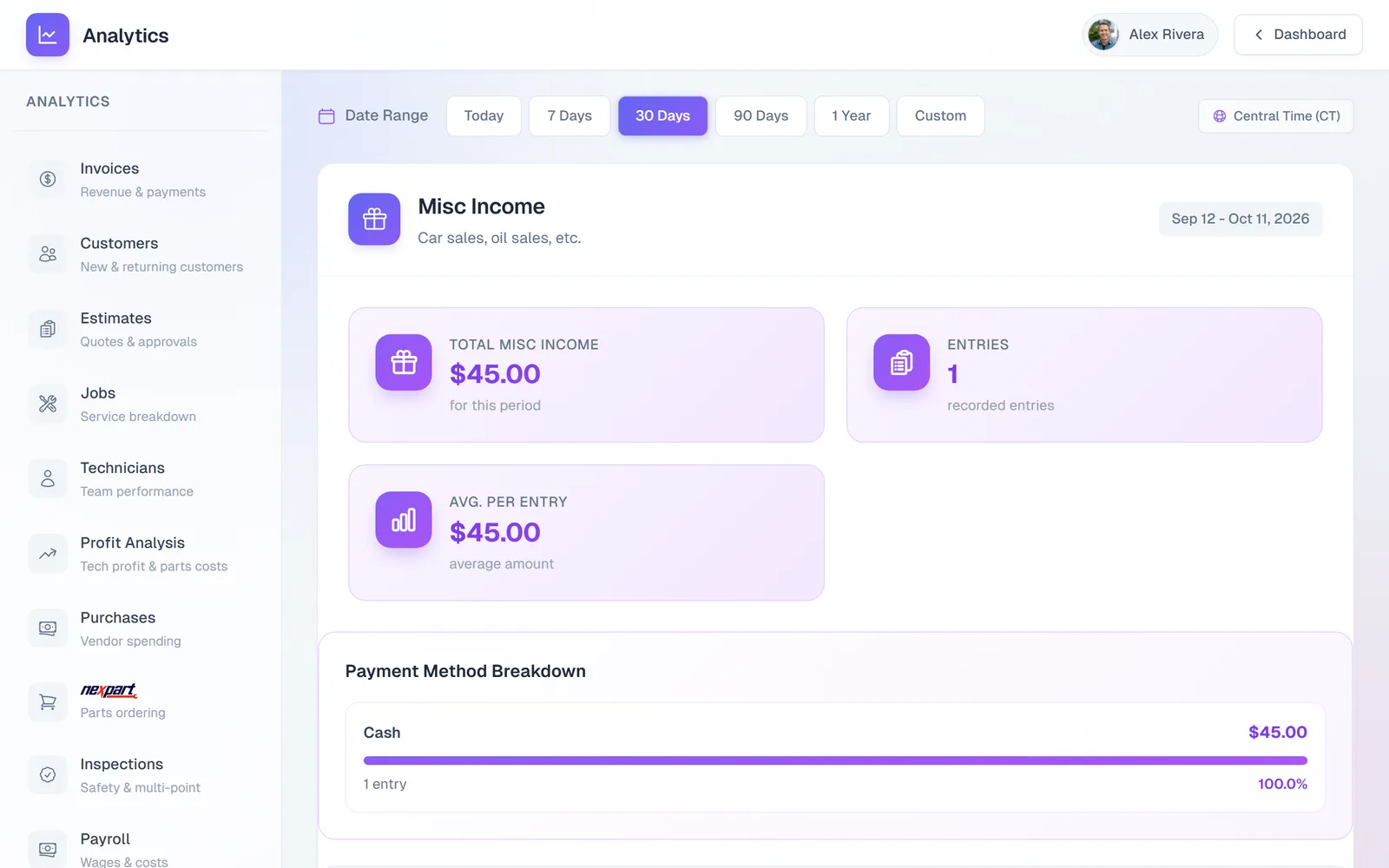
In Analytics → Misc Income, pick a date range to see the total, the number of entries, the average, a breakdown by payment method, and the largest entries.
Frequently asked questions
Yes, if it was not recorded as a payment on the invoice.
No. The Invoices report is invoice payments only. Misc income has its own report so the two stay separate for your accountant.
Under Shop Purchases. See Record a parts purchase.