Estimates
Customer approval and e-signature
How a customer approves a repair estimate in RedAppy: they sign on their phone, the estimate status changes to Signed, and an invoice is created automatically.
Approval happens on the estimate page the customer opened from your text or email. They sign with a finger or mouse, tap one button, and the estimate is locked in. You do not have to do anything on your side.
How the customer approves
At the bottom of the estimate page is the Customer Approval box. The approve button stays greyed out and reads Complete all fields to approve until there is a signature.
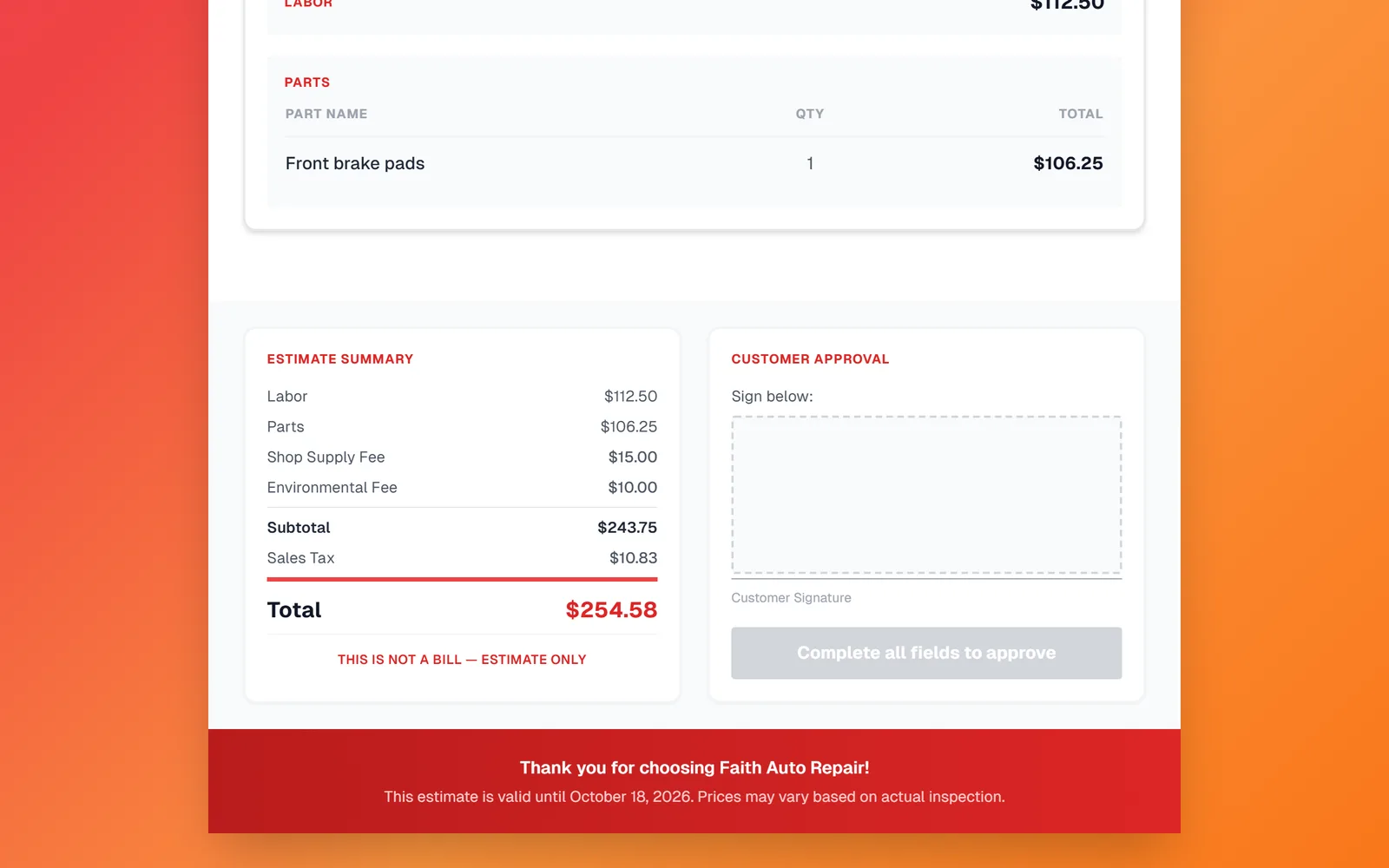
The customer signs in the Sign below area with a finger on their phone or the mouse on a computer. A Clear link lets them start over, and the button turns green and reads Approve Estimate.
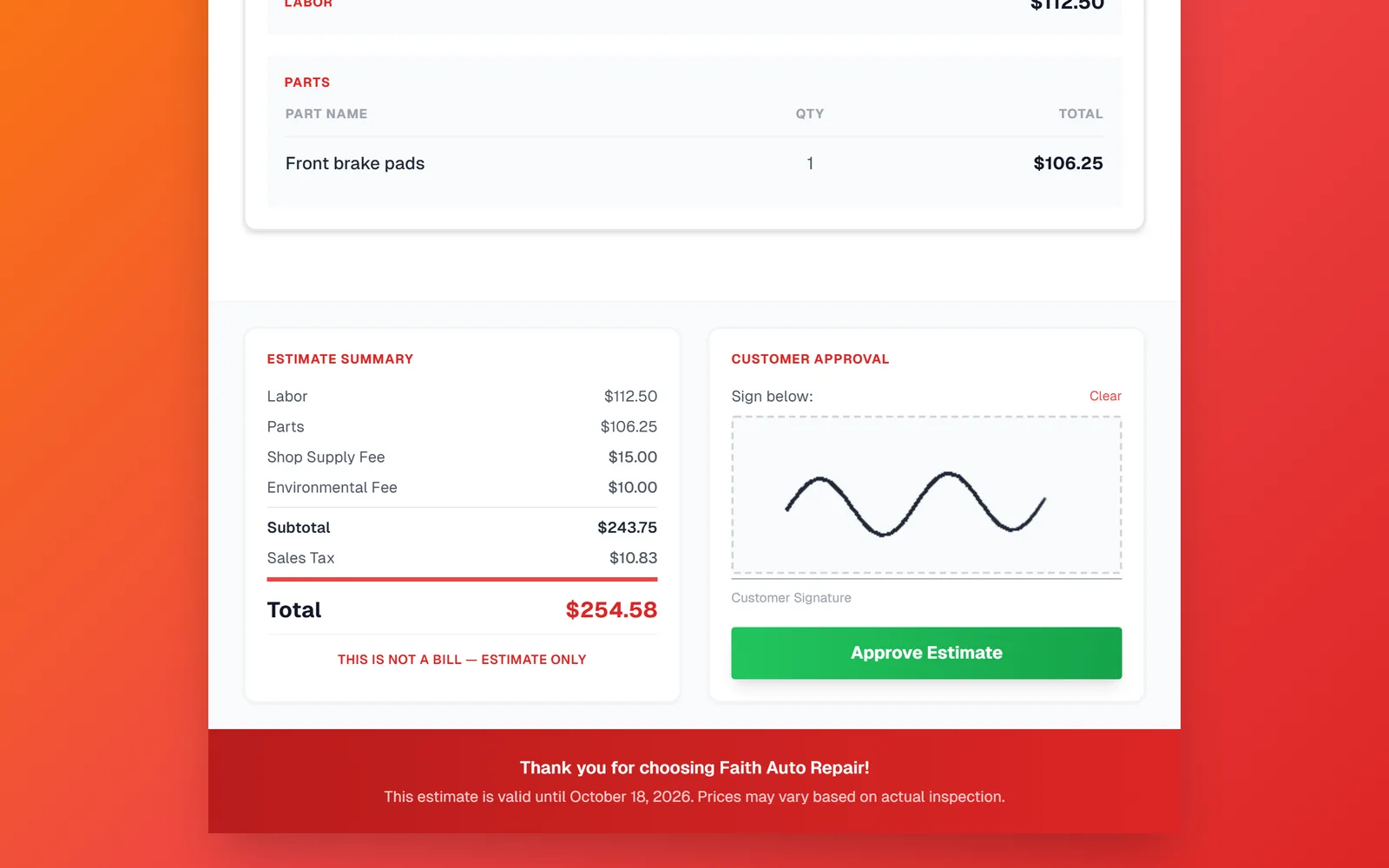
They tap Approve Estimate. The approval is recorded the moment they tap it.
What happens in your shop
- The estimate Status changes from Created to Signed. Status is managed automatically, so there is nothing to update by hand.
- An invoice is created from the estimate with the same jobs, parts, fees, and tax. Open Invoices to find it. See the Invoices and payments guides for what to do next.
- The approved estimate stays in the customer's service history, so you can always see what was agreed.
If the estimate expires first
Each estimate has a Valid Until date. Once that date passes without a signature the status changes to Expired and the approve button is no longer offered. To revive it, open the estimate, set a new Valid Until date, save, and send it again.
Frequently asked questions
The signature, the approval time, and the exact estimate the customer saw are stored together. Whether that meets the rules where you operate is a question for your local regulations.
No. Approval covers the whole estimate. If they want to drop a job, edit the estimate, save, and send it again before they sign.
The signed estimate is the record of what was approved, so make changes on the invoice that was created from it instead.
The status on the estimate changes to Signed and a new invoice appears in Invoices as soon as they approve.