Parts & inventory
Track parts and fluids in inventory
Count the filters, pads, and oil on your shelves in RedAppy. Add items with part number and shelf, set a minimum stock level, and reorder from Low Stock.
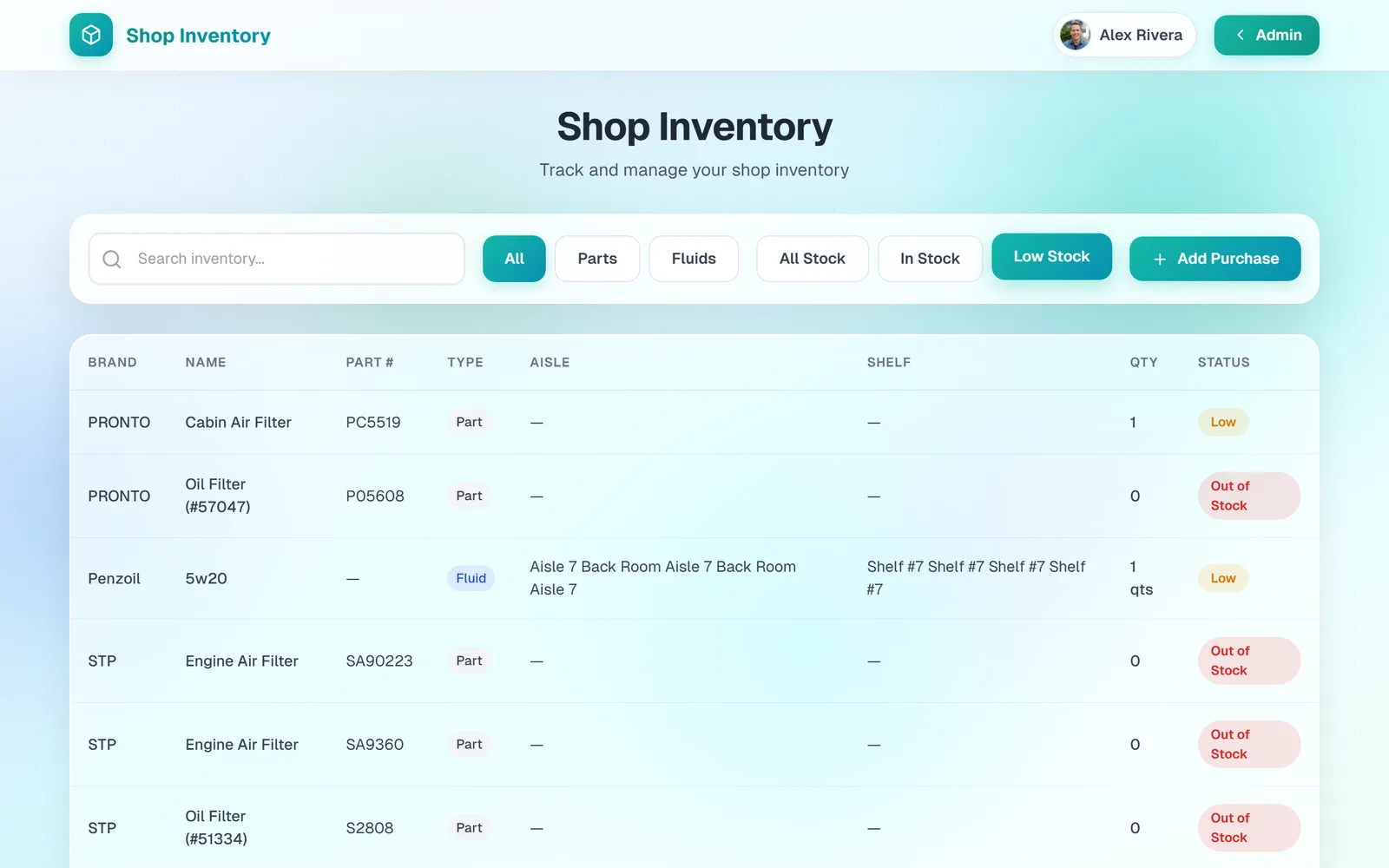
Inventory is for the parts and fluids you keep on hand, as opposed to parts ordered per job. Each item has a count. Using one on an invoice takes it down, recording a purchase brings it back up, and the Low Stock filter tells you what to reorder.
The Shop Inventory page
Open Shop Inventory from the dashboard. Search by name or part number, switch between Parts and Fluids, and see each item's Aisle, Shelf, Qty, and Status. Fluids count in quarts.
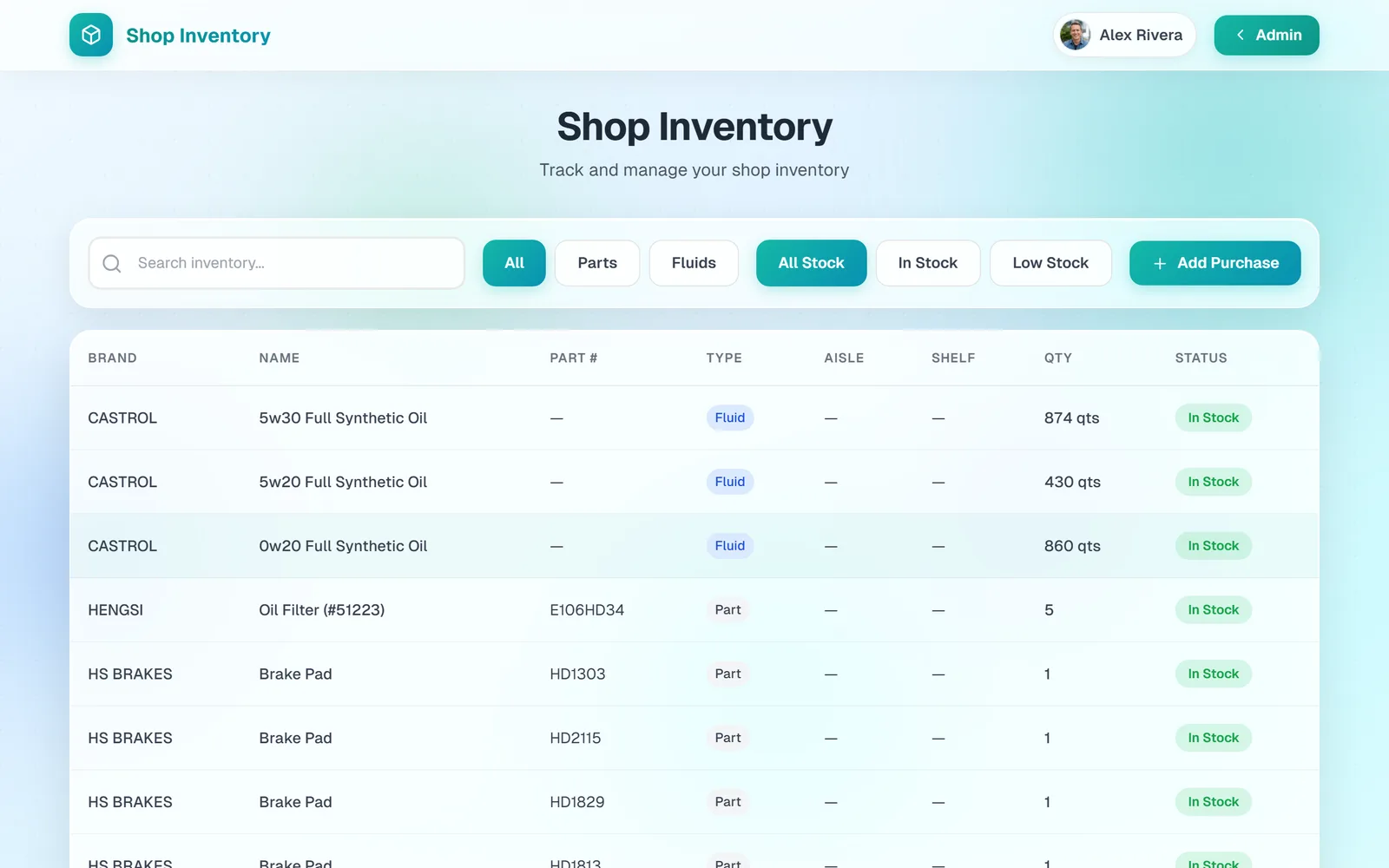
Click Low Stock to see only items at or below their minimum, marked Low or Out of Stock. This is your reorder list. Add Purchase takes you straight to recording the restock.
Add an item
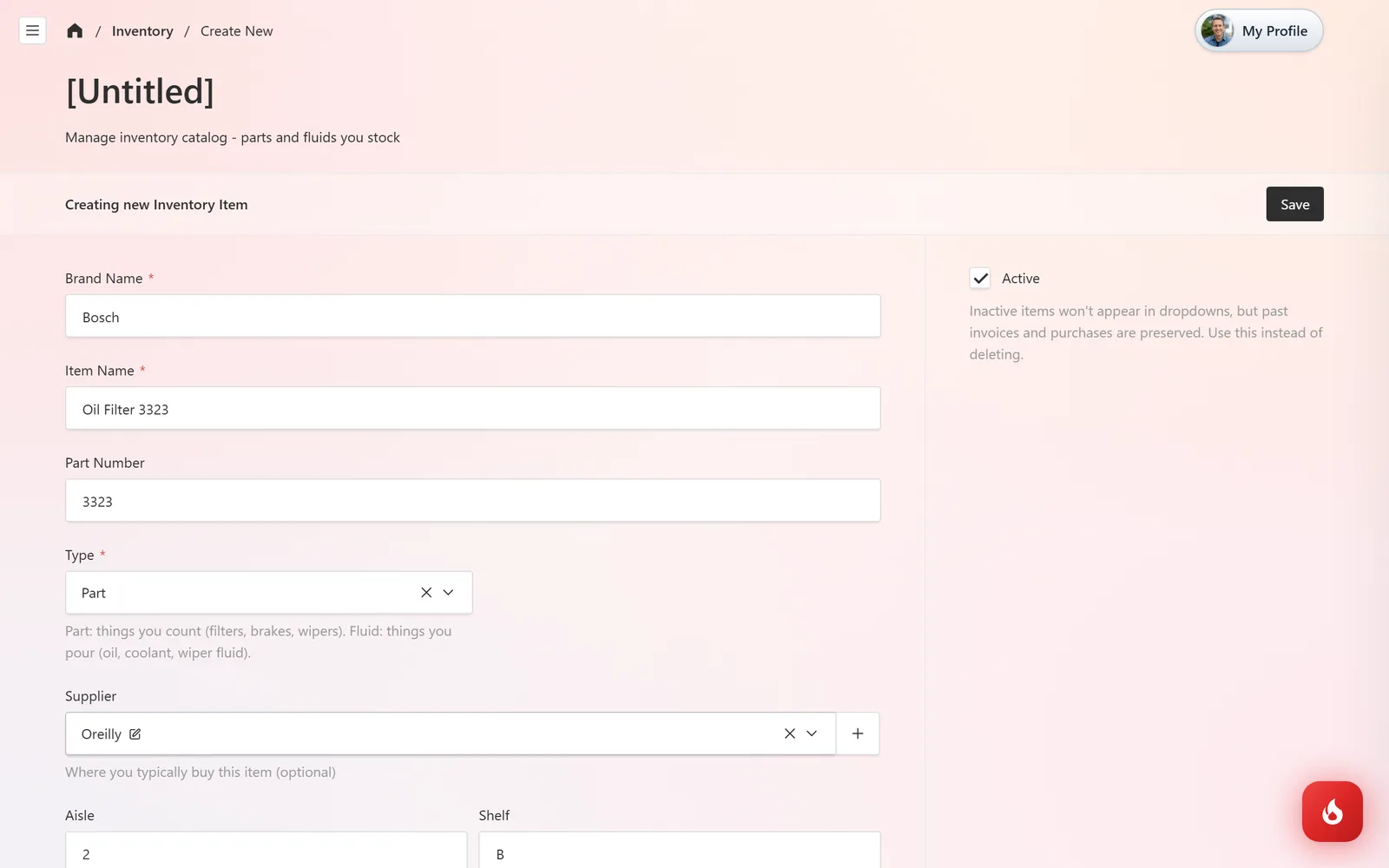
Open Inventory & Purchasing → Inventory and click Create New. Enter the Brand Name, Item Name, and Part Number. Set Type to Part (things you count) or Fluid (things you pour). Pick the Supplier you usually buy it from, note the Aisle and Shelf, and set a Minimum Stock Level; the item turns Low when it falls to that number.
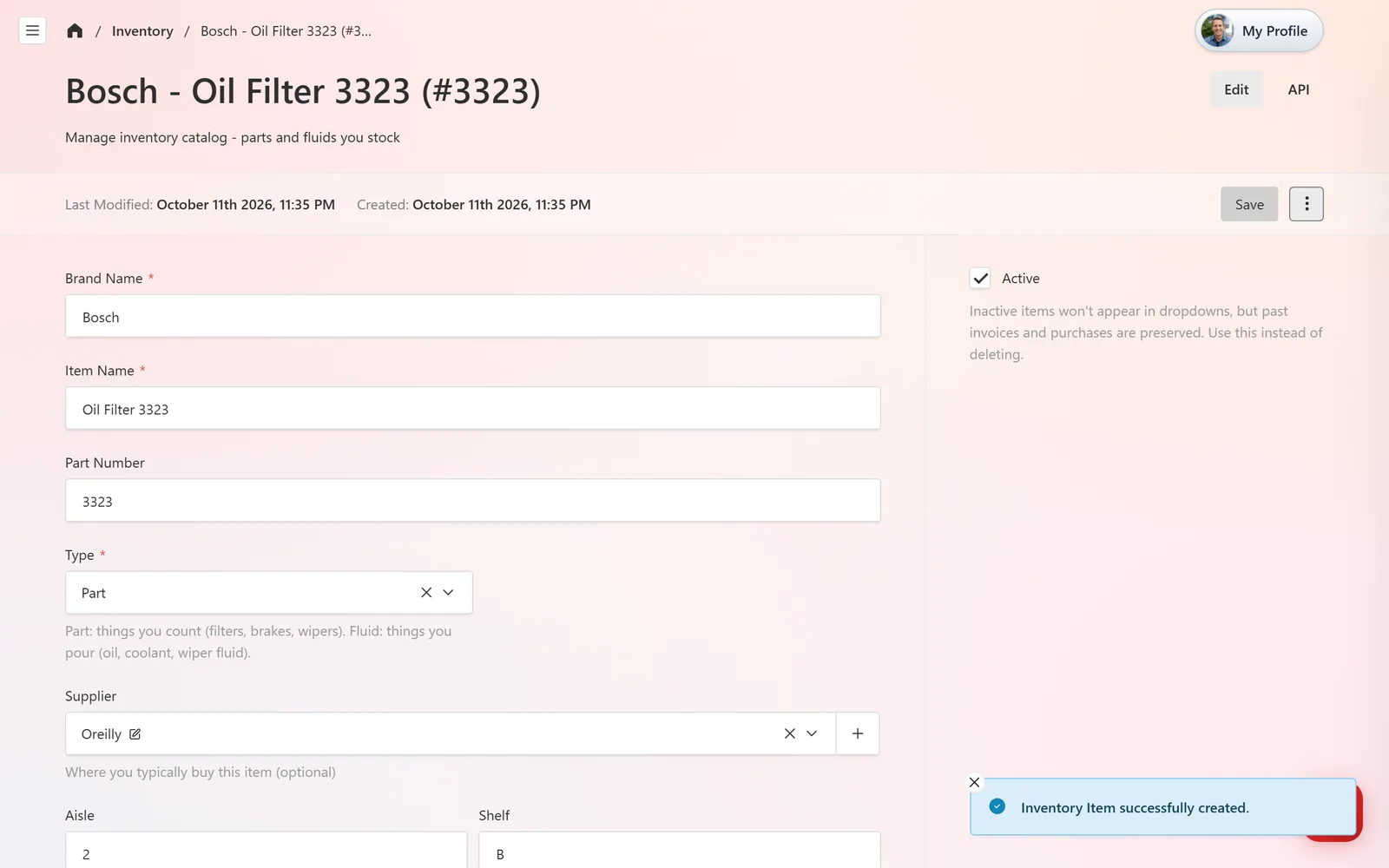
Click Save. The item is in the list with an In Stock count. Stock goes up when you record a purchase and down when a part with source Shop Inventory is used on an invoice.
Frequently asked questions
When you add a part to a job and set its source to Shop Inventory, you pick the item from your inventory and the quantity is deducted when the invoice is saved.
Yes. Set the Type to Fluid and the count is kept in quarts.
Ten, if you leave the field empty. Set it per item to match how fast it moves.