Messages
Collect Google reviews
Ask every paid customer for a Google review by text or email from the invoice. Happy customers are sent straight to Google; unhappy ones tell you privately first.
RedAppy asks for a review at the right moment, right after the invoice is paid, and routes the answer: a high rating goes to your Google listing, a low one comes to you as private feedback so you can fix it before it goes public.
One-time setup
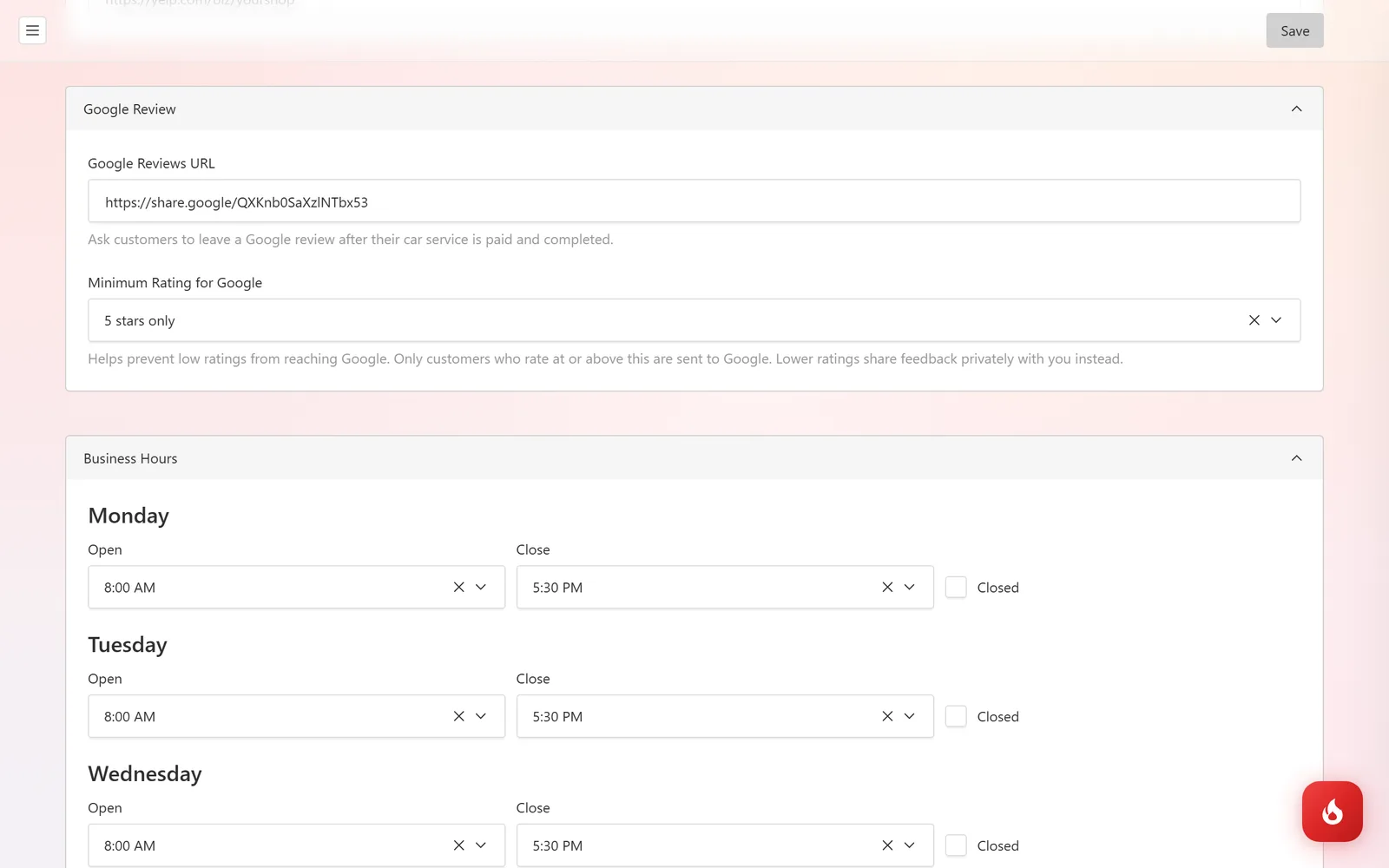
Open Shop Setup → Shop Settings → Google Review. Paste your Google Reviews URL (the "write a review" link from your Google Business Profile). Then set Minimum Rating for Google: customers who rate at or above it are sent on to Google, the rest share feedback privately. Click Save.
Ask for the review
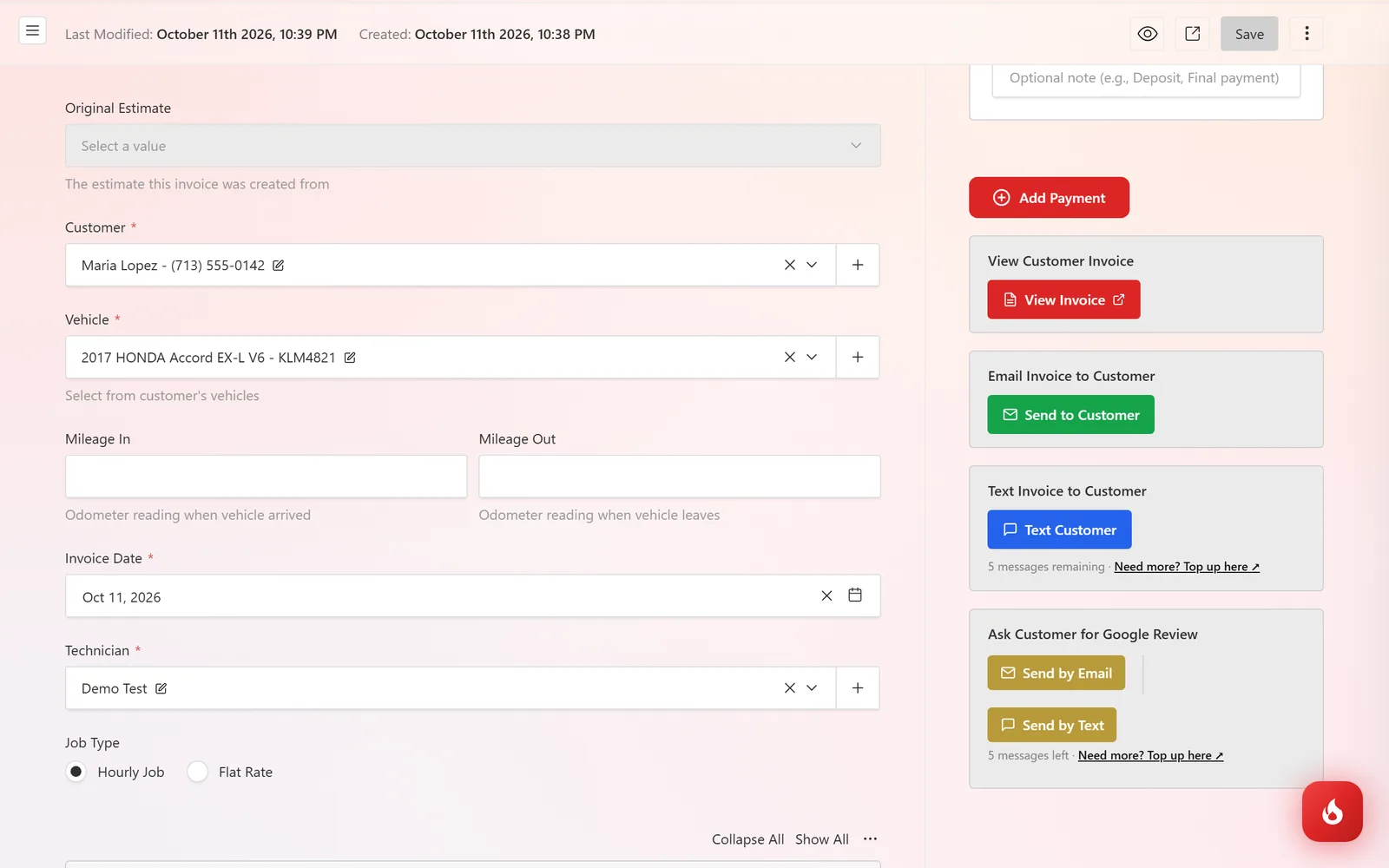
Open the paid invoice. Under Ask Customer for Google Review, click Send by Email or Send by Text. A text uses one message credit.
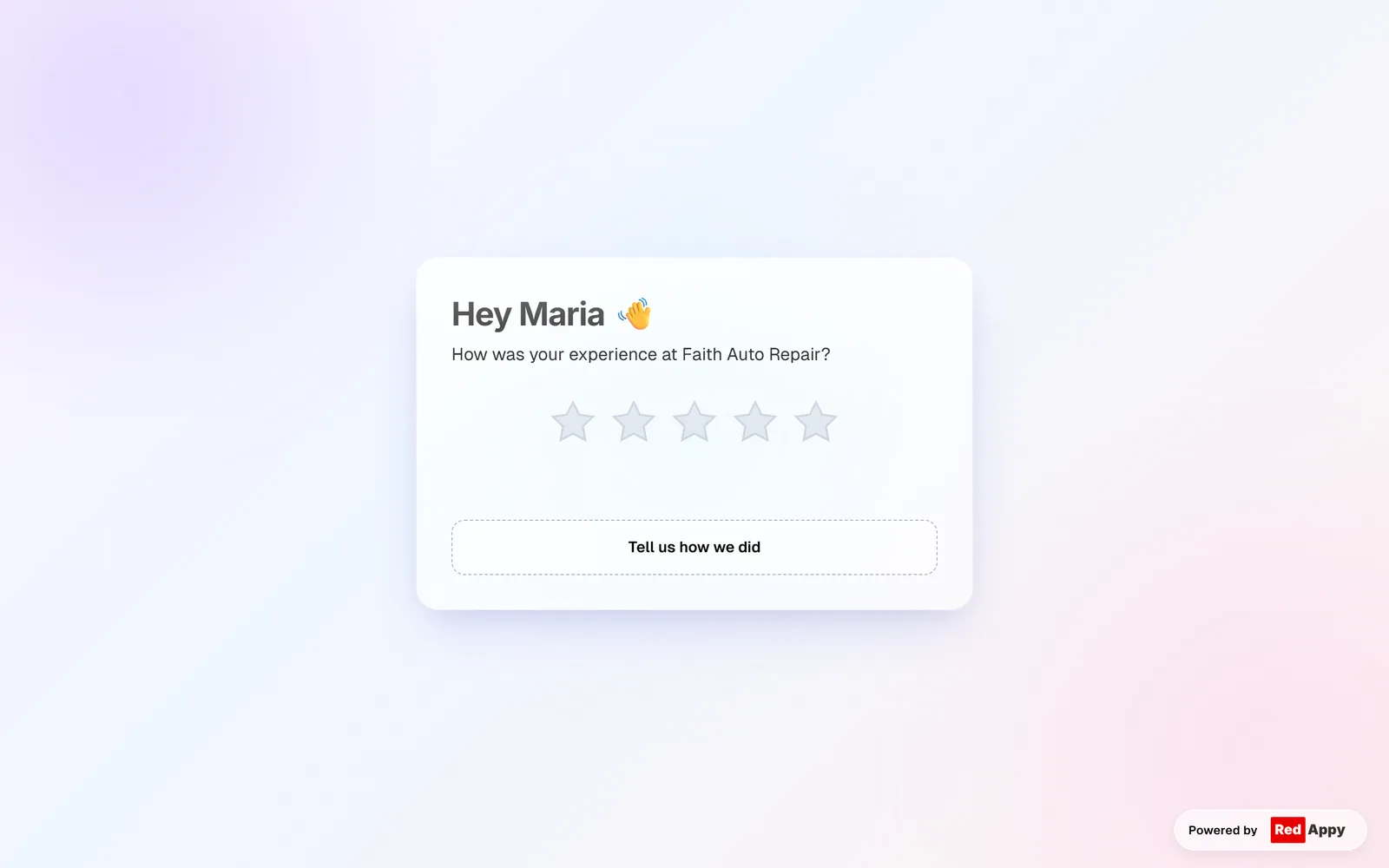
The customer gets a link to a page that greets them by name and asks How was your experience? with five stars to tap.
What happens next
- At or above your minimum: the customer is taken to your Google review page to post it. The rating is saved in RedAppy too.
- Below your minimum: the customer picks what went wrong from a short list and can leave a note. Nothing goes to Google. You get the feedback in Customers & Vehicles → Reviews.
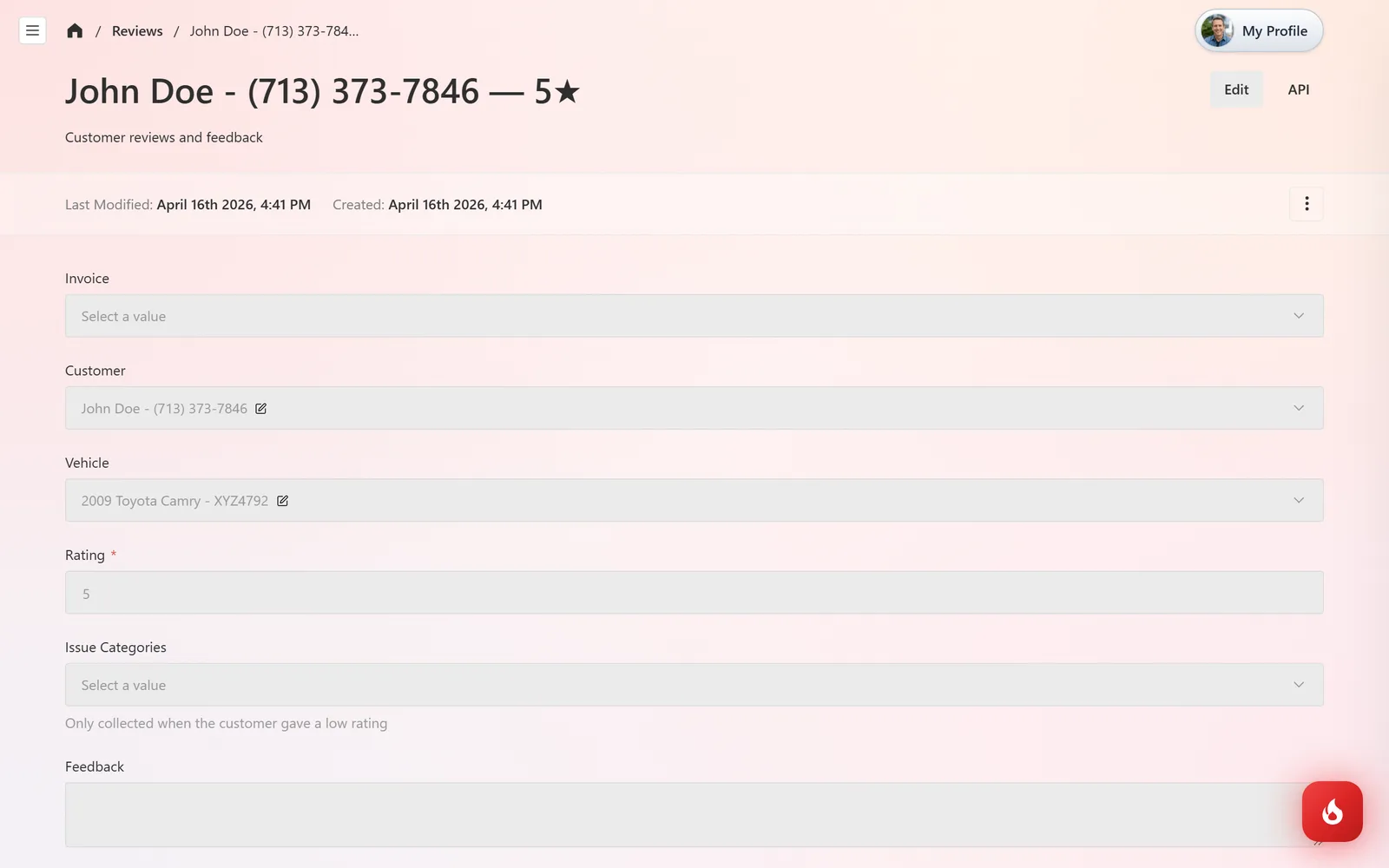
The Reviews list shows every rating with the customer, vehicle, invoice, and any issue categories and feedback.
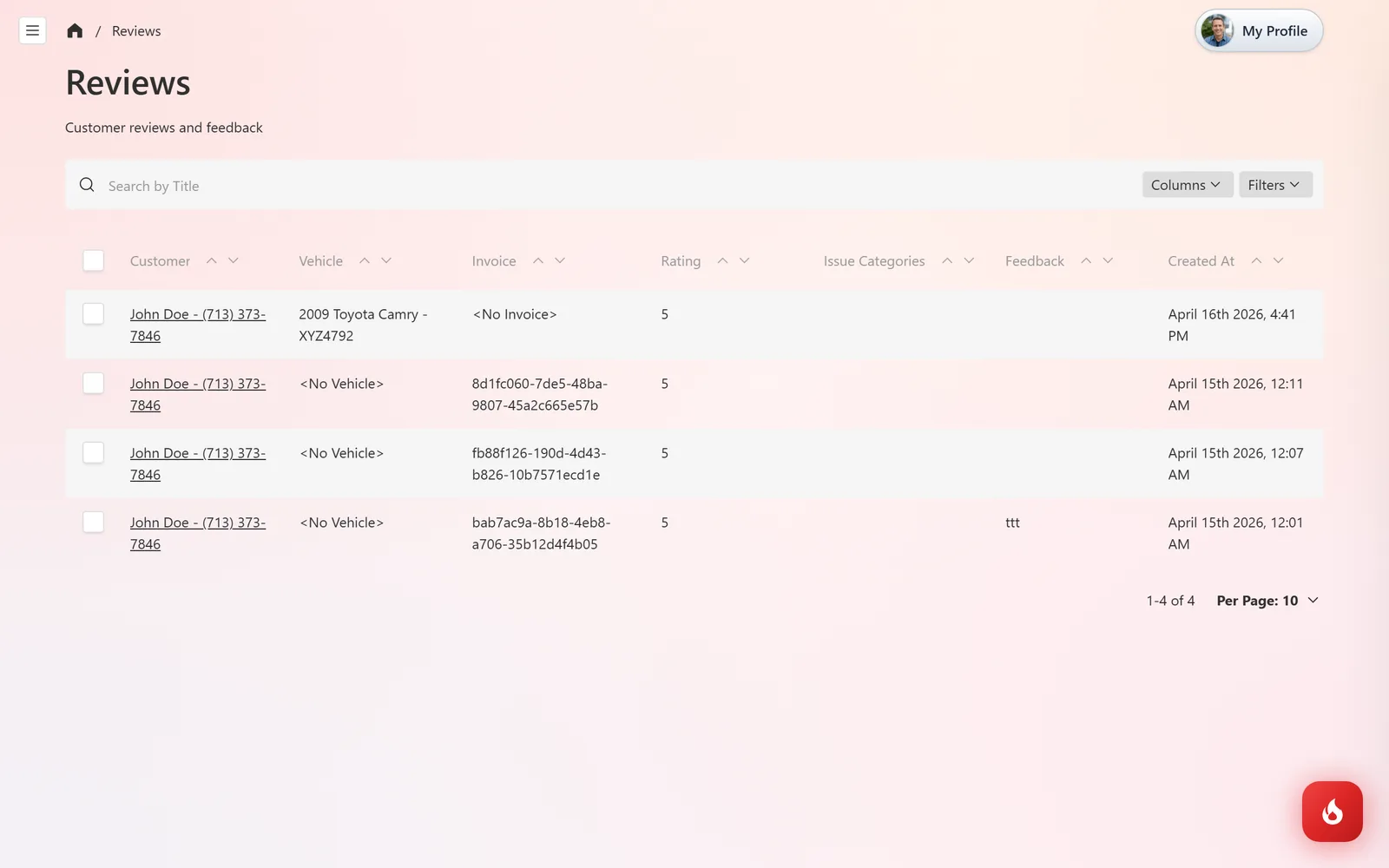
Open one to see the full record, including whether the customer was Redirected to Google. Low ratings are the ones to call back the same day.
Frequently asked questions
Google publishes its own rules on how businesses may ask for reviews, and they change. Read them before you set a minimum rating. Set the minimum to 1 star to send every customer to Google.
Today it is one click on the invoice, so you decide who to ask and when.
In your Google Business Profile, under "Ask for reviews", copy the short link and paste it into Google Reviews URL.