Customers & vehicles
Add a vehicle with VIN lookup
Add a vehicle to a customer in RedAppy by typing or scanning the VIN. VIN Lookup fills in year, make, model, trim, engine, and transmission for you.
A vehicle record holds the year, make, model, plate, and VIN, and every estimate, invoice, and inspection for that car is tied to it. The fastest way to add one is from the VIN: type it or scan it, click VIN Lookup, and the details fill in.
Add the vehicle
Open Customers & Vehicles → Vehicles and click Create New, or click Add new in the Vehicles table on the customer's record. Pick the owner under Customers.
Type the 17-character VIN into the VIN field. On a phone or tablet, Scan VIN reads it with the camera from the door jamb sticker or the windshield plate.
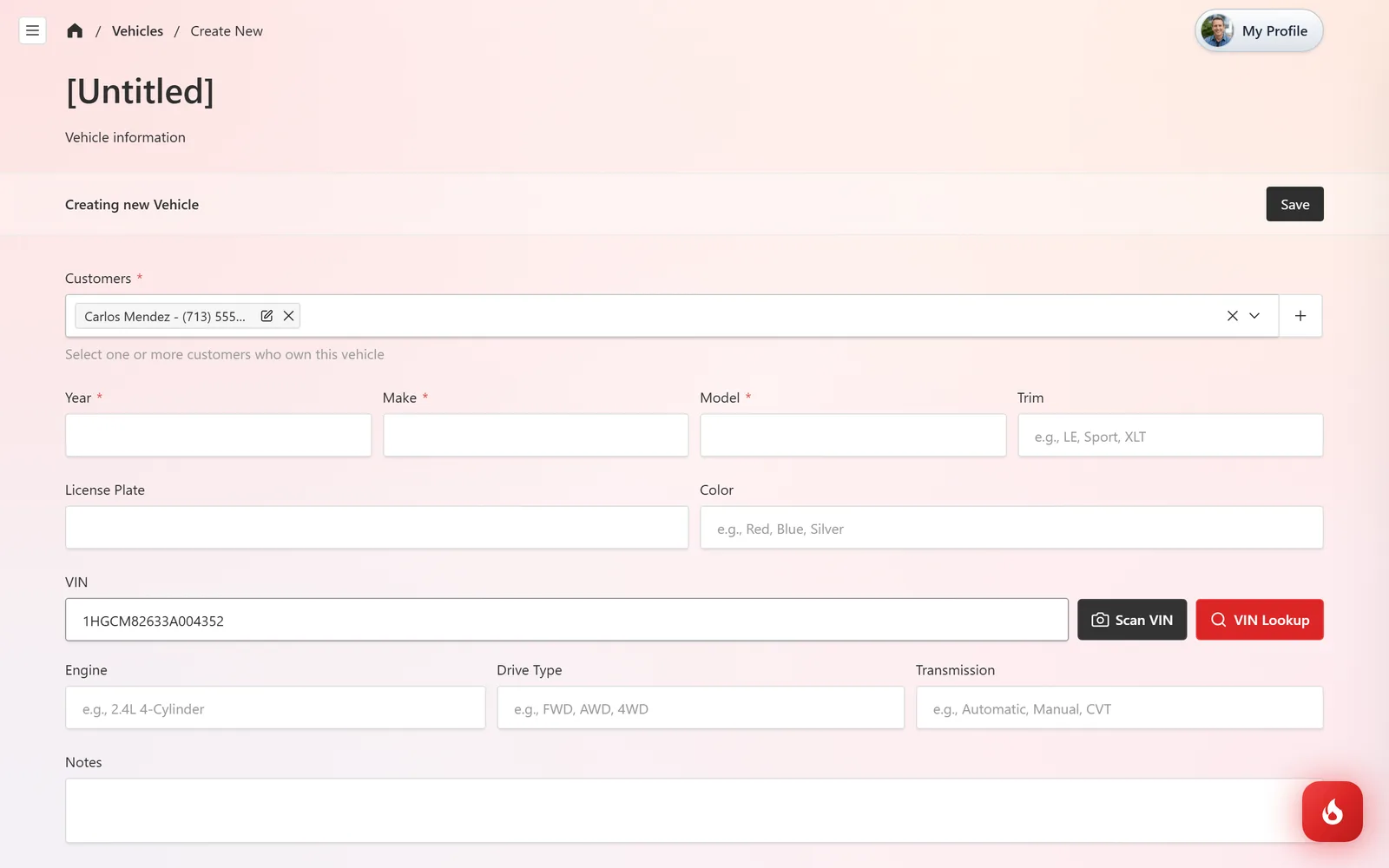
Click VIN Lookup. Year, Make, Model, Trim, Engine, and Transmission fill in from the VIN, and a banner confirms what was found. Anything the VIN does not carry, like Drive Type, stays blank for you to type.
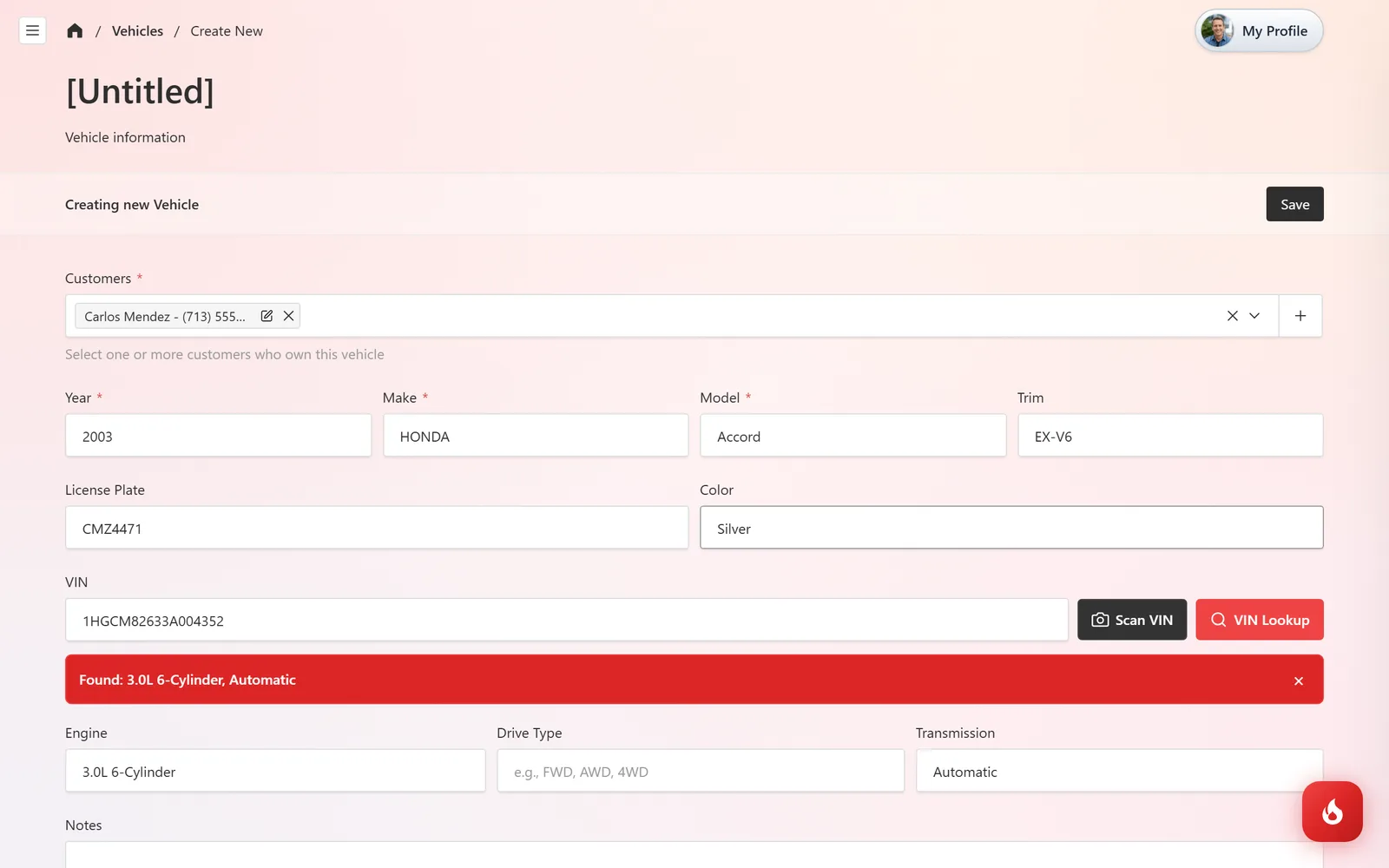
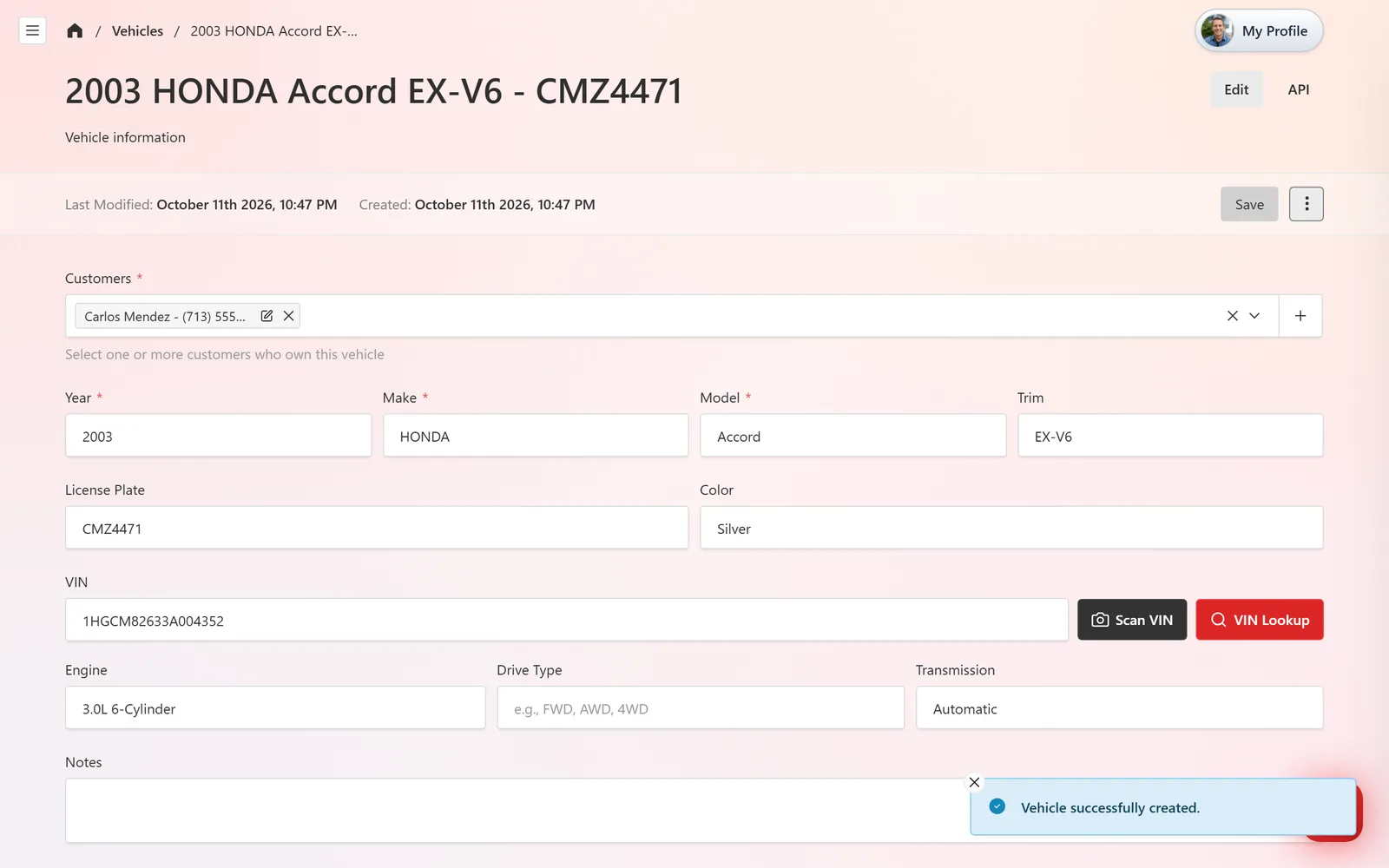
Add the License Plate and Color, and anything useful under Notes. Click Save. The record is titled with year, make, model, trim, and plate, which is how it shows up in every customer search.
Add a vehicle without a VIN
Type Year, Make, and Model by hand; those three are the only required fields. Add the VIN later when the car is in the bay, since parts ordering and labor time lookups work best with it.
Frequently asked questions
Check for a mistyped character first. VINs never contain the letters I, O, or Q. If it still fails, enter the details by hand and keep the VIN on the record.
Yes. Add every owner under Customers on the vehicle record.
Yes. Click + next to the Vehicle field on the estimate. The same form opens, including VIN Lookup.