Customers & vehicles
Add a customer
Add a customer in RedAppy with their phone, email, address, and text-message consent, then attach their vehicles so every estimate and invoice lands on their record.
Every estimate, invoice, and text message hangs off a customer record. Adding one takes a name and a phone number or email. You can do it from the Customers list, or on the fly with the + button next to the Customer field on any estimate or invoice.
Add the customer
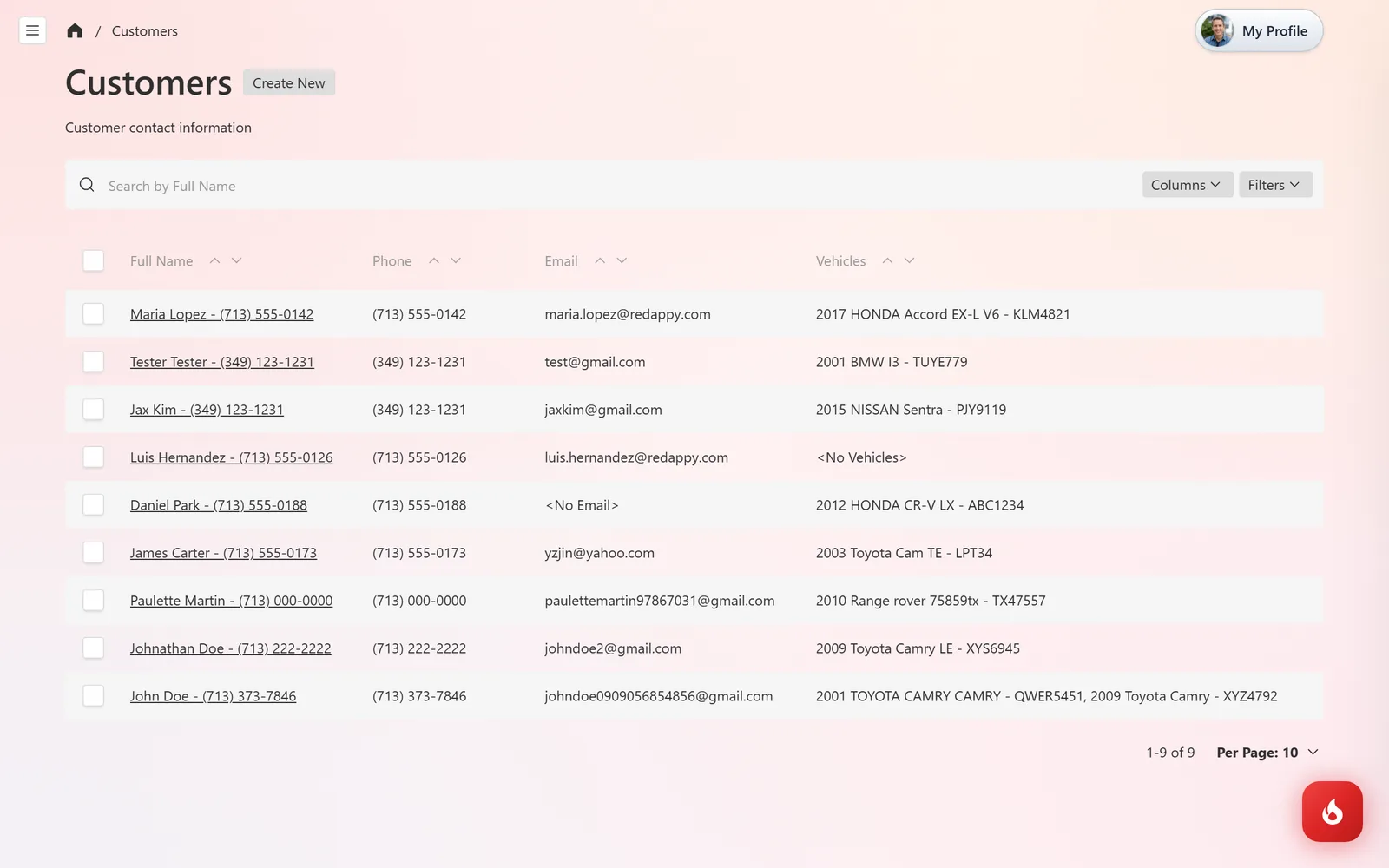
Open Customers & Vehicles → Customers and click Create New. The list shows each customer with their phone, email, and vehicles, and you can search it by any of those.
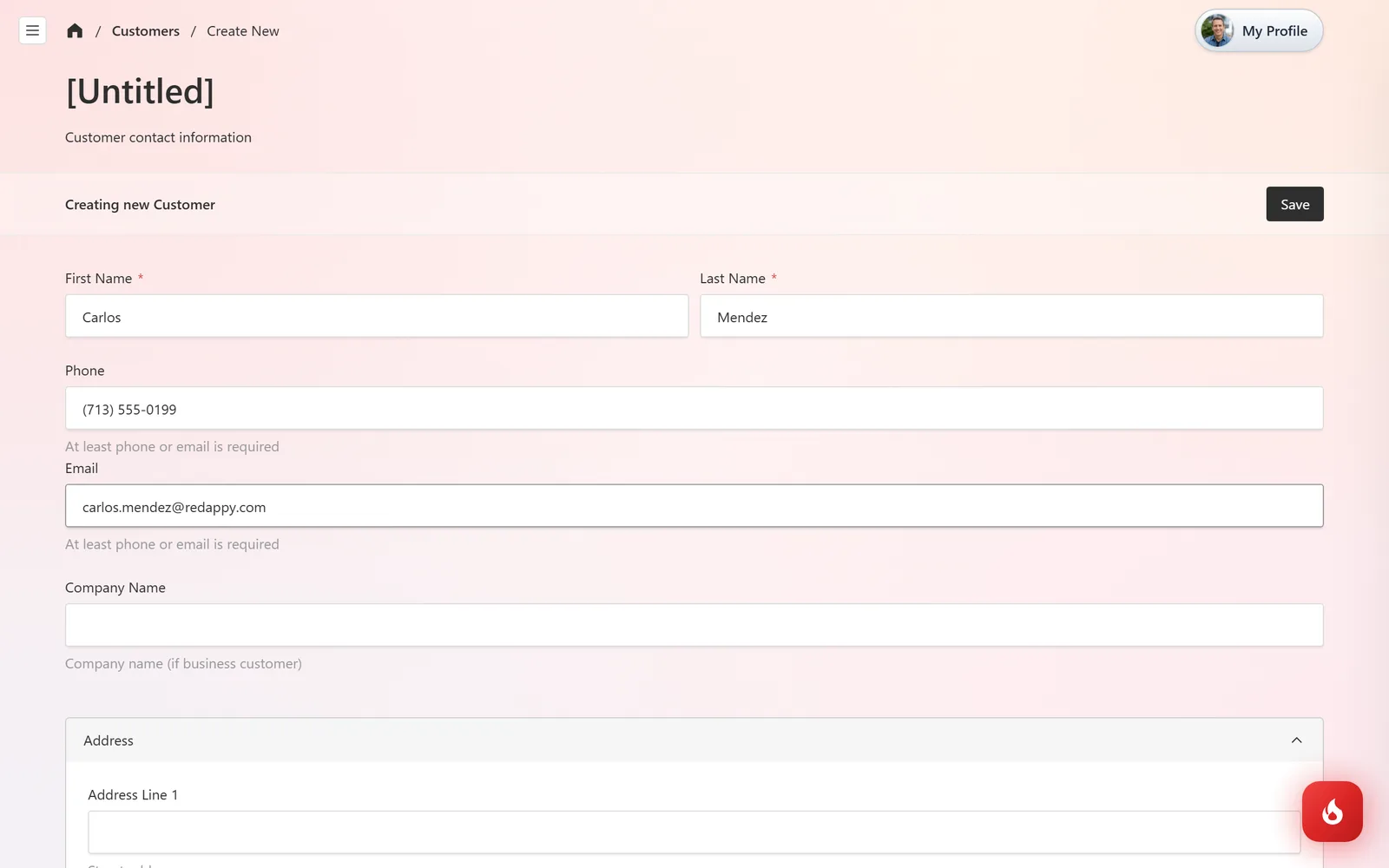
Enter First Name and Last Name, then a Phone or an Email. At least one of the two is required, and texting needs a mobile number. Add a Company Name for fleet or business customers.
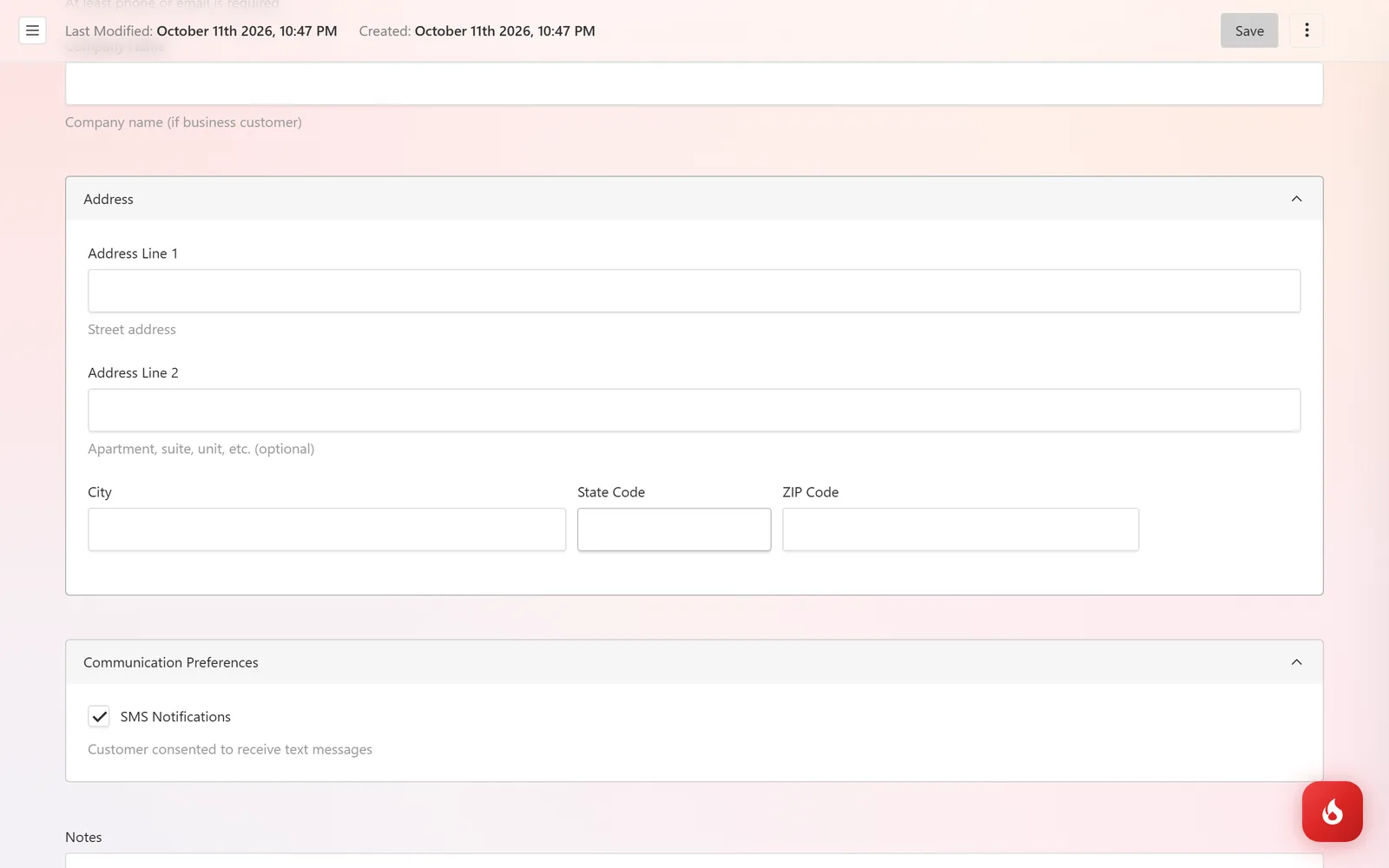
Fill in the Address if you want it on invoices, then open Communication Preferences and tick SMS Notifications once the customer has agreed to receive texts. Use Notes for anything the team should know, like a preferred contact time.
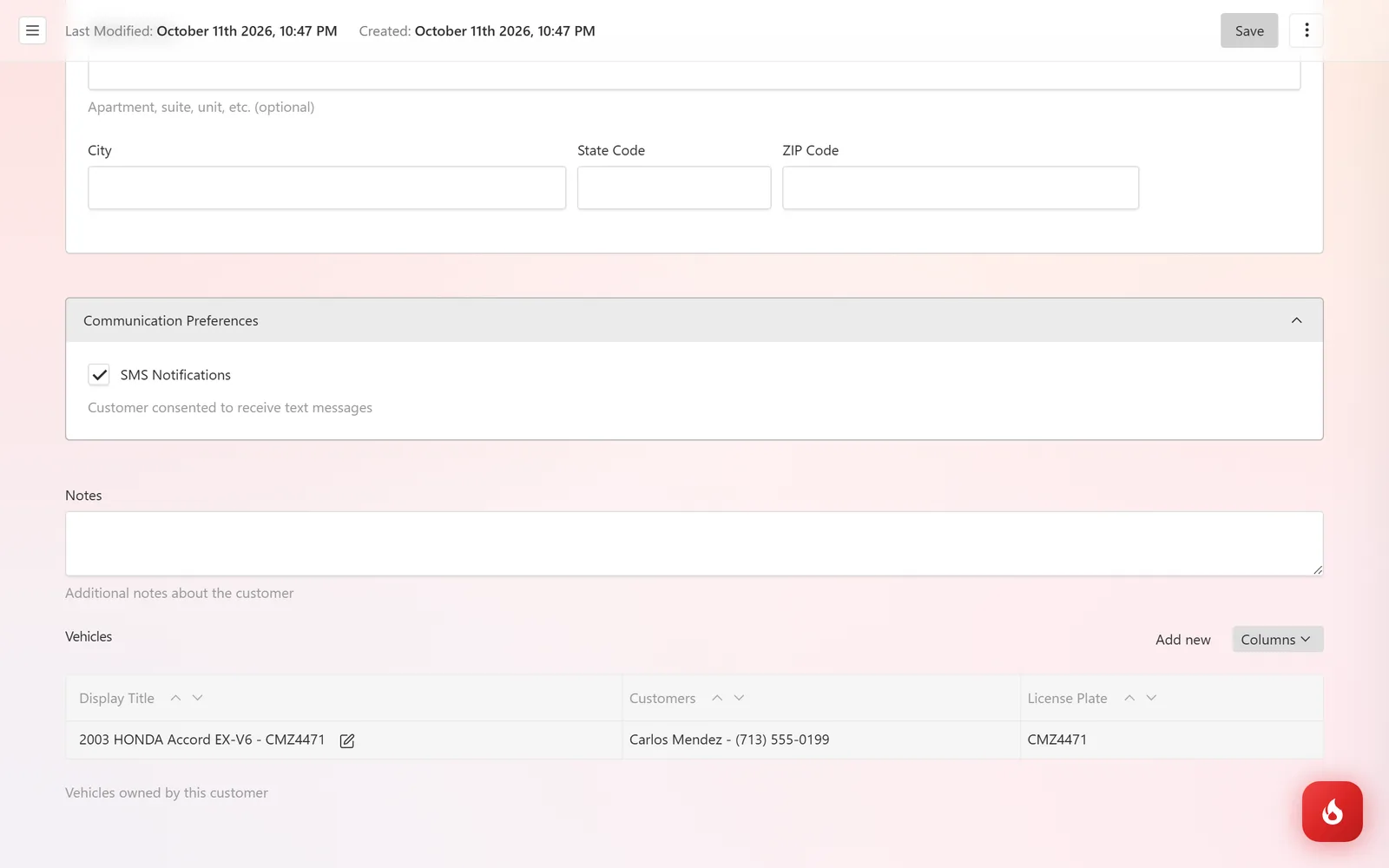
Click Save. A Vehicles table appears at the bottom of the record. Click Add new there to add their car, or follow Add a vehicle.
Adding a customer mid-estimate
On a new estimate or invoice, click + next to the Customer field. The same form opens in a drawer, and the new customer is selected as soon as you save it. Do the same with the + next to Vehicle.
Frequently asked questions
Yes. A vehicle can belong to more than one customer, for example a couple or a company and its driver. Add both under Customers on the vehicle record.
That is enough. Email is optional, and so is the address.
Move the vehicles to the record you want to keep, then delete the other one from its ⋮ menu. Past estimates and invoices stay attached to the customer they were created for.