Job board
Add tasks for the team
Give a technician a to-do that is not a repair, like ordering parts or calling a customer, from the RedAppy Shop Board, with an assignee and due date.
A task is a to-do that is not a repair, like ordering a part or calling a customer back. Tasks sit on the same board as the cars, assigned to one person with a due date.
Add a task
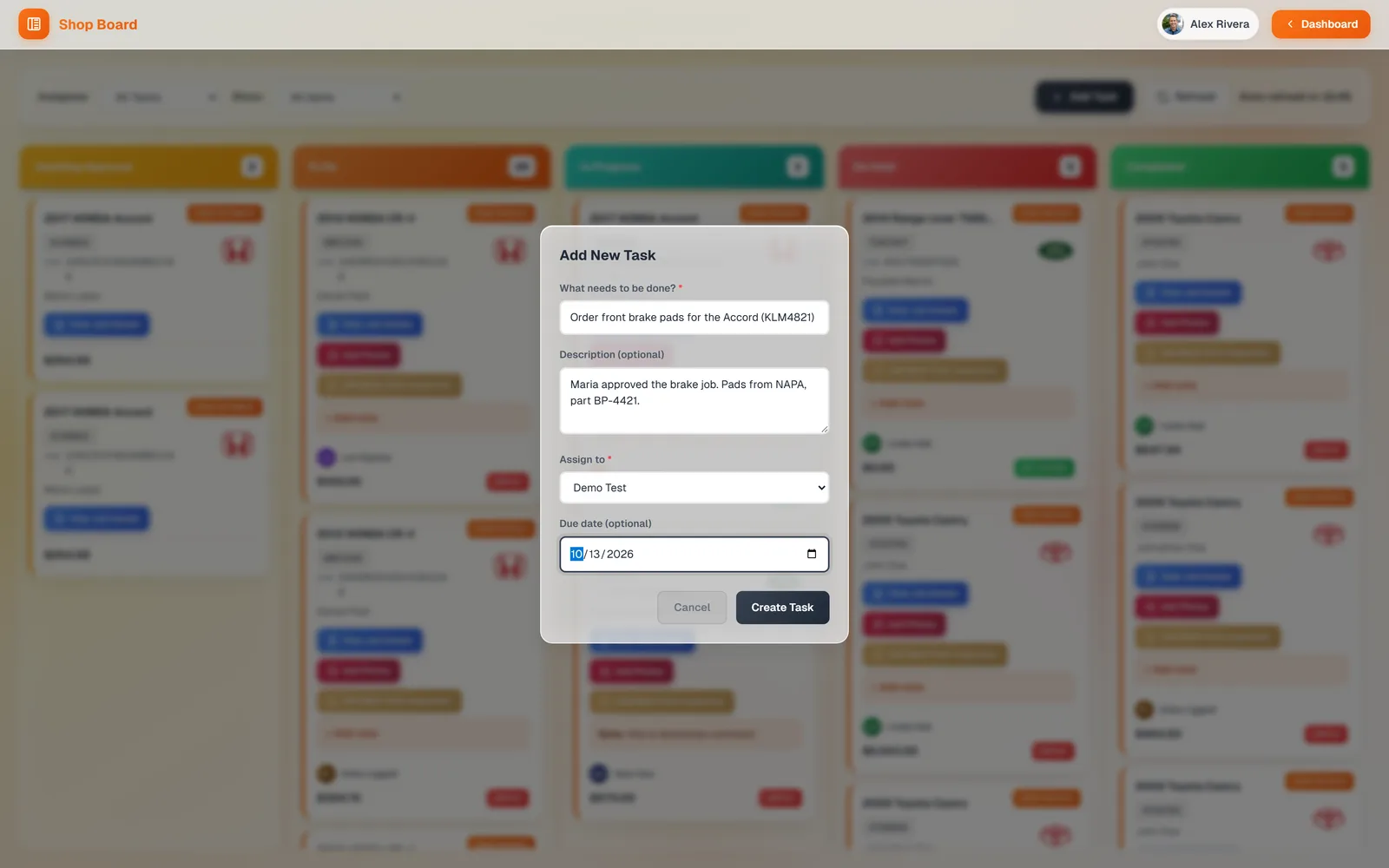
On the Shop Board, click the Add Task bar. Type What needs to be done, add a Description if it helps, pick who it is for under Assign to, and set a Due date. Click Create Task.
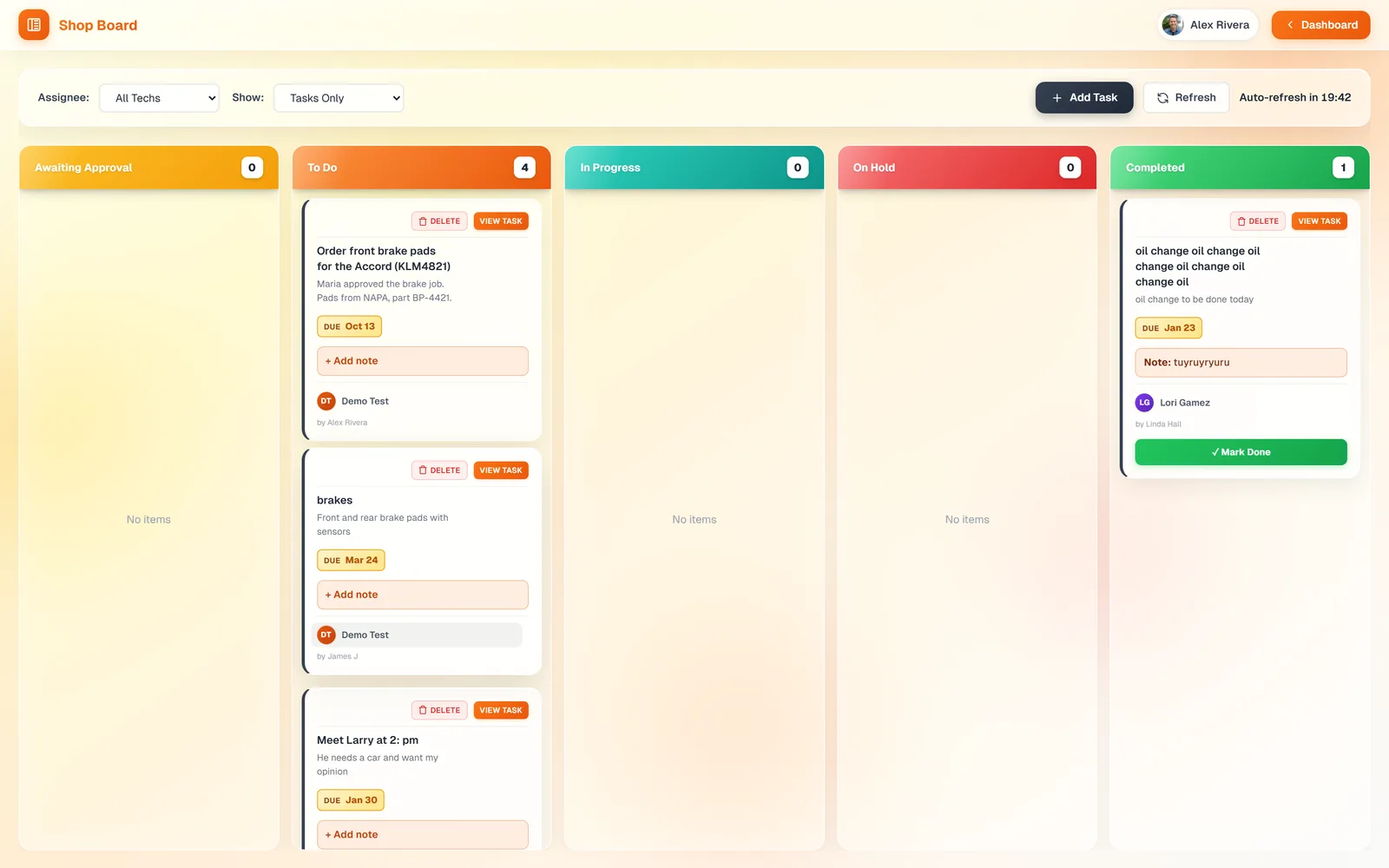
The task appears as a card in To Do for that person, with the due date on it. Set Show to Tasks Only to see just tasks. Cards have View Task, Delete, and Add note, and you drag them between columns like work orders.
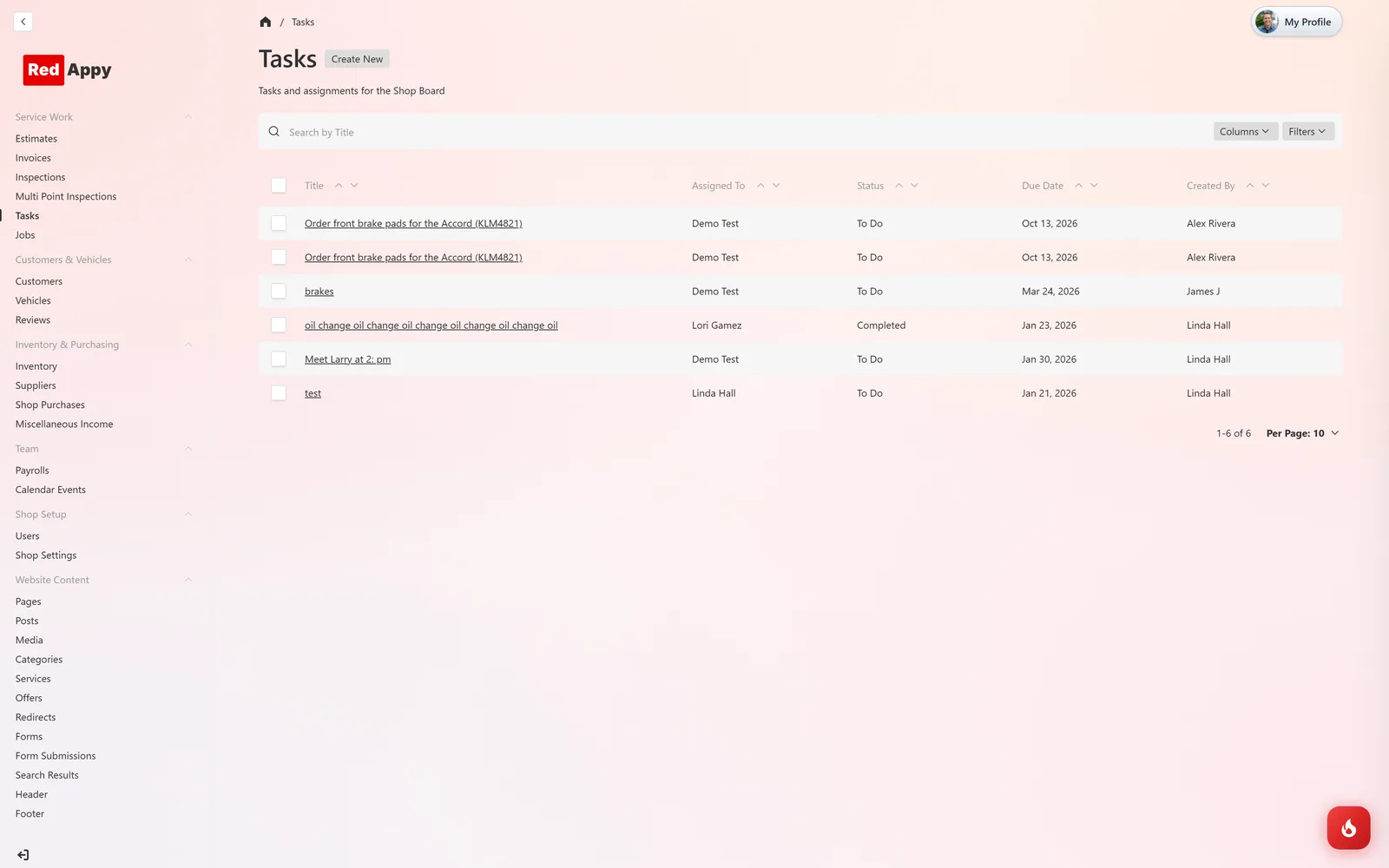
Tasks are also listed under Service Work → Tasks, where you can search, sort by due date, and open any task to edit it.
Frequently asked questions
A task has one assignee. Create a second task if two people each need to do something.
Drag it to the Completed column (or use Move to on a phone). It stays in Completed and in the Tasks list.
Yes. Service Work → Tasks → Create New has the same fields plus a Status field.